

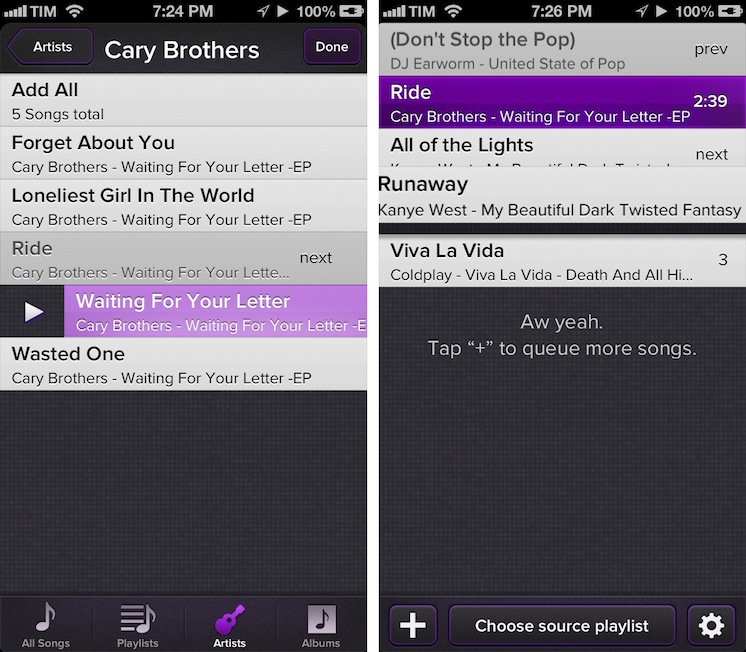
Party Monster is a Universal iOS app to queue songs in a temporary playlist, perfect for parties, dinners with friends, or, generally, every time you want to listen to specific songs in a specific order. As you may know, I’m a passionate Rdio user, and local music with iTunes doesn’t really fit with my listening habits. I wouldn’t mention Party Monster, however, if it weren’t for its approach and attention to detail that made it stand out for me. Read more
Posts in reviews
Party Monster
Twitterrific 5 Review
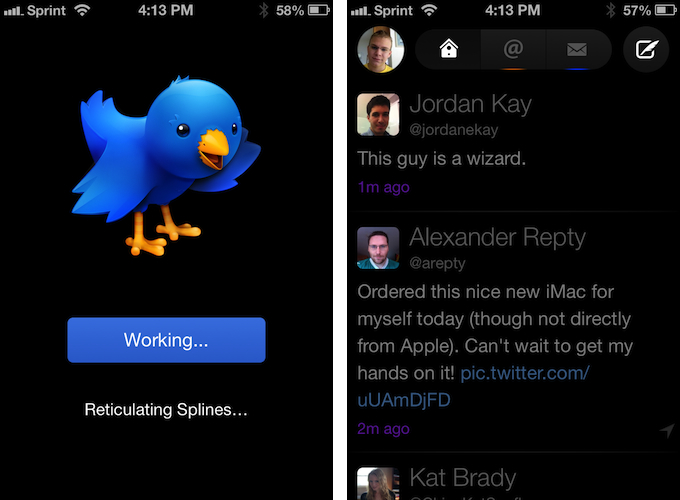
Twitterrific 5. It’s been fun to watch Twitter’s reaction to an app that I, and other writers, wanted to surprise the world with. Alas, it was bound to leak, unsurprisingly by Apple’s Japanese App Store. The Iconfactory’s latest iteration of their famed Twitter client is shockingly different isn’t it? The same gut reactions I watched unfold on Twitter could not better describe the same gut reactions I had when I first saw just how striking the new interface is.
Sharing the first pic of Twitterrific 5 with my coworkers resulted in an immediate, “Wow.” After a few more screenshots, “That looks like a Windows 8 app. Like Track 8.” It’s an absolutely fair assessment. And it’s one I’ve seen echoed on Twitter as I watched the tweets scroll by. Thankfully, Twitterrific 5 is as much of an iOS app as it ever was. No text hangs off the screen — no “CTURES” as Federico and I will joke.
Twitterrific 5 presents itself dressed in black with Helvetica accents and familiar shades of orange and blue for mentions and messages. It’s both instantly recognizable and obviously different. In contrast to colored entries and standard rectangular iOS elements, it is typography, floating buttons, and rounded corners that are pervasive in the new Twitterrific.
Gmail 2.0: A Year Later
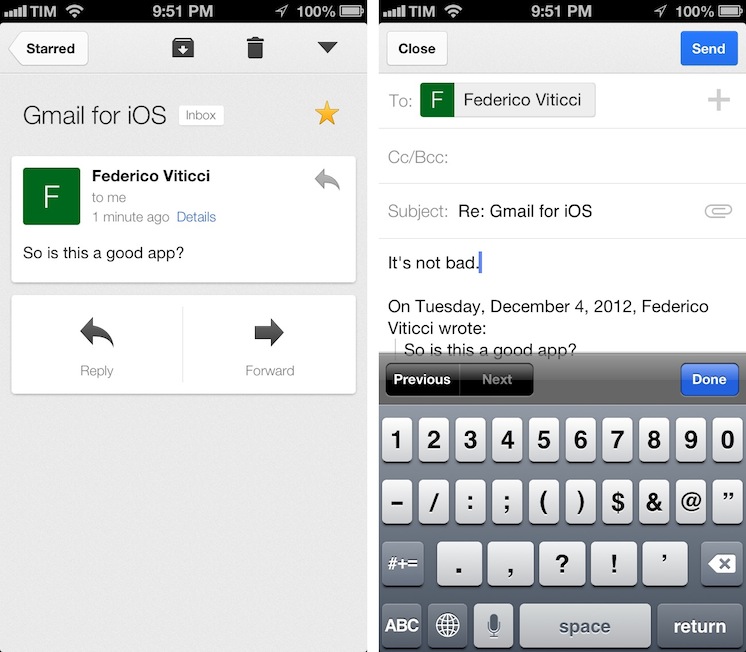
Despite Google’s persistence on adopting web views in an iOS frame, Gmail’s iOS app has been consistently improved since its inception. For the amount of ridicule Gmail for iOS has received, whether it be for its mobile web disguise or a lack of support for multiple accounts, it’d be a shame not to recognize some of the substantial improvements that have been made to the app. While I didn’t think Gmail was a great app, I didn’t think of it as a bad app, offering a native Gmail experience for account holders who want to take advantage of Google’s quick search capabilities, labels, and importance markers. On iOS, the main benefit is near instant notifications, something that Apple’s native Mail app can’t take advantage of unless Gmail is set up as an Exchange account. (And that notification sound? One of the best.)
Fantastical for iPhone Review

I wouldn’t call myself a calendar power-user.
Ever since I started organizing the things I have to do with a system I can trust, I’ve faced a workflow conundrum: is this a task or a calendar event?
I know that there’s a difference between so-called “actionable items” and time-based events. Maybe I’m not hooked up right, but I’ve been looking for a way to immediately visualize, in a single interface, all the things that I have to do on a specific day. Independently from their actionable (“you need to do this”) or time-based (“you need to be here”) status, I want a software that, like a personal assistant, tells me exactly what I need to get done.
I have found such system in displaying my OmniFocus items inside my calendar. And now, the system has been enriched by the addition of Fantastical for iPhone.
I’ve been a fan of Fantastical for Mac since I first tried it in May 2011. Replacing iCal’s overly complicated interface with a simple menubar overview of your upcoming events, not only did Fantastical show that a simpler way to access your calendar was possible, it also profoundly changed the third-party OS X development scene with its use of natural language input. Futuristic as a concept, in practice Flexibits managed to bundle a powerful language parser within Fantastical that would recognize commands like “Coffee with Chris tomorrow from 6 to 7” and deconstruct them as specific values for a calendar event. It’s not a fancy gimmick: rather than clicking buttons and menus, I constantly find myself invoking Fantastical on a daily basis, typing away like I’d normally do in a blog post or note, saving events in just a few seconds.
Fantastical is one of my must-have apps for OS X. But how could Flexibits ensure its soul wouldn’t get lost in the transition to iOS? Read more
Rdio 2.0
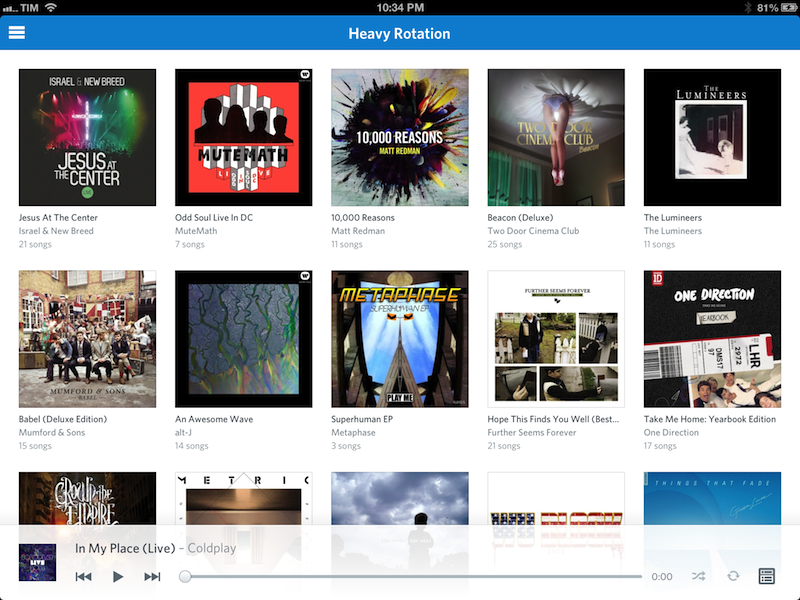
Today, Rdio showed Spotify how to make a modern iOS client for a music streaming service.
I’ve been a Rdio user for over a year now. As I’ve previously written, tweeted, and discussed on various podcast appearances (including one on Generational that will be posted next week) I was a Spotify fan for years. At some point, however, I realized that the playlist-based nature of the service wasn’t working for me, and I switched to Rdio, a competing music streaming service that, like Spotify, lets you listen to a huge catalog of music for a monthly fee.
The distinction between a playlist-based user experience and being able to organize my music in a Collection with albums, songs, and artists made all the difference for me. I don’t like Spotify’s approach to forcing the listener to organize music in a playlist. A group of albums isn’t a playlist: it’s a collection. Read more
Scan 2.0: QR Codes and Beyond
I’ve certainly seen my fair share of complaints on Twitter, but QR Codes have their place. It’s unnecessary in advertising and definitely silly on T-Shirts, but I’ve found QR Codes save me heaps of time for things like importing contact information from business cards. Like it or not, these bit-by-bit squares of data are likely here to stay.
The QR Code itself necessarily isn’t the problem. It’s convenient shorthand for linking something physical to something digital. (I’d rather scan than open a web browser and type in a short URL.) The biggest point of friction, in my opinion, is the tool used to scan these codes. Likely, it’s an app on a smartphone. As I’ve said before, these scanners need to be effortless to use. Results have to be instant.
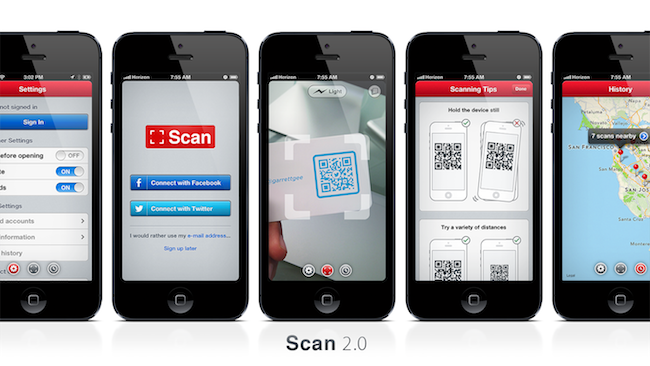
Last August, Scan earned my pick as the App Store’s best scanner. Over a year later, I’ll say it still holds that title. Starting with a remarkably easy to use iOS app, Scan is now a complete web service. Scan offers businesses a way to generate and manage codes and get analytics. QR Codes can be generated that instantly Like something on Facebook or Follow a business on Twitter (with your permission of course). And Scan makes available Scan Pages, which hosts a short bio and links to your various online profiles. For the rest of us, Scan’s app alone fulfills the simple role of getting scanning codes quickly. No longer just a simple scanner, Scan is a complete service that goes beyond the QR Code. There’s something for everyone.
Evernote 5.0 for iOS Review
.jpg "Evernote 5")
I have been using the latest Evernote app for iOS, Evernote 5, for the past week. I am not an “Evernote power user”, but having recently revamped my paperless workflow, I thought I had a good opportunity to properly test the major update. I believe Evernote has a strong foundation to build upon, but the first result of this process – the new Evernote 5 for iOS – is far from solid. Read more
StatNut for iPhone
I’ll admit it: I am crazy about the details. I enjoy numbers, statistics, and as much info about my interests as humanly possible. Sometimes I wonder if my brain will collapse with all the data I try to absorb. I’m one of those people who reads the manual every time I get a new gadget because I want to know the ins and outs of how everything works.
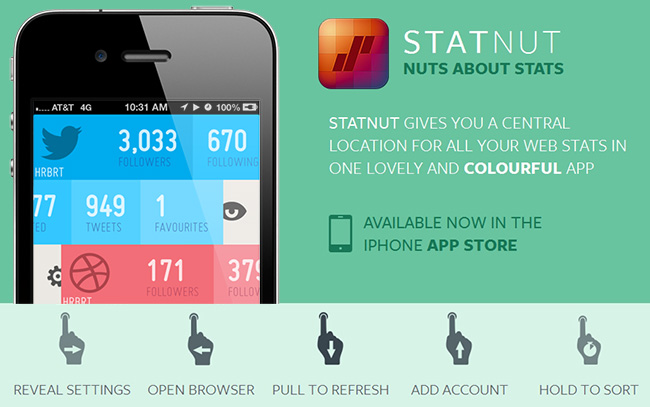
Most of us enjoy seeing stats for our social networks; we like to know how many followers, clicks, etc. we have across the Internet. There are a few iOS apps out there that do so, like Ego or Birdbrain, but I’m always curious to try something new. StatNut is a new iPhone app from Shiny Frog and FFFABS that lets you add accounts from many social services and displays them in one easy to read mobile interface. Services include Instagram, Twitter, Dribbble, Facebook, Tumblr, Vimeo and YouTube.
Setup is easy: just enter your usernames and you’re ready to go. Once you enter your accounts you can access the settings for each by swiping to the right to reveal an animated gear icon; from there you can change your username or delete the account. Swiping to the left reveals more details like follows, lists, tweet counts, likes, shots, and favorites. A full swipe to the left reveals an animated opening eye, and this will take you to the mobile site of each service except Instagram; StatNut will open the Instagram app if you have it installed.
If you want to reorder the services, simply tap and hold to move them up and down. Some services will let you enter more than one username if you have multiple accounts, like Twitter or Dribbble. We have included a promo video below so you can see it in action. Read more
Clear for Mac Review
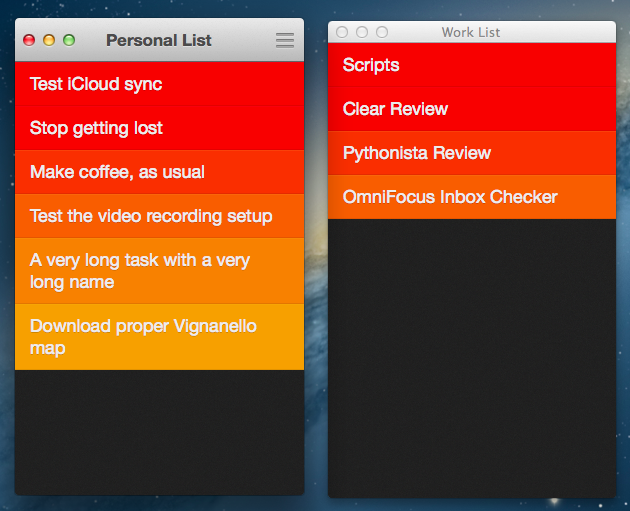
Like Tweetbot, Clear for Mac is a good indication of what the future of mainstream OS X software will look like: consistent with iOS, and powered by iCloud.
I was given a preview of Clear for Mac last week; the app is launching today on the Mac App Store at $6.99 (depending on your time zone, Clear will be available after midnight). In my preview, I wrote:
Clear for Mac works like Clear for iPhone: you can create lists, and tasks inside lists. Tasks are color-coded (according to the theme you’re using) to show a darker tone if they’re at the top of a list, and thus have higher priority. Gestures play an important role in Clear for Mac: you can swipe with two fingers to complete or delete a task, swipe up or down to move between “levels” of the interface, pinch to go back, and so forth. From what you can see in the first promo video (embedded below), almost everything that made Clear for iPhone simple and great has been ported to the Mac version, including sounds.
After trying Clear for over a week, I feel like there’s a distinction to be made about how the app works per se, and how the app works on a Mac. Read more