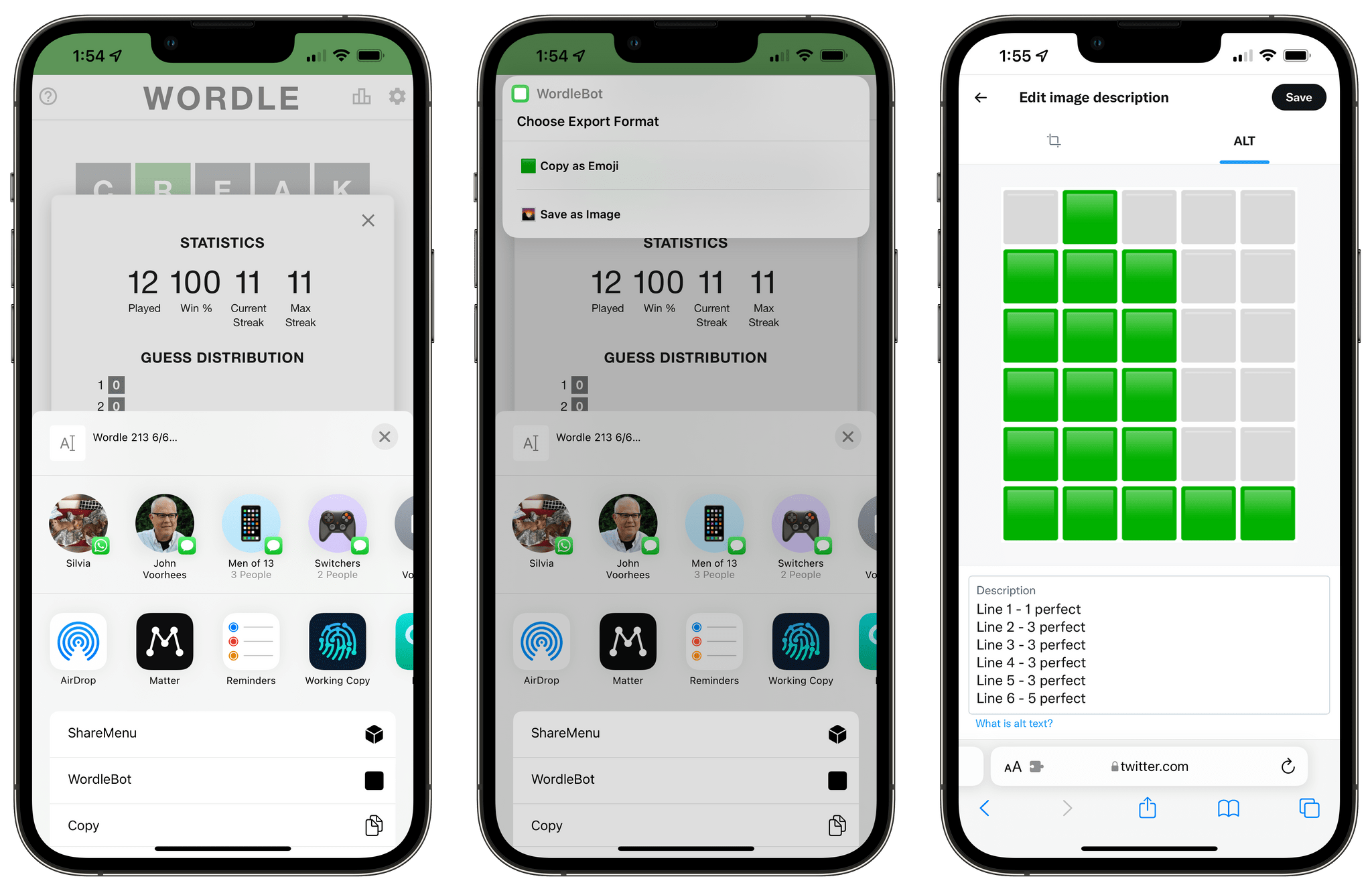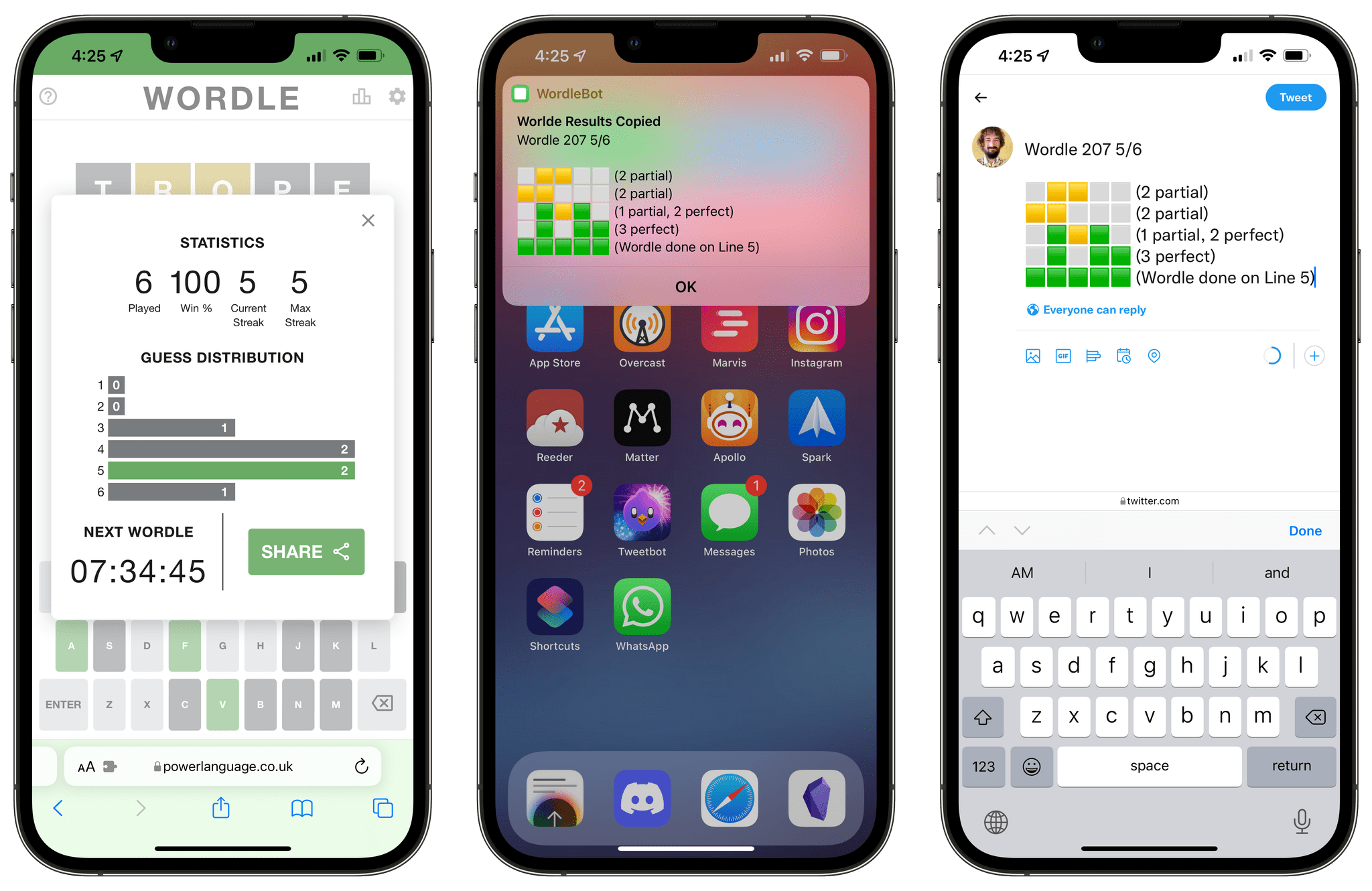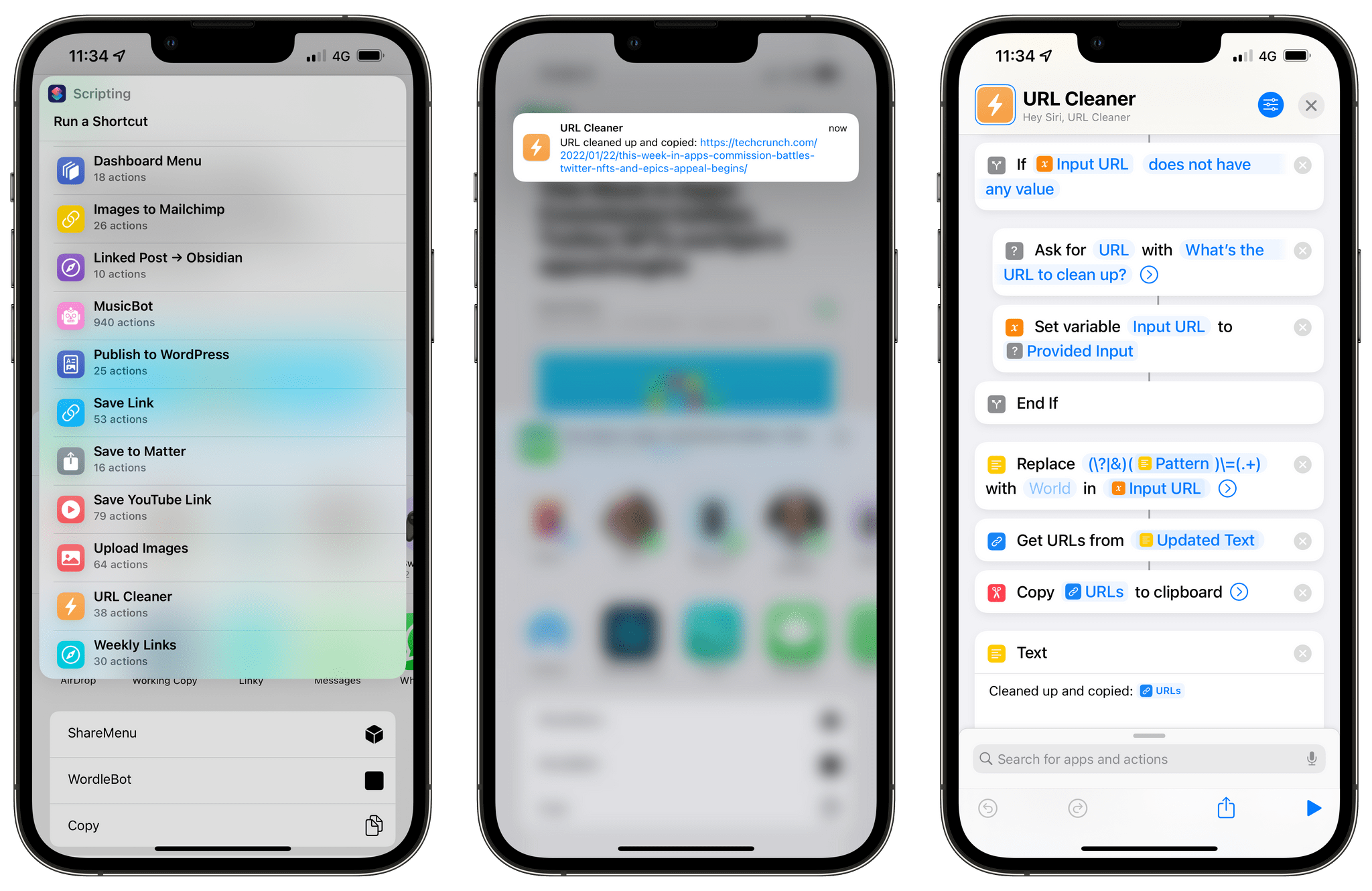
Today, I’m pleased to introduce Apple Frames 2.0, an all-new version of my popular shortcut to put screenshots inside physical device frames of Apple products. The new Apple Frames, which you can download at the end of this post or on the MacStories Shortcuts Archive, has been completely rewritten so it’s faster and lighter, comes with support for the latest iPhone 13 lineup and iPad mini, brings support for framing iMac and MacBook Air screenshots, and, at long last, is available internationally in seven different languages.
This is a massive update to Apple Frames, so let’s dive in.
Read more
This week, Federico and John share a long list of iOS and iPadOS 15 tips, highlighting lesser-known features that they are using to get the most out of the latest versions of the OSes.
Read more
It was a busy week on the Club MacStories+ Discord, and I’ve tried my best to collect highlights from the community below. There isn’t a Discord URL scheme to reopen these links in the Discord app directly; my preferred approach for these is to view them as separate tabs in Safari for iPad or Mac....
As I continue to put my personal and professional life back together after the release of the iOS and iPadOS 15 review, I’ve finally had the time to sit down and figure out something that has been bothering me for a while: I’ve taken personal reminders out of my task manager and put them in...
This week, Federico and John look at the the best of the first Safari extensions released for the iPhone and iPad.
Read more
Earlier this week, John published his latest Macintosh Desktop Experience column for Club MacStories+ and Club Premier members, which wraps up his series on the Loupedeck Live. Here are the other highlights from the Club MacStories+ Discord: Our moderator and automation extraordinaire Rosemary shared a simple, yet effective workaround to force the ‘Copy to Clipboard’...
Earlier this week Discord member OneMorningStar brought to my attention that the latest version of Working Copy – the excellent Git client for iPhone and iPad I’ve been using for years – can access hidden files and folders configured as linked repositories. Naturally, I immediately started thinking about how to take advantage of this feature...
With the iOS and iPadOS 15 review finally behind me, I’ve started catching up on things I largely ignored during the summer as I was busy writing. These include videogames (I’m trying to finish Metroid: Zero Mission before Dread comes out next month), reading books (our Discord members know!), reading articles in my Safari Reading...
Chris Welch, writing for The Verge, covers an aspect of iPadOS 15 I also pointed out in my review: iPadOS 15 no longer keeps the same icon grid layout in portrait and landscape orientations, and, if you place widgets on the Home Screen, its density is reduced.
Welch concludes:
Some will see this as a very minor inconvenience and carry on with updating to iPadOS 15 for all of the other benefits. Since the App Library is now there, you can even go in the complete opposite direction and load your homescreens up with widgets everywhere and only a few app icons. If that’s you, don’t let me stop you. On the whole, it’s a very good release.
But I’m really hoping in a future software update, Apple will add a setting to restore the old layout that kept everything more consistent. It’d be even better if the company made the grid more customizable on the whole. If we’re letting people choose between new and old Safari designs, why not offer a choice between having more things on-screen or a less dense grid that’s better optimized for widgets? There’s already a “Home Screen and Dock” section in settings, after all. Letting you adjust the grid to your liking is something that Android phones and tablets already get right. It’s not a huge ask.
I think the point about customization is exactly right, and also why I’m not complaining about the ability to choose a layout in Safari. As iPads are used by a variety of less tech-savvy and more experienced pro users, it’s now increasingly challenging for Apple to cover the platform’s full spectrum of workflows with non-customizable features. Welch makes a great point about the Home Screen grid’s rigidity and lack of control; I hope Apple provides more options for this in the future, along with a denser grid if you have widgets placed on the iPad Home Screen.