John

AppStories Episode 272 - Gaming on Apple Platforms
0:00
0:00
0:00
This week, Federico and John revisit the state of gaming on Apple’s platforms considering hardware, OS support, services, and the games themselves.

This week, Federico and John revisit the state of gaming on Apple’s platforms considering hardware, OS support, services, and the games themselves.
 Working Around Shortcuts RegEx Bugs in Apple’s Latest Betas
Yesterday, I tweeted about an issue I’ve noticed with Shortcuts’ ‘Match Text’ action in the latest iOS and iPadOS 15.5 betas: all my shortcuts that try to match text with regular expressions are now failing since the app keeps asking me to confirm which text I’d like to match, without ever exiting this loop. I’m...
Music and URL Scheme Shortcuts and a Keyboard Maestro Macro Here are the highlights from the Club MacStories Discord this week: FlohGro created a shortcut to transfer new music releases from MusicHarbor to MusicBox, Marcos Tanaka’s new app (currently in beta and available via Beta Beat to Discord members) to bookmark music for later. FlohGro also shared another shortcut this week to –and this is...
Turn Any Text Selection on macOS into a Text File I was recently going through my email to turn a few messages I received into Markdown documents I needed to send John, and after doing some manual copy and paste and hopping back and forth between Spark and TextEdit a few times, I realized: Why am I not automating this? So, as is often the...
It’s the final week of Automation April, and before we get into the details of the final batch of 10 shortcuts I’ve prepared for this week, I just want to express my gratitude toward all readers – old and new – who checked out MacStories this month, entered the contest, or signed up for Club MacStories. The response to Automation April has exceeded our most optimistic expectations: we received over 200 shortcut submissions for the contest, which is why we’re taking a few extra days to sift through all of them before; look for an official announcement of all the winners next week.
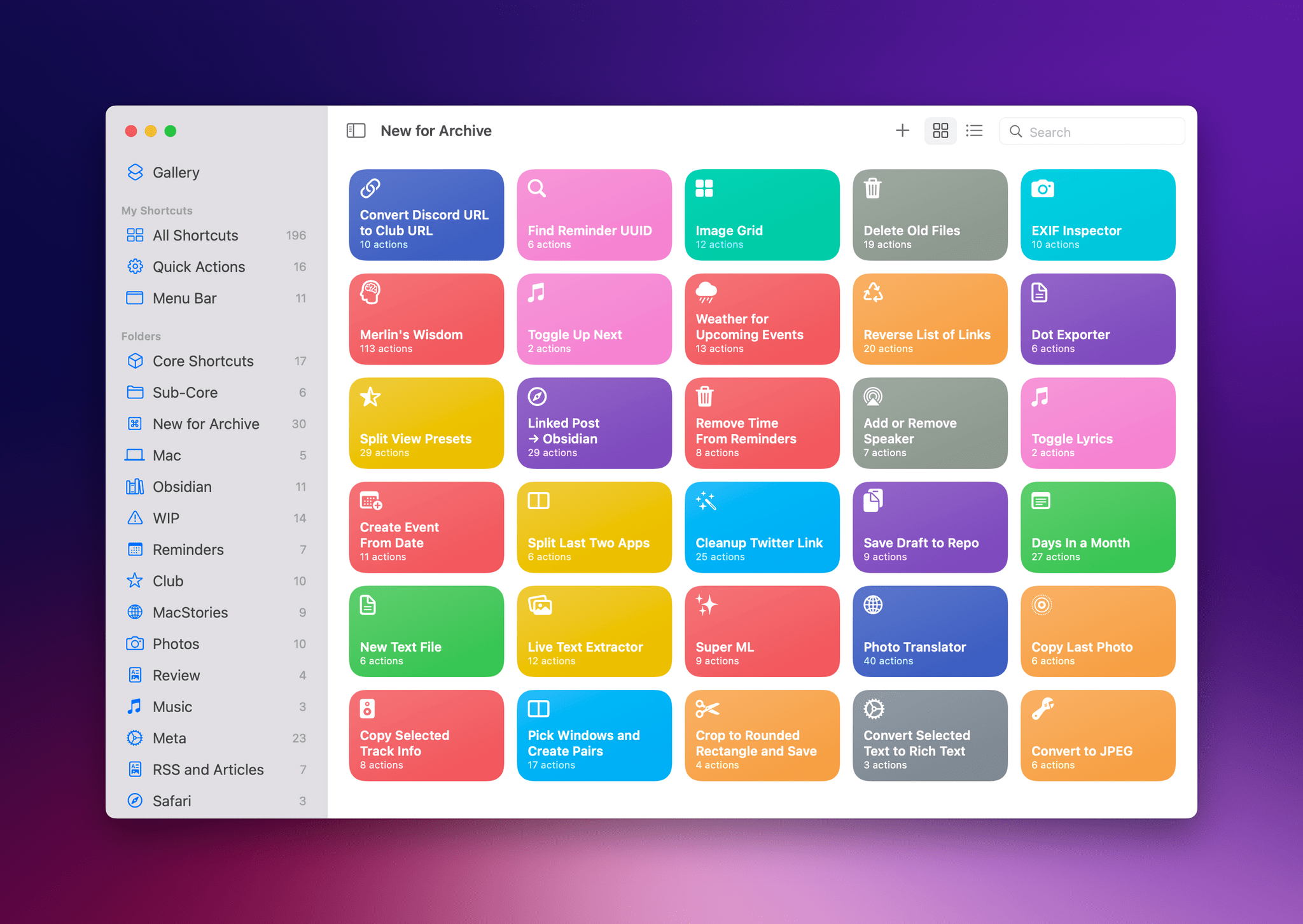
For this final group of 10 shortcuts, I’ve assembled another pretty diverse list of utilities for iPhone, iPad, and Mac that integrate with different parts of Apple’s operating systems. There’s a shortcut that automatically deletes old files from Finder or the Files app; another that finds the unique identifier of a specific task in the Reminders app; there’s a shortcut that gives you a weather report for the location of an upcoming event in your calendar. In case you missed the previous collections of shortcuts, you can find them here and here.
So, with Automation April coming to a close, let’s dive in one last time and check out the details of the shortcuts I’m sharing this week.
This week, Federico and John share their favorite third-party apps with deep Shortcuts integration.
Apps to Archive Articles, Shortcuts, Drafts Actions, Keyboard Maestro Macros, and an NFC Project It was an extremely busy week on the Club MacStories Discord server. It’s great to see people sharing their shortcuts for Automation April and helping each other with tips and app recommendations. Here are the highlights: Over in the #apps channel, Sofia asked for suggestions about apps to archive articles for long-term purposes. The resulting...
For the past week, I’ve been rethinking my approach to time tracking with the Timery app with a focus on simplicity and automation. I appreciate the insights into my habits and patterns afforded by time tracking and Timery’s excellent Reports view, but lately I’ve felt like my setup with projects, tags, and sub-tasks was too convoluted since it was based on a structure I designed years ago.
My daily routine is different now – and it’ll continue to change in 2022 – and I wanted to get rid of the overhead caused by a time tracking system that was too granular. For time tracking to be effective, you need to remember to start a timer whenever you’re working on something; too much friction in the process – such as having to carefully pick from a list of similar projects – defeats the whole purpose of it. There’s also the opposite problem – forgetting to stop a long-running timer – which John explained and fixed in a separate story for Automation April.
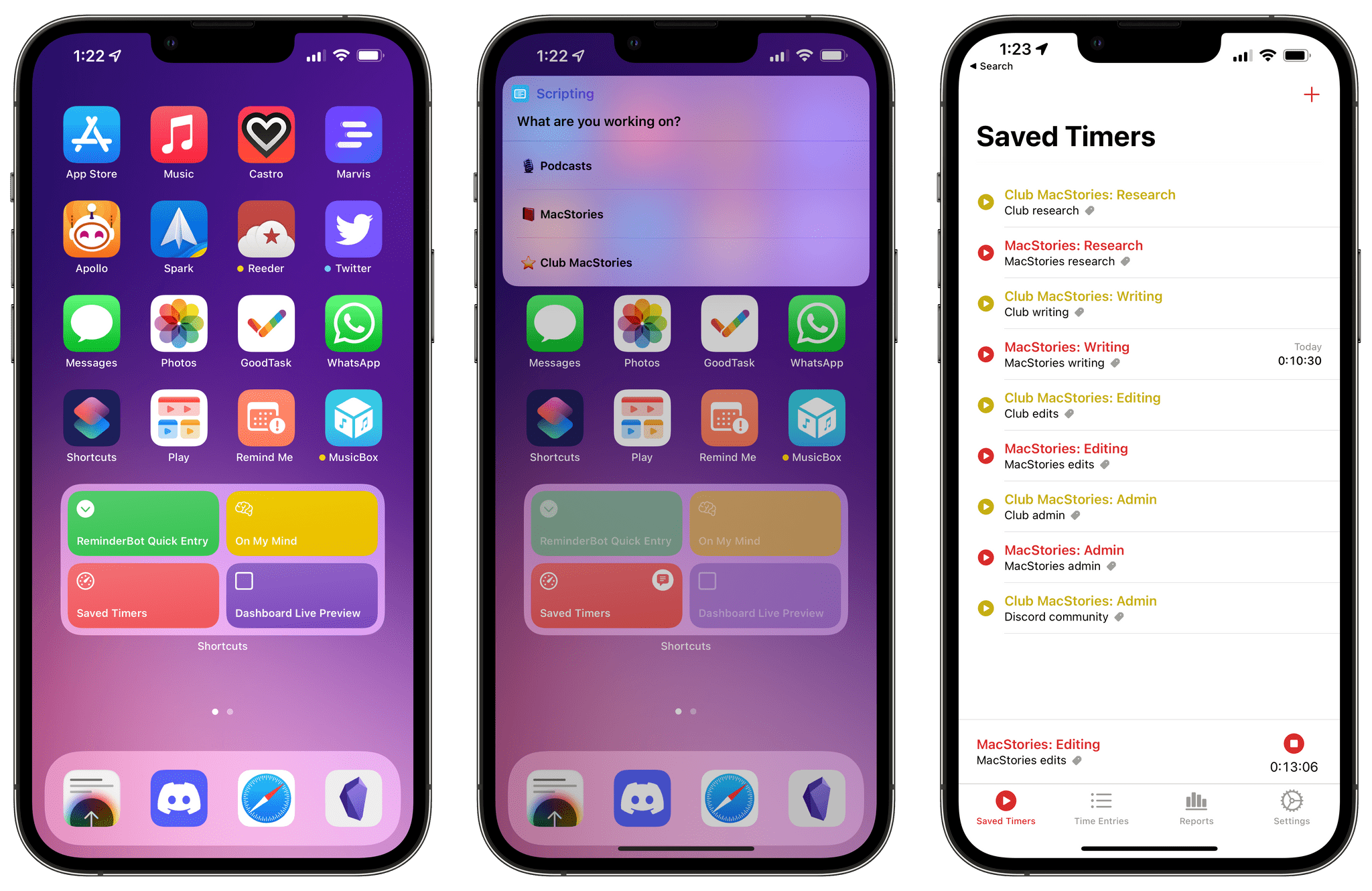
So I went back to the drawing board of my Timery projects and reorganized everything with simplicity and ease of activation in mind. I cleaned up my saved timers and shortcut that activates those timers, which I can now trigger system-wide via Raycast on the Mac and the Shortcuts widgets on iPad. I split my work projects into three main areas – MacStories, Club, and podcasts – removed redundant sub-tasks, and grouped related activities under the same tags for more reliable filtering.
The approach worked well for MacStories and the Club, but podcast timers turned out to be a different beast. You see, when I sit down to record a show like Connected or AppStories, I need to take care of key tasks such as making sure my audio inputs are correct, checking out notes for the show’s outline and intro, and keeping an eye on the Connected audience in Relay’s Discord server. These tasks distract me from time tracking and, as a result, I often forget to start a timer for when I begin recording and, conversely, stop the timer when I’m done. I could automatically start a timer when a calendar event for a show is due in my calendar, but that also doesn’t work for me since it doesn’t account for the time before we actually record the show when I may be chatting privately with Myke and Stephen. Wouldn’t it be great if there was One True Way to automatically start tracking my real recording time when I start talking into the microphone for a show?
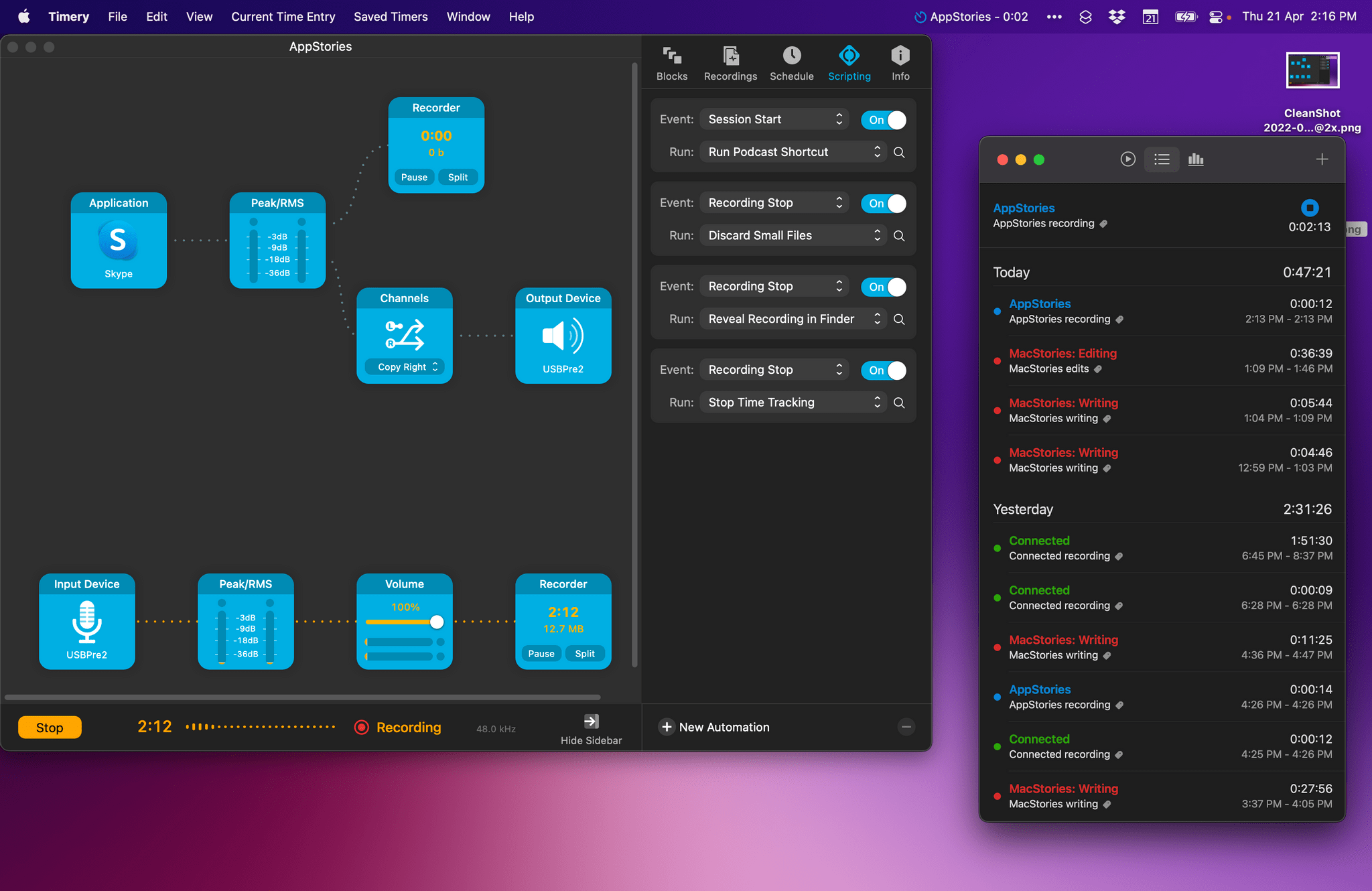
As it turns out, thanks to the latest update to Audio Hijack – the new version 4.0 that recently launched on macOS – there is. So for this week’s Automation April story, I’m sharing the custom system I created to trigger a single shortcut that starts time tracking in Timery based on the show I’m recording in that specific moment. Let’s take a look.
This week, Federico and John dig into the collection of shortcuts that they’ve released during Automation April so far, including Federico’s Split View Presets and Cleanup Twitter Link and John’s Timestamped Notes and myTunes shortcuts.