Federico Viticci

10779 posts on MacStories since April 2009

Federico is the founder and Editor-in-Chief of MacStories, where he writes about Apple with a focus on apps, developers, iPad, and iOS productivity. He founded MacStories in April 2009 and has been writing about Apple since. Federico is also the co-host of AppStories, a weekly podcast exploring the world of apps, Unwind, a fun exploration of media and more, and NPC: Next Portable Console, a show about portable gaming and the handheld revolution.

Official PlayStation App for iPhone Now Available

Announced by Sony in December, the official PlayStation app for iPhone is now available in the App Store. The app is propagating in iTunes as we speak, so if you can’t download it just yet – make sure to try again in a few hours. In the meantime, the app is now live in the French store.

The PlayStation app doesn’t let you play games, but it allows you to check on the PlayStation Network by signing in with your PSN account. In this first version of the app you can read your friends’ status updates and browse the games they own, check on the trophies you have collected and read the latest entries from the official PlayStation Blog. Last, you can also read the latest news of games available for all PlayStation devices directly in-app. The interface seems to be quite clean and polished, although far from being native on the iOS platform.

PlayStation app for iPhone is available for free here. Check out the full description below. Read more


iGotYa Takes Photos and GPS Location Of The Guy Who Stole Your iPhone

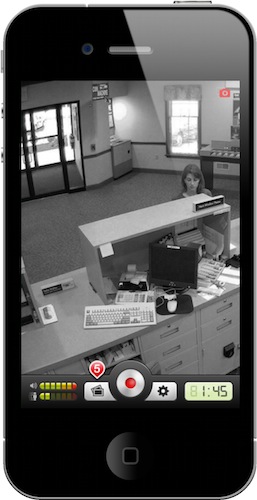
The iGotYa app is one those utilities you don’t know you need until you try it and see its potential. Available in the Cydia Store at $5.99 (Big Boss repo), iGotYa can take a picture of whoever tries to unlock your phone with the wrong passcode, using the front facing camera. We all want to keep an eye on our iPhones, right? iGotYa, combined with Apple’s Find My iPhone remote functionalities, is the ultimate tool to make sure you know who’s trying to mess with your iPhone.

The app requires a front facing camera, meaning that it will only run on the iPhone 4 and iPod touch 4th gen. As a picture is taken in the lockscreen, iGotYa can send it via WiFi or 3G to a specified email address, also attaching GPS information in the email message. So if you ended up losing your iPhone because of someone you took it, not only you’ll know where he is, you’ll also get to see his face. And he won’t know while attempting to unlock the stolen phone.

iGotYa will cost you 6 buck, but it’s that sort of investment you will not regret. Check out the demo video below. [Gizmodo via Redmond Pie] Read more


Solar Walk for Mac Now Available

Winner of an Apple Design Award in the iPad category in June 2010, Vito Technologies today released a Mac version of Solar Walk, available now in the Mac App Store at $2.99. Pretty much like Star Walk for the iPhone and iPad (which Cody originally reviewed here), Solar Walk for Mac is a full-featured 3D solar system model that allows you to move between stars and planets with your mouse, zoom in to check on the planets’ details and read accurate descriptions about them. You can zoom out to view the entire galaxy (well, at least through what’s known of this galaxy), see a planet’s inner structure and learn about its history of exploration. The 3D graphics aren’t breathtaking but they get the job done, the popover menus with descriptions seem to be taken out of the iPad app.

The app also allows you to move in time to see the position of planets and satellites in a certain day, month and year. There’s even a 3D mode that will require you to wear cyan-red glasses – too bad I don’t have them here right now. Neat stuff anyway.

Solar Walk is available in the Mac App Store at $2.99. A demo video of the iPad version, very similar to the Mac counterpart, is embedded below. Read more


There’s a 3D Kinect Viewer In The Mac App Store

We have talked about the coolness and the hacking possibilities offered by Microsoft’s Kinect before. First we heard Apple almost bought the technology from its original creators in 2008 (the rest is history, it got sold to Redmond), then we saw Kinect connected and displaying stuff on OS X and also somehow hooked up to a computer and an iPad with…futuristic cubes.

Now, thanks to the Mac App Store, we have a free 3D viewer for Kinect. When connected to a Mac via USB, the app can visualize tridimensional images of the depth data, and map RGB values onto this depth image. You can zoom, rotate and, of course, take a good screenshot with your Mac to show to your friends on Twitter.

Kinect 3D Viewer for Mac is free and available here.


Kindle iOS App Updated, Lets You Add Your Own Files

An important update to the official Kindle app for iOS (free and universal for iPhone and iPad) was released earlier today. Version 2.5 of the app adds much requested features that should satisfy all the Kindle users on the iOS platform that have been asking for functionalities such as proper multitasking support and access to the free Internet archive of Project Gutenberg books.

Kindle 2.5 for iOS, in fact, can now download books in the background leveraging iOS 4 APIs and supports thousands of ebooks downloaded through Project Gutenberg. Most of all, the app can now load files from any other iOS app thanks to the “Open in” feature seen in Safari, Mail and any other iPhone or iPad app that can forward files to other applications that can open a specific file type. This means you can now add your own files to the Kindle app, or even better drag & drop files into it using iTunes’ File Sharing. To add books in this way, simply connect your device to iTunes, head over the Apps tab in the device’s info screen, and drag files onto the Kindle section right below the iOS Springboard preview window. The bad news is that, like the actual Kindle, epub books don’t seem to be supported at this time.

Other new features and improvements in this update include bug fixes, a new book indicator and better image zooming. You can get Kindle for iOS for free here.


MacStories Product Review: Powermat Wireless Charger for iPhone

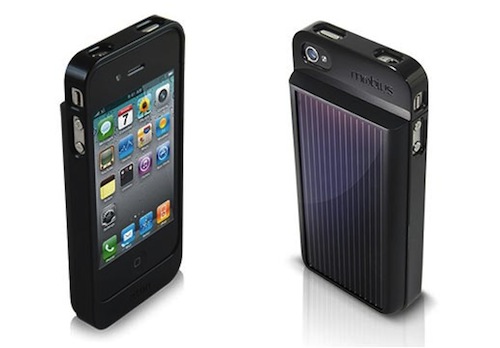
To inaugurate our new series of hardware and gadget reviews, I’d like to cover a product that, in the past months, has completely changed the way I carry my iPhone around and charge it. The Powermat, a combination of case and charging mat for the iPhone we first covered in October, allows you to charge your iPhone wirelessly, without any cable, through a case you’ll have to put your iPhone 4 into.

Courtesy of the great folks at Powermat, I was sent a single mat, a receiver case for the iPhone 4 and another mat that can charge up to two devices on a single surface. So far, my experience with the charging system has been very good; then only issues I ran into involved some kind of difficulty trying to find the “right spot” on the 2x mat. But overall, I do believe the Powermat is one of the most innovative, powerful and, why not, cool gadgets you can buy for your iPhone right now. Read more


Apple Seeds Xcode 4 Preview 6 to Developers

A few minutes ago Apple seeded a new Xcode 4 preview build to developers, which is available in the Mac  and iOS Dev Centers. The new version , labelled Developer Preview 6, adds a number of features and enhancements over the previous preview build, which was released in November. Xcode 4 is a major new version of Apple’s development suite which sports lots of new features and a new single-windowed UI. The first version of Xcode 4 preview was released during the WWDC in June, the second build was seeded in late July, Preview 3 was made available on September 2, Preview 4 was released in October.

Check out the release notes below. Read more


Steve Jobs and Rupert Murdoch To Unveil “The Daily” Next Week?

According to Yahoo’s The Cutline, Steve Jobs will join Rupert Murdoch to unveil the highly anticipated iPad-only digital newspaper, The Daily, at a media event in San Francisco later this month:

Rupert Murdoch will unveil News Corp.’s much-anticipated iPad newspaper onstage this month with Apple chief executive Steve Jobs, The Cutline has learned.

The two media moguls will appear together at the San Francisco Museum of Modern Art, according to a source familiar with preparations for the event. The launch date is expected to be Jan. 19, but that may change.

In December, rumors surfaced that The Daily was set to debut, or at least announced, in the “week of January 17”. The same report by All Things D suggested that Apple may release a new build of iOS to include the rumored app subscription service, the same feature we heard was once set to be made available in December.

Details on News Corp.’s “The Daily” leaked in the past months pointed to the iPad-exclusive nature of the publication, and the fact that Murdoch had assembled a “super-team” of 100 journalists to work on the newspaper. The Daily, according to the rumors, should come with a new iOS functionality that will allow iPad users to get new content every day automatically, in the background, directly from The Daily’s servers.