

It was a busy week on the Club MacStories+ Discord, and I’ve tried my best to collect highlights from the community below. There isn’t a Discord URL scheme to reopen these links in the Discord app directly; my preferred approach for these is to view them as separate tabs in Safari for iPad or Mac....
 Previously, On MacStories
Austin Mann on the M1 MacBook Pros Shortcuts for Mac: 27 of Our Favorite Third-Party Integrations Apple Releases iOS and iPadOS 15.1 with SharePlay, Safari for iPad Fixes, Shortcuts Improvements, and More macOS Monterey: The MacStories Review...
The Curious Case of Apple’s Missing App Integrations for Shortcuts
In researching topics for the Automation Academy over the past few months, I’ve been digging into all the details of Apple’s built-in actions and comparing them against older versions of the Shortcuts app as well as third-party options offered by developers. In doing this, I’ve realized something that has been bothering me for a while:...
In This Issue
John shares his favorite XL widgets, Federico spotlights the disconnect between Apple’s implementation of new system app features and the Shortcuts actions for those apps, a behind-the-scenes look at the making of John’s macOS Monterey review on an all-new episode of MacStories Unplugged, plus the usual App Debuts,Links, a recap of MacStories articles, and a...
 macOS Monterey: The MacStories Review
 John
John
Apple Releases iOS and iPadOS 15.1 with SharePlay, Safari for iPad Fixes, Shortcuts Improvements, and More
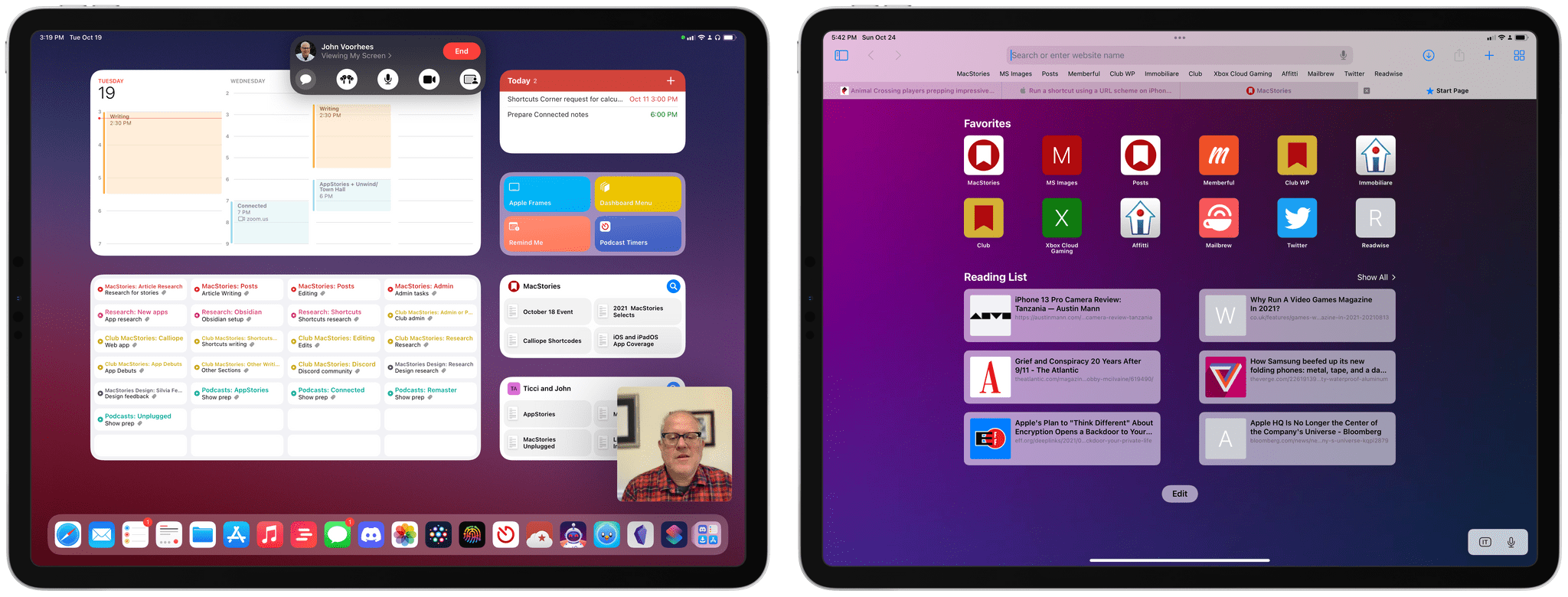
Alongside macOS Monterey, Apple today released iOS and iPadOS 15.1 – the first major updates to the operating systems introduced last month. Don’t expect a large collection of changes from this release, though: 15.1 mostly focuses on enabling SharePlay (which was announced at WWDC, then postponed to a later release a few months ago), rolling Safari back to a reasonable design, and bringing a few tweaks for the Camera app and spatial audio. Let’s take a look.
Raindrop’s Safari Extension, Daily Notes in Obsidian, a MagSafe Wallet Tip, Isaac Asimov’s Foundation Series
It was a busy week on the Club MacStories+ Discord, and I’ve tried my best to collect highlights from the community below. There isn’t a Discord URL scheme to reopen these links in the Discord app directly; my preferred approach for these is to view them as separate tabs in Safari for iPad or Mac....
My Obsidian Setup, Part 4: Templates for Weekly Posts and Custom Mobile Toolbar
In the last installment of My Obsidian Setup series from August, I described my Dashboard note that served as a centralized hub for saving ideas and quick links, navigating to different projects, and embedding Todoist tasks. That article predated the launch of Club MacStories+ and my annual iOS review; I was in the middle of...
Mapper Safari Extension Automatically Redirects Google Maps Links to Apple Maps
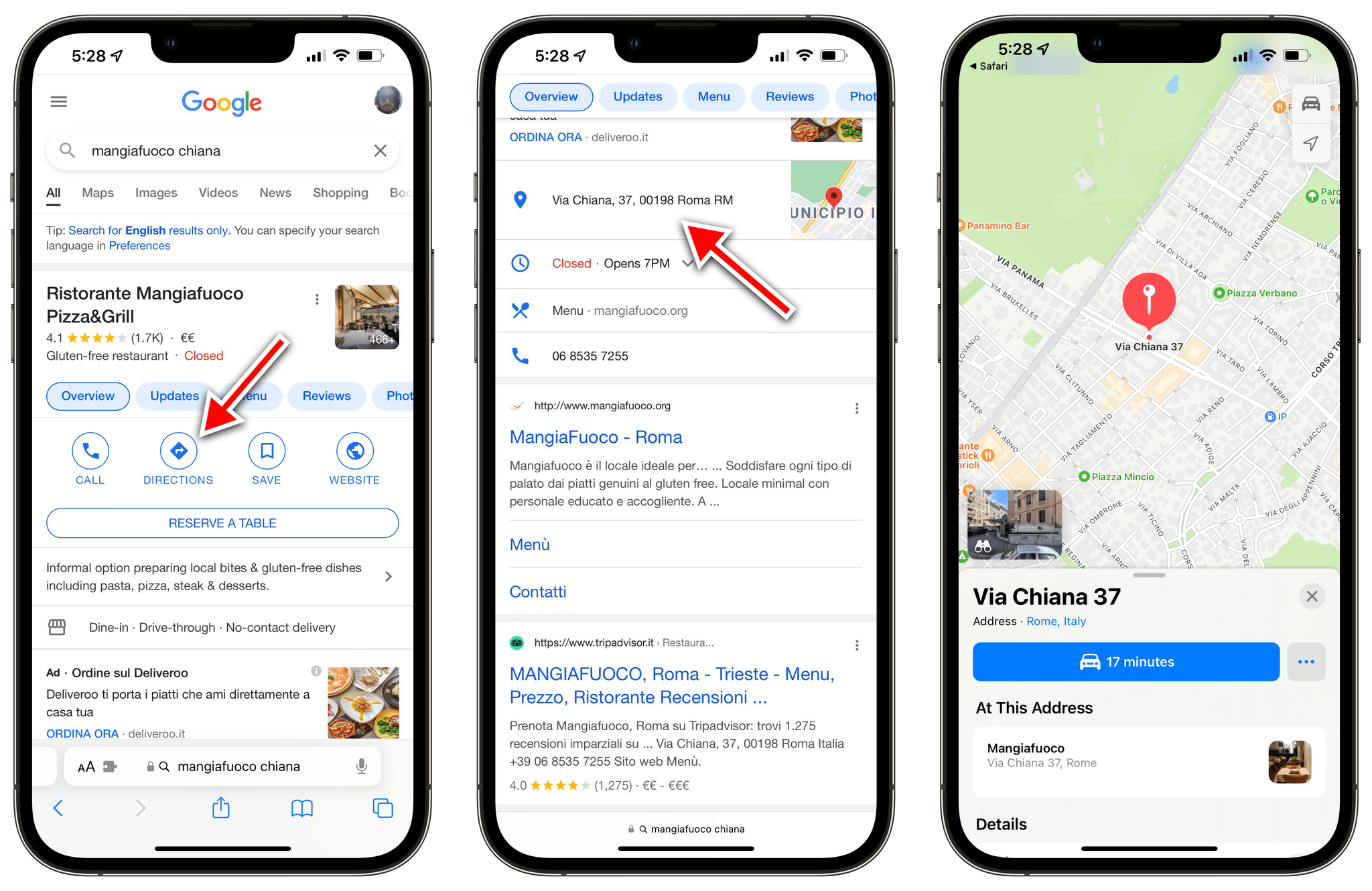
Ever since Apple rolled out the redesigned and improved Apple Maps in Italy last month, I’ve been increasingly switching my usage of maps for exploration and turn-by-turn directions from Google to Apple Maps. I prefer Apple’s overall design sensibilities, I find Look Around drastically superior to Google Street View, and the integration with Apple Maps and the Lock Screen for turn-by-turn navigation is excellent.
However, I still have to keep Google Maps installed on my iPhone for all those times when a particular point of interest (usually a shop or restaurant) isn’t showing up in Apple Maps’ search results. And because the Google Maps app is still installed on my iPhone, every time I tap a search result with an address from Google search, it automatically redirects to Google Maps. I’ve always found this annoying, but now even more so since I consider Apple Maps my primary navigation app here in Rome.1 Now, thanks to a Safari extension, that Google Maps redirect nightmare is finally over.