Federico Viticci

10637 posts on MacStories since April 2009

Federico is the founder and Editor-in-Chief of MacStories, where he writes about Apple with a focus on apps, developers, iPad, and iOS productivity. He founded MacStories in April 2009 and has been writing about Apple since. Federico is also the co-host of AppStories, a weekly podcast exploring the world of apps, Unwind, a fun exploration of media and more, and NPC: Next Portable Console, a show about portable gaming and the handheld revolution.

WordleBot: A Shortcut to Annotate Your Wordle Results with Scores

WordleBot for iPhone.

WordleBot for iPhone.

Update, January 18: I have released version 1.1 of WordleBot with support for converting emoji results to a single image. You can read the article here and redownload the updated shortcut below.

I, like the rest of the Twitter over the past few weeks, have fallen in love with Wordle, Josh Wardle’s ingenious daily word game (if you somehow missed it, check out Wardle’s profile in The New York Times). It’s so refreshing to have something so disarmingly simple, yet challenging that isn’t out to scam us (although some have tried) or sell our data on the Internet these days. Wordle reminds me of Brain Age for Nintendo DS in its heyday: everyone I know does it and is talking about it, at least for now. For me, Wordle has become this nice, daily ritual that I try to complete with my girlfriend to improve our English skills.

Wordle is a web app, and it comes with a clever built-in sharing feature that lets you share your results with other people by visualizing them as emoji of different colors based on the letters you guessed in the daily puzzle. I’m sure you’ve seen those tweets featuring lots of green and yellow emoji pass by on your timeline. While I think Wordle’s default sharing mechanism is fun, on-brand, and already iconic, I don’t like how its output is not accessible or descriptive enough. Folks with visual impairments such as colorblindness may find the emoji-laden Wordle tweets nearly impossible to decipher; those blocks of emoji don’t play well with screen-reading technologies such as VoiceOver; and, I just thought it’d be useful to figure out a way to score each line of the puzzle to bring some additional context to your Wordle results.

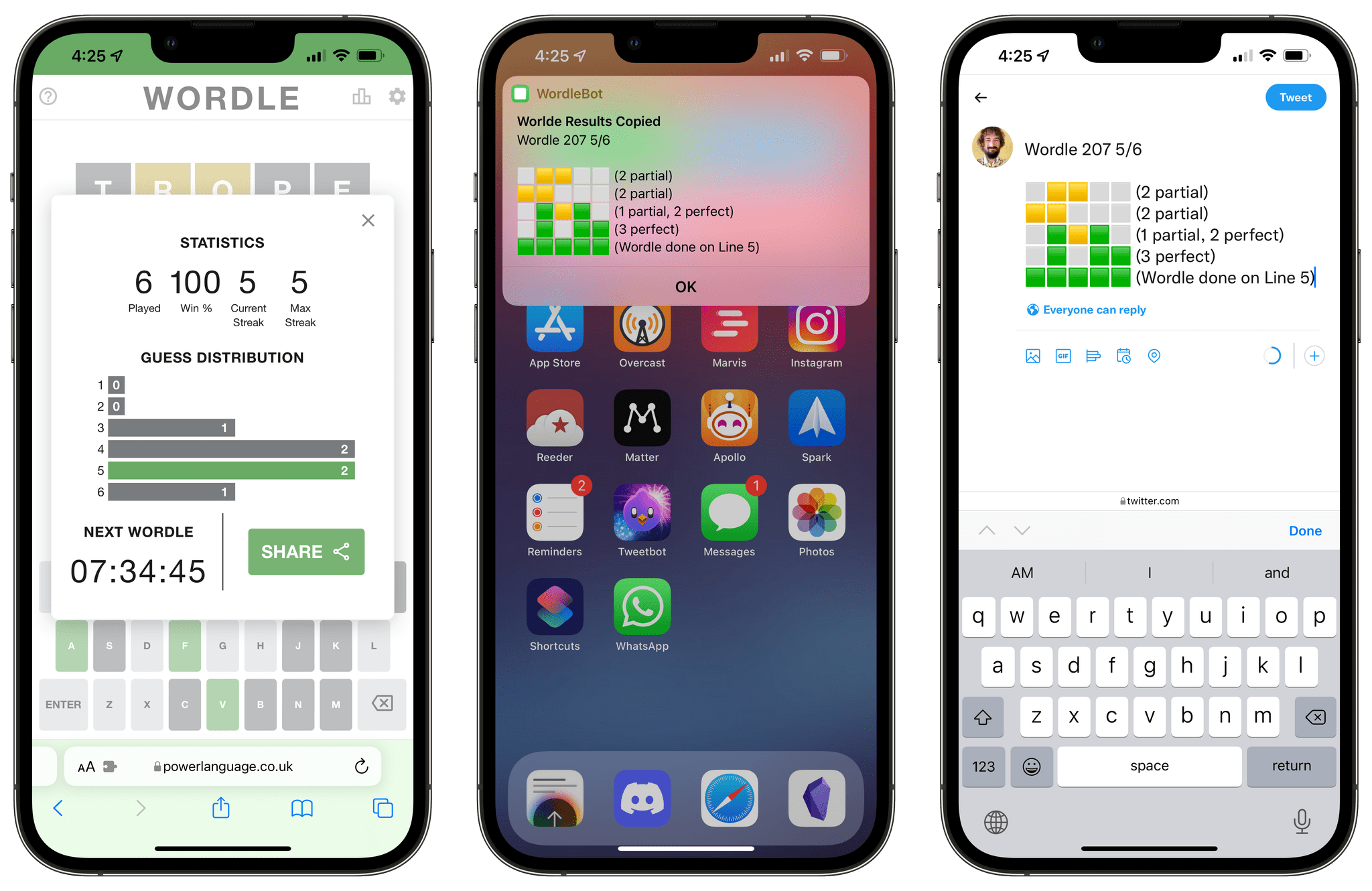
So, I made WordleBot, a shortcut that takes Wordle’s default shareable text and reformats it with partial and perfect scores for each line. With WordleBot, you’ll be able to share results that keep the original Wordle aesthetic and format but also include scores for ???? and ???? letters on each line, like this tweet:
Read more


Apple Frames 2.1: Apple Watch Series 7 and 2021 MacBook Pro Support, New Update Flow, Plus Chinese and Czech Localization

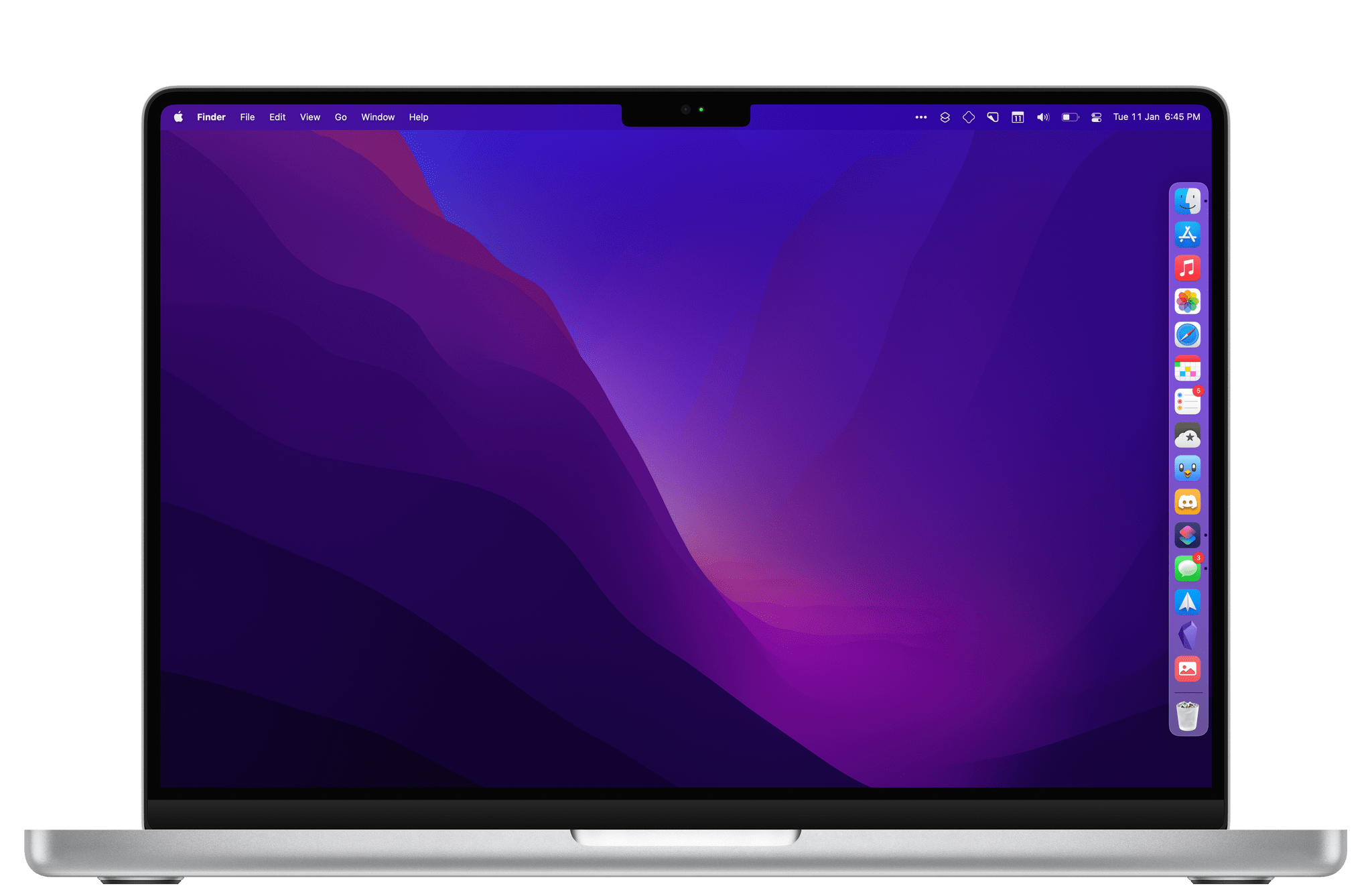
Apple Frames, now with support for the latest MacBook Pros.

Apple Frames, now with support for the latest MacBook Pros.

Today I’m pleased to announce the release of Apple Frames 2.1, the first major update to version 2.0 of my popular Apple Frames shortcut, which I launched last October. It took me longer than I hoped to put together this update, but I’m happy that I was able to add compatibility fo all the latest device frames supported by Apple, new languages, as well as a brand new update flow that will make it easier to download the latest templates powering Apple Frames in the future.

Let’s take a look.

Read more


Nick Heer on Apple Music and Last.fm

Nick Heer perfectly encapsulates what I also think about Apple Music’s lackluster recommendation engine as opposed to the old-school simplicity and pleasure of Last.fm:

Apple Music is a remarkable deal for me: spending ten bucks a month gives me access to almost any record I can think of, often in CD quality or better. There are radio features I do not use and music videos I rarely watch, but the main attraction is its vast library of music. Yet, with all that selection, I still find new music the old-fashioned way: I follow reviewers with similar tastes, read music blogs, and ask people I know. Even though Apple Music knows nearly everything I listen to, it does a poor job of helping me find something new.

Here is what I mean: there are five playlists generated for me by Apple Music every week. Some of these mixes are built mostly or entirely from songs it knows I already like, and that is fine. But the “New Music Mix” is pitched as a way to “discover new music from artists we think you’ll like”. That implies to me that it should be surfacing things I have not listened to before. It does not do a very good job of that. Every week, one-third to one-half of this playlist is comprised of songs from new albums I have already heard in full. Often, it will also surface newly-issued singles and reissued records — again, things that I have listened to.

And on Last.fm, Nick adds:

So: Last.fm. There are a few things I like about it. First, it seems to take into account my entire listening history, though it does give greater weight to recency and frequency. Second, it shows me why it is recommending a particular artist or album. Something as simple as that helps me contextualize a recommendation. Third, its suggestions are a blend of artists I am familiar with in passing and those that I have never heard of.

Go read the whole piece – I was nodding in agreement the whole time.

As Club MacStories members know, after years of inactivity, I re-activated my Last.fm account a few months back and started scrobbling everything I listen to again thanks to the excellent Apple Music client for iPhone and iPad, Marvis. Not only is the Last.fm website more fun to explore than Apple Music, but the reports they generate (on a weekly, monthly, or annual basis) are actually interesting in a way that Apple Music’s barebones ‘Replay’ summary just isn’t.

It feels somewhat odd to type this in 2021 2022, but if music still is in Apple’s DNA, there’s a few things Apple Music could learn from the simplicity and care that permeate Last.fm.

Permalink

Remind Me Faster 4.0

Remind Me Faster 4.0.

Remind Me Faster 4.0.

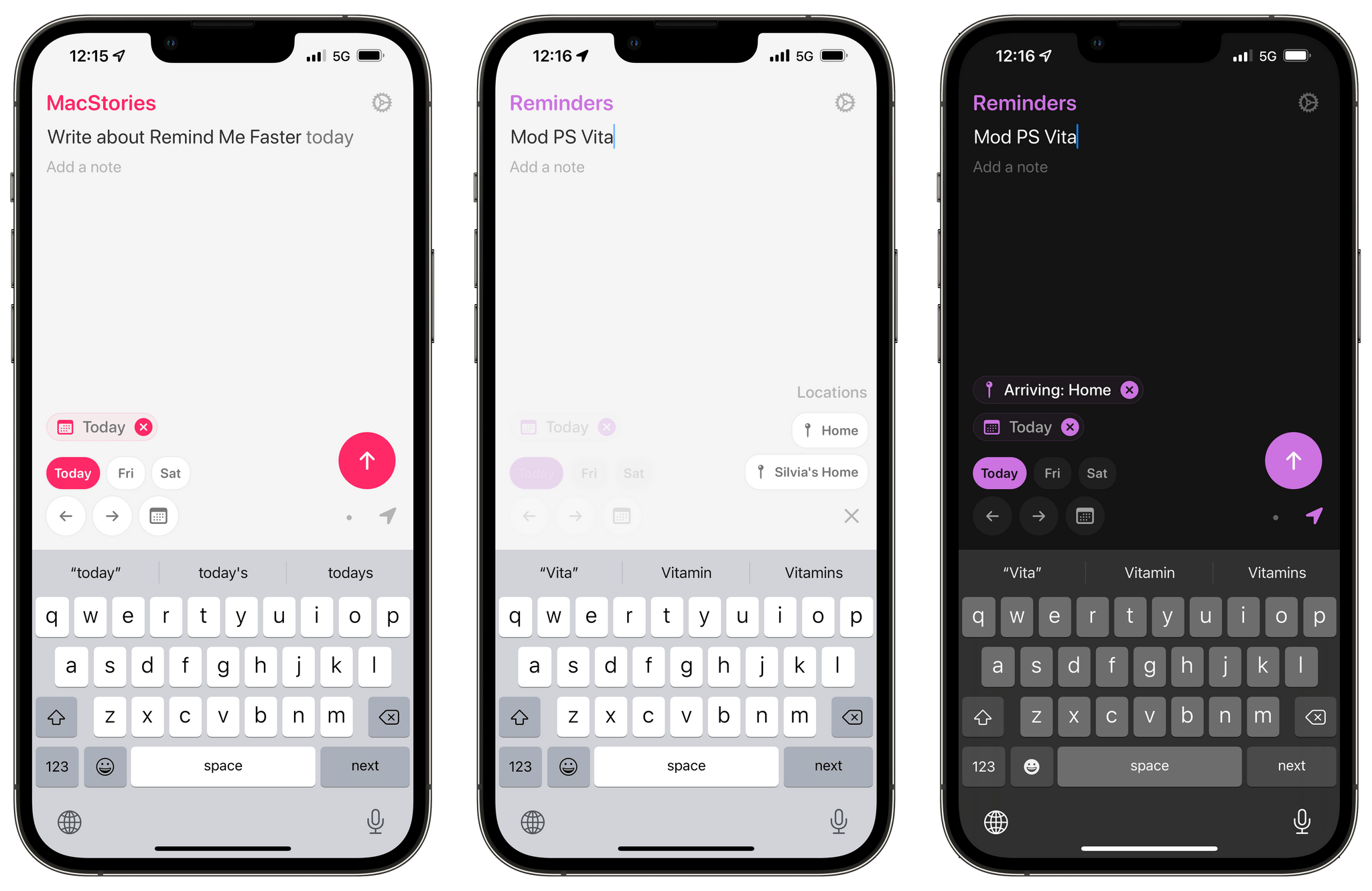
Remind Me Faster, my favorite app to create new reminders with support for natural language input and quick access to priorities and lists, received a major 4.0 update earlier this week. The app has become a staple of my iPhone and iPad dock in this final part of 2021, and it only felt right to mention its latest update now as many of us are (likely) reassessing our task managers over the holiday break.

I previously covered Nick Leith’s excellent Reminders utility in this issue of MacStories Weekly, so I won’t rehash the details again here. There are two key additions in version 4.0 worth your attention: like Apple’s Reminders app, Remind Me Faster can now create tasks with a due date, but without a due time. These reminders show up in the ‘Today’ view of the Reminders app and will match the default notification settings for all-day reminders you configured in Settings ⇾ Reminders, and it’s the first time I’ve seen a third-party Reminders client do this. You can cycle between due dates with and without times in Remind Me Faster by tapping the date button above the keyboard, and I especially like the animation Leith designed for this interaction.

The second addition is one I’m going to be using a lot: you can now create presets for locations you want to attach to reminders. Specifically, Remind Me Faster now lets you create custom presets for specific locations with an associated radius and leaving/arriving trigger; when you want to attach a location to a reminder, you just need to press a button and pick a preset without fiddling with additional buttons. This is the kind of feature that makes you wonder why Apple didn’t think of it in the first place for their Reminders app: it’s much faster to create location-based reminders this way, which is something I’ve never done on a regular basis because of all the taps required to add location alerts in Reminders.

Remind Me Faster continues to be a fantastic addition to Apple’s Reminders app when it comes to quick entry. I highly recommend checking it out if you use Reminders as a task management system but have always wished typing new tasks with dates, locations, priorities, and lists was quicker.

Permalink

Early Experiments with BetterTouchTool’s ‘Notch Bar’ as a Visual Shortcuts Launcher for macOS

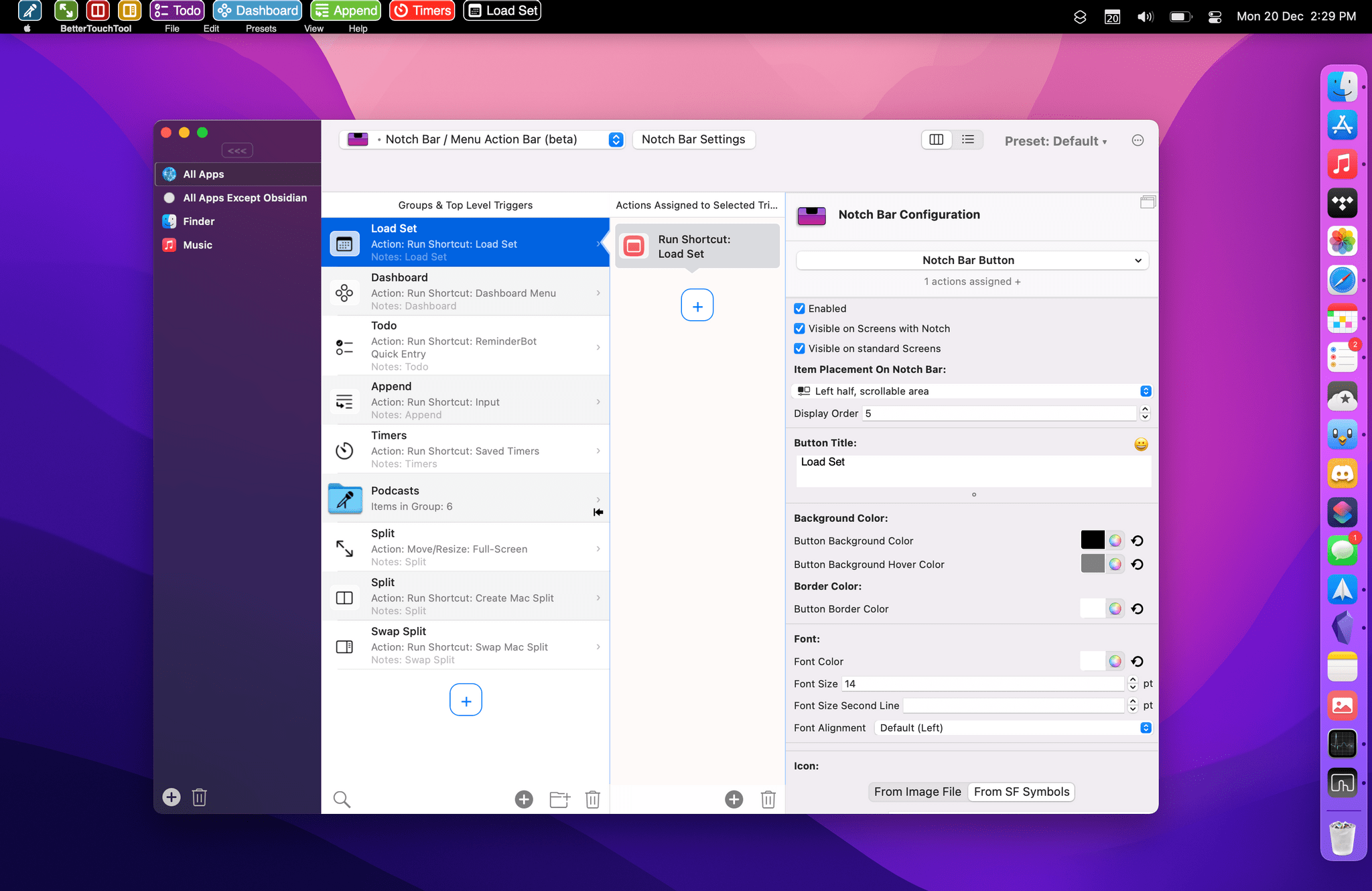
The notch bar in BetterTouchTool.

The notch bar in BetterTouchTool.

For the past couple of weeks, I’ve been playing around with (and thoroughly enjoying) BetterTouchTool’s latest major feature: the notch bar. This feature is currently available as an optional alpha update in BetterTouchTool, and it’s still rough around the edges, so don’t consider this short post a full review of it; I’m sure we will revisit this functionality more in depth over the course of 2022. However, since I believe the notch bar is one of the most exciting developments in the Shortcuts for Mac ecosystem lately, and since I’m having so much fun with it, I figured it’d be worth an early hands-on preview before the end of the year.

Read more


App Trends for 2022

AppStories+ Deeper into the world of apps
0:00
29:43

AppStories+ Deeper into the world of apps

This week, Federico and John look at the trends they expect to see in 2022, including trends that will continue from 2021 and new trends they think will emerge in the new year.

Read more


App Debuts

Classifier Created by indie developer Roderick Munro, Classifier is a new database app to organize any kind of collection, no matter what you collect. The app comes with a selection of templates with different attributes for different kinds of collections, or you can define your database schema to fit your needs. The app is...