

A fantastic initiative by Jean MacDonald. Show your support and help fund the project.
Gmail for iOS Gets New Inbox, Improved Notification Settings
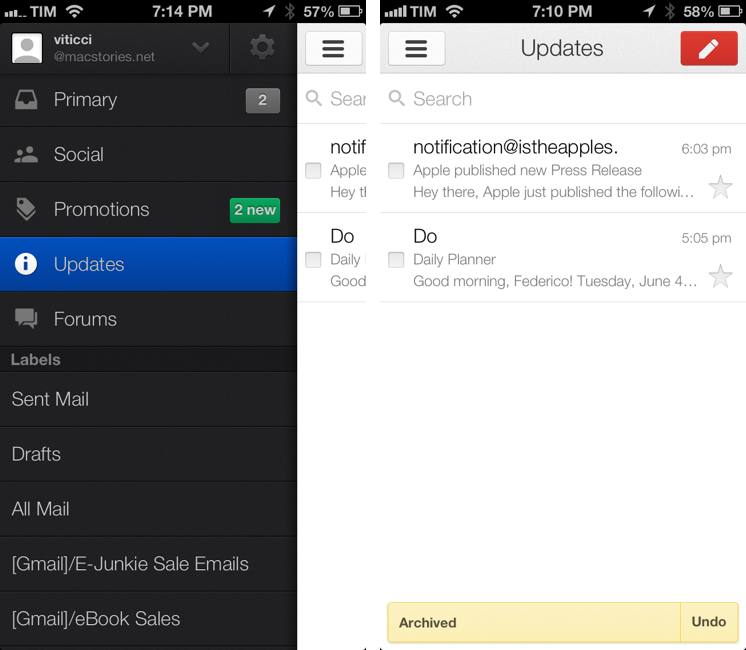
Announced last week, Google has today released an update to its official Gmail app for iOS that adds support to the new inbox and brings finer controls for push notifications.
The new inbox, configurable from Gmail’s desktop website, allows you to enable different categories for “primary” emails and other messages such as promotions, social updates, or notifications from online forums. As we described the feature last week, “categories and tabs are basically pre-defined filters and labels with training wheels”. Messages can be moved from a tab to another to train Gmail’s algorithm in better automatic organization; currently, Gmail will try its best to automatically sort an incoming message into the appropriate category, but there isn’t an option to create new custom categories from scratch.
The Gmail app now shows Inbox categories in the account sidebar, where they’re listed with custom icons and colored badges for unread emails in each category. Like the desktop website, you can move messages across categories, but you can’t configure the Inbox directly on iOS (the app will remind you to open Gmail “on a computer” to do that).
Gmail’s notifications have been updated to reflect the change. With today’s update, you can set notifications for all new mail, none, or only messages that are marked as “primary”. Notification settings are available inside each account, where you can also activate your mobile signature and vacation responder.
Gmail for iOS is available on the App Store. For a refresher on the new Inbox, here’s Google’s blog post from last week.
Dispatch: A New Email Client for iOS with App Actions and Snippets
In April, I wrote about Triage, my new favorite email app for iPhone. Here’s how I concluded my review:
Triage is based on a simple, efficient, and rewarding process that works by leveraging the iPhone’s most obvious gesture and one-handed operability. Unlike other new email apps, Triage doesn’t let you scan your inbox to turn messages into to-dos: it uses a one-message-at-a-time approach to see what’s up, what needs attention, and what can be kept for later.
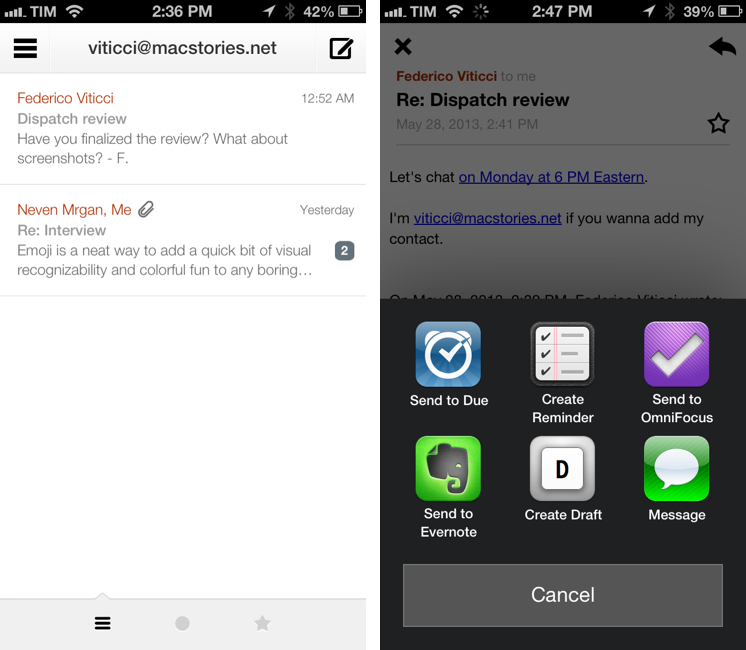
Dispatch, made by Muh Hon Cheng and Lin Junjie, is a new email client for iPhone that’s aimed at the later part. I have been using every day it for the past two months, and it’s now on my Home screen alongside Gmail and Triage.
As I explained in the past here on MacStories, my iOS email workflow was perfectly fine until Sparrow showed interesting new ways to interact with messages on the iPhone. Sparrow got acquired by Google, which, a few months later, came out with a completely revamped Gmail app that is now my primary client for searching and composing longer messages on the iPhone and iPad[1]. I don’t like how Google’s app relies on web views across several areas of the interface; in spite of Google’s additions, Gmail doesn’t make for a great experience to archive or delete emails with a one-handed operation. That’s what Triage is for.
At this point, I have two wishes left ungranted from email on iOS: a fully native Gmail app and a client with inter-app communication. Dispatch wants to be the second one. Read more
iOS 7 Education Wish List→
A great follow-up by Fraser Speirs. Fraser is the co-host of the Out of School podcast, and he makes some interesting suggestions for iOS 7 and education.
Byword 2.0 Gets Publishing Services, Improved Sync, And More
Metaclassy’s Byword is one of the finest Markdown text editors for iOS and OS X. On the Mac, a great selection of keyboard shortcuts and support for native full-screen mode make Byword an experience that’s both powerful and intuitive; on iPhones and iPads, the app’s excellent MultiMarkdown previews allow the Markdown-savvy writer to always keep an eye on the final outcome of a document. With sync (both through iCloud and Dropbox) and solid exporting options (including PDF), Byword has become many’s preferred solution to write down thoughts and longer essays – with a focus on Markdown, rich text, and cross-device availability of documents.
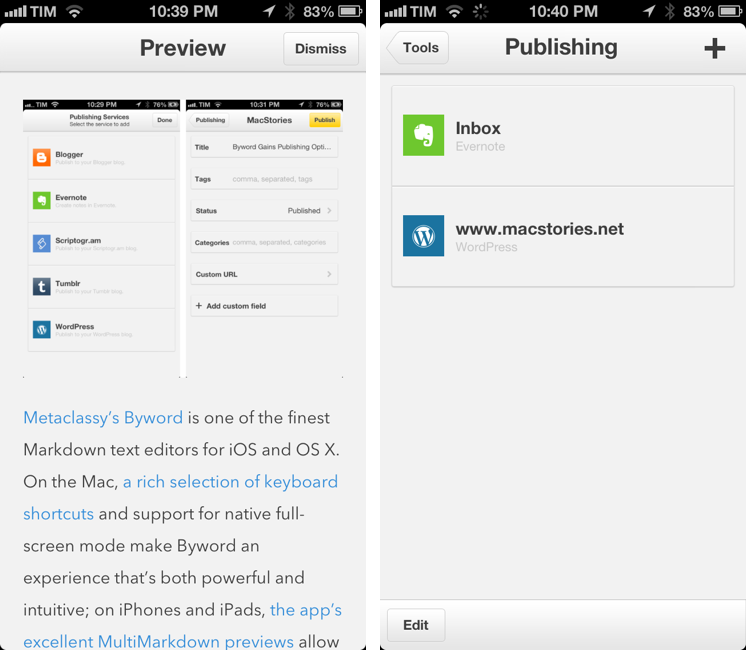
Byword 2.0, released today for iOS and OS X, introduces new publishing options for WordPress, Tumblr, Evernote, Blogger, and Scriptogram, more robust sync with offline support and better conflict resolution, and several other enhancements. I have been testing Byword on all my devices for the past month, pointing the app to my /Apps/ folder in Dropbox where all my text files are stored. Read more
Reeder To Add Support For Feedly and Feed Wrangler
Soon after Google announced they would shut down their RSS platform Reader this July, Feedly confirmed they would build an API clone – codenamed Normandy – to ease the transition from Reader to Feedly for users and third-party developers. Essentially, this meant Feedly had been working on its own RSS syncing service with support for third-party clients to complement its own set of native apps.
In a blog post published today, Feedly has announced that they have been working with developer partners over the past two months to ensure the feedly API, based on the Normandy project, could launch with an ecosystem of native third-party apps. And among the apps that will support Feedly before July 1 (when Google will shut down Reader) there’s Silvio Rizzi’s Reeder, one of my favorite RSS apps for the iPhone and iPad.
We are also hearing from users that saving their feeds is not enough: One of the key features of Google Reader was that they had an ecosystem of apps – apps that people love and depend upon.
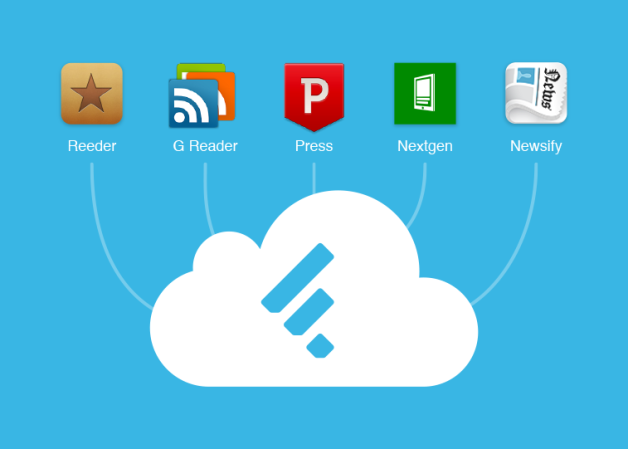
We have been working behind the curtains with the developers of Reeder,Press, Nextgen Reader, Newsify and gReader as design partners for our Normandy project. Today we are excited to announce that you will be able to access your feedly from all these apps before Google Reader retires and that the access to feedly API will be free. More details soon.
I have reached out to Rizzi, who confirmed Feedly support will indeed be added to the next versions of Reeder. His client, which was updated last April on the iPhone to support Feedbin sync and local RSS feeds, will also be updated for Feedly integration. While a precise release timeframe isn’t clear yet, it’s safe to assume Feedly integration will first come to the iPhone and then to Reeder for Mac and iPad (Rizzi made Reeder for iPad and Mac free while he’s working on a major 2.0 update).
Rizzi also told me that Reeder will support Feed Wrangler, David Smith’s RSS service that launched in late April. In my review of Feed Wrangler, I noted:
In the next “few weeks”, an official API will be released to let third-party developers create Feed Wrangler clients, and I think that will be a key aspect for scaling the service’s adoption rate to accommodate different kinds of users and applications. While the platform is solid and reliable, it lacks the beautiful interface polish of Google Reader apps like Reeder, or the power-user functionality of Mr. Reader’s services menu. The official website and apps should serve as an example of what Feed Wrangler can do, but it’ll be up to third-party clients to prove Feed Wrangler’s flexibility.
Again, as with Feedly integration, Rizzi can’t provide a specific release date today. Feed Wrangler, which has become my favorite Google Reader replacement, comes with a series of unique implementations of the decade-old concept of syncing and reading feeds, and it’ll be interesting to see how Reeder will take advantage of it in its custom interface.
Today, another popular RSS app for iPad – Mr. Reader – confirmed that it will add support for Feed Wrangler (alongside Feedbin and Fever) in a future 2.0 update.
Automatic Reminders for nvALT→
Another nifty solution by Brett Terpstra:
Inspired by Evernote, I whipped up a little script to find “@reminder” tags with date parameters in nvALT notes (or any folder of text files). It can generate notifications or send HTML emails at the specified time. It’s just for fun right now, but I thought I’d put it out there to see if anyone had any ideas for it.
Brett is already working on Reminders integration, but I’m more interested in the idea of “self-hosted” Evernote-like reminders from nvALT. This is a great match for a TextExpander feature that’s not mentioned very often – date/time math macros.
100 Million iPod Touch Units→
An important milestone revealed by Apple to Jim Dalrymple.
Apple doesn’t usually share global iPod touch sales, but the company did detail sales numbers once: by March 2011, Apple had sold 60 million touch units. The iPod touch was first released on September 14, 2007; assuming Apple reached the 100 million milestone today, that would make for an average of 47,961 iPod touch units sold every day since launch.
Adobe Releases Kuler App for iPhone
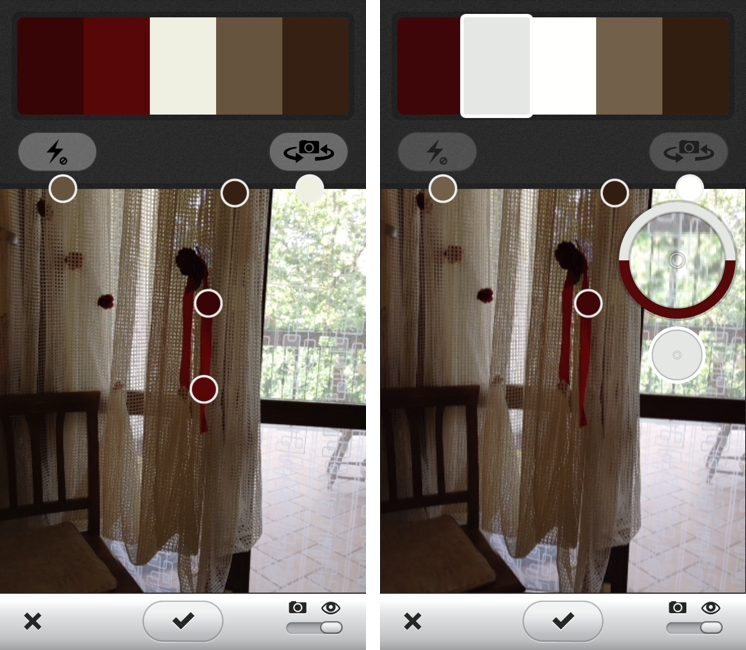
Earlier today, Adobe released a free Kuler app for iPhone. Kuler, which allows designers to create and share color themes, was recently updated to support HTML5 and a responsive design on its website, but the iOS apps brings a series of native features and integrations that take advantage of the iPhone’s hardware to make color palette generation even easier and more intuitive. Read more