John
John
AppStories Episode 365 - The Return of the Classic Pick 2
0:00
35:29
35:29
This week, Federico and John pick two apps they’ve been enjoying recently.

It helps you take regular breaks from your Mac to rest your eyes, without breaking your flow.
 The Return of the Classic Pick 2
 Zac Hall, writing for 9to5Mac, has a great analogy about the iPad platform that I wish I thought of before:
Here’s the thing about the iPad line: it’s always being worked on, and that work is never complete. You know, like roadwork. As a kid, I recall thinking Atlanta was only under construction for a few weeks. Oh, the naïveté.
[…]
The awkward thing about this never ending construction project is when a lower-end model get a “new” feature before a premium model. That’s what happened with the iPad 10 and the iPad Pro in 2022. The awkwardness was compounded by the fact that Apple released no new iPads in 2023. Instead, Apple introduced a third (but not third-gen) Apple Pencil. More roadwork.
I think this is a perfect encapsulation of the state of the iPad. For better or worse, it’s always being worked on. Not like how the Mac and iPhone are always “being worked on” (of course they are), but more in the sense that there’s always something that obviously needs to get fixed and we’re waiting for it.
And the funny thing is, I’ve been using the iPad as my primary computer for long enough now, I find its “current” state kind of charming at this point. It’s definitely an acquired taste, but why would you get a reliable computer that does the same reliable things for a good number of reliable years when you can experience the thrill of a platform that still feels like it launched two years ago when it is, in fact, 14 years-old and that perennially feels like it’s waiting for the next shoe to drop? Why join the navy when you can be a pirate? I’m only half-kidding with this. Besides the fact that, for me, no other computer Apple makes is as flexible as an iPad, part of the enjoyment is (again, for me) its quirky nature, constantly on the verge of improvement. (Please don’t send me this page.)
If there’s one thing you can say about the iPad line is that it’s never boring, for better or worse. If anything, we’re still blogging about it – 14 years later.
 Optimizing Shortcuts for the Launcher App and Home Screen Widgets
 This week’s Shortcuts column is more of a technique I want to share than a shortcut you can download. Think of it as a taste of what you can expect from my Automation Academy for Club Plus and Premier members, if you will. I’m spending some time reorganizing my Home Screen, and I’ve finally accepted...
Finally, a Focus Mode I Can Use Every Day I’ve been spending some time over the past few days refreshing my iPhone Home Screen ahead of Issue 400 (!) of MacStories Weekly (it’ll be the first one of 2024), and in the process, I also realized I now have a good use case for Focus modes. As someone who works from home with a...
I truly enjoyed this piece by David Pierce, writing for The Verge, about the fediverse’s potential and how the ActivityPub protocol may be the key to turn the hand-wavy concept of “decentralized social media” into an ecosystem of dedicated products that are actually useful and interoperable:
In the world of ActivityPub, every post everywhere is made up of a sender, a message, and a URL. Every user has an inbox and an outbox for those messages. That’s the whole protocol in a nutshell. The simplicity is the point: since ActivityPub is not a product but a data format like PDF or JPG, what you do with those messages, those URLs, those inboxes and outboxes, is entirely up to you.
You could have a Twitter-like app that emphasizes text, or an Instagram-like one with a UI that shows photos first. Your federated YouTube could be full of everybody’s videos, or you could make TikTok by filtering only for short and vertical ones. You could use a WhatsApp-style messaging app that only cares about messages sent directly to someone’s inbox.
You could try to do all those things, or you could try to do something nobody’s ever been able to do before. You could build a news reader that only includes posts with links to news sites and automatically loads those links in a nice reading interface. You could build a content moderation tool that any fediverse app could use to filter and manage content on their platform. You could build the perfect algorithm that only up-ranks shitposts and good jokes, and license that algorithm to any app that wants a “Epic Posts Only” mode. You could build an app that’s just an endless feed of great stuff for NBA fans. You could build one that’s just for crypto true believers. You could build one that lets you swipe from one to the other depending on your mood.
As I wrote earlier this week, the more I read about ActivityPub and federation, the more excited I get about 2024. I’m fascinated by what companies like Flipboard are doing (for instance, they rolled out their federated video channel today, which you can follow on Mastodon as [email protected]), and I’m seriously considering the different ways we could leverage various ActivityPub integrations in a future version of MacStories.
I didn’t have “get excited about social media again” on my 2023 bingo card, but here we are.
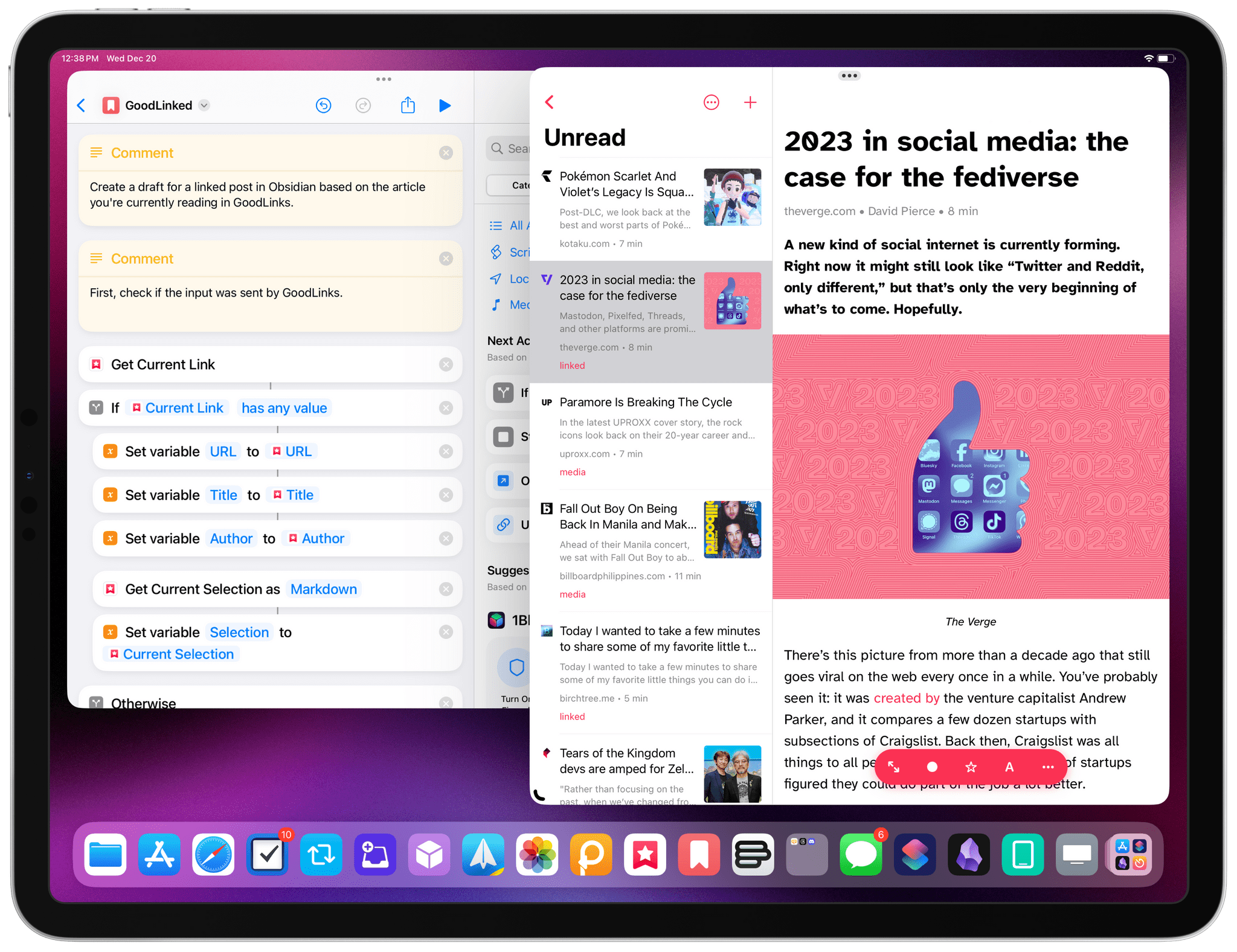
A few weeks ago on AppStories, I mentioned to John that I was looking for the “Things of read-later apps”. What I meant is that I wanted to find an app to save articles for later that felt native to Apple platforms, had a reliable text parser, but, more importantly, featured deep Shortcuts integration to let me create automations for saved items. As I followed up after a few episodes, I realized the app I’d been looking for was the excellent GoodLinks, which we’ve covered on MacStories several times before.
Today, GoodLinks developer Ngoc Luu released a small update to the app that, however, cements it as the premier solution for people who want a read-later utility for iOS and iPadOS that also features outstanding Shortcuts support.
Flipboard founder and CEO Mike McCue, writing on the company’s blog about Flipboard going all-in on the Fediverse and ActivityPub:
Today we are beginning to open Flipboard to the Fediverse, a rapidly emerging part of the Web which includes social services like Mastodon, Threads, Pixelfed, Firefish and PeerTube all built on a revolutionary open protocol called ActivityPub.
What does this mean for you? In the next few months, everyone using Flipboard will be able to discover and follow a whole new group of writers, vloggers, artists, scientists, explorers, political leaders and millions of others who are posting content and conversing in the Fediverse. If you curate on Flipboard, not only will you have a lot more content to curate from, there will be millions more people to enjoy the Magazines and Storyboards you are curating. If you’re a publisher, creator or brand on Flipboard, you’ll start to see new visitors and engagement as people discover and share your content across the growing Fediverse.
If you’re already using the Fediverse, you’ll be able to discover more articles, videos and podcasts thoughtfully curated by Flipboard’s many publishers and curators around the world. You’ll also be able to follow and converse with them directly from Mastodon, Threads and other ActivityPub apps.
I haven’t used Flipboard in years (even though I really liked the app back in the day), but I am so fascinated by this pivot, and I want to keep an eye on what Flipboard is doing.
The way I see it, if done correctly, Flipboard could become a fast, intuitive way for a lot of people to “get on the Fediverse” without the overhead of picking a Mastodon server and other technical jargon. Just grab the Flipboard app, create an account, and start following people from, say, Threads, Mastodon, and other ActivityPub-compatible sources. Once their multi-phase rollout is complete, you’ll have a federated account on flipboard.com that will be able to (I assume) read and post content on the Fediverse. Based on what McCue is saying, it sounds like that’s exactly what the future of Flipboard will be: a well-designed client for all kinds of federated sources.
In January we will release a new version of Flipboard that will show follows, favorites and boosts from the Fediverse. It will also enable replies to and from the Fediverse as well as blocking, muting and reporting.
I’m very keen to see how Flipboard will differentiate itself here from the typical timeline experience of clients such as Ivory and Ice Cubes, or even the Threads app. I’m also curious to understand if and how the new ActivityPub-infused Flipboard will be profitable (and I hope it will be).
Fixing the Share Sheet
Saving Articles in GoodLinks and Things at the Same Time A few days ago, I decided to improve my workflow for saving articles that I know I’ll want to publish as linked posts on MacStories. Specifically, I wanted to see if it’d be possible to save articles in GoodLinks and simultaneously create a task in Things with a deeplink to the article in GoodLinks. That...