Federico Viticci

10759 posts on MacStories since April 2009

Federico is the founder and Editor-in-Chief of MacStories, where he writes about Apple with a focus on apps, developers, iPad, and iOS productivity. He founded MacStories in April 2009 and has been writing about Apple since. Federico is also the co-host of AppStories, a weekly podcast exploring the world of apps, Unwind, a fun exploration of media and more, and NPC: Next Portable Console, a show about portable gaming and the handheld revolution.

Logitech Unveils New Keyboard Accessories for iPad Air

From the Logitech blog:

The three keyboard products each feature a built-in Bluetooth keyboard with maximized key size for a fast and fluid typing experience. The Logitech Folio Protective Case offers tablet protection without a keyboard, and is Logitech’s thinnest and lightest folio for the iPad Air. It has a water-repellent skin for two-sided protection against bumps, scratches sand spills, and doubles as a stand, adapting to hold your tablet at the right angle for reading, viewing or playing games.

The FabricSkin Keyboard Folio looks nice. Personally, I’d just love if the old special keys started working again on iOS 7 with my Logitech tablet keyboard.

Permalink

Dispatch 1.3 Gets Unified Inbox, Dropbox and Droplr Integration, Action and URL Scheme Improvements

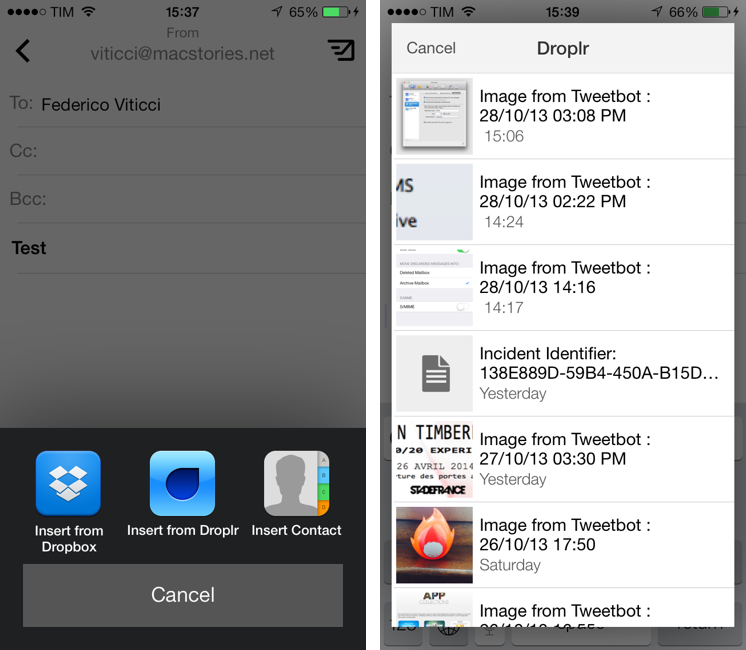
Dispatch is my favorite third-party email client for the iPhone. Released in June, Dispatch stood out from similar apps as it implemented a powerful feature set that took advantage of native iOS apps to bring inter-app communication and snippets to mobile email. In September, the app was updated with iOS 7 background fetch, message search, and a change to individual message links that allowed iOS apps to open specific messages directly in Dispatch. Thanks other several minor features and details (such as custom salutations and link actions), Dispatch became a fantastic alternative to Apple’s Mail app for users who wanted more out of their iPhone email client.

With today’s 1.3 update, Dispatch gets even more powerful and versatile with the addition of a unified inbox: a feature that I had been asking for since the first version of the app, unified inbox is a new top-level item in the app’s sidebar and it groups all, unread, and starred messages from all your configured accounts’ inboxes. From the All Inboxes view, you can manage and respond to messages as usual, but you can also search and compose a new message without switching to an individual account’s view. Read more


iPad mini For Content Creation

iPad mini

iPad mini

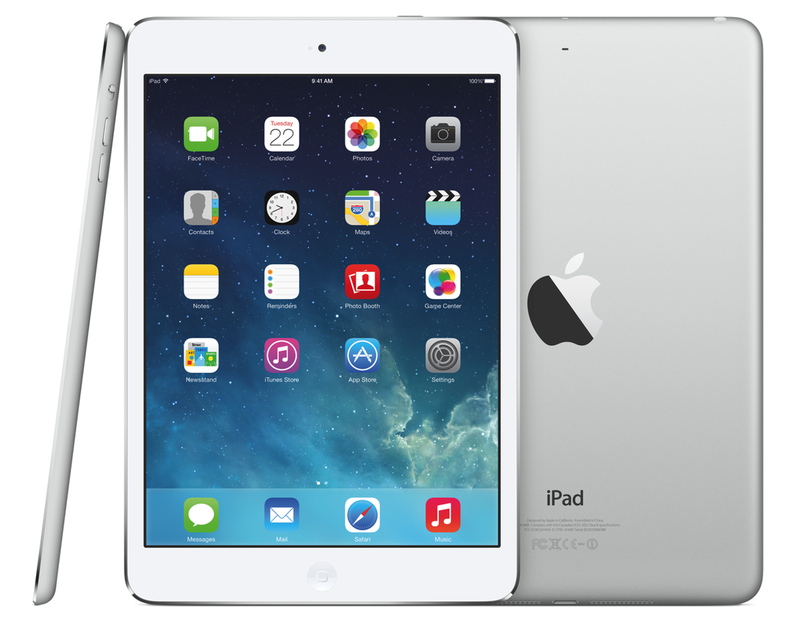
I’ve seen an argument being made in the past week: that the iPad mini is for “consumption”, whereas the iPad Air is for “creation”. This idea has been reinforced by Apple’s announcements: with both iPads now carrying the same hardware, the difference between the mini and the Air comes down to the fact that one is for consuming media and the other for creating content. I disagree. Read more


Serenity Caldwell’s Hands-On With The New iMovie

Apple’s new version of iMovie is sleek and sophisticated both on the Mac and on iOS devices. It retains a lot of advanced features from prior versions, but keeps its interface clutter- and confusion-free for newer users. And it’s added a new avenue for easily sharing movies to your computer and Apple TV. I could go on like this for awhile, but instead of writing a whole review here, I’m going to cut to the juicy parts and focus on twenty new and improved features in iMovie for the Mac and on iOS.

If you’re looking for an article that covers all the changes and new features in iMovie, Serenity has a great overview. I can’t wait to get an iPhone 5s to try the slow-motion editing.

Permalink

iWork and Automation

Peter Cohen:

But this whole issue unveils a more fundamental problem: by neglecting AppleScript support in iWork apps, Apple underserves customers who would otherwise use their products - not just big companies with IT departments, but freelance workers who want to save time, small and medium-sized businesses that benefit from workflow automation tools, and others. AppleScript may be techy, but it’s pretty democratic - anyone who wants to use it should be able to use it.

I don’t buy the idea that, because they are a “rewrite”, the new iWork apps can’t have AppleScript. As Peter says, an automation tool that freelancers and small businesses relied upon is gone, and Apple isn’t providing an alternative. Unless you keep the old iWork apps installed.

Permalink

(RED) Mac Pro

“Selected and customised” by Jony Ive and Marc Newson (the duo also behind the special edition Leica M camera).

From the description:

The new Mac Pro is the most powerful, yet radical Mac that Apple has ever designed. Architected around an innovative, unified thermal core, the new Mac Pro features dual workstation graphics cards, the latest Xeon processors, ultra-fast flash storage, and incredibly high performance I/O. A precisely machined and polished enclosure houses this advanced technology in an extraordinary design that stands just 9.9 inches tall and 6.6 inches in diameter. This one-of-a-kind model, made with red anodised aluminium, has been crafted exclusively for the (RED) Auction.

Permalink

“A Knowledge Generation Tool”

Craig Hunter (via Daring Fireball):

I often see debates about whether the iPad is a “content-creation” or “content-consumption” device, but I think that’s a simplistic way to look at it, likely drummed up by folks with limited focus. The iPad, along with apps from thousands of developers and the ingenuity and creativity of customers, has become a knowledge generation tool across the spectrum. It’s being used out in the real world to obtain tangible results with a real impact on the way we live.

It’s funny that, after three years and with all the evidence we have, many of us are still asking why the iPad needs to exist. Normal people who don’t write on tech blogs have the answer.

Permalink

Better Camera Roll Integration in iPhoto for iOS 7

iPhoto 2.0

iPhoto 2.0

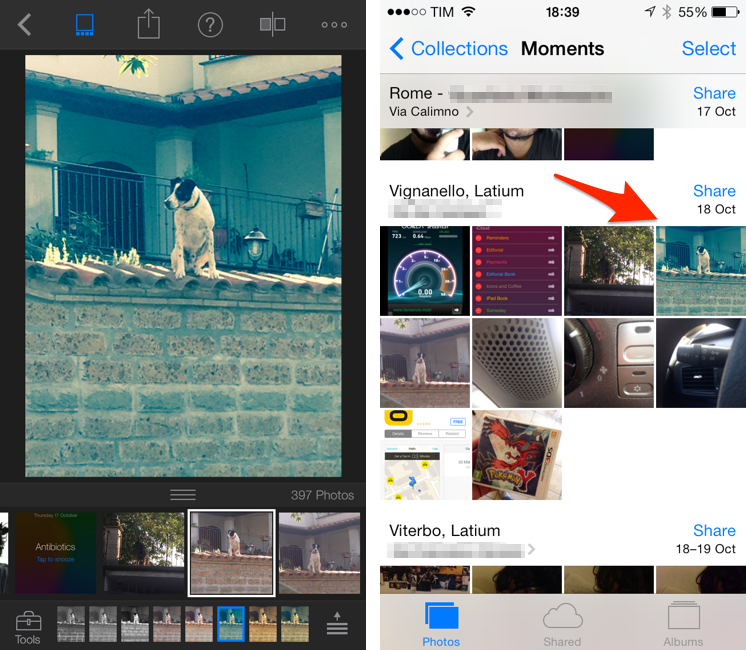
I’m playing around with the new iPhoto for iOS 7, and I’ve noticed an interesting change from last year: edits that you make in iPhoto are now synced back to the original photo in the iOS Camera Roll. To my knowledge, no other iOS app can overwrite the original file – apps like Instagram, Facebook, and even the original iPhoto (if you still have it installed) can only save edited photos as new files in the Camera Roll.

As I noted today on Twitter, this is a big change from last year’s iPhoto workflow. Here’s what I wrote in March 2012:

After a few minutes, which I spent playing around with the app’s UI and various editing functionalities, I stopped editing and went back to the main page, thinking that all my edits would automatically carry over to the system Camera Roll. My reasoning was: if iPhoto for iOS, unlike the Mac, can pick from a central location (the Camera Roll), then maybe edits will sync automatically as well. Not so fast. It turns out, the Camera Roll isn’t centralized at all, as every modification you’ll make in iPhoto will have to be exported to the Camera Roll as a new file. Even better, if you edit something in iPhoto in the Camera Roll “album”, then edit the same file in the system Camera Roll from Photos.app, iOS will fail at communicating changes between the two, and you’ll end up with two different files in the same Camera Roll like I did.

In the new iPhoto, Apple has changed the communication layer between the system Camera Roll and iPhoto to allow for a more direct integration between the two: once you choose a photo in iPhoto and make some edits to it (such as an effect), the edits are automatically saved to the original photo in the Camera Roll without having to manually export the edited photo or create duplicates like the original iPhoto did. This makes for a more streamlined workflow and experience, but it raises some questions, so I wanted to dig deeper. Read more


Tweetbot 3 Review: Human After All

Tweetbot 3 for iPhone

Tweetbot 3 for iPhone

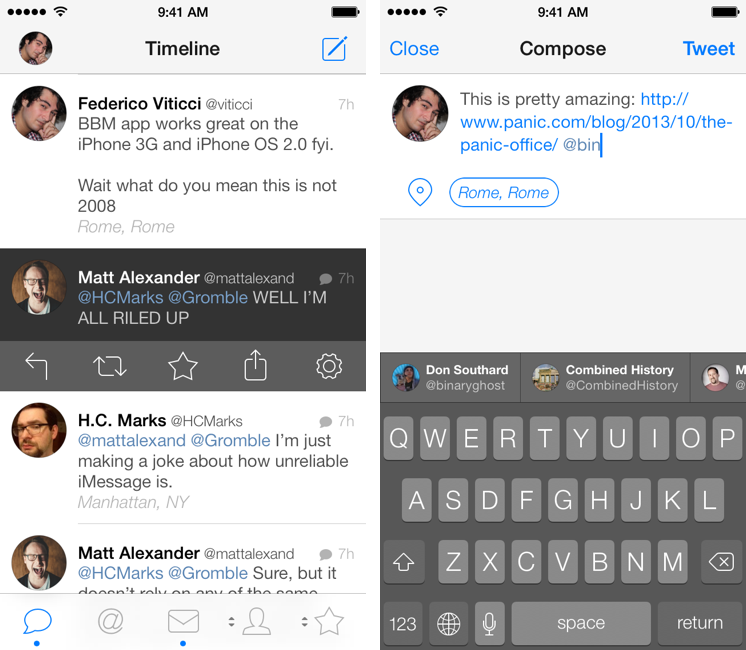
Tweetbot is, by far, the iPhone app that I use the most on a daily basis. It’s not just that I keep Twitter open essentially all day to check for news, talk to friends, or post GIFs: since I got the first beta of the original Tweetbot three years ago, the app has become so ingrained in my workflow that I wouldn’t be able to switch back to any other client that doesn’t have the same capabilities. What started as a moderately advanced take on Twitter clients by Tapbots has evolved with time into a powerful app that spans three platforms and that comes with dozens of unique features and a solid engine that, for me, has no equal. I don’t say it lightly: because of Tweetbot’s feature set, I have been able to reliably communicate with other people (via DM or Mentions), reference tweets for articles, or build complex workflows that have allowed me to be more efficient, faster, and generally happier with Twitter.

That’s why I take major changes to Tweetbot’s overall structure and design, such as Tweetbot 3 for iOS 7, very seriously. Tweetbot 3, released today as a new app sold at $2.99 on the App Store (launch sale), is many things at once: it’s Tapbots’ first foray into the iOS 7 design aesthetic, which marks a radical departure from the small studio’s former visual style; it’s a profound reimagination of Tweetbot’s looks, animations, and sounds, which had gone largely unchanged since 2011; and it’s a confirmation of Tweetbot’s existing feature set with changes aimed at further enhancing the app’s functionality and making room for future additions. It’s iPhone-only, with a new version for iPad coming next.

I have been using Tweetbot 3 every day on my iPhone 5 for the past couple of months. I think that I have a good understanding of the decisions behind the app’s redesign, feature changes, and complete embrace of iOS 7’s visual and hierarchical approach to building interfaces. With version 3.0, Tweetbot, the robotic toy for your Twitter stream, eschews its mechanical roots and graduates to a modern, fluid, and fun assistant that, in the process, is still Tweetbot. I wouldn’t be able to go back to the old Tweetbot now, but I also think that getting used to the new app will take some time. Read more