

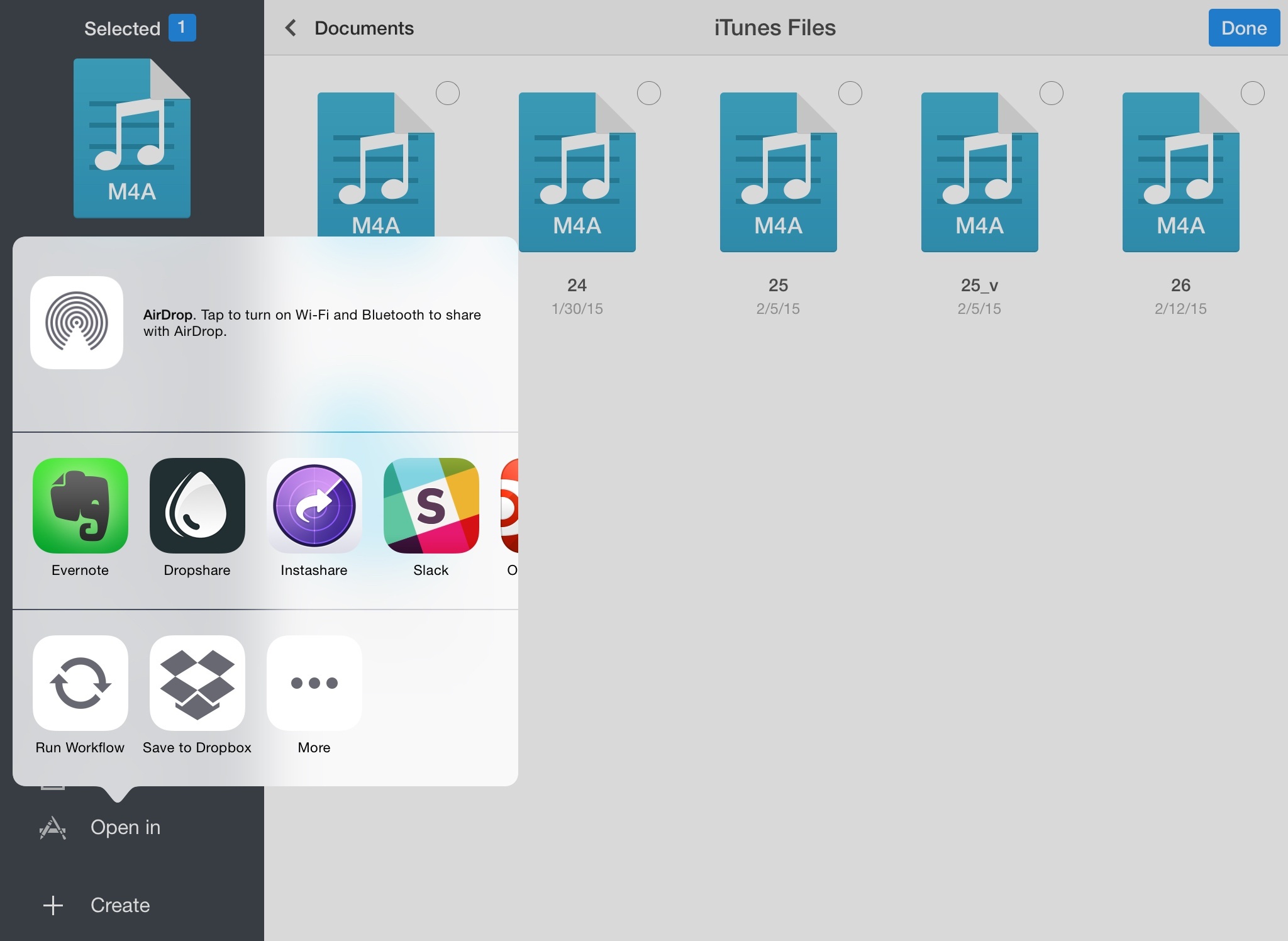
Dropbox updated its official iOS client earlier today, adding the ability to save files to your account from any app using the iOS 8 share sheet.
Modern Family’s New Episode Takes Place on the Screen of a MacBook Pro→
Here’s something you don’t hear every day: next week’s episode of ABC’s Modern Family will take place entirely on the screen of a MacBook Pro. The Verge writes:
In the Modern Family episode, we’re looking at the computer screen of Claire Dunphy (Julie Bowen) while she’s waiting at the airport. She’s had a disagreement with her daughter Haley (Sarah Hyland) and can’t reach her, and over the course of the episode Claire jumps across multiple Mac apps and video chats to talk to her family and track Haley down (apparently everyone in the Modern Family universe uses Apple products for convenient FaceTime and iMessage sessions).
The best part, tech-wise, is that the graphics have been entirely recreated manually for resolution needs, forcing the authors to cope with changes in the Yosemite betas.
“I was building the assets for Yosemite back when Yosemite was still in beta,” he said. While it helped ensure the episode wouldn’t feel dated when it finally aired, it also led to the unfortunate situation of Brown finishing up assets, only to have to tweak or swap things around when Apple updated the interface in a new build. “It was frustrating to be like, ‘Act one, totally locked,’ and then come in Monday and hear the FaceTime notification has changed.”
And Re/Code:
The trick was producing footage that would look good (and prove readable) on a giant living-room TV. That required the technical intervention of a post-production team, which worked for months to create a replica of Apple’s OS X “Yosemite” desktop operating system painstakingly updated with every revision to the software.
“Basically, what you’re seeing on screen is all hand-made,” said John Brown, the show’s motion graphics producer, who had previously worked on commercials for the Google+ social network that uses a similar narrative approach.
Modern Family isn’t new to Apple devices. In 2010, before the iPad’s release, the show featured an episode focused on the device and Phil (one of the characters) struggling to get one on launch day.
The New Yorker Profiles Jony Ive→
Earlier today, The New Yorker published an extensive profile of Jony Ive. The in-depth article covers a wide range of topics, including Ive’s early life and career, thoughts on design, Apple Watch, relationship with Steve Jobs, and more.
It’s a must-read. Instead of pulling out relevant bits to reprint them here with fancy headlines, I’m going to use one paragraph about Ive’s sense of care and ask you to enjoy the full story over at The New Yorker.
We were in the fast lane of I-280, in squinting low sunshine. When I asked for examples of design carelessness, Ive cranked the conversation back to Apple. He has the discipline to avoid most indiscretions, but not always the facility to disguise the effort. “At the risk of sounding terribly sentimental, I do think one of the things that just compel us is that we have this sense that, in some way, by caring, we’re actually serving humanity,” he said. “People might think it’s a stupid belief, but it’s a goal—it’s a contribution that we can hope we can make, in some small way, to culture.”
Automatic: Your Smart Driving Assistant on Your Smartphone [Sponsor]
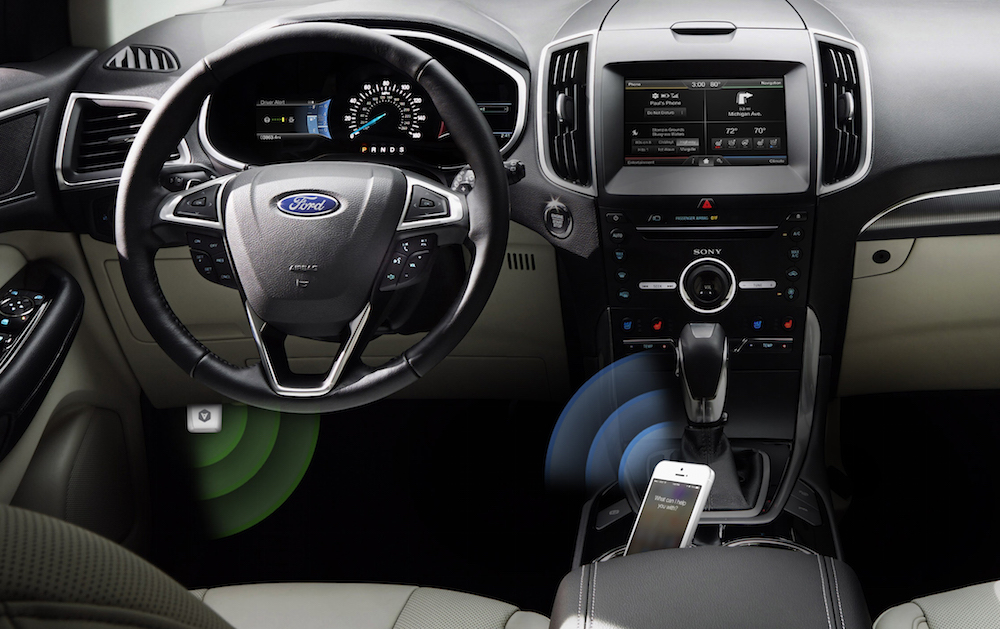
There’s a mountain of data inside your car waiting to be unleashed, and all you have to do is plug in a quick little connector and download a mobile application.
Automatic is a smart driving assistant that plugs into your car’s data port and lets you connect your smartphone (either iPhone or Android) with your car. By talking to your car’s onboard computer and using your smartphone’s GPS and data plan to upgrade your car’s capabilities, Automatic will allow you to easily diagnose your engine light, never forget where you parked your car, and save hundreds of dollars on gas.
Automatic learns your driving habits and gives you suggestions through subtle audio cues to drive smarter and stop wasting gas. Thanks to a map view available on your phone, Automatic can display a trip timeline after every driving session, showing you how you’re doing with a Drive Score; the app can even track local gas prices and tell you how much you’re spending.
In case of engine problems, Automatic can decipher what the “check engine” light means and show you a description of the issue with a possible solution. And thanks to a feature called Crash Alert, Automatic can detect many types of serious crashes and automatically alert local authorities as well as your loved ones when you can’t.
Automatic is currently available in the US for iPhone and Android devices, with a 45-day return policy and free shipping in 2 business days.
MacStories readers can go to automatic.com/macstories to get $20 off and buy Automatic at just $79.99. For more information, check out Automatic’s website.
Our thanks to Automatic for sponsoring MacStories this week.
The iTunes Store and Curated Sections→
Last week, Billboard’s Shirley Halperin and Ed Christman published a story on Apple’s rumored plans for a new music streaming service. A paragraph from the piece stood out to me:
Other clues suggest a major scrub to the iTunes store, which will rid itself of thousands of titles including soundalikes and certain covers, all at Apple’s discretion, say insiders. Moreover, the disallowed music includes artist rerecordings, favoring original or best-of versions and, critics contend, the major labels that retain those rights. Additionally, featured-artist sliders, previously chosen editorially, may now be determined by sales velocity, leaving some to wonder if iTunes is becoming less like a Tower Records and more of a Target – limited selection and a focus on hit titles. “Until now, iTunes has been good to the indies,” contends one vet. Conversely, an Apple source says such case-by-case house-cleaning to eliminate duplicative and deceptive versions is routine.
(Emphasis mine)
The “scrub” to the iTunes Store has been previously reported, and, as Halperin and Christman note, it has, to an extent, been performed in the past as well.
I have, however, a hard time believing Apple will transform featured recommendations into Top Charts-like carousels determined by “sales velocity”. The company has traditionally taken a lot of a pride in its editorial curation with sections refreshed on a weekly basis and highlighted on the front page of iTunes. They bought Beats Music last year, which included an in-house editorial team of music curators and critics. And, they recently hired Zane Lowe, well known for his excellent taste in emerging artists and classic albums. If Apple is indeed planning to abandon editorially curated sections on the iTunes Store, all signs point to the contrary.
Zane Lowe Leaving BBC Radio 1 for Apple→
BBC:
Zane Lowe is leaving Radio 1 after more than a decade at the station.
The 41-year-old DJ, who joined the network in 2003, is moving to the US to work at Apple.
This is an interesting and smart hire from Apple. Beyond the awards and popularity, Lowe has incredible taste in music and has helped discover numerous talents over the years. He curated albums he considered masterpieces with a special section of his show and he has connections with the biggest names of the industry. Between him, Dre, and Jimmy Iovine, Apple is assembling an impressive roster of well-known industry personalities who know good music and artists.
Context: Zane Lowe is way more than a DJ. The guy loves music and can spot new stuff like no one else. This makes sense for curation.
— Myke Hurley (@imyke) February 15, 2015
Growing up, I spent a lot of time watching Zane Lowe sessions and interviews with my favorite artists and, to me, this sounds like a big deal from the company on charge of iTunes Radio and Beats Music.
According to The Guardian, Lowe is leaving BBC Radio 1 specifically for Apple’s iTunes Radio service. Given his background, iTunes rumors, and focus on curation with Beats Music and iTunes Radio, I’m excited to know more about Apple’s music plans this year.
As it turns out, I think my take on Beats Music from last year has aged fairly well:
Computers and algorithms, in spite of modern advancements in data extraction and parsing, don’t understand things like artistic influences, song meanings, subtle references, or the “mood” of a song. Computers can’t compute emotion. They can’t understand what’s behind Dave Grohl’s “Best of You” at Wembley or why Death Cab For Cutie’s Transatlanticism is an album about long distance love. Computers don’t have the human touch, and I believe that they will never be able to fully, empathically replicate the ability to appreciate music as an artistic expression.
That’s why Beats Music hired people knowledgeable about music and uses algorithms as a tool, and not the medium: there’s more to music than data.
The App Store, Pinterest, and App Curation
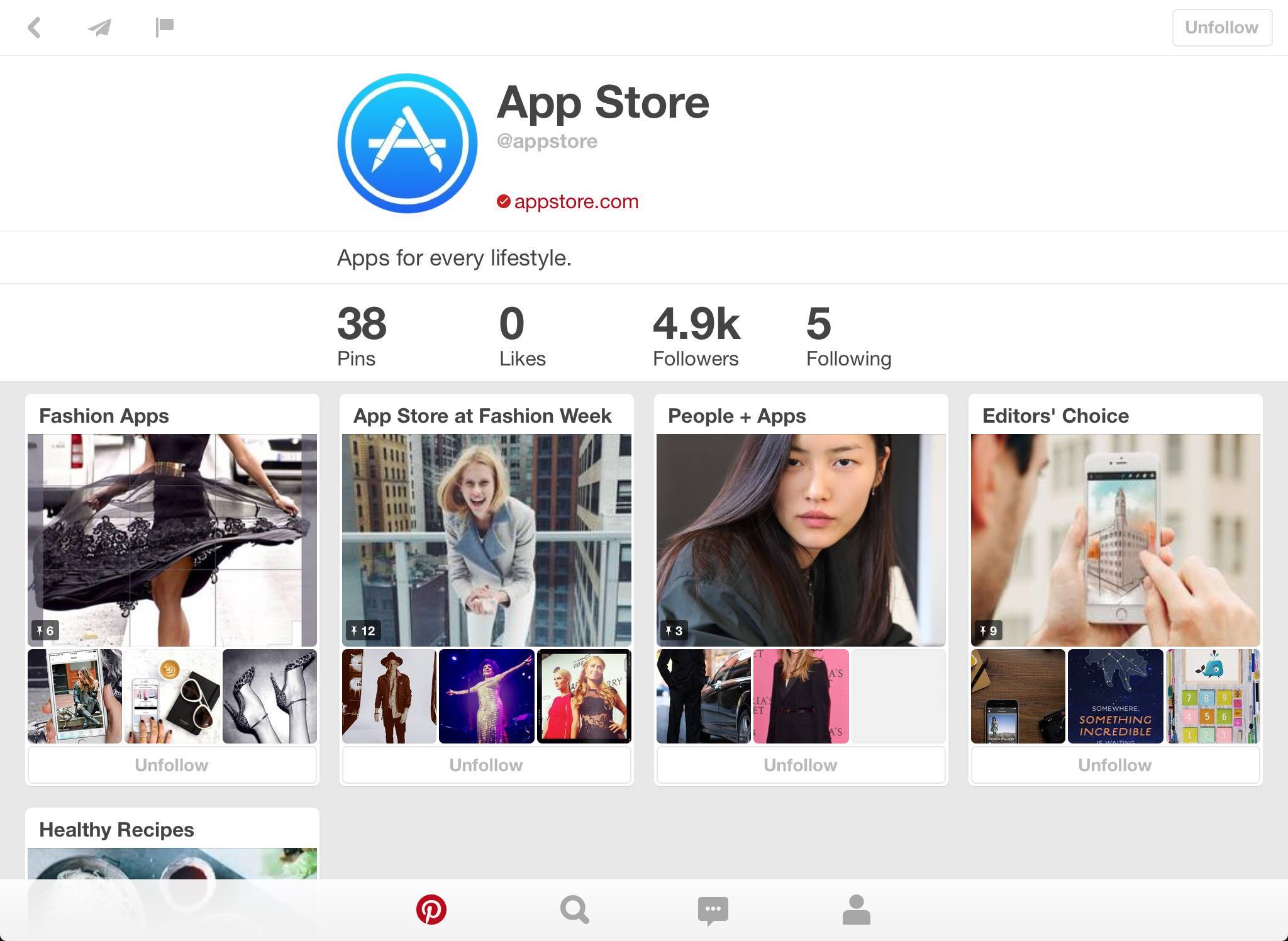
Last night, Apple and Pinterest announced a new collaboration that will see Apple curating app picks on the service, which has gained new special app pins with Install buttons. I can’t help but wanting to know more whenever the App Store and curation are involved; plus, I’ve been keeping an eye on Pinterest, and I find this new partnership fascinating.
Virtual: Emulation Finds A Way→
This time Myke and Federico talk about whether current mobile games will be played in the future, compare games that make you replay levels and Myke shares his experiences of the the new Nintendo 3DS.
As a follow-up to speedrunning from last week, a brief discussion about preservation in the age of IAP. Myke allegedly managed to download and play the original Super Monkey Ball from 2009, which is still on the App Store. You can listen to the episode here.
Sponsored by:
- Hover: Simplified Domain Management. Use code ‘MAJORA’ for 10% off your first purchase.
Workflow 1.1: Deeper iOS Automation
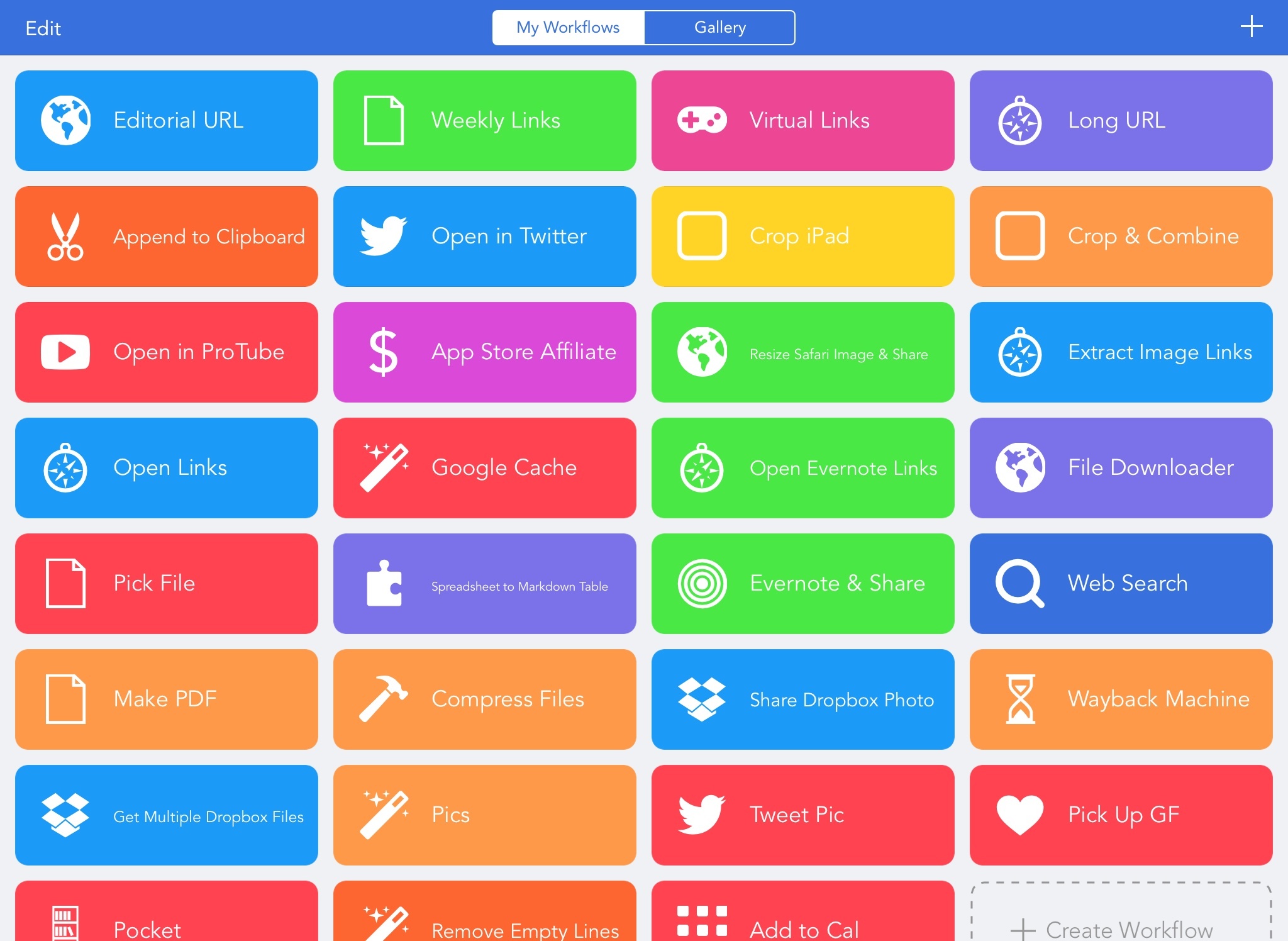
Released by a small team of indies in December 2014, Workflow reinvented iOS automation. Combining an interface reminiscent of Apple’s Automator for OS X with easy access to native iOS features such as Safari, the photo library, and iOS 8 extensions, Workflow promised to make automating tasks on an iPhone and iPad a simple and pleasant affair. The results spoke for themselves: Apple selected Workflow as Editor’s Choice, the app trended for weeks in the App Store’s Top Charts, and thousands of users released interesting and useful workflows in various online communities. MacStories readers may remember that Workflow was my iPad app of the year.
Workflow is one of those few apps that have dramatically changed how I work on my iPad. For me, the point of using Workflow isn’t to put together chains of actions to show off the app’s power – I just want to save time I can spend doing something else. While I have fun experimenting with Workflow and understanding its capabilities, ultimately the app just sits there in the background, waiting for me to call a series of actions I need. I love Workflow the most when it’s summoned for those two seconds and it does something magic that would have normally required minutes of manual interaction. Things like appending links to Evernote, converting spreadsheets to Markdown tables, or adding text to the clipboard.
Workflow fits my routine like a glove. I’ve used it every day to automate aspects of my work that speed up how I write and communicate on my iOS devices. And with Workflow 1.1, released today on the App Store, its developers are further expanding the app’s capabilities with powerful new functionality that includes filtering, better conditionals and image manipulation, URL expansion and deeper calendar access, and even the ability to open multiple links at once in a web browser.
Version 1.1 of Workflow includes over 50 new actions and dozens of fixes, improvements, and changes to existing actions. Core parts of the app have been revised for a faster experience and the foundation laid with the Content Graph has started to pay off with the addition of metadata and filters. Because I’ve been playing around with Workflow 1.1 since the app’s original release two months ago, I’m going to offer some practical examples with a high-level overview of the changes.