Federico is the founder and Editor-in-Chief of MacStories, where he writes about Apple with a focus on apps, developers, iPad, and iOS productivity. He founded MacStories in April 2009 and has been writing about Apple since. Federico is also the co-host of AppStories, a weekly podcast exploring the world of apps, Unwind, a fun exploration of media and more, and NPC: Next Portable Console, a show about portable gaming and the handheld revolution.
Inspired by a report that the iPad Pro’s Smart Keyboard will gain a trackpad this year, Federico and Ryan imagine what that would mean for the future of the iPad.
You can listen below (and find the show notes here), and don’t forget to send us questions using #AskAdapt and by tagging our Twitter account.
0:00 01:04:30
Adapt, Episode 20
AppStories+ Deeper into the world of apps
Sponsored by:
TextExpander, from Smile: Unlock your productivity with TextExpander. Get 20% off with your first year.
Sanebox: Clean up your inbox in minutes. Sign up for a two-week free trial and a $25 credit.
As I’ve mentioned in previous Club MacStories newsletters as well as my Must-Have Apps story, I used the holiday break as an opportunity to do some cleanup of various kinds of digital cruft on my devices. I reorganized apps on my Home screen; I deleted old shortcuts with LaunchCuts and installed custom icons for my frequently used ones; I fixed metadata for certain albums on my Sony Walkman (a process I want to write about on the site) and moved all my Pokémon links to Raindrop.io. When I was done with apps and links, I turned my attention to email – specifically, newsletters.
It should come as no surprise that I love newsletters. I (partially) make a living out of sending two of them on a regular basis! Obviously, I believe in the strength, convenience, and personal approach of the medium, especially because my favorite writers – whether Jason Tate from Chorus.fm or Jason Snell from Six Colors or Dieter Bohn from The Verge – all tend to have a casual, looser writing style in their newsletters that feels like they’re writing directly to me.
The problem: despite automatic filing of newsletters performed by SaneBox into a folder called ‘SaneNews’ in my Gmail account, I realized that I don’t really like reading newsletters in an email client. I don’t like spending time in an email client these days, period. For professional reasons, I receive a lot of email on a daily basis, so I find it hard to concentrate and read a longform newsletter in an app that is filled to the brim with messages and not exactly built around focused reading.
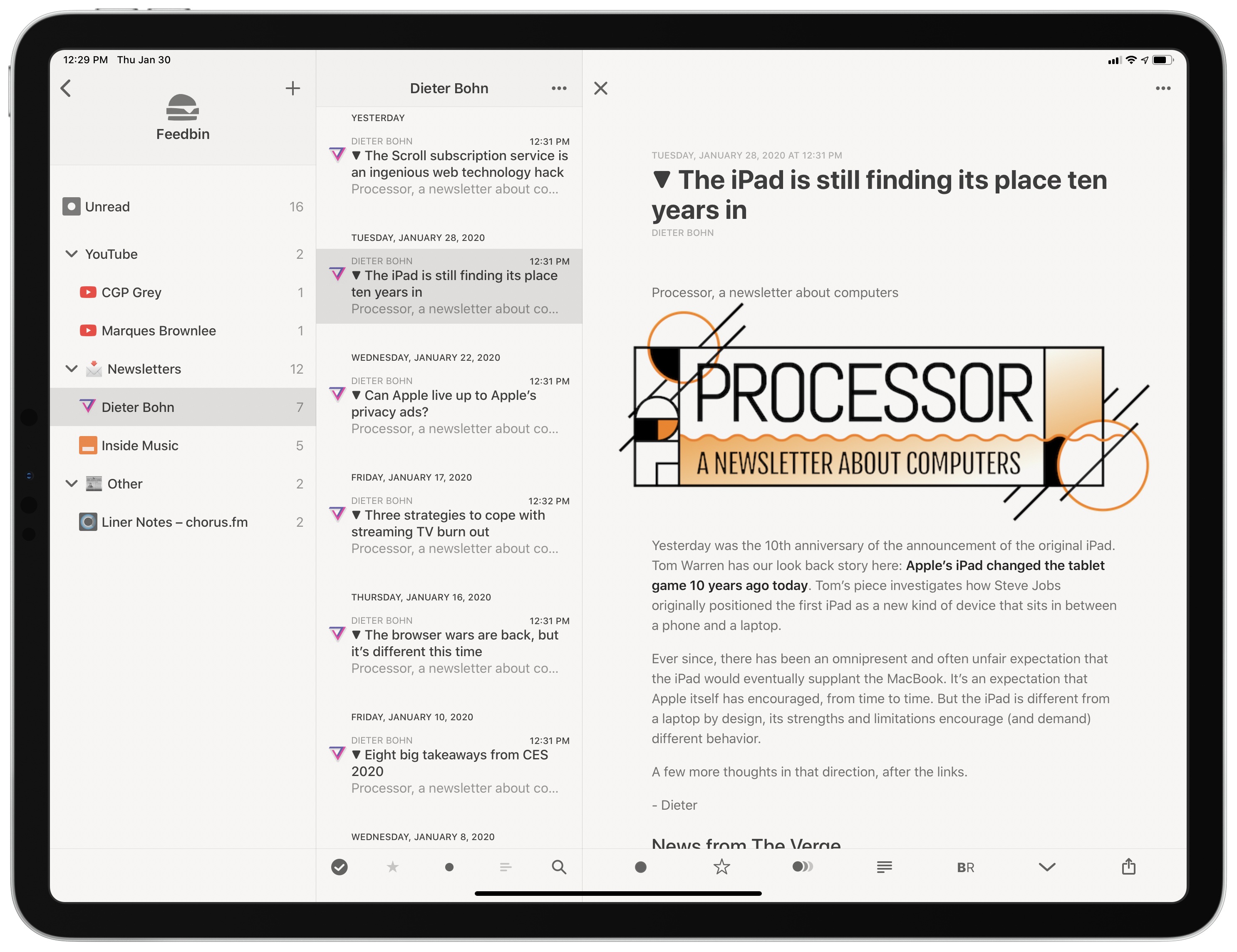
As I was thinking about ways to improve this (I considered using a second email app just for newsletters, for instance), I remembered that Feedbin, my RSS service of choice, offers the ability to give you a unique email address you can send newsletters to. Emails sent to your personal Feedbin email address will end up in the service’s queue alongside your other regular RSS subscriptions, and you can then choose to file the “source” behind a newsletter however you see fit – for example, by creating a folder in Feedbin called ‘Newsletters’. Feedbin has more details on this functionality here. Given how I’ve been trying to consolidate all my reading into Reeder by way of the app’s support for RSS and a read-later account, I thought it’d be interesting to try throwing newsletters at it as well.
Myke and Federico discuss the difficulties of connecting HomeKit to the internet, consider better solutions for iPad multitasking, feel disappointment for the Files app, and see what their boy Buffet is up to.
You can listen below (and find the show notes here).
Pingdom: Start monitoring your website performance and availability today, and get instant alerts when an outage occurs or a site transaction fails. Use offer code CONNECTED to get 30% off. Offer expires on January 31, 2021.
Indeed: Post your job today and get a free sponsored job upgrade.
This week, Federico and John revisit the topic of app subscriptions and what they’ve learned in the nearly three years since they covered subscriptions in episode 5.
First-time guest Federico Viticci joins the show. Topics include how the coronavirus outbreak might affect WWDC, speculation on a possible March Apple event, the state of iPad keyboard (and trackpad) support, and iPadOS multitasking.
It was my pleasure to join John Gruber on this week’s episode of The Talk Show. Don’t miss the links in the show notes for the additional context regarding iPad apps and multitasking.
Earlier this week, a tweet by Steve Troughton-Smith about opening documents in third-party apps from Files reminded me of a few hidden tricks and gestures that have been available since iOS and iPadOS 13 launched last year, and which I only mentioned in passing in my review and other podcasts. First, it’s important to...
The Unreader The Unreader is a new minimalistic RSS client for Feedbin. Unlike other RSS apps, The Unreader focuses on the essentials: the app supports background refresh and notifications to stay on top of new articles, comes with Feedbin-powered full-text search, and implements native iOS 13 features such as dark mode, Home screen quick...
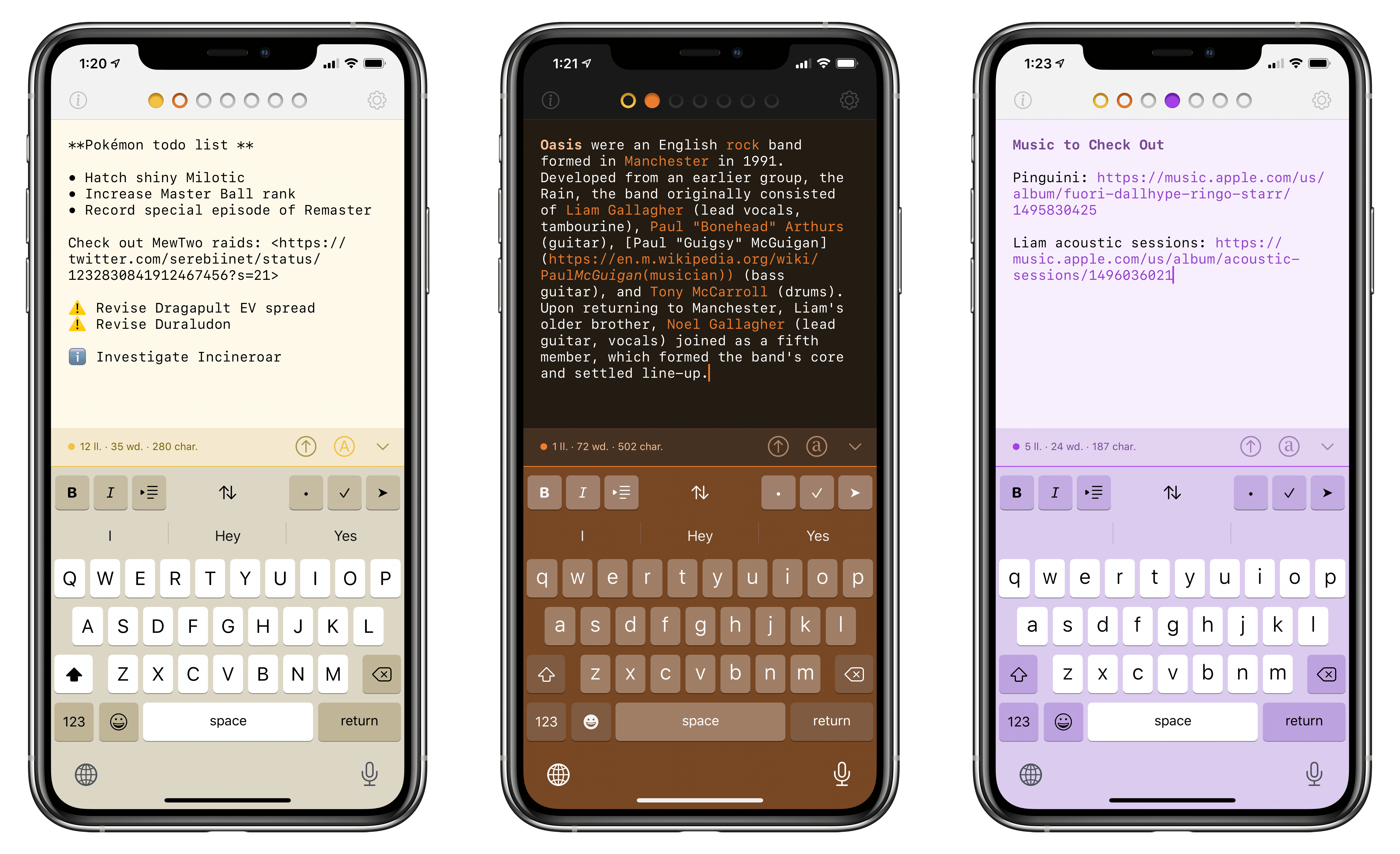
Tot for iPhone, configured with SF Mono as a custom font.
Over the past few weeks, I’ve been on a quest to discover the best iPhone and iPad apps to collect and edit various bits of text I come across every day. The result of this research was a collection in Issue 211 of our Club-exclusive newsletter MacStories Weekly, in which I rounded up the six most interesting plain text apps I’d found browsing the App Store. Members can check out the full collection in the newsletter archive, but, for context, here’s how I led the story:
I often find myself wanting to store random bits of plain text in a document, which I don’t want to save in Apple Notes or iA Writer where my more important notes and documents live. I just want a quick way to stash random, disposable pieces of text – phone numbers, addresses, URLs, etc. – that I will discard shortly after. Inevitably, my research led me to discover a bunch of apps I wasn’t familiar with.
[…]
For the purpose of this roundup, I have excluded apps like iA Writer, 1Writer, Drafts, and other, more complex text editors that go beyond the simple act of just saving text in a scratchpad. While it is possible to use those apps for that kind of task – and I believe plenty of folks use Drafts like that – I was effectively looking for iPhone and iPad alternatives to Apple’s TextEdit for Mac.
I use Apple Notes for general-purpose note-taking, but I’ve started moving some of my videogame-related documents and notes that require heavier formatting to Noto (which Ryan reviewed here). All my writing happens in iA Writer, where I do not want to store any other plain text (Markdown) content that won’t end up either on MacStories or Club MacStories. Lately, however, I’ve found myself searching for a tool that lets me jot down (or otherwise collect from Safari or Mail) random bits of text that are important for the moment, but ephemeral, and as such not a good fit for the richness of editing tools available in Notes or Noto. You may be familiar with this problem: maybe it’s a phone number you need to keep handy for a couple minutes, or a list of three items you need to buy at the supermarket, or a URL to a webpage you need to share with a colleague. To me, using Apple Notes or Drafts for this kind of plain text content expiring soon feels excessive; I just want a scratchpad that frees my brain of the responsibility to hold this text with as little friction as possible.
Enter Tot, the latest release from The Iconfactory. At a high level, Tot is a plain text editor that lets you swipe across seven documents from a single view; each document is represented by a colored dot, and the color is also used for the document’s background to make it visually stand out from the other six. You can switch between plain text and rich text editing modes with the tap of a button; there are word and character counts above the keyboard; when you’re done editing, you can share your text as .txt or .rtf documents with other apps. On a superficial analysis, Tot may not seem that different from the plethora of lightweight Markdown or rich text editors available on the App Store. What sets The Iconfactory’s latest app apart, however, is the combination of embracing constraints and adopting system technologies with a thoughtful, balanced design. Allow me to explain.









 John
John