Even with (unsurprisingly) smaller releases, Apple is pushing forward with bold ideas across all platforms.
How do you prepare a major new version of an operating system that now spans two separate platforms, which will be installed on millions of devices within a few hours of its release, amid a global pandemic? If you’re Apple, the answer is fairly straightforward: you mitigate the crisis by focusing on a narrower set of features, perhaps prioritizing bug fixes and stability improvements, but then you just have to do the work.
In my time as an iOS (then iOS and iPadOS) reviewer, I never thought I’d have to evaluate an OS update with the social and political backdrop of iOS 14. Let’s face it: when the COVID-19 outbreak started fundamentally changing our lives earlier this year, at some point many of us – including yours truly – thought that, among more serious and severe repercussions, our tiny corner of the Internet would see no new phones, OS updates, videogame consoles, or other events over the course of 2020. Or that, at the very least, changes in hardware and software would be so minor, they’d barely register in the grand scheme of things as tech companies and their employees were – rightfully so – adjusting to a new, work-from-home, socially distant life. Yet here we are, over a year after the debut of iOS and iPadOS 13, with brand new versions of both operating systems that were announced, as per tradition, at WWDC a few months ago. Remove all surrounding context, and you wouldn’t guess anything has changed from 2019.
Context is, however, key to understanding Apple’s background and goals with iOS and iPadOS 14, in a couple notable ways.
First, I think it’s safe to assume slowing down to reassess the state of the platform and focus on quality-of-life enhancements and performance gains would have worked out in Apple’s favor regardless of the pandemic. In last year’s review, I noted how the first version of iOS 13.0 launching to the public wasn’t “as polished or stable as the first version of iOS 12”; in a somewhat unpredictable twist of events, managing the iOS 13 release narrative only got more challenging for Apple after launch.
Late in the beta cycle last year, the company announced certain iOS 13 features – including automations in Shortcuts and ETA sharing in Maps – would be delayed until iOS 13.1, originally scheduled for September 30th. Following widespread criticism about bugs, various visual glitches, and stability issues in iOS 13.0, Apple moved up the release of iOS 13.1 and iPadOS (which never saw a proper 13.0 public release) by a week. Despite the release of a substantial .1 update, the company still had to ship two additional patches (13.1.1 and 13.1.2) before the end of September. Before the end of 2019, all while the general public was lamenting the poor state of iOS 13’s performance (just Google “iOS 13 buggy”, and you’ll get the idea), Apple went on to ship a total of eight software updates to iOS 13 (compared to iOS 12’s four updates before the end of 2018). The record pace, plus the mysterious removal of features that were originally announced at WWDC ‘19, suggested something had gone awry in the late stages of iOS 13’s development; it wasn’t long before a report covered Apple’s plans to overhaul its software testing methodology for iOS 14 and 2020. The pandemic may have forced Apple to scale back some functionalities and deeper design changes this year, but it’s likely that a decision had been made long before lockdowns and work-from-home orders.
Second, context is necessary because despite the pandemic and rocky rollout of iOS 13 and its many updates, Apple was still able to infuse iOS and iPadOS 14 with fresh, bold ideas that are tracing a path for both platforms to follow over the next few years.
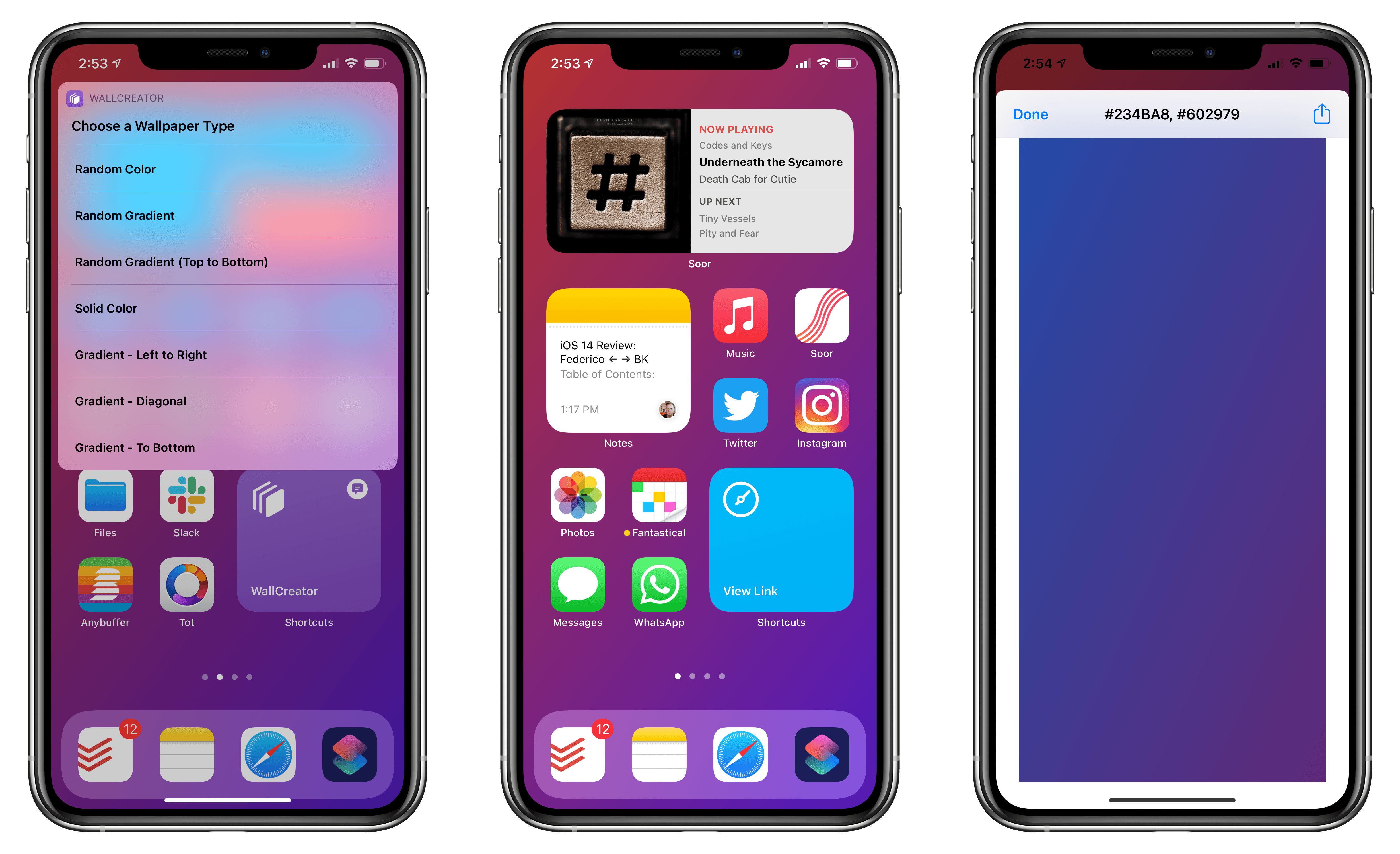
On the surface, iOS 14 will be widely regarded as the update that brought a redesigned Home Screen and a plethora of useful quality-of-life additions to the iPhone. For the first time since the iPhone’s inception, Apple is moving past the grid of icons and letting users freely place data-rich, customizable widgets on the Home Screen – a major course correction that has opened the floodgates for new categories of utilities on the App Store. In addition to the upgraded Home Screen, iOS 14 also offers welcome improvements to long-standing limitations: phone calls can now come in as unobtrusive banners; Messages borrows some of WhatsApp’s best features and now lets you reply to specific messages as well as mention users; Siri doesn’t take over the entire screen anymore. There are hundreds of smaller additions to the system and built-in apps in iOS 14, which suggests Apple spent a long time trying to understand what wasn’t working and what customers were requesting.
iOS and iPadOS 14 aren’t just reactionary updates to criticisms and feature requests though: upon further examination, both OSes reveal underlying threads that will shape the evolution of Apple’s platforms. With compact UI, the company is revisiting a principle introduced in iOS 7 – clarity and content first – with fresh eyes: the UI is receding and becoming more glanceable, but the elements that are left are as inviting to the touch as ever – quite the departure from Jony Ive’s overly minimalistic, typography-based approach. We see this trend everywhere in iOS 14, from phone calls and Siri to widgets, new toolbar menus, and Picture in Picture. Intents, the existing technology behind SiriKit, Shortcuts, and intelligent Siri suggestions, is also at the center of widget personalization. Intents already was one of Apple’s most important frameworks given its ties to Siri and on-device intelligence; iOS 14 proves we haven’t seen all the possible permutations and applications of Intents yet.
Then, of course, there’s iPad. In iPadOS 14, we see the logical continuation of pointer and trackpad support introduced earlier this year in iPadOS 13.4: now that users can control an iPad without ever touching the screen, Apple is advising third-party developers to move away from iPhone-inspired designs with apps that are truly made for iPad…and somewhat reminiscent of their macOS counterparts. We can see the results of this initiative in modernized system apps that take advantage of the iPad’s display with a sidebar, multiple columns, and deeper trackpad integration – new options that every iPad app developer could (and, according to Apple, should) consider going forward. Although some of the iPad’s oft-mentioned ongoing struggles remain unaddressed in iPadOS 14 (see: multitasking and window management), Apple is embracing the iPad’s nature as a modular computer this year, and they feel comfortable leaning into lessons learned with the Mac decades ago.
The context of 2020 is what makes iOS and iPadOS 14 so fascinating and, to a certain extent, fun to review. On one hand, we have two major OS updates that may or may not have been impacted by the global pandemic in their focus on fewer groundbreaking additions and more consistent improvements across built-in apps; on the other, just like any other year, we have a suite of overarching themes and potential implications to dissect.
But for all those users still pausing over that ‘Install’ button, pondering whether updating their most important communication and work-from-home devices is worth it, there’s only one consideration that matters:
Will this go any better than last year?
Read more



 John
John