

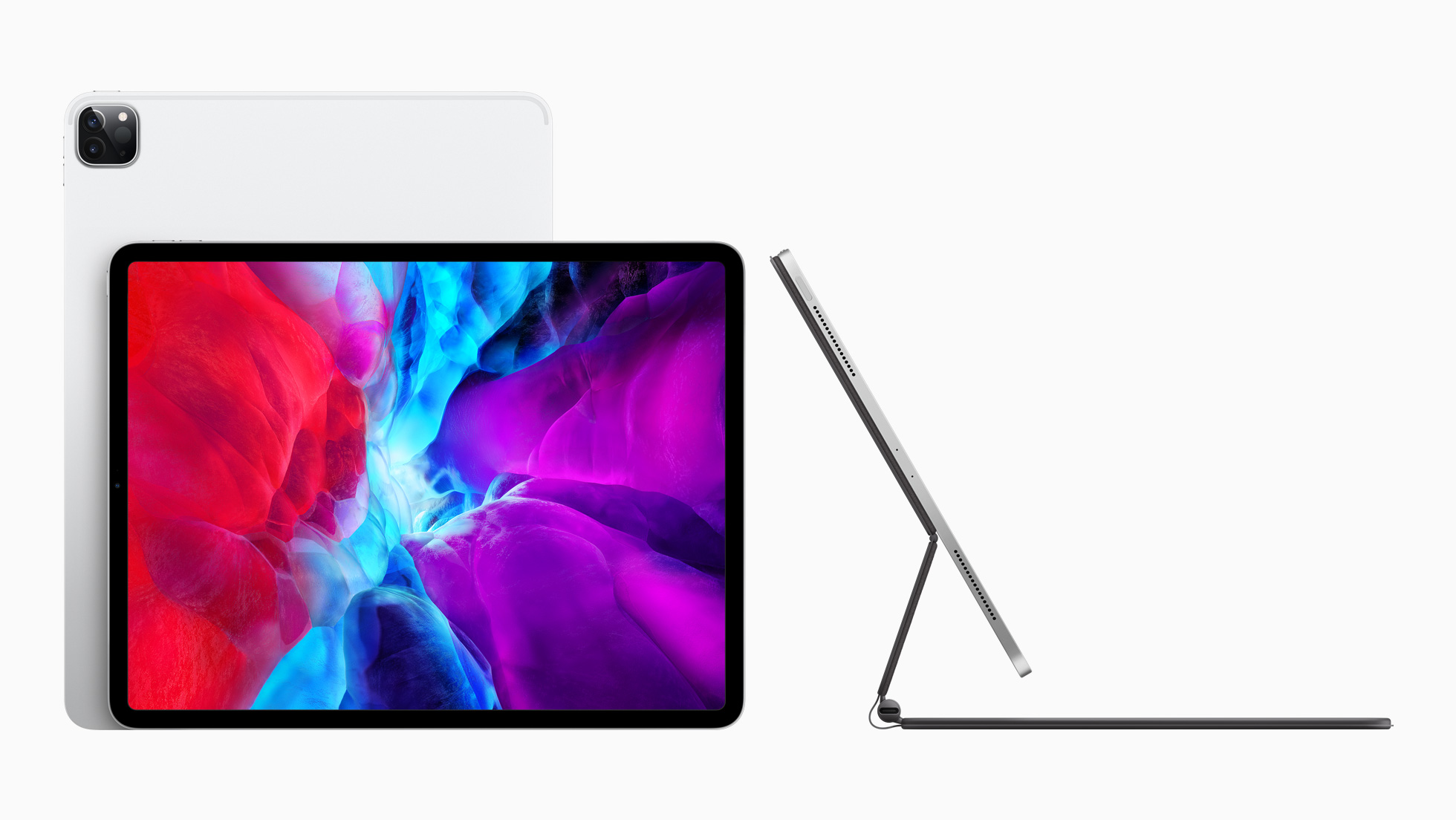
With a press release published earlier today, Apple officially announced the fourth generation of its iPad Pro line. The new iPad Pro models – available, as with the current generation, in 11-inch and 12.9-inch flavors – feature the all-new A12Z Bionic chip, a new camera system that includes an ultra-wide camera and LiDAR scanner for augmented reality, and integration with a long-awaited accessory, which will become available starting in May: the new Magic Keyboard with trackpad.
 Apps We’d Like to See Apple Make
 John
John
Shortcuts Corner: Opening YouTube Watch Later, Subscribing to RSS Feeds with NetNewsWire, and Uploading Images via FTP
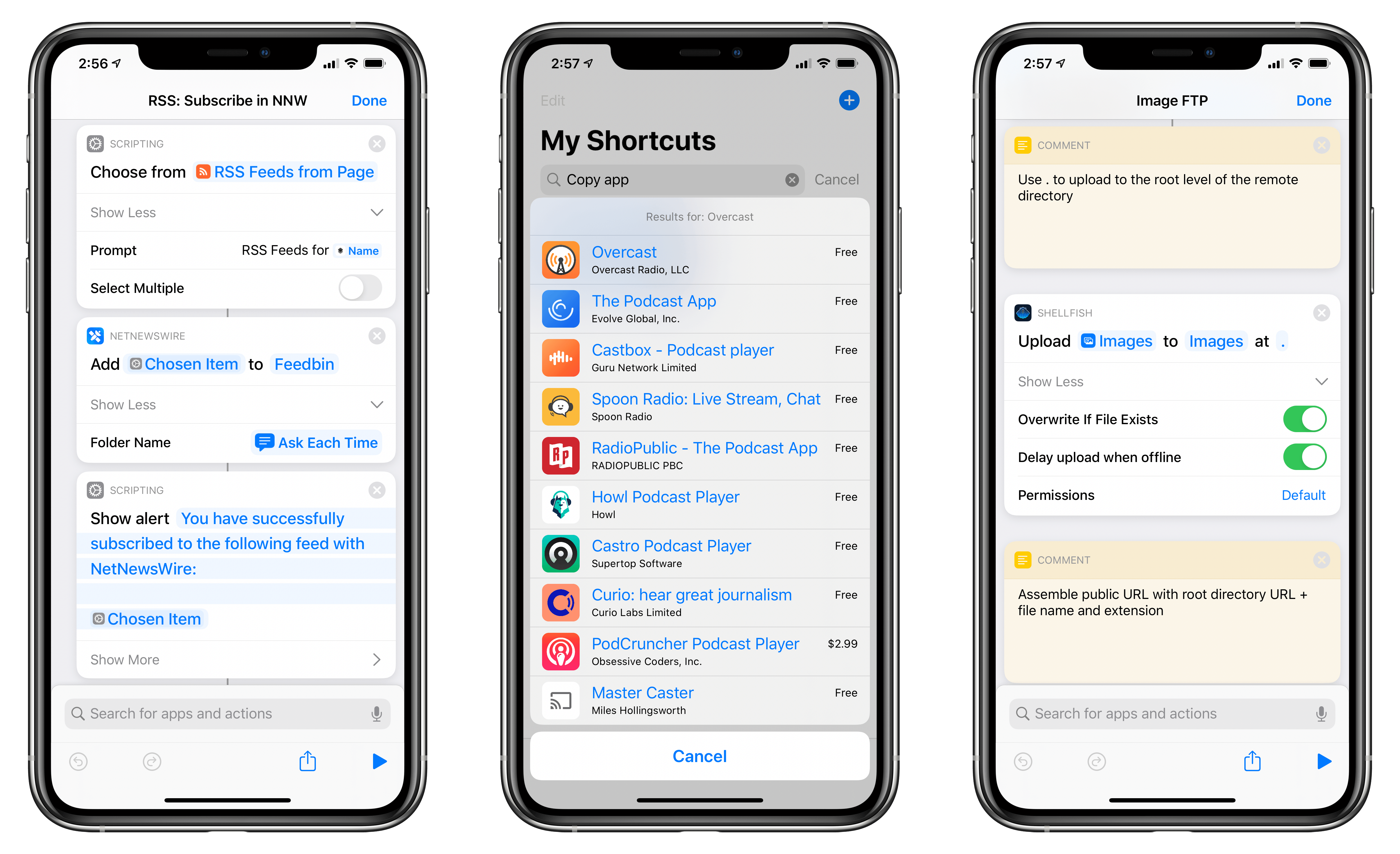
For this week’s installment of the Shortcuts Corner, I’ve prepared quite an assortment of miscellaneous shortcuts to share with MacStories readers and Club MacStories members (because I’ve been spending all my time at home due to the state of emergency in Italy, I’ve been reorganizing my entire Shortcuts library, among other things). Following this week’s launch of NetNewsWire for iPhone and iPad, I’ve adapted an existing shortcut to let you subscribe to feeds using the popular RSS client. I’ve also created shortcuts to reopen the watch later queue in the YouTube app, copy app links from the App Store, and copy a webpage selection from Safari as rich text.
Furthermore, exclusively for Club MacStories members, I’ve created an advanced shortcut to upload images to a remote FTP server and copy their public URLs to the clipboard. Let’s dig in.
 Uploading Images via FTP with Secure ShellFish and Shortcuts
For the past couple years, I’ve been using a personal FTP server to host a variety of files and webpages that I can’t/don’t want to publish on MacStories or our site’s CDN. These are usually non-work related photos or files that I want to share with other people. While I could use third-party sharing...
Connected, Episode 285: How Much RAM Is in These Potatoes?→
On this week’s episode of Connected:
Federico gives a status report about life in Italy, then Stephen tries to cheer people up by talking about the HomePod. After that fails, Myke tells a story and the gang wade through a sea of iOS 14 rumors, including stories on iMessage, PencilKit, iOS wallpaper apps and more.
You can listen below (and find the show notes here).




Sponsored by:
- Pingdom: Start monitoring your website performance and availability today, and get instant alerts when an outage occurs or a site transaction fails. Use offer code CONNECTED to get 30% off. Offer expires on January 31, 2021.
- Direct Mail: Create and send great looking email newsletters with Direct Mail, an easy-to-use email marketing app designed exclusively for the Mac.
- Indeed: Post your job today and get a free sponsored job upgrade.
Cursors on the iPad→
Fantastic column by Jason Snell, writing for Macworld, on the rumor that Apple may bring a trackpad to the Smart Keyboard and update the iPadOS UI to support external pointing devices this year:
What makes the iPad great is its ultimate flexibility. When I write about iPad keyboards, people inevitably say: Why don’t you just use a MacBook, already?
But the iPad lets me tear off the keyboard when I’m not using it, and a MacBook doesn’t. I can use my same iPad Pro, and all the same apps, when my iPad Pro is completely naked, when it’s attached to a keyboard, when I have an Apple Pencil in my hand, and yes, even when I’ve got a Bluetooth mouse attached.
This is why I love the iPad so much. It’s everything I want it to be, when I want it to be that—and not when I don’t. Yes, there are definitely tasks my Mac is much better at performing, and in those cases using an iPad can be a compromise. But using a MacBook that can’t be transformed into a light touchscreen tablet is also a compromise. And unlike the current Windows experience, I don’t have to retreat into a weird faux-Mac interface to get real work done.
As I’ve argued many times before, the iPad’s greatest strength is its ability to transform into different types of computer depending on what you need. Here’s how I concluded my Beyond the Tablet story last year:
At a fundamental level, after seven years of daily iPad usage, I believe in the idea of a computer that can transform into different form factors. The iPad is such a device: it gives me the freedom to use it as a tablet with 4G while getting some lightweight work done at the beach, but it becomes a laptop when paired with a keyboard, and it turns into a workstation when hooked up to an external display, a USB keyboard, and a good pair of headphones. For me, the iPad is the ultimate expression of the modern portable computer: a one-of-a-kind device that morphs and scales along with my habits, needs, and lifestyle choices.
A few years ago, I described the iPad as a “liberating” experience that married power to portability and allowed me to work from anywhere. I stand by that concept, but I’ll revise it for 2019: the iPad is a liberating device that transcends its form factor. Its range of configurations, combined with a new generation of powerful iOS apps, delivers a flexible experience that eludes classification.
Adding a trackpad and native support for external pointing devices to UIKit wouldn’t turn the iPad into a laptop: it would just add to the list of potential, optional configurations for the device. That’s been true for a while with other accessories; I don’t see why mice and trackpads shouldn’t be next.
iOS and iPadOS Utilities We Love
Quickly Saving Links in Raindrop.io with Shortcuts and Zapier
Earlier this week, I saw on Twitter that Raindrop, the bookmaking service I’ve been using to archive all sorts of links, launched a beta integration with Zapier, the popular web automation service. After accepting the invitation (which you can do here) and adding Raindrop to my list of Zapier apps, I realized I could...
Playing with a Nintendo GameCube in 2020 via a Portable External Monitor
I’m working on a story about using the iPad in a variety of contexts and with different setups (more on this in a few weeks…), and as part of the process, I’ve been testing portable monitors that accept either USB-C or HDMI input. Last year, I purchased a cheap Wimaxit portable monitor from Amazon,...