
1Writer 1Writer is one of the best Markdown text editors available. This week it was updated to version 2.5 with a long list of powerful features. Highlights include find and replace functionality, the ability to insert images as part of a document’s containing folder that are locally referenced, a new customizable extended keyboard row,...
 Q&A
Q&A
Question: Which Mac RSS reader is your favorite, and why? (Jim Krenz, @Lecter)
I don’t read RSS feeds on my Mac very often. That’s something I usually do on iOS, so I haven’t spent a lot of time finding the perfect reader on macOS. That said, I am a longtime user of Reeder on...
Album
Office Party When highlighters, hand sanitizer, and USB sticks decide to throw a party, what you get is this delightful sticker pack of hard-partying office accessories. PooEmoji Have you ever wondered what it would be like if all the smiley emoji were transformed into poop emoji? Me neither, but this animated sticker pack is...
Apple Updates iOS App Design Resources
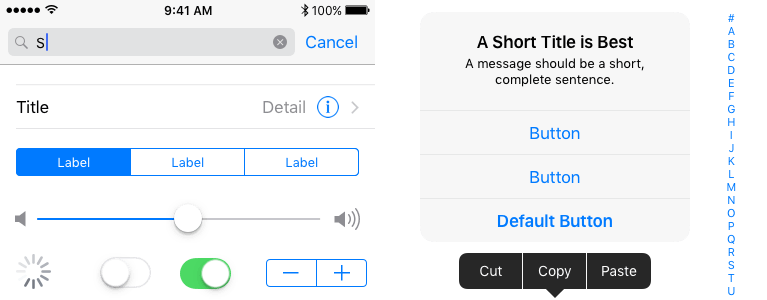
Apple has updated its iOS design resources with a comprehensive set of colors, guides, templates, and UI elements:
Creating iOS apps is even easier with the updated Apple UI Design Resources. Use the latest Sketch and Photoshop templates and guides, color palettes, and the San Francisco typeface to quickly and accurately design iOS apps that integrate seamlessly into the overall user experience of iOS.
The design assets are available to download in both Photoshop and Sketch formats on Apple’s Human Interface Guidelines website. In addition to the new assets, Apple has four videos covering the materials, an overview with User Experience Evangelist, Mike Stern, as well as videos covering design comps, icons, and glyphs, also narrated by Stern.
Nintendo Announces Fire Emblem Heroes for Mobile Devices
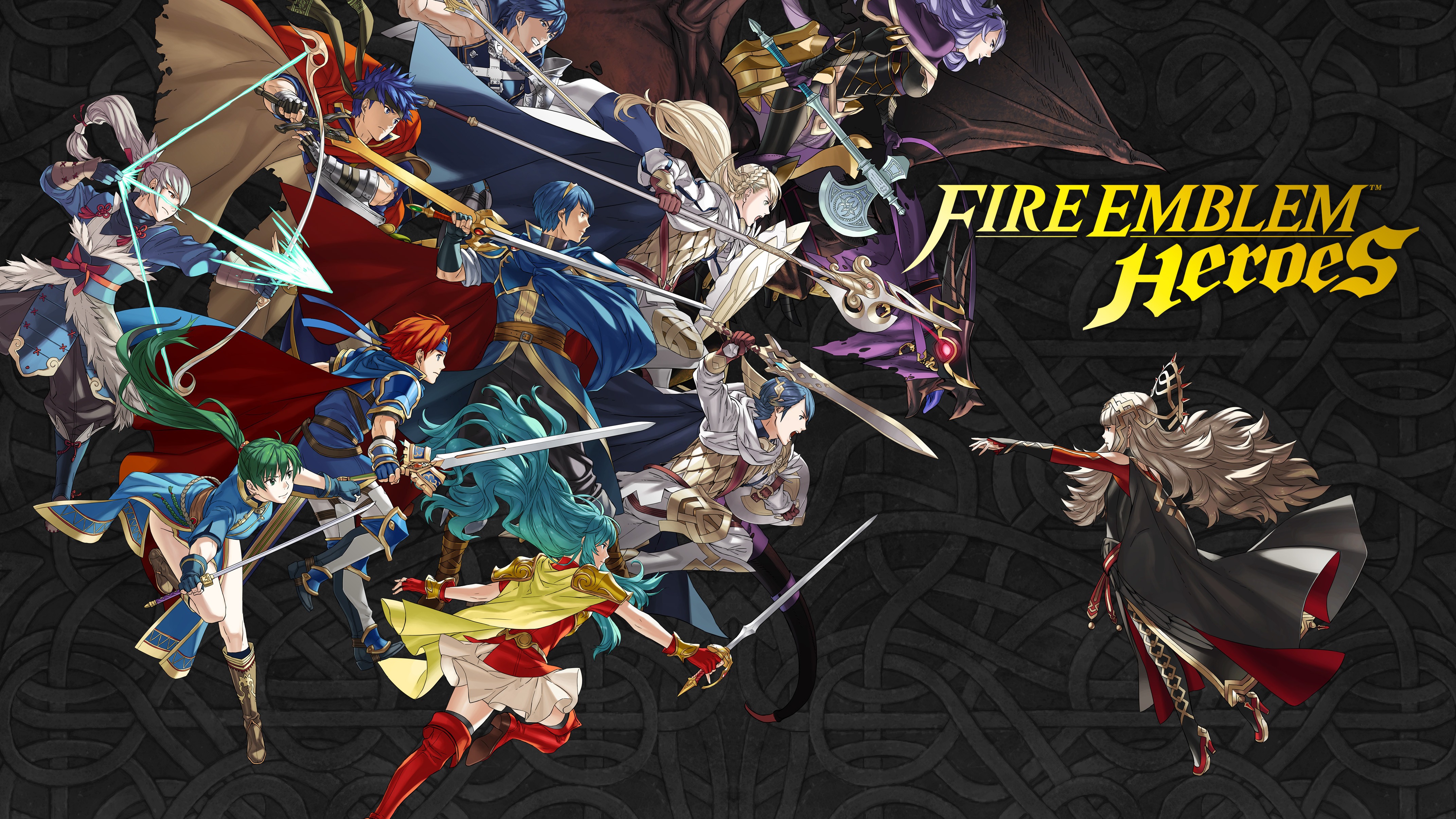
Update: After publication of this story, Nintendo of America tweeted that Fire Emblem Heroes will launch on February 2nd on both iOS and Android.
During a Nintendo Direct event today, Nintendo demonstrated its next iOS title, Fire Emblem Heroes, featuring characters from throughout the classic game series. In a somewhat surprising move, however, Nintendo said the game will launch first on Android, February 2nd. No release date was given for the game’s iOS launch; only that it will be ‘available soon.’
According to a Nintendo press release:
Fire Emblem Heroes is an original strategy RPG about two warring kingdoms in a bitter clash. As a summoner, players build their army by calling upon popular Fire Emblem heroes from worlds that span the breadth of the series. Players will wage tactical battles streamlined for on-the-go play and level up a mix of new combatants and legendary heroes. Some familiar hero characters will become allies, while others will become enemy generals. Players can enjoy the full majesty of tactical role playing on bite-sized maps designed to fit nicely on a smartphone screen, even when playing in short bursts. Players lead their armies with easy touch-and-drag controls, including the ability to attack by simply swiping an ally hero over an enemy.
Fire Emblem Heroes will be available as a free download with In-App Purchases. At the same event, Nintendo announced additional Fire Emblem titles that will be released in the future for its 3DS family of devices and the soon-to-be-released Nintendo Switch.
Threaded Conversations Are Coming to Slack

Slack is rolling out threaded conversations to its popular messaging tool. According to Slack’s official Twitter feed, the much-requested feature is being added to the service’s web and mobile apps in stages over a series of days.
Slack explains how Threads will work as follows:
Say someone posts a message in Slack that you want to follow up on, but the deeper conversation doesn’t apply to everyone. Now, you can kick off a detailed discussion on that particular topic by hovering over the message and clicking Start a thread. The right sidebar in Slack will open, and you can add your reply.
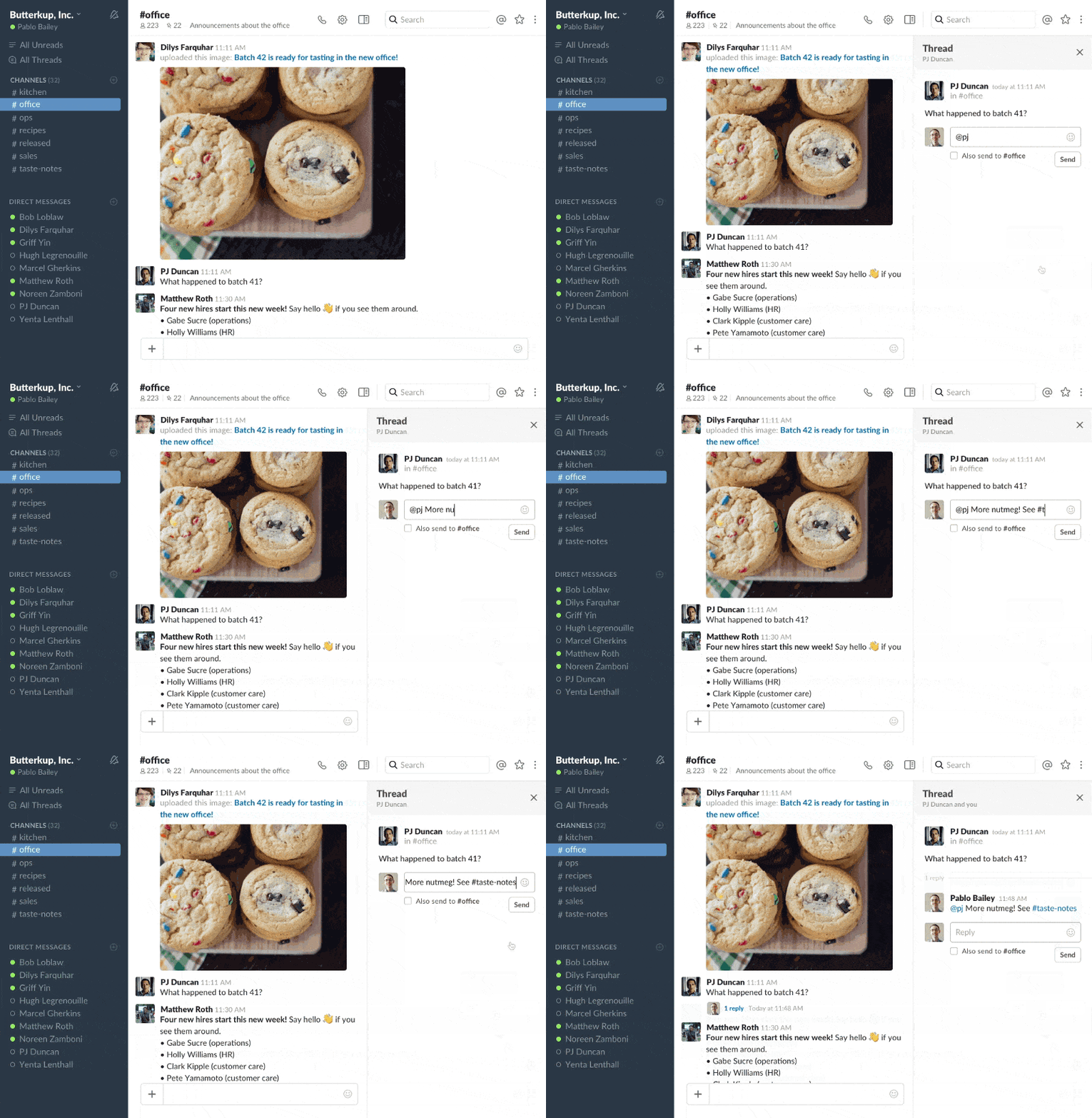
Messages with Threads are indicated just under the original message with the avatars of each participant. Anyone with access to the channel can click on a Thread to open it in the sidebar. If a message in a Thread is relevant to the channel’s larger audience, it can be sent back to the main conversation. Messages sent back appear alongside the original message. To help users keep track of Threads, Slack has also added a new view called ‘All Threads’ that lets you see every Thread you are part of in one place.
Fabric Acquired by Google

Fabric, a suite of developer tools owned by Twitter, is being acquired by Google and will become part of Google’s Developer Product Group, working with Google’s Firebase team. According to Francis Ma, Firebase Product Manager:
As a popular, trusted tool over many years, we expect that Crashlytics will become the main crash reporting offering for Firebase and will augment the work that we have already done in this area. While Fabric was built on the foundation of Crashlytics, the Fabric team leveraged its success to launch a broad set of important tools, including Answers and Fastlane. We’ll share further details in the coming weeks after we close the deal, as we work closely together with the Fabric team to determine the most efficient ways to further combine our strengths.
It appears that Google is clearly interested in Crashlytics, Fabric’s crash reporting tool, but has left open the extent to which the other components of Fabric will be incorporated into the Firebase toolset.
Evernote 8.0 Released

Evernote unveiled a major update to its namesake app today. The company says it redesigned the app from the ground up with a focus on three functionalities:
- Faster ways to find notes
- New notes, now just one tap away
- Add color and style to your notes
In general, Evernote has taken a cleaner, simpler approach to the app’s design. The tab bar along the bottom of the app features a prominent plus button for adding a new note. Pressing and holding that button gives users the option to record audio, capture images, and create reminders. Evernote has also added new ways to format the text of notes with colors and other choices.
Navigation has been improved too. What was the home screen, has been eliminated. Instead, Evernote launches to wherever you left off the last time you used it. Features like notebooks, tags, and reminders are still available but have been tucked away in the UI so they are less prominent, creating a less distracting experience overall.
Although I have not had an opportunity to thoroughly test the update, I am encouraged by Evernote’s renewed focus on note taking. The redesign is a good start, but the company has a long way to go to win back the trust of many users based on feedback we’ve gotten from MacStories readers. For those interested, David Pierce has a great piece on Wired covering Evernote’s recent missteps, where it hopes to take its product, and the ongoing challenges it faces. How Evernote addresses its past missteps and communicates the changes it’s made to users will be just as critical to its future as the redesign released today.
An Interview with Apple Music’s Lowe, Saint John, and Jackson→
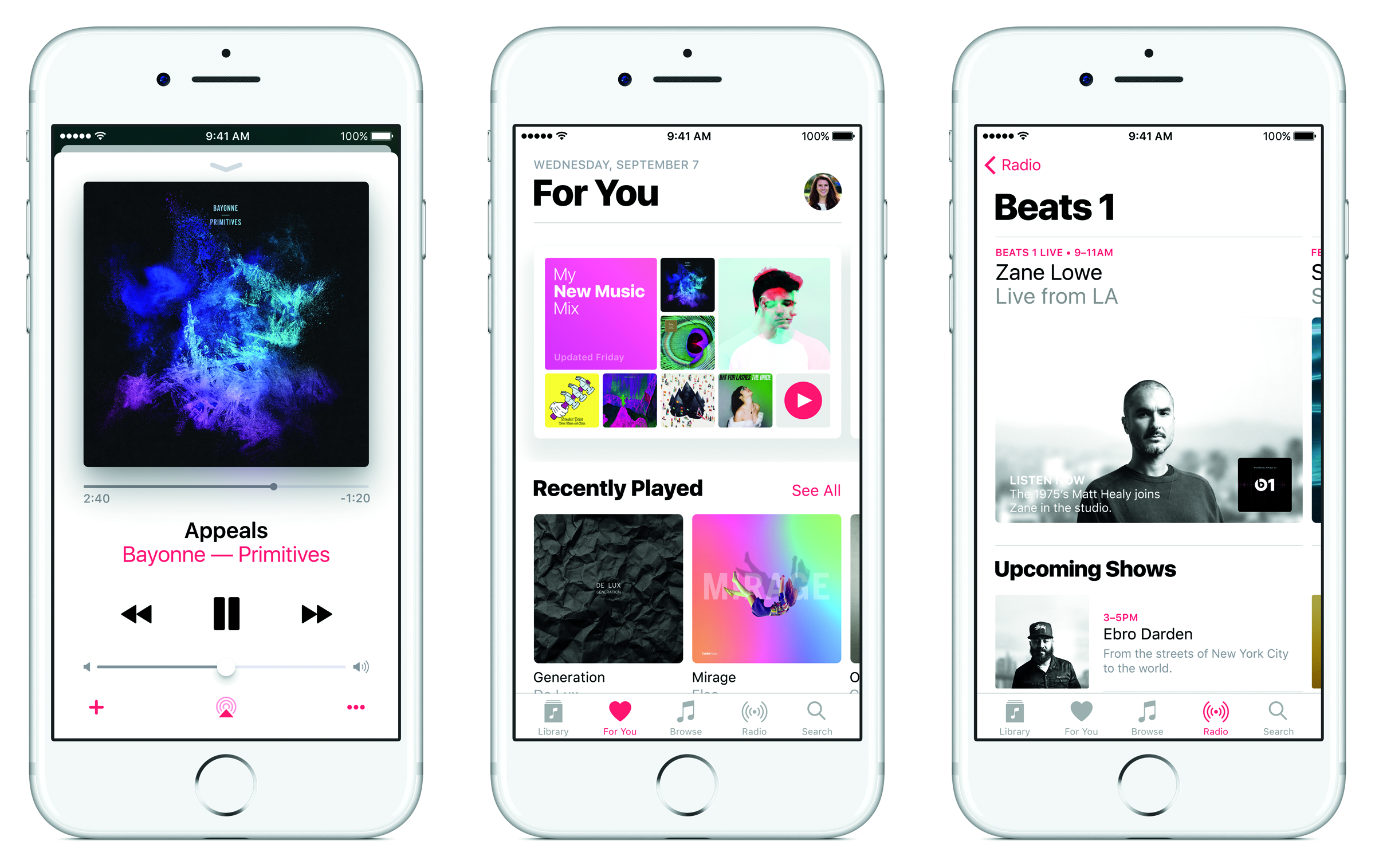
Complex published an interview with what it dubs Apple’s ‘Stream Team:’ Zane Lowe, Bozoma Saint John, and Larry Jackson. The three sat down with Complex to discuss Apple Music, its evolution since it launched in June 2015, where the music industry is heading, and life at Apple.
Regarding their vision for Apple Music as a product, the trio told Complex:
It’s been almost 18 months since Apple Music’s launch, and it isn’t a simple streaming platform anymore. How would each of you describe Apple Music today?
Larry Jackson: It’s really interesting that you would even ask a question like that, because it means that we’ve achieved what we set out to achieve initially: Make something that’s the intersection of all things pop-culture. To make it more than just a utility. I like to think of it as a place where the best creative thinkers in music can congregate and come up with different ideas.
Zane Lowe: Larry was the first person who ever called me and asked if I wanted to be involved in Apple Music. For the most part, it remains how he and I talked about it in that first conversation, which was a place for music to live, and for artists to call home, and for an audience to feel like this is where the conversation is happening. I want it to go deeper than just availability.
Bozoma Saint John: Apple Music is a living, breathing brand. Obviously, as a marketer, I love to work with brands that aren’t static, that have life and personality. Apple Music has that. It’s very affirming to be able to take the personalities that already exist and then make that one statement that can move culture.
Saint John and Lowe also addressed how, at Apple, the artistry of music exists alongside the technology used to deliver it to music fans, echoing Steve Jobs’ explanation of the intersection of technology and the liberal arts:
What are the advantages and disadvantages of working on this project at a company like Apple?
Saint John: Apple is a unique company, in that the art and the science sit together very nicely. There’s an appreciation for both sides of the brain. For me, it’s a much easier conversation in this particular environment, because you have to appreciate what is a very artistic, emotional, ever-changing platform, and also have the rigor of a technology that cannot fail, that has to be consistent. It doesn’t have any flexibility.
Lowe: With tech, it’s mathematics. There are hard margins. What happens when you take something that you love, that makes you feel a certain way, that’s made of those hard margins? What does the future feel and sound like? How do you keep the humanity and the feelings and the stories and the conversations in it?
Apple Music has evolved quite a bit since it launched and based on recent reports, that appears likely to continue into the foreseeable future. Complex’s interview with Lowe, Saint John, and Jackson, which includes a video segment worth watching, is a fascinating snapshot of the thoughts of three of the people leading Apple Music at a time of ever-increasing competition among streaming services.