
Question: Is there any way I can mimic Evernote’s Presentation Mode? They recently removed this great feature. It basically spaced out your text and cleaned up your screen to easily view your note. I just purchased DEVONthink for iOS and I’d love to find a way to take a rich text note and clean it...
Dash Returns to the iOS App Store

Last fall, Dash, a popular iOS and macOS developer documentation app by Kapeli, was pulled from Apple’s Mac and iOS App Stores amid allegations of fraudulent reviews and Kapeli’s Apple developer account was terminated. Since then, Kapeli has continued to sell Dash for macOS outside the Mac App Store. With no way to sell the iOS version of the app outside the iOS App Store, Kapelli open-sourced the code for the app.
According to Kapeli, open sourcing Dash for iOS has led to numerous people submitting it to the App Store in violation of its GNU GPL license. In an attempt to slow down the rate of copycat apps appearing to the App Store, Dash’s developer, Bogdan Popescu, announced in a blog post today that he created a personal developer account with Apple and submitted Dash for iOS to the App Store. The app was approved and is now available as a free download in the App Store.
Apple Introduces Swift Curriculum for High School and Community College Students
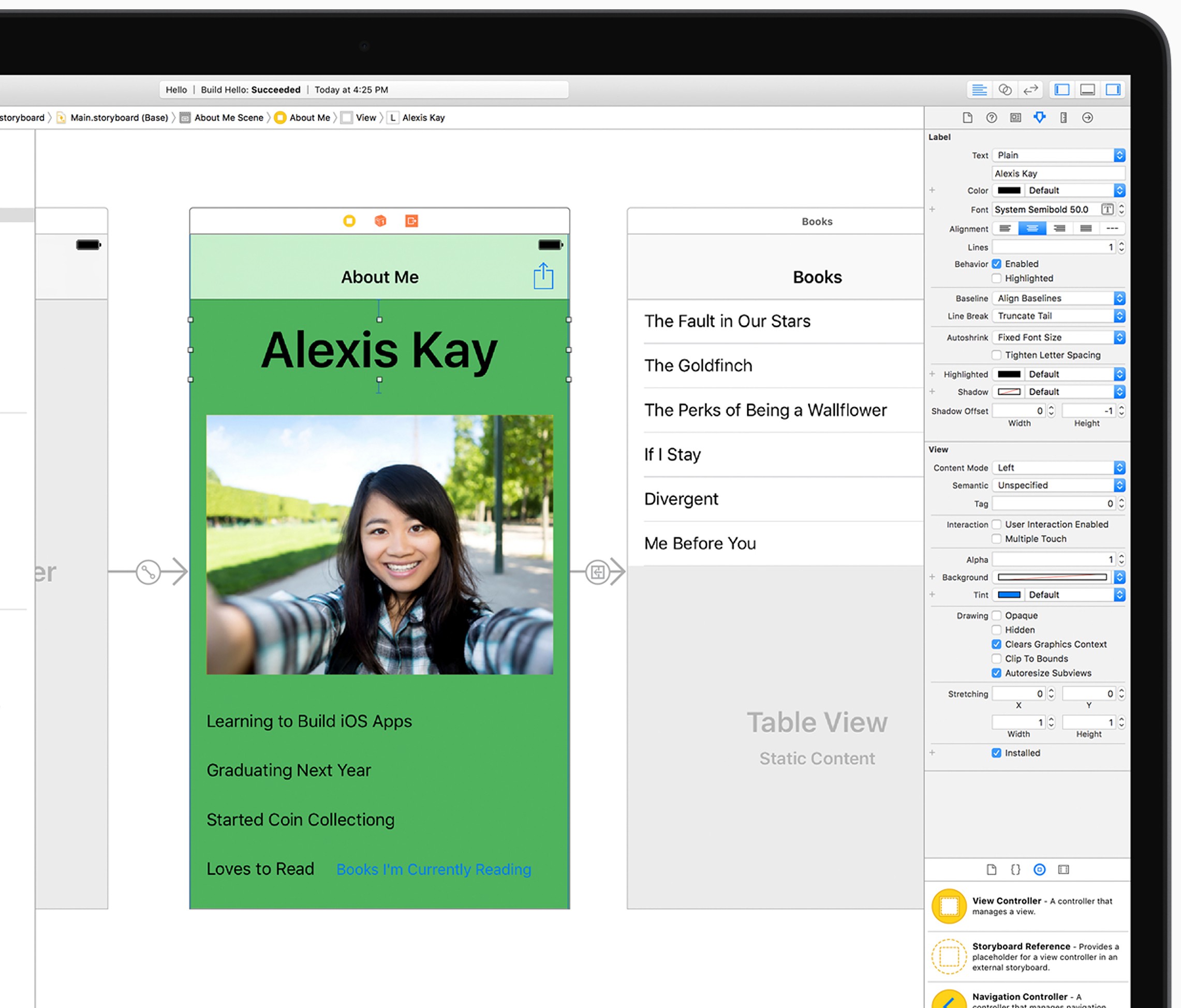
Apple introduced a new year-long app development curriculum today for community college and high school students that is available as a special collection on the iBooks Store. The free-to-download course, which is an extension of Apple’s existing Everyone Can Code curriculum for kids in grades K-12, teaches students how to build fully-functional apps using the Swift programming language. In the fall, six community college systems that serve over 500,000 students will offer the new course.
Tim Cook explained why Apple has created the development course:
“We’ve seen firsthand the impact that coding has on individuals and the US economy as a whole. The app economy and software development are among the fastest-growing job sectors in America and we’re thrilled to be providing educators and students with the tools to learn coding,” said Tim Cook, Apple’s CEO. “Community colleges play a critical role in helping students achieve their dreams, and we hope these courses will open doors for people of all ages and backgrounds to pursue what they love.”
Swift Playgrounds has proven to be a powerful teaching tool with over 1 million downloads since it was introduced. In addition, over 1,000 schools in the US plan to teach using Apple’s Everyone Can Code materials in the fall. The extension of Everyone Can Code to older students should make the entire program even more attractive to educators than before.
Screens 4.0 for macOS Adds Curtain Mode, Drag-And-Drop File Transfers, Touch Bar Support, and More
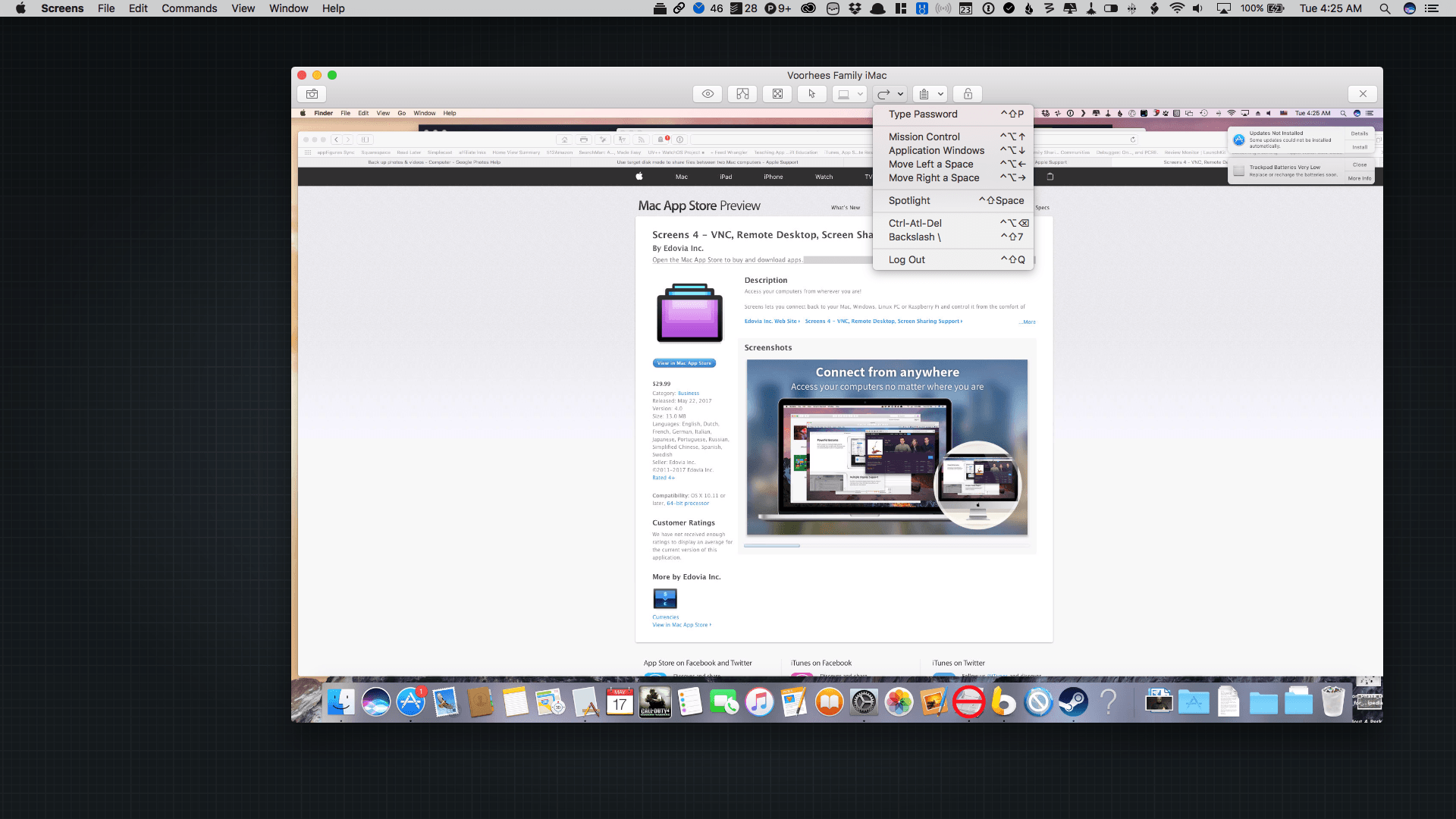
Screens 4.0, which was released today, is a complete rewrite of the screen sharing app from the ground up that adds features previously available only in the iOS version as well as some exclusive macOS-only features. What’s made Screens my favorite way to connect to a remote Mac is that it has managed to abstract away the complexity that accompanies many VNC apps. That hasn’t changed with Screens 4.0, which is even easier to use and more versatile than before.
Anker Is Building an Electronics Accessory Empire→
Nick Statt of The Verge has a profile of Anker, the company known for selling quality portable chargers, USB charging hubs, cables and other items for reasonable prices. Anker, founded by a former Google software engineer, is a great example of a company that has found a niche that’s underserved by bigger companies like Apple and Samsung. As Statt’s profile explains, deep knowledge of how to sell through Amazon effectively combined with setting up shop in China to closely manage his supply chain helped founder Steven Yang build Anker into a trusted brand.
Anker’s PowerIQ technology has helped too:
Most Anker charging products have one signature: the PowerIQ logo. Launched in 2013, the company’s proprietary charging standard is now present on nearly all of its batteries and wall plugs. The technology, carried by a small chip inside each charger, identifies whatever device is being plugged in, be it an iPhone 7 Plus, Google Pixel, or an iPad Pro 9.7-inch, in order to detect and deliver the maximum current the product allows. Anker says the technology can shave hours off the amount of time it takes to reach a full charge. A next-generation version of the chip, called PowerIQ 2.0, is slated to start shipping in new Anker charging products this month, allowing for smaller and lighter accessories.
Earlier this year, I bought Anker’s largest portable battery to power my Nintendo Switch and Apple gear on long flights and extended trips. The PowerIQ feature is fantastic, letting my family and me simultaneously plug into one big battery to charge multiple devices quickly. Looking through my Amazon order history, that’s just the tip of the iceberg, though. A couple of other recent additions are a 60-watt USB-A and USB-C wall charger and USB-C to USB 3.0 braided cables. Anker has become my go-to brand for cables and charging accessories, and Statt’s profile makes it easy to understand why.
Apple’s New Switch to iPhone Ad Campaign
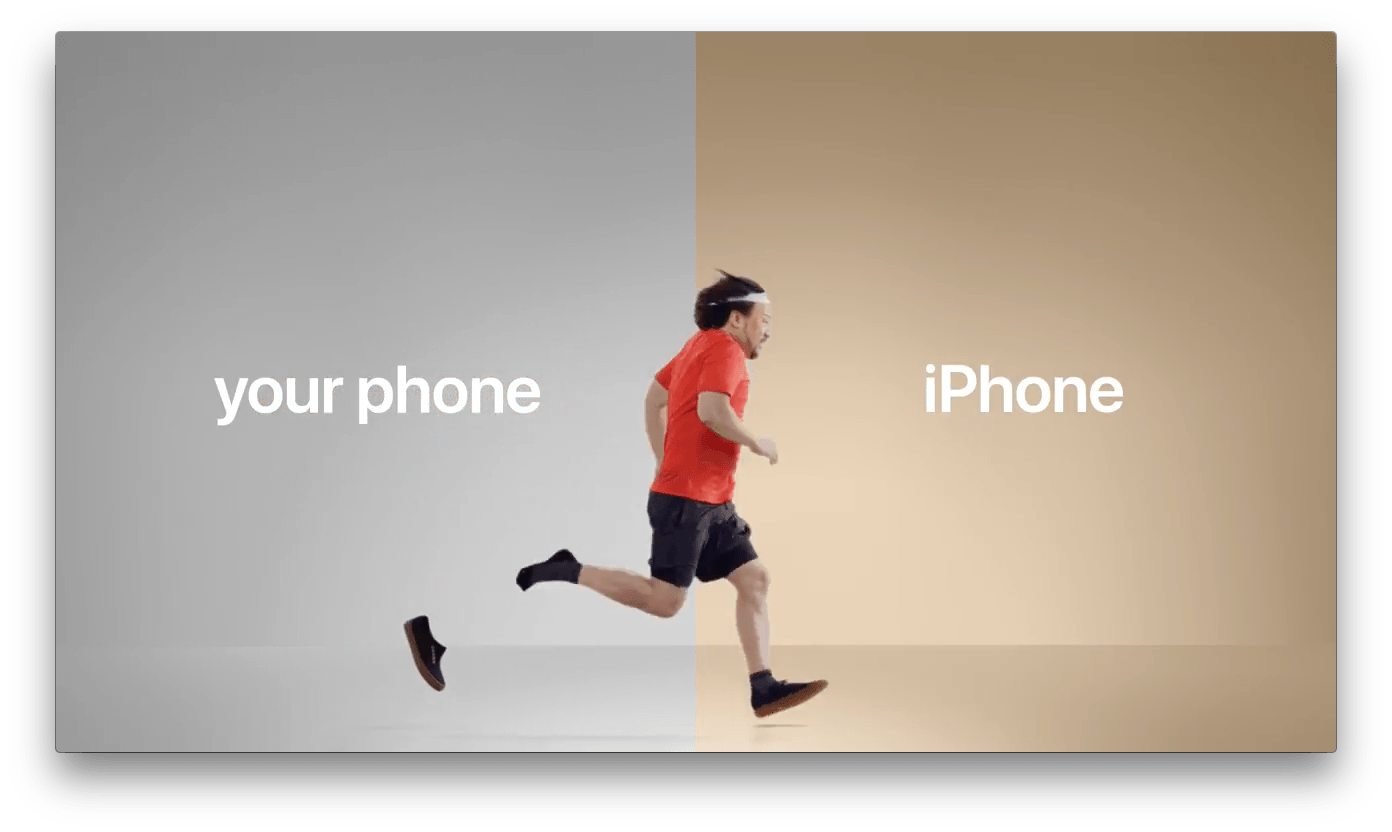
Apple posted a series of five short videos to YouTube today encouraging consumers to switch to the iPhone. The spots, which are each just 16 seconds long, take place on a two-tone stage. The left side of each set is a plain gray color and represents ‘your phone.’ The more colorful, right-hand side of the stage is the iPhone.
The ads make the case that:
- It’s easy to move your photos from another phone to the iPhone;
- Moving to the iPhone from another phone is straightforward;
- The iPhone is faster than your current phone;
- Your privacy is protected by the iPhone; and
- Switching to get a better music experience is simple.
None of the ads have any dialogue. Instead, they use humorous skits and music to make each point.
You can check out all five spots after the break.
Clean Up Your Inbox Today (and Keep It That Way Forever) with SaneBox [Sponsor]
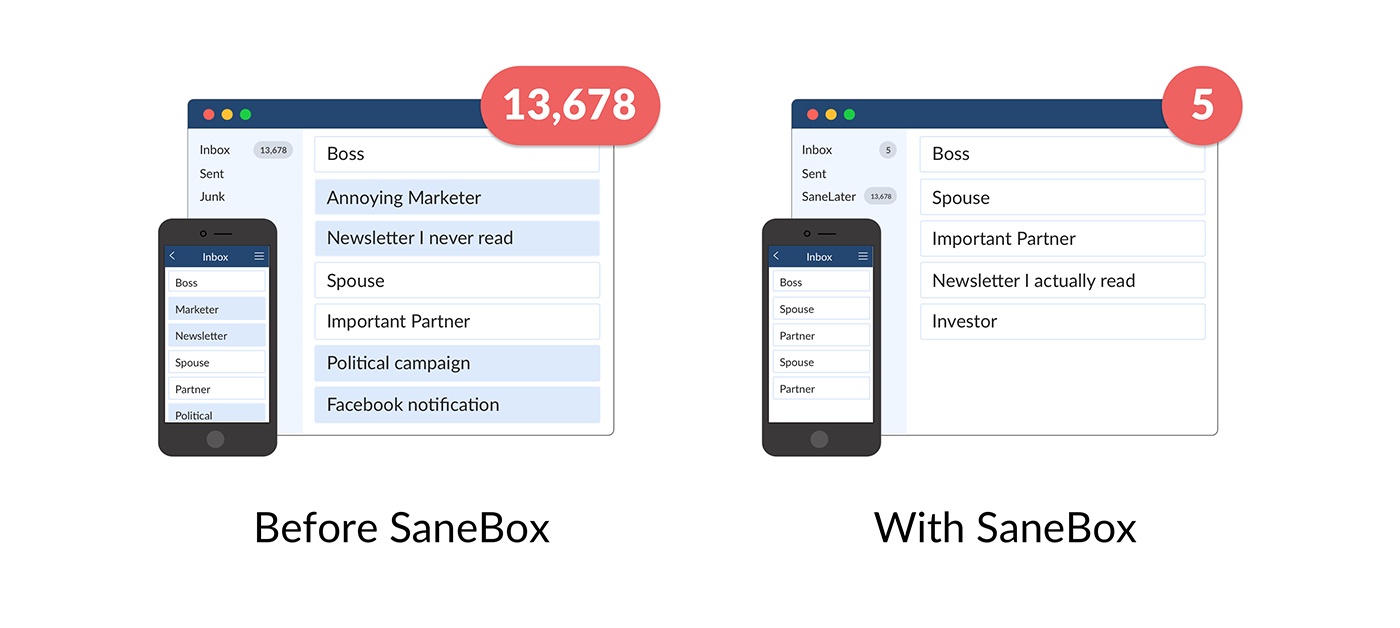
What if you had someone to go through your email and find just the important messages? SaneBox does exactly that. Once set up, it leaves your important messages in your inbox and moves the rest to a SaneLater folder for reviewing later. That initial inbox purge is powerful because it reduces your inbox to a manageable number of messages. With additional training to tell SaneBox what’s important to you, it only gets better at dealing with your daily deluge of messages.
There’s much more to SaneBox than shuffling unimportant messages into a designated folder, though. If there’s something you never want to see ever again, send it to the SaneBlackHole, which is much easier than unsubscribing to unwanted messages.
You can also set up SaneReminders by sending messages to an address that sends a reminder to you at a later date if the recipient of your message hasn’t responded after a certain amount of time. Or forward messages to SaneReminders to have it pop back into your inbox at a later date when you are ready to deal with it.
SaneBox works on top of your existing email setup. There’s no particular app to download or new email account to set up. It all works server-side so you can use any email client you want.
Sign up today for a free 14-day SaneBox trial to take back control of your email. MacStories readers can receive a special $25 credit automatically by using this link to sign up.
Our thanks to SaneBox for sponsoring MacStories this week.
Interview: The Making of the CARROT Apps with Brian Mueller
 Federico
AppStories Episode 6 - Interview: The Making of the CARROT Apps with Brian Mueller
0:00
28:06
28:06
Federico and John interview Brian Mueller, the creator of the CARROT series of apps, about how he got started, the origins of CARROT, a corgi with a top hat and monocle, and his new CARROT game, Artificial Superintelligence.
 Tips
Tips
I was writing a link post for MacStories earlier this week on my iPad Pro and couldn’t select some text that I wanted to quote in the post. Federico let me in on a simple trick that was new to me and I thought readers might appreciate too. If you want to copy text...