John Voorhees

5812 posts on MacStories since November 2015

John is MacStories' Managing Editor, has been writing about Apple and apps since joining the team in 2015, and today, runs the site alongside Federico. John also co-hosts four MacStories podcasts: AppStories, which covers the world of apps, MacStories Unwind, which explores the fun differences between American and Italian culture and recommends media to listeners, Ruminate, a show about the weird web and unusual snacks, and NPC: Next Portable Console, a show about the games we take with us.

This Week's Sponsor:

Crickets

The first alarm app for families.


Game Day: Linelight

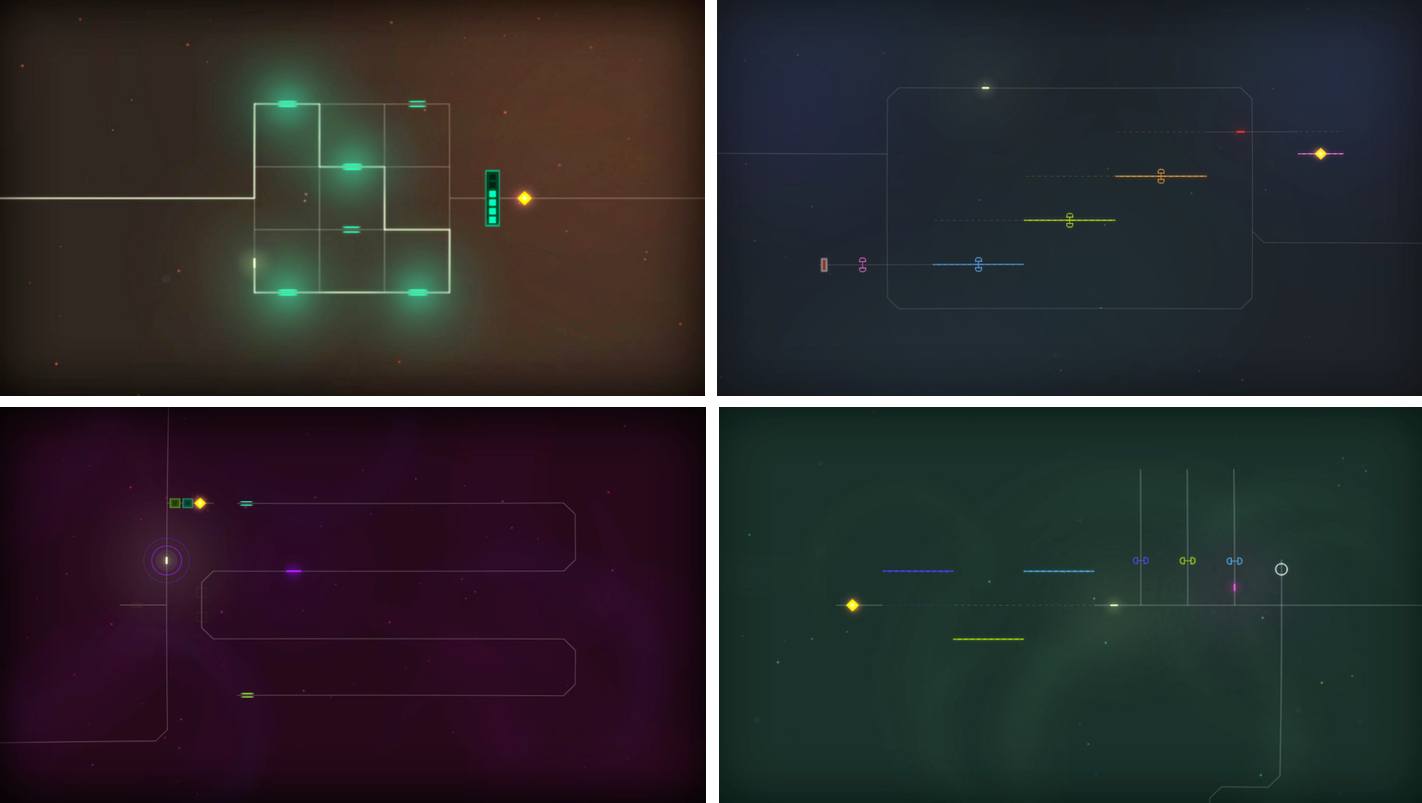
Linelight, an award-winning minimalist puzzle game by My Dog Zorro, debuted on iOS this week. The game was released for Windows and macOS earlier this year and is available on Sony’s PS4, but this is the first time the game has made its way onto a mobile, touch-based platform. Many games bill themselves as ‘minimalist,’ but few are as elegantly simple as Linelight. The result is a game that is easy to play and understand, highlighting the game’s perplexing and fun puzzles over its mechanics.

You play as a dash of light traversing a line. You guide your dash along the line that splits and branches in different directions by dragging your finger across the screen of your iOS device. To stop and consider how to solve a puzzle, just pick up your finger and your dash stays put. Linelight works so well as a touch-based game, it’s hard to believe that it was designed for keyboards and controllers first.

As you advance your dash along the line, you encounter puzzle after puzzle. In total, there are over 200 puzzles split across six separate spacey worlds. As with any good puzzle game, Linelight introduces new challenges gradually. There are sections of lines that shift depending on whether your dash passes over a switch, keys to be picked up and delivered to designated spots, red dash enemies that you need to avoid because colliding with one means starting that puzzle over, and much more.

There is no up or down in Linelight, so it doesn’t matter if you play in portrait or landscape, which is a nice departure from the many games that require you to play in one orientation or the other. Add a soothing piano-based soundtrack to its tricky puzzles and Linelight is one of the most relaxing and absorbing games I’ve played this year. If you’re a fan of puzzle games, Linelight is a must-play.

Linelight is available on the App Store.


Album

![](http://Chubby Emoji](https://itunes.apple.com/us/app/chubby-emoji/id1260960647?mt=8&uo=4&at=11lBfL&ct=weekly) Chubby Emoji These round-faced characters are take-offs on classic emoji smilies. Just watch out because these jovial smilies are big, screen-filling stickers. Summer Is Now It’s the middle of the summer in the Northern Hemisphere, which makes these pastel colored stickers featuring summertime iconography perfect for sharing as you plan fun in...


Q&A

Question: I have been using TextExpander on my Mac, but I am not sure I want to keep paying for it month after month. Are there good alternatives to this app? (Raul Jimenez, @Rul_ex)

I use TextExpander myself, but there are good alternatives. I’d suggest looking at two apps in particular. The first is...


App Debuts

NYTimes The New York Times’ official app, after several years, has gone Universal with a major update that runs on both the iPhone and iPad. The app now supports Split View and makes 360-degree videos compatible with the iPad. In addition, drag and drop can be used to rearrange your favorite sections, prioritizing the...


Prisma

Prisma is a camera and photo filter app with a social network baked in. When you open Prisma you’re presented with a camera view from which you can take still images or video. There are also controls for setting the flash, whether you are using the front or rear camera. Beneath the shutter button...


MacPaw Acquires The Unarchiver→

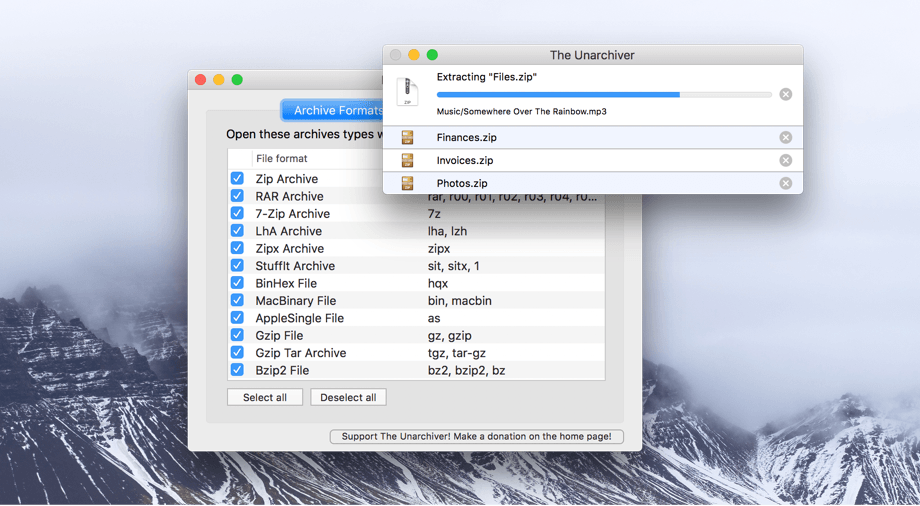
The Unarchiver has been around for more than a decade unpacking a wide array of archive file types. Today MacPaw announced it acquired The Unarchiver, which will become part of its stable of Mac utilities, which include CleanMyMac and Gemini II. According to MacPaw’s blog post about the acquisition:

MacPaw developers hope to not only maintain, but improve The Unarchiver. We plan a major facelift and a couple of new features. The app is going to get prettier and we’ll keep it updated for the upcoming macOS. Naturally, it will always stay free for all users.

In recent years The Unarchiver hasn’t received many updates, so it’s good to see the app find a new home where it should fit right in with MacPaw’s other products.

Permalink

Capo touch 2.5 Review

I don’t play guitar as often as I used to, but I’ve always enjoyed trying to pick out the chords of my favorite songs. The trouble is, that can be hard to do unless you have a well-trained ear, which I don’t. That is exactly where Capo touch can help. The app can analyze a song, pick out the chords and help you practice it a little at a time at a comfortable pace until you figure out how to play it. This week, Capo touch got a big update that streamlines the learning process and brings powerful features over from Capo for macOS.

Read more


Streaks 3 Review

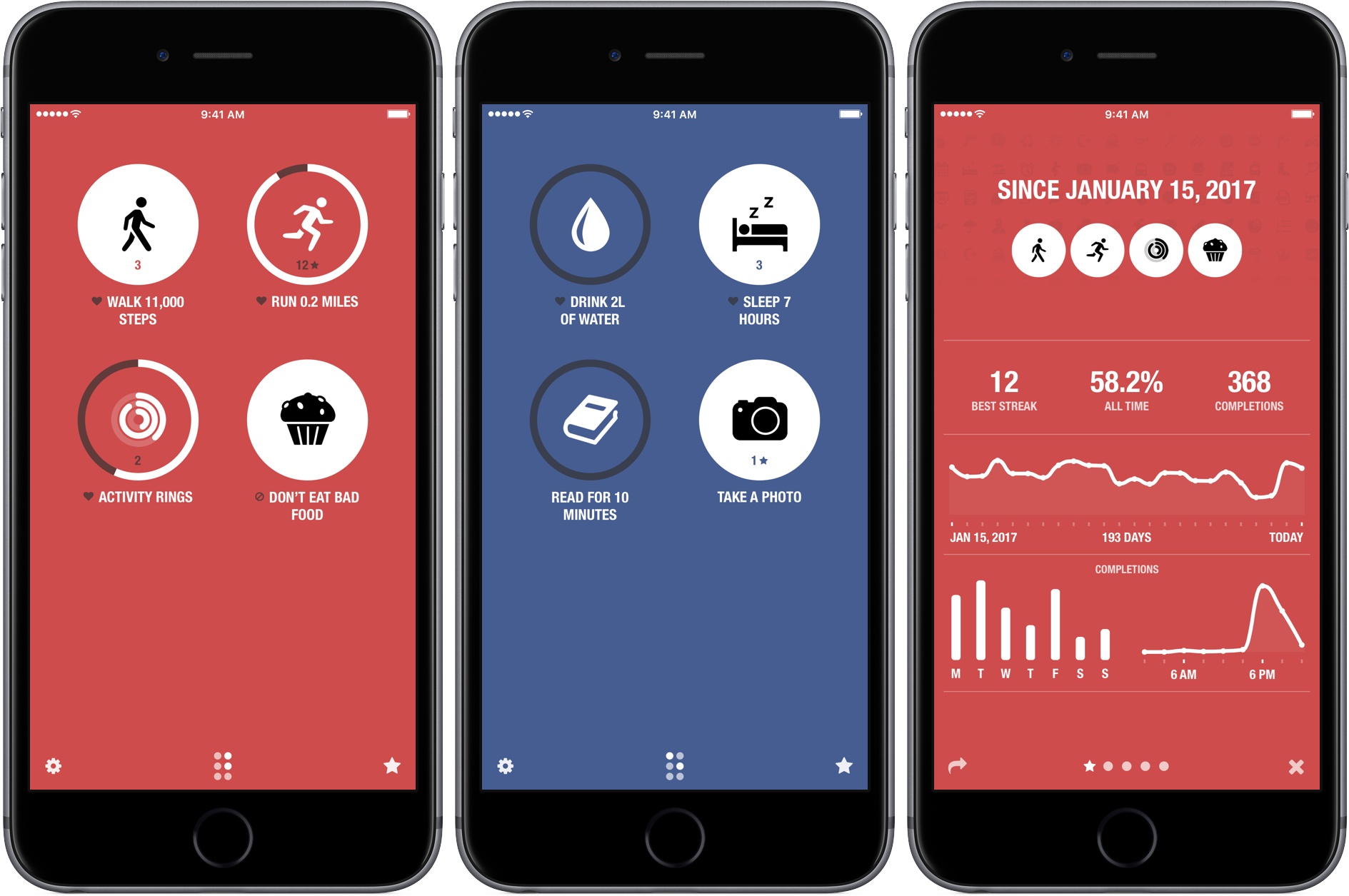
Streaks helps you set personal goals and stick to them using a combination of reminders and tracking. One of the hallmarks of the app, and what undoubtedly won it an Apple Design Award in 2016, is its obsessive attention to ease-of-use. By the very nature of its mission, Streaks is an app in which you shouldn’t spend a lot of time. Whether it’s in the main app, widget, or Apple Watch app, Streaks is designed to remove the friction of turning goals into habits by tracking tasks in a way that doesn’t become tedious, which makes it important to be able to mark items as completed quickly and easily.

It’s been interesting to watch Streaks evolve. As Streaks has added functionality and customization options with each version, the simplicity of its design has remained the app’s core design principle. One of the app’s most opinionated design decisions from the start was to limit users to tracking just six goals. Limiting the number of goals was meant to constrain users to an achievable number of goals and helped reduce complexity.

When I heard that Streaks was doubling the number of goals that can be tracked and adding in-depth statistics and other customizations, I immediately wondered whether that could be pulled off while maintaining Streaks’ signature design. The answer is a resounding ‘yes.’ Version 3.0 of Streaks not only remains true to its roots, but it’s also the best version of the app yet.

Read more


AppStories, Episode 15 – iOS 11’s Files App→

On this week’s episode of AppStories, we dive into the new Files app that’s coming to iOS 11 in the fall and discuss the history of file management on iOS, the shift in approach taken by the Files app, and how it works.

Sponsored by:

  • Today - Effective habit development and health tracking.
  • Zones - View and convert time zones.
AppStories+ Deeper into the world of apps

AppStories Episode 15 - iOS 11’s Files App

0:00
36:37

↓

AppStories+ Deeper into the world of apps

Permalink