John Voorhees

5811 posts on MacStories since November 2015

John is MacStories' Managing Editor, has been writing about Apple and apps since joining the team in 2015, and today, runs the site alongside Federico. John also co-hosts four MacStories podcasts: AppStories, which covers the world of apps, MacStories Unwind, which explores the fun differences between American and Italian culture and recommends media to listeners, Ruminate, a show about the weird web and unusual snacks, and NPC: Next Portable Console, a show about the games we take with us.

This Week's Sponsor:

Crickets

The first alarm app for families.


Learn Ulysses: Easy Video Tutorials for the Best Writing and Ideas App [Sponsor]

Learn Ulysses is a video course from The Sweet Setup, a site known for picking the best apps in certain categories. Their pick for the best writing app on Mac, iPad, and iPhone is Ulysses, and with their Learn Ulysses videos, The Sweet Setup can help you get the most out of the app.

There’s a lot of power just under the surface of Ulysses’ simple interface. It’s the power-user features that make Ulysses more than just a simple text editor. Tools for document organization, exporting to a wide range of formats, filtering, and more make Ulysses a complete writing environment.

The Sweet Setup created their Learn Ulysses course to help users get the most out of Ulysses’ power. The seven high-quality videos will get you up and running with all the features of Ulysses so that you can stay on top of your ideas, your writing, and more. Each tutorial dives deep into the details making even complex topics easy to follow and understand.

Each video can be streamed or downloaded, and there are full transcripts of each so you can pick up tips even when you can’t access video. In addition to the videos, Learn Ulysses includes bonus content. There’s a cheat sheet highlighting keyboard shortcuts and additional features and interviews with writers, in which each explains their Ulysses setup and workflow, which is a fantastic way to get ideas about how to use the app yourself.

The Sweet Setup has a special deal for MacStories readers. This week only, you can get the Learn Ulysses video tutorials and all the bonus content for 20% off by visiting learnulysses.com.

Our thanks to Learn Ulysses for sponsoring MacStories this week.


Geeky macOS Apps

AppStories+ Deeper into the world of apps

AppStories Episode 29 - Geeky macOS Apps

0:00
29:54

↓

AppStories+ Deeper into the world of apps

Federico and John dig into their favorite geeky macOS apps that they use for work and play.

Read more


Apple Opens iPhone X App Submissions to Developers→

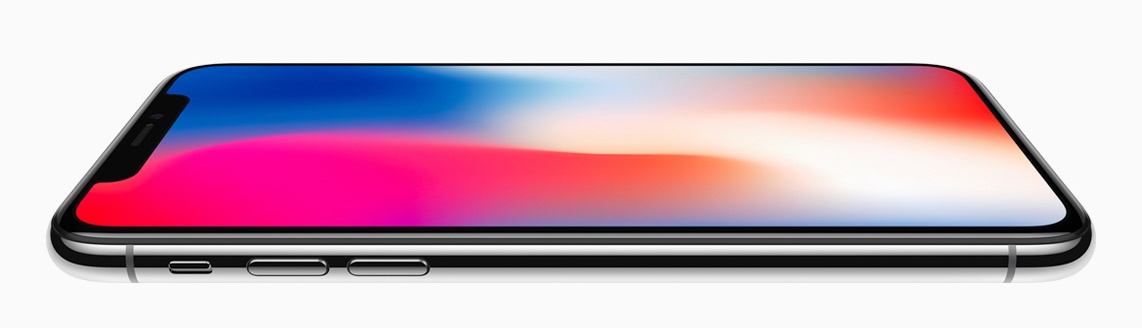
Apple has notified third-party iOS developers via its News and Updates website that they can download Xcode 9.0.1 and submit iPhone X apps for review in advance of the new iPhone’s release on November 3, 2017.

Download Xcode 9.0.1, test your apps in the iPhone X simulator, and capture screenshots. Then submit your updated apps and metadata in iTunes Connect today.

Earlier in the day, Apple told Reuters that customer demand for the iPhone X has been ‘off the charts’ since pre-orders began at 12:01 AM Pacific on October 27th.

Permalink

Backstopping iCloud Drive With Hazel and Dropbox

After listening to the latest episode of Connected and hearing Myke Hurley’s nightmarish story about losing over 100 Pages documents and other files in iCloud Drive when he deleted just five Pages documents, I started thinking about ways to avoid a similar fate. In fact, a few weeks ago a similar iCloud Drive failure...


Album

8-bit Super Mario Just as Super Mario Odyssey rolled out world-wide for the Switch, Nintendo released an animated set of 30 8-bit Mario stickers. Mario fans should be thrilled with these stickers, which are based on Nintendo’s classic Super Mario Bros. NES title. Bears The title of this sticker pack of cuddly animated bears...


Q&A

Question: When taking photos on my iPhone, if I want to share them with people what is the best way? If I send them via Messages, does it send a scaled down version? (Nick)

Unless you’ve enabled Low Quality Image Mode in Settings ⇾ Messages, iOS always sends the original full-res version of a...


App Debuts

Twitterrific 5 Fast on the heels of the launch of Twitterrific 5 for macOS, which I reviewed, The Iconfactory has addressed one of its main shortcomings by adding mute and muffle creation, editing, and syncing across the macOS and iOS versions of the app. There’s a lot of power and flexibility to unpack here....


AppStories, Episode 28 – Interview: Automation and Apps with Greg Pierce of Agile Tortoise→

On this week’s episode of AppStories, we interview Greg Pierce of Agile Tortoise about the origins of x-callback-url, iOS automation, Drafts, and Greg’s other apps.

Sponsored by:

  • Balance - A wallet for all the worlds currencies and tokens.
  • Live Home 3D - intuitive and feature-rich home design software for Mac.
AppStories+ Deeper into the world of apps

AppStories Episode 28 - Interview: Automation and Apps with Greg Pierce of Agile Tortoise

0:00
34:29

↓

AppStories+ Deeper into the world of apps

Permalink

Amazon Introduces Cloud Cam and Key Delivery Service

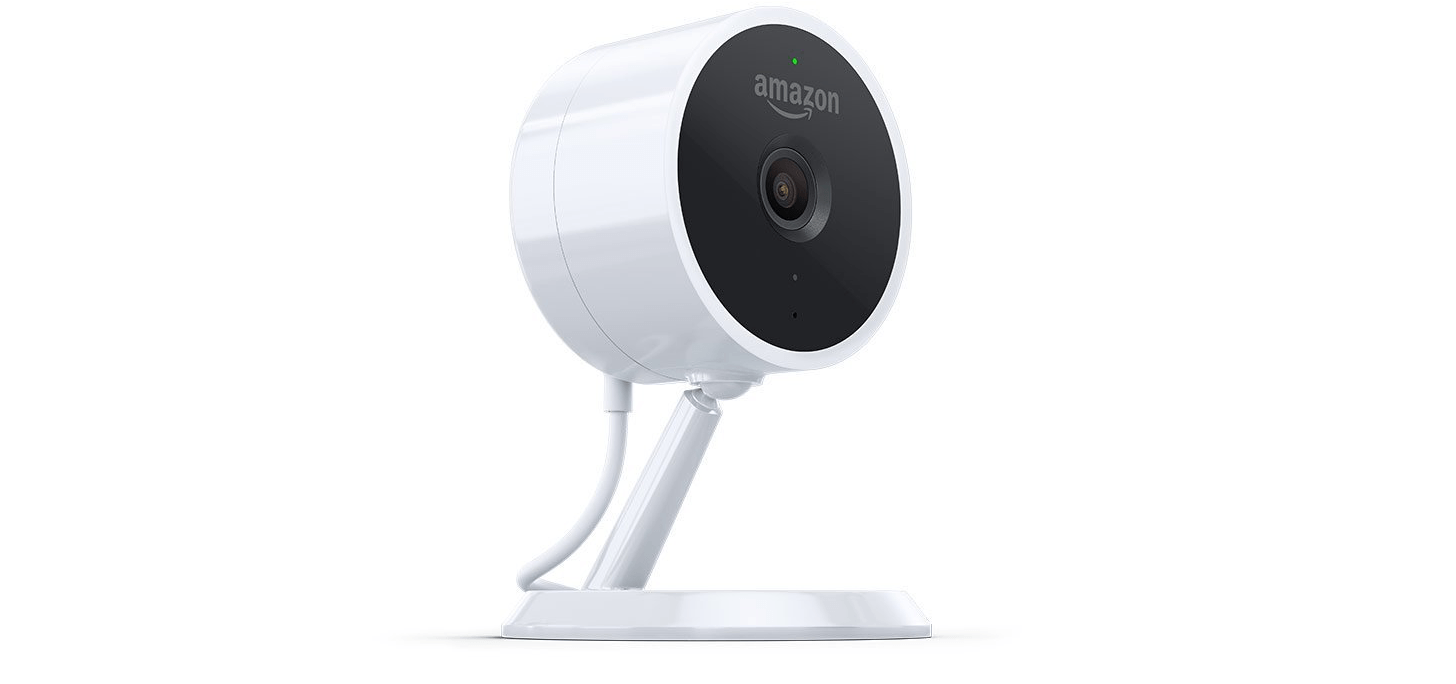
Amazon has introduced a new Alexa-enabled home security camera called the Cloud Cam and an in-home delivery service for Prime members. The Cloud Cam is an Internet-connected smart camera that records video at 1080p resolution. Amazon is selling it as a stand-alone product and as part of its new in-home delivery service called Key.

The Cloud Cam, which will be controlled by a yet-to-be-released Cloud Cam app, is available for pre-order with shipments beginning on November 8th. One camera costs $119.99, but it can also be purchased in bundles of two for $199.99 and three for $289.99. Each camera support’s Amazon’s Alexa smart assistant, motion detection, two-way communication, night vision, and has a wide angle lens that saves video clips from the past 24 hours from up to three cameras. Amazon is also selling subscriptions that range in price from $6.99/month to $19.99/month for storing clips for a longer period, distinguishing between people and motion from other sources like pets, zone control, clip sharing, and connecting to more cameras.

Amazon’s Cloud Cam plays an important role in the company’s new US-only Key delivery service too. When paired with certain third-party smart locks, which Amazon is bundling with a Cloud Cam for $249.99, Prime customers can use their Cloud Cam and an iOS app to let Amazon Logistics’ delivery people unlock their home and leave packages inside. The service is currently limited to Amazon Logistics’ delivery people who make deliveries in 37 US cities. Key can also be used to grant home access to third-party services like house cleaners and dog walkers.

Prime members who sign up for Key will be alerted by a forthcoming Amazon Key app when a delivery driver arrives with a parcel and can watch the delivery live or view a recorded video clip later. Access can also be limited to certain times of the day and be granted on a one-off or recurring basis. When a delivery driver arrives, they scan the package’s bar code, which is transmitted to the cloud and in turn, starts the Cloud Cam and unlocks your door. After leaving the delivery inside, the driver locks your door with a swipe of an app.

The combination of Alexa support and the Key delivery service set the Cloud Cam apart from other smart home security cameras. Of course, the greatest difficulty for Amazon is likely to be convincing customers to trust delivery drivers to unlock their homes even if a camera is watching.