John Voorhees

5811 posts on MacStories since November 2015

John is MacStories' Managing Editor, has been writing about Apple and apps since joining the team in 2015, and today, runs the site alongside Federico. John also co-hosts four MacStories podcasts: AppStories, which covers the world of apps, MacStories Unwind, which explores the fun differences between American and Italian culture and recommends media to listeners, Ruminate, a show about the weird web and unusual snacks, and NPC: Next Portable Console, a show about the games we take with us.

This Week's Sponsor:

Crickets

The first alarm app for families.


An Interview with Christian Selig, Creator of Reddit Client Apollo

AppStories+ Deeper into the world of apps

AppStories Episode 35 - An Interview with Christian Selig, Creator of Reddit Client Apollo

0:00
28:36

↓

AppStories+ Deeper into the world of apps

Federico and John interview Christian Selig, the creator of the popular iOS Reddit client Apollo about the development and design of the app, incorporating Redditors’ feedback, the complexities inherent in building a Reddit app, and working in Swift.

Read more


Timing: Stop Worrying About Time and Focus on Your Work Instead [Sponsor]

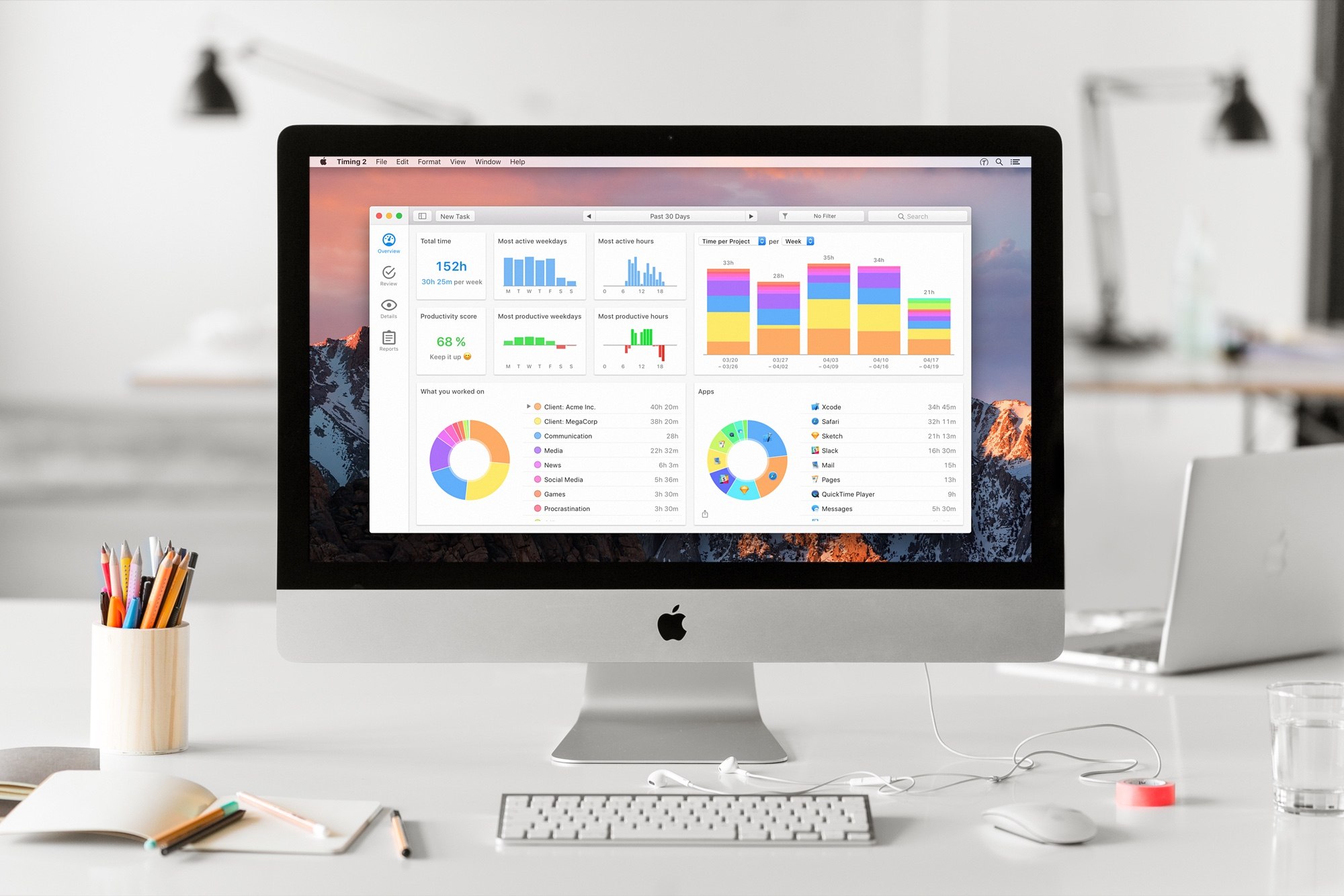
Timing for macOS is the first step to recapturing your most precious resource: time. Before you can find lost time, you need to understand how you are spending it. But manual time tracking interrupts your workflow, and it’s easy to lose track of what you’ve done. That’s where Timing comes in. It’s different because Timing automatically tracks how you spend time on your Mac.

Timing shows you how much time you spend per app, website, and document, and categorizes that time into projects. Timing helps you be more productive by analyzing how you are wasting time too. Best of all, Timing includes automation features to help you save more time by doing things like automatically categorizing activities. The app can even ask you what you did when you return to your Mac, so you never forget to track a meeting. In addition, freelancers will love Timing’s ability to generate a timesheet for your clients.

Download Timing’s 14-day free trial today and save 10% when you decide to buy. You can also download Timing as part of Setapp, the service that gives you access to more than 100 Mac apps for just $9.99/month.

Stop worrying about time and focus on doing your best work instead with Timing.

P.S.: Check out Faviconographer too. It’s a free utility from Timing’s developer that adds a favicon to your Safari tabs. It’s a clever touch. When you have a lot of tabs open, it’s much easier to find the one you want when you can see its favicon.

Our thanks to Timing for sponsoring MacStories this week.


Just Press Record

Whenever I think about Just Press Record, I’m reminded of Drafts by Agile Tortoise. Both have a singular focus: fast capture. Drafts captures text that’s destined for another location, while Just Press Record does the same for audio but with the twist that it can turn that audio into text. The design of Just...


App Debuts

Newton Calendar Newton Calendar is a new companion app to Newton Mail that aims to take the clean, elegant Newton aesthetic and apply it to your calendar. Currently offering support for Google and Exchange calendars, the app removes lots of clutter and friction from the experience of viewing and creating upcoming events. The default...


Album

Cute Adorable Dogs This little cartoon dog is begging for attention and good at getting in trouble. Sound familiar? Whether you’ve got a dog that fits that description or just think this little pooch is cute, you’ve got a good reason to download this sticker pack. Badass Bunnies These hand-drawn bunnies with attitude are...


Give the Gift of Club MacStories This Holiday Season

Starting today, you can give Club MacStories memberships as gifts for the holidays or any special occasion. Club MacStories extends what we publish at MacStories, which makes it the perfect gift for someone who wants more apps, automation, tips, and other coverage.

Club MacStories offers exclusive content delivered every week including:

  • MacStories Weekly, a newsletter that is sent every Friday and is packed full of our favorite apps, themed collections, tips, automation, answers to reader questions, featured Home screens, interviews, and much more.
  • The Monthly Log, a monthly newsletter that includes long-form and behind-the-scenes stories.
  • Access to giveaways, discounts, and other treats like a special members-only edition of our podcast called AppStories Unplugged and ebook versions of Federico’s annual iOS review and other long-form stories.
  • The full archive of over 125 issues of MacStories Weekly and the Monthly Log.

All told, that’s around 60 newsletters and lots of other perks over the course of a year.

So, if you have a MacStories reader on your holiday shopping list this season, consider a Club MacStories membership that they can enjoy all year long. Monthly ($5/month) and annual ($50/year) memberships can be given using the following links:

Also, thanks to all our loyal Club members who have joined since the Club’s debut over two years ago. You’re an essential part of what we do here at MacStories, and we hope you’ve enjoyed the Club as much as we enjoy creating its special content for you every week.

Happy Holidays!

- The MacStories Team


Apple Expands Search Ad Offerings with Search Ads Basic

Today, Apple introduced a new search ad product called Search Ads Basic. The existing search ad service, which was introduced a little over a year ago, has been renamed Search Ads Advanced.

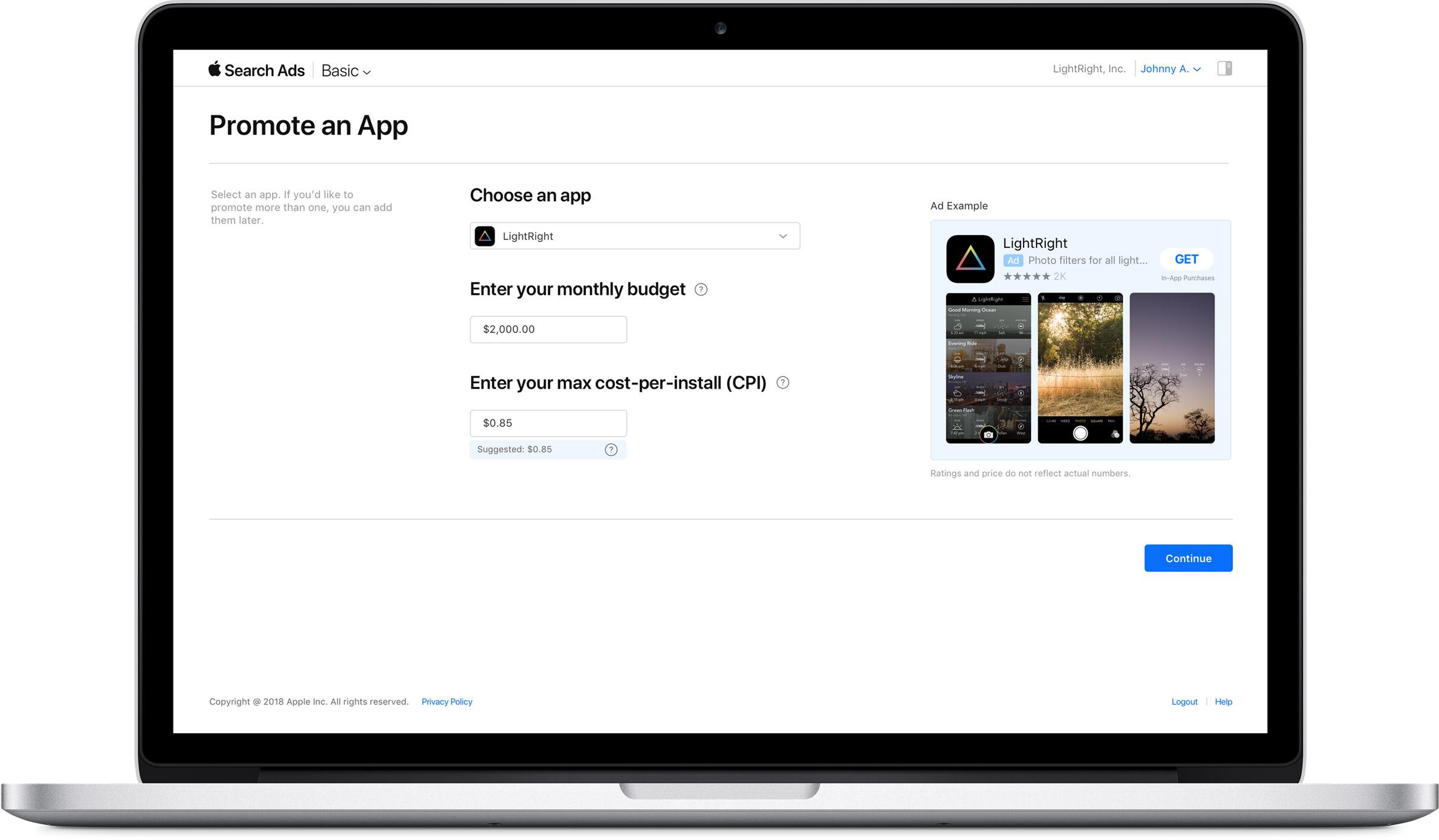
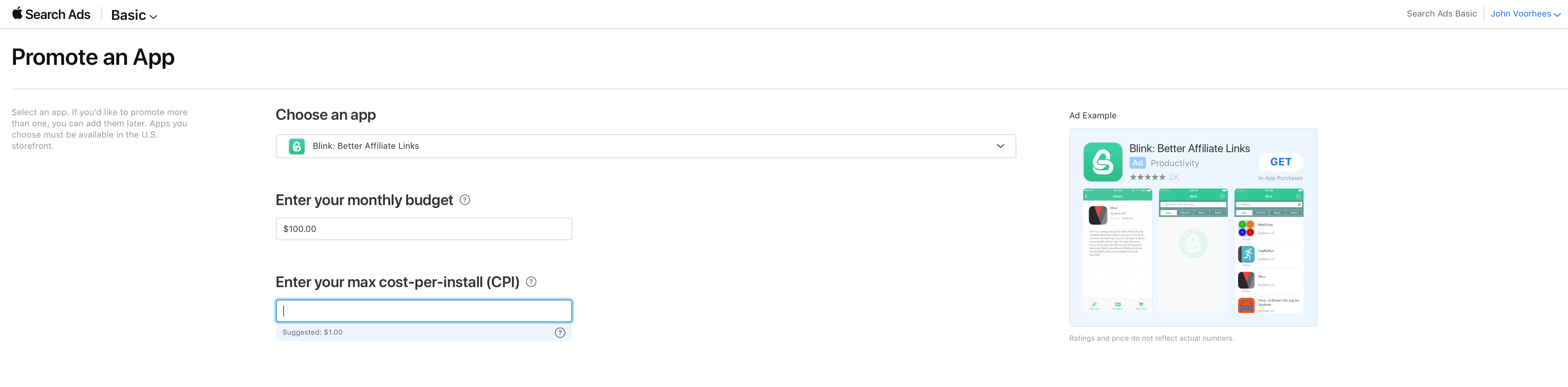
Search Ads Basic offers fewer of the advanced options and tracking available in Search Ads Advanced and spending is capped at $5,000 per month, but developers only pay for installations generated by their search ads. In contrast, developers pay every time someone taps on an ad under the Search Ads Advanced program, whether or not the tap results in a purchase. To get started, all that is needed is to pick the app to be advertised, set a spending budget, and choose a maximum per-user installation cost, for which Apple provides a suggested maximum based on historical App Store data.

Apple suggested a $1.00 maximum per-install price for Blink, which costs $4.99.

Apple suggested a $1.00 maximum per-install price for Blink, which costs $4.99.

Apple is positioning Search Ads Basic as an alternative for developers who don’t have the time to fiddle with the more sophisticated options available with Search Ads Advanced. There is no doubt the process is simple. I set up a campaign for my app Blink in less than a minute.

With a $5,000 per month spending limit the new program also seems tailored to smaller developers who may be uncomfortable paying for taps or managing the more complex options of a Search Ads Advanced campaign. Although larger development shops are not precluded from using Basic, the spending limit should discourage larger companies with big advertising budgets.

Currently, Search Ads Basic is limited to US App Store, but it will be rolling out to the stores in additional countries later. As it did last year, Apple is sending email messages to developers offering a $100 credit to try Search Ads.


MarsEdit 4 Update Adds Editor Enhancements, WordPress Improvements, and More

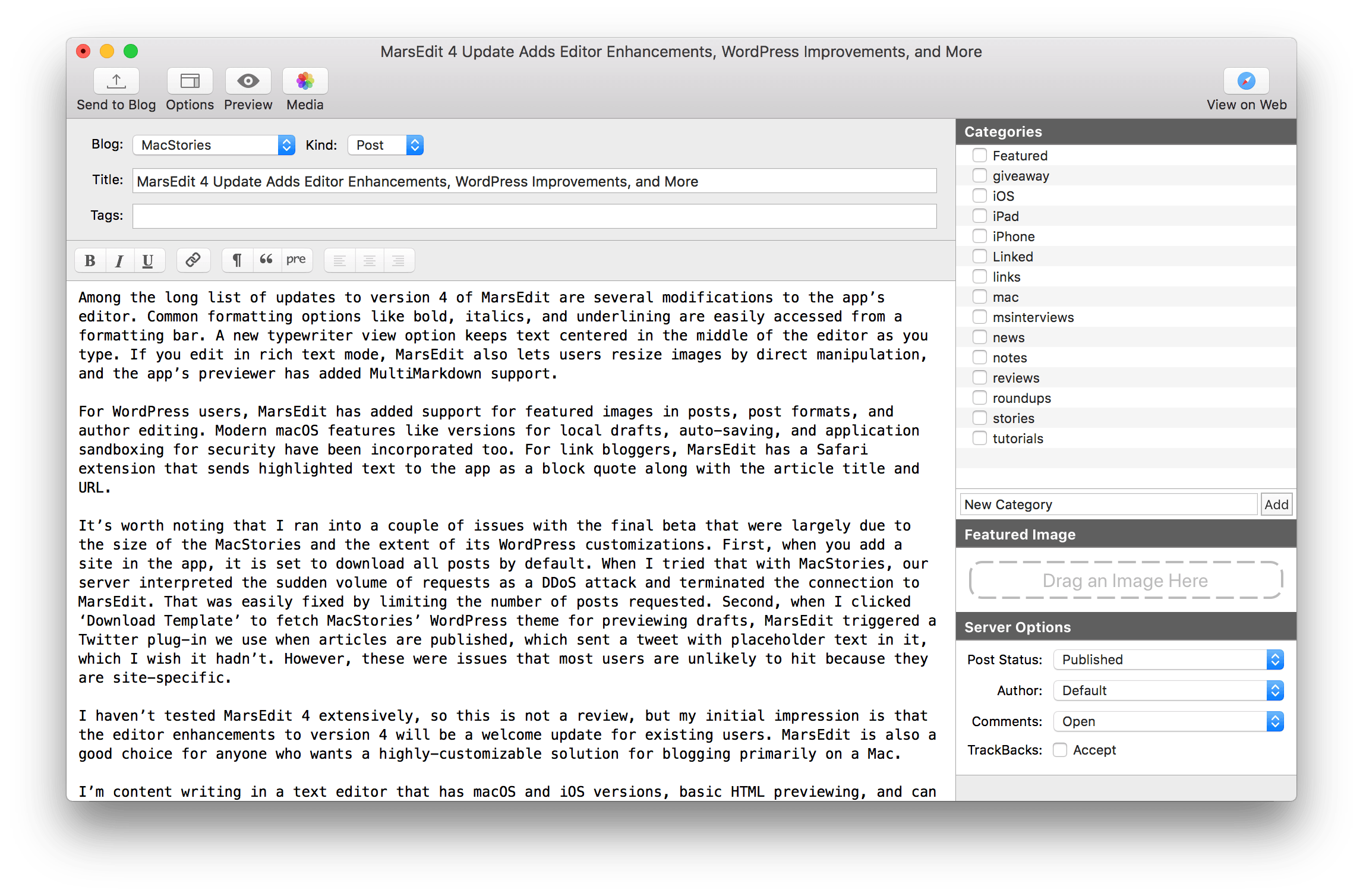
MarsEdit, Red Sweater Software’s macOS blog editor, received a major update today with new features and a UI refresh.

Among the long list of updates to version 4 of MarsEdit are several modifications to the app’s editor. Common formatting options like bold, italics, and underlining are easily accessed from a formatting bar. A new typewriter view option keeps text centered in the middle of the editor as you type. If you edit in rich text mode, MarsEdit also lets users resize images by direct manipulation, and the app’s previewer has added MultiMarkdown support.

For WordPress users, MarsEdit has added support for featured images in posts, post formats, and author editing. Modern macOS features like versions for local drafts, auto-saving, and application sandboxing for security have been incorporated too. For link bloggers, MarsEdit has a Safari extension that sends highlighted text to the app as a block quote along with the article title and URL.

Read more