John Voorhees

5811 posts on MacStories since November 2015

John is MacStories' Managing Editor, has been writing about Apple and apps since joining the team in 2015, and today, runs the site alongside Federico. John also co-hosts four MacStories podcasts: AppStories, which covers the world of apps, MacStories Unwind, which explores the fun differences between American and Italian culture and recommends media to listeners, Ruminate, a show about the weird web and unusual snacks, and NPC: Next Portable Console, a show about the games we take with us.

This Week's Sponsor:

Crickets

The first alarm app for families.


Apple Highlights Apps with watchOS 4.2 Features for Skiers and Snowboarders

Apple released watchOS 4.2 in December with new workout APIs for skiing and snowboarding workouts. Those additions have allowed third-party developers to offer an enhanced workout experience to Apple Watch Series 3 users when they hit the slopes. In a press release today, which was timed with the release of updates to several popular skiing apps, Apple said:

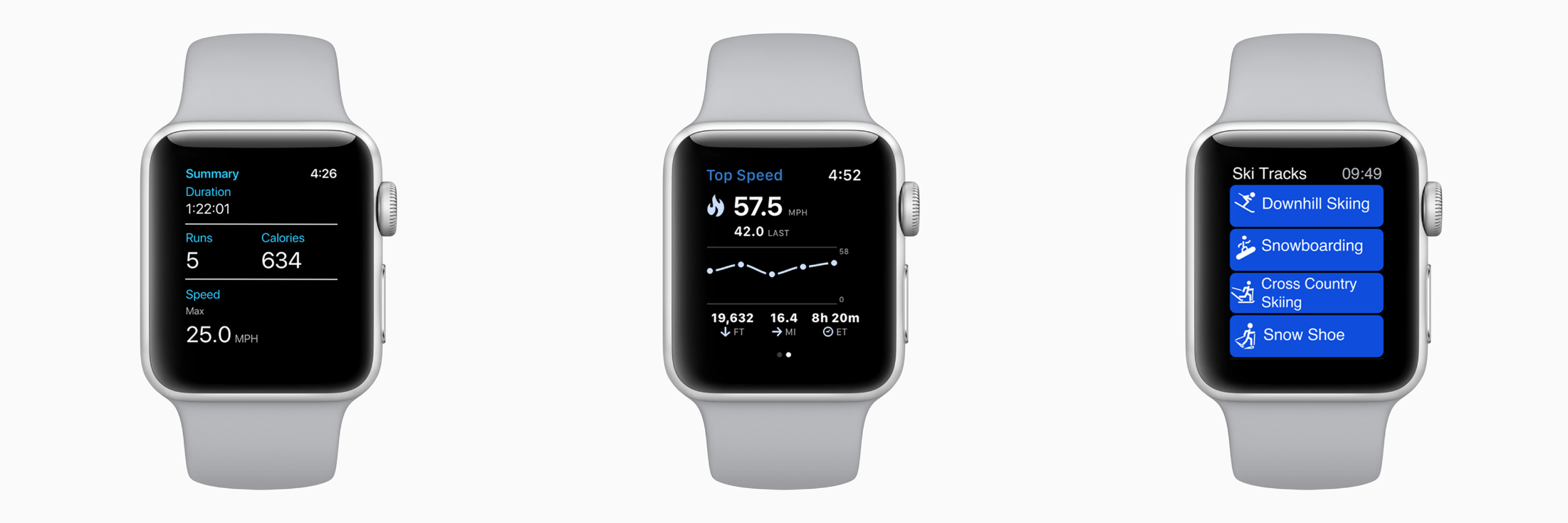
Developers are taking advantage of the built-in GPS and altimeter in Apple Watch Series 3 as well as custom workout APIs released in watchOS 4.2 to enable tracking of specialized metrics. App updates for snoww, Slopes, Squaw Alpine, Snocru and Ski Tracks now track new metrics on the slopes including:

  • Total vertical descent and horizontal distance
  • Number of runs
  • Average and maximum speeds
  • Total time spent
  • Calories burned

The new workout features include other benefits for skiers and snowboarders too:

Apps can auto pause and resume and users will get credit towards their Activity rings; workout information will also be recorded to the Health app on iPhone with user permission. Using Siri, users can start Slopes and snoww to track their runs using just their voice.

Apps that take advantage of the new watchOS 4.2 features are also spotlighted in the App Store’s Today section and include:

There’s more Apple could do to improve the overall experience of developing for watchOS, but it’s good to see the workout APIs continue to expand and third-party developers take advantage of them.



Game Day: Bring You Home

Earlier this month Alike Studio released Bring You Home, a charming puzzle game about a blue alien on a quest to save its pet from thieves. It’s a delightful game that showed up one day with little fanfare. The game, from the creators of Love You to Bits, was teased almost a year ago, but its sudden appearance on the App Store means it hasn’t gotten the coverage it deserves. That’s a shame because this is a low-key but captivating game that should appeal to a wide audience.

Exploration is at the core of Bring You Home. As soon as the alien’s pet is whisked away, it leaps out the window after the thieves landing face-first on the ground. Time rewinds, and you’re shown how to swipe panels up and down until there’s a cart of hay under the window to break the alien’s fall. It’s a simple mechanic similar to the hit game Framed but executed with a style and personality that fits Bring You Home.

The goal is just as simple. By manipulating the environment around the alien, you help steer it from scene to scene in pursuit of the thieves. As you move through Bring You Home, new layers are added to the gameplay. Instead of just cycling through panels vertically, you can swap their position horizontally too. Next, the game adds multi-step puzzles, which require you to rearrange the scene, pause, and make further adjustments. Along the way, there are also collectible photos featuring your alien and his pet, which is a nice touch suggesting that it’s ok to explore, fail, and explore some more.

There is an absurd logic to each of the nearly 50 levels of Bring You Home, which rewards thoughtful examination. There are no time limits or penalties for failure, which encourages a leisurely, calm approach. Sure, you can power through Bring You Home quickly, but that’s not the point. Trial and error is part of the fun. This is a game best-enjoyed at a pace at which you can absorb each scene’s brightly-colored, playful animations.

Bring You Home is a Universal app that’s also available on the Apple TV. The game looks great on a big screen TV, but the controls work better on an iOS device, so on balance, I prefer to play on my iPad. Also, achievements are tracked in Game Center, and your progress is synced between devices via iCloud, which I always appreciate.

Bring You Home is a relaxing game with a playful, sweet personality that will appeal to kids and adults alike. The puzzles range from easy to challenging without ever becoming frustrating, which makes it an excellent choice for relaxing on a quiet afternoon.

Bring You Home is available on the App Store.


WiFi Explorer: Scan, Monitor, and Troubleshoot Wireless Networks [Sponsor]

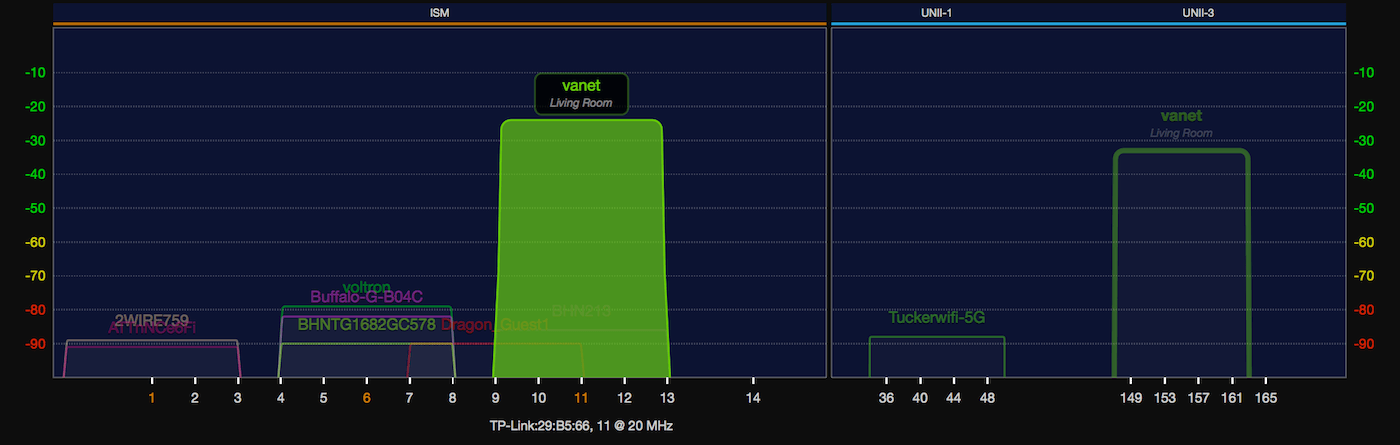
Optimizing your WiFi network doesn’t have to be difficult. With WiFi Explorer, you can scan the networks around you, troubleshoot issues that slow yours down, and keep things humming along as conditions change.

The trouble with setting up a WiFi network is that it can be hard to understand how other networks affect yours. WiFi Explorer eliminates the guesswork by providing a rich, graphical visualization of all the networks within range. You can see exactly where you’ve got channel conflicts with overlapping networks and make changes accordingly. It’s invaluable information for fine-tuning your network.

Whether you’re setting up or optimizing your home network or troubleshooting an enterprise network, WiFi Explorer is a fantastic solution. The app reports signal quality based on the signal-to-noise ratio and signal strength, scanning and collecting data continuously so you can analyze it in real-time or save it to study later. There’s also a handy advanced tab with all sorts of network configuration data that’s a lifesaver when you’re troubleshooting a network issue.

WiFi Explorer is incredibly advanced, but if you’re an IT or WLAN professional who needs even more, there’s a Pro version of the app just for you. WiFi Explorer Pro adds active and passive scan modes, integrated spectrum analysis, enhanced filtering, support for networks with hidden SSIDs and remote sensors, dark and light themes, and more.

WiFi Explorer has a special limited-time offer just for MacStories readers. Use the coupon code MACSTORIES30 at checkout to get 30% off on WiFi Explorer or WiFi Explorer Pro.

Thanks to WiFi Explorer for supporting MacStories this week.


Fine-Tune Your iOS Web Reading Experience

Punish Website Last year, a Club member asked whether we knew of any Safari content blockers that operated based on a user-created blacklist, so it would only block ads on sites the user specified. To our surprise, there didn’t seem to be such an app. Existing content blockers worked like one of our...


Q&A

Question: As part of my workflow to structure new projects, I like to brainstorm key ideas and actions in MindNode. However, my to-do app of choice is Things (I recently moved from OmniFocus), and I would like to avoid the manual step of adding actions one by one. Is there a way to export a...


App Debuts

Zones for Training Developed by the creators of FitPort, Zones is a companion utility for Apple’s Health and Activity that helps you visualize different heart rate zones from your workouts. By default, the app presents you with a clean list of past workouts and a chart at the top that uses colors to indicate...