Federico
AppStories Episode 79 - Our Favorite Apps with iOS 12 Features (Part 1)
0:00
32:11
32:11
This week, Federico and John dig into some of their favorite iOS app debuts and updates highlighting iOS 12 features.

The first alarm app for families.
 Our Favorite Apps with iOS 12 Features (Part 1)
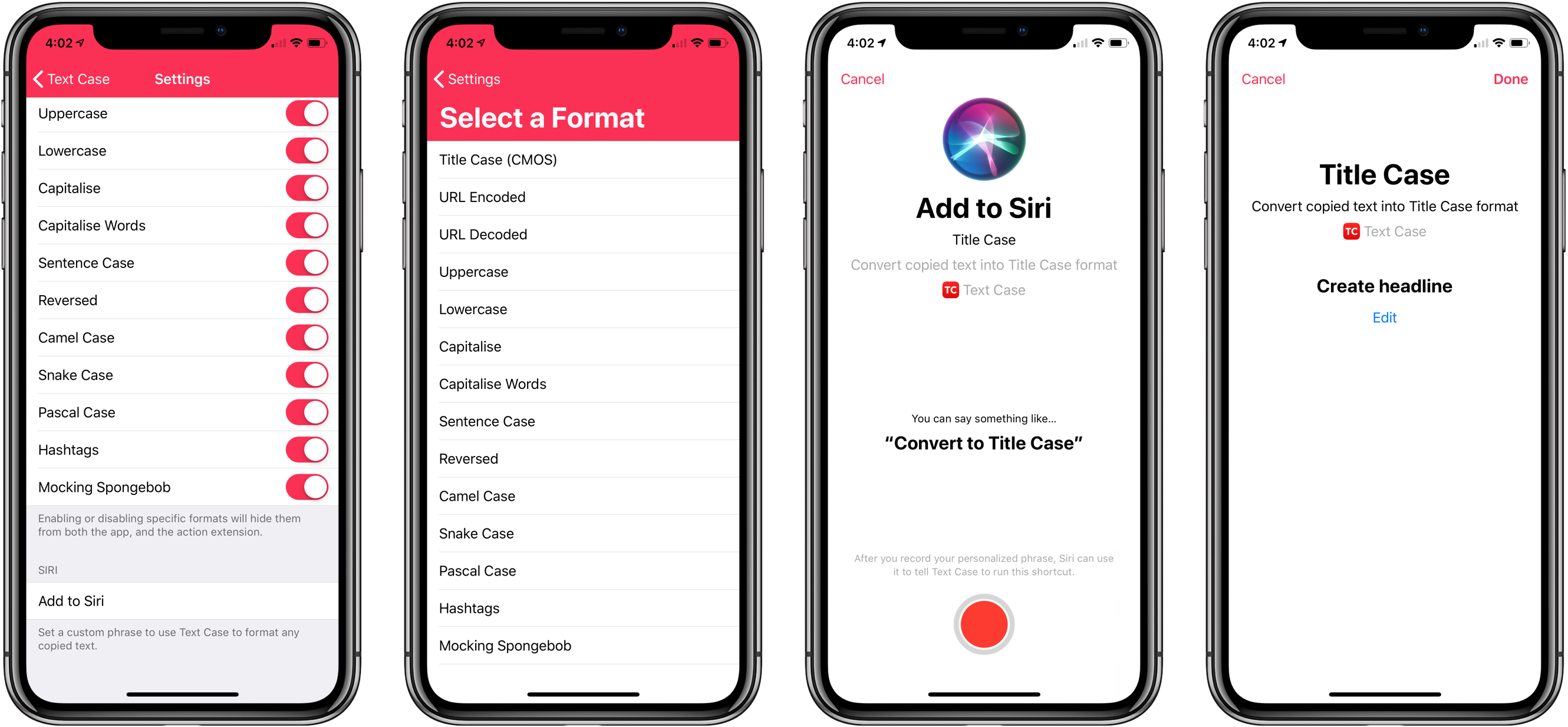
 Not long ago, I reviewed an update to a new text transformation utility for iOS by Chris Hannah called Text Case. That update added support for title casing text according to popular style guides including the Chicago Manual of Style that we use here at MacStories. The app can do 13 other text transformations too like URL encoding and decoding, all caps, sentence capitalization, and many more.
I have the title casing rules of the style guide internalized for the most part, but every now and I want to check on a headline to be sure. In the past, I used an online service, which works well, but switching to a browser is an interruption. It’s a small interruption, but it’s one that may lead me to check another open tab or do something else that distracts me from completing an article. When I’m writing, I’d rather stay immersed in my text editor.
With Text Case’s extension, I can run a headline conversion right inside my text editor from the share sheet that’s accessible from the contextual popup menu that appears when you select text. With version 1.3 out today, Hannah takes the app a step further by adding Siri Shortcut support too.
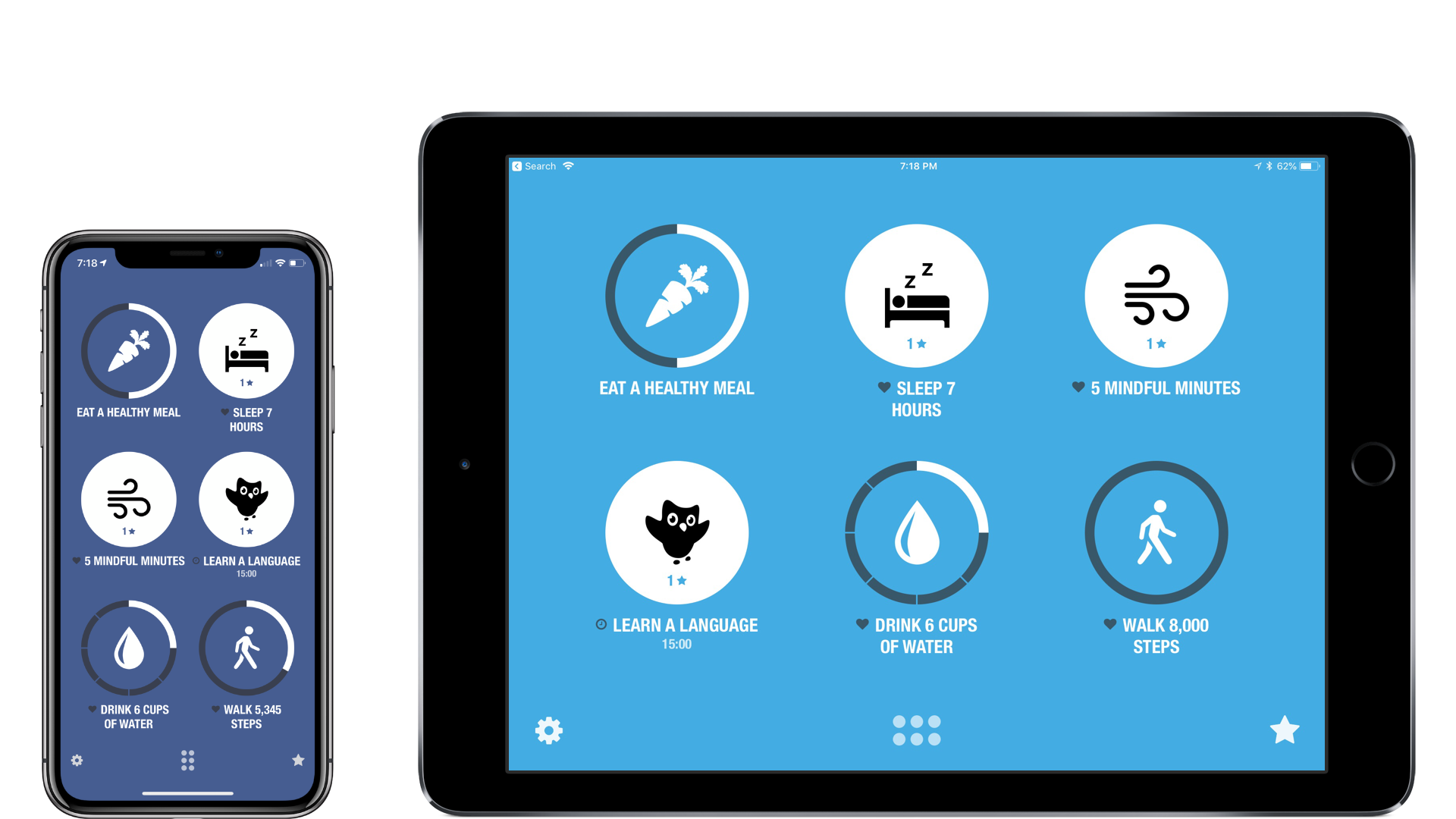
There are a lot of habit trackers on iOS, but Streaks was one of the first and remains the gold standard against which I measure all other trackers. Even as Crunchy Bagel has added new features and customization options, Streaks’ simple, elegant design has remained at the center of its user experience. That’s important because habit tracking only works if it’s easy to log events. Even the slightest friction makes it too easy to abandon your efforts.
I’ve reviewed Streaks 2 and last summer’s major 3.0 update before, so I won’t cover that ground again here. Instead, I’ll focus on what’s new: an all-new iPad app, timed tasks, improved health tasks, and Siri shortcuts.
It’s hard to imagine that Club MacStories is already three years old. In that time, the Club has grown steadily allowing us to expand its offerings every year. Today, Club MacStories is a cornerstone of MacStories allowing us to share more about apps and the people who make them every week through the Club newsletters and on MacStories.
The success of the Club wouldn’t be possible without its members, many of whom have been part of it since the very first day. Thank you. We sincerely appreciate your support and for helping make it possible for us to do what we love.
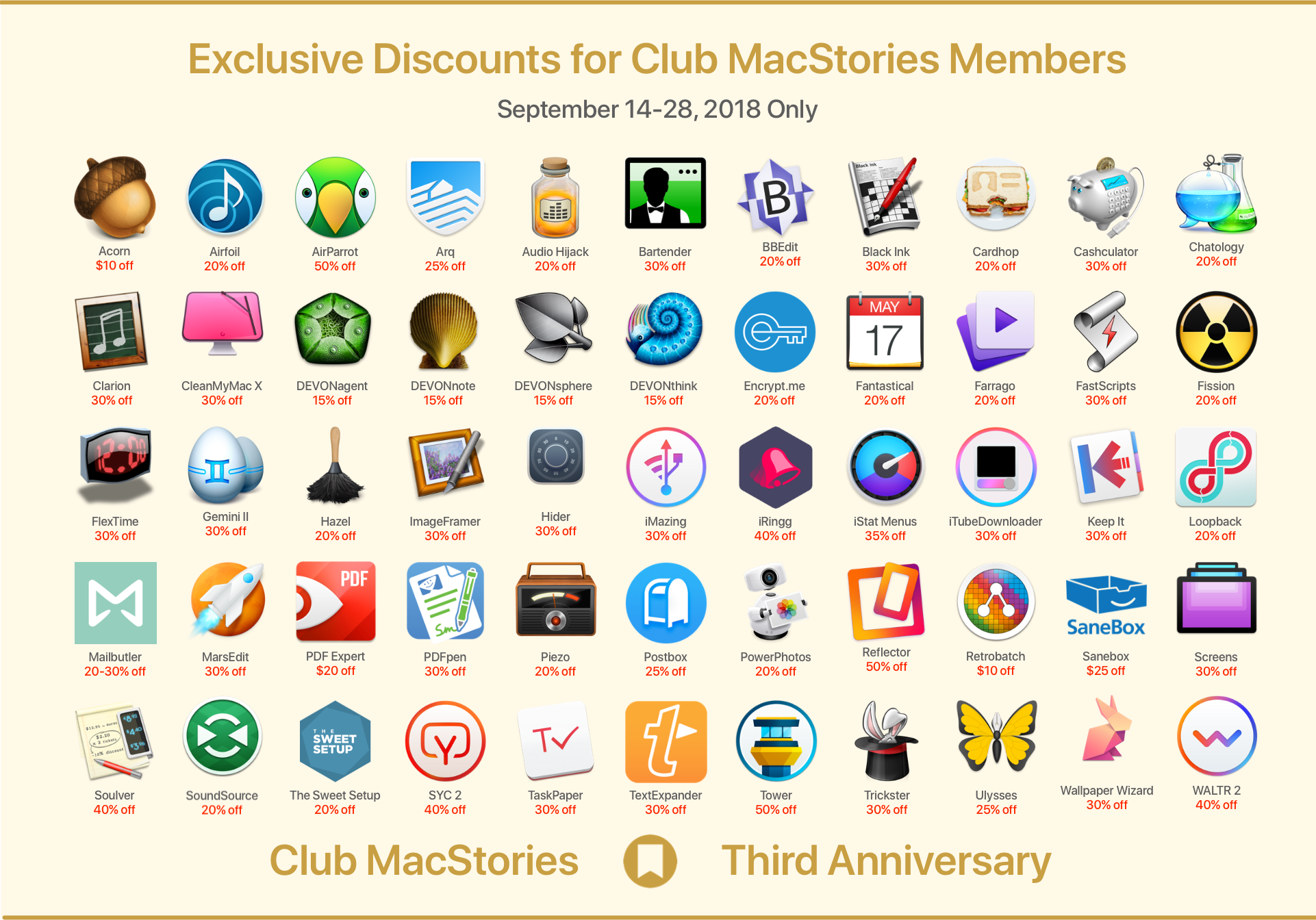
To celebrate the Club’s anniversary this year, we have assembled a stellar list of exclusive Club discounts on apps and service from our friends in the developer community. Their generosity has been overwhelming, and we can’t thank them enough for contributing to the celebration. This year we have over 50 apps and services from 30 developers, including:
(See //www.macstories.net/club/anniversary/ for the terms and conditions regarding each deal)
Club members can log into their membership account and access these deals from a special webpage that we’ve set up just for you. The discounts will be available for two weeks from today through September 28th.
There are even more perks coming for Club members, including a free edition of the eBook version of Federico’s iOS 12 review, the ‘Making Of’ the review, a bonus episode of AppStories, and other special surprises.
Thanks again to our Club members. We appreciate the hard-earned money you spend to be part of our growing community. We love making the newsletters for you every week. If you’re an annual member and your subscription is expiring, we hope you’ll join us for year four. We’ve got big plans for the Club and would love for you to be part of them.
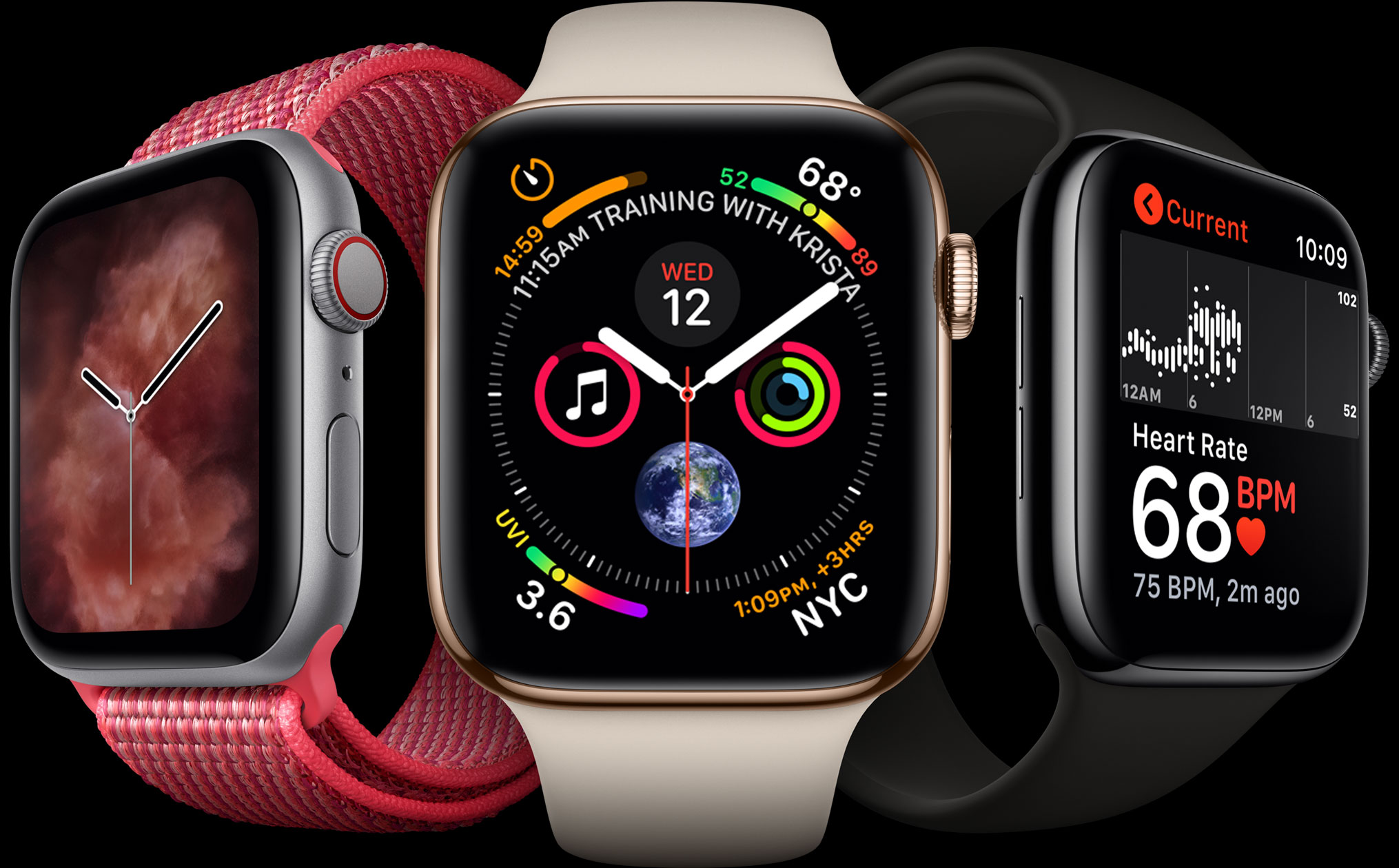
After the keynote Wednesday, Chief Design Officer Jony Ive was interviewed by The Washington Post about the Apple Watch Series 4. Ive told the Post:
“Every bone in my body tells me this is very significant”
What seems to have Ive most excited about the new Watch is its increasing independence from the iPhone:
“The clues for the future are when you can have a high degree of confidence that you personally are connected to the Net — not your phone, you,” said Ive.
The addition of a cellular radio to the Series 3 made a big difference in freeing the Watch from the iPhone. This year, I expect the difference will be felt more on the software side as developers implement apps that take advantage of the new watchOS 5 APIs.
Despite the Series 3’s cellular radio, I almost always took my iPhone with me for runs because I wanted to listen to podcasts. More than anything else, the ability to listen to my favorite shows untethered has the potential to free me from my iPhone.
 App Debuts
 Valleys Between Valleys Between is a deceptively simple game where the goal is building a natural environment in a valley. If you’ve played Alto’s Adventure or Odyssey before, the artwork of Valleys Between will immediately remind you of them, though the gameplay is very different. Valleys is based on a grid of hexagonal tiles...
Q&A Question: Is it possible to print Instapaper or Pocket articles from iOS? Is this a job for Shortcuts? (Geoff)
It depends on the kind of output you want Geoff. Neither Instapaper nor Pocket support printing from their iOS app. Shortcuts isn’t a good solution either. Although there are ‘Get Items from Pocket’ and ‘Get...
An Off-Kilter Keynote Something wasn’t quite right about Apple’s keynote this week. Something was missing. Most keynotes start out with a slow ramp up talking about retail stores, money paid to developers, how many apps were sold, or the number of new Apple Music subscribers – really anything that has an impressive number attached to it. This...
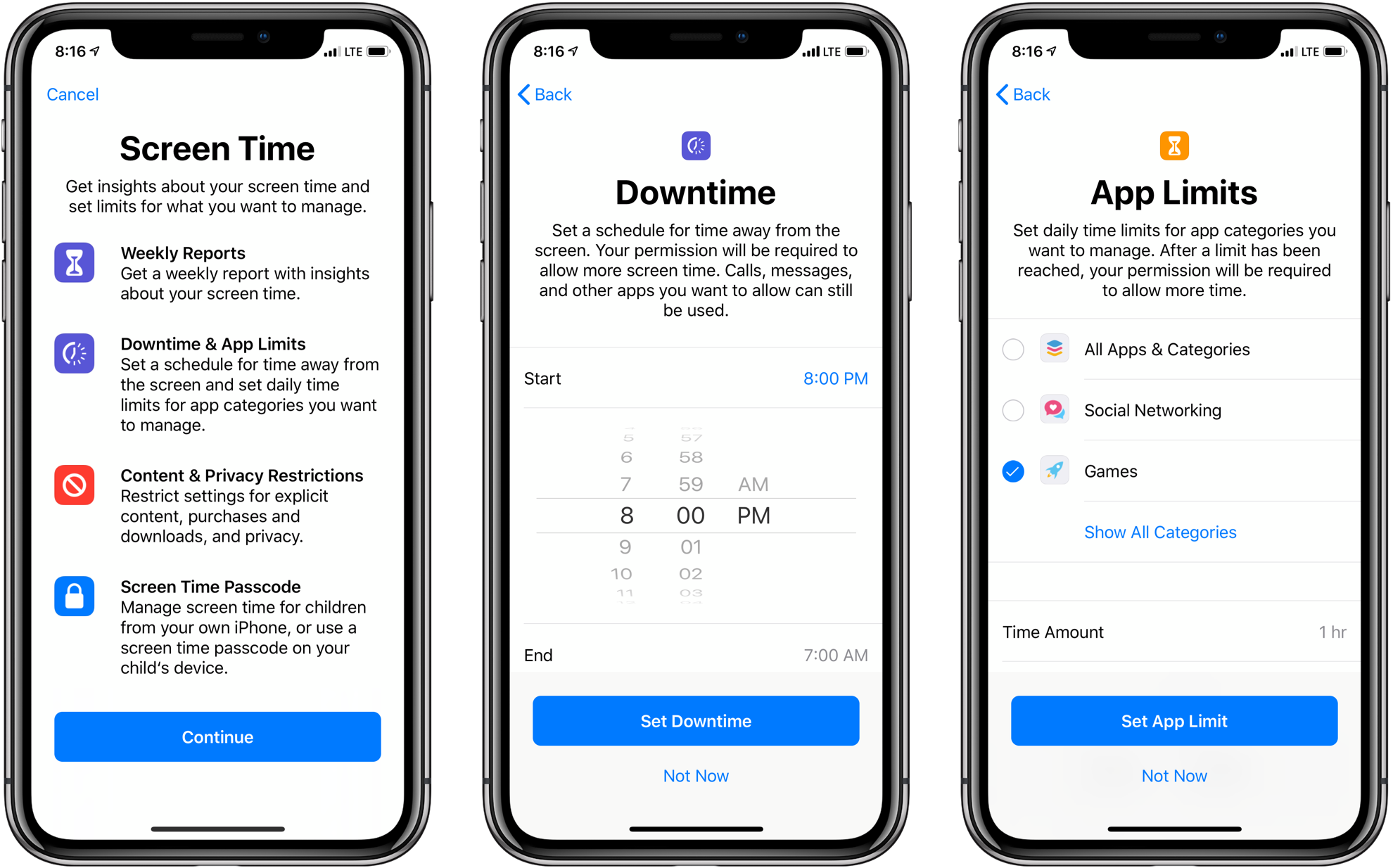
For the past couple of years, the tech industry has grappled with the consequences of people carrying a tiny computer with them all day long. When it comes to Apple, iOS devices have long had a Do Not Disturb setting and notifications can be adjusted, but over time, it became apparent that the existing tools were not enough.
Screen Time is Apple’s solution to the information gap about how we use our iOS devices. The new feature, which is found in the Settings app in iOS 12, provides a wide array of metrics that give an unforgiving and eye-opening look into exactly how you use your devices each day.
Screen Time is also the means for acting on that information. Users can impose restrictions on when and how they use their devices.
The same tools are available to parents through Apple’s Family Sharing feature. Although Screen Time for kids is complex in some respects and lacking in others, it’s an excellent first step. The feature may require a time investment to master, but it succeeds on two levels. First, by working the same way it does for individuals, which Federico will cover in his iOS 12 review, managing the feature for a child will be familiar to anyone who uses Screen Time themselves. Second, although I’d like to see Apple implement some age-appropriate default settings in places, on balance, I’m satisfied that the complexity of Screen Time is a fair trade-off for the customization that it enables.