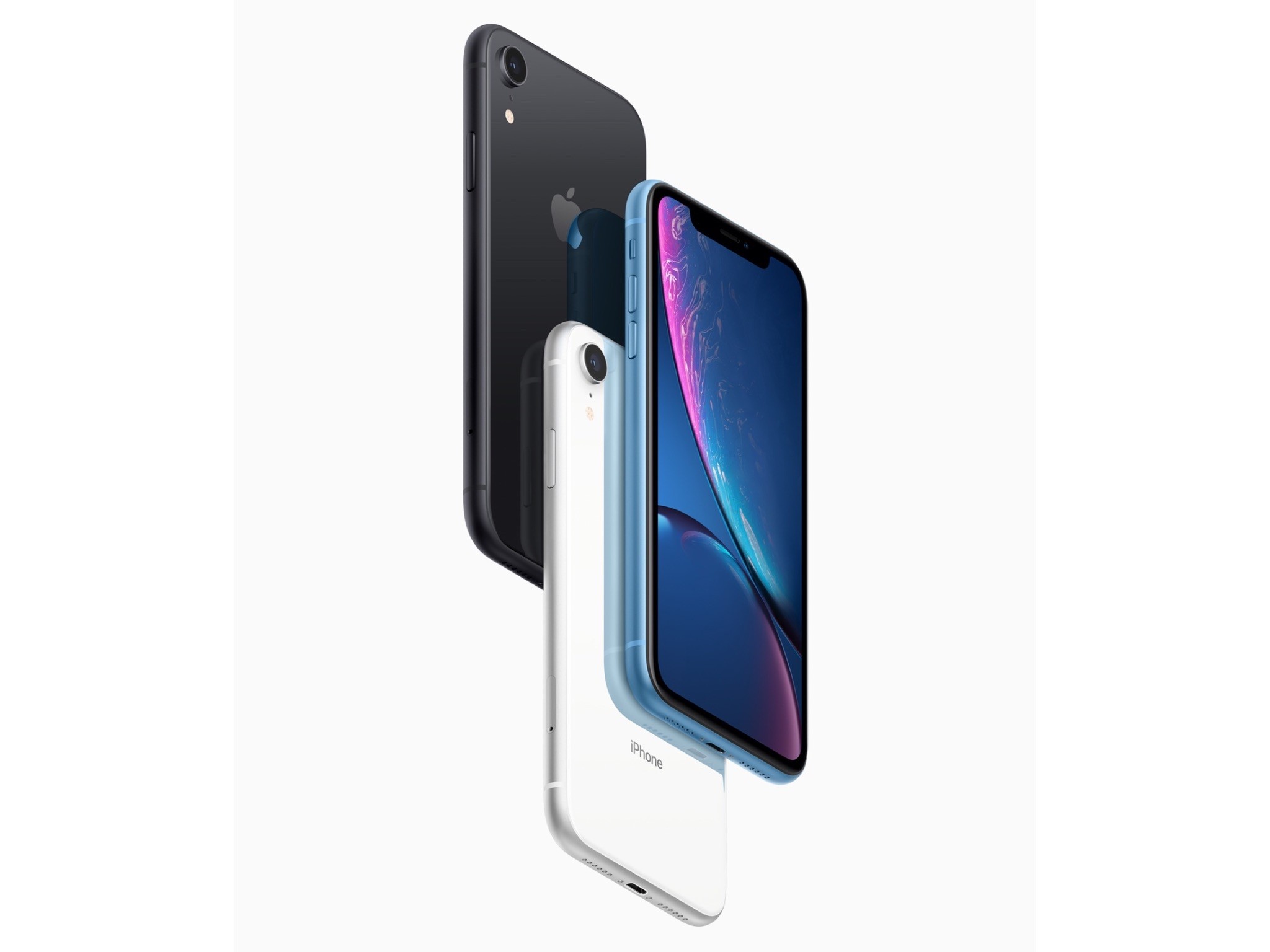
The iPhone XR won’t show up on your doorstep or at your local Apple Store until Friday, but today the embargo on reviews for the device was lifted. The common refrain from reviewers is that the XR is more similar to the XS than different. So similar that Nicole Nguyen of Buzzfeed concludes:
But so far, after five days of reviewing the device, the biggest problem with the iPhone XR is that it’s mostly good — which makes picking an iPhone in 2018 more confusing than ever.
Acknowledging the differences between the XR and XS models, Nilay Patel of The Verge says:
Those differences are interesting, and worth pulling apart, but really, the simplest way to think about the iPhone XR is that it offers virtually the same experience as the iPhone XS for $250 less, but you’ll be looking at a slightly worse display.
So, what are the differences? They include:
- Most notably, a non-HDR LCD display instead of an OLED one
- Slightly larger screen bezels
- An aluminum instead of steel band around the edge of the XR
- A single, wide-angle lens camera that has Portrait mode but limited to human faces and with fewer Portrait Lighting modes available
- Less durable glass on the back of the XR than the XS
- 3GB of RAM instead of 4GB
- No 3D Touch; instead, the XR uses Haptic Touch, which is essentially a long-press with haptic feedback
- No first-party cases yet
- No Gigabit LTE where available
- Longer battery life than the XS (rated at 15 hours by Apple)
- Six vibrant colors
As the reviews bear out, these are relatively minor differences that most users won’t notice.
Reviewers generally give the new LCD display with rounded corners high marks, though acknowledge it isn’t as good as the XS. On the display, Nilay Patel says:
The iPhone XR LCD definitely shifts a little pink and drops brightness quickly when you look at it off-axis, which often leads to a bit of a shimmery effect when you move the phone around. I noticed that shimmer right away, but I had to point it out to other people for them to see it; it’s one of those things you might not notice at first but you can’t un-see. Apple told me the XR display should match previous iPhone LCDs in terms of performance, but side-by-side with an iPhone 8 Plus, the off-axis shifts are definitely more pronounced.
Patel was also impressed with how Apple pulled off those rounded corners:
So Apple built little apertures for the pixels around the corners of the XR display to mask some of the light coming through, on top of antialiasing the curve in software. It’s a neat example of Apple’s attention to detail.
Reviewers spent a lot of time on the XR’s camera. Patel was impressed with the single-lens camera:
Like the XS, iPhone XR photos look incredibly even and preserve highlight and shadow detail more aggressively than any camera I’ve ever used before, at the expense of contrast. It’s a conscious aesthetic decision, according to Apple — the company knows Smart HDR photos look different from traditional photos that have lots of contrast, but the bet is that people will get used to it and eventually prefer this look. And in some cases, I prefer it to the Pixel 3.
As John Gruber of Daring Fireball points out, providing real-world examples:
Portrait Mode is usable on the XR in some low light situations where it’s unusable on the XS.
The bottom line seems to be that the XR is a good value compared with the XS. Gruber concludes:
The iPhone XR is everything Apple says it is, and it’s the new iPhone most people should buy. I’ve been using one as my primary phone for the last week, and it’s a lovely, exciting device. Even some of the things I thought were compromises don’t feel like compromises at all in practice. Overall, yes, the XS and XS Max are better devices, but in a few regards the XR is actually better.
Patel has a similar take:
When I first picked up the iPhone XR, it felt like the big questions would be about what the XR was missing compared to the XS. But now that I’ve used this thing for a while, that seem like the wrong way to think about it. The real question for iPhone buyers is whether the high-res OLED display on the XS is worth $250 more than the XR. Because otherwise, the XR offers almost everything you’d want in a 2018 phone.
The reviews highlight a few interesting details too. According to Gruber, ‘Portrait Mode on the iPhone XR does not offer the Stage Lighting or Stage Lighting Mono lighting effects.’ Patel reveals that the skin smoothing controversy that erupted in the wake of the XS launch is an HDR photo bug that will be corrected in iOS 12.1. Patel also says he’s been told that the lack of a X, XS, or XR battery case is a deliberate choice to avoid antenna interference.
If you’re thinking about buying an iPhone XR, check out the Daring Fireball, The Verge, and BuzzFeed reviews in their entirety, especially for the excellent camera comparisons.










 Federico