John Voorhees

5806 posts on MacStories since November 2015

John is MacStories' Managing Editor, has been writing about Apple and apps since joining the team in 2015, and today, runs the site alongside Federico. John also co-hosts four MacStories podcasts: AppStories, which covers the world of apps, MacStories Unwind, which explores the fun differences between American and Italian culture and recommends media to listeners, Ruminate, a show about the weird web and unusual snacks, and NPC: Next Portable Console, a show about the games we take with us.

This Week's Sponsor:

Crickets

The first alarm app for families.


Apple Updates Final Cut Pro X and Other Video Apps with Third-Party Extensions and More

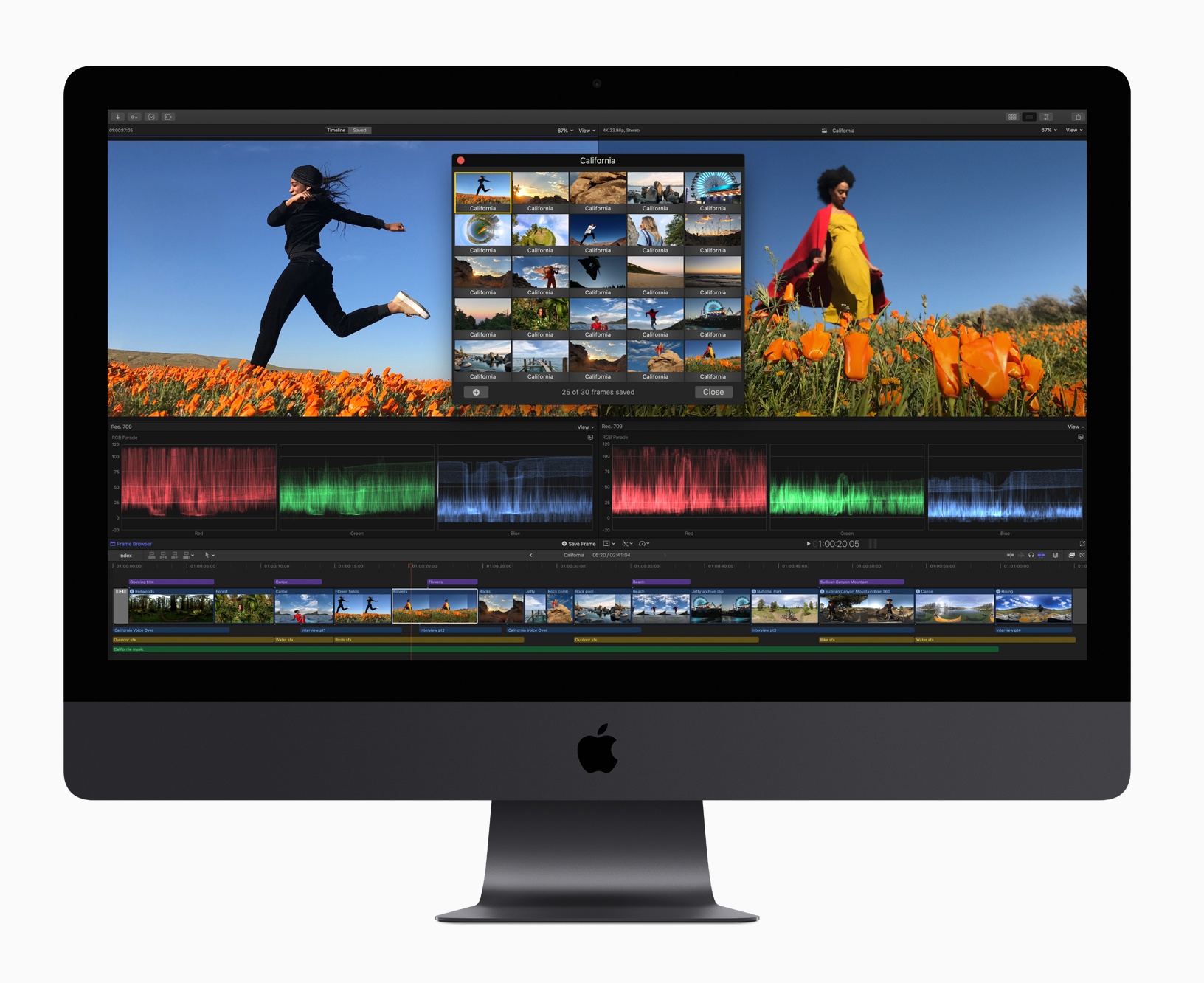
Apple has updated Final Cut Pro X, Motion, and Compressor with several new features.

Headlining the update is Final Cut Pro X, which gained support for third-party extensions. The pro video editing app now includes built-in extensions from Frame.io, Shutterstock, and CatDV, which provide access to those apps and services from within Final Cut itself. The extensions, which match the interface of Final Cut are available from the Mac App Store as free downloads. Apple says it expects additional extensions to be made available in the future.

The Final Cut update includes other enhancements to the app too including:

  • Batch sharing of clips and projects
  • A new Comparison Viewer to allow editors to compare footage against a reference image during the color grading process
  • A customizable floating time code window that can display color-coded clip names, roles, project time codes, and other data
  • Video noise reduction for low-light footage
  • Closed captions in SRT format and formats compatible with a wide variety of video websites
  • Improved marquee selection

Motion and Compressor gained new features too. Motion, which is used for adding motion graphics to Final Cut Pro footage, has added the same color grading tools found in Final Cut. That means editors can use those same tools to adjust the colors of their titles and motion graphics. Motion also gained new comic effect and tiny planet filters.

Compressor, which is used for encoding video, has added a 64-bit engine for improved performance, while maintaining support for 32-bit codecs. Like Final Cut Pro, Compressor now supports SRT closed captioning too.

Final Cut Pro X, Motion, and Compressor are free updates for existing users that are available on the Mac App Store. New users can purchase Final Cut for $299.99, Motion for $49.99, and Compressor for $49.99.


La Roche-Posay Debuts My Skin Track UV, a Solar-Powered UV, Pollution, Pollen, and Humidity Wearable

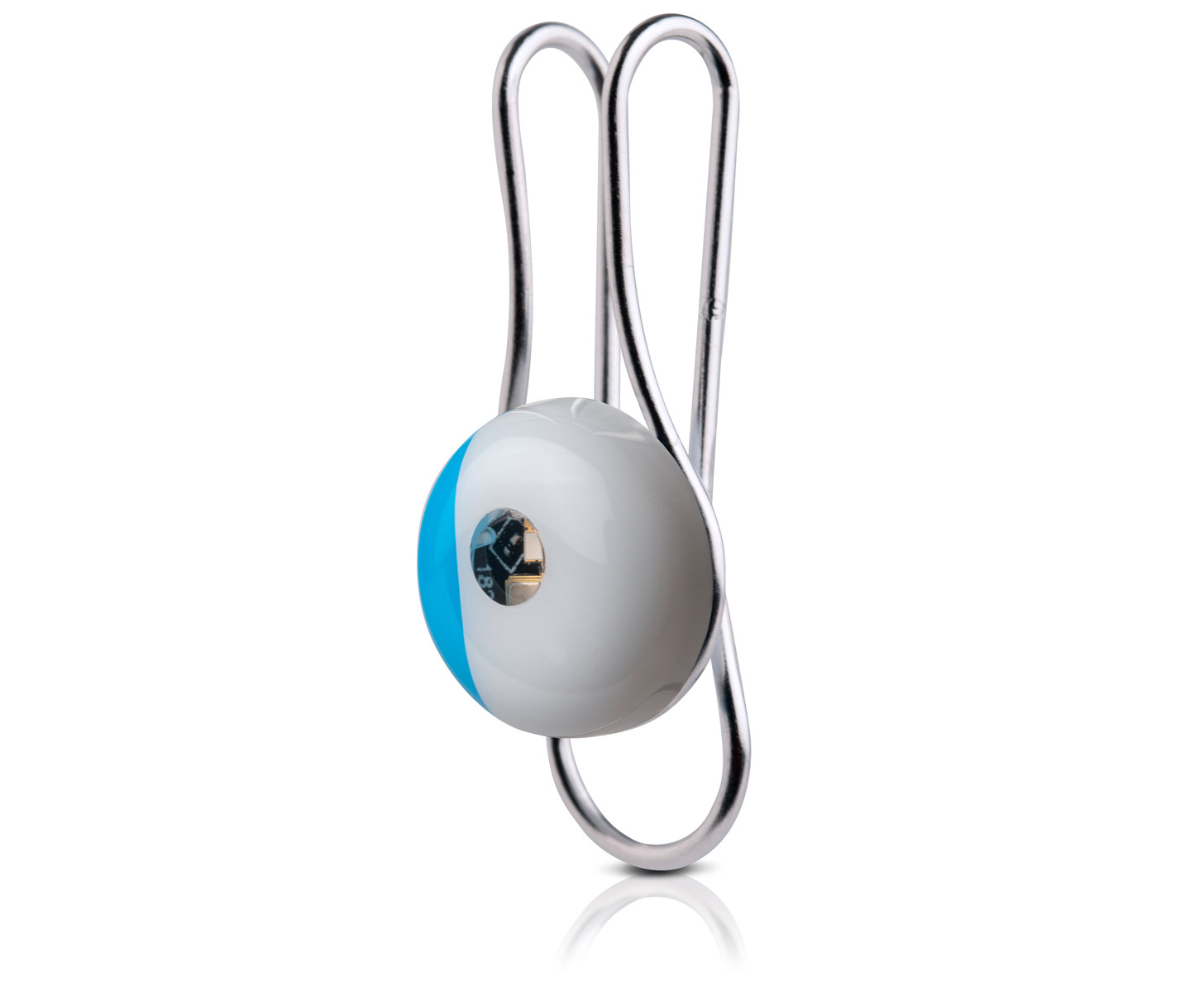
La Roche-Posay has introduced a new wearable device today called the My Skin Track UV. As the name suggests, the device tracks ultraviolet light (UVA and UVB) exposure, but there’s more to it than that.

The company says its new device also tracks pollution levels, pollen, and humidity. That’s a combination that should provide users with a much broader set of data about their environment as they move throughout the day. The device is tiny and water resistant too at just 12mm wide, 6mm high, 17.4 grams, and with an IP67 water resistance rating (the same as the iPhone X, iPhone 8, and 8 Plus).

Another nice touch is that the My Skin Track UV is solar powered so it doesn’t need to be recharged. Clip it to your clothing or something you carry with you every day and La Roche-Posay says the device will remain powered, collecting data.

La Roche-Posay’s website describes the technology behind the device:

The light emitting diode (LED) is used as a detector to capture UV light. This energy will be read by transferring data from the sensor to your phone using Near-Field Communication (NFC) technology. Based on your UV exposure and environmental factors, the app uses an intelligent algorithm backed by over 25 scientific studies to warn you when your environmental exposure is at a level recognized to contribute to your specific skin concern.

One downside of the device’s use of NFC is that it requires users to manually scan it periodically using the companion app to transfer the collected data to the iPhone. The app, which integrates with Apple’s Health app, also offers skin health recommendations.

The My Skin Track UV is available exclusively at select Apple Stores and apple.com for $59.95. We will have a complete hands-on review of the My Skin Track UV device on MacStories soon.


AppStories, Episode 87 – Pick 2: Grocery and HomeRun→

On this week’s episode of AppStories, we go in-depth on two apps we’ve been using a lot recently: Grocery, a grocery shopping list app, and HomeRun, an Apple Watch app for triggering HomeKit scenes.

Sponsored by:

  • Luna Display - The only hardware solution that turns your iPad into a wireless display for your Mac. Use promo code APPSTORIES at checkout for 10% off.
  • Vectornator - Graphic design for the iPad and iPhone reimagined! Visit vectornator.io to learn more.

AppStories+ Deeper into the world of apps

AppStories Episode 87 - Pick 2: Grocery and HomeRun

0:00
29:39

↓

AppStories+ Deeper into the world of apps

Permalink

Pick 2: Grocery and HomeRun

AppStories+ Deeper into the world of apps

AppStories Episode 87 - Pick 2: Grocery and HomeRun

0:00
29:39

↓

AppStories+ Deeper into the world of apps

This week, Federico and John go in-depth on two apps they’ve been using a lot recently: Grocery, a grocery shopping list app, and HomeRun, an Apple Watch app for triggering HomeKit scenes.

Read more


Q&A

Question: I’m a teacher who grades PDFs in PDF Expert. I have a folder called ‘To Grade’ that is in PDF Expert. After I grade files, I move them to a different folder on my iCloud account (but not in PDF Expert) called ‘Graded.’ I can simply drag the files on my Mac, but when...


Apps for Your New iPad Pro

The new iPad Pros are out and whether you’re new to the device or just looking for some fresh app ideas, here are some apps that show off the iPad Pro’s unique capabilities. GoodNotes A big highlight of the new iPad Pro is the redesigned Apple Pencil. Because it charges inductively and attaches...


Accessing Recents from the Compose Screen in Messages

This is an incredibly simple but powerful trick that I only learned recently. The list of friends and family I text regularly is far shorter than my entire Contacts database. As a result, tapping the plus button in the ‘To:’ field when composing a new message is rarely what I want. However, there’s an...


App Debuts

Spark (iOS/Mac) Spark has added templates to its Mac and iOS apps. As the name suggests, templates allow you to create reusable email forms with placeholders that can be completed when composing a message. Templates are accessed from Spark’s settings on iOS and its Preferences on macOS. Adding a template is similar to composing...


Austin Mann: A Photographer’s Review of the iPad Pro→

Source: austinmann.com

Source: austinmann.com

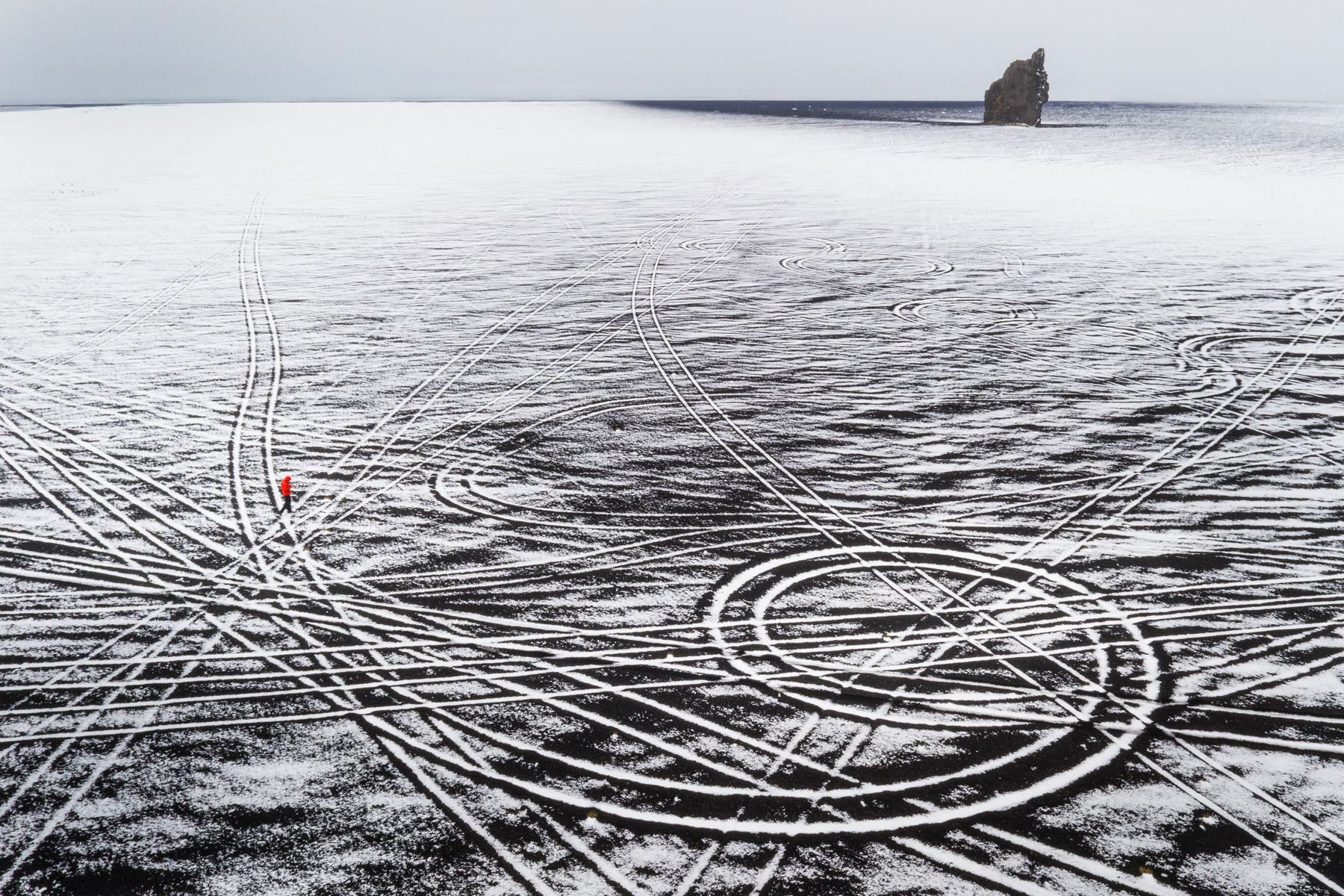
Austin Mann has published a review of the new iPad Pro for photographers. Mann, a professional photographer, is in Iceland shooting 100-megapixel images with a Hasselblad H6D-100c that generates 216MB RAW files that are a great test of Apple’s new hardware. Mann demonstrates how well the iPad Pro handles those images by zooming in and out and panning around with little lag in a video demo of Adobe Lightroom CC.

Beyond the sheer performance of the hardware though, Mann has been impressed with the versatility and portability of the device. As he explains:

I was working with Mavic Pro 2 in the black volcanic deserts of south Iceland. While sitting in the car (in the middle of the desert, in the middle of nowhere), I decided to offload my images and review them.

I pulled out the iPad Pro and a card reader, and within only a few moments I was reviewing them on screen. Next thing I knew I was editing them with the Pencil in Lightroom CC and then I shared one with my wife—all within just a few moments.

It’s really easy to sit just about anywhere (even with a steering wheel in your face) and not just use it, but use it to its full extent. Another cool feature in this scenario is eSIM. Because the iPad Pro is connected to cellular, even in the middle of nowhere Iceland, I could quickly share the images without even thinking about my connection, WiFi, hotspots, etc. Time wasn’t mission critical on this shoot, but in a scenario where time is of the essence, this kind of workflow could be a game-changer.

That’s a sort of power the iPad Pro brings to bear that can’t be measured in chip speeds or other specs. It’s a flexibility that allows photographers and other creative professionals to work in more contexts and with greater efficiency. It’s hard to quantify but just as important.

Be sure to check out Mann’s review for more on his iPad Pro photography workflow and his beautiful photos of Iceland.

Permalink