Federico
AppStories Episode 109 - Pick 2: Moment and MindNode
0:00
35:08
35:08
This week, Federico and John take a deep dive into two apps they’ve been using a lot lately, Moment Pro Camera and the recently-released MindNode 6.

Save articles for later and enjoy them when you have time
 Pick 2: Moment and MindNode
 Yesterday, The New York Times published a story drawing on interviews from makers of parental control apps that had been removed from the App Store or modified at Apple’s insistence. The third-party apps monitored kids’ screen time and limited their access to apps – functionality similar to the Screen Time feature built into iOS 12. The Times suggested the timing of the removals was not a coincidence:
Shortly after announcing its new tools, Apple began purging apps that offered similar services.
The Times also notes that Spotify has complained to EU regulators about Apple, and says other unnamed competitors claim the company is abusing its power to harm them.
Today, Apple responded to the Times’ story on the company’s Newsroom website in a piece titled ‘The facts about parental control apps’:
We recently removed several parental control apps from the App Store, and we did it for a simple reason: they put users’ privacy and security at risk. It’s important to understand why and how this happened.
Apple explains that the apps in question were using Mobile Device Management, which is typically used by enterprises to control employees’ iOS devices. However, MDM poses serious security risks when used in consumer apps from third parties. According to Apple:
Parents shouldn’t have to trade their fears of their children’s device usage for risks to privacy and security, and the App Store should not be a platform to force this choice. No one, except you, should have unrestricted access to manage your child’s device.
In response to the broader suggestion that it was removing apps for competitive reasons, Apple says:
Apple has always supported third-party apps on the App Store that help parents manage their kids’ devices. Contrary to what The New York Times reported over the weekend, this isn’t a matter of competition. It’s a matter of security.
In this app category, and in every category, we are committed to providing a competitive, innovative app ecosystem. There are many tremendously successful apps that offer functions and services similar to Apple’s in categories like messaging, maps, email, music, web browsers, photos, note-taking apps, contact managers and payment systems, just to name a few. We are committed to offering a place for these apps to thrive as they improve the user experience for everyone.
Regardless of its intent, every action Apple takes can have significant economic consequences to its competitors. In that environment, it’s not surprising that stories like the one in the Times are published. It’s the framing of the story – that this is one example of anticompetitive behavior of many – that likely drove the prompt response. Apple has made it clear that services revenue is important to the company’s future, and I suspect it did not want to go into its earnings call Tuesday without having addressed the Times’ story.
Today, Marco Arment released an update to Overcast with a new podcast clip sharing feature. Arment explains why he created the new feature on Marco.org:
Podcast sharing has been limited to audio and links, but today’s social networks are more reliant on images and video, especially Instagram. Podcasts need video clips to be shared more easily today.
I’ve seen some video clips from tools specific to certain podcast networks or hosts, but they were never available to everyone, or for every show. So people mostly just haven’t shared podcast clips, understandably, because it has been too hard.
He’s right. I created a Final Cut Pro template project for making sharable video clips for AppStories, the show I do with Federico. I’ve shared those clips on Instagram and Twitter in the past, but even with a template, the process was more cumbersome and time-consuming than it was worth, so I’ve never shared them as consistently as I’d like.
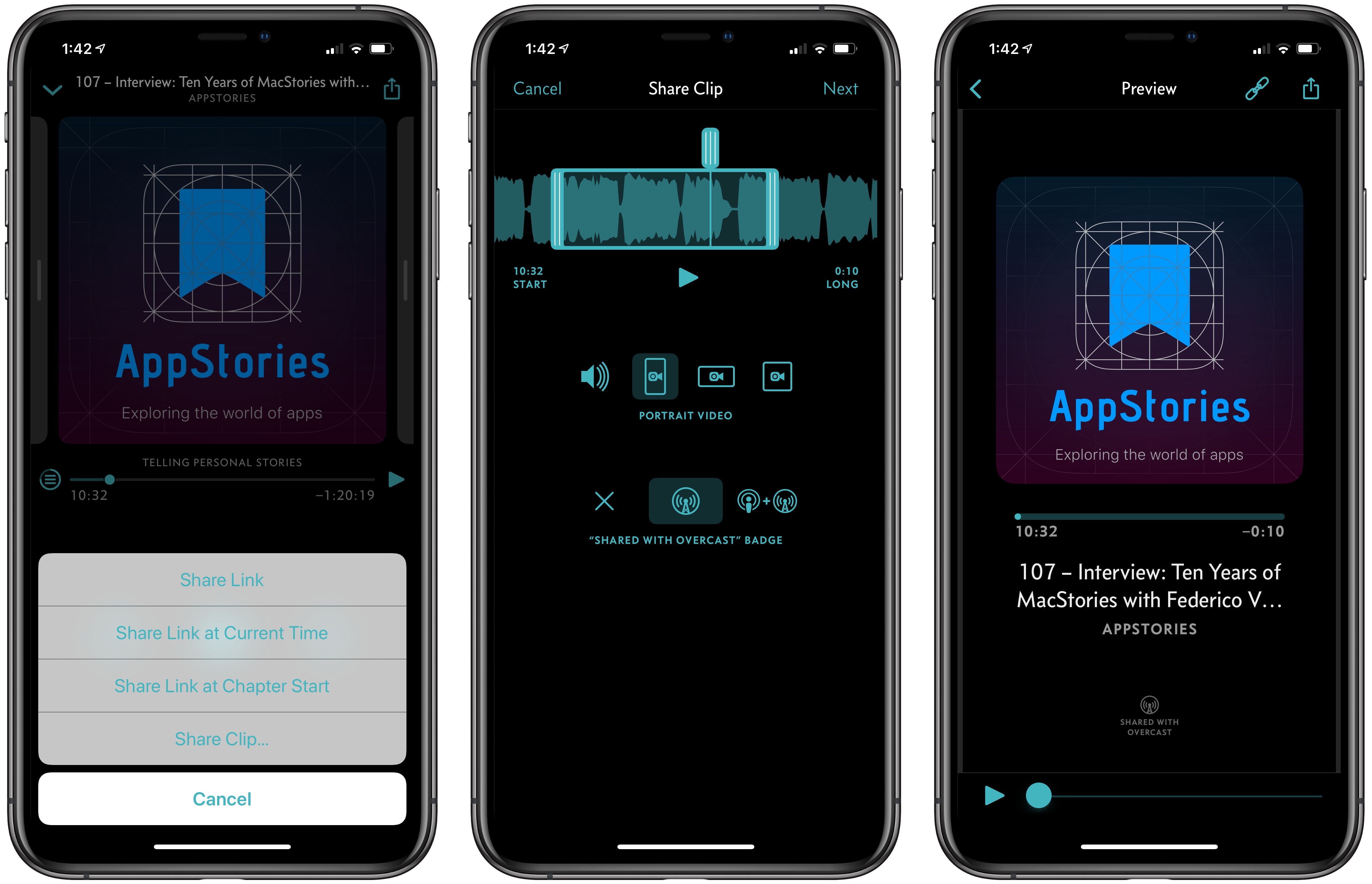
With its new share feature, Overcast has dramatically simplified the process. When you find a clip you want to share, tap the share button and choose ‘Share Clip…’ – Overcast takes you to a new Share Clip screen that allows you to define the beginning and end of your clip with drag handles. One terrific touch is that as you drag the play head across the start or end of the clip, the double vertical lines that define the termination points of the clip animate, so you know precisely when you’ve lined up the play head properly for previewing your clip’s audio.
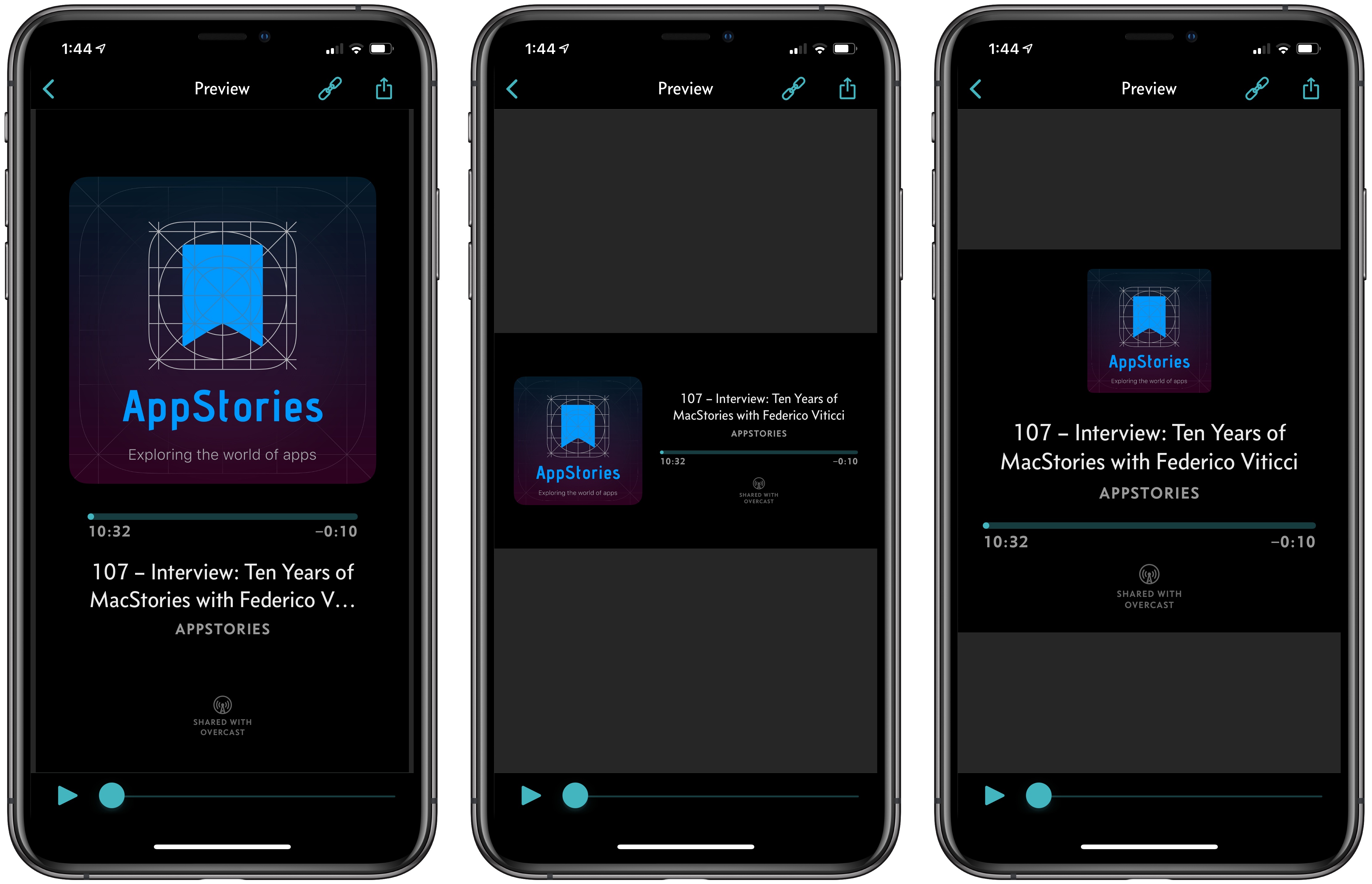
Clips can be shared as portrait, landscape, or square videos and include no badging, Overcast badging, or Overcast and Apple Podcasts badging. Tapping ‘Next’ takes you to a preview of your video where you can see what it looks like before sharing it. When you’re satisfied with your creation, you’ve got two options. First, you can tap the share button and share the video clip to social networks or any other app that will accept an m4v video file. Second, you can tap the link button to share a URL to an overcast.fm page queued to the beginning of your clip, which is a feature that Overcast has had for quite a while.
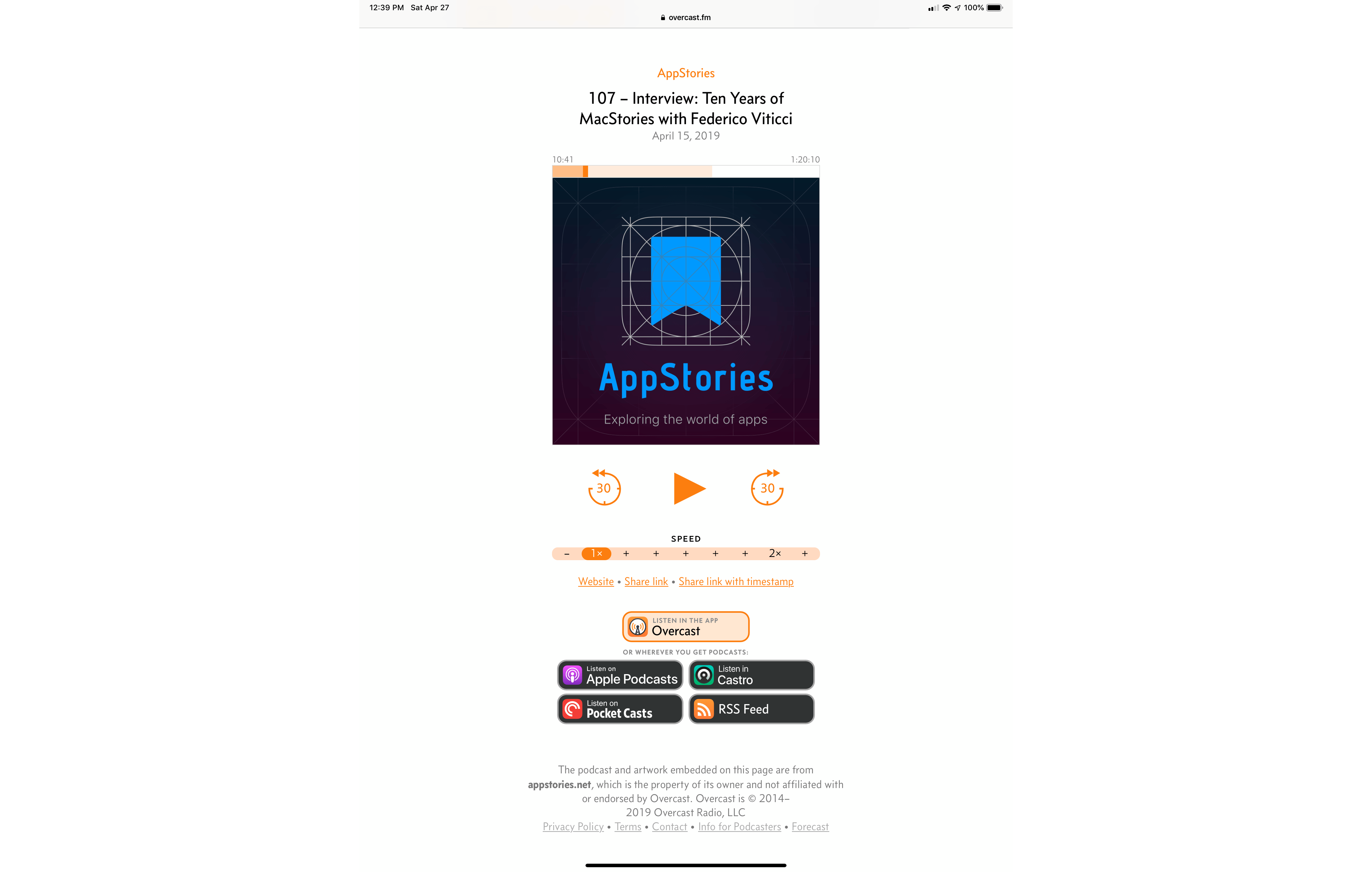
Overcast’s updated clip landing pages include links to Apple Podcasts, Castro, Pocket Casts, and the show’s RSS feed.
Although the link sharing feature of Overcast isn’t new, Arment has refreshed the landing pages for the links to include badges for Apple Podcasts, Castro, Pocket Casts, and the show’s RSS feed, so users can access the linked show from any of these other popular podcast players or the show’s RSS feed.
Expanding clip sharing to add video support is an excellent addition to Overcast. Whether you’re promoting your own show or want to share a snippet of your favorite show with friends, Overcast has made the process so simple that I expect we’ll begin seeing many more of these clips on Twitter, Instagram, and on other social networks very soon.
 Manual Camera Apps
 With the weather finally improving in the Chicago area, I’m finally getting outside, which has meant more chances to try iOS camera apps and gear. I’ve got more coming soon on MacStories but wanted to kick things off with a collection of some of my favorite manual camera apps. Because all of these...
App Debuts Reeder 4 (iOS/Mac) On the surface, the updates to Reeder on iOS and the Mac are relatively minor. According to developer Silvio Rizzi though, both apps have been substantially re-written so they now share common code, which should allow him to make more frequent and coordinated updates to both apps, which have received very...
Q&A Question: Eero isn’t available in the UK so what WiFi setup would you recommend for a good wireless network? (Richard Allum, @TheParaplanner)
Netgear’s Orbi WiFi router is an excellent choice that is available in the UK and Europe. The Orbi system even has an outdoor model that we named a MacStories Selects winner last...
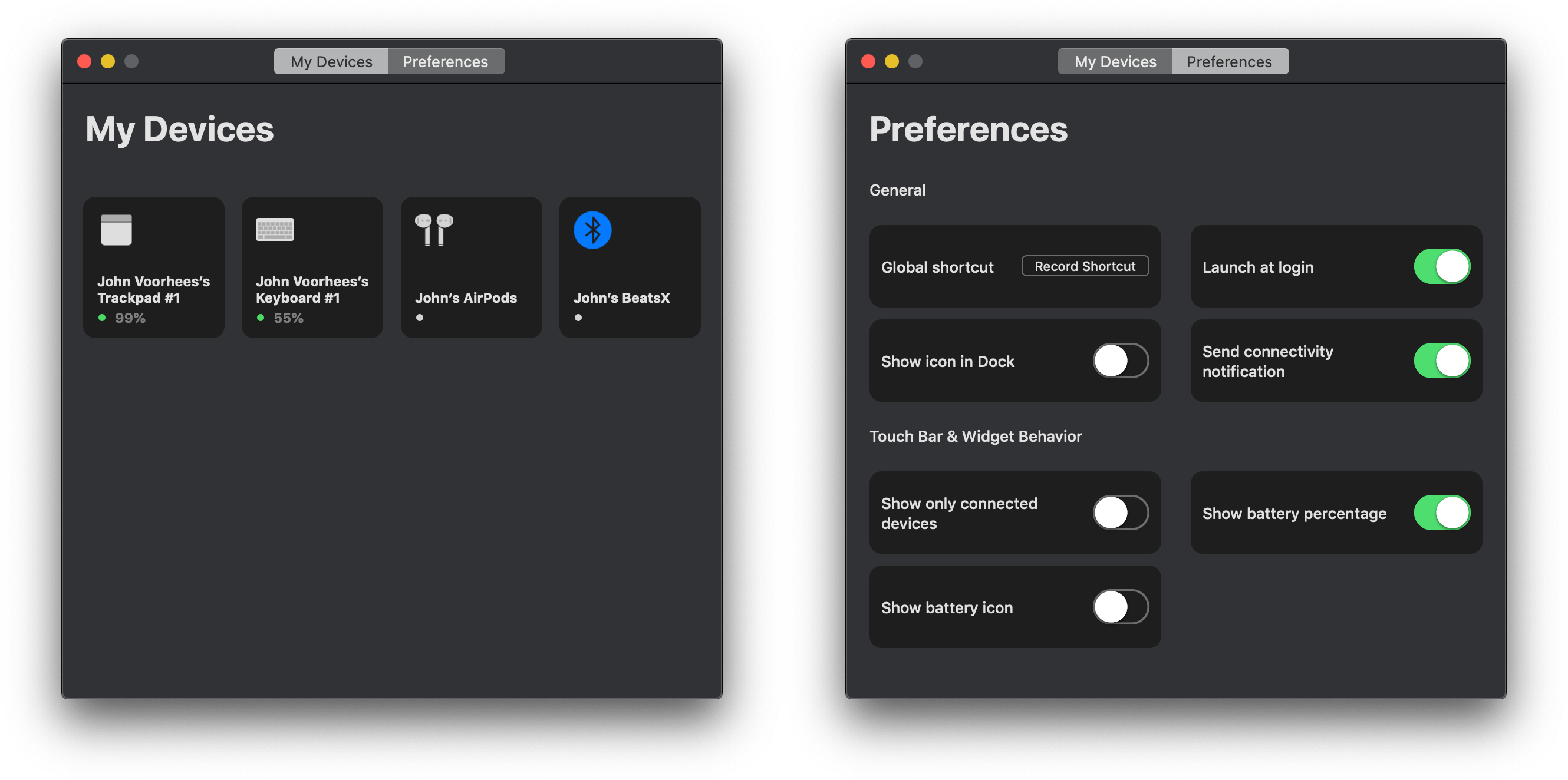
Juice is a Bluetooth device manager for the Mac styled to look like Apple’s Home app. I didn’t expect to like the utility much because I don’t like the Home app’s design. It turns out though that for an app like Juice, Home’s mostly monochrome tile UI works and the app does an excellent job consolidating useful bits of Bluetooth functionality that are scattered throughout macOS.
On this week’s episode of AppStories, we talk about our new Mac minis, the very different ways we use them, and the apps we rely on the most.
Sponsored by:





 Our New Mac mini Setups