John Voorhees

5440 posts on MacStories since November 2015

John is MacStories' Managing Editor, has been writing about Apple and apps since joining the team in 2015, and today, runs the site alongside Federico. John also co-hosts four MacStories podcasts: AppStories, which covers the world of apps, MacStories Unwind, which explores the fun differences between American and Italian culture and recommends media to listeners, Ruminate, a show about the weird web and unusual snacks, and NPC: Next Portable Console, a show about the games we take with us.

Adobe Fresco: A Fun and Powerful iPad Drawing and Painting App For Pros and Novices

I’m not an artist by any stretch, so when I started poking around Adobe’s Fresco, the drawing and painting app for the iPad and iPhone, I approached the app with trepidation. I shouldn’t have.

Fresco is undeniably a ‘pro’ iPad app. The app has a deep set of sophisticated features and integrations with Adobe’s other Creative Cloud apps and services. However, the app is also designed to scale with its users, meeting them where they start and growing with them, whether they are absolute beginners or seasoned pros.

Adobe accomplishes this in a couple of ways. The first is with Fresco’s business model. I’m sure many people who see an app of Fresco’s caliber assume it must be part of an expensive subscription, but it’s not. The app is free, and although there are benefits that only come with a Creative Cloud subscription, their absence from the free version of the app doesn’t detract from its core experience. You can go a long way with the free version, which makes it excellent for beginners and a good way for Adobe to attract new users.

Free is powerful, but it only goes so far. The second reason Fresco works for a broad spectrum of users is the app’s design. From the spot in the app to which every user is taken when they open their first canvas to the many ways to learn and draw inspiration from experienced users, Fresco’s thoughtful design provides a focused approach to drawing and painting that works for users at all levels.

Ultimately, it’s Fresco’s design that convinced me that this was a review I should write. I’m as guilty as the next person of assuming apps like Fresco are only for pro users. I’ve been pleasantly surprised to find that that’s not true for Fresco. So let’s dive into what makes Fresco such a good place to start if you want to try drawing and painting with your iPad and iPhone.


Read more


Reading Newsletters

AppStories+ Deeper into the world of apps

AppStories Episode 208 - Reading Newsletters

0:00
40:08

AppStories+ Deeper into the world of apps

This week, Federico and John dig into email newsletters and how they manage and read them.

Read more


Apple Launches Kid-Friendly Podcast Collections

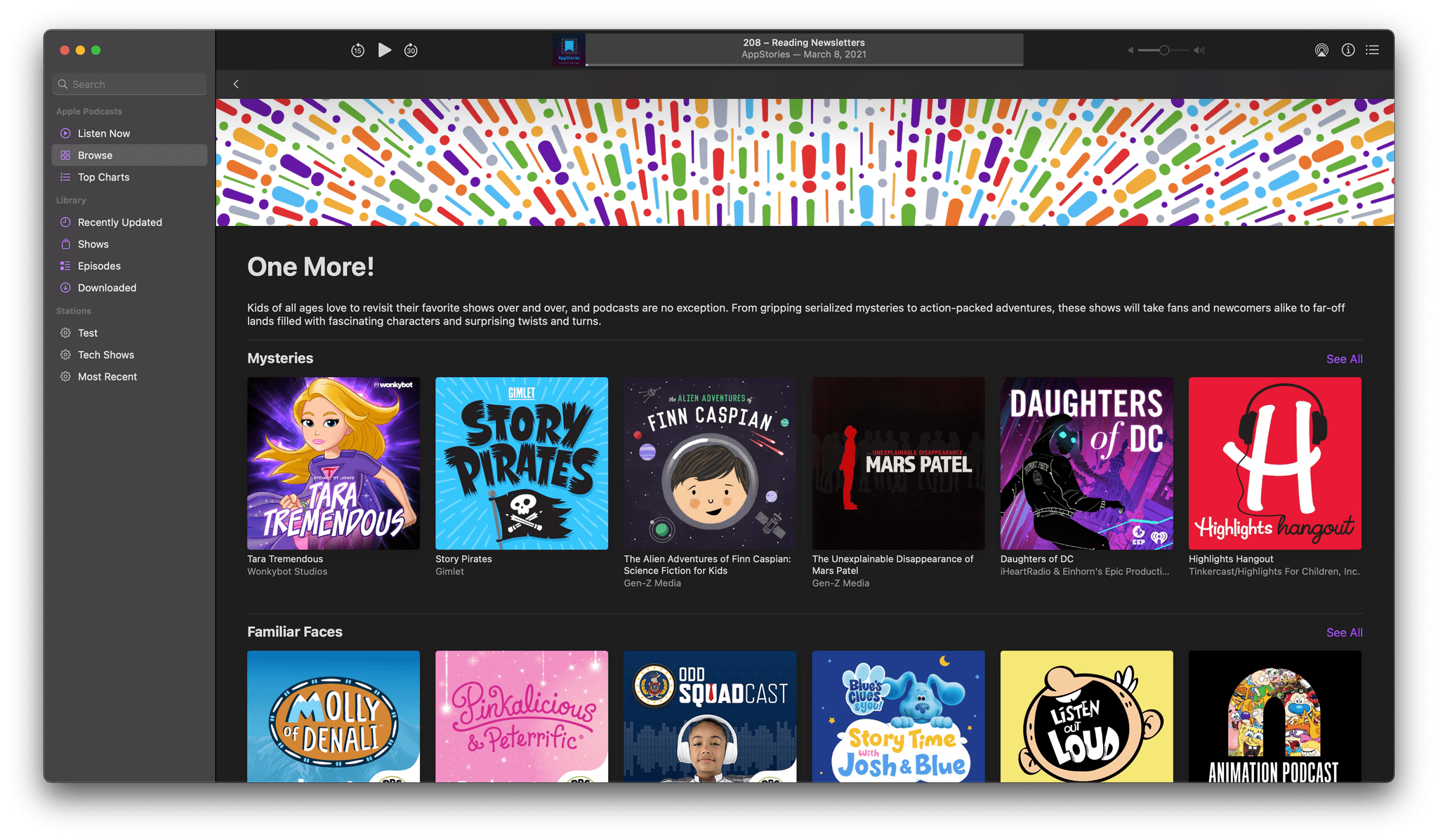
Apple has partnered with Common Sense Media to curate collections of podcasts for kids in the US. The shows are picked by Common Sense Media, an organization whose editors have a long history of helping parents and educators find age-appropriate media for children.

The shows currently highlighted in Apple Podcasts’ new collections are from a wide variety of creators like Tinkercast, American Public Media, Gen-Z Media, Pinna, Tumble, Highlights, WNYC Studios, Rebel Girls, and Nickelodeon. The collections will be updated monthly and will feature podcasts organized by age groups and themes. Currently, there are four themed collections available:

  • Common Sense Media Picks, a collection of some of the organization’s all-time favorite podcasts
  • One More!, a collection of mysteries and action-packed stories
  • Kids Know Best, shows picked by kids themselves
  • Story Time, which includes stories designed to spark kids’ imaginations
Some of the shows spotlighted in the One More! collection in Apple Podcasts.

Some of the shows spotlighted in the One More! collection in Apple Podcasts.

With the large number of podcasts available today, the guidance provided by these new collections is a terrific resource for families. There are a lot of shows here that I know my kids would have enjoyed when they were younger.


Men’s Health Goes Behind-the-Scenes at Apple’s Fitness+ Studio

Men’s Health was given a behind-the-scenes tour of Apple’s 23,000 square foot Fitness+ studio in Santa Monica, California. The publication also interviewed Jay Blahnik, Apple’s senior director of fitness for health technologies, and COO Jeff Williams for the story.

From the story’s photographs and description of the studio, it’s clear that Apple has put a lot of effort and money behind the Fitness+ classes:

“We want these workouts to be magical. We’re creating a piece of art, a piece of inspiration, a piece of motivation,” says Blahnik. “Many people might not think about the importance of lighting a cycling class differently than a yoga class, but we think it makes a difference.” Blahnik’s worked in fitness for more than 30 years. He developed fitness devices and apps at Nike in the mid-2000s, and he’s also a rowing instructor. “Fitness+ creates incredible workout experiences that are also beautiful.”

Classes are shot with a sophisticated setup that allows Apple to create videos tailored to each type of workout:

Seven cameras and three trainers might seem like overkill, but there’s a method to this muscle-building moviemaking. Apple shoots with high-end Super 35–format cinema cameras, in high definition. Mounting the cameras on robotic arms enables smooth movement, creating an elegant and intimate feel. “We built the studio in a way that would allow shooting all the angles to make the right choices to show just the right angle at just the right time,” says Blahnik.

There are a lot of interesting insights about how the classes are created by Apple’s team of instructors and fitness experts, too, so be sure to check out the full article.

Permalink

Apple Has Apparently Pulled the Plug on the iMac Pro

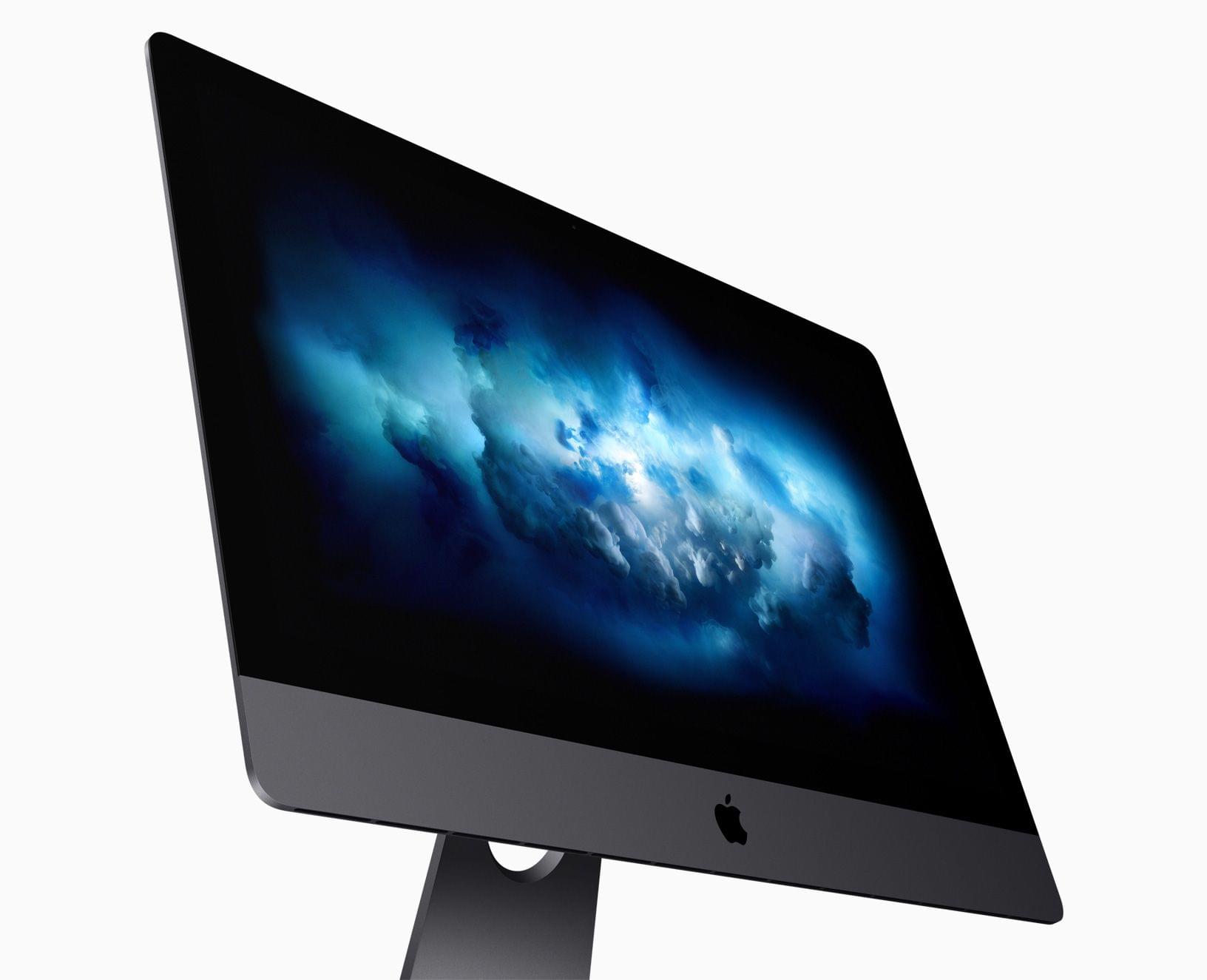
Apple hasn’t made an official announcement the iMac Pro’s future, but the Mac’s product page speaks volumes. As first reported by MacRumors, the configurable models of the iMac Pro are no longer available for purchase. The only remaining iMac Pro on Apple’s online store is the $4,999 base configuration, which Apple notes prominently at the top of the page will only remain available ‘While supplies last.’

Available 'While supplies last.'

Available ‘While supplies last.’

The iMac Pro was introduced by Apple at the end of 2017. The model has received minor updates over the past three years, but the hardware configuration has remained mostly unchanged. With the advent of the new Mac Pro and Apple’s M1 SoC Macs, speculation has been widespread that the iMac Pro might not survive the transition, which now appears to be the case.

With the iMac Pro gone, it will be interesting to see what becomes of the rest of Apple’s desktop Mac lineup. Will a more powerful M1-based iMac take its place, or will Apple introduce something entirely new like a smaller G4 Cube-inspired Mac Pro that Mark Gurman has said is coming? If Apple’s spring event schedule of the past few years is any indication, we could find out as early as the end of this month.

Update: Since this story’s original publication, Apple has confirmed to MacRumors that the iMac Pro has indeed been discontinued.


MacStories Unwind: A New Note-Taking Research App for the Mac, Spotify’s List of New and Upcoming Features Continues to Grow, and It’s Now Easier to Move Your iCloud Photo Library to Google Photos

AppStories+ Deeper into the world of apps
0:00
24:16

AppStories+ Deeper into the world of apps


Sponsored by: SaneBox – Organize Your Inbox and Never Waste Time on Email Again

This week on MacStories Unwind:

MacStories

Club MacStories

  • MacStories Weekly
    • Federico’s Home Screens
    • Alex on MagSafe chargers
    • John with GoodTask Tips and a shortcut for extracting URLs from long Craft documents

AppStories

Unwind