John Voorhees

5439 posts on MacStories since November 2015

John is MacStories' Managing Editor, has been writing about Apple and apps since joining the team in 2015, and today, runs the site alongside Federico. John also co-hosts four MacStories podcasts: AppStories, which covers the world of apps, MacStories Unwind, which explores the fun differences between American and Italian culture and recommends media to listeners, Ruminate, a show about the weird web and unusual snacks, and NPC: Next Portable Console, a show about the games we take with us.

MacStories Unwind: Mac OS X Turns 20, Shortcuts Links Temporarily Break, and a Big Reflector Update

AppStories+ Deeper into the world of apps
0:00
27:02

AppStories+ Deeper into the world of apps


Sponsored by: Ulysses – The Ultimate Writing App for Mac, iPad and iPhone

This week on MacStories Unwind:

MacStories

Club MacStories

  • MacStories Weekly
    • Federico experiments with Firefox on iOS
    • John builds PDF-based read later workflow with three-shortcuts
    • MacStories Recommends: Calendar 366 

AppStories

Unwind


Recently-Created Shortcuts Links Are Currently Broken

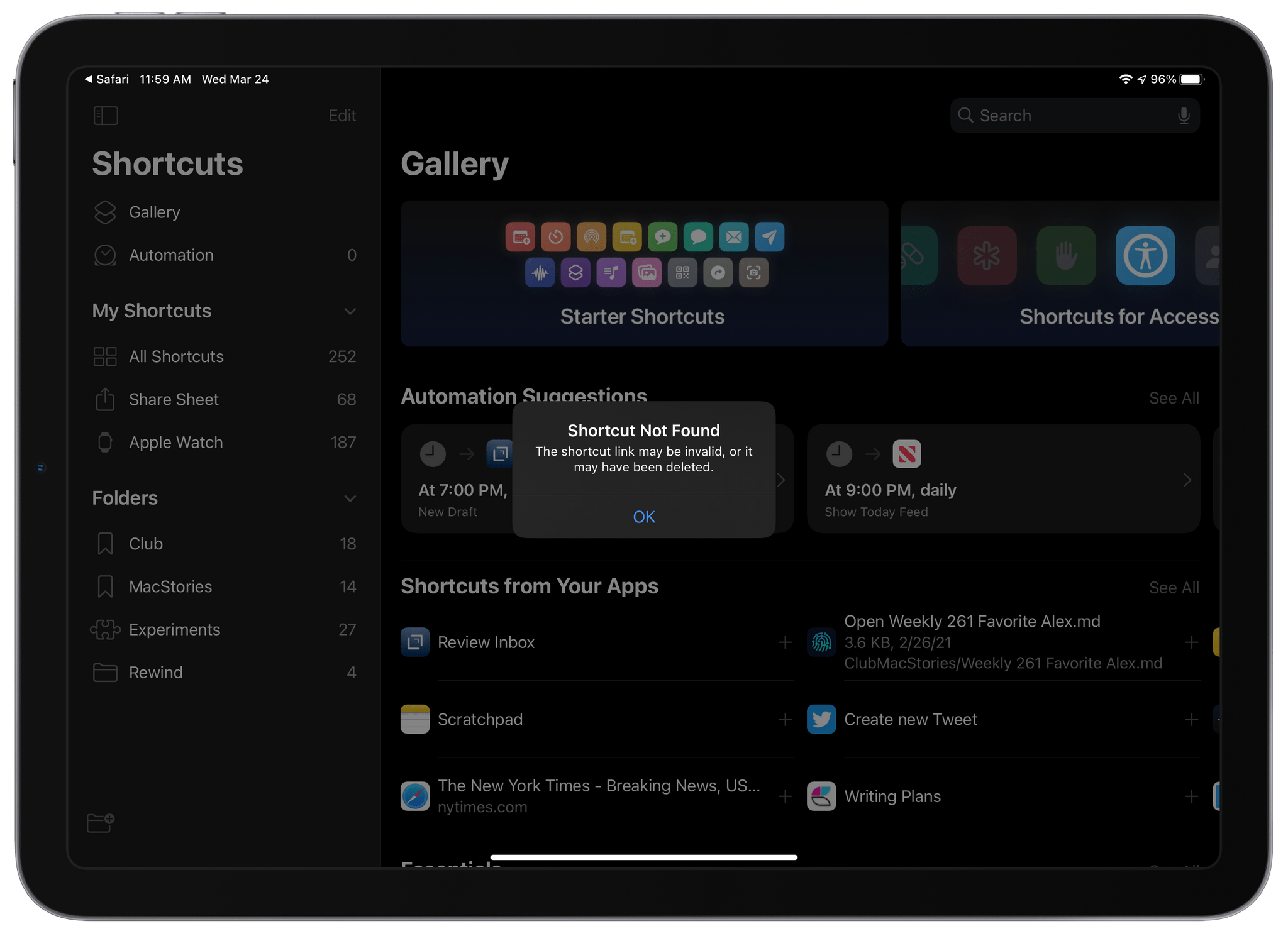
iCloud links to shortcuts broke sometime in the past 24 hours. Instead of opening the Shortcuts app and allowing users to install a shared shortcut, tapping a shortcut link displays an alert with the message ‘Shortcut Not Found,’ explaining that the link may be invalid or the shortcut may have been deleted. Based on our internal testing, the issue appears to affect all shortcut links created before yesterday.

The problem with shortcut links first surfaced in the Shortcuts subreddit late yesterday and early today on Twitter. Yesterday also saw the release of OS betas by Apple, but there is currently no evidence that the two events are linked. It’s also unknown whether the change was intentional or not. However, given that URLs can still be created and shared for new shortcuts, it seems more likely that the issue is related to a bug. We have contacted Apple seeking clarification about the situation but haven’t received a statement from the company.

The issue affects everyone who has shared shortcuts, from individual users to publications like MacStories that have shared shortcuts online. As a result, none of the shortcuts shared in the MacStories Shortcuts Archive currently work. That’s also true for other sites like RoutineHub and the shortcuts subreddit and writers and YouTubers like Chris Lawley and Matthew Cassinelli who have shared many of their own shortcuts.

Unfortunately, as this story is published, we don’t yet know if or when shortcuts links will begin working again. We will update this post as new information surfaces.

Update: Late yesterday, we received the following statement from Apple about the problem with previously-shared shortcuts links:

We are aware of an issue where previously shared shortcuts are currently unavailable. Newly shared shortcuts are available, and we are working to restore previously shared shortcuts as quickly as possible.

This is great news for shortcuts users. We don’t know yet when previously-shared shortcuts will be available, but we’ll let you know as soon as they are, so keep an eye on MacStories for further updates.


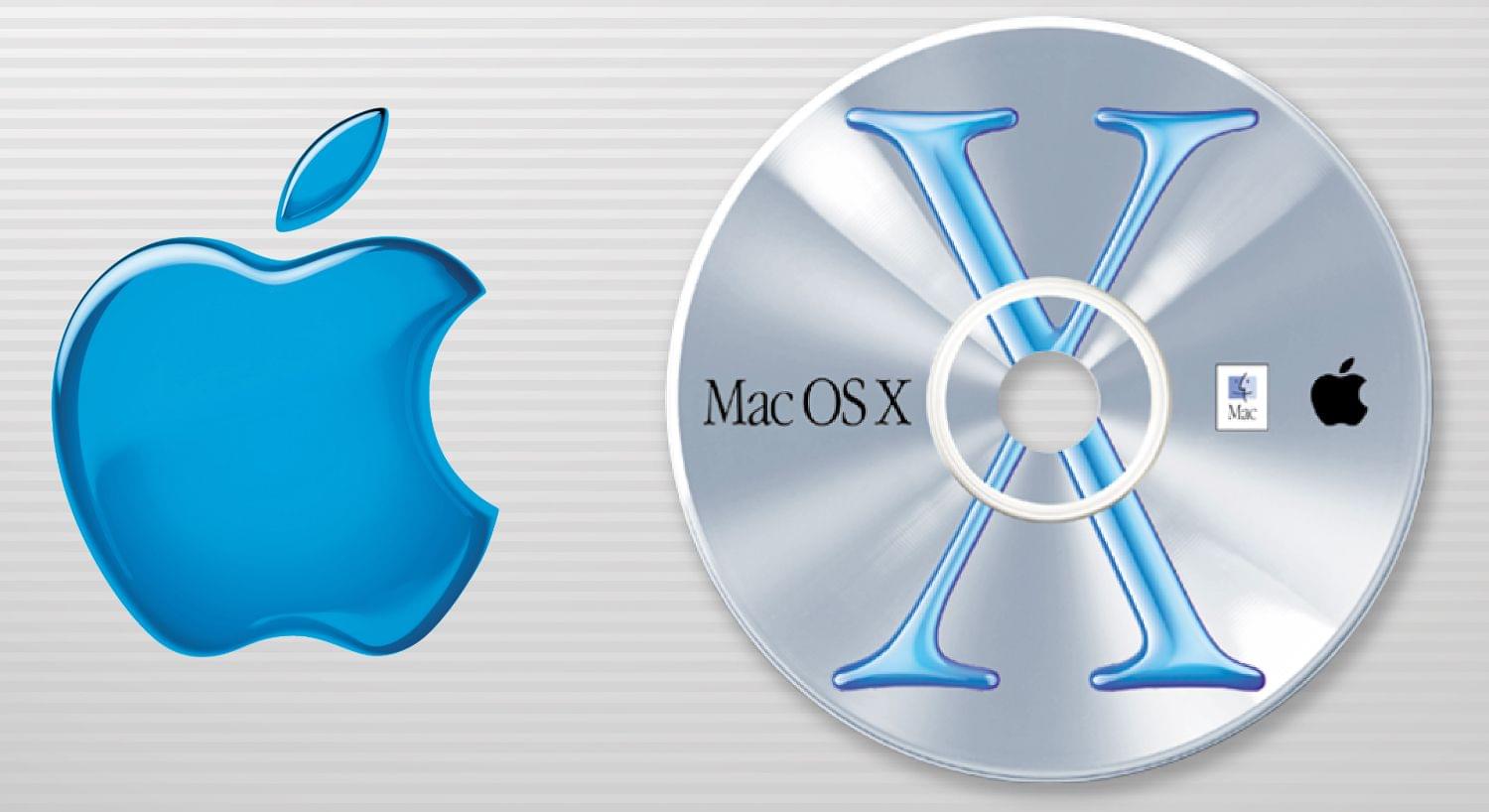
20 Years Ago, Mac OS X Set the Stage for Today’s Apple

It’s hard to believe that it’s been two decades since Mac OS X was released. I wasn’t a Mac user in 2001, but as a tech fan, I followed the release of OS X and the later switch to Intel closely, which was what finally convinced me to buy my first iMac.

Today, with Mac OS X gone and Intel chipsets not far behind, I thought it would be fun to look back at OS X and the transition to it compared to the recent switch to macOS 11 Big Sur. I started by watching Steve Jobs’ introduction of Mac OS X at Macworld Expo in 2000, which was a perilous time for the Mac. The company was just two and a half years into Jobs’ return as iCEO and had recently filled out its simplified product grid, adding the iBook to the iMac, Power Mac G4, and PowerBook lineup.

Read more


Reflector 4 Updated with Modern UI and M1 Mac Support

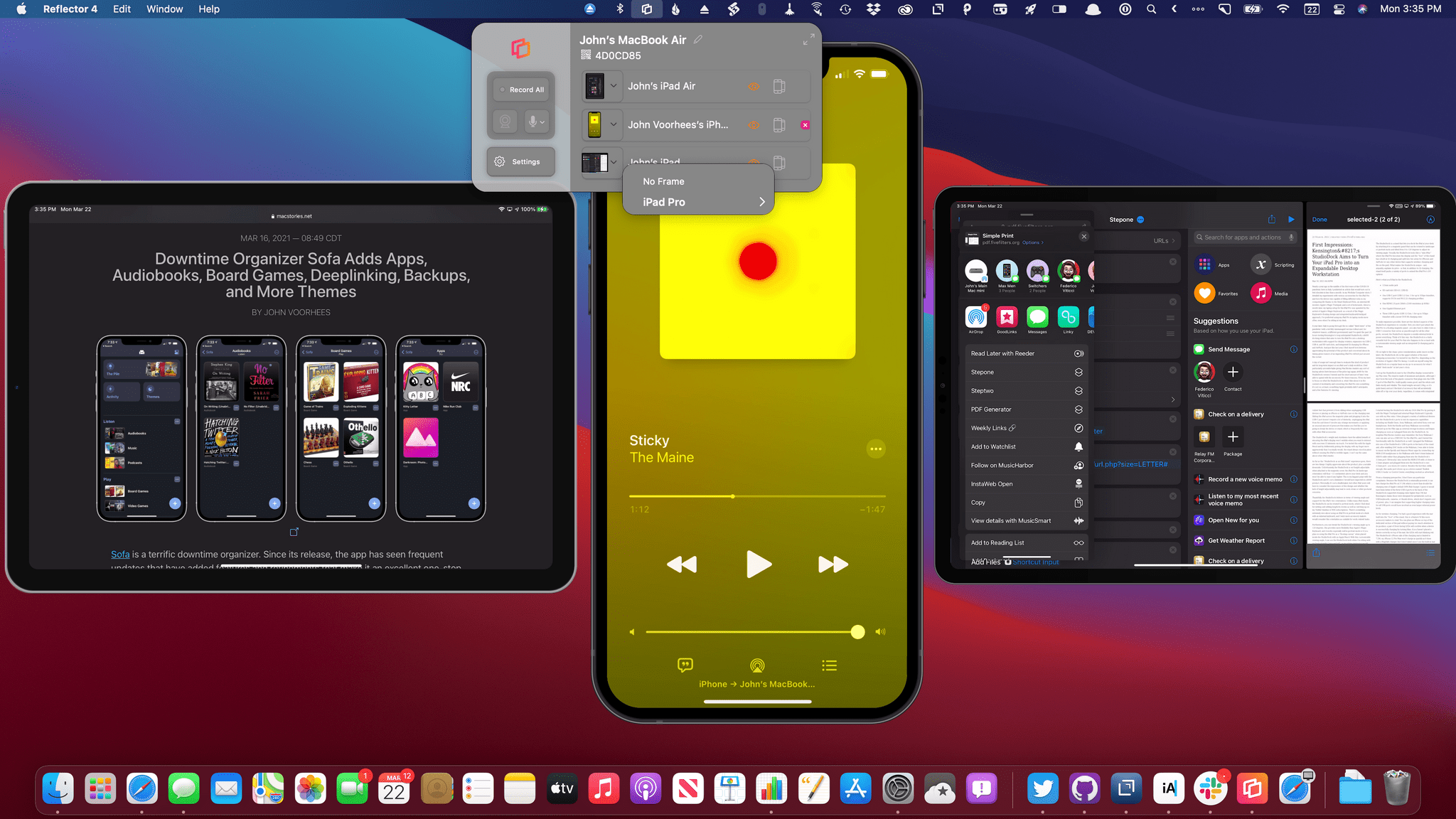
Reflector 4, an app for mirroring iPhones, iPads, and other devices to the Mac, has been updated with a new design, M1 Mac support, and new onscreen device frames. Whether you’re making screencasts, demoing apps for a group, or in a classroom environment, Reflector lets you wirelessly transmit your device’s UI to your Mac and record it too. In addition to mirroring iPhones and iPads, which is what I did in my testing, you can also mirror Android, Windows, and Chromebook devices. Think of it as Apple TV and Chromecast’s mirroring and streaming features all on a Mac, thanks to this one simple menu bar app.

Read more


Imagining the Perfect Read-It-Later App

AppStories+ Deeper into the world of apps

AppStories Episode 210 - Imagining the Perfect Read-It-Later App

0:00
58:29

AppStories+ Deeper into the world of apps

This week, Federico and John, who are always on the lookout for new ways to read and process the stories they find, discuss the features and approaches they’d like to see in the ideal read-it-later app.

Read more