John is MacStories' Managing Editor, has been writing about Apple and apps since joining the team in 2015, and today, runs the site alongside Federico.
John also co-hosts four MacStories podcasts: AppStories, which covers the world of apps, MacStories Unwind, which explores the fun differences between American and Italian culture and recommends media to listeners, Ruminate, a show about the weird web and unusual snacks, and NPC: Next Portable Console, a show about the games we take with us.
This week, Federico and John consider whether changes coming to Apple’s OSes make a system app-only research and writing workflow possible and discuss where there’s room for improvement.
On AppStories+, Federico and John talk about Calliope, the web app that underlies AppStories+ and Club MacStories, and John shares his thoughts on the Kobo Elipsa as an eBook reader and note-taking device.
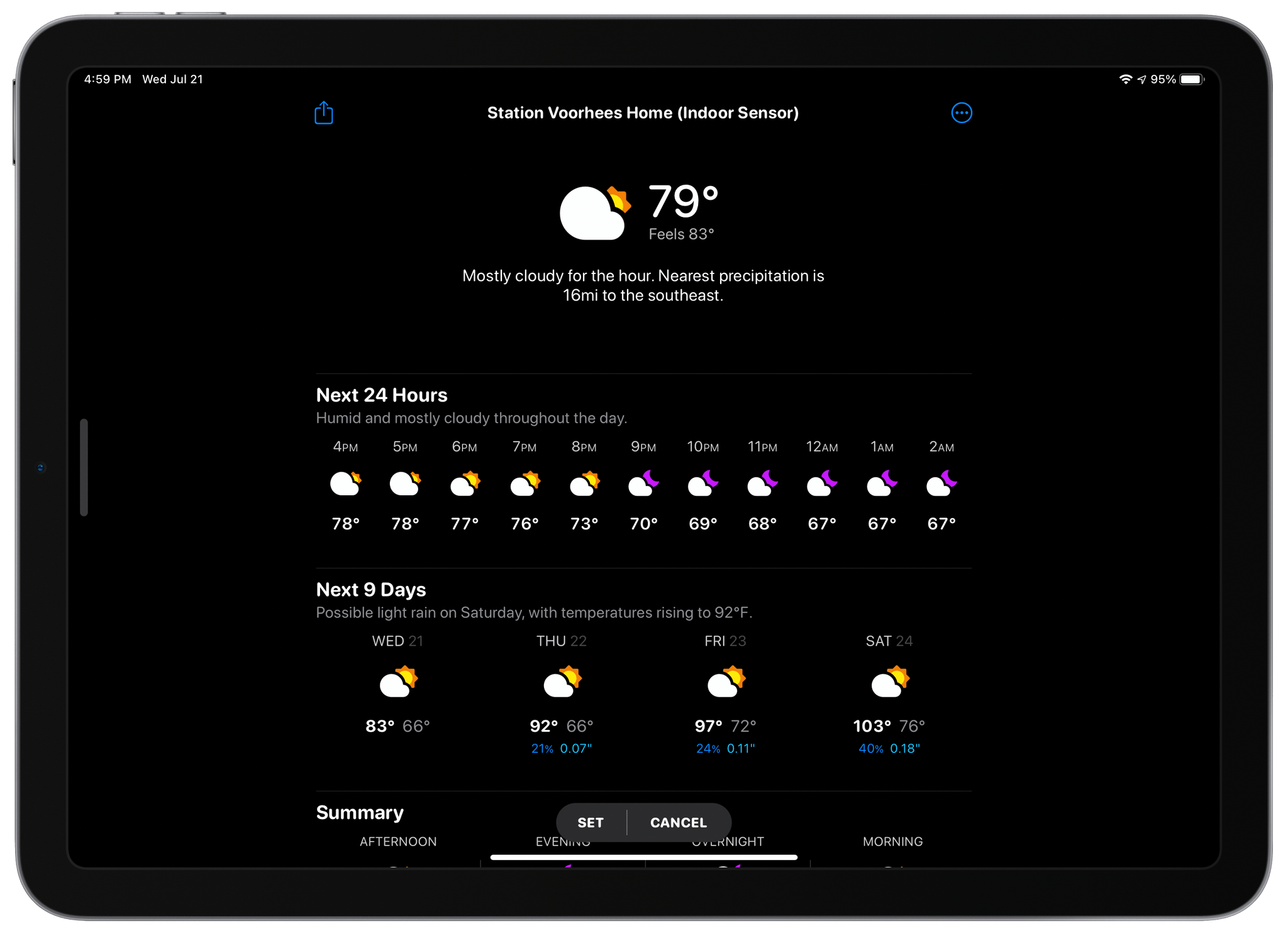
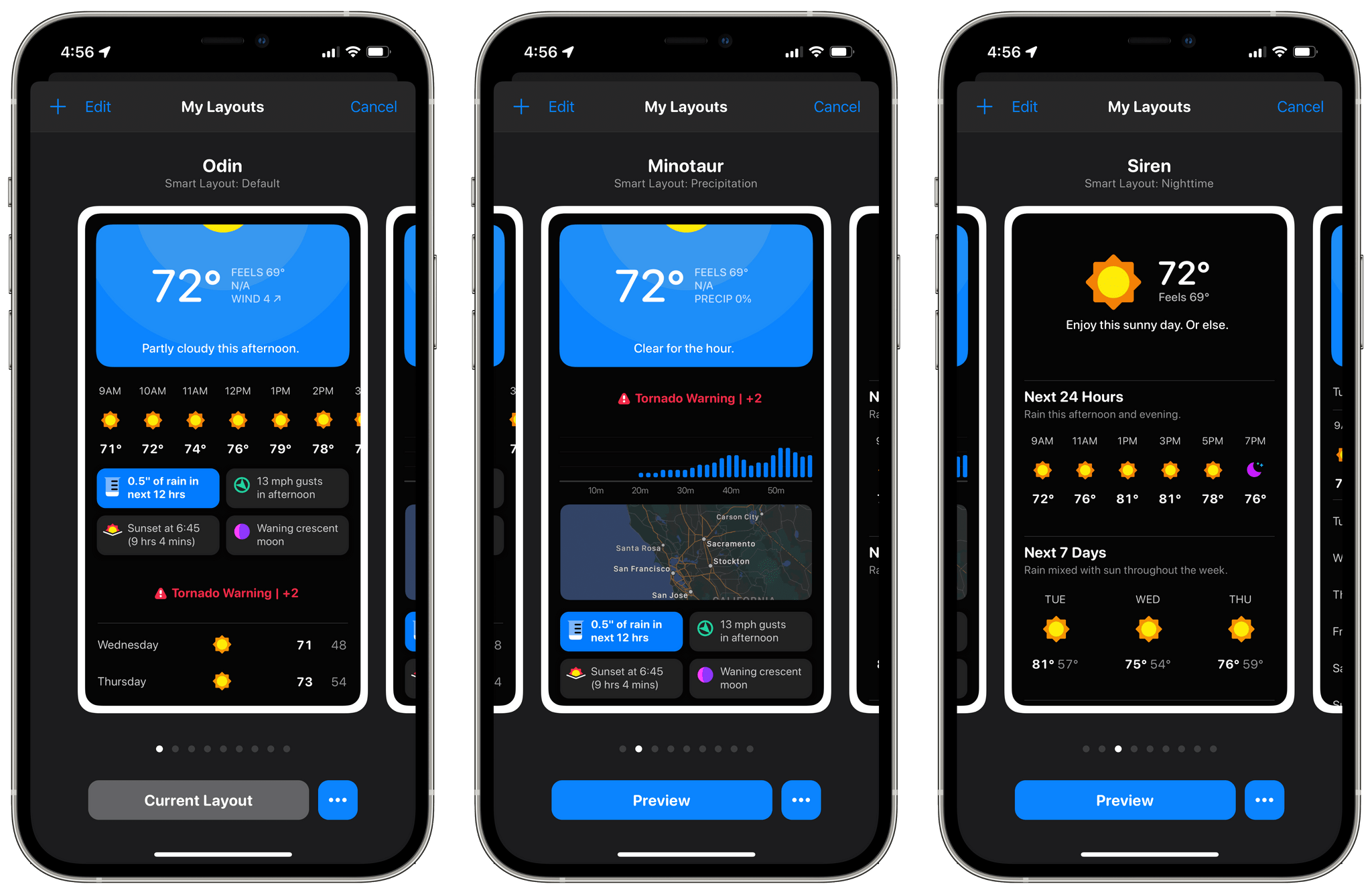
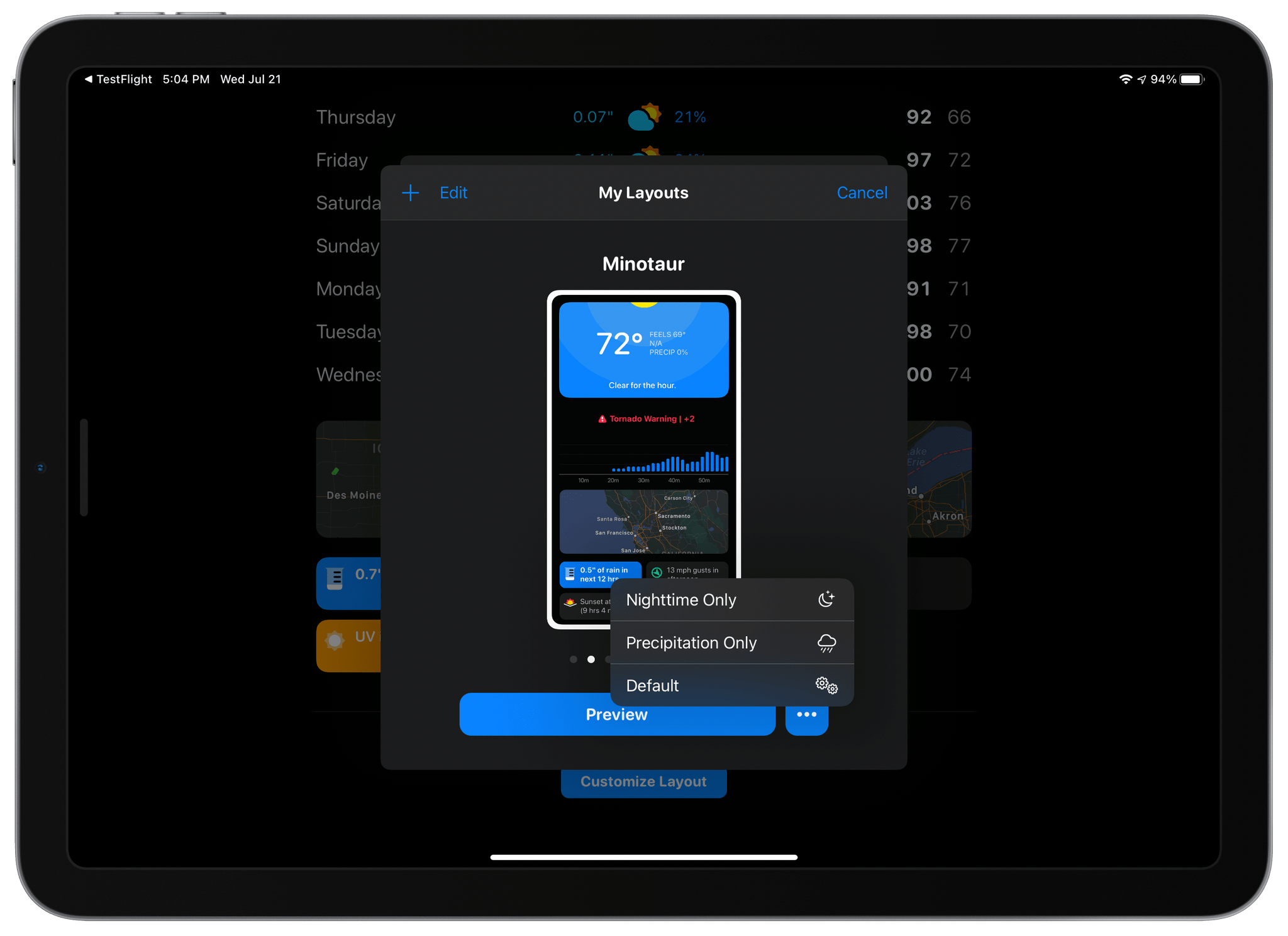
With version 5.3 that was released today, Mueller has added Smart Layouts, allowing users to create different layouts for nighttime and when it’s going to rain. I like these new options a lot for a couple of reasons. The first is practical: if it’s nighttime, you probably don’t care about the day’s high temperature because it likely happened hours ago. Likewise, if it’s going to rain, a graph of when the rain is going to start and when it will be most intense is far more important to you than on a beautiful, sunny day.
Picking Smart Layouts.
With Smart Layouts, you can adjust your weather layouts for each circumstance. For example, I created a Smart Layout for nighttime based on the Siren template that emphasizes the current conditions followed by the hourly and daily forecasts. When rain is in the forecast, I’ve got a layout that moves a precipitation graph and radar view to the spots just below the current conditions. The changes I made were relatively minor but have made CARROT Weather more relevant as conditions change.
I also enjoy Smart Layouts because they’re another outlet for trying new layout templates and experimenting with setup options. The process is fun and adds an extra touch of personalization and variety that I enjoy. Smart Layouts require a Premium Club subscription to CARROT Weather.
The other headline feature of CARROT Weather’s update is Weather Reports, which lets you create 30-second weather report videos and share them. Whether you’re flexing from the beach on vacation or just want to complain about how hot it is to your friends, Weather Reports are a ton of fun. Videos are recorded with the front-facing camera, and CARROT Weather lends a hand by providing an overlay to help frame yourself. Videos can be scripted randomly by CARROT or unscripted, and you can even pick a funny weatherperson name if you’d like. If you pick a scripted video, the words scroll up the screen as you record yourself teleprompter-style. Here’s one I did from my backyard yesterday afternoon:
Weather Reports are a blast to create and will undoubtedly show up in droves on social media networks before you finish reading this.
Today’s update also adds a variety of smaller updates, including new layout components and multiple formats for taking screenshots of weather conditions for sharing.
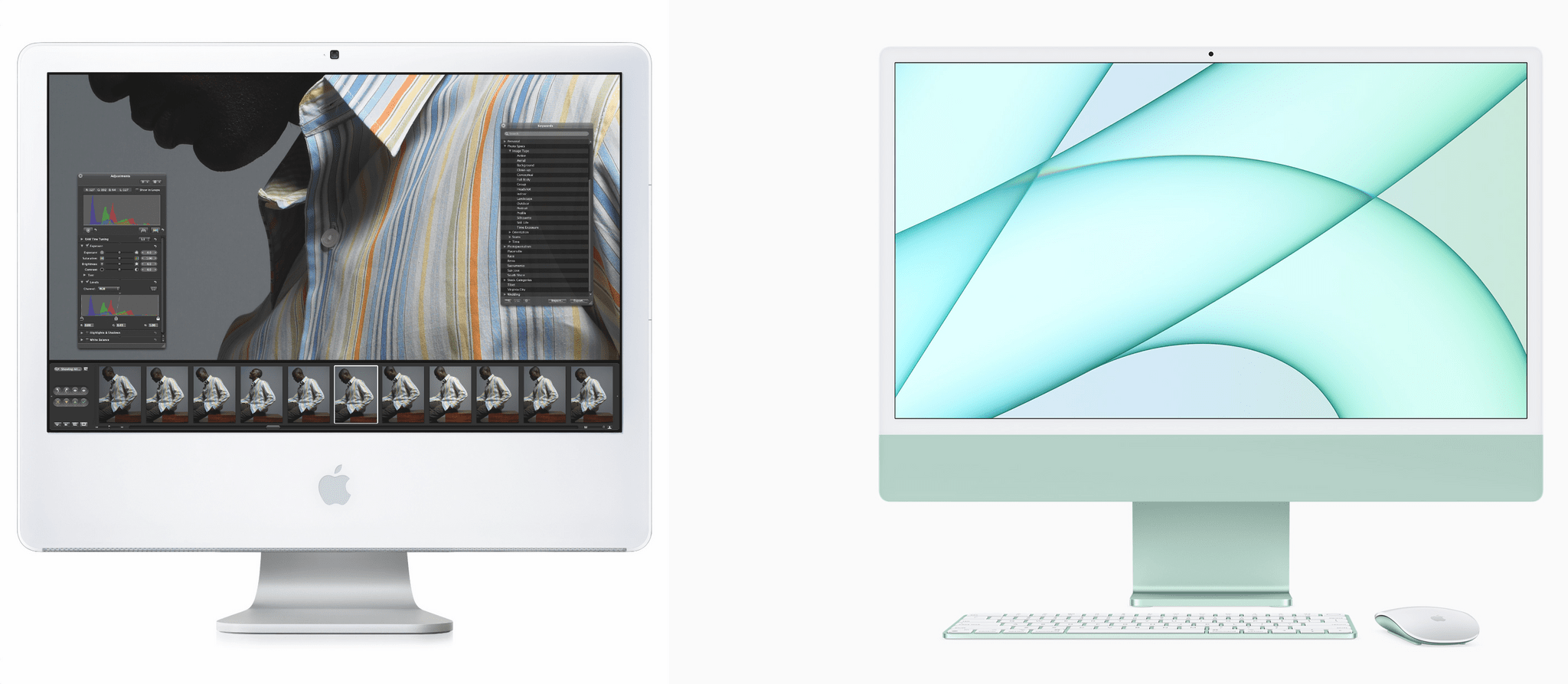
The very first Mac I owned was an iMac. That white polycarbonate, first-gen Intel iMac was the epitome of a family computer, sitting in a central location where everyone in my family could use it for work, school, and projects. I had an early aluminum iMac too, but gradually, portable devices took over, satisfying everyone’s computing needs, and the iMac fell by the wayside.
In the ten years or so since then, the Macs I’ve bought for myself have been laptops and the Mac mini. It’s a flexible combination that has served me well. The mini isn’t as customizable as the Mac Pro, but it suited my needs well, allowing me to easily set up and tear down various peripheral configurations, which became even more useful when I started writing at MacStories. Combined with the MacBooks I’ve owned over the years for when I want to get away from my desk, I haven’t pay much attention to the iMac for a long time.
The iMac has come a long way since the first one I owned (left) and the latest M1 model (right).
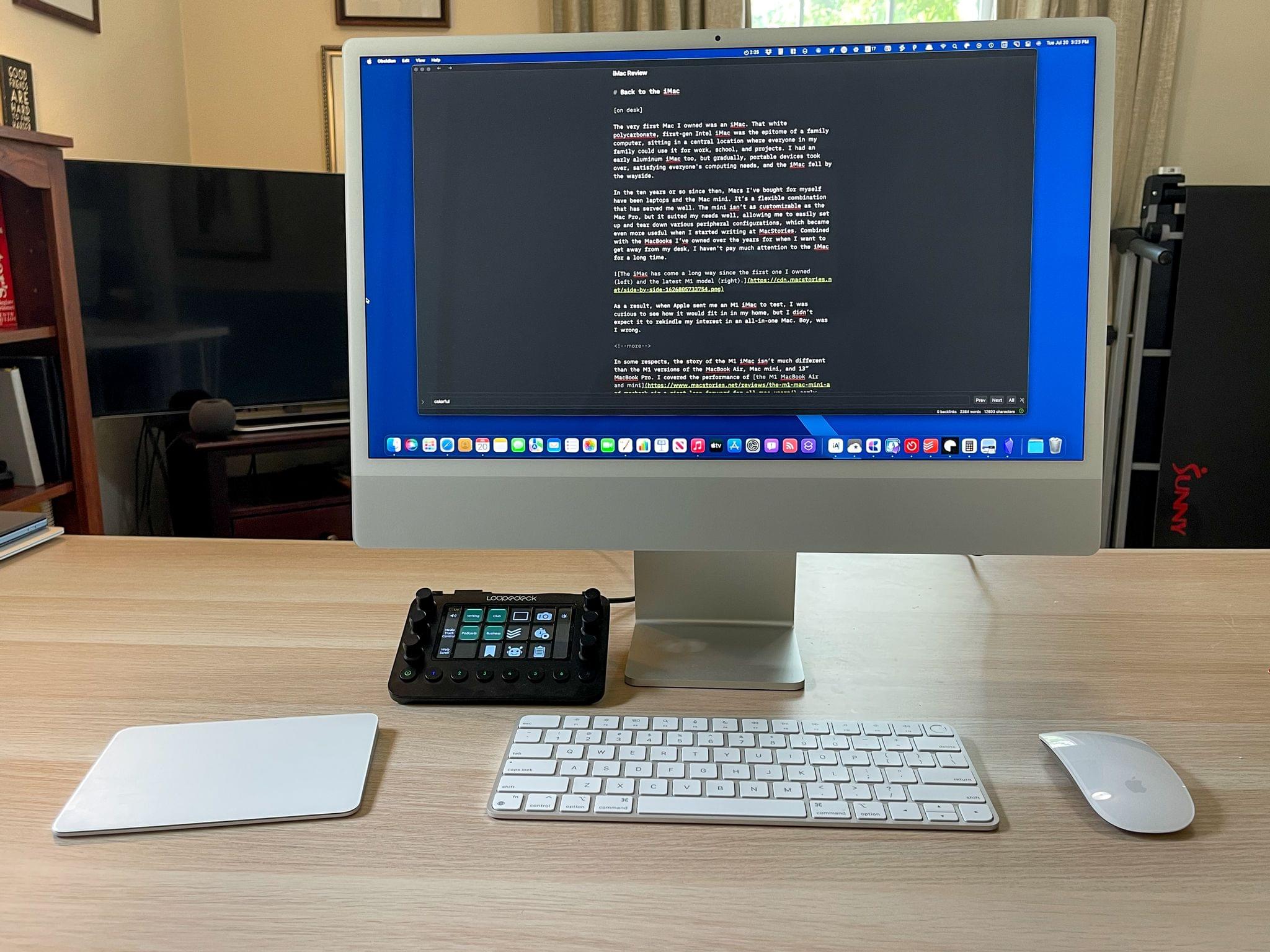
As a result, when Apple sent me an M1 iMac to test, I was curious to see how it would fit in in my home, but I didn’t expect it to rekindle my interest in an all-in-one Mac. Boy, was I wrong.
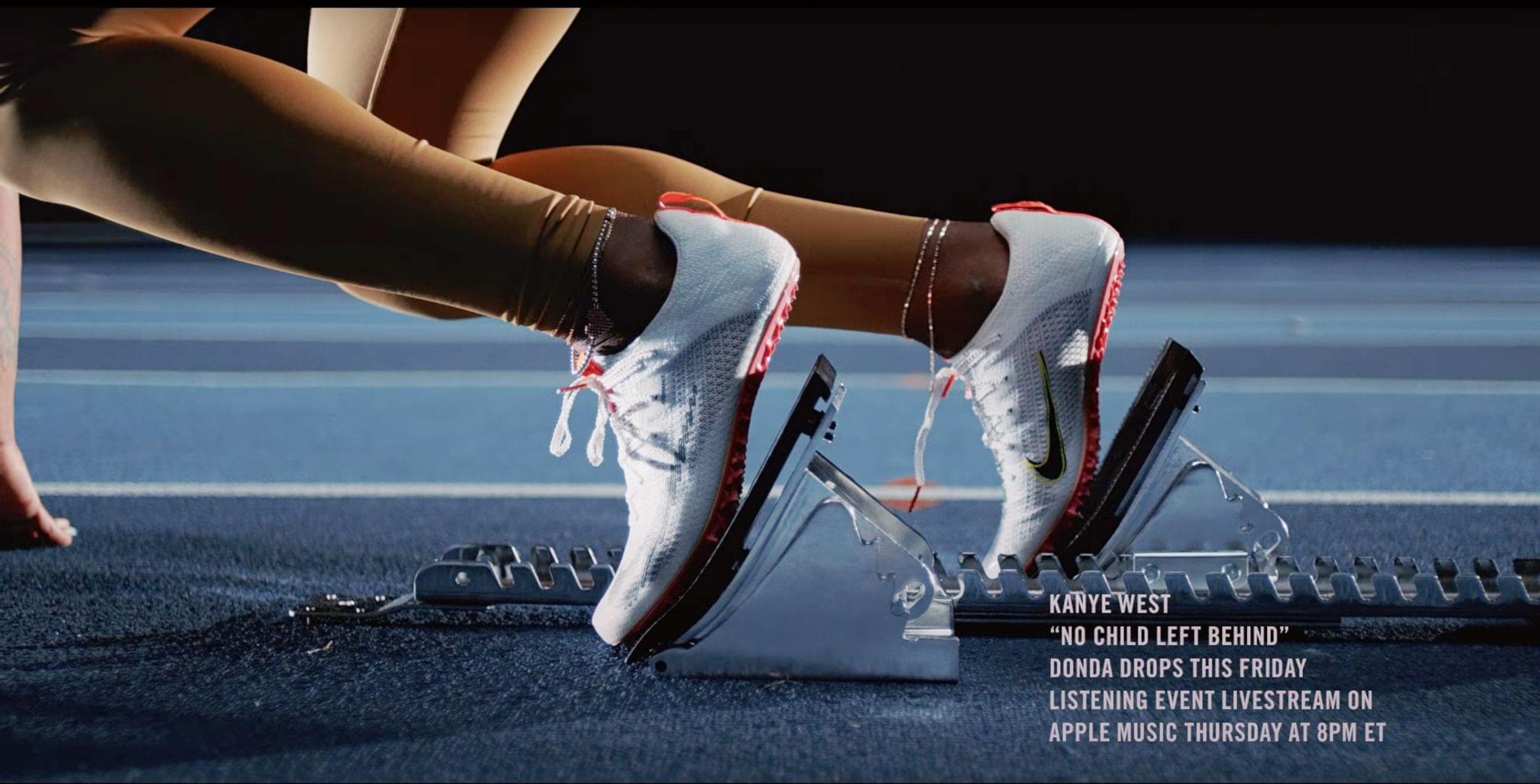
In a Beats Studio Buds ad that aired tonight during Game 6 of the NBA finals, it was revealed and later confirmed by Def Jam Recordings that Apple Music will be live-streaming a listening event for Kanye West’s highly anticipated album DONDA. The sold-out event, which is being held at Mercedes Benz Stadium in Atlanta, Georgia, will be streamed Thursday, July 22nd at 8 pm Eastern, the day before the album officially drops.
The ad for Beats Studio Buds features American track star Sha’Carri Richardson, the sprinter who was poised to compete in the Tokyo Olympic Games before testing positive for marijuana use. As Richardson gets set to start a race, No Child Left Behind, a track from Kanye West’s upcoming album plays in the background. Rumors of DONDA’s release have been swirling for days, so the Friday release is not a shock to his fans.
Apple Music has participated in some livestream events in the past, such as the live premiere of Billie Eilish’s documentary ‘The World’s A Little Blurry,’ but such events have been few and far between. It’s good to see Apple Music getting involved with big events like this. With the pieces in place to stream audio or video, there’s a lot Apple could do to get involved in live performances too.
This week on AppStories, we continue the Summer OS Preview Series with special guest Gui Rambo for a chat about SharePlay, Shortcuts for Mac, Gui’s app AirBuddy, SwiftUI, and more.




 Federico