John Voorhees

5432 posts on MacStories since November 2015

John is MacStories' Managing Editor, has been writing about Apple and apps since joining the team in 2015, and today, runs the site alongside Federico. John also co-hosts four MacStories podcasts: AppStories, which covers the world of apps, MacStories Unwind, which explores the fun differences between American and Italian culture and recommends media to listeners, Ruminate, a show about the weird web and unusual snacks, and NPC: Next Portable Console, a show about the games we take with us.

Billie Eilish and Apple Music Promote Spatial Audio with Short Film

Apple and Billie Eilish have collaborated on a video visualizing Spatial Audio, the Dolby Atmos-powered audio technology designed to create an immersive listening experience for music fans. Eilish recently released her album Happier Than Ever, which is available on Apple Music in Spatial Audio and Lossless.

The video begins with Eilish singing Getting Older a cappella in front of a vanity mirror, transitions into a performance of GOLDWING. As Eilish sings, mirrors multiply her reflection, creating a visual metaphor for Spatial Audio.

An audio feature like Spatial Audio isn’t an easy thing to illustrate with video. However, Eilish’s short film hits the nail on the head by capturing the feel of the feature in a beautifully cinematic way that isn’t technical. As a fan of Eilish’s work, I also love her short but captivating performance.


Apple Maps for iOS and iPadOS 15 and macOS Monterey: The MacStories Overview

Maps is unique among Apple system apps. Most system apps, like Notes or Reminders, are only updated at the same time that major revisions of the company’s underlying operating systems are released. Tweaks are sometimes made with OS point releases but never separate from the OS updates themselves.

Maps is different because so much of the experience is tied to the data that the app delivers. That allows Apple to add mid-cycle updates that aren’t tied to an OS release. There are many recent examples, like the addition of COVID-19 travel guidance for airports, vaccination site locations, and places offering volunteer opportunities. At the same time, the company continues to expand and enhance the accuracy and detail offered by Maps at a deeper level with its ongoing initiative to rebuild the app’s underlying maps worldwide.

Apple has been at it, improving Maps since iOS 6, and it’s a task that by definition will never truly be finished. However, the introduction of new features in recent years and broader expansion of its effort to deliver rebuilt maps to more of the world has allowed Apple to refine the app across the board. Using the latest map data the company has collected has enabled it to redesign the Maps experience, providing more relevant information to users, and expanding its view of the world around us.

Read more


Things Adds Extensive Markdown Support and Search for Extended Notes Attached to Tasks

The intersection of tasks and notes poses an interesting problem. Often, a task requires notes for context and details that can’t be captured with a single line of text. Likewise, notes very often spawn tasks of their own. The difficulty is how to harmonize the two coherently.

If you’re a Club MacStories member, you know this is something that has bedeviled Federico’s annual iOS and iPadOS review for years. He solved the problem by combining Obsidian with Todoist’s web API linking the two apps together in a way that complements the way he writes.

Federico’s approach takes advantage of the web technologies underlying those apps. It’s a powerful solution, but it’s not a fully native approach technically or from a design standpoint. The technique is also less suited for someone who isn’t writing thousands of words most days, and instead, just needs to flesh out their tasks with context than the single line of text many apps offer. Fortunately, there are many alternative approaches to the task and note-taking conundrum, including a new one out today from Cultured Code, the maker of Things that I like a lot.

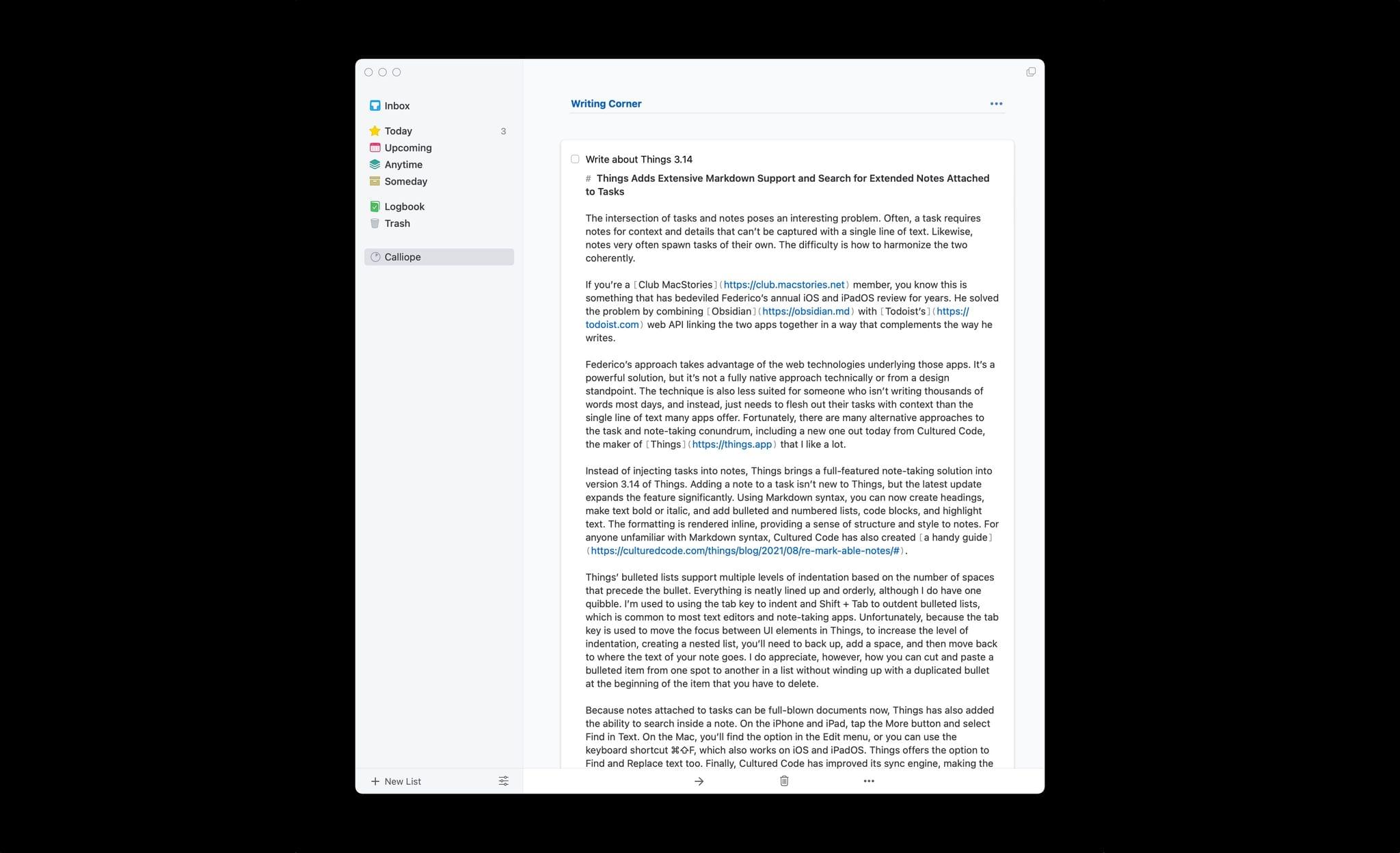
If you write in Markdown, Things is fully capable for a drafting a story like this one.

If you write in Markdown, Things is fully capable for a drafting a story like this one.

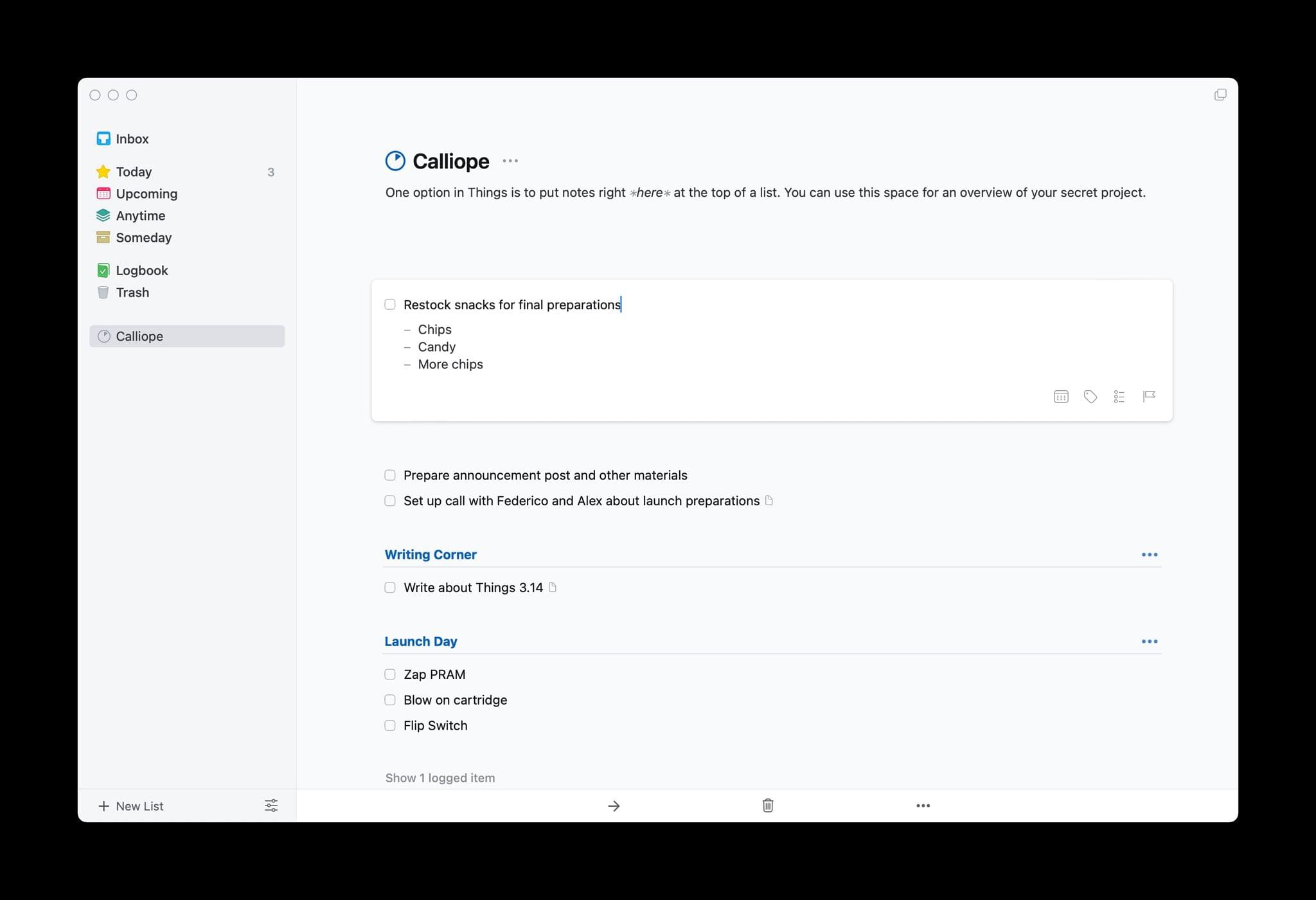
Instead of injecting tasks into notes, Things brings a full-featured note-taking solution into version 3.14 of Things. Adding a note to a task isn’t new to Things, but the latest update expands the feature significantly. Using Markdown syntax, you can now create headings, make text bold or italic, and add bulleted and numbered lists, links, code blocks, and highlight text. The formatting is rendered inline, providing a sense of structure and style to notes. For anyone unfamiliar with Markdown syntax, Cultured Code has also created a handy guide.

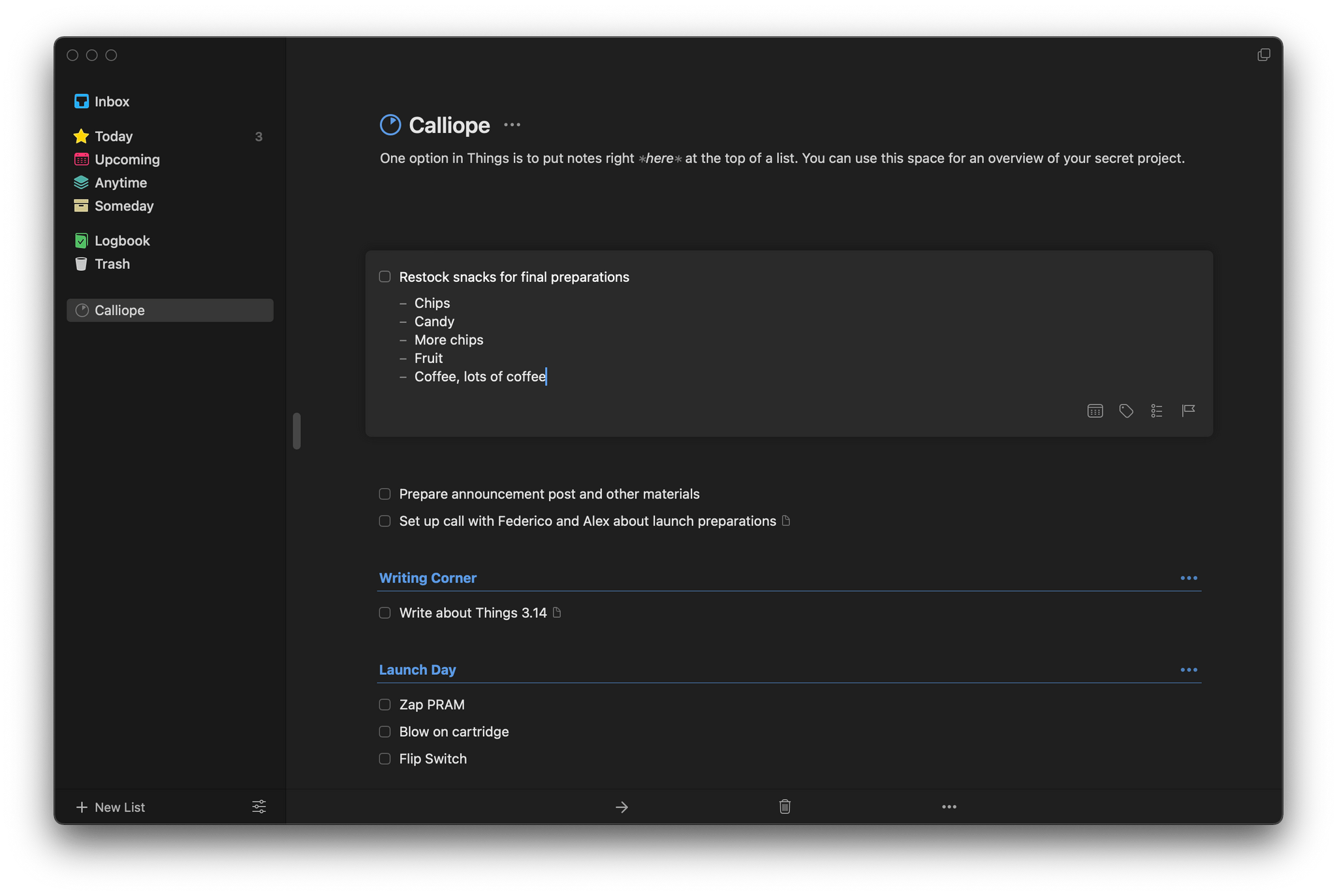
Things’ bulleted lists support multiple levels of indentation based on the number of spaces that precede the bullet. Everything is neatly lined up and orderly, although I do have one quibble. I’m used to using the tab key to indent and Shift + Tab to outdent bulleted lists, which is common to most text editors and note-taking apps. Unfortunately, because the tab key is used to move the focus between UI elements in Things, to increase the level of indentation, creating a nested list, you’ll need to back up, add a space, and then move back to where the text of your note goes. I do appreciate, however, how you can cut and paste a bulleted item from one spot to another in a list without winding up with a duplicated bullet at the beginning of the item that you have to delete.

Bulleted lists are easy to reorganize in Things.

Bulleted lists are easy to reorganize in Things.

Because notes attached to tasks can be full-blown documents now, Things has also added the ability to search inside a note. On the iPhone and iPad, tap the More button and select Find in Text. On the Mac, you’ll find the option in the Edit menu, or you can use the keyboard shortcut ⌘⇧F, which also works on iOS and iPadOS. Things offers the option to Find and Replace text too. Finally, Cultured Code has improved its sync engine, making the syncing of notes more efficient and faster, which should benefit anyone who uses it to take extended notes.


I wish every developer that offered notes functionality in their app would put as much care and attention into them as Cultured Code. Few apps provide formatting, let alone what is effectively a mini Markdown text editor just for notes. It’s the sort of flexibility that sets Things apart from other task managers. I expect the new notes functionality will be perfect for anyone who has felt constrained by the typical one-liner plain text notes found in most alternatives.

Things is is sold separately for the iPhone, iPad, and Mac for $9.99, $19.99, and $49.99 respectively.


AppStories, Episode 235 – An Interview with Malin Sundberg

This week on AppStories, we continue the Summer OS Preview Series with special guest Malin Sundberg, the creator of time tracking and invoicing app Orbit, for a chat about the development of Orbit, SwiftUI, Shortcuts for Mac, SharePlay, and more.

Sponsored by:

  • Concepts – Sketch, Note, Draw
  • Instabug – Ship Quality Apps with Real-Time Contextual Insights
  • Technology Untangled – Join Michael Bird as he untangles innovation through a series of interviews, stories, and analyses with some of the industry’s brightest brains

Permalink

An Interview with Malin Sundberg

AppStories+ Deeper into the world of apps

AppStories Episode 235 - An Interview with Malin Sundberg

0:00
39:01

AppStories+ Deeper into the world of apps

This week, Federico and John continue the Summer OS Preview Series with special guest Malin Sundberg, the creator of time tracking app Orbit, for a chat about the development of Orbit, SwiftUI, Shortcuts for Mac, SharePlay, and more.


On AppStories+, John asks Federico what kinds of qualities he looks for in MacStories writers.

Read more


MacStories Unwind: A Tech Confession, Quick Note, Keyboards, TV, and a Podcast

AppStories+ Deeper into the world of apps
0:00
22:38

AppStories+ Deeper into the world of apps


Sponsored by: FitnessView – All-in-One Health & Fitness Dashboard

This week on MacStories Unwind:

MacStories

Club MacStories

  • MacStories Weekly
    • Part 3 of Federico’s Obsidian Setup Series covering his Dashboard note and the plugins and shortcuts he uses to manage it
    • An interview with Shahid Ahmad about the Playdate
    • John on when it’s best to not automate something

AppStories

Unwind


Apple Announces Child Safety Features Coming This Fall

Today, Apple announced three new child safety features for its operating systems that will launch when its operating systems are updated in the fall. The implementation details of the features are technically complex, which makes reading the full documentation worthwhile if you are concerned about how they are accomplished.

The first feature is a tool for parents that will be built into Messages. According to Apple:

The Messages app will use on-device machine learning to warn about sensitive content, while keeping private communications unreadable by Apple.

The opt-in tool will “warn children and their parents when receiving or sending sexually explicit photos.”

The second feature applies to photos stored online in users’ iCloud Photos library. Apple says:

iOS and iPadOS will use new applications of cryptography to help limit the spread of CSAM online, while designing for user privacy. CSAM detection will help Apple provide valuable information to law enforcement on collections of CSAM in iCloud Photos.

The screening of iCloud Photos images happens on-device using cryptographic hashes of known CSAM content and has to pass a human review process after passing certain thresholds before an account is disabled, and a report is made to the National Center for Missing and Exploited Children. The feature will be US-only at first.

Finally, Apple announced that:

[it] is also expanding guidance in Siri and Search by providing additional resources to help children and parents stay safe online and get help with unsafe situations. For example, users who ask Siri how they can report CSAM or child exploitation will be pointed to resources for where and how to file a report.

Siri and Search will also intervene when CSAM-related search requests are made.

To understand better how these features are being implemented by Apple, it’s worth visiting its new child safety webpage. At the bottom of the page are links to additional resources that explain the technology underlying the features.