
I’ve been planning my trip to Cupertino for WWDC on and off all week. As I mentioned in the Monthly Log, I intend to travel light. I’m also assuming that trying to take notes on my MacBook Air or an iPad Pro isn’t going to be feasible during the keynote, so I’ve transformed my...
 Interesting Links
A homemade adapter to connect Canon lenses to the Game Boy Camera? Sure, why not. (Link) Diablo Immortal, a free-to-play version of the studio’s well-known Diablo franchise, was released this week on iOS and Android. (Link) Iogear’s new capture card can grab 30Hz 4K gameplay footage or 120Hz 1080p video for $129.99, which is...
App Debuts
Google TV Google’s Play Movies & TV app has been replaced by Google TV. The app allows you to watch movies and TV shows purchased from Google or available cross-platform, thanks to the service Movies Anywhere. The playback features aren’t new, but with the update, Google TV lets users create wishlists across multiple streaming...
Clipboard Managers, MacBook Pros, iPads, WWDC, and Keyboard Macros for Designers
Here are the highlights from the Club MacStories Discord this week: Mitch kicked off a discussion of Mac clipboard managers based on the latest episode of AppStories. David and others shared their perspectives on Federico’s story about the MacBook Pro and what it means to iPad users. Federico kicked off a lively conversation among members...
MacStories Unwind: John’s Surprise







This week on MacStories Unwind, John turns the tables on Federico with a big surprise of his own.
Sponsored by:
Kolide: Endpoint security for teams that Slack. Try Kolide for 14 days free; no credit card required.
Links and Show Notes
John’s Pick:
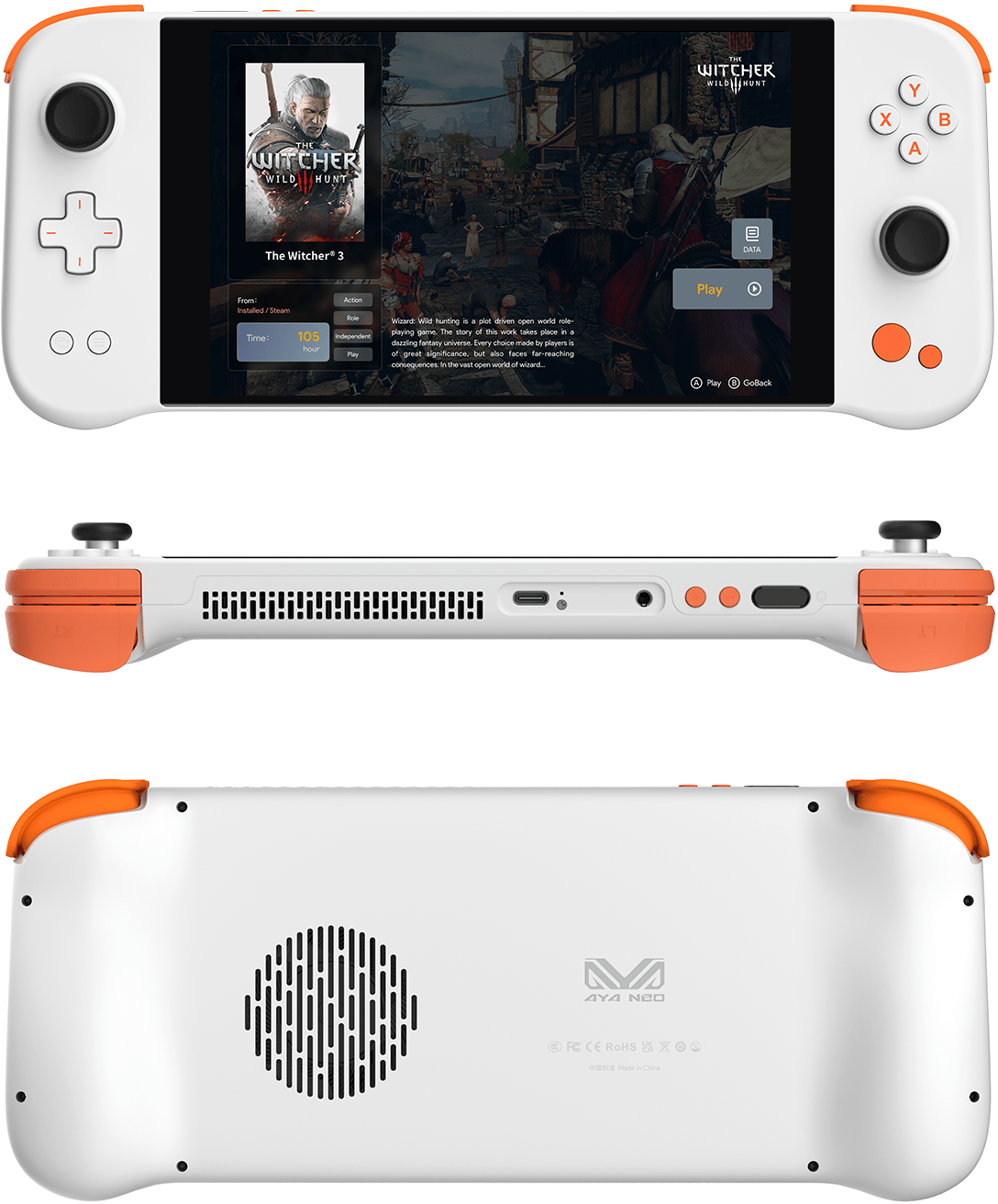
- Aya Neo Next Pro
- Specs
- CPU: AMD Ryzen 7 5825U (8 cores, 16 threads, 2 - 4.5 GHz)
- GPU: AMD Radeon Vega 8 (integrated)
- 2TB SSD
- 32GB RAM
- 1.59 pounds (720 grams)
- Windows 10
- 7” touchscreen with 1280 x 800 resolution
- Games
- Dorfromantik
- ElecHead
- Loot River
- Forza Horizon 5
- Burnout Paradise
- Tunic
- Hades
Aya Neo Reviews
- Aya Neo Next Pro Review: A Pricey Steam Deck Competitor
- Aya Neo Next review: a Steam Deck alternative with Windows
- Specs
- Federico’s Surprise from March
The Macintosh Desktop Experience: A Pre-WWDC 2022 macOS Check-In
It’s been about seven months since I reviewed macOS Monterey and nearly a year since I first used it. With WWDC starting next week, I wanted to revisit some of the features Monterey introduced and consider what has lived up to the hype and what hasn’t....
Read moreAppStories, Episode 276 – Our macOS 13 Wishes
This week on AppStories, we conclude our annual OS wishes series with a look at what we want to see in macOS this year at WWDC.
Sponsored by:
- Pillow – Sleeping better, made simple.
- Sourcegraph: Universal Code Search. Move fast, even in big codebases. Try it now.
- Instabug: Empower mobile teams to monitor, prioritize, and debug performance and stability issues and ship better mobile apps.
](https://cdn.macstories.net/banneras-1629219199428.png)
On AppStories+, I’m going to WWDC and share my last-minute preparations to cover the event in person for the first time in three years.
We deliver AppStories+ to subscribers with bonus content, ad-free, and at a high bitrate early every week.
To learn more about the benefits included with an AppStories+ subscription, visit our Plans page, or read the AppStories+ FAQ.
My WWDC Gear Bag
I haven’t been to a conference since WWDC 2019, so I spent some time this past weekend thinking about what to bring to make the most of the week. In past years, I’ve taken far too much gear, trying to account for every possible contingency. This year will be different, or so I tell myself....
WWDC Is Back
Next week I’ll head back to Northern California for the first time in three years for WWDC. It will be a far different WWDC than the last one I attended in 2019, if for no other reason than there will be far fewer people there, and it’s being held at Apple Park. But different isn’t...