
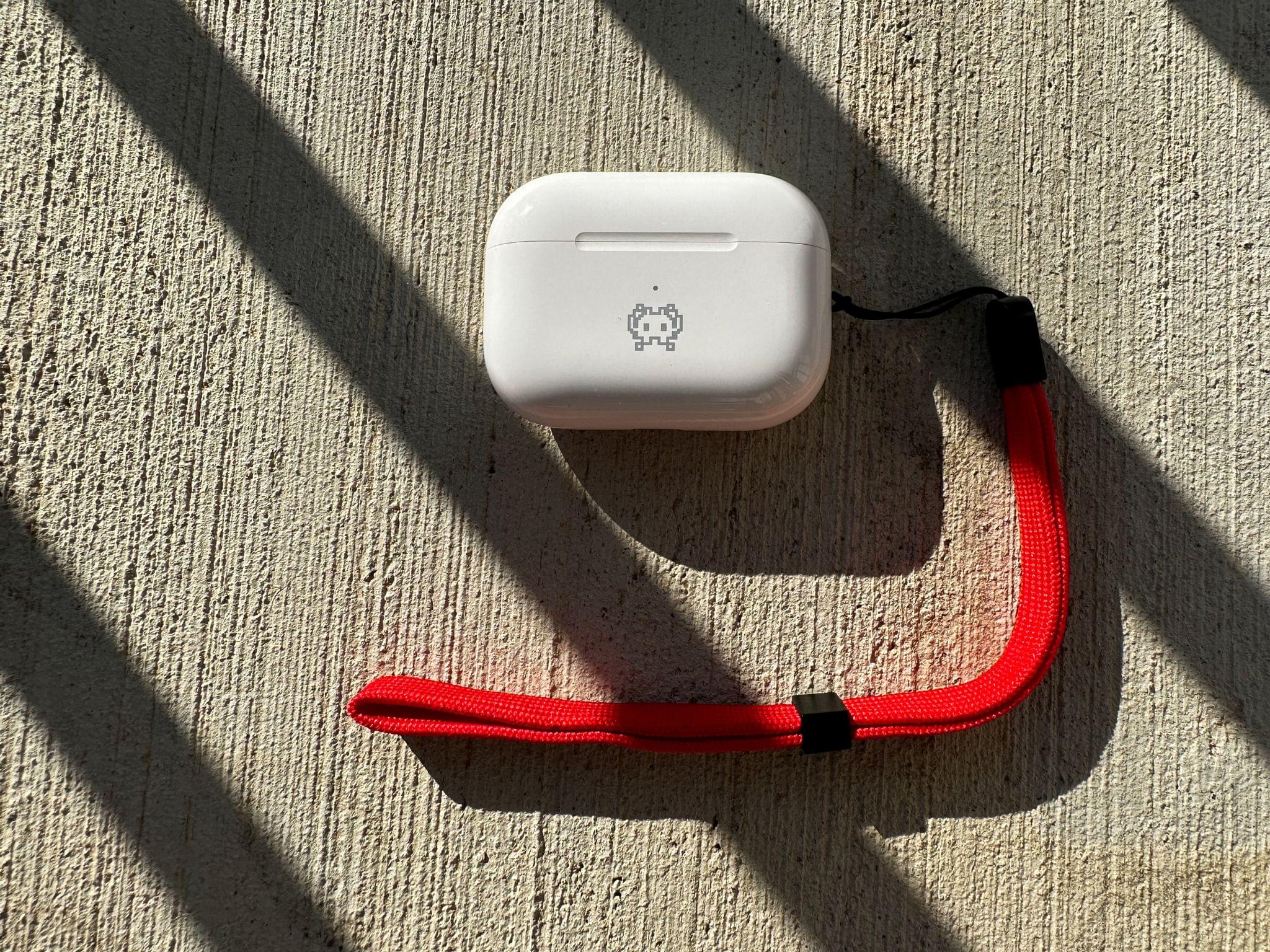
At a glance, there doesn’t appear to be much going on with the AirPods Pro (2nd generation). The physical design hasn’t changed dramatically, but nearly every other aspect of the earbuds has been improved in some way. The result is the best version of the AirPods Pro yet.
 Lock Screen Widgets, Focus Filters, and Shared with You Apps
 Federico
AppStories Episode 297 - Lock Screen Widgets, Focus Filters, and Shared with You Apps
0:00
37:24
37:24
This week, Federico and John tour third-party apps with new iOS 16 features, including more apps with Lock Screen widgets and apps with support for Focus Filters and Shared with You.
 Interesting Links
John Gruber takes an in-depth look at the Apple Watch Ultra on Daring Fireball. (Link) In a brilliant move, EA Sports is adding Ted Lasso and his AFC Richmond team to FIFA 23, which will undoubtedly attract fans of the show who may not otherwise try a FIFA game. (Link) Logitech’s G Cloud videogame...
Focusing on iPhone and Apple Watch Customization
I’ve been writing about Lock Screen widgets a lot lately. They’re an excellent new customization tool, but just one of many now at our disposal. What’s most interesting to me is the mix of the Always-On display on the iPhone 14 Pro line, Lock Screen widgets, and Focus Filters combined with existing customization options. The...
App Debuts
MyMoves MyMoves answers the question: Where did I go today, and how far did I go? Whether you’re in a car, on foot, or bicycling, the app tracks where you’ve gone and how far with lots of stats, maps, graphs, and charts. The app breaks down the information in a variety of interesting ways,...
Task Managers, Notes and Shortcuts, Caricature Stickers, and Linking Mail to Reminders
Here are the highlights from the Club MacStories Discord this week:
Member Alvyn started a thread about task managers and bunch of us shared our favorites. These conversations are always fun and they help me discover interesting features based on how other people use todo apps. What would happen if you asked Stable Diffusion...
MacStories Unwind: A Federico Surprise and Rollerdrome






This week on MacStories Unwind, Federico has another surprise for me, and I’ve been playing Rollerdrome.
Topic
Federico’s Pick:
John’s Pick:
iOS 16.0.2 Fixes iPhone 14 Pro and Pro Max Camera Shake, Pasting Alerts, and More→
As reported by MacRumors’ Juli Clover, Apple released iOS 16.0.2 today to fix unspecified security issues along with several bugs. Among the bugs fixed are two that have been making headlines recently. One caused the iPhone 14 Pro and Pro Max’s cameras to shake when using some third-party camera apps, while the other displayed frequent alerts asking for permission to allow pasting from one app to another.
The full release notes are as follows:
- This update provides bug fixes and important security updates for your iPhone including the following:
- Camera may vibrate and cause blurry photos when shooting with some third-party apps on iPhone 14 Pro and iPhone 14 Pro Max
- Display may appear completely black during device setup
- Copy and paste between apps may cause a permission prompt to appear more than expected
- VoiceOver may be unavailable after rebooting
- Addresses an issue where touch input was unresponsive on some iPhone X, iPhone XR, and iPhone 11 displays after being serviced
Although Apple characterized the frequent alerts about pasting between apps as a bug, I have to wonder whether it was actually the intended behavior. It’s not as though nobody was talking about the issue throughout the beta period. In any event, it’s good to see all of these bugs being addressed so soon after the release of the phones.
Pixelmator Pro 3.0 Adds Templates
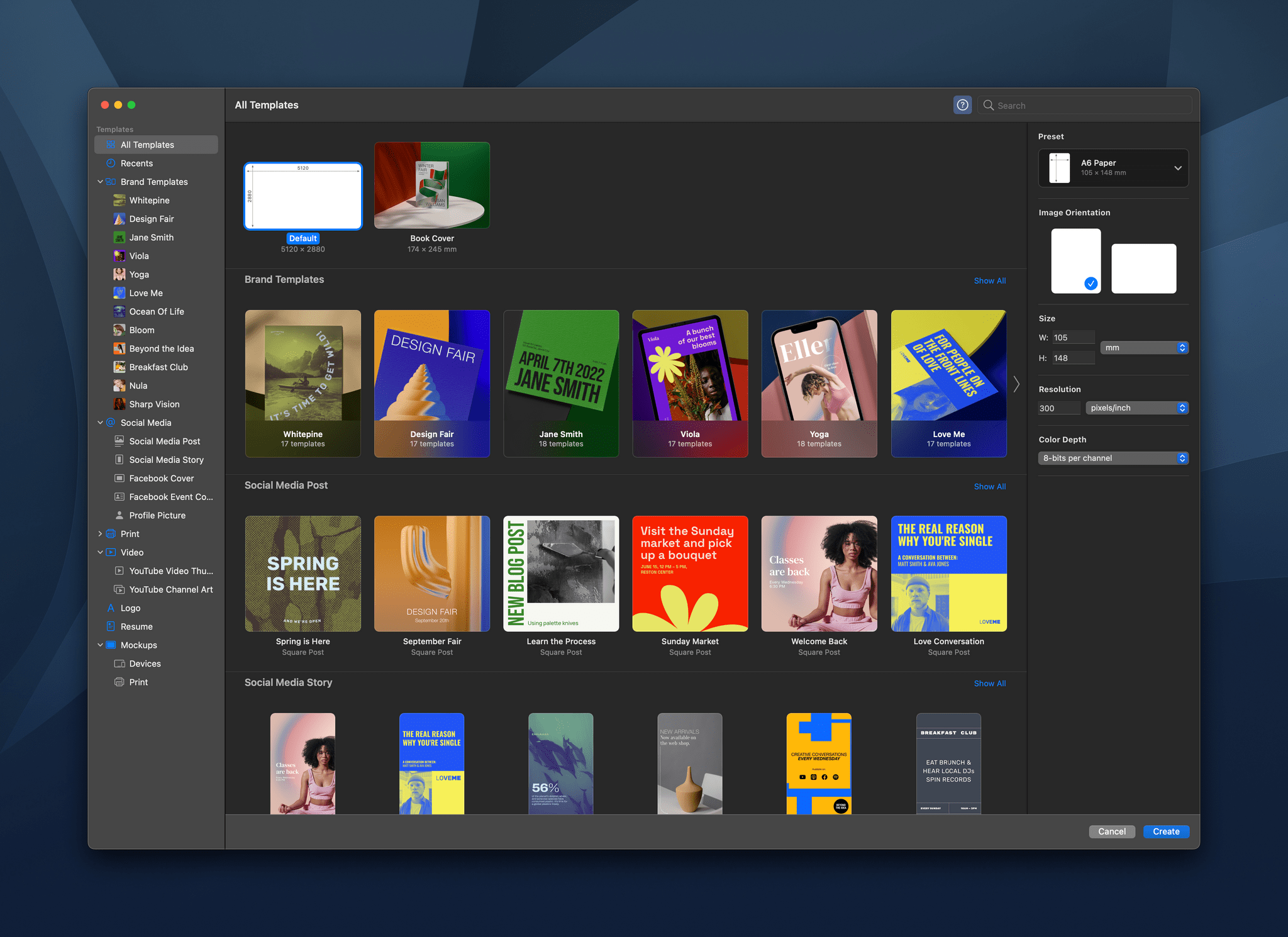
Templates are a great way to speed up your workflow and maintain a consistent design language and branding across everything you create. With Pixelmator Pro 3.0,, you now have over 200 professionally-designed templates for creating a wide range of documents and mockups. I’ve been playing around with the new templates for a few days, and they have a lot of potential.
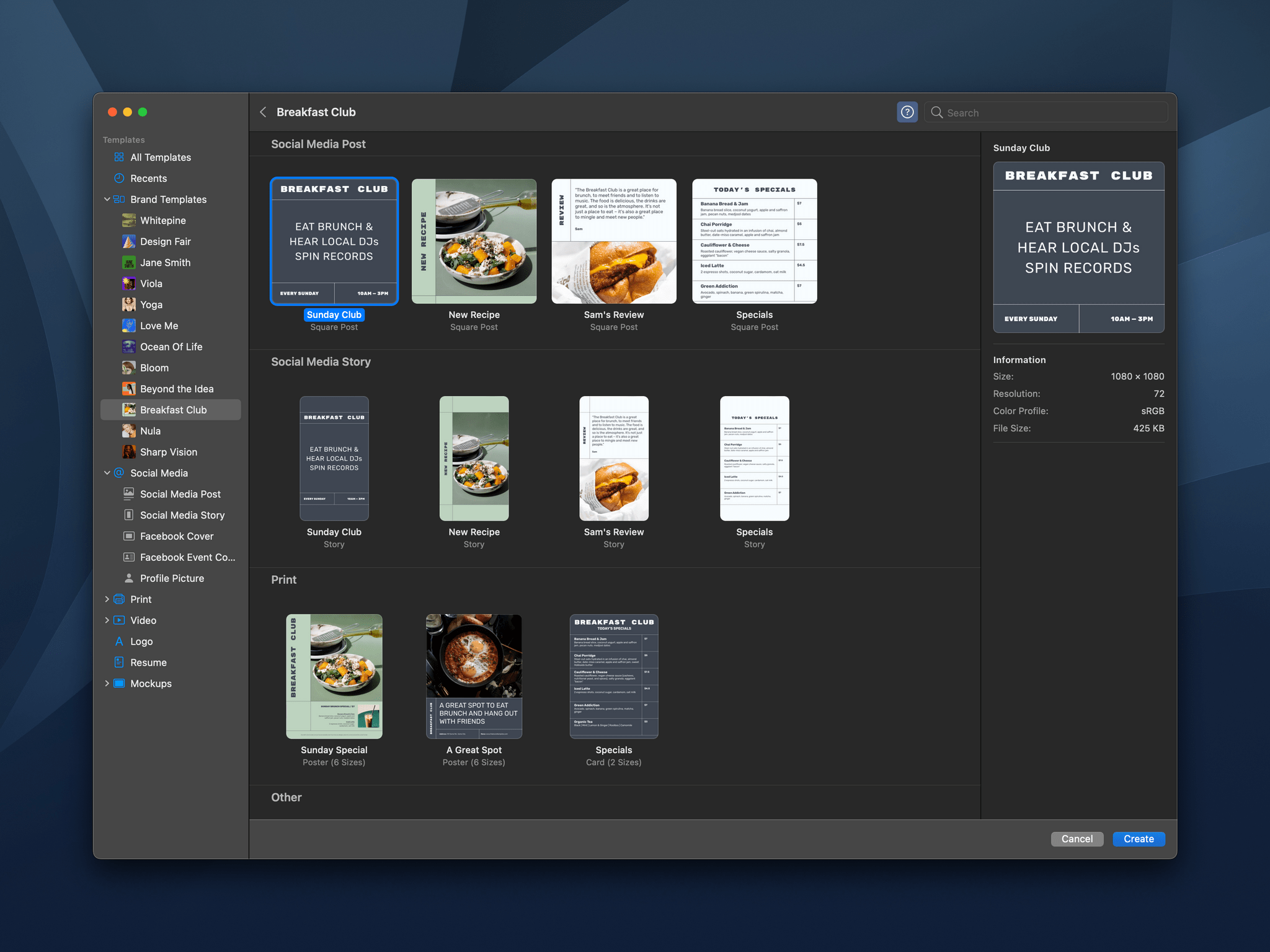
When you start a new Pixelmator Pro document, you’re presented with the app’s catalog of templates, which is broken down into several categories for creating social media, print, video, and mockup assets. There’s also a Brand Templates category that cuts across different template types, collecting templates by their branding style. There’s a lot here to browse, but like any app that offers templates, I quickly gravitated to a couple of looks that I particularly liked. You can also define your own templates using the app’s system for creating placeholders for various image elements.
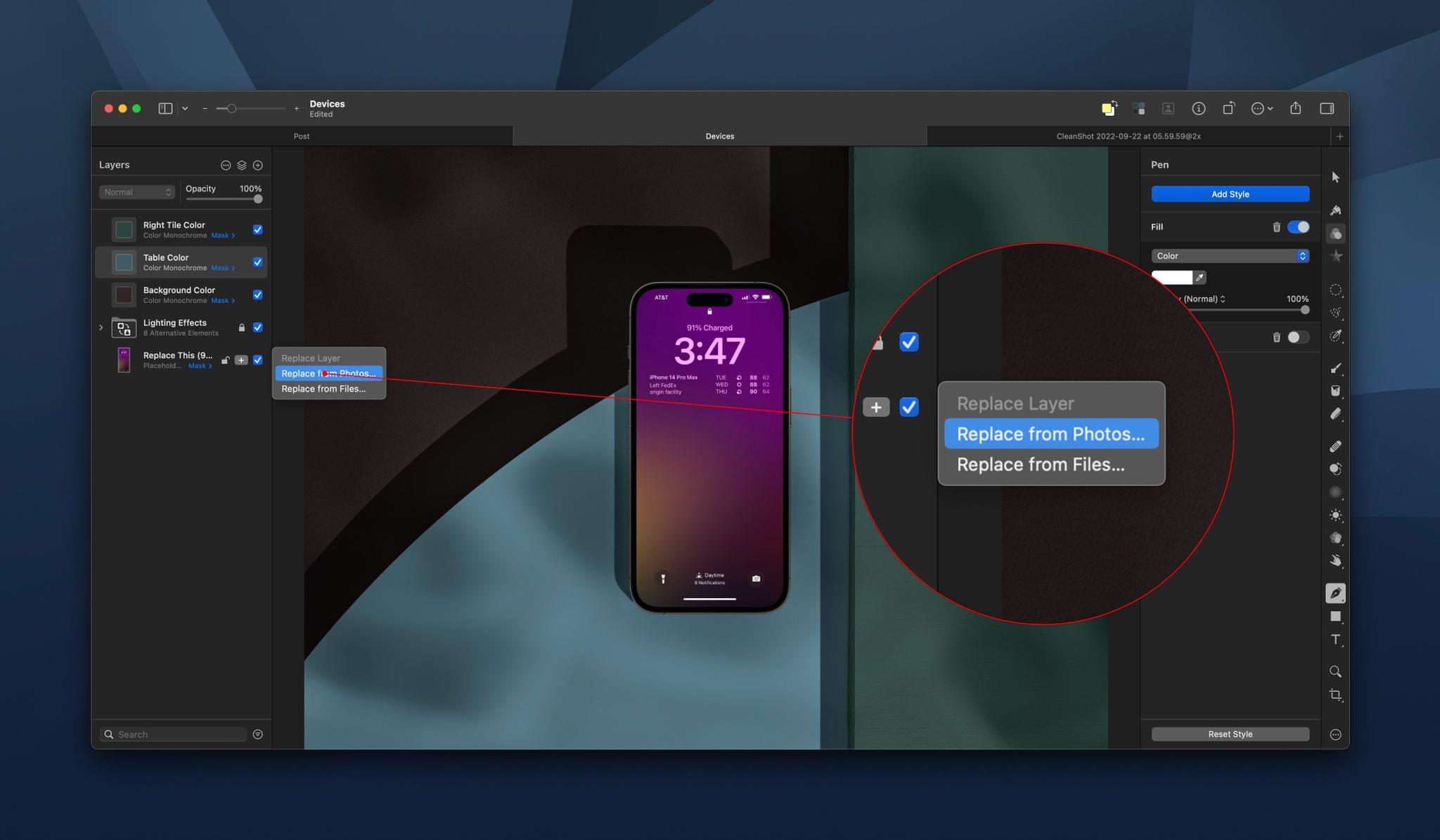
Once you open a new template-based document, tweaking it is easy. The options for each template vary depending on its design, but browsing through the layer navigator in the left sidebar, you’ll find controls to change things like lighting effects, placeholder images, colors, and more. The Pixelmator team says that for actions like replacing placeholder images, Pixelmator Pro uses the app’s machine learning engine to remove backgrounds, resize images, change their resolution, and place them properly in any frame.
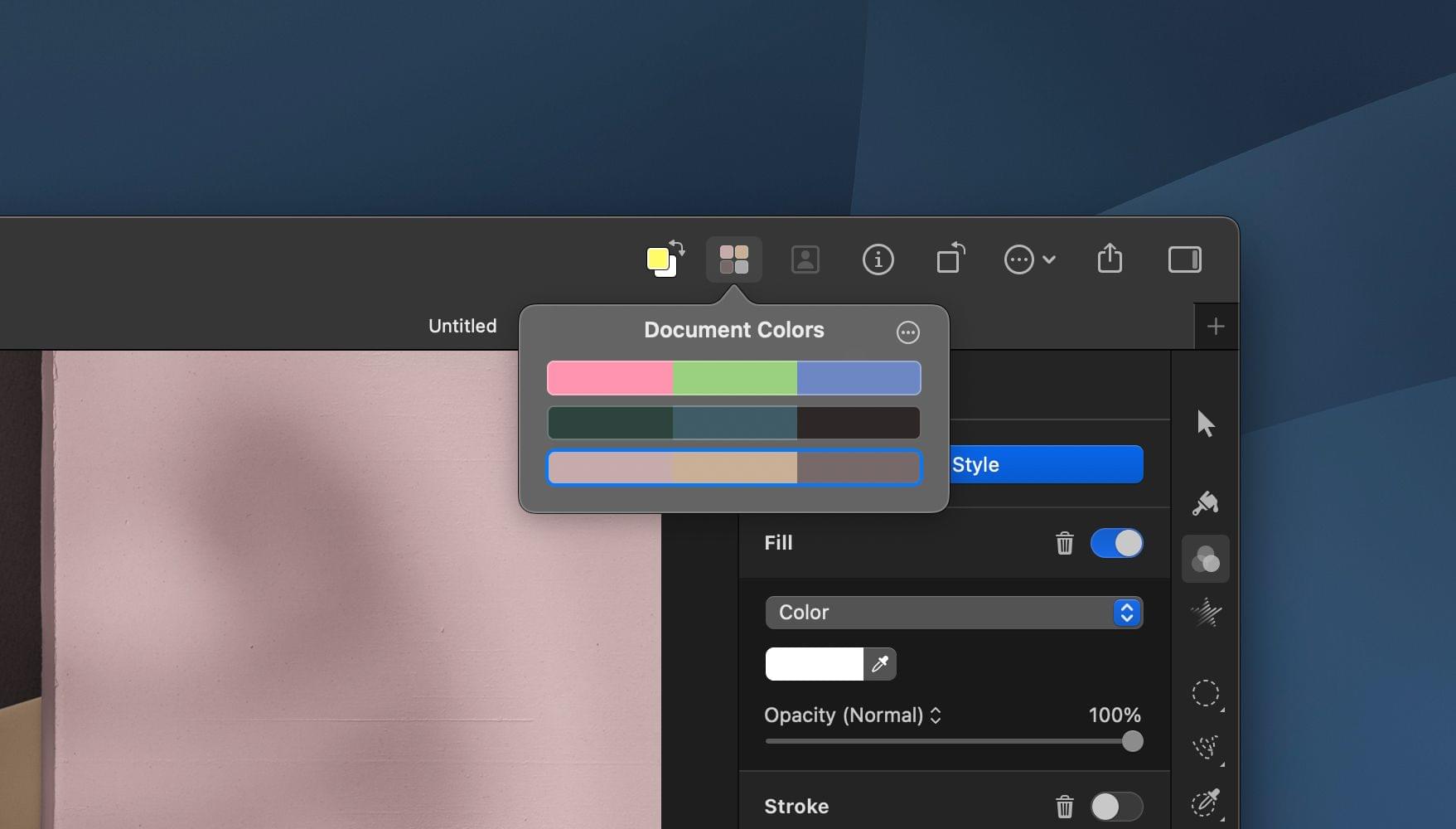
Pixelmator Pro 3.0 also introduces the concept of Document Colors, which are sets of colors that can be applied to a template. Each template comes with a few starter palettes to choose from, and you can create your own too. Click on a set of colors, and your template will be updated with the new color scheme all at once.
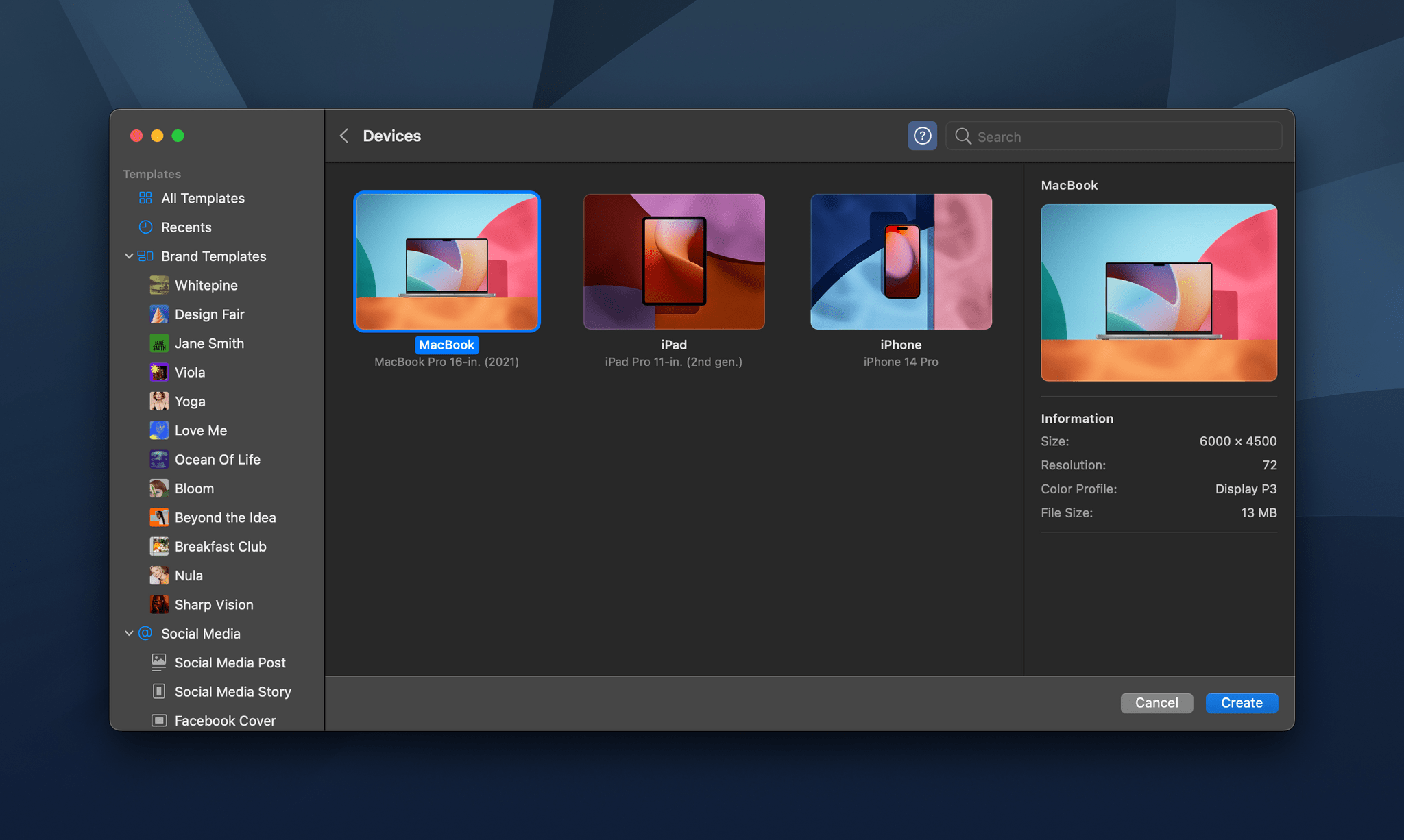
Overall, I like the new Pixelmator Pro templates a lot. It’s simple to get started and easy to adjust your creation. I also appreciate the wide variety of formats available for social media and other types of documents.
The iPhone, iPad, and MacBook mockups have potential too, but I found the lack of adjustments available for the device frames and backgrounds limiting, A bigger library of mockup styles would help, but more controls to manipulate device frames and backgrounds would be ideal.
Still, I like the direction Pixelmator Pro is heading with its templates. They’re easier to use than the systems used in other apps and should meet the needs of a lot of users.
Pixelmator Pro 3.0 is available on the App Store as a free update to existing customers.