Interesting Links
...

 Interesting Links
My Safari Extensions
App Debuts
Interesting Links
My Safari Extensions
App Debuts






This week on MacStories Unwind, Federico plays Strange Horticulture and explores Final Fantasy: Crisis Core using the PPSSPP emulator on the Aya Neo and John recommends Everything Everywhere All At Once.
Federico’s Picks:
John’s Pick:
This week on AppStories, we take a step back to consider the future of WWDC and what this year’s announcements mean for each of Apple’s platforms.
Sponsored by:
On AppStories+, we go behind the scenes of MacStories’ WWDC coverage and Federico explains the apps and approach he plans to take with his iOS and iPadOS 16 review this year.
We deliver AppStories+ to subscribers with bonus content, ad-free, and at a high bitrate early every week.
To learn more about the benefits included with an AppStories+ subscription, visit our Plans page, or read the AppStories+ FAQ.
Because Club MacStories now encompasses more than just newsletters, we’ve created a guide to the past week’s happenings along with a look at what’s coming up next:
Plus:
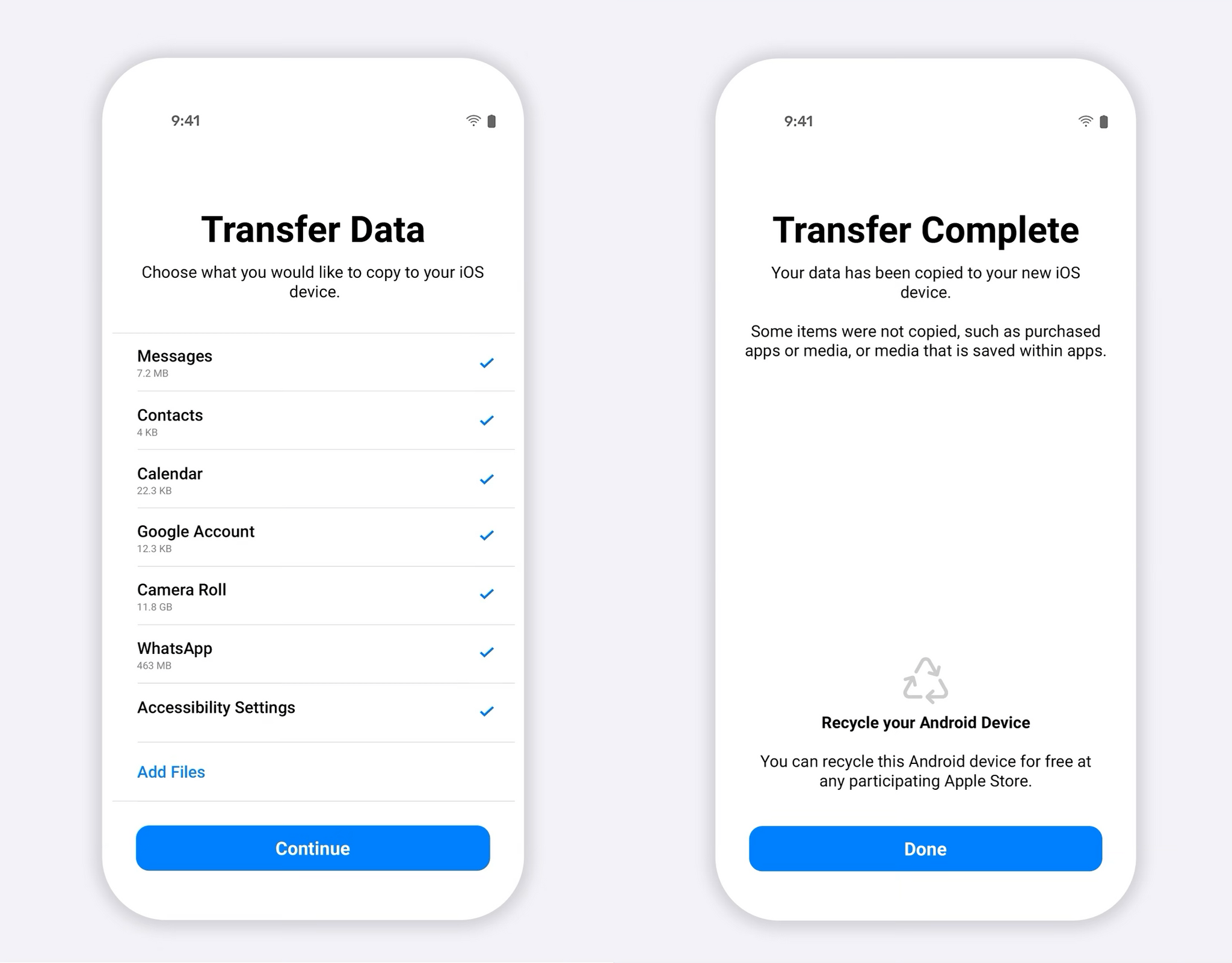
WhatsApp announced beta support today for migrating the app’s data from Android devices to the iPhone using Apple’s Move to iOS app, which is available on the Google Play store. Move to iOS is an Android app that could already move contacts, messages, photos, videos, email accounts, and calendars.
With WhatsApp’s update, which is being released as a beta to a limited number of users to start, users with Android devices will be able to use Move to iOS to transfer their WhatsApp message history to iOS. Losing your message history in apps like WhatsApp has been one of the biggest downsides of jumping from one mobile device platform to another. By adding a way to migrate WhatsApp’s message history to iOS, it should be significantly easier for users of the messaging service to switch to iOS going forward.
WhatsApp has also added a support page to its website to walk users through the process of moving their message history from Android to iOS and a help document for anyone who has trouble with the process.
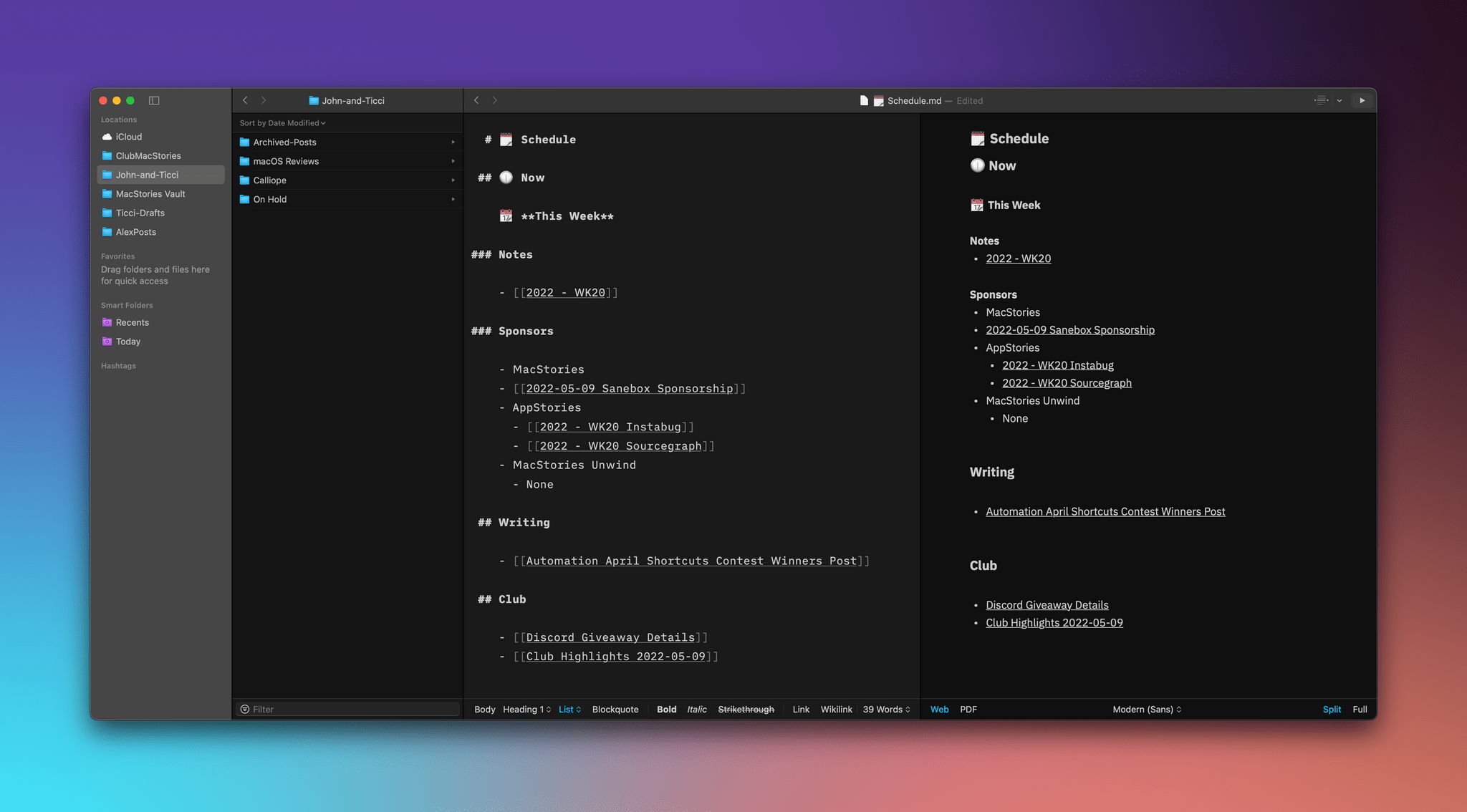
iA Writer has long been one of the premier text editors on Apple’s platforms. The app’s design is top-notch, and it offers a feature set that makes it among the best options for writing in Markdown. Best of all, the app’s features stay out of your way while you’re writing. They’re easy to access, but they aren’t a distraction. That’s as true of iA Writer 6 today as it was with previous versions.
However, the Markdown text editor market is changing rapidly, with tools for creating interlinked notes and documents in a variety of ways that have quickly become table stakes for text editors and note-taking apps alike. iA Writer 6, which is available on the iPhone, iPad, and Mac, is a response to those changes that fits comfortably with the app’s existing feature set and design. The update doesn’t go as far as an app like Obsidian when it comes to internal links. Nor is it extensible with plugins. However, for many users, I suspect iA Writer’s impeccable design and thoughtful features will outweigh its lack of certain power-user features.
Stage Manager is a very different approach to multitasking on the iPad and Mac for different reasons. TechCrunch’s Matthew Panzarino explored the design choices made by Apple on both platforms in an interview with Craig Federighi, the company’s Senior Vice President of Software Engineering.
As Panzarino explains, Stage Manager feels very iPad-centric, but Federighi says it’s the result of the Mac and iPad teams meeting in the middle after developing similar approaches to a more streamlined version of multitasking:
“There were many of us who use the Mac every day who really wanted this kind of focused experience that gave us that balance. So we were on the Mac side, picking this idea up and saying we think that’s in reach, we want to make this happen. And separately on the iPad side we were thinking about [it]. And believe it or not two independent teams who are brainstorming and designing converge on almost the identical idea.”
In response to why Stage Manager is only supported by M1 iPads, Federighi pointed to memory, storage, and graphics as factors:
“It’s only the M1 iPads that combined the high DRAM capacity with very high capacity, high performance NAND that allows our virtual memory swap to be super fast,” Federighi says. “Now that we’re letting you have up to four apps on a panel plus another four – up to eight apps to be instantaneously responsive and have plenty of memory, we just don’t have that ability on the other systems.”
It was not purely the availability of memory that led Apple to limit Stage Manager to M1 iPads though.
“We also view stage manager as a total experience that involves external display conductivity. And the IO on the M1 supports connectivity that our previous iPads don’t, it can drive 4k, 5k, 6k displays, it can drive them at scaled resolutions. We can’t do that on other iPads.”
There’s no doubt that Stage Manager takes some getting used to, and as Federighi acknowledges in the interview, it’s not finished, but I’m encouraged by what I’ve seen so far. Stage Manager has the potential to make the iPad a more productive device while serving as a bridge for users coming to the Mac from the iPad. That seems to be what Apple is going for, and with some refinements, and although the feature won’t be to everyone’s tastes, I think it could be a great solution for a lot of iPad and Mac users.

](https://cdn.macstories.net/banneras-1629219199428.png)