
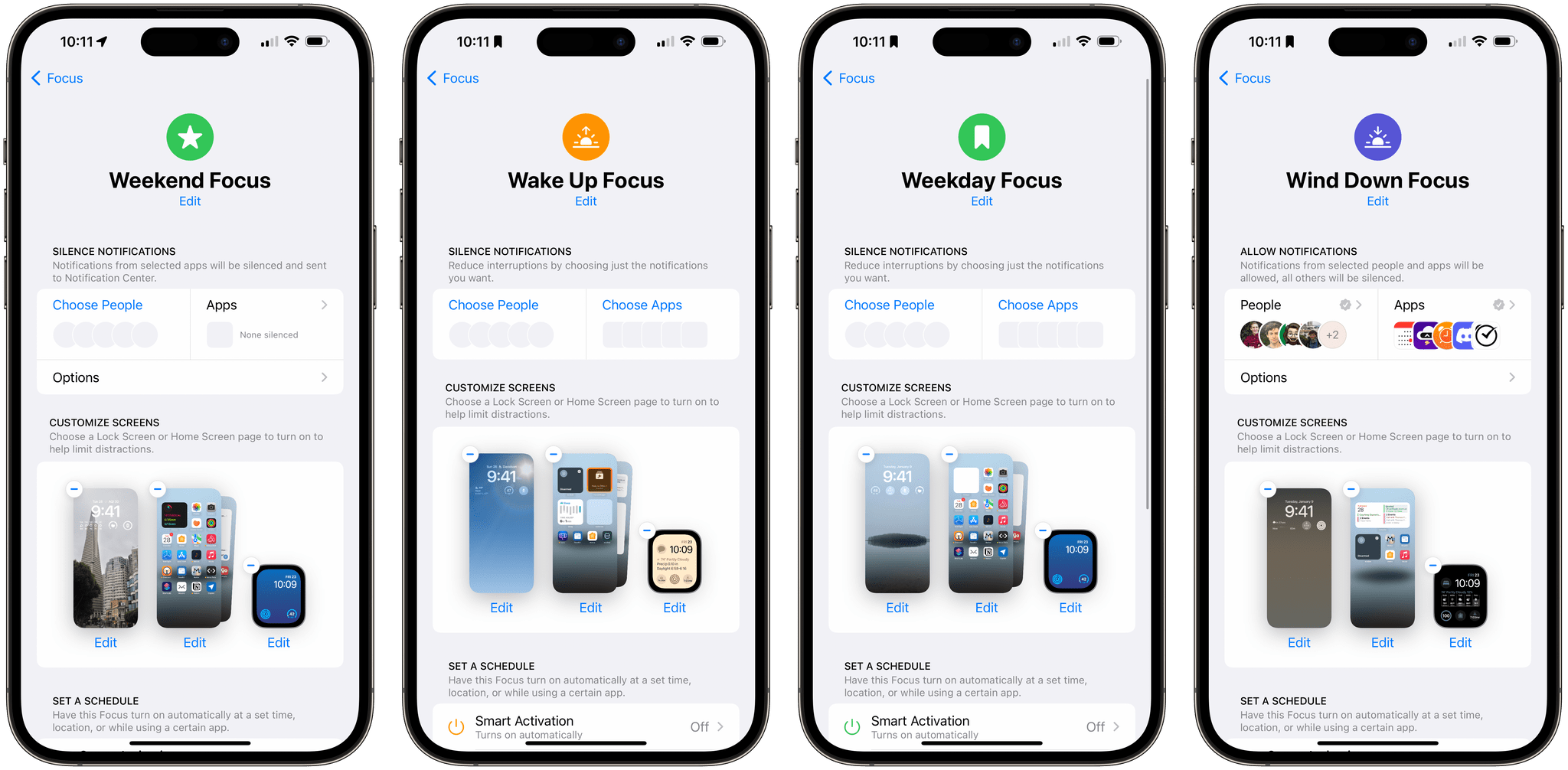
I haven’t had much success with Focus modes. Part of the problem is right in the name: Mode. My life isn’t very modal, so it’s counterproductive to try to organize my life that way. An entire productivity methodology was built around the idea of contexts. However, technology has blurred the lines between traditional contexts like...
Last Week, on Club MacStories: A Lighter Approach to Focus Modes and the Apple Watch Ultra, an iPhone Home Screen, and Glass Onion
Because Club MacStories now encompasses more than just newsletters, we’ve created a guide to the past week’s happenings:
MacStories Weekly: Issue 357
- Federico takes a lighter approach to Focus Modes and his Apple Watch Ultra
- I share my iPhone Home Screen for the first time in years
- Plus:
- App Debuts
- Highlights from the Club MacStories+ Discord
- Interesting links from around the web
- A sneak peek at what’s next on MacStories’ podcasts
- and more
Club MacStories+ AV Club Town Hall
- This month’s AV Club Town Hall in the Club MacStories+ Discord community featured the movie Glass Onion, directed by Rian Johnson.
- Club MacStories+ and Club Premier members can listen to the event in the Town Hall podcast feed.
Apple Watch Ultra and the Watch Apps We Use
 Federico

AppStories Episode 318 - Apple Watch Ultra and the Watch Apps We Use
0:00
0:00
0:00
This week, Federico and John compare notes on the Apple Watch Ultra, including what makes it special and what frustrates them, and share the apps they’re using regularly.
 Interesting Links
Hot on the heels of our AV Club Town Hall discussing Glass Onion, Netflix released a director’s commentary track for the whodunit movie. (Link) Victoria Song offers tips on automating your personal finances to make keeping on top of your bills and other financial responsibilities less painful. (Link) Mac launcher app Raycast is beta...
App Debuts
MusicHarbor Marcos Tanaka’s amazing utility for keeping track of new music releases has been updated with a feature I publicly wished for just a few weeks ago: MusicHarbor can now automatically add singles from upcoming albums to a specific playlist. I’ve always dreamed of this functionality: before a new album from one of my...
AI and Art, Videogame Streaming, and Glass Onion
Here are the highlights from the Club MacStories Discord this week:
I loved these comments on AI, art, and the role of human artists that were posted by member MadMax in response to our AI discussion on AppStories.
Dillon and others shared their thoughts on videogame streaming and the Mac’s chances at becoming...
Home Screen: John
Not long ago, I ran across an old screenshot of my Home Screen and realized that it’s changed quite a bit, so I thought I’d share my current setup with Club members. There was a time when apps for getting work done dominated my iPhone’s Home Screen. My train commuting days are over,...
MacStories Unwind: Nope and GeForce NOW Paired with the Razer Kishi Controller






Sponsored By SaneBox – Clean up your inbox today and keep it that way forever with SaneBox
John loves the horror/sci-fi movie Nope from Jordan Peele, and Federico discovers the joys of videogame streaming service GeForce NOW paired with the Razer Kishi iPhone controller.
John’s Pick:
Federico’s Pick:
- GeForce NOW Ultimate
- John’s related story: The Best Mac Gaming Experience Is a PC Sitting in a Dallas Data Center
- Razer Kishi v2 iPhone controller
- John’s related story: iPhone Gaming with the Razer Kishi V2 and Backbone One
Fitness App Gentler Streak Adds Wellness Tracking
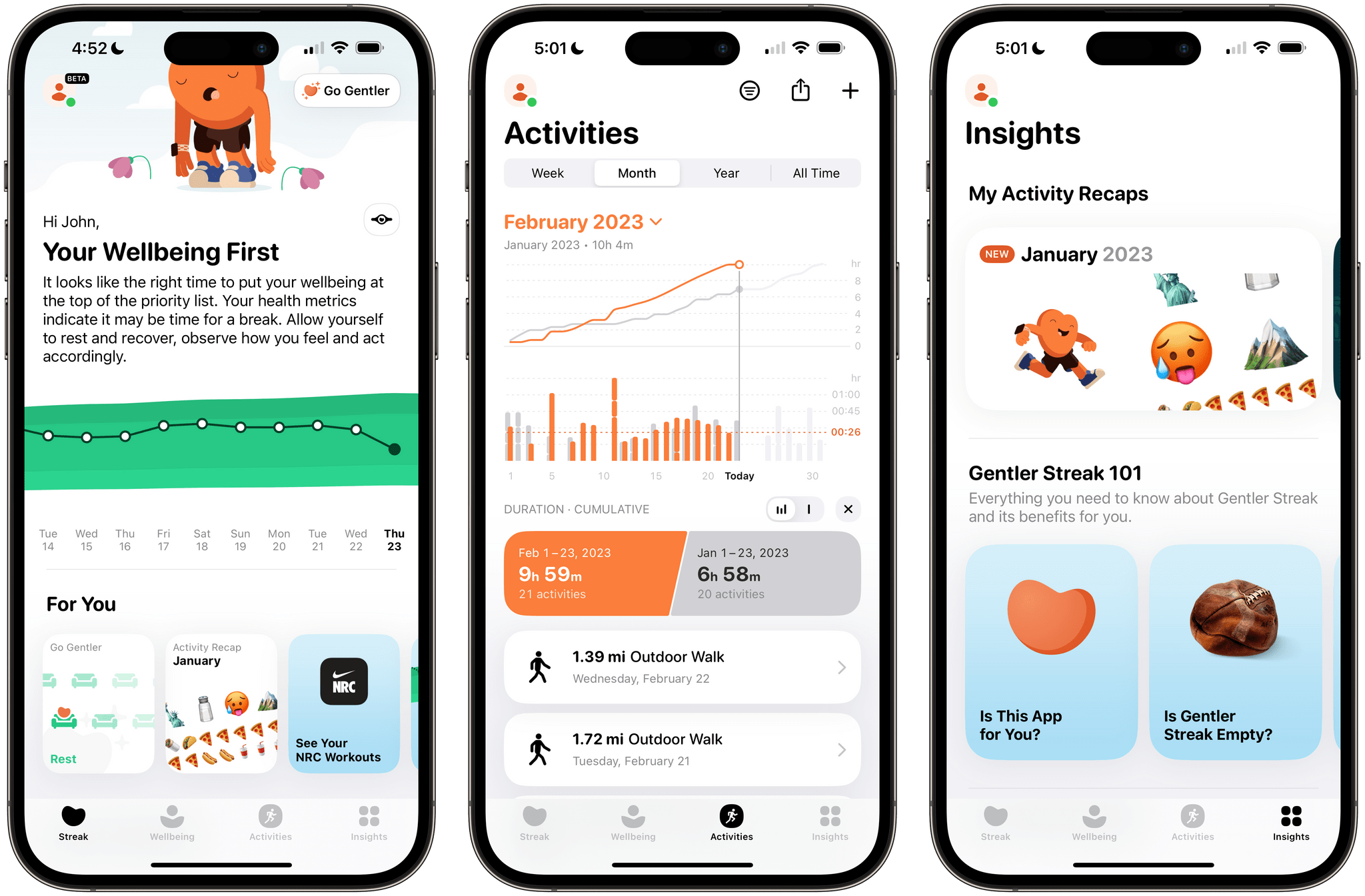
Gentler Streak, the fitness app for the Apple Watch and iPhone that takes a holistic approach to training and recovery, has been updated to version 3.0 to incorporate additional health metrics, so users can get a broader picture of their overall wellbeing. I’ve had less than a day to test-drive the new features, but what I’ve seen so far looks promising.
Gentler Streak uses trend analysis to help guide your workouts. Your daily and 10-day activity trends are plotted within a band of intensity to help guide whether you should work harder or rest. The app also tracks individual workouts, your activity over time compared to previous periods, and includes insights and tips for maintaining a healthy life.
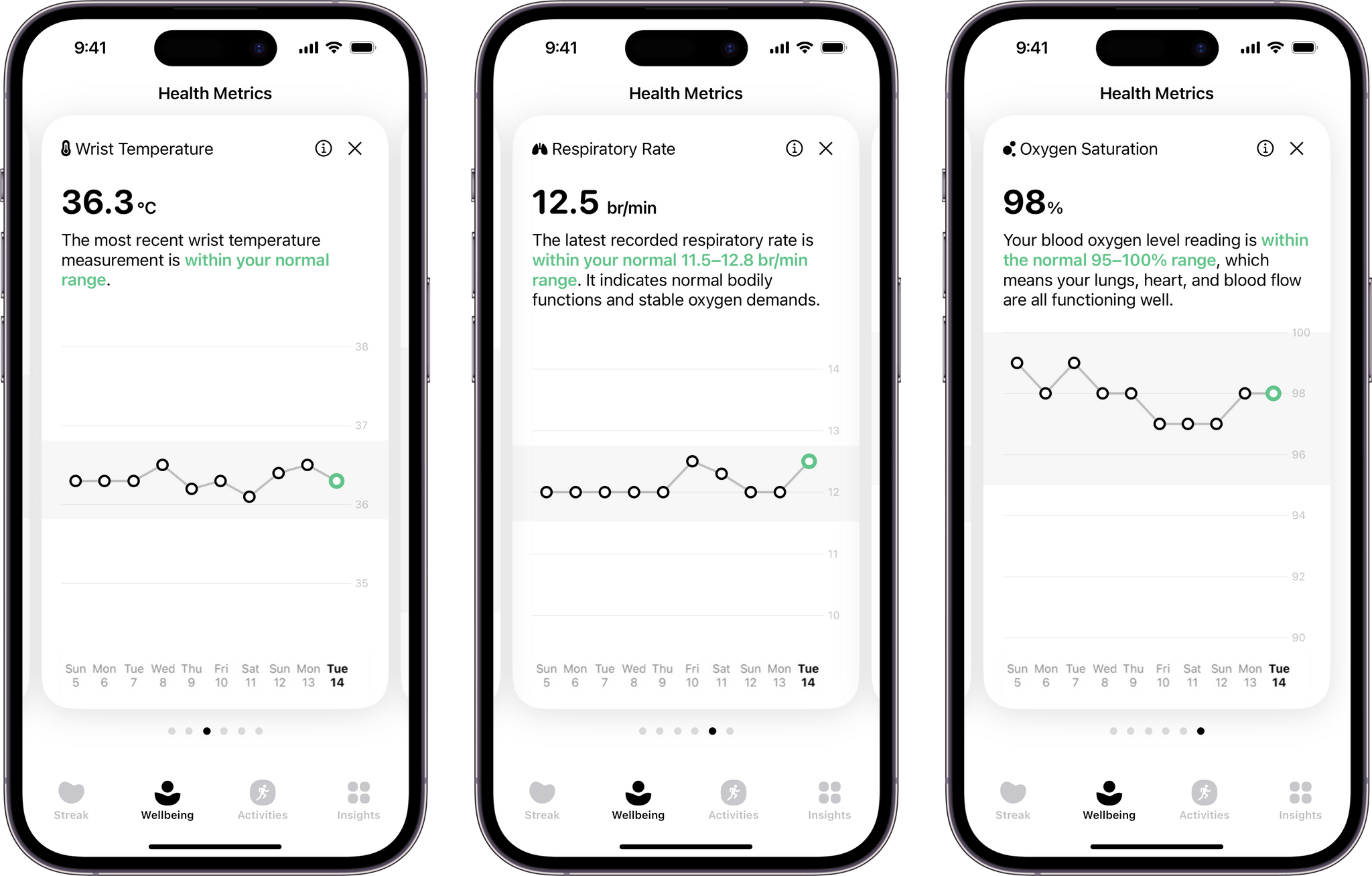
With today’s update, Gentler Streak is adding a new tab to the iPhone that tracks seven health metrics: sleeping heart rate or resting heart rate when SHR is unavailable, sleep duration, heart rate variability, respiratory rate, oxygen saturation, and wrist temperature. The app then uses that data to help guide your workout plans. For example, I didn’t get as much sleep as usual last night, so Gentler Streak suggested I take a break from working out today.
Each statistic in the Wellbeing tab is presented as a card-like widget that includes the current data, a 10-day trendline, and an indicator of whether the measurement is within normal ranges. Tapping on a card expands it for a bigger view that offers more information about what’s being measured and your results.
I’ve been using Gentler Streak for about a month and have found that its approach has kept me more motivated than closing my Fitness app Activity rings has. I still track those, too, but Gentler Streak is where I go to ensure I’m on track with my fitness goals while remembering to give myself a break now and then. It’s too soon to say what the Wellbeing tab will mean to my overall experience with the app, but I like what I’ve seen so far and plan to write more about Gentler Streak soon.
Gentler Streak is free to download from the App Store but requires a subscription to unlock some features.