John Voorhees

5413 posts on MacStories since November 2015

John is MacStories' Managing Editor, has been writing about Apple and apps since joining the team in 2015, and today, runs the site alongside Federico. John also co-hosts four MacStories podcasts: AppStories, which covers the world of apps, MacStories Unwind, which explores the fun differences between American and Italian culture and recommends media to listeners, Ruminate, a show about the weird web and unusual snacks, and NPC: Next Portable Console, a show about the games we take with us.

AppStories, Episode 341 – Do Wishes Come True? (Part 2)

This week on AppStories, we conclude our look back at our pre-WWDC OS wishes for iOS 17, watchOS 10, and tvOS 17 and look at which came true.

Sponsored by:

  • Notion – Do your most efficient work with Notion Projects. Try it free today.

On AppStories+, I report on my early experiments with macOS Sonoma desktop widgets, while Federico follows up on his attempt to create a portable HomePod mini.

We deliver AppStories+ to subscribers with bonus content, ad-free, and at a high bitrate early every week.

To learn more about the benefits included with an AppStories+ subscription, visit our Plans page, or read the AppStories+ FAQ.

Permalink

Snazzy Labs on the Trouble with Mac Gaming

Quinn Nelson of Snazzy Labs has an excellent video about the trouble with gaming on the Mac. The video’s title says it all: “Macs Can Game. But Apple Can’t.” As Nelson explains, it’s not the hardware or the software that’s holding the platform back. It’s the size of the Mac market and the lack of any apparent strategy to attract more than a few big-name game studios to the Mac.

Nelson’s critique is spot-on. More than ever, Apple seems to be interested in and care about gaming on the Mac. That’s gotten a lot of people’s hopes up, including mine, but the company needs to start spending money to get AAA games as exclusives on the platform if it ever wants to compete with the PC gaming market. Apple spent the money to go from Planet of the Apps to Ted Lasso, and it’s going to have to do the same with videogames if it wants to attract the industry’s biggest names and titles.

Permalink

Do Wishes Come True? (Part 2)

AppStories+ Deeper into the world of apps

AppStories Episode 341 - Do Wishes Come True? (Part 2)

0:00
42:36

AppStories+ Deeper into the world of apps

This week, Federico and John conclude a look back at their pre-WWDC OS wishes for iOS 17, watchOS 10, and tvOS 17 and look at which came true.

Read more


Paku: Hyper-Local Air Quality Tracking on Every Apple Platform

With millions of people facing a long, smokey summer here in the US, I thought it would be a good time to recommend Paku by Kyle Bashour, an iPhone, iPad, Mac, and Apple Watch app for tracking the air quality where you live.

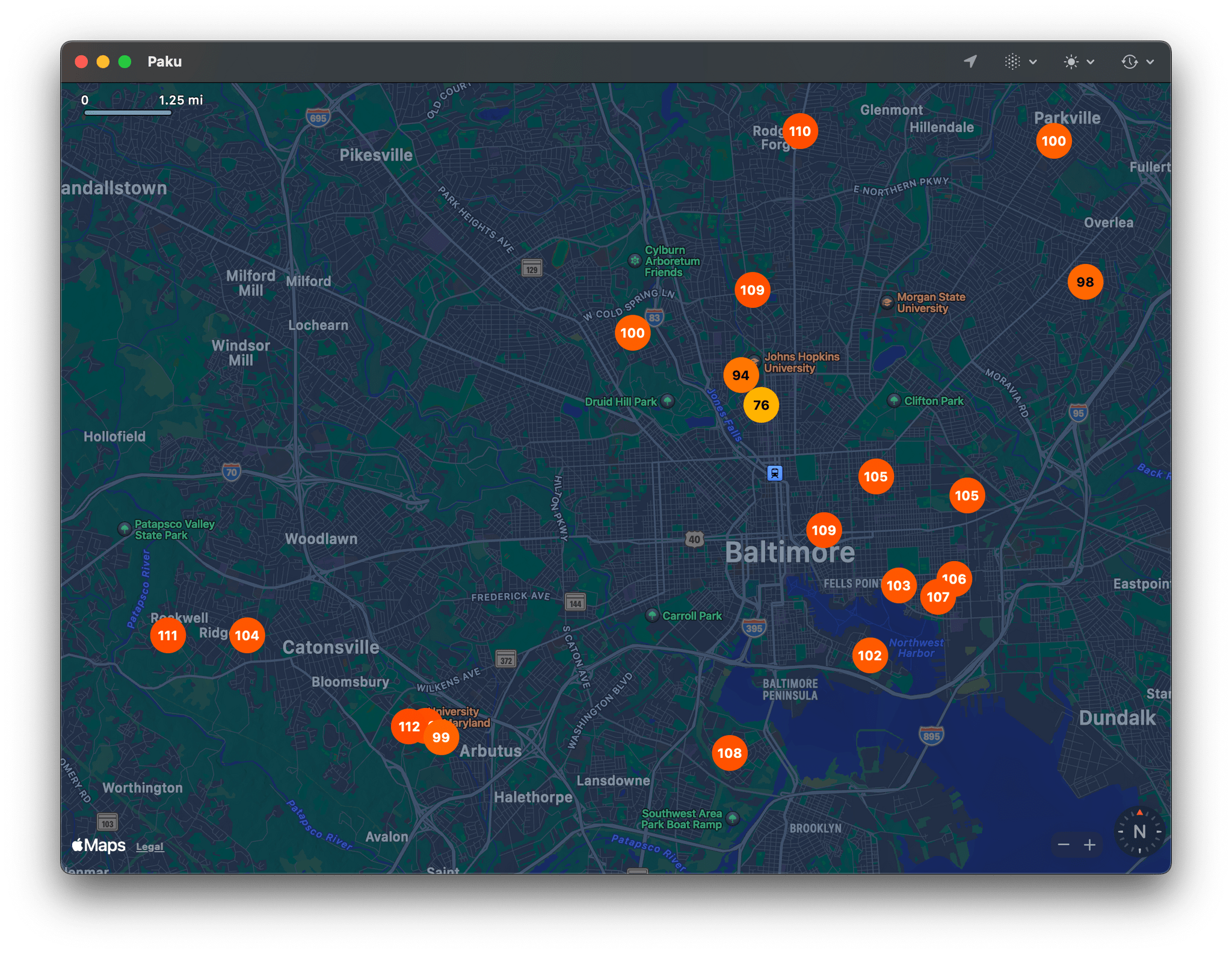
Paku on the Mac.

Paku on the Mac.

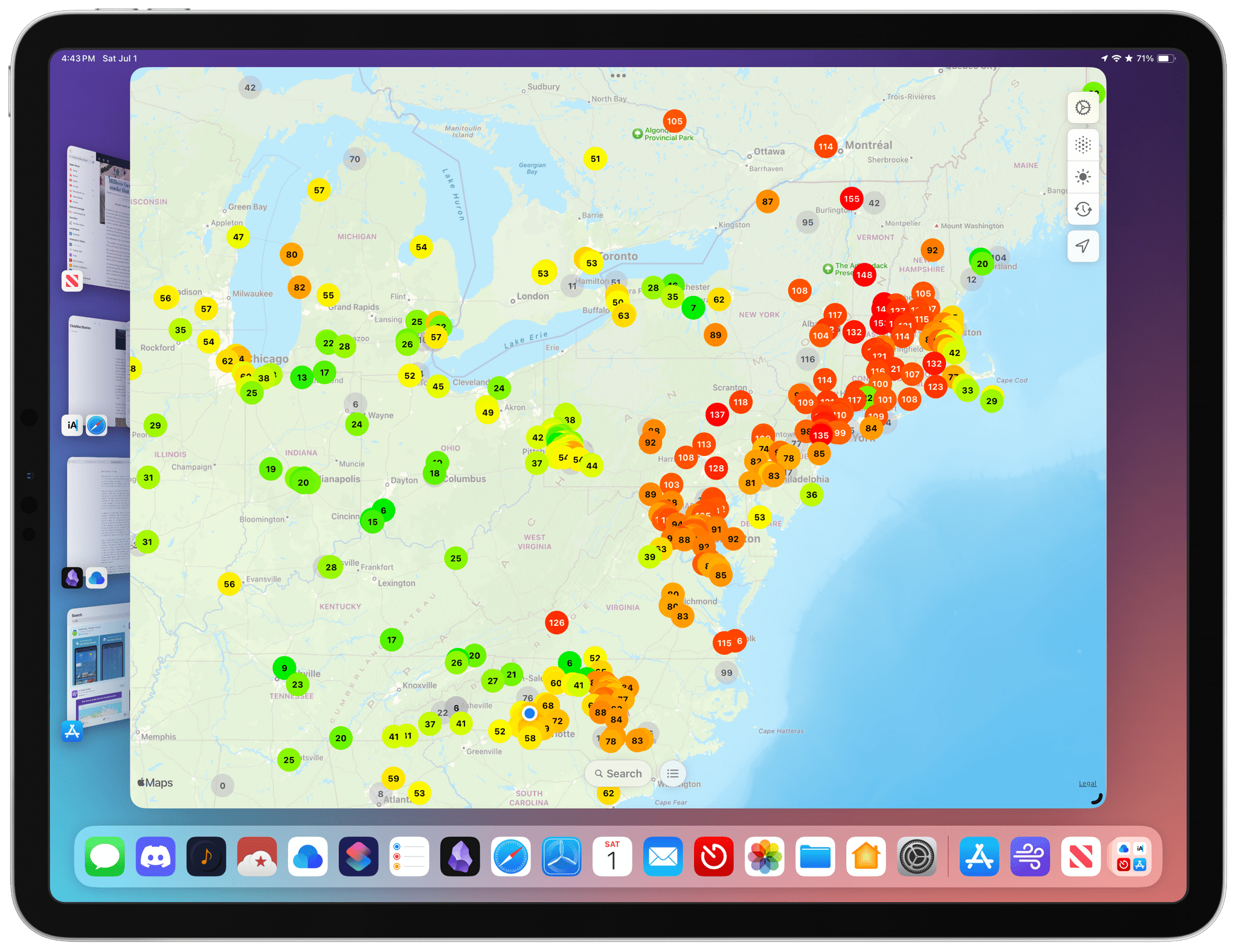
Paku combines Apple’s MapKit framework with public data from PurpleAir to track air quality globally. By default, the app displays Air Quality Index data as color-coded dots on its map UI. Just like Apple Maps, you can zoom out and pan around to see data in other areas or use the app’s search functionality, but the greatest value is in knowing what the air quality is in your neighborhood.

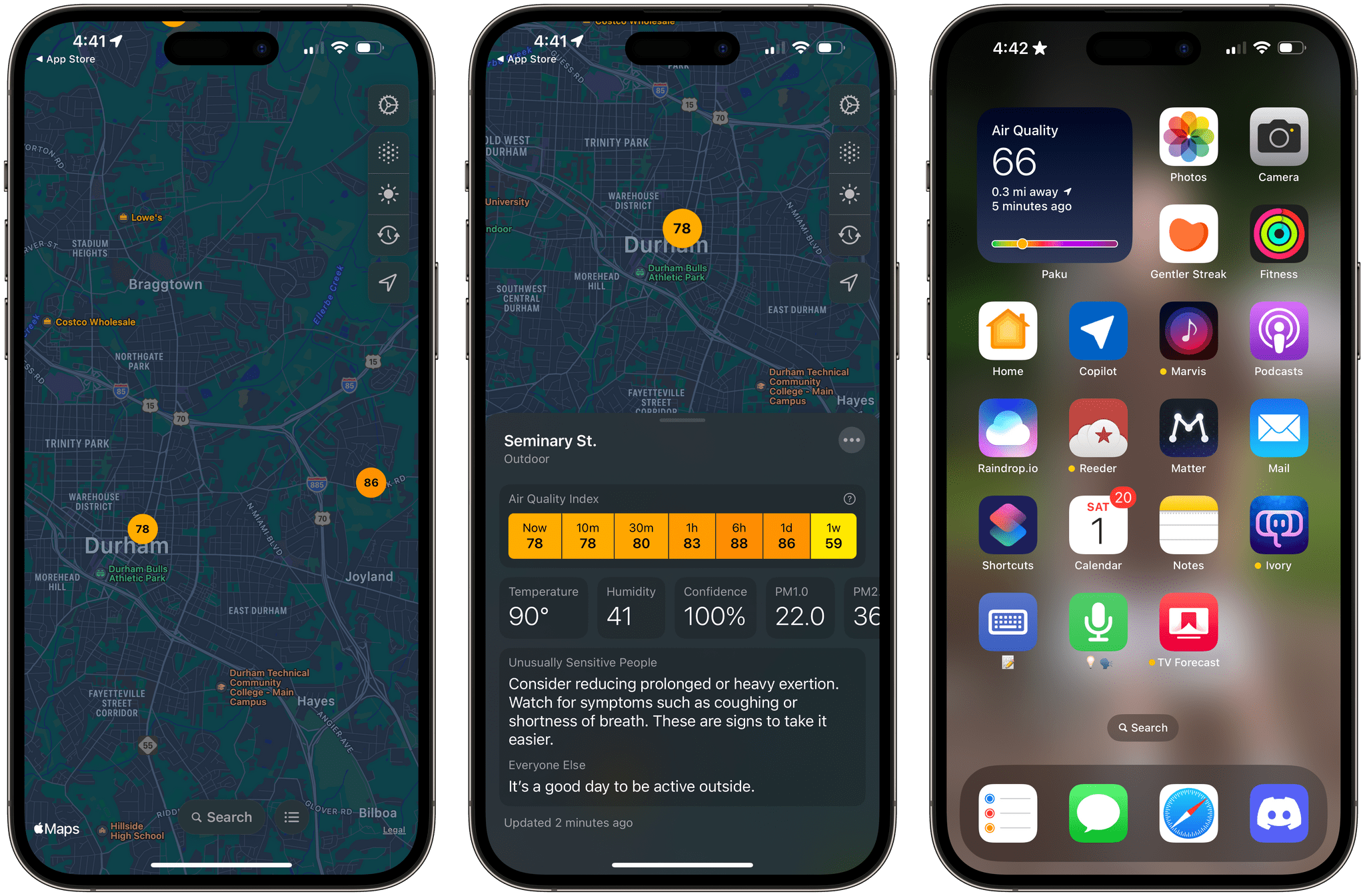
Paku running on the iPhone.

Paku running on the iPhone.

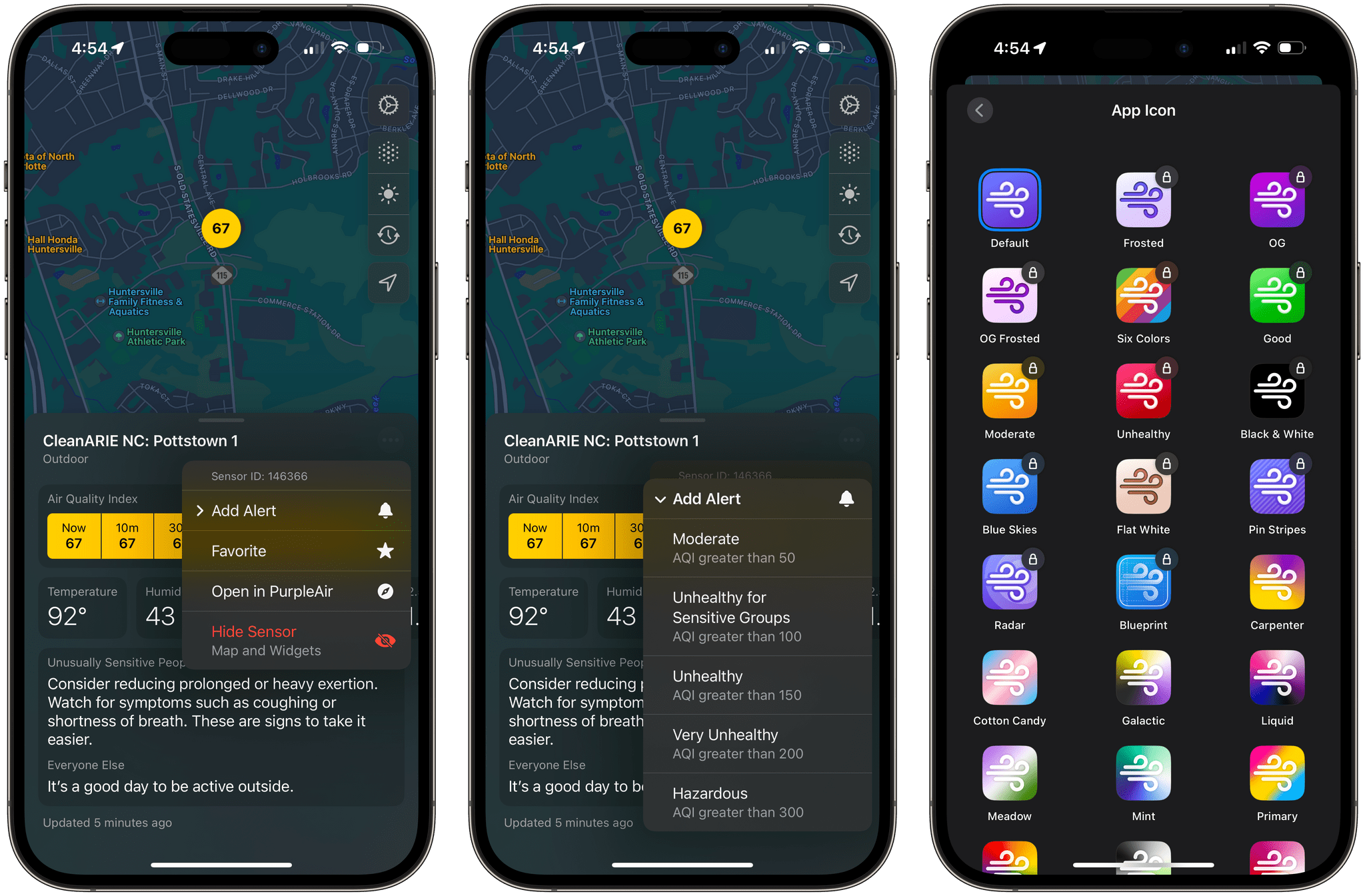
In addition to AQI data, Paku can display temperature, humidity, and PM1.0, PM2.5, and PM10.0 data, using the toolbar overlay on the app’s map. For more information about a station’s data, tap it, and you’ll get all the available data, historical context for the current reading, and an explanation of what precautions you should take if the air quality is bad. From the three-dot More button in the corner of a station’s data view, you can also favorite an air quality station, open the PurpleAir website, or hide a station.

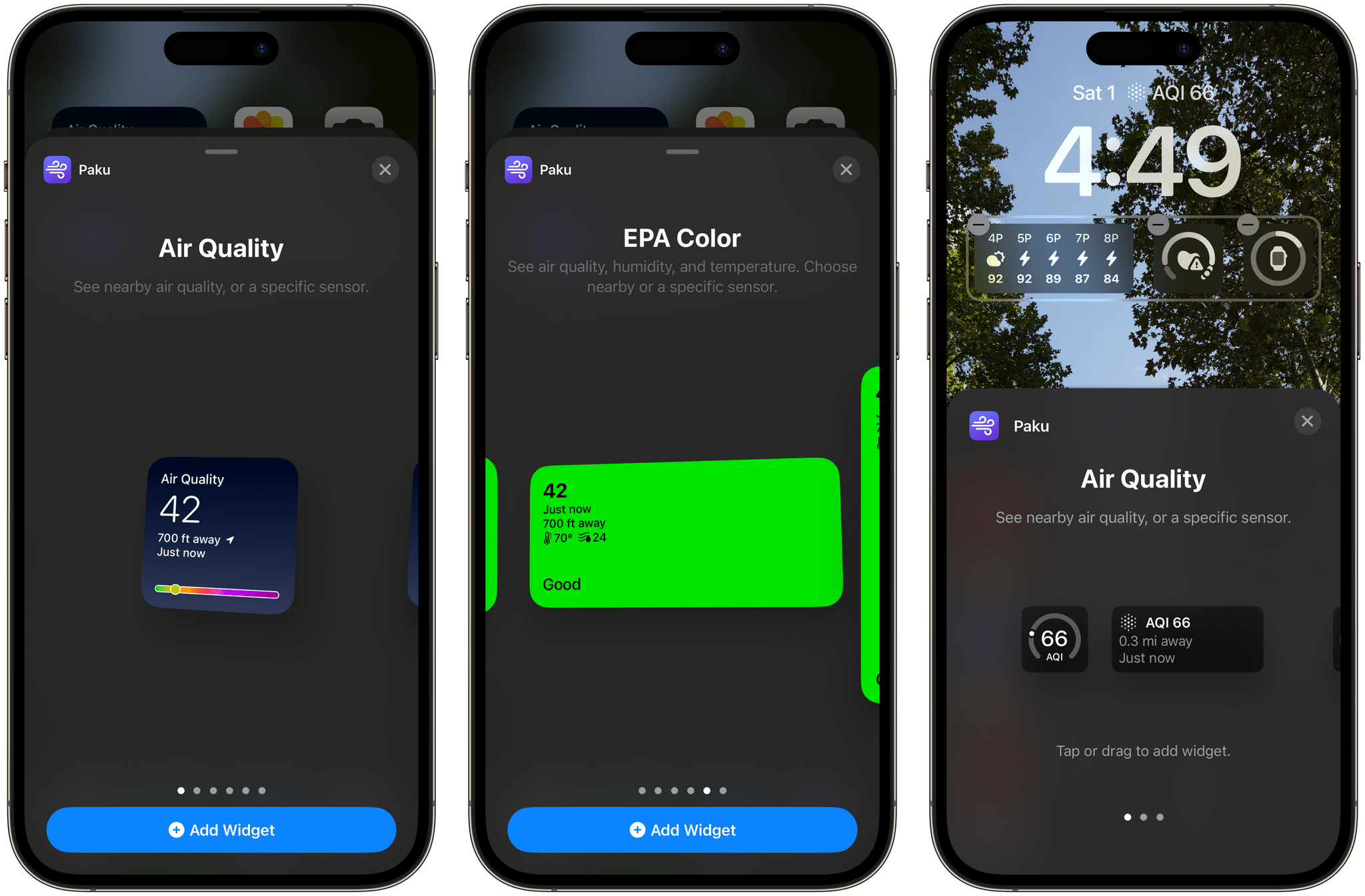
Examples of Paku’s widgets.

Examples of Paku’s widgets.

Paku includes Home and Lock Screen widgets too. For the iPhone’s Lock Screen, there are widgets to track air quality, temperature, and humidity. The same is true for Home Screen widgets, which feature the same types of data but use two designs. The first design uses a blue gradient background, big numerals for the primary data point, and a graphic that shows where your current air quality falls on the air quality scale. The other Home Screen widget design uses the EPA’s color scheme as the background of the widget to make the air quality reading even more glanceable.

Paku also supports a single Shortcuts action that opens the app, which is fine, but it would be better if the action returned the air quality, temperature, and humidity data instead.

Air quality alerts and alternate icons are two of the Paku benefits that are subscriber-only.

Air quality alerts and alternate icons are two of the Paku benefits that are subscriber-only.

Paku is free to download but offers a subscription with additional features, including the ability to set alerts based on readings from a sensor when air quality reaches one of the scale’s thresholds, such as Unhealthy or Hazardous. Subscribers can also access data from private sensors you can install at your home and pick from a long list of alternative icons. Of those paid features, notifications strike me as the most useful unless you don’t have a nearby public air quality sensor that you can rely on. I’m fortunate in that there’s a sensor less than a quarter mile from my home, so I haven’t felt the need to install my own sensor.

When I moved to North Carolina, I was struck by how clean the air was compared to the Chicago suburbs. I’d tracked air quality on and off in my old neighborhood, but when I got to North Carolina, there wasn’t any reason to do so. Every day started and finished solidly in the green zone. That changed last week, and although there are areas with far worse air quality than here, Paku is back on my Home Screen, helping me decide whether I should get my exercise outside each day or do something indoors. I could use the AQI data from a full-blown weather app, but I love Paku’s clean, focused design and the fact that I can set its widgets to a sensor that’s just down the street from my house.

Paku is available on the App Store as a free download. Notifications, private sensors, and alternative icons require a subscription that is $1.99/month or $13.99/year.


Interesting Links

[[John]] The New York Times looks at how doctors are using AI to get through mountains of paperwork. (Link) Wired takes a look at robotics advances being deployed in Amazon warehouses alongside its human workers. (Link) Nanoleaf opened preorders for the 4D Screen Mirror & Lightstrip Kit, a light strip system for TVs that was...


App Debuts

[[John]] Druck Druck is a tracking and logging app for iOS and iPadOS. I like the flexibility of Druck a lot. You can use it as a habit tracker, log new places you’ve visited, track your weight, and just about anything else you can think of. The app includes Health app integration, which greatly enhances...


Bike

When you’re in law school, outlines are a big deal. It’s a study methodology that has stood the test of time, and one that’s stuck with me long after I was a law student. It’s so ingrained in how I approach topics, that I essentially think in outlines, breaking down ideas in my head by...


Replying with Mail from Your Downloads Folder in macOS Sonoma

There’s a new Apple Mail feature coming this fall to macOS Sonoma that I haven’t seen many people talking about. When macOS is updated, you’ll be able to respond to messages or return to the message to which the download was attached directly from your Downloads folder or any other folder to which you’ve saved...