

Apple’s Reminders app supports image attachments, but that’s it. A lot of the time, that’s enough, but sometimes, I want to attach some other type of file to Reminders for reference purposes. There are a lot of ways to approach this sort of problem. For instance, you could use an app like Hookmark to create...
 StandBy and Landscape Mode
Most iPhone apps don’t support landscape mode because, for years, the orientation didn’t make much sense for most apps. That’s about to change. I didn’t expect to have much use for StandBy when rumors of it surfaced before WWDC. However, in practice, I love it. The mode’s big, chunky widgets make information like the time...
Interesting Links
Sean Hollister of The Verge reported this week that Elgato, the maker of the Stream Deck, is planning on releasing a paid app store for the device later this year. (Link) The Washington Post’s Drew Harwell investigated a prominent left-wing Twitter account that appears to have been a fake account that may have been used...
App Debuts
Peak: Fitness Widgets Peak is a new widget-based fitness tracker from developer Harshil Shah. The app allows users to track a variety of fitness metrics inside Peak itself or on their Home or Lock Screens with widgets. In the app itself, each widget includes an overview widget with your current fitness metrics and smaller widgets...
Threads, Federation, and Safari Profiles
Here are the highlights from the Club MacStories Discord this week:
There was a lot of discussion of Meta’s new Threads social network, its app, and how ActivityPub integration will likely work. Jason provided an excellent primer on how federated services like Mastodon work. I asked members to share how they plan to use...
MacStories Unwind: What’s the Deal with Fireworks?







This week on MacStories Unwind, I explain America’s birthday to Federico and we veer into man-made lakes and nuclear power plants before recommending some of the many iPhone chargers we’ve been trying lately.
The Fourth of July
- Where to Watch the Chicago Fourth of July Fireworks 2023
- Fireworks regulations in the US
- McGuire Nuclear Station sirens sounded accidentally. No emergency at plant.
iOS 17-Compatible MagSafe Chargers and Battery Packs
- Federico’s Picks:
- John’s Picks:
- Belkin BoostCharge Pro
- Belkin MagSafe Wireless Charger Pad
- UGREEN Magnetic Battery 10,000mAh Battery Pack with Foldable Kickstand PD 20W 3 Ports Wireless Portable Power Bank Compatible with MagSafe
- HiRise 3: Twelve South’s Space-Saving, Three-in-One Charging Solution
- Belkin iPhone MagSafe Continuity Camera Mount
MacStories Unwind+

We deliver MacStories Unwind+ to Club MacStories subscribers ad-free and early with high bitrate audio every week.
To learn more about the benefits of a Club MacStories subscription, visit our Plans page.
Chronicling: A Flexible Event Tracker with Modern Features and A Top-Notch Design
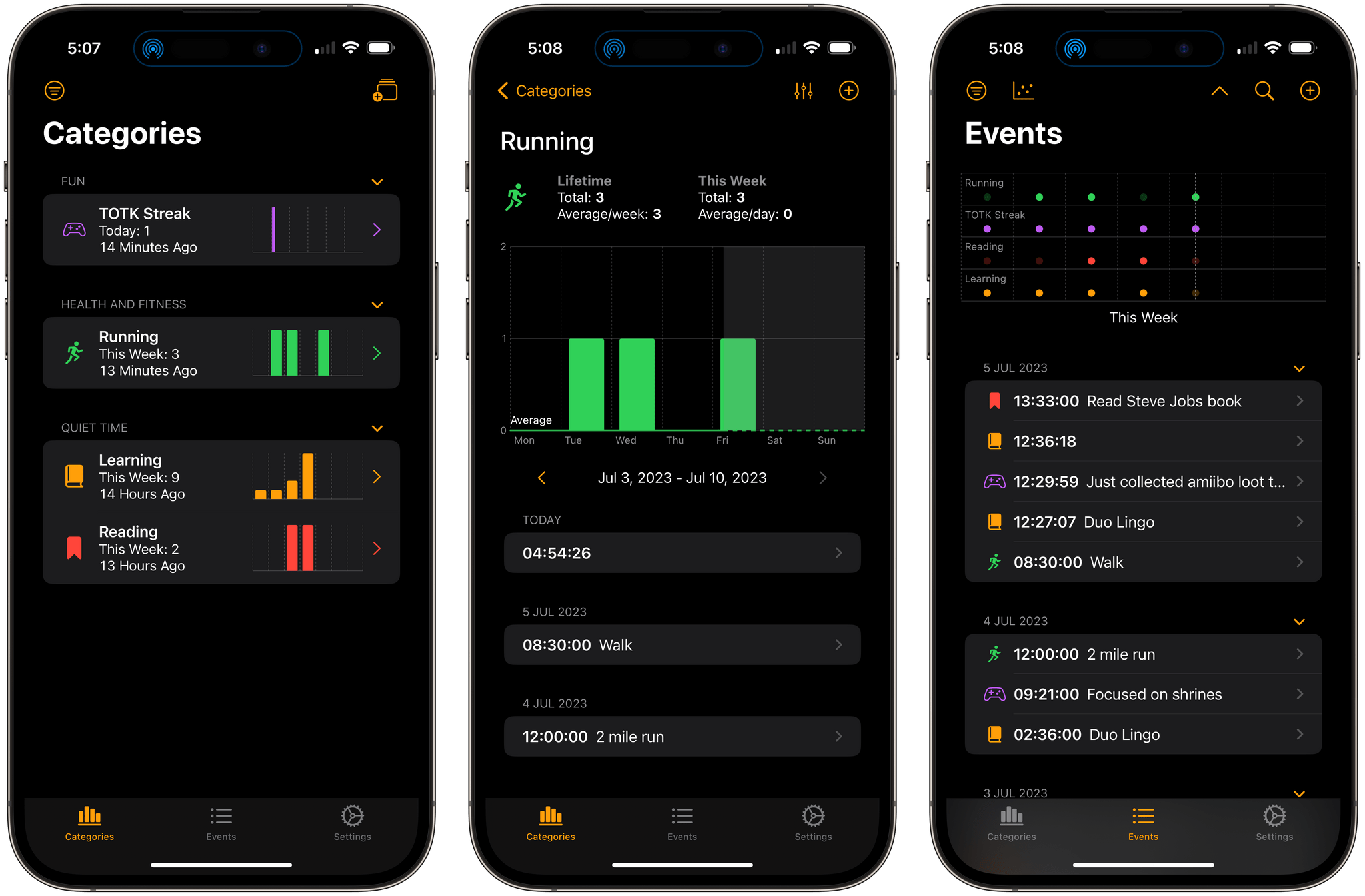
Chronicling is a brand-new event tracking app for iOS and iPadOS by Rebecca Owen. The App Store is full of apps for tracking everything from the very specific, like caffeine consumption, to apps like Chronicling that can be used to track nearly anything. What makes Owen’s app unique, though, is it’s one of the best examples of modern SwiftUI design that I’ve seen that incorporates the still relatively new Swift Charts and other recent Apple technologies to deliver a great user experience.
Trackers like Chronicling are the perfect fit for the iPhone. Most people have the device with them all the time, which makes it perfect for collecting data frequently, but it’s what you do with that data that matters the most. Maybe you’re trying to learn a new language and want to track how often you practice to hold yourself accountable. Or maybe your knee has been bothering you, and you want to keep track of when it flares up to see if it corresponds to an activity in your life. The point is, whether you’re trying to form a new habit or find patterns in things that happen throughout your day, part of the process is gathering the data. The other half of the equation is breaking the data down in a meaningful way. Chronicling does both well.
Users Join Threads in Droves
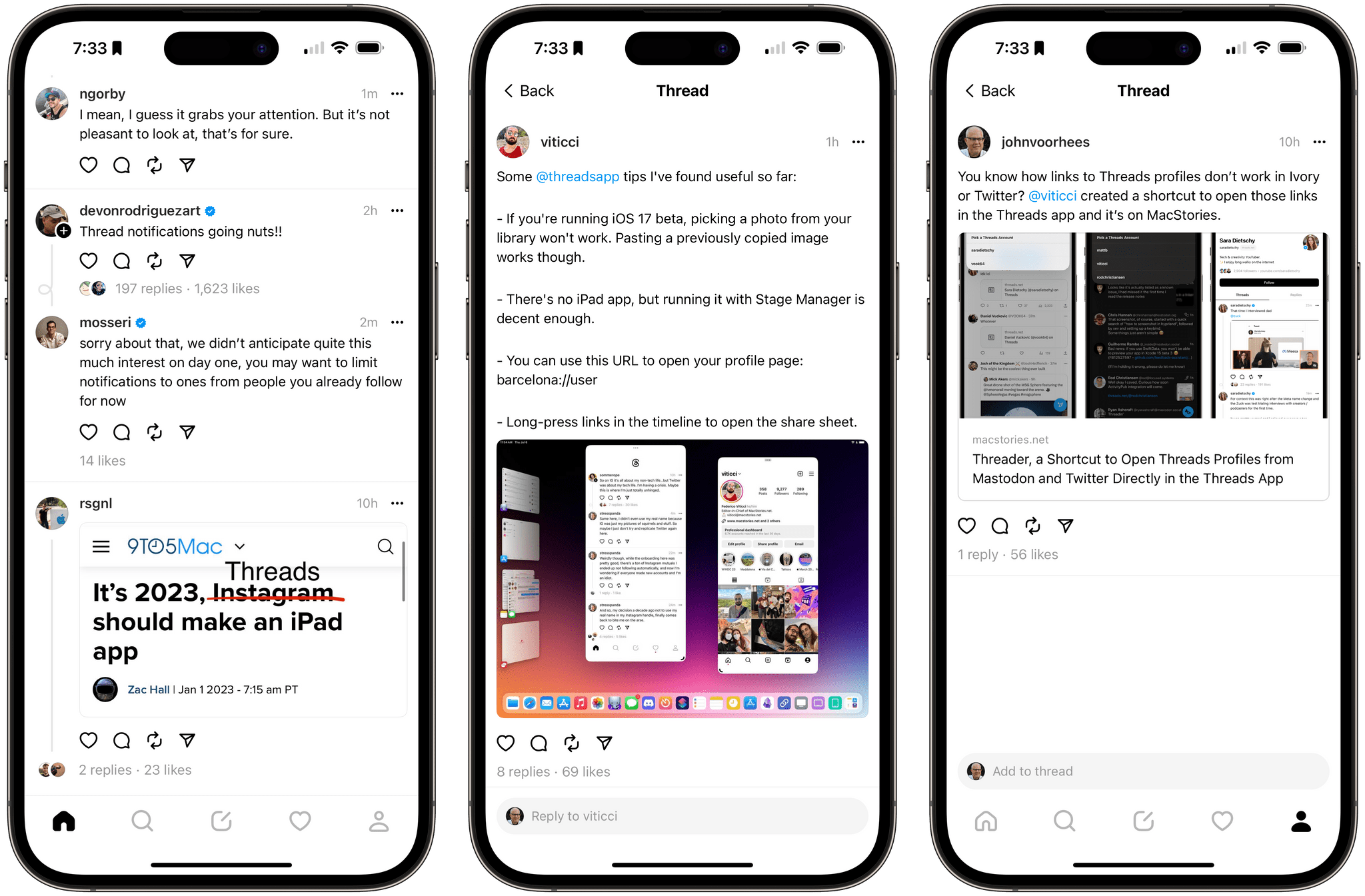
Last night, by the time I called it quits and went to bed Threads, Meta’s new social network, had hit 2 million users in 2 hours. As I write this, Meta’s Adam Mosseri says the count has now surpassed 10 million in 7 hours, which exceeds Mastodon’s user base.
Currently, Threads is a pretty barebones 1.0 experience that was undoubtedly released this week to capitalize on Twitter’s latest troubles. The app is also buggy. I’ve seen posts fail to load, glitchy interactions, and other bugs, but despite the load, the new service has held up under the influx of users, which is impressive, although not entirely surprising given Meta’s scale.
TV Forecast 2.0 Adds Movie Tracking
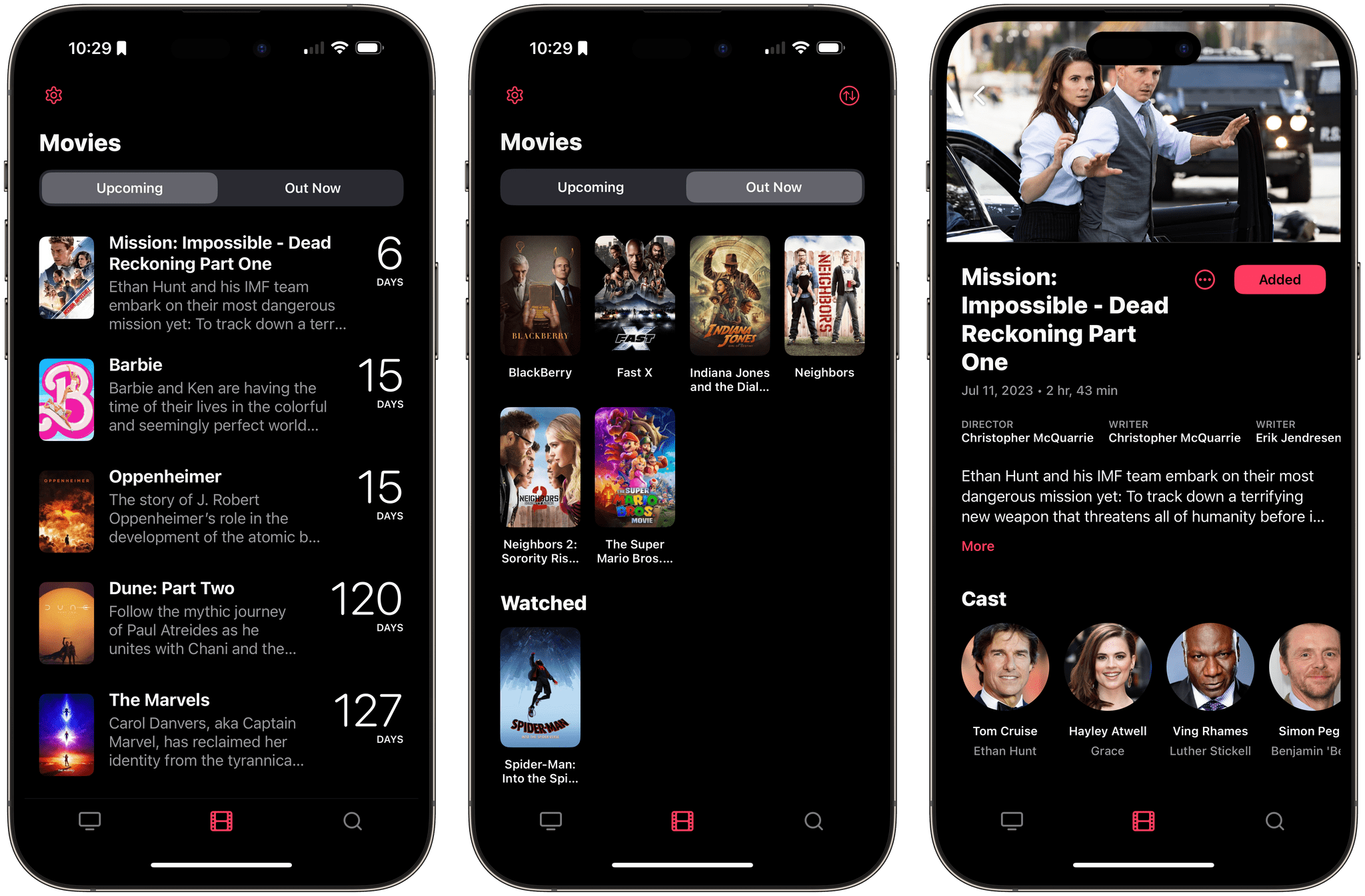
The App Store is full of apps for tracking the media you enjoy, and at least for TV shows and movies, many use Trakt.tv as a data source and tracking service and Just Watch to list where you can watch something. That results in a degree of sameness in the category. What’s harder to find on the App Store is a well-designed TV show and movie tracker. There’s a lot of data available about what we watch, and as a result, too many apps wind up with cluttered, confusing interfaces. TV Forecast 2.0 by Matt Comi isn’t like that, which is why it’s been one of my favorite TV trackers for a long time, and with an update today, it’s one of my favorite movie trackers too.
I reviewed TV Forecast in 2020, and what I said about the app is just as true today as it was then:
When I stopped to consider what it is about TV Forecast that has made it stick for me in a way that no other TV tracking app has, I keep coming back to its balanced design. It has a simple elegance that makes tracking shows feel effortless and natural. For supporting an activity that I use as a relaxing escape, that’s exactly the type of app I value. When all I want to do is quickly check off a few episodes or add a show that a friend recommends, I can. Just as easily, though, I can wander from one linked show to another discovering new ones along the way. It’s that balance between utility and exploration that makes TV Forecast my favorite TV tracker.
For more on TV Forecast’s overall design and functionality for TV shows, be sure to check out my 2020 review.