

I’m ready to get back into the home automation game. When I moved in June 2022, part of my old setup was left behind, including a couple of Ecobee thermostats and a Lutron Caséta switch installed in our old living room. I also knew that we’d be living in an apartment for a while. So,...
 Widgets and What Apple’s Recent Expansion of App Intents Might Mean for the Shortcuts App
In my macOS Sonoma review, I described widgets as the glue that ties Apple’s OSes together. I’m sure some readers thought to themselves, “Yes, but isn’t it really the App Intents framework that ties all of this together.” That’s right, but not in the way I mean, which I thought would be worth exploring a...
Interesting Links
During this week’s Meta Connect event, the company revealed a new set of smart glasses built in partnership with Ray-Ban, which include the ability to livestream video and will gain the ability to identify landmarks and translate text next year. (Link) The Raspberry Pi 5 was introduced this week, which the company says is twice...
App Debuts
[[John]] Noir Jeffrey Kuiken’s night mode and theming app for Safari has been updated with interactive widgets. Now, you can switch to dark mode or pick a theme directly from the app’s new widgets. Jeffrey has also added App Shortcuts, allowing users to control Noir from Spotlight search, and a new icon option. Tripsy The...
MacStories Unwind: Road Trips, Casino Heists, and Apple Podcasts







This week on MacStories Unwind, Federico and I compare road trip notes and somehow wind up talking about Federico’s fascination with casinos, before turning to the latest content updates to Apple Podcasts from Music and News.
Sponsored By:
Kolide – It ensures that if a device isn’t secure it can’t access your apps. It’s Device Trust for Okta. Watch the demo today!
Links and Show Notes
Road Trips


- Federico, Pittsburgh, and The O.C.
- Anna from The O.C.
- University of Pittsburgh, Digital Narrative and Interactive Design
- Sanremo Music Festival
- Casino Sanremo
- Apple Music in Podcasts
John’s Pick:
MacStories Unwind+

We deliver MacStories Unwind+ to Club MacStories subscribers ad-free and early with high bitrate audio every week.
To learn more about the benefits of a Club MacStories subscription, visit our Plans page.
Photo Scout: An Excellent Photographer’s Companion for iPhone and iPad
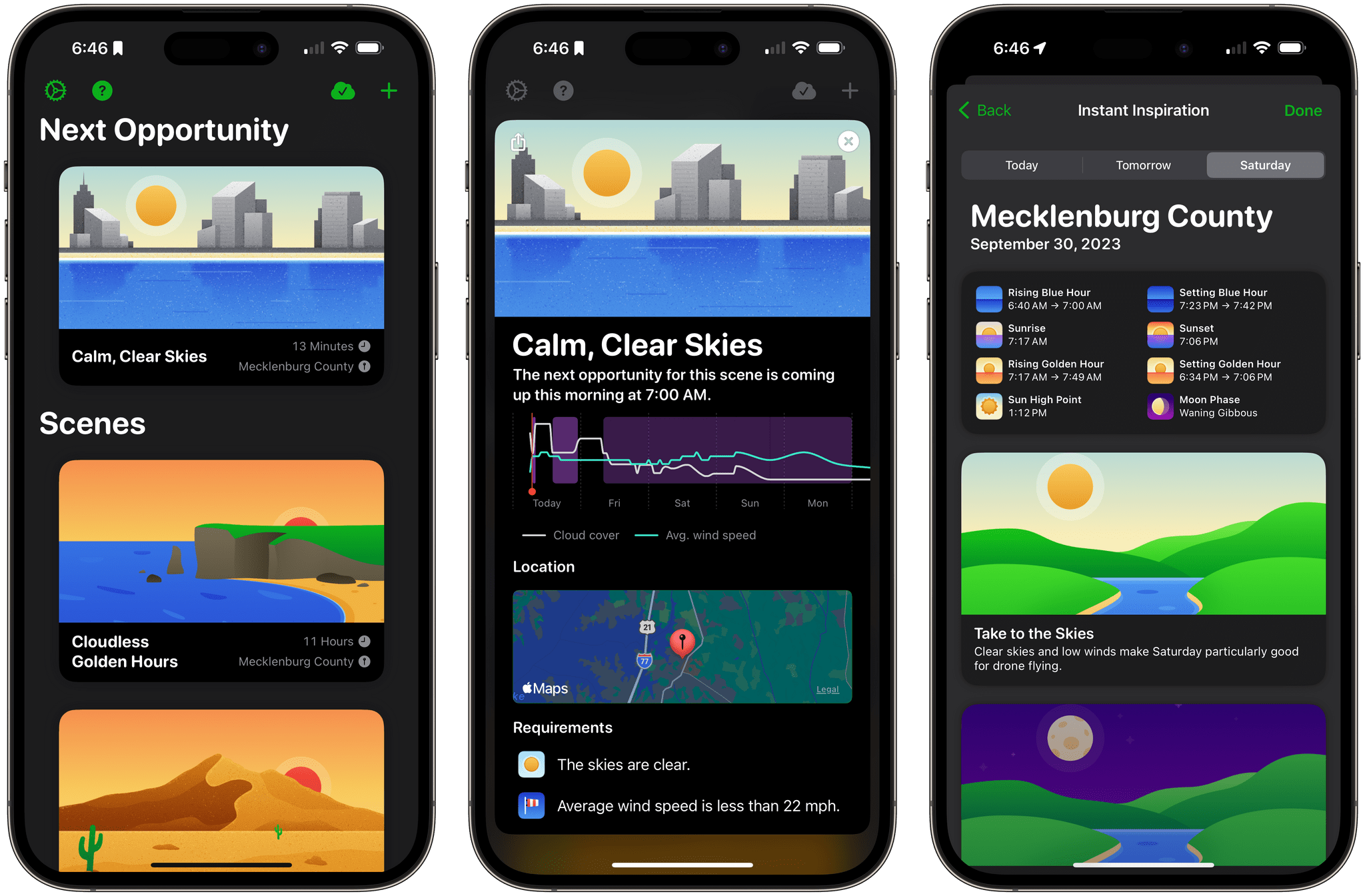
Taking a great photo requires a lot of variables to fall into place. It’s amazing when this happens by happenstance, but what if you could stack the odds in your favor? That’s the question Photo Scout by Cascable answers.
Photo Scout, available for the iPhone and iPad, combines location data with weather conditions, date and time information, sunlight, and night sky variables to recommend when you should grab your camera or drone and head out for a photo shoot. The app can account for many variables, but what’s best about Photo Scout is that it makes managing them simple.
Hue Widgets’ Interactive Widgets Are the Easiest Way to Control Complex Hue Lighting Scenes
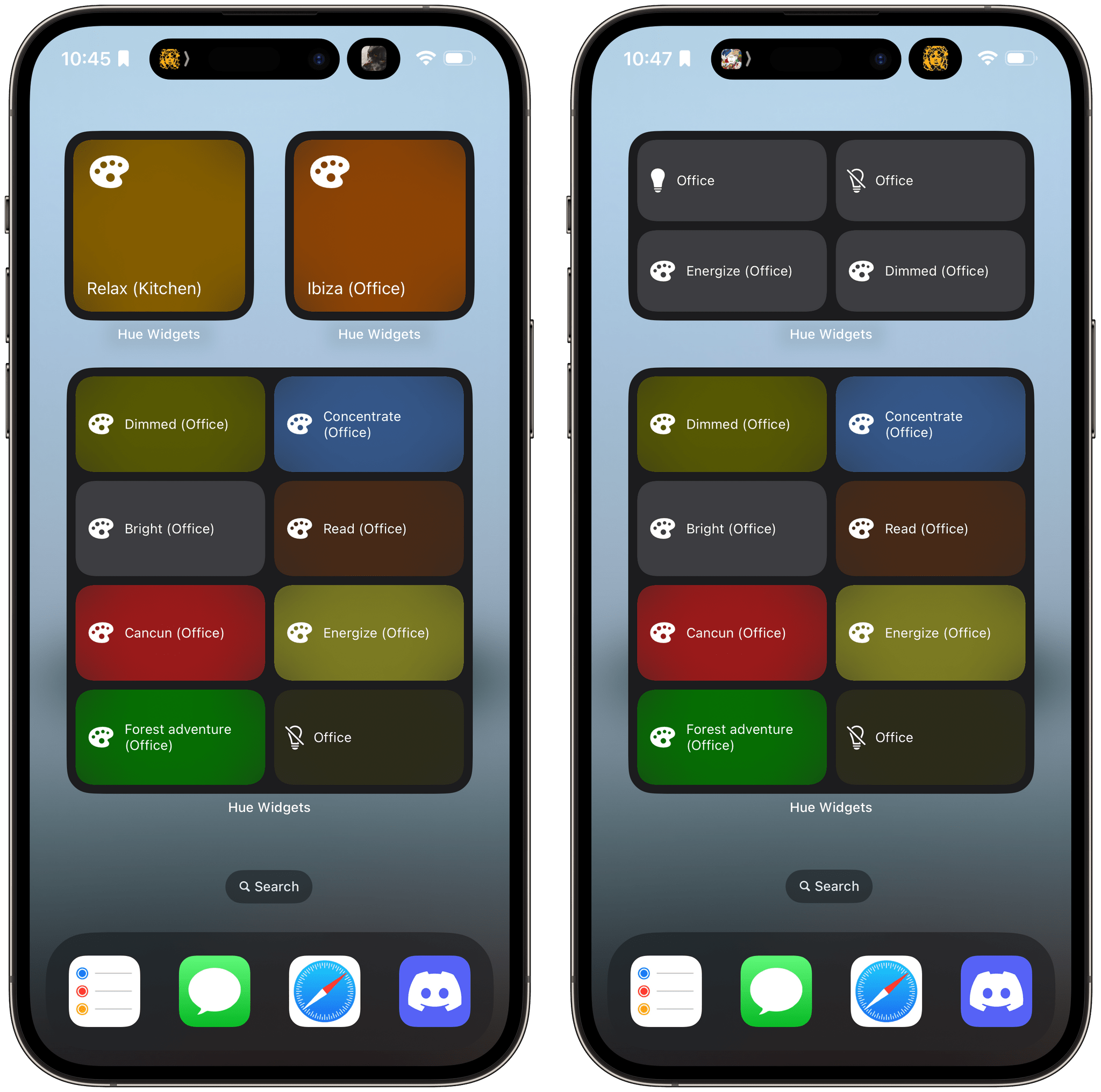
I’ve never been a big fan of the Philips Hue app. It has improved over time, and I appreciate its fine-grained control over my lights and its Shortcuts support, but the app has always felt a little clunky. That’s why I was happy when I discovered Hue Widgets over a year ago now. It’s a simple widget creation tool that lets you activate your Hue lights and scenes from your iPhone’s Home Screen, which is a much easier and nicer experience than using the Hue app. Better yet, with iOS 17, the app’s widgets are interactive, so lights and scenes can be triggered without ever opening the app.
Many Hue lights support features you can’t control from Apple’s Home app. For instance, many Hue lights can create animated and multi-color gradient lighting scenes that aren’t supported by HomeKit. These extended features can be accessed in the official Hue app, but it doesn’t have widgets, which is a faster and easier way to control your lighting and where Hue Widgets comes in.
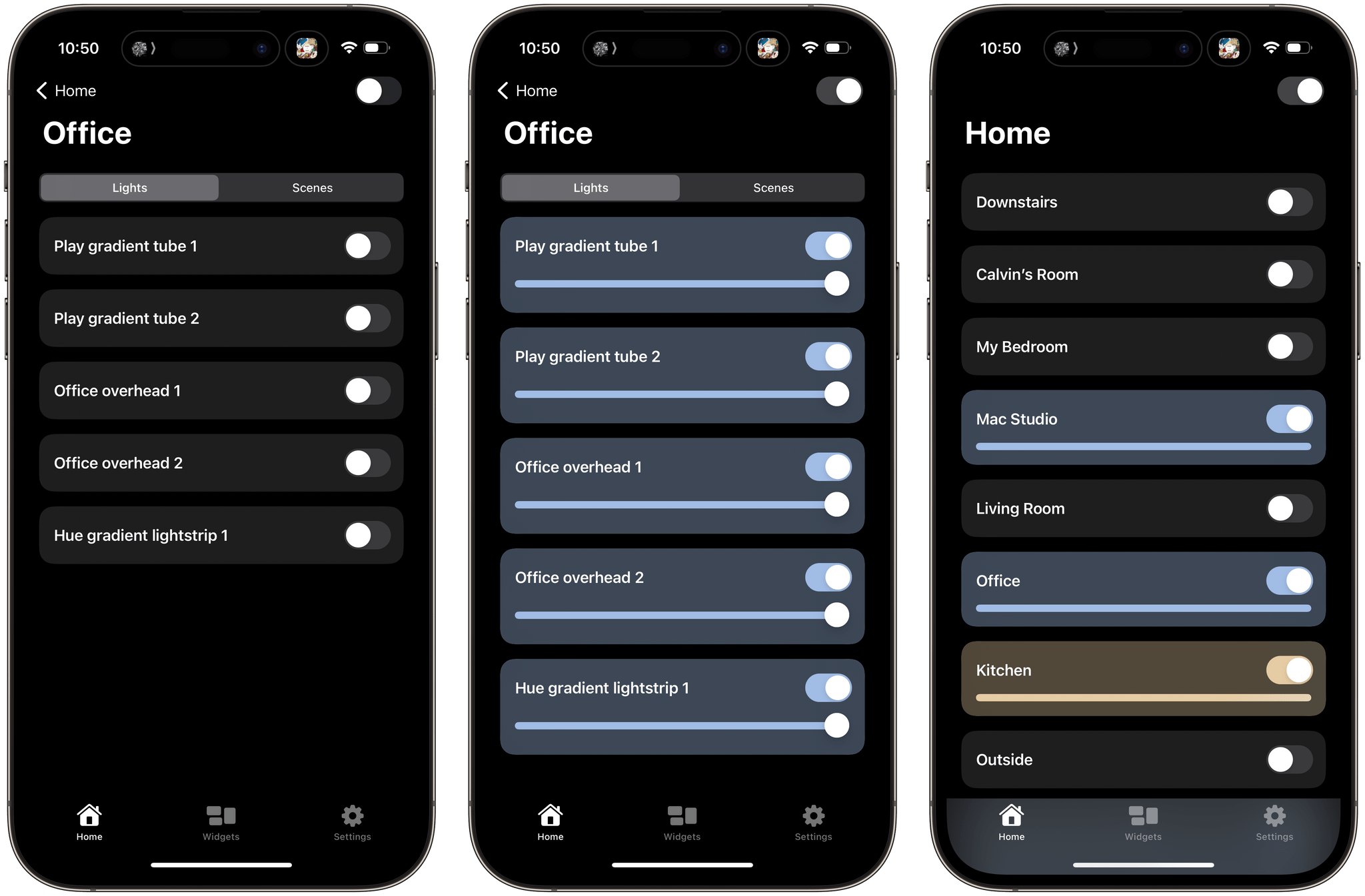
The Hue Widgets app has two main tabs: a list of the rooms in your home, and an interface for creating widgets. The Home tab allows you to turn on an entire room or zone’s lights or control them individually, turning lights and scenes on and off and adjusting brightness levels, light temperatures, and colors. The official Hue app works similarly, but Hue Widgets’ interface is simpler and faster.
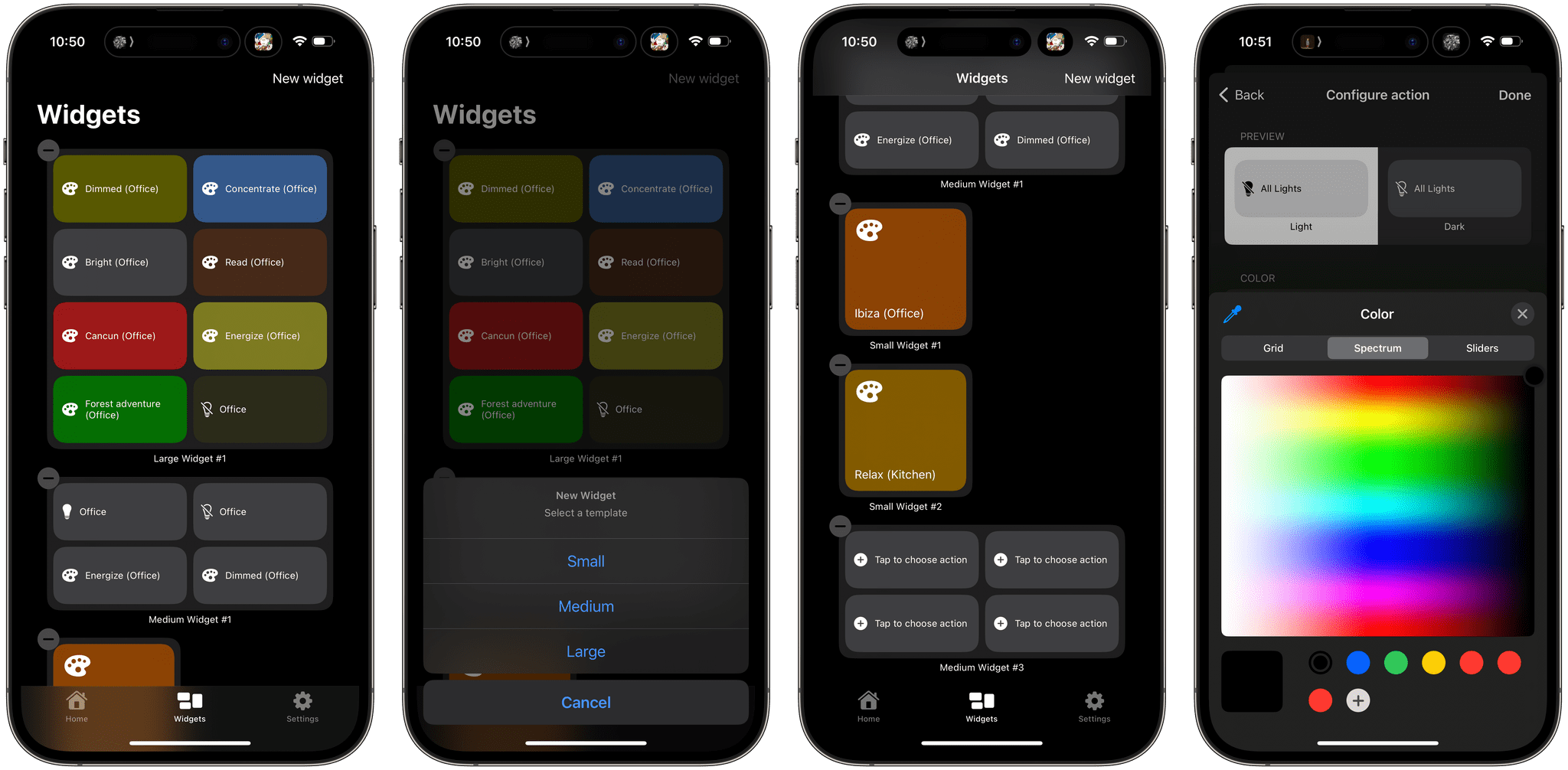
However, I’ve spent most of my time in the Widgets tab. Here, you can set up small, medium, or large widgets to control your Hue lights. The small version of the widget controls one light or scene, while the medium and large sizes control four and eight, respectively. After you pick the widget size you want, it appears in the Widget tab’s main interface. Then, tapping on each widget’s tiles walks you through picking a room and light or scene to control. Hue Widgets also lets you assign a color for each tile in your widget. It’s a quick and simple process but requires you to set up your lights and scenes in the Hue app first because Hue Widgets acts as a controller for the Hue app, not a replacement. When you’re satisfied with the widgets you’ve designed, return to your iPhone’s Home Screen to add one of the widgets you built, choosing the size you created in the app.
One thing I wish I could change in Hue Widgets is how it names widgets. Each is named automatically along the lines of ‘Small Widget #1’ and ‘Small Widget #2.’ If you create a lot of widgets, this isn’t ideal because it makes it hard to remember which widget is which. I’d prefer to assign more memorable names myself. I’d also love to see Hue Widgets on the iPad, where it could offer an extra-large widget.
.](https://cdn.macstories.net/wednesday-27-sep-2023-11-00-17-1695827189031.png)
Hue Widgets pairs nicely with Home Widget, which I recently reviewed.
I was a fan of Hue Widgets before iOS 17, but having tried the interactive versions of its widgets, I can already tell I will be using them a lot more than before. Paired with the recent addition of Matter support for Hue hubs, which seems to have improved the responsiveness of my lighting, Hue Widgets has become a core part of my growing home automation setup.
Hue Widgets is available on the App Store for $1.99.
AppStories, Episode 352 – Widgets Everywhere→
This week on AppStories, we take a look at some of our favorite apps with interactive widgets for iOS 17, iOS 17, and macOS Sonoma.
Sponsored by:
- Fitbod: Get stronger, faster with a fitness plan that fits you. Get 25% off your membership.
](https://cdn.macstories.net/banneras-1629219199428.png)
On AppStories+, we reflect on the end of the busiest part of review season at MacStories.
We deliver AppStories+ to subscribers with bonus content, ad-free, and at a high bitrate early every week.
To learn more about the benefits included with an AppStories+ subscription, visit our Plans page, or read the AppStories+ FAQ.
Apple Announces ‘Meet with Apple Experts’ for Developers

Apple announced a worldwide series of events for developers who want to improve their apps through a combination of online and in-person resources.
The program includes more than 50 workshops, consultations, labs, and other sessions focusing on a broad range of topics, from developing for each of the company’s OSes to business and marketing assistance. For example, Apple’s developer website currently lists one-on-one App Review consultations, an in-person Apple Vision Pro event, and an online session on app discovery and marketing, as well as a wide variety of other topics hosted from several cities around the world. Sessions are offered in multiple languages and incorporate what was previously part of programs like Ask Apple, Meet with App Store experts, and Tech Talks.
The new Meet with Apple Experts events look like they’ll be a fantastic resources for developers. I especially like the blend of in-person and online resources. It’s hard to beat the kind of one-on-one interaction that used to happen in WWDC labs, but in-person events impose a lot of constraints that make them hard to host and attend. With a mix of in-person and online events, Apple should be able to reach a wider developer audience, which is great to see.