John Voorhees

5405 posts on MacStories since November 2015

John is MacStories' Managing Editor, has been writing about Apple and apps since joining the team in 2015, and today, runs the site alongside Federico. John also co-hosts four MacStories podcasts: AppStories, which covers the world of apps, MacStories Unwind, which explores the fun differences between American and Italian culture and recommends media to listeners, Ruminate, a show about the weird web and unusual snacks, and NPC: Next Portable Console, a show about the games we take with us.

This Week's Sponsor:

Dropzone 5

Improve your Drag-and-Drop Workflow


The MacStories Team Is on Threads (Again)

With Threads’ launch in Europe today, we thought it would be a good time to reintroduce readers to the MacStories Threads account as well as those of the MacStories team.

It’s been quite a year for social media. Almost exactly one year ago today, we announced that MacStories had established its own dedicated Mastodon server for MacStories, AppStories, and Club MacStories. That move has been successful beyond our wildest imaginations. MacStories’ core audience is on Mastodon, which has made it the perfect place to interact with readers and listeners.

However, not everyone is on Mastodon. That’s why we created MacStories Instagram and Threads accounts earlier this year. Federico and I have been on Instagram for years and joined Threads immediately, although it wasn’t long before Meta prevented Federico and other users in the EU from accessing Threads.

Today, Meta has reopened Threads to Europe, which means Federico, Silvia, and Niléane are back on the service along with Alex, Jonathan, and me. So, today, we thought we’d reintroduce the MacStories Threads account to everyone and link the team’s Threads accounts below to make it easy to follow whomever you’d like.
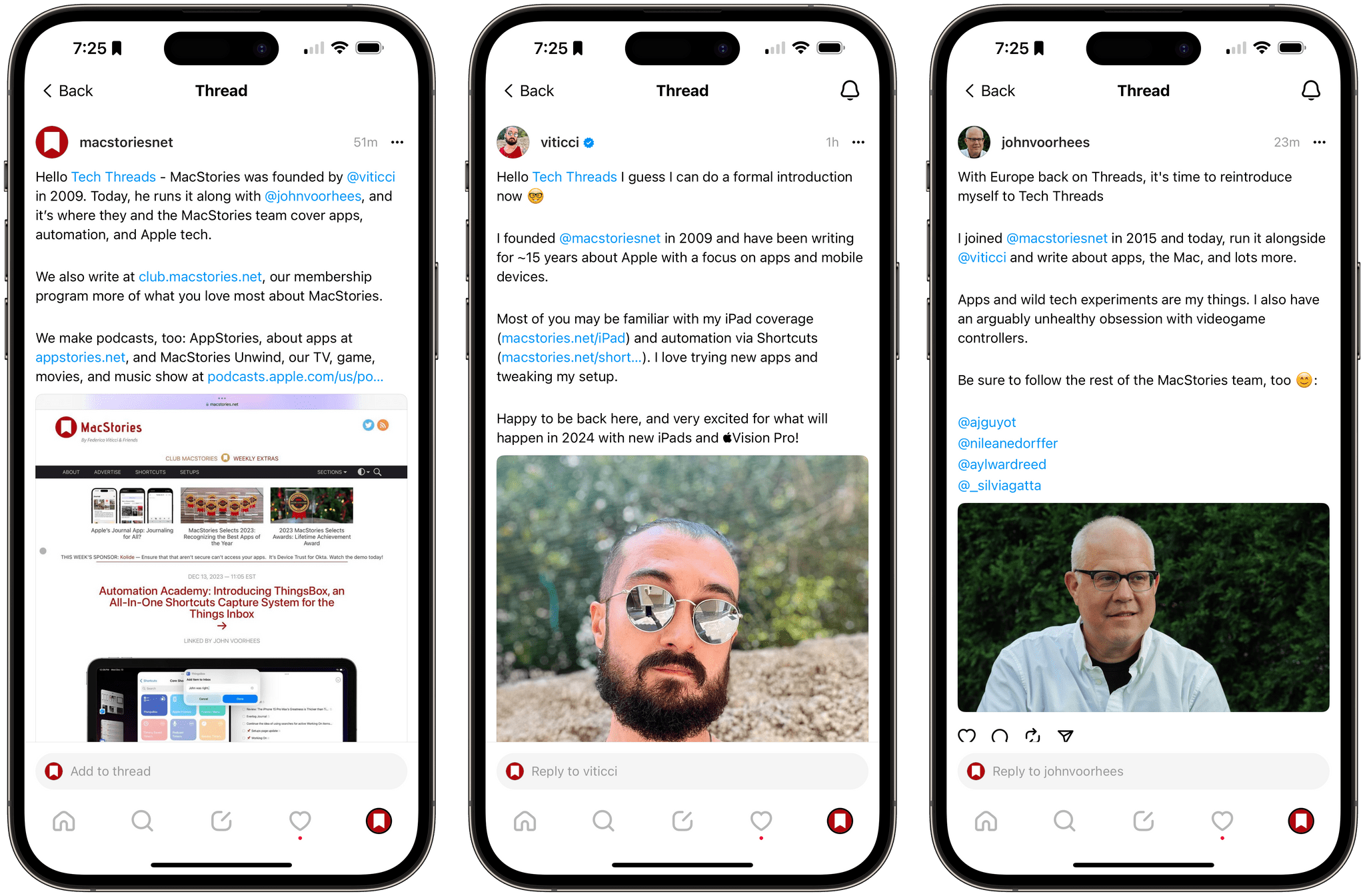
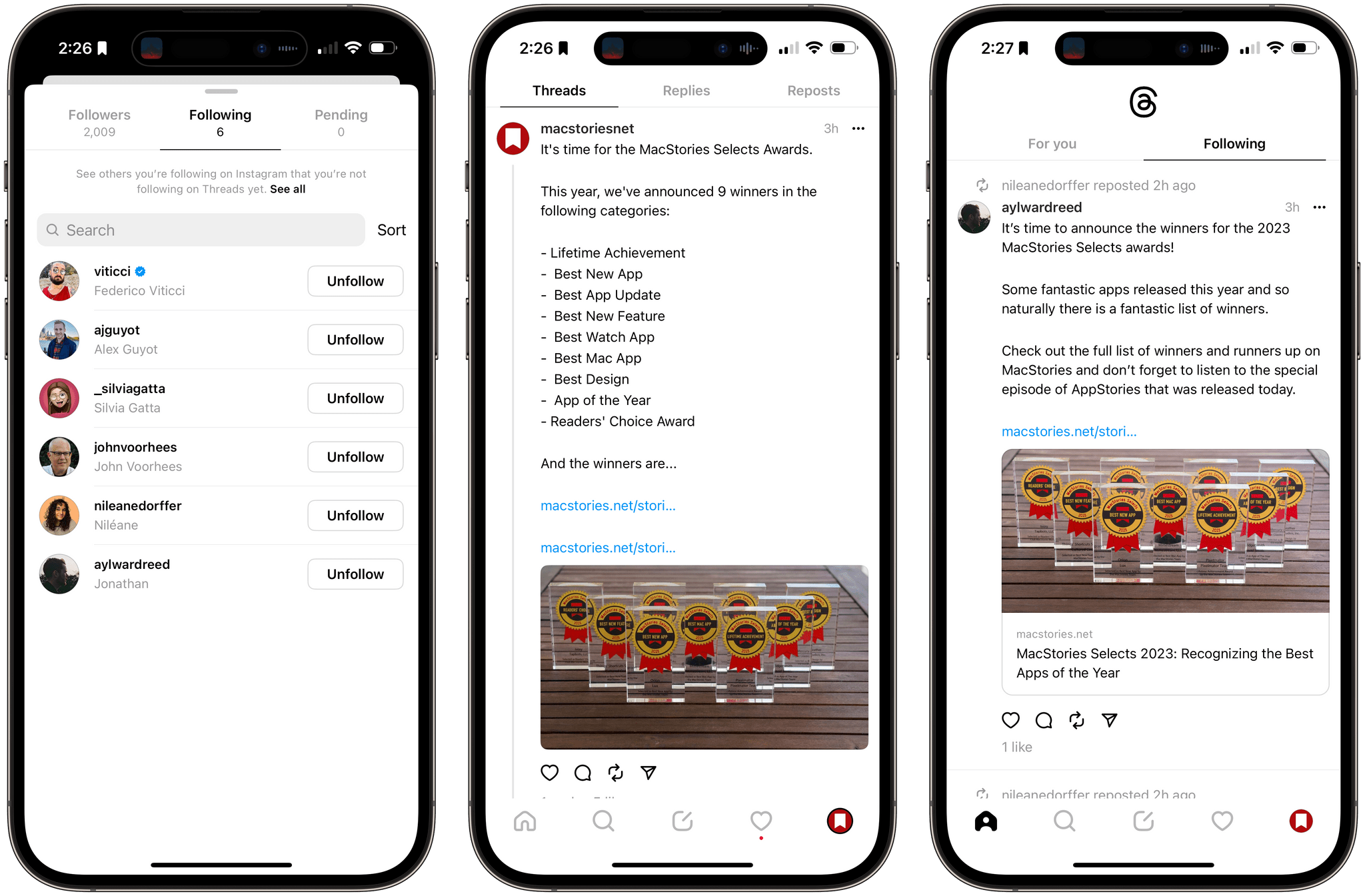
You can expect to hear about the latest stories published by the team on MacStories.net, what’s going on with Club MacStories, and updates on AppStories, MacStories Unwind, and upcoming new projects if you follow MacStories. To follow individual team members, you can use the links below:

We know that Threads isn’t for everyone, and the same is true of Mastodon, which is why we’re on both. So, wherever you’re hanging out these days, feel free to say hello. We love hearing from the MacStories community and are excited to have the full team together on Threads again.

The AirPods Pro MagSafe Charging Case with USB-C Can Now Be Purchased Separately

The MagSafe charging case for second-generation AirPods Pro that comes with a USB-C connector is now available as a separate purchase. When the updated headphones were introduced in September, many users expected the charging case would be available separately, but it wasn’t. That came as a bit of a surprise because when Qi charging was first introduced in the AirPods line, the case was offered as a separate purchase immediately. But with today’s listing on Apple’s online store, if all you want to do is swap your old Lightning case for the USB-C model, you can.

The new case is available to order on the Apple Store for $99, although deliveries in my area aren’t expected until after Christmas, and there aren’t any available for pickup in my local Charlotte, NC retail store.

Permalink

Automation Academy: Introducing ThingsBox, an All-In-One Shortcuts Capture System for the Things Inbox

ThingsBox.

ThingsBox.

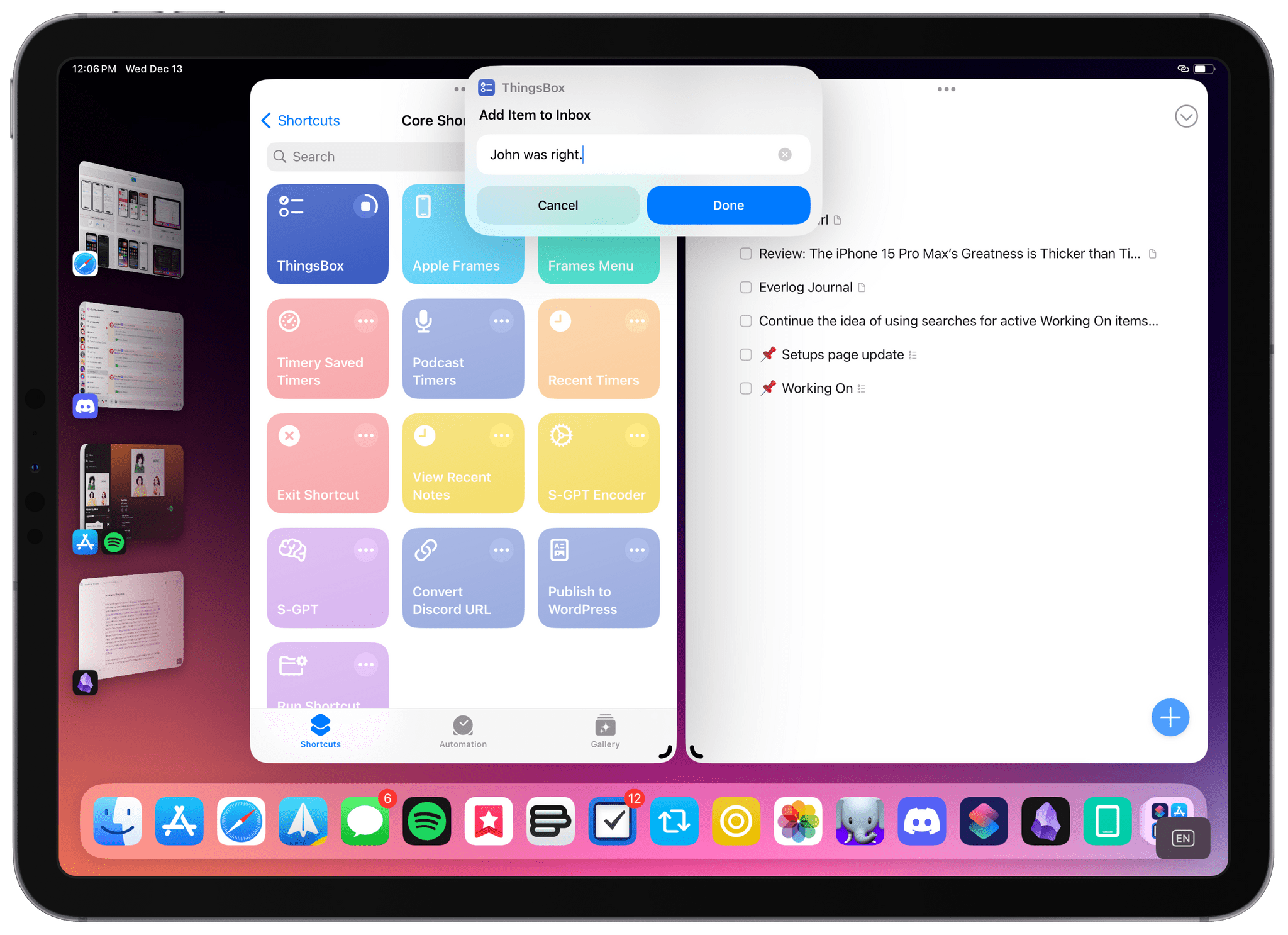
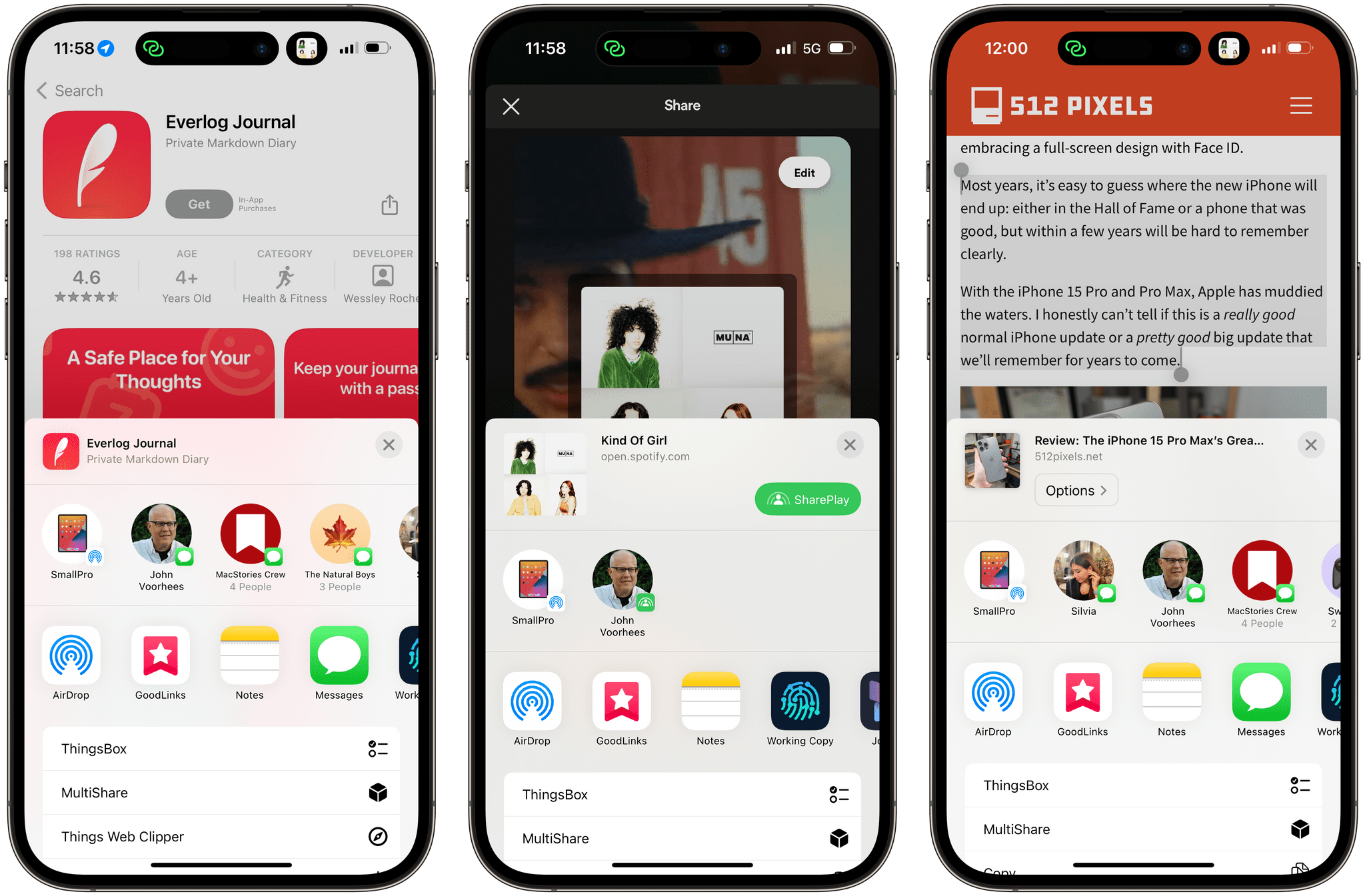
One of the perks of a Club MacStories+ and Club Premier membership are special columns that Federico and I publish periodically. In today’s Automation Academy, Federico shares ThingsBox, a shortcuts capture system that can handle multiple media types on every Apple device, sending the results to the Things inbox.

As Federico explains, ThingsBox originated from a suggestion I made on AppStories recently, which he took and ran with to add functionality tailored to each type of media he saves, creating:

a versatile system for quickly capturing text, Safari webpages, URLs, App Store apps, and even images and save them as new items in the Things inbox. ThingsBox runs on every Apple platform and can be used from a widget, the share sheet, or manually inside the Shortcuts app; it is optimized for the Apple Watch, where it defaults to dictation input; on the Mac, ThingsBox integrates with AppleScript to see what the frontmost window is and capture its data accordingly.

Sharing different types of input with ThingsBox…

Sharing different types of input with ThingsBox…

…and the resulting tasks in the inbox.

…and the resulting tasks in the inbox.

Automation Academy is one of the many perks of a Club MacStories+ and Club Premier membership and an excellent way to learn advanced Shortcuts techniques that are explained in the context of solutions to everyday problems.

Join Club MacStories+:

Join Club Premier:

Permalink

Houdah Software’s Apps Join the Club MacStories+ and Club Premier Discount Program

Ever since we expanded Club MacStories in 2021, we’ve added a growing number of top-tier apps to the Club MacStories+ and Club Premier Discount Program. Today, we’re pleased to welcome Houdah Software to the program with HoudahSpot, HoudahGeo, Photos Workbench, and Tembo, which are all 25% off for Club MacStories+ and Premier members who log in and visit the Club Discounts page.

HoudahSpot is a powerful file search utility that makes finding files a snap and keeps those that you use the most close at hand, saving you time over and over every day. HoudahGeo lets you geotag photos by pinning them to the map locations where you took them. Photos Workbench is indispensable for organizing, geotagging, rating, and managing your photos. Finally, Tembo is a search assistant for documents, mail messages, images, videos, and more that groups files by type and includes multiple sorting and filtering options.

Discounts are just one of the many Club MacStories perks.

Discounts are just one of the many Club MacStories perks.

To put the Club deals into context, taking advantage of them all would save you more than the cost of two years of Club Premier, the highest Club tier. That’s before you even consider the many other perks Club MacStories and Club Premier members enjoy, including:

  • Weekly and monthly newsletters 
  • A sophisticated web app with search and filtering tools to navigate eight years of content
  • Customizable RSS feeds
  • Bonus columns
  • An early and ad-free version of our Internet culture and media podcast, MacStories Unwind
  • A vibrant Discord community of smart app and automation fans who trade a wealth of tips and discoveries every day
  • Live Discord audio events after Apple events and at other times of the year

On top of that, Club Premier members get AppStories+, an extended, ad-free version of our flagship podcast that we deliver early every week in high-bitrate audio.

Use the buttons below to learn more and sign up for Club MacStories+ or Club Premier.

Join Club MacStories+:

Join Club Premier:


The 2023 MacStories Selects Awards

AppStories+ Deeper into the world of apps

AppStories Episode 363 - The 2023 MacStories Selects Awards

0:00
46:16

AppStories+ Deeper into the world of apps

This week, Federico and John introduce the annual MacStories Selects award winners.

Read more


AppStories, Episode 363 – The 2023 MacStories Selects Awards

This week on AppStories, we introduce the annual MacStories Selects award winners.

Sponsored by:

  • Vitally – A new era for customer success productivity. Get a free pair of AirPods Pro when you book a qualified meeting.


On AppStories+, Federico and I go behind-the-scenes to discuss the logistics of picking the annual MacStories Selects Award winners and shipping awards worldwide.

We deliver AppStories+ to subscribers with bonus content, ad-free, and at a high bitrate early every week.

To learn more about the benefits included with an AppStories+ subscription, visit our Plans page, or read the AppStories+ FAQ.

Permalink

2023 MacStories Selects Awards: Lifetime Achievement Award

It’s no secret that we’re big fans of the Pixelmator Team’s image editing apps at MacStories. A lot of our coverage in recent years has focused on Pixelmator Pro and Photomator, but long before those apps ever hit the App Store, there was just plain Pixelmator, an app that’s still available on the iPhone and iPad, and I still use regularly.

Pixelmator debuted on the Mac in the fall of 2007. Here’s how the Pixelmator Team described the release on its blog:

Pixelmator Team today released Pixelmator 1.0, GPU-powered image editing tool that provides everything needed to create, edit, and enhance still images.

Built from the ground up on a combination of open source and Mac OS X technologies, Pixelmator features powerful selection, painting, retouching, navigation, and color correction tools, and layers-based image editing, GPU-powered image processing, color management, automation, and transparent HUD user interface for work with images.

It’s fun to look back at the app’s launch page with its focus on the iSight camera, iPhoto, and the latest Mac OS X technologies like Core Image and Open GL. It feels dated now, but the fundamentals that made Pixelmator an exciting new app in 2007 are just as important for the app and the Pixelmator Team’s other apps today as they were then.

Read more


Backups of Backups

Ever since a nearby lightning strike fried my Mac Studio’s logic board, I’ve been thinking about backups. Thankfully, I lost no data in that mishap, but it was a close call. I had Time Machine and Backblaze backups, but after two moves in under a year, my setup had changed a lot, so it felt...


Interesting Links

[[John]] This week’s release candidate revealed that Qi2 wireless charging is coming to the iPhone 13 and 14. (Link) Instapaper doubled its Premium subscription pricing this week, adding permanent offline storage of saved articles. (Link) Apple Podcasts picked Wiser Than Me with Julia Louise-Dreyfus as the Show of the Year for 2023. (Link) ExpressVPN launched...