John Voorhees

5779 posts on MacStories since November 2015

John is MacStories' Managing Editor, has been writing about Apple and apps since joining the team in 2015, and today, runs the site alongside Federico. John also co-hosts four MacStories podcasts: AppStories, which covers the world of apps, MacStories Unwind, which explores the fun differences between American and Italian culture and recommends media to listeners, Ruminate, a show about the weird web and unusual snacks, and NPC: Next Portable Console, a show about the games we take with us.

This Week's Sponsor:

LookAway

It helps you take regular breaks from your Mac to rest your eyes, without breaking your flow.


Forever ✱ Notes: A Simple, Flexible, and Free Approach to Organizing Your Apple Notes→

The best workflows are the hardest to design because they require restraint. It’s easy to throw complexity at a problem to create the illusion of a grand solution, when it’s often the simplest solutions that reflect the most thoughtful approach to a problem. That was my immediate reaction to Forever ✱ Notes, a systematic approach to note-taking that uses Apple Notes as its foundation.

Forever ✱ Notes’ author, Matthias Hilse, describes the system as follows:

Forever ✱ Notes is a simple, lightweight digital note-taking and knowledge management method for Apple Notes. It’s robust, versatile, and scalable to grow with you.

If you’ve followed the worlds of personal knowledge management, bullet journaling, daily notes, and the complex Notion templates people have created to manage their lives, Forever ✱ Notes will ring a bell. It borrows elements from many systems that came before it but eschews their complexity. Instead, Forever ✱ Notes proposes sensible, pragmatic ways to organize your projects, areas of your life, and journaling using Apple Notes’ built-in tools, like tagging and note linking.

I’ve been building a similar system on and off all year in Obsidian, which isn’t finished, and having spent time looking at many other solutions, Forever ✱ Notes stands out for its simplicity and flexibility. I’ll be spending more time with Forever ✱ Notes over the next few weeks to see how I can incorporate some of its ideas into my own notes. Who knows? Perhaps it’s time to move more of what I do out of Obsidian and into Notes.

Permalink

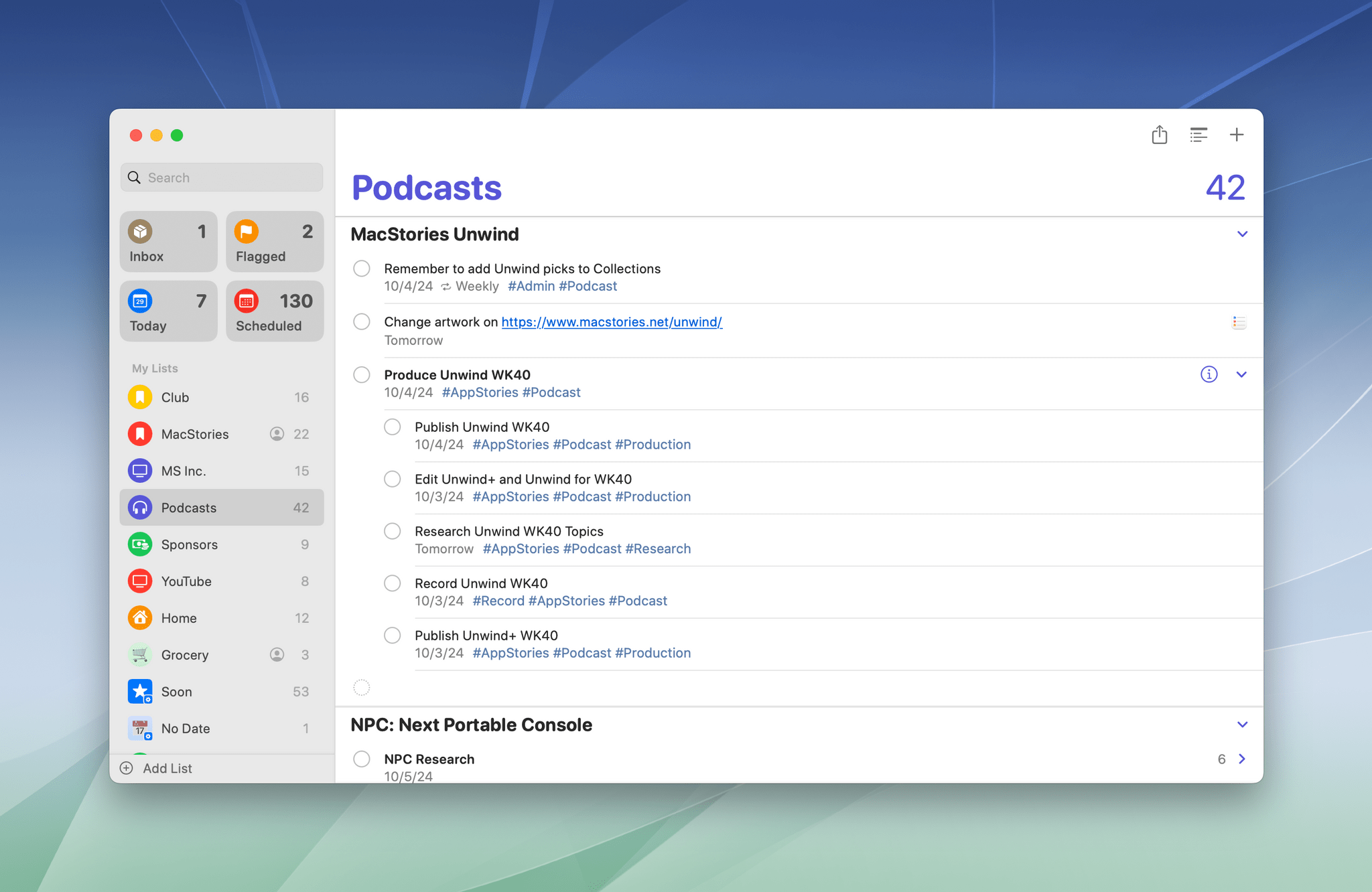
Revisiting Reminders

With my macOS Sequoia review out of the way, I’ve begun new app and hardware experiments. The first thing I did was move all of my tasks to Reminders. It’s been over nine months since I last used the app regularly, and I wanted to see what kind of difference its latest updates, as well...


Becca Farsace on Why the iPod Nano’s Camera Is Her Favorite Camcorder→

Becca Farsace’s latest video is all about her favorite camcorder: the iPod Nano:

It’s a terrific video about a different time when simple devices like the Flip Video were everywhere, taking low-quality video. What made the Flip and, later, the Nano’s video camera great wasn’t the quality of what you could shoot with them. Instead, it was the convenience. With the tap of a button, you were up and recording instantly. As Farsace explains, there are a lot of limitations to the iPod Nano’s video camera, but in hindsight, it also holds a certain charm.

The video reminds me of the days before I had an iPhone and used a first-gen iPod Touch to take photos. The camera was lousy by today’s standards, but despite its limitations, I was able to take pictures that I enjoy to this day. I appreciate how easy it is to get a usable photo with my iPhone 16 Pro Max today, but I also sort of miss the effort required with the iPod Touch. I don’t miss the inefficiency of the Touch, but the constraints made me a better photographer by forcing me to pay more attention to lighting, framing, and other things. That’s why I’m not surprised at all that Halide’s Process Zero was an immediate hit.

Permalink

Bitmo Lab Updates BANG!CASE to Accommodate the Camera Control and Releases GAMEBABY to Turn Your iPhone into a Retro Console [Sponsor]

MacStories readers love to automate their iPhones, which is what makes the BANG!CASE the perfect choice whether you’re using an iPhone 14, 15, or 16 Pro or Pro Max. The BANG!CASE’s retro-futuristic design combines cool aesthetics with its integrated motherboard and independent power supply, which deliver unrivaled power via the BANG!Button and support for the iPhone 16’s Camera Control.

The customizable BANG!Button lets you program thousands of actions with a single press, double-press, or press-and-hold. It’s like having three buttons in one for everything from taking photos to recording voice memos to launching apps, all while protecting your iPhone in a stylish case that includes support for MagSafe wireless charging.

Meanwhile, the GAMEBABY case delivers fun retro vibes reminiscent of 90s game consoles. The case includes a detachable lower half with touch capacitive buttons. By flipping the removable bottom half of the case and covering the front of your iPhone, your phone is transformed into a retro gaming handheld compatible with apps like Delta.

The BANG!CASE is available to order now from Bitmo Lab for $49.99, and, while supplies last, a limited supply of the GAMEBABY case is available for an introductory price of just $24.99. Learn more on Bitmo Lab’s YouTube channel and order the two most innovative iPhone cases available today.

Our thanks to Bitmo Lab for sponsoring MacStories this week.


iOS 18 App Updates We Love

AppStories+ Deeper into the world of apps

AppStories Episode 405 - iOS 18 App Updates We Love

0:00
36:19

↓

AppStories+ Deeper into the world of apps

This week, Federico and John share their favorite app updates that take advantage of what’s new in iOS 18.

Read more


Interesting Links

At its Connect conference earlier this week, Meta announced a slew of updates coming soon to its Meta Ray-Ban smart glasses. In addition to live translation, the glasses will also get deeper Spotify integration and the ability for Meta AI to analyze videos. (Link) Engadget’s Billy Steele got some details on how Apple’s project...


App Debuts

Folder Preview I use Quick Look previews with files all the time on my Mac. Folder Preview, a free utility from the makers of Anybox, brings that same utility to folders in the Finder. Once installed, you can preview the contents of a folder simply by selecting it and hitting the spacebar. It’s a...


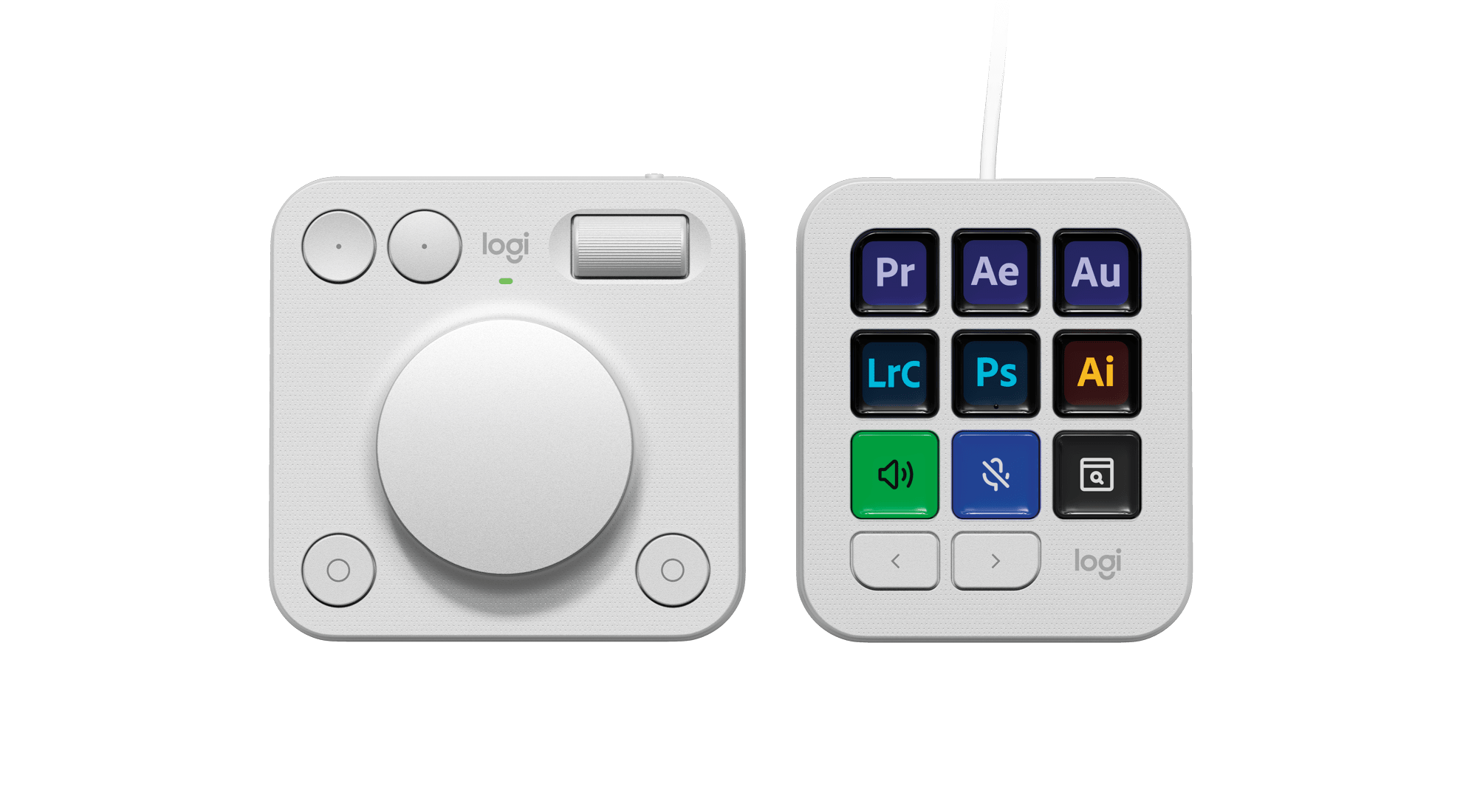
Setting Up Reminders Profiles for the Logitech MX Creative Console

The Logitech MX Creative Console. Source: Logi.

The Logitech MX Creative Console. Source: Logi.

Earlier this week, I shared a first look at Logitech’s new MX Creative Console on MacStories and filmed a short video showing off the hardware for our YouTube channel. At the time, I hadn’t created very many shortcuts for the device, so I spent this week exploring what it can do, with a focus on...


The Latest from Comfort Zone, Magic Rays of Light, and MacStories Unwind

Enjoy the latest episodes from MacStories’ family of podcasts:

Comfort Zone

With Niléane out on assignment, Matt and Chris are joined by MacStories’ own John Voorhees! Chris and John bring brand new, embargoed products, while Matt brings…checking my notes here…a Thunderbolt dock from years ago (but he swears it’s cool).


Magic Rays of Light

Devon and Jonathan highlight new Apple Original Spanish-language medical drama Midnight Family, share their iPhone 16 Pro and Apple Watch Series 10 first impressions, and check in on Slow Horses midway through its fourth season.


This week, an unexpected return to the wild kingdom, my iPhone 16 Pro Max first impressions, and movie and videogame picks.

Read more