Graham Spencer

917 posts on MacStories since January 2011

Former MacStories contributor.


Innovative 3D Mapping Company C3 Technologies Reportedly Acquired By Apple

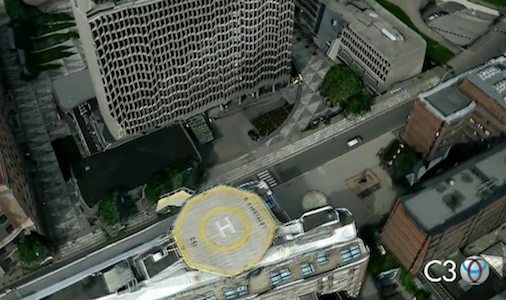
When the innovative 3D mapping company C3 Technologies was discovered to have been acquired and shut down by its buyer, amongst the speculation was that Apple had been the buyer after its previous purchase of Placebase and Poly9 (both software mapping firms). Today, 9to5 Mac is claiming to have a source that confirms Apple was behind the purchase of C3 Technologies and has now got the team (who are still located in Sweden) to work as a division of the iOS team.

Sources say that C3 Technologies CEO Mattias Astrom, C3 Technologies CFO Kjell Cederstrand, and lead C3 Technologies Product Manager Ludvig Emgard are now working within Apple’s iOS division. The leading trio, along with most of the former C3 Technologies team, is still working as a team in Sweden (interestingly, the division is now called “Sputnik”), where the C3 Technologies company was located prior to the Apple acquisition.

What C3 Technologies did was develop software that could create detailed 3D ‘maps’ through from aerial photography with very little human input or moderation. The two videos after the break give an explanation of how it works and a real demonstration of what C3 Technologies could produce through its software.

Speculation is now turning to what Apple has in store after purchasing these three mapping companies (Poly9 and C3 are specifically focused on 3D mapping) as well as making the remark earlier this year (in response to the location data debacle) that: “Apple is now collecting anonymous traffic data to build a crowd-sourced traffic database with the goal of providing iPhone users an improved traffic service in the next couple of years”. It was a curious admission by Apple and despite re-signing with Google to provide iOS with its mapping service, the question is now whether Apple may be trying to replace Google’s offering with its own - or perhaps to merely complement it with new offerings.

[Via 9to5 Mac]

Read more


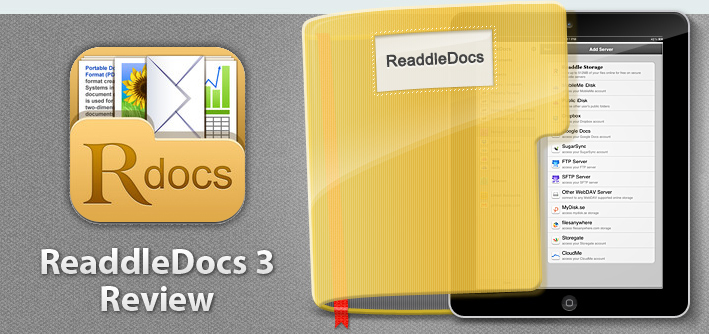
ReaddleDocs 3 Review: Powerful Document Viewer & File Manager For The iPad

ReaddleDocs 3, the latest version of the popular document viewer and file manager for the iPad was released a few days ago and it packs a bunch of new features and improvements. The app is a little odd in some ways, because at its core it is trying to recreate the file system on an iPad — something that Apple has tried its very best to stay away from with iOS. But in reality, if you’ve wanted to be productive on an iPad you’re inevitably going to need some sort of file system, because whilst iCloud is beginning to help with document and app sync, it isn’t all that helpful for syncing between apps.

As a result, I use a few other ‘cloud’ services to keep all my documents in sync and available everywhere. The primary one I use is SugarSync, but I also use Dropbox (primarily for collaboration) and occasionally Google Docs. This allows me to use any of the computers I have at home, where I will have all my documents ready and available - I can even edit them and see those edits synced across to the other computers where I could access that same file the next morning with all the edits included.

But how do I deal with documents on the iPad? It’s been a bit of a complicated issue since the iPad was first released, and initially I was just emailing any documents I needed on my iPad to myself and then opening that email up on the iPad - but this was messy, complicated and required advanced ‘knowledge’ to send that file before you could see it on the iPad. Eventually I realised I had to find a better way to solve this, and that’s where SugarSync and Dropbox come in. Both these services (and a multitude of others) slowly began to be supported by various apps for the iPad and iPhone, hooking straight into the services. This was a far better way to open files on the iPad - but the apps felt very rough around the edges.

In recent months I’ve been using iFiles on the iPad and iPhone, it’s been pretty great and it was certainly the best app I had used to date for viewing documents from my Dropbox folder and SugarSync services. Then about a month after I started using iFiles, I came across PDF Expert. Primarily I was using it for PDF annotation, but I noticed it was also a pretty great file viewer, particularly because it would also integrate right into Dropbox and SugarSync. So over the past few months I’ve been using PDF Expert for most of my document viewing needs and occasionally opening iFiles.

When looking at it simply, PDF Expert and ReaddleDocs 3 are nearly identical — they share very similar user interfaces and are close in functionality too. Where they differentiate is mainly in price (PDF Expert is nearly twice as much) and in annotation abilities (it is far better in PDF Expert). So before I go into too much detail, if you want to do a lot of PDF annotation on the iPad, PDF Expert is what you should purchase (even if you want to use it as a document viewer, because it is also good at that). In all other cases my recommendation is for ReaddleDocs 3, particularly if you want to do some file management - it is virtually identical and also has some annotation capabilities.

Jump the break to continue reading my review of ReaddleDocs 3.

Read more


Pixelmator 2.0 Now Available On The Mac App Store, Our First Impressions

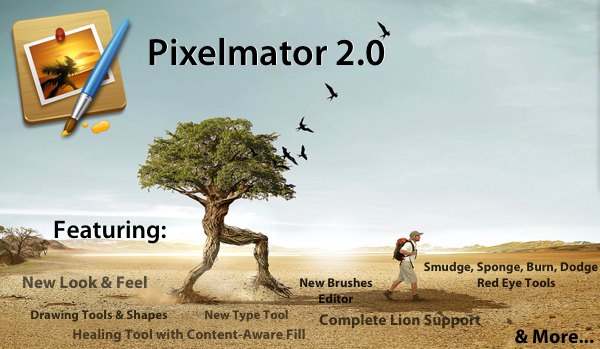
Pixelmator 2.0, a big new version of the popular image editing application for the Mac, just hit the Mac App Store and is available for just $29.99 (as an introductory price) and is a free upgrade for those who have previously purchased a copy of Pixelmator from the Mac App Store. Pixelmator 2.0 is a significant update, with significant improvements, completely new features, a new look and full support for OS X Lion.

With tons of exciting new features and support for OS X Lion, this new version of Pixelmator is the easiest, most enjoyable way to experience the best of image editing. Pixelmator 2.0 gives everyone the tools they need to unlock their creativity and boost their productivity, all for just $29.99. - Saulius Dailide of the Pixelmator Team

The big new features in Pixelmator 2.0 make it a truly powerful image editor and for most people it should be more than sufficient for all their needs - likely making something like Photoshop overkill for what their requirements are. A big drawcard for many will be Pixelmator’s new drawing tools that make it easy to create, combine and edit vector shapes easily. A new ‘Shape Settings’ palette also makes it simple to adjust the shadow, stroke and fill of a vector shape. A new healing tool in Pixelmator 2.0 features content-aware fill technology so that it is easy to remove ‘objects’ from a photograph and make it appear as though it was never even there.

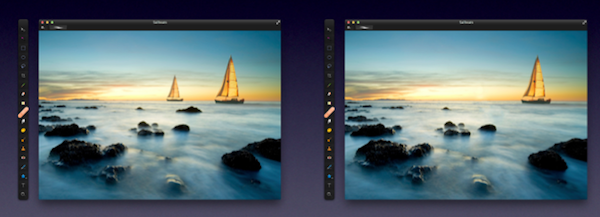
By choosing either the new Healing Tool or the selection tools, a user can select wrinkles, blemishes, image damage or any other details present in images, and with just one click let Pixelmator seamlessly fill the selected area with similar nearby image content.

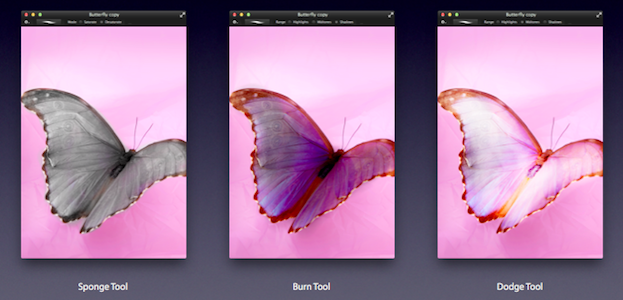
Then there are the new retouching tools of smudge, sponge (desaturate), burn (darken), dodge (brighten) and red-eye. These tools are great for retouching and work as one would expect. Finally, there is an improved type tool that not only makes it easier to format your text, but now also features more advanced typography tools for those that want complete control over how their type looks.

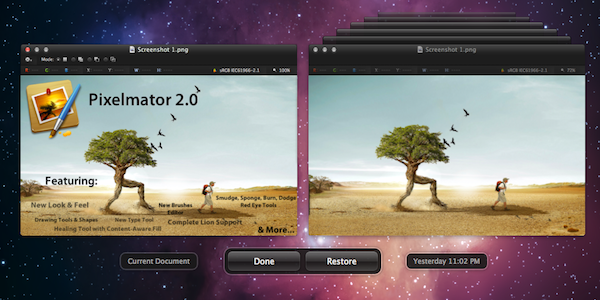
Taking advantage of the new features that Apple added to OS X Lion, Pixelmator now supports the native Auto Save and Versioning available in Lion, allowing you to easily save multiple versions of a document you are working on, and compare those versions easily. Lion’s Full Screen feature is also built into Pixelmator so you can easily focus on your work without distraction and also take full advantage of your Mac’s screen real estate. The last thing to note is that Pixelmator 2.0 also follows Lion’s lead and supports a number of gestures, buttons, menus and the new ‘invisible’ scroll bars.

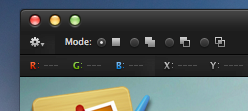
The look of Pixelmator has also been refined in 2.0, with a new ‘Tool Options’ bar and an ‘Info’ bar. Both sit discretely at the top of the window and both bars are contextual, changing depending on what tool you choose, giving you the appropriate information and settings depending on what tool you are using - so you never see useless information. The Tools palette is also more customisable now, allowing you to add, remove and even group any tools you want - letting you create a Tools palette that matches what your workflow requires.

There are a number of other new features, improvements and tweaks that are too numerous to go into. But speaking as an occasional user of Photoshop, Pixelmator 2.0 seems to have almost all the features I require for my image editing and it gives them to me at a fraction of the cost. If you’re like me, you might find Pixelmator a little jarring at first, with various tools and options located in different locations, but this soon disappears when you realise its an incredibly capable piece of software - that from my experience is actually a little more nimble at accomplishing various tasks (particularly when dealing with text).

Pixelmator 2.0 is available on the Mac App Store at an introductory price of $29.99 so be sure to grab a copy of it - at that price it’s an absolute steal. If you have previously purchased Pixelmator from the Mac App Store, its a free upgrade.


Registrations For Renamed 2012 Macworld | iWorld Expo Begin

IDG, which runs the annual Macworld Expo, yesterday revealed that the event is being renamed to Macworld | iWorld - recognising that the event has grown beyond just Macs and now includes the ever-growing popularity of iOS. IDG also began registration for the renamed Macworld | iWorld expo which will run for three-days betweeen January 26 and 28 next year.

The brand is evolving from Macworld [Expo] to Macworld | iWorld to illustrate that the show is about the whole ecosystem of Apple products.

The event will be similar to previous Macworld expos with exhibits and conference sessions but will also feature what IDG is calling “dynamic culture experience[s]”. One such example is the ‘Music Experience showcase’ which will feature musicians that use Apple technology in the creation of their music in live performances and talks, another such experience will be the Film Event.

The event organisers are quick to point out that despite the name change, the Mac hasn’t been forgotten, in fact if anything it will be bigger than ever next year and according to the event organiser, Paul Kent, they are looking for “a heavy influence of OS X developers on the show floor this year”. Passes for Macworld | iWorld start from $25 and you can find more information from the Macworld | iWorld website.

[Via Macworld]


Report: Apple To Build Large Solar Farm Next To North Carolina Data Center

According to news reports in The Charlotte Observer, Apple has quietly begun to prepare building a massive solar farm right next door to their (also massive) data centre in Maiden, North Carolina. Although building permits have yet to be submitted to Catawba County officials, the County has given Apple permission to reshape the slope in preparation of the solar farm.

The land covered by this solar farm will be around 171 acres and is located just across the road from the data centre. As part of the solar farm, Apple has purchased 3 separate ‘sites’, including one from October last year and is merging them into one large site for the solar farm. As the Hickory Daily Record notes, nearby residents haven’t exactly been thrilled with the land work being done. To help clear the land, fire is being used to help clear the land, but it is causing significant amounts of smoke that is drifting into the houses of those nearby residents.

[Via MacRumors]


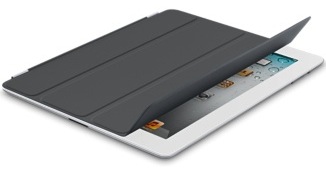
Apple Tweaks Smart Cover Line, Removes The Orange Color & Adds New Dark Gray Version

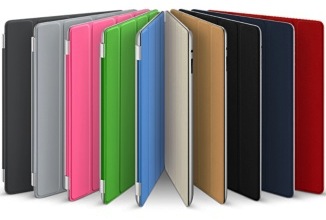
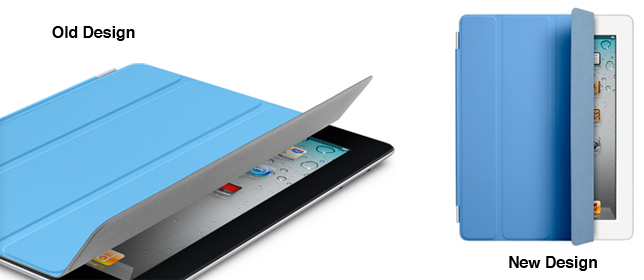
This morning Apple silently updated the MacBook Pro line, but it seems as though the Smart Cover line has also been updated. 9to5 Mac noticed that Apple has removed the orange polyutherane Smart Cover and added a new dark gray polyutherane color.

Apple has also tweaked the design of the Smart Covers with all the leather models now featuring a “color-matched microfiber lining”. Other tweaks include more vibrant polyutherane colors and the navy leather Smart Cover receiving some color tweaks to become “more navy” according to MacRumors. Prices of both the polyutherane and leather Smart Covers remain the same at $39 and $69 respectively.


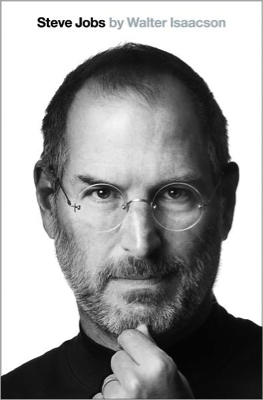
Media Organizations Reveal More Excerpts From The Steve Jobs Biography

In just a few days time, on Monday next week, the much anticipated biography of Steve Jobs will be released - today a number of media organisations were given advance copies of the book and have now shared some details about the book and what Jobs reveals about himself. Both The New York Times and the Associated Press start off their articles by discussing an excerpt from the book in which Jobs reveals that he delayed surgery for nine months after discovering he had a neurendocrine tumour. It’s a relatively rare form of pancreatic cancer that typically grows more slowly and is generally more treatable. Jobs delayed the treatment in favour of alternative methods from a vegan diet to acupuncture and even visited a psychic before deciding to have surgery in July 2004.

Isaacson, quoting Jobs, writes in the book: “`I really didn’t want them to open up my body, so I tried to see if a few other things would work,’ he told me years later with a hint of regret.

The book covers a wide variety of topics from Jobs’ life from his personal relationships, work at Apple, relationships with competitors such as Bill Gates and Eric Schmidt amongst many other topics. In its article, the AP reveals details about a section of the book which describes “the unravelling of Jobs’ relationship with Eric Schmidt”. Jobs was apparently furious when HTC released a phone in January 2010 that contained many of the popular features of the iPhone. He believed that Google’s actions amounted to “grand theft” and as a result Apple sued.

I will spend my last dying breath if I need to, and I will spend every penny of Apple’s $40 billion in the bank, to right this wrong,” Jobs said. “I’m going to destroy Android, because it’s a stolen product. I’m willing to go thermonuclear war on this.

The New York Times also includes a more interesting detail about how Jobs’ attention to detail extended to nearly everything, from planning and approving every detail in his medical treatment to a luxury yacht he began designing in 2009. The boat isn’t yet finished but in a style reminiscent of Apple Stores across the world, its sleek and minimalist and features 40-foot-long glass walls.

Fascinatingly the Huffington Post writes that in the biography, Jobs reveals that he had offered to design political ads for President Obama’s 2012 re-election campaign - despite being “highly critical” of the administration’s policies. In a meeting with Obama in the fall of 2010, Jobs told him that “you’re headed for a one-term presidency”, insisting the president be more business friendly. Jobs gave the example of high regulations and unnecessary costs of opening up a factory in the US compared to China.

Jobs later told the author that he wanted to do for Obama what the legendary “morning in America” ads did for Ronald Reagan.

You can read more about the biography from the full New York Times or Associated Press articles and you can pre-order the book from Amazon, iBookstore and many other places. The full biography is released on Monday next week.

[Via The New York Times, Associated Press, Huffington Post]


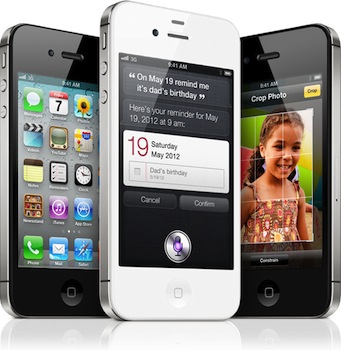
AT&T Activates More Than 1 Million iPhone 4S’ And Saw Strong Sales Of The iPhone In Q3

AT&T’s earnings call for the last quarter is on today and they’ve revealed that last quarter they sold 2.7 million iPhones out of a total share of 17.07 million iPhones that Apple sold over the same period. Unsurprisingly however, other non-iPhone, smartphones have become increasingly popular for AT&T with activation of 2.1 million such devices. iPhone activations were down significantly from the previous quarter in which they activated 3.6 million iPhones - although keep in mind that Apple also saw a decline in iPhone sales this quarter.

At the earnings call AT&T also noted that they had activated more than 1 million iPhone 4S’ as of Tuesday this week, making it AT&T’s most successful launch. For comparison, Sprint saw 200,000 pre-orders on the iPhone 4S launch day. Verizon has yet to reveal specific numbers for iPhone 4S sales, but have said they were very pleased with the reception.

[Via ZDNet, BGR]


Apple’s Q4 2011 Earnings Call: More Details & Interesting Thoughts From Tim Cook

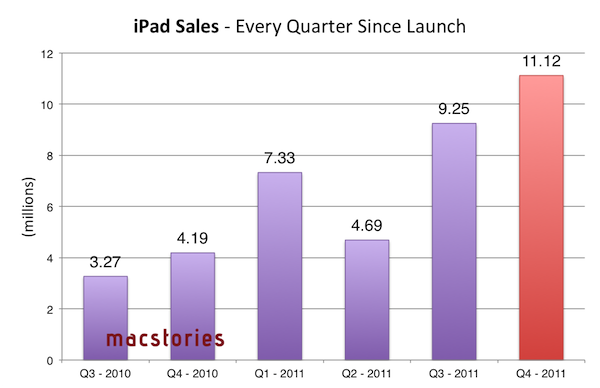
Apple held its quarterly earnings call late yesterday and while the results from the September quarter were slightly below what analysts expected, it was still a great result and within Apple’s projections. We covered the main numbers in our post yesterday and included some graphic visualisations of those numbers (such as the one above), but if you missed that here’s a quick summary:

  • $28.27 billion in revenue (analysts expected $29.45 billion)
  • 17.07 million iPhones were sold (up 21% year-over-year)
  • 11.1 million iPads were sold (up 166% year-over-year)
  • 4.89 million Macs were sold (up 26% year-over-year)

But beyond these numbers there were a lot of interesting insights that CEO Tim Cook and CFO Peter Oppenheimer offered during the Q&A session. We’ve re-listened to the earnings call and included the most interesting snippets of that call in this article - answering questions from various analysts, the two answer questions on everything from iPhone rumors, iPad potential, Siri, China and what next quarter has in store for Apple. Be sure to jump the break to read it all.

Read more