Messages in iCloud Returns in iOS 11.3 Beta

When this morning’s news regarding iOS 11.3 made no mention of Messages in iCloud, many feared the feature was delayed indefinitely. But with the release of the first developer beta, it’s now been confirmed that Messages in iCloud is available in 11.3. Guilherme Rambo reports for 9to5Mac:

With the release of iOS 11.3 beta 1 and corresponding developer release notes, Apple announced that iOS 11.3 includes the Messages in iCloud feature. Messages will prompt users to turn on Messages in iCloud on first launch after upgrading to beta 1. Users with two-factor authentication and iCloud Backups enabled will get Messages in iCloud enabled automatically.

It’s not certain that Messages in iCloud will make its way into the public release of iOS 11.3, but its presence in the first beta is a positive sign at least.

First announced at WWDC last June as an iOS 11 feature, Messages in iCloud is just what it sounds like: all your Messages across all your devices are stored in iCloud and kept in sync. The feature was present throughout the iOS 11 beta cycle last summer, but was removed before iOS 11’s public release. I never had any issues with it during the beta season, but clearly some users did, causing Apple to delay the feature until its reappearance now.

Permalink

Apple Announces iOS 11.3 with ARKit 1.5, New Animoji, Health Records, Music Videos, and More

In a press release, Apple today announced iOS 11.3, the third major update to iOS 11 set to be released in beta for developers later today, and launching to the general public this Spring. iOS 11.3 will improve upon iOS 11 and features that debuted alongside the iPhone X with new Animoji, a major upgrade to ARKit, the ability to store health records in the Health app, plus other improvements for built-in system apps.

Read more


Field Trips Just Got Cooler: Waypoint EDU

With the ubiquity of the smartphone in increasingly younger classrooms, integrating them into education is fast becoming a requirement for teachers. What better way to tame smartphones in the classroom than to make them part of the learning process?

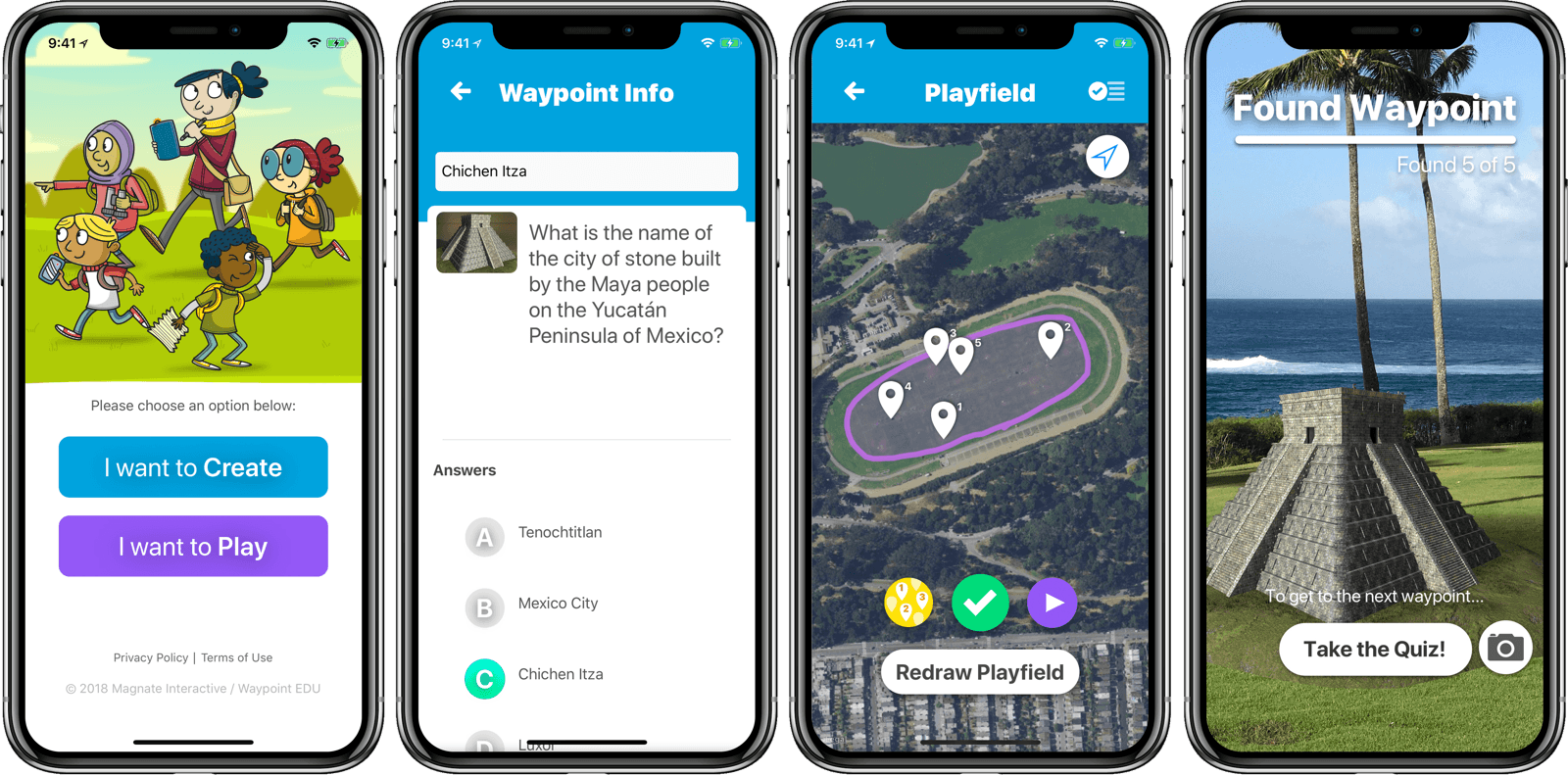
Matthew Braun, developer of SketchParty TV (one of my favorite Apple TV games), released a new app to do just that. Waypoint EDU uses AR to make the phone not only a learning tool, but a truly interactive experience that can take place outdoors. Or anywhere.

From the student perspective, it works like this: students see a waypoint on a map of their current location and move around to find it. A la Pokemon Go, they search by looking through their phones, scanning for an out-of-place object such as a (miniature) colosseum sitting in a park. Once they’ve found the waypoint, they answer a quiz question to reveal the next waypoint. Think augmented reality geocaching.

From the teacher (or parent) side, creating a curriculum is pretty easy. I didn’t get into creating a fully customized one while I was trying it out, but editing the waypoints and related questions is simple. Once you have your curriculum set up, you just pull up the map and draw the playfield with your finger. The waypoints are automatically placed within the playfield, ready for the Hunt to be shared with the students via AirDrop. You can currently add artwork from a library, and the ability to add your own artwork will be a paid feature in a future update.

Waypoint EDU is a free app. Obviously, it has the requirement that everyone in the group has access to an iPhone. In situations where that’s possible, Waypoint EDU seems to me like the future of field trips. Below is a video of Waypoint EDU in action. You can find it on the App Store, and get more info at waypointedu.com.


Apple Releases iOS 11.2.5 with HomePod Support, External Audio Source Control, Fix for Messages Bug, and More

Today Apple released the latest version of iOS, 11.2.5, which includes compatibility with Apple’s upcoming HomePod, arriving February 9. Today’s update also brings new playback controls for external audio sources, a fix for the recently discovered “chaiOS” Messages bug, and various other bug fixes and improvements.

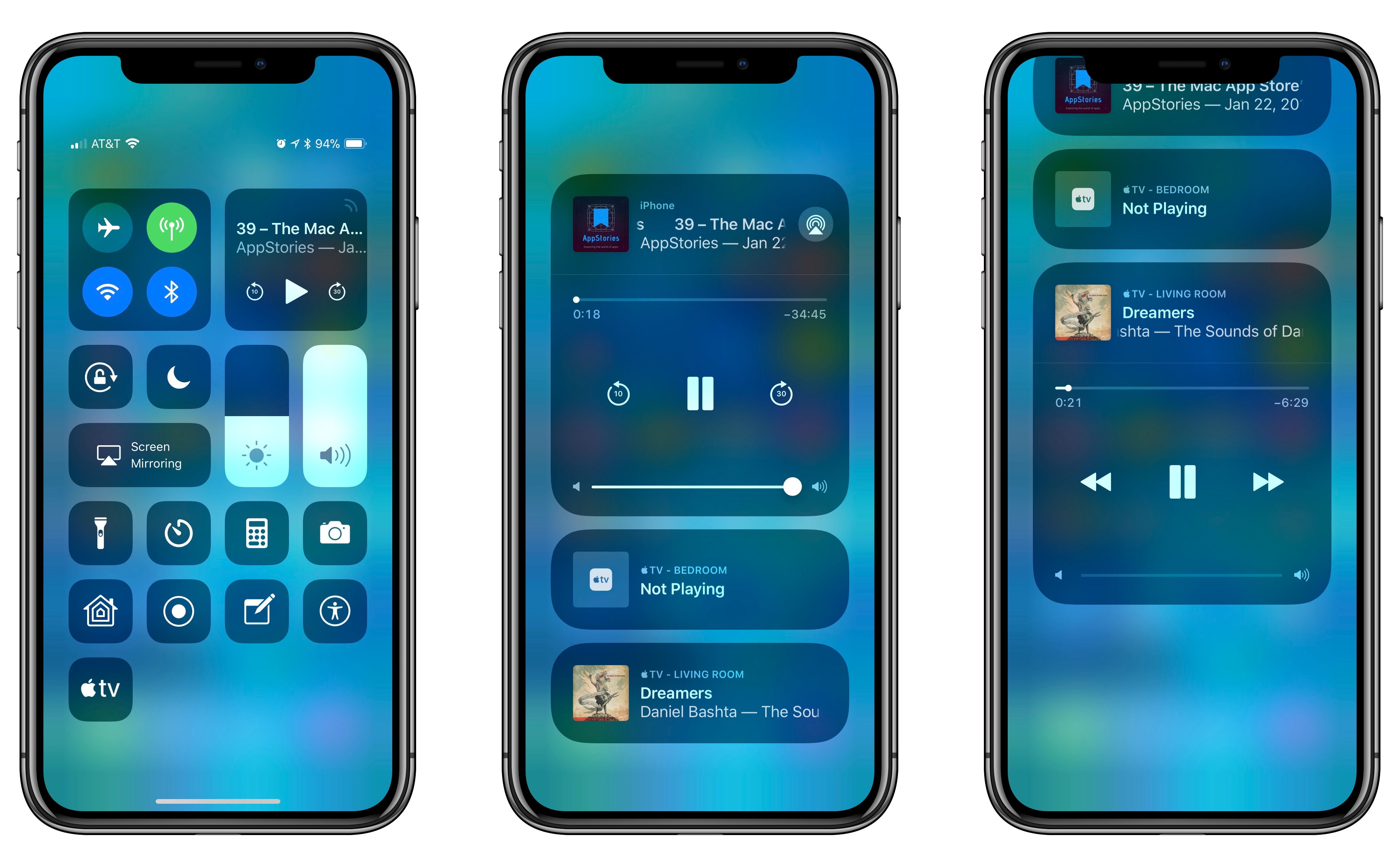
Besides adding compatibility with HomePod, the primary user-facing feature of today’s release is a new set of controls for audio playback on external devices. When viewing Control Center on your iPhone or iPad, if you open the expanded audio playback tile (either by tapping the signal icon in the top-right corner, or by using 3D Touch or a long press), compatible external audio sources now display as separate UI tiles underneath the main audio tile. As seen above, the Apple TV is a supported audio device. Opening one of the additional audio tiles allows you to control playback on an external device while having separate playback controls from what’s playing on your iOS device. In my testing, I could set an album in Apple Music to play on my Apple TV while listening to a podcast in Apple Podcasts on my iPhone.

Apple also mentions in the 11.2.5 release notes that Siri can now read the news by being asked, “Play the news.” This feature actually became available recently to users running 11.2.2, but it has not previously been highlighted in iOS release notes. U.S. users can choose from four news sources – NPR, CNN, Fox News, and the Washington Post – which play their daily news podcasts upon your request. You can also ask for news specific to Sports, Business, and Music.

Amid the various bug fixes included in iOS 11.2.5 is one pertaining specifically to Messages. Discovered last week, the “chaiOS” bug would cause your iOS device to freeze or crash if you received a certain string of text in an iMessage. The bug was particularly dangerous because it required no user interaction to affect a device; once you received the text, your device would begin having problems.

iOS 11.2.5 is joined today by companion releases on Apple’s other major platforms, including tvOS 11.2.5, watchOS 4.2.2, and macOS 10.13.3.


DuckDuckGo Launches Browser Extensions, Revamped Mobile Apps for Increased User Privacy

DuckDuckGo, the popular search engine for privacy-conscious users, today launched major updates to its browser extension and mobile apps in an effort to grant users data protection no matter where they are on the web.

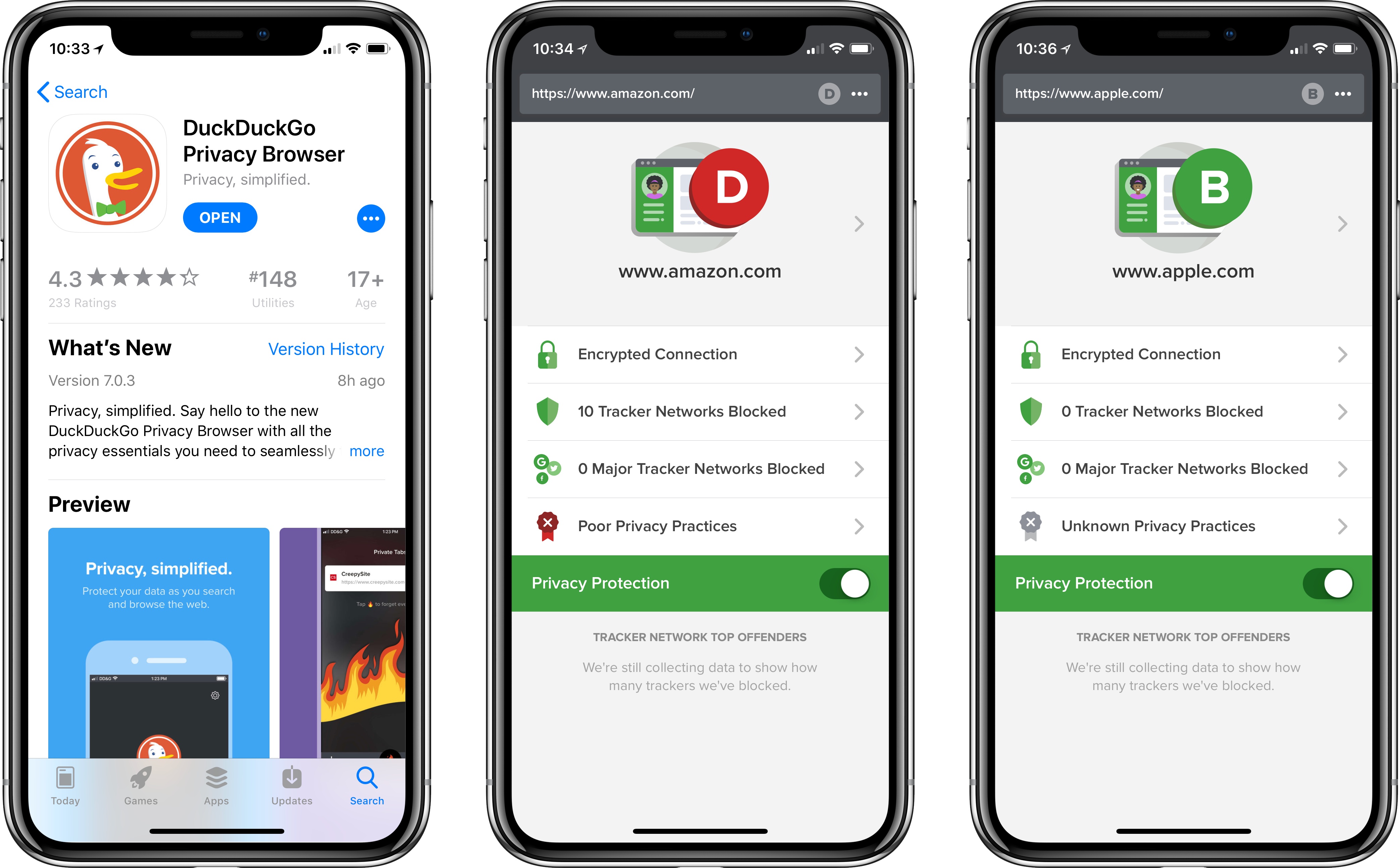
The browser extension – available for Safari, Chrome, and Firefox – joins the revamped DuckDuckGo app on iOS and Android in providing a set of privacy features that affect your full browsing experience. In addition to the existing private search feature DuckDuckGo is known for, the extension and app now offer built-in tracker network blocking, smarter encryption, and a Privacy Grade rating for sites you visit.

DuckDuckGo’s privacy features work seamlessly in the background for those using the extension or mobile app. Any hidden trackers detected by DuckDuckGo will be blocked, and users will be able to see a full list of exactly what has been blocked. If a site offers an encrypted version but doesn’t automatically send all users to it, DuckDuckGo will perform that routing itself.

The Privacy Grade ratings are an interesting feature designed to give users a quick, easy understanding of each site’s privacy practices. Each site receives its grade based on several factors – whether it offers an encrypted connection, what, if any, tracker networks are detected, including major tracker networks, and whether the site has published privacy practices that DuckDuckGo has vetted. Based on all of this information, each site contains a unique privacy grade ranging from A to F. The site will also receive an ‘enhanced grade’ where applicable, meaning the grade for the site after DuckDuckGo has deployed its blocking technology. Sites can only receive a perfect ‘A’ grade if no trackers were detected and the site’s privacy policies have been reviewed by DuckDuckGo.

I’ve been using DuckDuckGo as my primary search engine for nearly a year, and have had a great experience with it. It will be interesting to see what difference, if any, DuckDuckGo’s vetting and grading of sites will make in shaping future privacy practices.


Agenda Review: Mac-Based Note Taking with a Calendar-Focused Twist

Agenda is an intriguing approach to note taking on the Mac that’s organized around dates and your calendar. The app is beautifully-designed and notably feature-rich for a 1.0 but lacks an iOS counterpart, which is still in the works, and collaboration features, which will limit its appeal to some users. There are also areas of the app that lack polish, but overall, Agenda shows a lot of promise and should be attractive to anyone who juggles multiple calendar events and deadlines.

Read more


Apple Announces HomePod Available to Order This Friday, In Stores on February 9

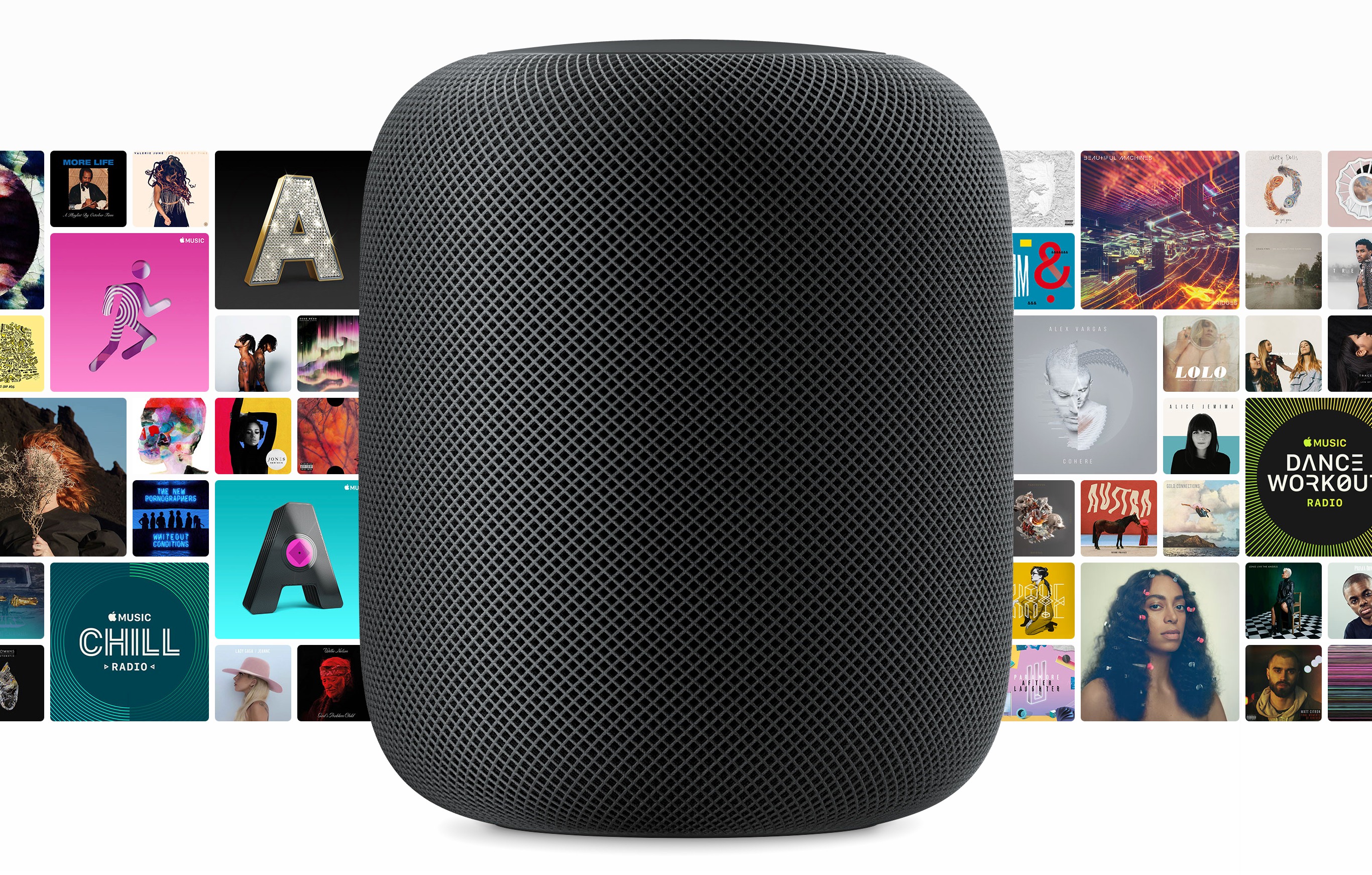
Today in a press release, Apple announced that its HomePod device will be available to order beginning this Friday (January 26) for the previously announced price of $349, and will ship for a release date of Friday, February 9. HomePod will be available in two color options: White and Space Gray.

HomePod was first unveiled last June during Apple’s WWDC keynote, with an announced ship date of December. It wasn’t able to make that date, receiving a new ‘Early 2018’ estimated release in mid-November. Historically, that kind of designation has meant anytime up through April is possible. Fortunately, prospective HomePod buyers won’t have to wait quite that long.

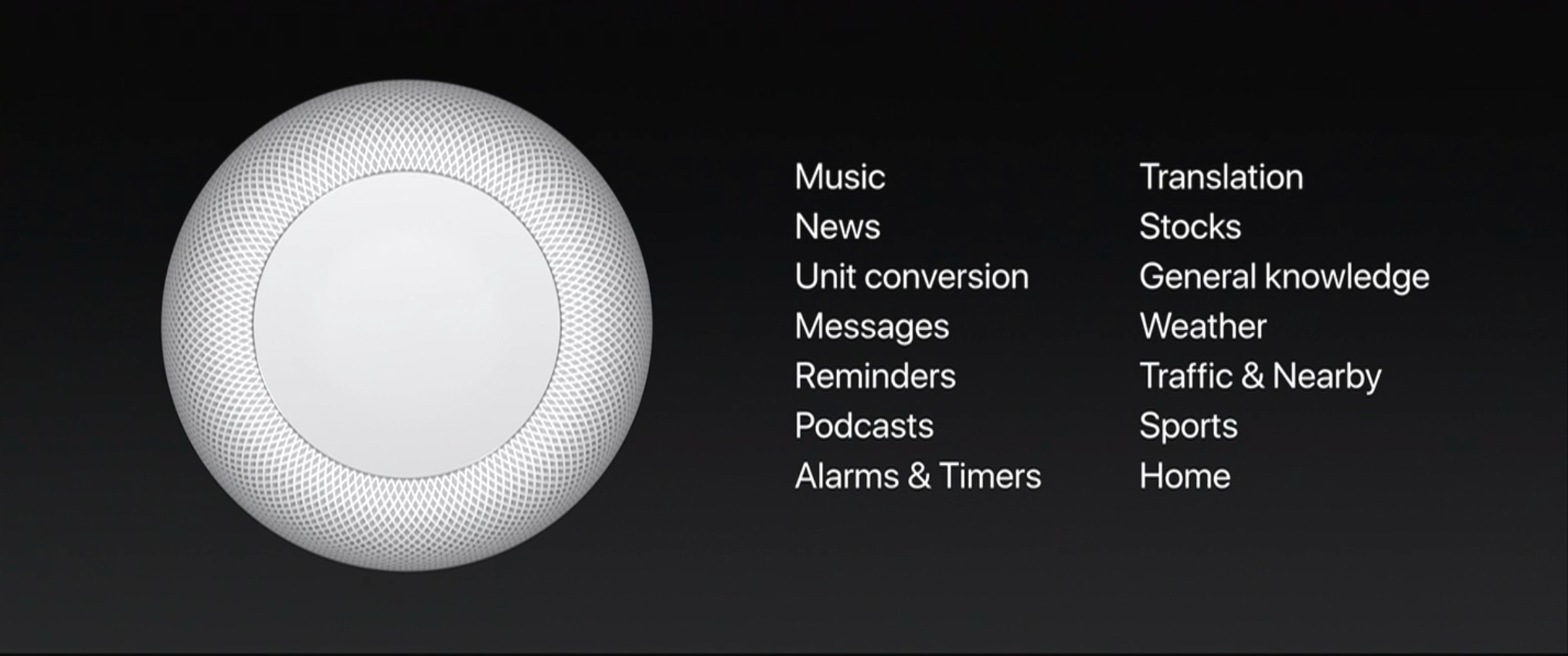
As Apple’s first entry into the smart speaker market, HomePod is the company’s answer to popular products like the Amazon Echo and Google Home. Unlike those other devices, however, HomePod is being marketed more as a premium-quality speaker, primed for music playback, than as a digital assistant hub. Siri is certainly an important component of the device, but at least for now, its role is being somewhat downplayed. At WWDC Phil Schiller announced that at launch, the HomePod’s version of Siri will only support a limited number of domains.

While these domains cover the majority of Siri’s normal functionality on iOS devices, some notable categories missing that would make sense for the HomePod include calendars, audiobook playback using iBooks, and Notes. With the HomePod’s release so early in the year, it’s possible we’ll receive word on additional domains at WWDC this June. Until then, what you’re getting with HomePod is exactly what Apple announced onstage: a powerful home speaker with Apple Music integration, which also happens to be a HomeKit hub that includes Siri, but in limited capacity.

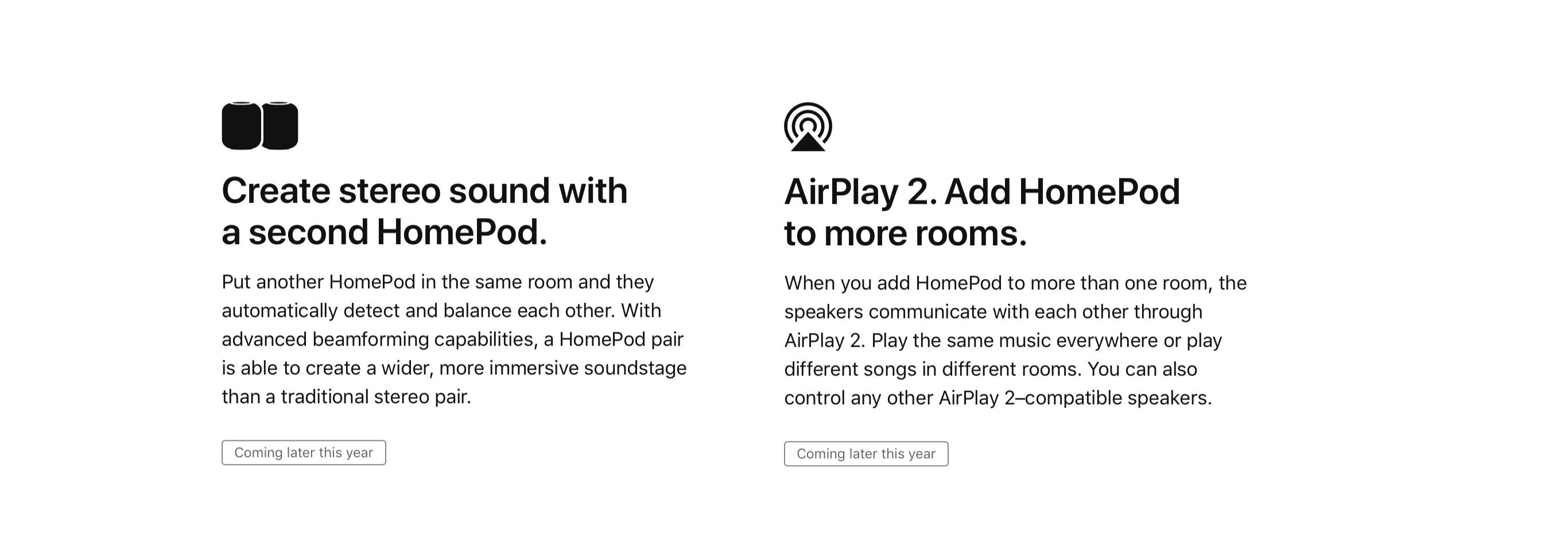
One standout piece of news in today’s announcement is that the HomePod’s multi-room audio capabilities won’t be available at launch, but instead will come later through a software update. This seemingly supports previous rumors that AirPlay 2’s development may have been what led to HomePod’s initial delay.

Update: The HomePod page on Apple’s website confirms that not only is AirPlay 2’s multi-room support delayed until later this year, but so is the previously demoed capability to have two HomePods pair together for offering stereo sound.

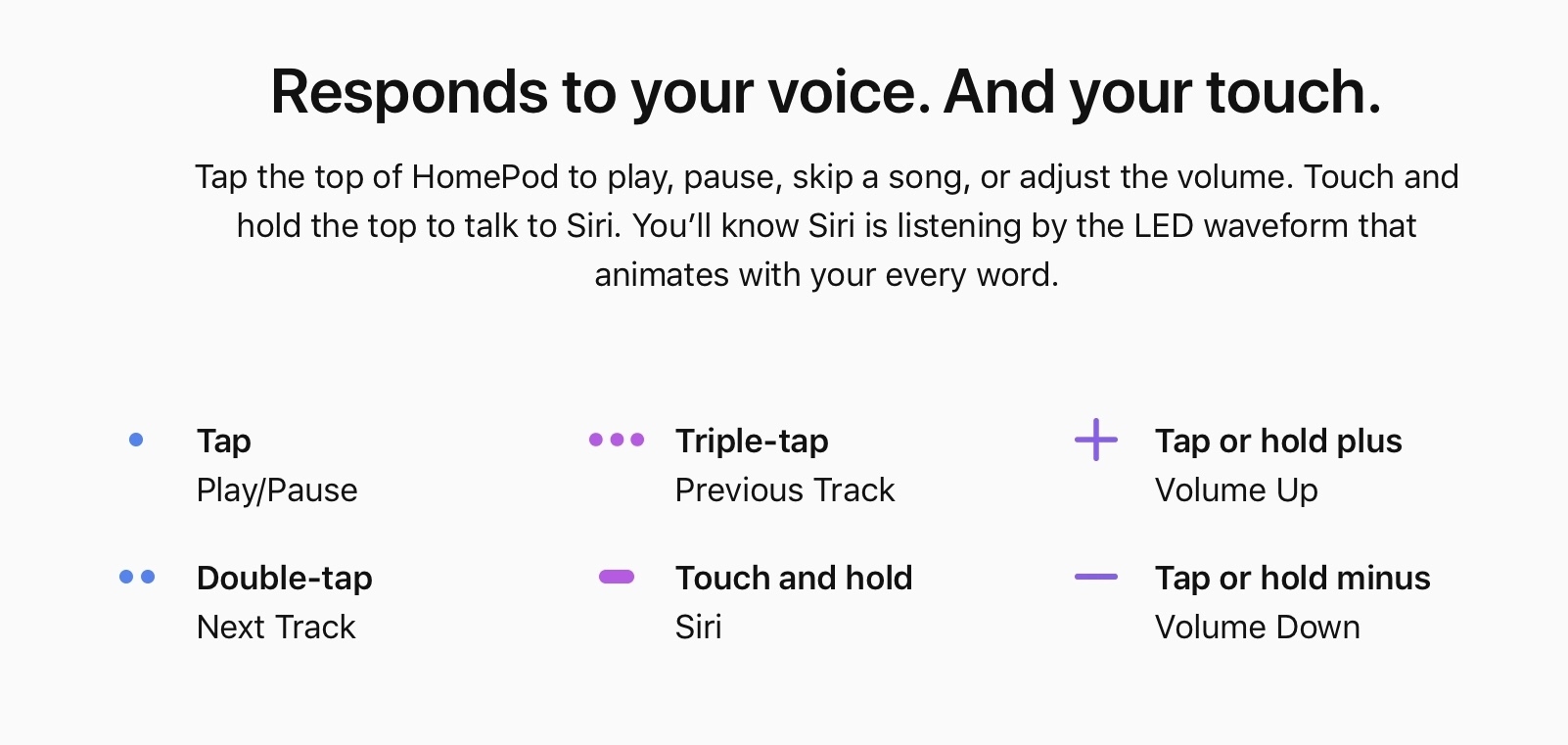
The HomePod website also provides new details on how users will be able to interact with HomePod in non-voice ways. In addition to using the ‘Hey Siri’ trigger phrase, you can also touch and hold the top of the HomePod and talk to Siri. There are also controls for audio playback tied to different sets of taps on the HomePod’s surface, as shown below.



No Cutting Corners on the iPhone X

Brad Ellis on the very special corners of the iPhone X:

Here’s where the nerd part comes in, iPhone X rounded screen corners don’t use the classic rounding method where you move in a straight line and then arc using a single quadrant of a circle. Instead, the math is a bit more complicated. Commonly called a squircle, the slope starts sooner, but is more gentle.

And:

Now let’s talk about the notch itself. The left and right sides have two rounded corners. Because of the curve falloff, one curve doesn’t complete before the next one starts — they blend seamlessly into each other. As a result, no tangent line on this edge actually hits a perfect vertical.

I love this type of design details. Almost three months later, sometimes I still stop and stare at the screen on my iPhone X to realize what a marvelous feat of industrial design and engineering it is.

Permalink