Spotify Files Complaint Against Apple with the European Commission

Daniel Ek, CEO of Spotify, writing on recent actions the company has taken against Apple:

Spotify has filed a complaint against Apple with the European Commission (EC), the regulatory body responsible for keeping competition fair and nondiscriminatory. In recent years, Apple has introduced rules to the App Store that purposely limit choice and stifle innovation at the expense of the user experience—essentially acting as both a player and referee to deliberately disadvantage other app developers. After trying unsuccessfully to resolve the issues directly with Apple, we’re now requesting that the EC take action to ensure fair competition.
[…]
What we are asking for is the following:

  • First, apps should be able to compete fairly on the merits, and not based on who owns the App Store. We should all be subject to the same fair set of rules and restrictions—including Apple Music.
  • Second, consumers should have a real choice of payment systems, and not be “locked in” or forced to use systems with discriminatory tariffs such as Apple’s.
  • Finally, app stores should not be allowed to control the communications between services and users, including placing unfair restrictions on marketing and promotions that benefit consumers.

In addition to Ek’s note, Spotify has also launched a website, TimeToPlayFair.com, that outlines in greater detail its grievances against Apple. The site contains a timeline documenting Spotify’s working relationship with Apple, highlighting things such as Spotify’s inability to integrate with Siri, the long delay before they could offer an Apple Watch app, and Apple’s frequent App Store rejections when Spotify added language promoting its Premium service. The full timeline can be viewed here.

Spotify’s aim is to promote a level playing field between Apple’s apps and services and those of third parties. One example Spotify highlights at several points in its timeline is that they were unable to create an Apple Watch app until after watchOS 5 launched. Apple Music has been on the Watch for years, so there’s clearly a disadvantage to Spotify there – however, that disadvantage was due to the limitations of OS-level APIs provided to all third-party developers, not just those who compete with Apple services.

watchOS is still a relatively young platform. At what point should Apple be forced to prioritize development of frameworks that better equip third-party services to exist on its platform rather than developing other important enhancements to its software? These complexities are going to make it very interesting to see how the European Commission views this case.


Permalink

A Remastered Version of Rolando Is Returning to the App Store April 4th as Rolando: Royal Edition

Rolando was one of the earliest break-out games on the App Store when it debuted in 2008. Millions of fans downloaded the game, which featured colorful round characters that you maneuvered through four worlds with the help of the iPhone’s accelerometer. However, as Federico highlighted in his story on app preservation last summer, the ngmoco-published title disappeared in 2017 when it wasn’t updated to support Apple’s 64-bit architecture.

Today though, Rolando’s developer, HandCircus, announced that Rolando is coming back on April 4th as Rolando: Royal Edition. According to a report by TouchArcade, the game is a remaster of the original title:

…beyond a beautiful overhaul with the brilliant 2.5D aesthetic of the game’s sequel, as well as the expected graphical polish to seamlessly fit into the 2019 App Store, HandCircus have actually overhauled a lot of the levels, interactions and mechanics across the game.

Today’s news comes close on the heels of the launch of GameClub, a startup that plans to bring unavailable classic iOS games back to the platform starting with Hook Champ. TouchArcade’s former Editor-In-Chief Eli Hodapp is GameClub’s VP of Business Development.

Federico’s closing commentary from last summer’s story sums up the state of game and app preservation and his hopes for the future well:

It doesn’t have to be this way. I want to believe that, over the next decade, Apple and third-party developers will learn to appreciate the history of the App Store. And that they will treat its back catalogue as something more than a nuisance with an expiration date. Because sometimes it can be useful, and perhaps even fun, to marvel at how far we’ve come by looking back at how it all began.

I couldn’t agree more. So many classic iOS games have fallen by the wayside and are now unplayable that it was heartening to see that HandCircus is bringing back Rolando and learn more about GameClub’s efforts. Two announcements isn’t a trend, but I hope it’s a sign that momentum is building behind preservation in the iOS game and the broader app industry. The time feels right to revisit these classics.

Rolando: Royal Edition is available to pre-order on the App Store for $1.99 and comes with iMessage stickers that are available today.


Niantic Previews Harry Potter: Wizards Unite, the Studio’s Follow-Up to Pokémon GO

Later this year the team at Niantic will launch a new game based on a very popular IP: Harry Potter. The game’s full title is Harry Potter: Wizards Unite, and it will come to both iOS and Android as an AR-centered gaming experience in the vein of Pokémon GO, Niantic’s biggest hit.

Today Nick Statt of The Verge published his impressions of Wizards Unite following a preview Niantic hosted recently. Statt writes:

The core activity in Wizards Unite involves collecting a mix of artifacts and sometimes saving notable characters from the series who are stuck in a bad situation, like the titular Harry being pinned down by a spooky dementor. From there, you play a little tracing mini-game, to evoke the casting of a spell and then collect the item or free your friend. Afterward, you’re able to add that item or character to your collections book, earn experience points, and level up.
[…]
Beyond traversing the map, collecting those artifacts, and visiting inns to eat food, players of Wizards Unite will have a few more advanced activities to keep them busy. Those include leveling up your character, picking a subclass (called a “profession”) to learn new abilities, and then teaming up with up to five other players to compete in a fortress (what Niantic has designed to be this game’s version of gym battles from Pokémon Go). These team challenges feel like a cross between a traditional strategy game and something similar to Nintendo’s Fire Emblem, where one-on-one battles take place simultaneously after players select an enemy from a top-down map.

Based on Statt’s article, Harry Potter: Wizards Unite is going to have a lot more depth and complexity to it than Pokémon GO, which I’m excited about. Pokémon GO has scaled over time to become more of a gamer’s game than it used to be, but with Wizards Unite it sounds like that added depth will be there from the start for those who want it.

There’s still no firm release date available for Wizards Unite, but a 2019 launch is confirmed.

Permalink

Apple Announces March 25th Event at the Steve Jobs Theater

Today Apple announced a special event at the Steve Jobs Theater for March 25, 2019, at 10:00 am Pacific time. Matthew Panzarino of TechCrunch posted an image of the press invitation to Twitter:

https://twitter.com/panzer/status/1105186663158800384

According to Panzarino’s tweet, the email invitation, which says simply ‘It’s show time,’ played a short film reel countdown animation, which suggests the event will be used to announce Apple’s much-anticipated video streaming service. In addition to a video service, there have been rumors that the company will use the event to announce a magazine service that will expand on its existing Apple News product.


Reconsidering Evernote in 2019

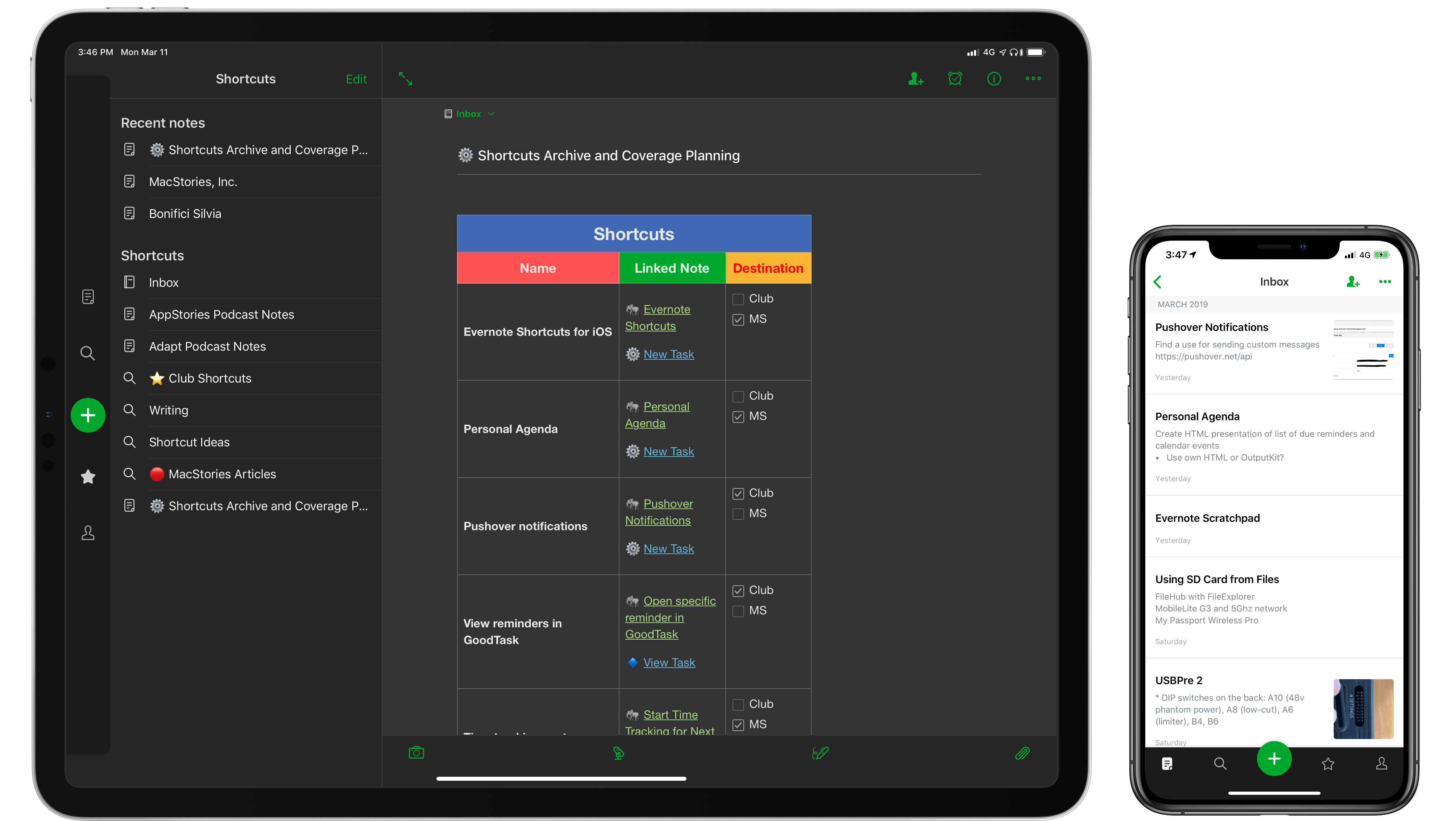
Like the best origin stories, this article comes from humble beginnings. A few weeks ago, I had the idea of adapting my shortcut to save webpage selections from Safari (see Weekly 151, 152, and 153) to make it work with Keep It rather than a JSON file. Simple enough, right? Given a text selection in Safari, I wanted to see if I could create a shortcut to append rich text to an existing document in Keep It without launching the app.

As Club MacStories members know, Keep It is the app I’ve been using for the past several months to hold my research material, which played an essential role in the making of my iOS 12 review (see Issues 135 and 144) of MacStories Weekly). But then I remembered that Keep It’s integration with Shortcuts was limited to URL schemes and that the app did not offer Siri shortcuts to append content to existing notes1. That was the beginning of a note-taking vision quest that culminated in this column, even though I’m not sure I reached the destination I was originally seeking.

Read more


Strike: An Elegant, Collaborative Place to Write on the Mac and iOS [Sponsor]

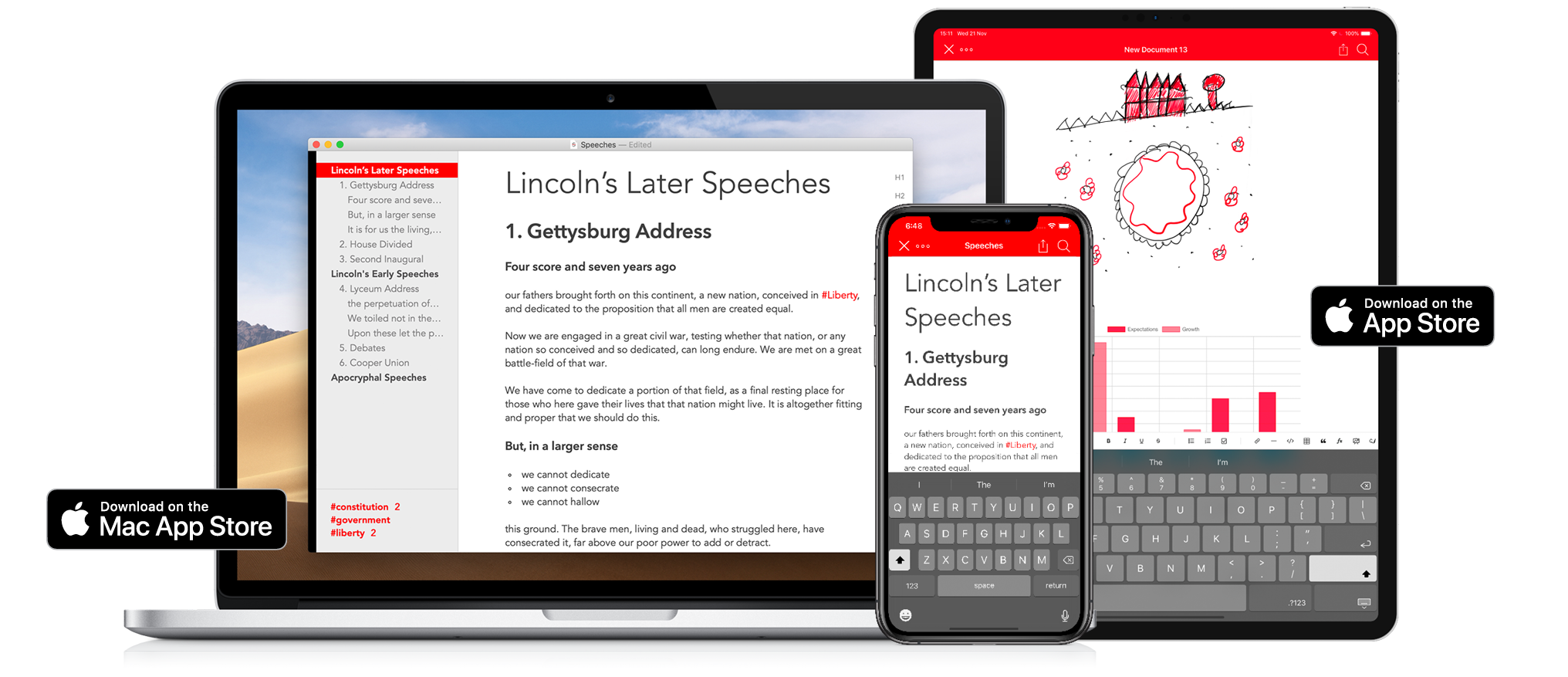
Strike is a beautifully-designed, modern writing app for the Mac and iOS that brings together all the tools you need whether you’re working by yourself or with colleagues.

Strike streamlines the process of writing allowing you to get ideas down quickly with its Smart Markdown system. You can type Markdown directly into a Strike document, which is automatically previewed in the editor. You can also format text with a single click or tap on the app’s formatting bar that includes bold, italics, underlining, strikethrough, ordered and unordered lists, checklists, links, headings, and more.

Strike didn’t stop there though. You can drop charts, tables, and MathJax formulas into your documents too. Strike also supports file attachments as well as:

  • Password protected documents
  • Document locking to avoid inadvertent changes
  • Themes and handsome color schemes
  • Document statistics
  • Text transformation tools
  • Line sorting
  • Autocorrect and spellcheck
  • Attachment and PDF export

On the Mac, Strike supports recent powerful additions to macOS like Dark Mode and document versioning so you can roll back changes. On iOS, Strike supports the Apple Pencil.

Navigating longer documents is simple. The side panel is an outline of the major headings and list items in your document. Selecting any entry jumps straight to that part of the document. The side panel is where you’ll find a list of the tags in your document too, which you can use to go to where the tags appear in your text.

As fantastic as Strike is for writing solo, it’s just as reliable for writing with colleagues. Invite up to 10 people to join you in editing a document simultaneously in real-time. For example, it’s a great way to work with an editor, on a joint project with others, or to collect notes from fellow students.

Strike is a simple and elegant writing tool that distinguishes it from other writing apps through the power of collaboration. Download Strike on the Mac and iOS today to supercharge your writing.


Ulysses 15 Review: Split View on the Mac, Remote Images, Improved iPad Multitasking, and More

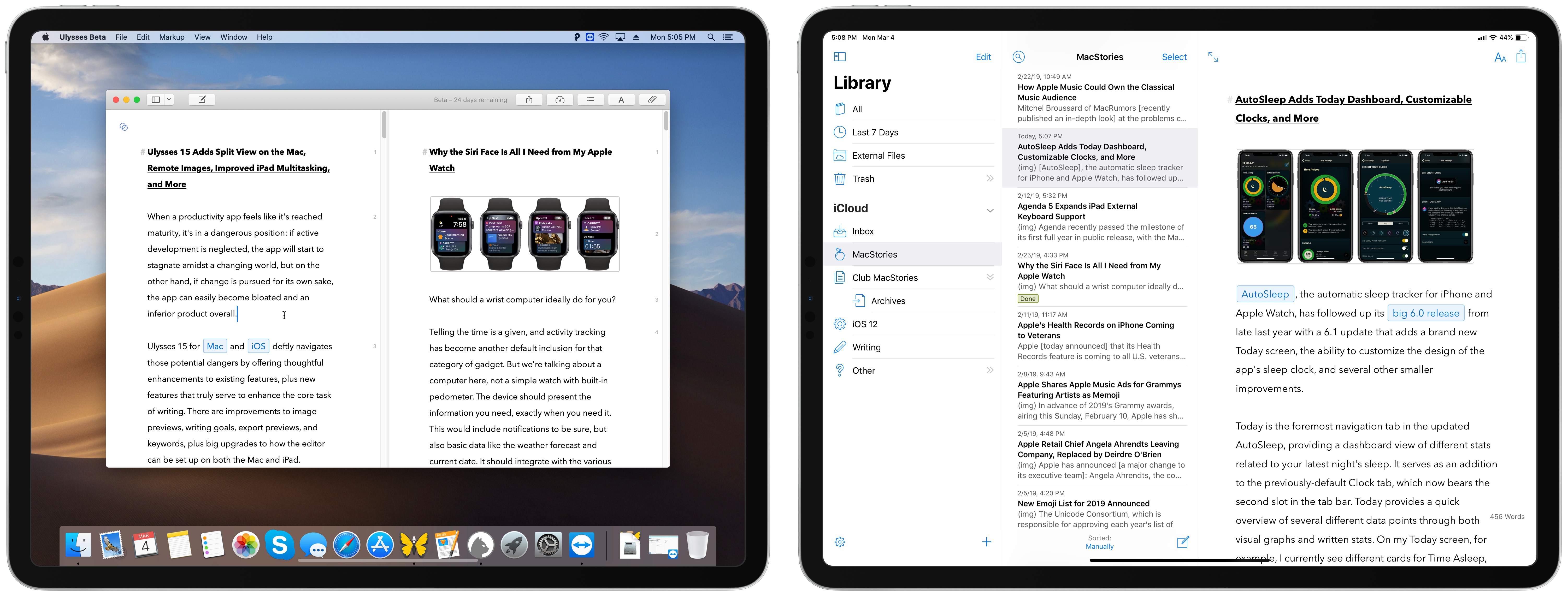
When a productivity app feels like it’s reached maturity, it’s in a dangerous position: if active development is neglected, the app will start to stagnate amidst a changing world, but on the other hand, if change is pursued for its own sake, the app can easily become bloated and an inferior product overall.

Ulysses 15 for Mac and iOS deftly navigates those potential dangers by offering thoughtful enhancements to existing features, plus new features that truly serve to enhance the core task of writing. There are improvements to image previews, writing goals, export previews, and keywords, plus big upgrades to how the editor can be set up on both the Mac and iPad.

The core app remains largely the same, but it’s now more compelling than ever before.

Read more


Apple Music Commissions Custom Playlist Art

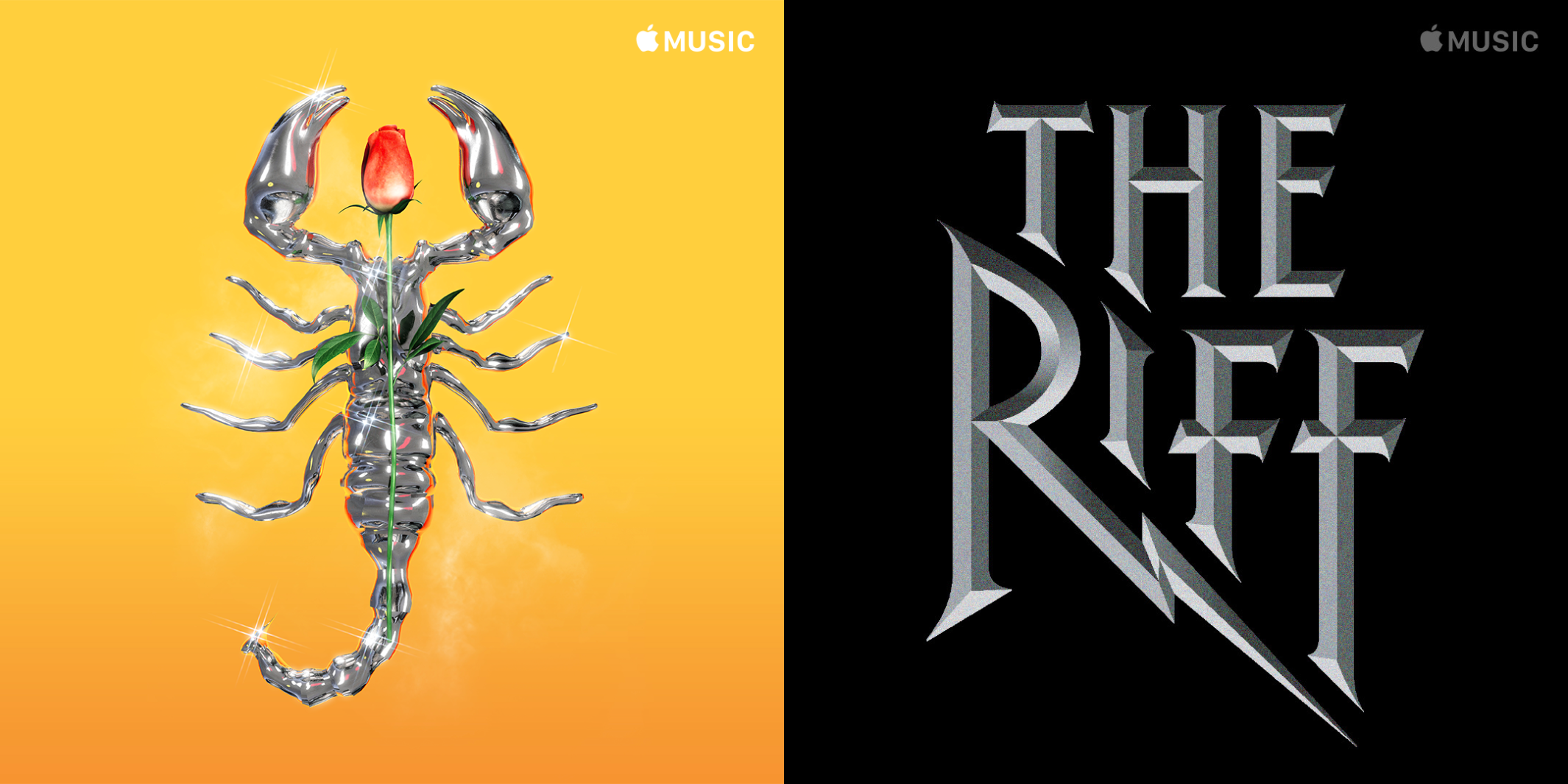
If you’re an Apple Music subscriber, you’re probably familiar with its playlist artwork styles. Some work well to tie together collections of related playlists like Decades, Essentials, and Deep Cuts. The trouble is though, that has also bred a certain sameness across Apple Music’s many playlists. That’s beginning to change as Apple rolls out custom playlist artwork from high-profile music industry artists.

Bijan Stephen of The Verge was told that the new artwork is designed to:

“connect more directly with the communities and the culture for which they were intended,” says Rachel Newman, Apple’s global director of editorial. Before now, Apple’s playlists had a uniform presentation that didn’t necessarily speak to the music. “In many ways, it’s a visual representation of the music that you will find inside that playlist,” said Newman.

Newman told Stephen that the company is rolling out the new artwork over the next few months and intends to redesign ‘many thousands’ of playlists.

The Verge also spoke to several artists involved in the project for its story. Stole “Moab” Stojmenov who created the cover of the Migos’ album Culture explained how he approached the challenge:

“Giving a shape and an image to music is never an easy process,” he wrote. “My style and my creative process have been always characterised by a significant presence of symbology and very powerful images, in addition to a very minimal and simple design. I think this project was somehow a bit different, but it also gave me the chance to create a real manifesto of my style.

The new playlist art published so far is excellent. There’s a wide range of styles that suit the music showcased in each playlist. By drawing on a wide range of talent from the music industry, the company should be able to imbue each playlist with a personality that was sometimes lacking in the past.

Permalink