A Complete List of All the Magazines Available for Apple News+ in the U.S. (So Far)

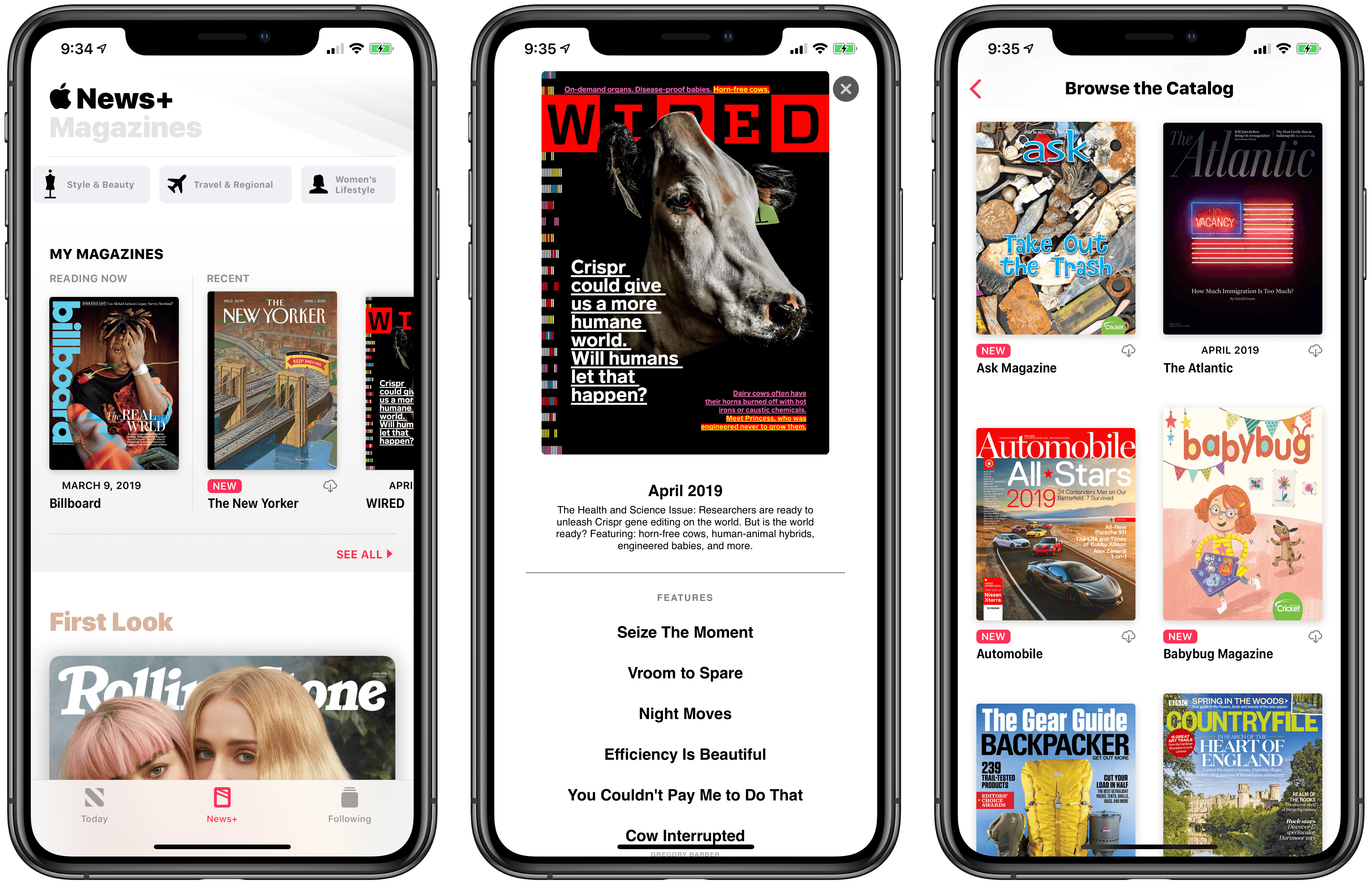
Earlier today, Apple launched Apple News+, a new subscription-based service to gain access to hundreds of magazines in the Apple News app for $9.99/month. You can read my overview and first impressions here.

After taking an initial look at Apple News+ with my US Apple ID and noticing the differences between Apple News Format-optimized magazines and standard “PDF-like” ones, I thought it’d be interesting and useful to compile the full list of all magazines currently available to Apple News+ subscribers in the US.

Below, you will find the complete list of all 251 magazines that are available for Apple News+ in the United States. The list was compiled by checking all the magazines featured in the ‘Browse the Catalog’ section of Apple News+ as well as individual categories. Apple advertises “300 publications” as being available in Apple News+; I believe that the list below is shorter for two reasons:

  • These are only magazines. I didn’t count newspapers (The Wall Street Journal and Los Angeles Times) and digital publishers.
  • Apple News+ just launched. Some magazines may not have gone live yet. In fact, I had to add a few more right before posting this article.

To create this list, I manually opened each magazine and annotated whether its latest issue was using Apple News Format or the standard, PDF-like format. Magazines that support Apple News Format are labeled with “(ANF)” in the list. The split between Apple News Format magazines and standard magazines is fairly even: 125 magazines are using the richer Apple News Format in their latest issue, while 126 of them are relying on traditional PDFs (likely the format the old Texture service was using).

In simpler terms, this means that 49.8% of the magazines I counted in this list are using Apple News Format. As I wrote in my overview earlier today, I hope more and more publishers will switch to the mobile-friendly, more versatile Apple News Format in future issues.

That being said, you can find the complete list of 251 magazines I found in Apple News+ below. If I missed any, please let me know.

Read more


Apple Arcade: Our Overview of Apple’s New Gaming Subscription Service

Today at the Steve Jobs Theater, Apple detailed a variety of services it plans to launch from now through the end of the year. In addition to the expected services for video, news, and an iOS-integrated credit card, perhaps the event’s biggest surprise was Apple Arcade, a gaming subscription service debuting this fall. Apple Arcade will feature no games currently on the App Store, but will instead serve as the only way you can play 100+ new games on iOS.

Read more


Apple Announces Apple News+ Service for Magazines: Our Overview and First Impressions

At the “It’s Show Time” media event held earlier today at the Steve Jobs Theater in Apple Park, Cupertino, Apple took the wraps off the highly anticipated Apple News+ subscription service, which will allow users to gain access to over 300 magazines inside Apple News for a single monthly fee of $9.99. Unlike the other services announced by the company at the event, Apple News+ is available now in the United States and Canada as part of the iOS 12.2 and macOS 10.14.4 software updates.

Read more


Apple Publishes March 25 Keynote Video

Today at the Steve Jobs Theater, Apple held an event like no other in highlighting its new services in a variety of areas like TV, news, games, and even personal finance. There were no hardware announcements, but it was a fun event in its own right.

If you didn’t manage to catch the livestream of the keynote, Apple has now published the video in its entirety on its website.


You can follow all of our Apple event coverage through our March 25 hub, or subscribe to the dedicated March 25 RSS feed.

Permalink


CleanMyMac X: Your Mac, as Good as New [Sponsor]

CleanMyMac X by MacPaw is your complete Mac maintenance solution. Redesigned with a beautiful, intuitive interface that makes it a pleasure to use, CleanMyMac X frees up wasted storage space, protects against malware, optimizes your Mac’s performance, and more.

It all starts with Smart Scan, the all-in-one center for analyzing, optimizing, and protecting your Mac. Here you’ll find sections to clean up unwanted and unnecessary files that are cluttering up your Mac’s drive. CleanMyMac also scans for malware, protecting your Mac against malicious third-party code and vulnerabilities like cryptocurrency miners, browser hijackers, and adware. There’s an optimization section that can free up RAM and manage login items, launch agents, and memory-hungry apps too.

At each step of the process, you’ll have CleanMyMac Assistant at your side. It’s an intelligent advisor providing explanations of everything CleanMyMac does and recommending courses of action.

CleanMyMac X has an app update module that scans your installed apps for available updates too. It’s a fantastic, centralized way to see all the apps on your Mac that have updates whether or not you bought them on the Mac App Store. When you want to uninstall an app, CleanMyMac X is there to help, deleting hidden files and any other cruft that an app would otherwise leave behind when you delete it.

You owe it to yourself to make sure your Mac is running smoothly and safely with enough storage to get your work done, so don’t wait. Go check out CleanMyMac X today. There’s a free trial waiting to help you get make your Mac as good as new.

Our thanks to CleanMyMac X for sponsoring MacStories this week.