This Week's Sponsor:

Halide

Unlock Your iPhone Camera


Halide: Unlock Your iPhone Camera [Sponsor]

If you read MacStories, you’ve likely heard of Halide. For nine years, it’s been the definitive iPhone “pro camera app,” garnering an Apple Design Award, and happy users all over the world. Two years ago, Halide added Process Zero, a feature that lets your iPhone take photos free of AI and algorithms in the spirit of analog photography. Halide Mark III takes that to the next level with its new Looks, Photo Lab, and streamlined design.

Halide Mark III now produces gorgeous photos straight out of camera, thanks to film-inspired Looks developed in partnership with renowned Hollywood colorist Cullen Kelly. For the times you feel like fine-tuning things, Mark III includes a powerful image lab that makes it easy to dial in a perfect look in seconds.

Chip shortages are hitting everyone’s wallets, so we’ve decided to run our first sale in three years, exclusively for MacStories readers. This week only, you can get Halide for 25% off your first year with offer code MACSTORIES2026SUB, or 25% off a one-time-purchase with offer code MACSTORIES2026OTP.

Our thanks to Halide for sponsoring MacStories this week.


Podcast Rewind: Surviving Email, Sony Controversies, a Snick Challenge, and John Explains the Boonies

Enjoy the latest episodes from MacStories’ family of podcasts:

AppStories

This week, Federico and John talk about the 10+ email apps they’ve used over the years and how recent spikes in email volume have caused them to change their approaches.

On AppStories+, Federico and John update listeners on their summertime agentic coding projects.

NPC: Next Portable Console

This week, Steam Machine ordering follow-up and Sony’s many controversial announcements.

On NPC XL, what’s going on with AYANEO and the Pocket MICRO 2? Plus, the RG Rotate gets clock faces, and Apple brings PC gaming on the Mac closer to reality.

Comfort Zone

Chris explains how he’s using Parchment, Matt gets all in your face about calendars, and everyone competes to see who can handle using Snick for the longest.

On Cozy Zone, the gang shares their development tips and setups.

MacStories Unwind

This week, John heads to the mountains while Federico cooks on a beach, the origin of “the boonies,” and narrow mountain roads, plus a TV and movie pick.

Read more


A Month with Logitech’s Innovative Mobi Fold Travel Mouse

I can’t recall the last time I was truly excited about a mouse. I primarily use a trackpad whether I’m at my desk or using a laptop. The trouble with a trackpad-only setup, though, is that I sometimes wind up with wrist and elbow pain. That’s why I keep a Logitech MX Master 4 mouse on my desk to balance out the stress on my arms.

But that only works if I’m at my desk. More and more, I’ve been turning to a MacBook Pro for working away from my desk at home or elsewhere. Those locations are always less ergonomic than sitting at my desk, causing wrist and elbow pain more quickly. Still, I’ve never made it a habit to bring a mouse with me, especially when I’m away from home, because it’s more than I want to carry – that is, until Logitech’s latest mouse, the Mobi Fold, came along.

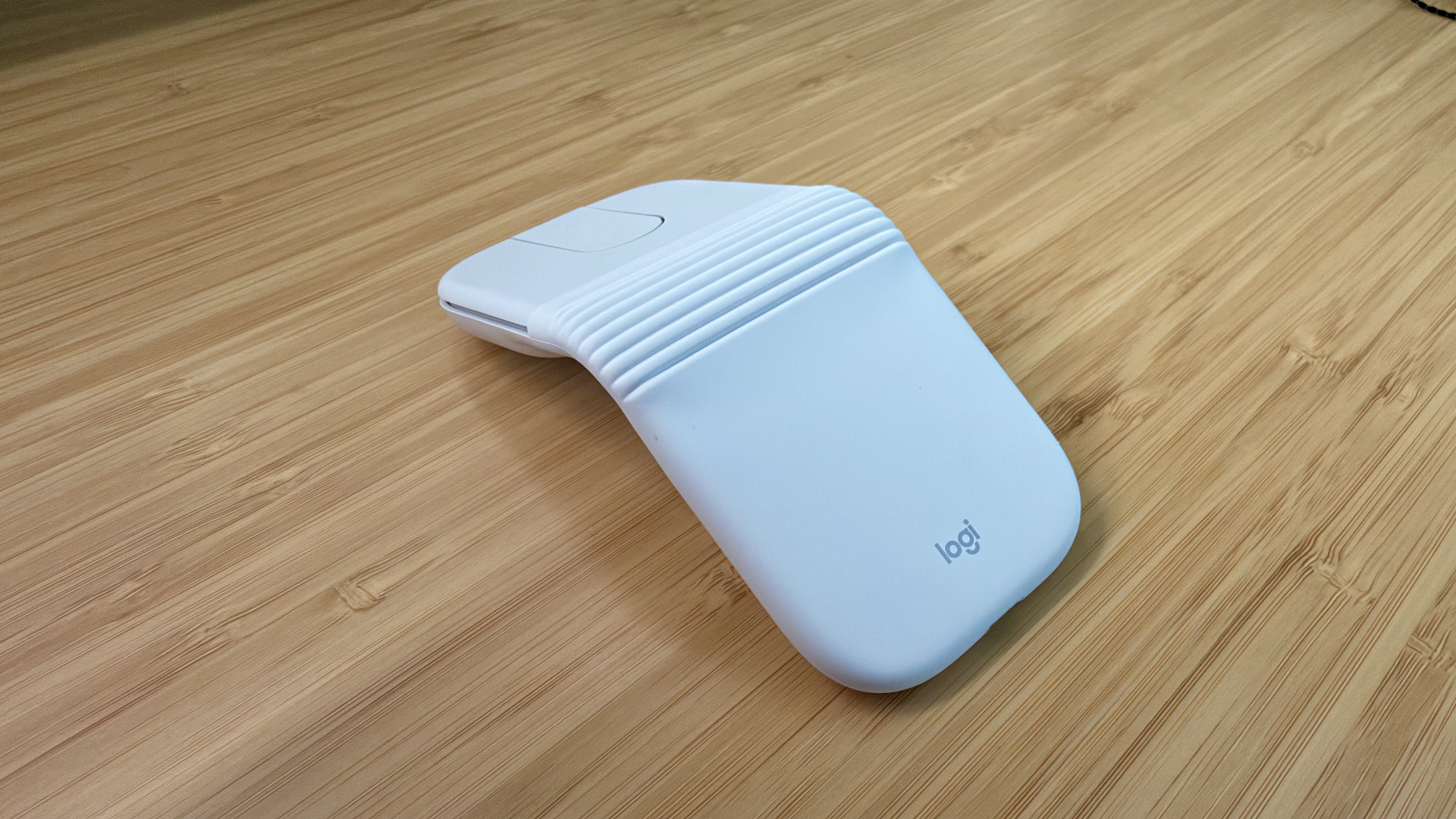
The Logitech Mobi Fold is an impossibly small mouse that folds completely in half, reducing its footprint to about ⅓ the size of my iPhone 17 Pro Max and about twice its thickness. Unfolded, it’s close to the length of the MX Master 4 but narrower. The Mobi Fold is impressively full-featured, too, making it an excellent all-around travel mouse worth taking a closer look at.

Read more


Coming Soon: What’s Next on Apple TV and Apple Arcade in July 2026

It’s July, and Apple TV and Apple Arcade have an interesting lineup, including four games that debuted last week, the return of Silo, one of my favorite Apple TV series, Lucky, a limited series starring Anya Taylor-Joy, and The Dink, a pickleball movie that looks like a lot of fun.

Apple Arcade

Apple Arcade debuted four games last week.

Dungeon Clawler+

The game I’m most curious about this month is Stray Fawn Studio’s Dungeon Clawler+, which Apple says “combines the strategic depth of a roguelike deckbuilder with the unpredictability of an arcade claw machine.” The hook is that instead of drawing cards, you use a claw to grab weapons, shields, and other items that affect your next move.


Creatures of the Deep+

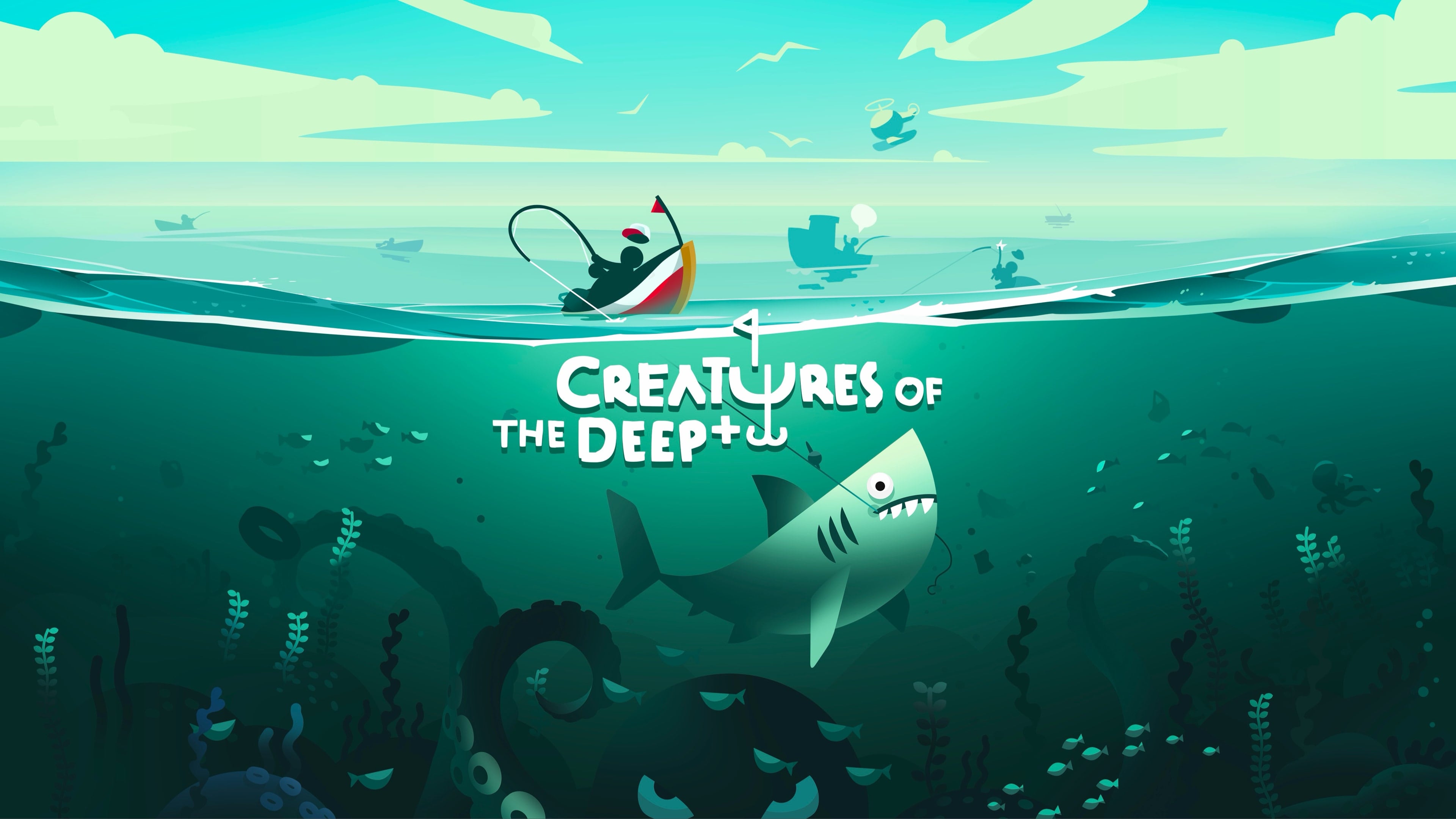
Creatures of the Deep+ is a single-player fishing adventure that pairs fishing with exploration and mystery. Your job is to embark on the open seas, catch fish, and learn the secrets that lie beneath the waves.


Pocket City 2+

If you’ve ever played a classic Sim City game, you’ll have a feel for Pocket City 2+. You play as the city’s mayor and are charged with building and maintaining your city, which you can explore on foot as you build.


Draw It+

Draw It+ challenges players to draw things based on prompts under time pressure. It’s a single-player family-friendly game that can be passed around at a party or played solo, while honing your doodling skills.


Apple TV Shows and Movies

Silo – Season 3

I only just started Silo, season 2, prompted in part by the release of season 3 last Friday. It’s a fantastic dystopian mystery starring and executive produced by Rebecca Ferguson and created by Graham Yost. If you like a good post-apocalyptic brain teaser, be sure to check the new season.


Trying, Season Five (July 8, 2026)

This week the acclaimed British comedy Trying returns for a fifth season. Starring and executive produced by Esther Smith and Rafe Spall, the series is a lighthearted look at the ups and downs of family life.

Add to Your Calendar:


Lucky (July 15, 2026)

Lucky is a limited series starring Anya Taylor-Joy based on the bestselling novel of the same name by Marissa Stapley. Taylor-Joy plays a young woman whose former life of crime comes back to haunt her, just as she thinks she’s escaped her past.

Add to Your Calendar:


The Dink (July 24, 2026)

The Dink is a comedy about a former tennis star played by Jake Johnson who has been reduced to coaching kids at a suburban country club. Johnson, who stars with an ensemble cast that includes Ed Harris, Ben Stiller, and Mary Steenburgen, discovers that he loves pickleball, which just may save the ailing country club.

Add to Your Calendar:


That’s it for July. I’m personally looking forward to moving on to season three of Silo once I finish season two and watching Lucky.

If you’re a Club MacStories Plus or Premier member, drop by the TV and Movies channel in Discord to chat about what you’re looking forward to from Apple TV this month, and be sure to listen to MacStories Unwind where we will undoubtedly cover these shows in the coming weeks.



Finishing with Fable 5

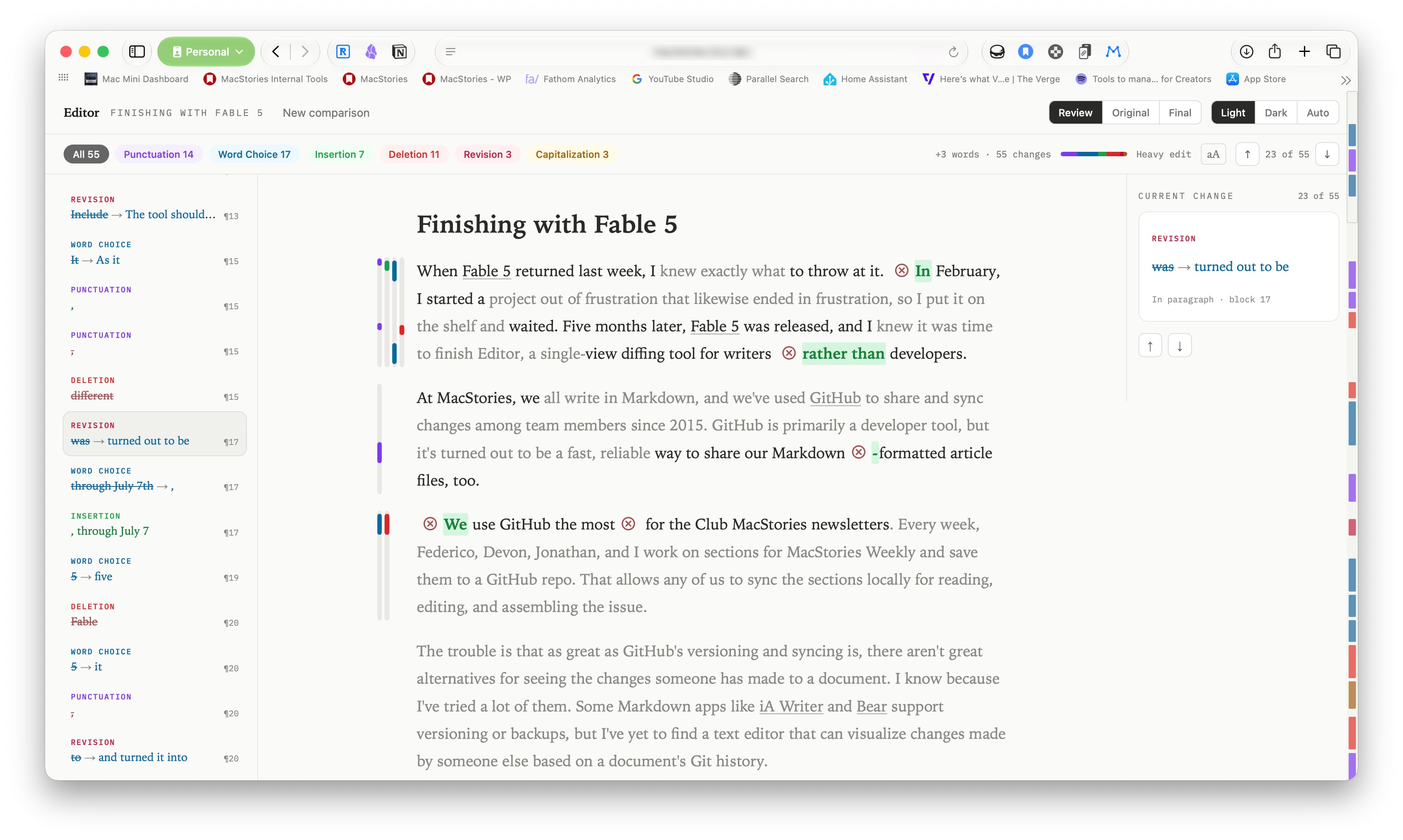
When Fable 5 returned last week, I knew exactly what to throw at it. In February, I started a project out of frustration that likewise ended in frustration, so I put it on the shelf and waited. Five months later, Fable 5 was released, and I knew it was time to finish Editor, a single-view diffing tool for writers rather than developers.

Read more


Podcast Rewind: AI Aggregators, Fable 5, Steam Machine Pricing, and Chris’s App

Enjoy the latest episodes from MacStories’ family of podcasts:

AppStories

This week, Federico and John talk about the state of AI aggregator apps and their future prospects before checking in on their current AI app setups for the AppStories+ post-show.

NPC: Next Portable Console

This week, Federico, Brendon, and John consider the Steam Machine’s pricing and early reviews.

On NPC XL, Brendon fulfills a long-ago Switch 2 promise, surprising John and Federico.

Comfort Zone

Niléane invested in a fast-appreciating asset (air conditioner), CHRIS MADE AN APP, and everyone surprises everyone else with their favorite challenges.

On Cozy Zone, we tier list the biggest iPhone features over the year.

MacStories Unwind

This week on MacStories Unwind, Federico and John are burning up Claude Fable 5 tokens as fast as they can, while Federico finds the time to try a brand new Switch 2 game.

Read more


Safari’s New MCP Server Is Great for Agents

Saron Yitbarek, writing on the WebKit blog:

In Safari Technology Preview 247, we’re introducing the Safari MCP server — a Model Context Protocol server for web developers that makes your web development and debugging workflow faster and more powerful. We know agents are increasingly integral to the coding process and the Safari MCP server gives your agent the ability to know how your code actually renders in the browser by connecting it to a Safari browser window.

Any MCP-compatible client can connect to the Safari MCP server. By connecting your agent to a Safari browser window, your agent can emulate what your users experience, giving it the information it needs to debug more autonomously, like access to the DOM, network requests, screenshots, and console output.

Importantly:

The Safari MCP server runs entirely on your local machine and makes no network calls of its own. It also does not have access to your personal information in Safari (e.g. AutoFill or other browser activity). When it captures page content, screenshots, or console logs, that data goes directly to the agent you’re running — not to Apple. What happens to that data from there depends on the agent and model you’re using. As with any agent you give access to your browser, only use ones you trust.

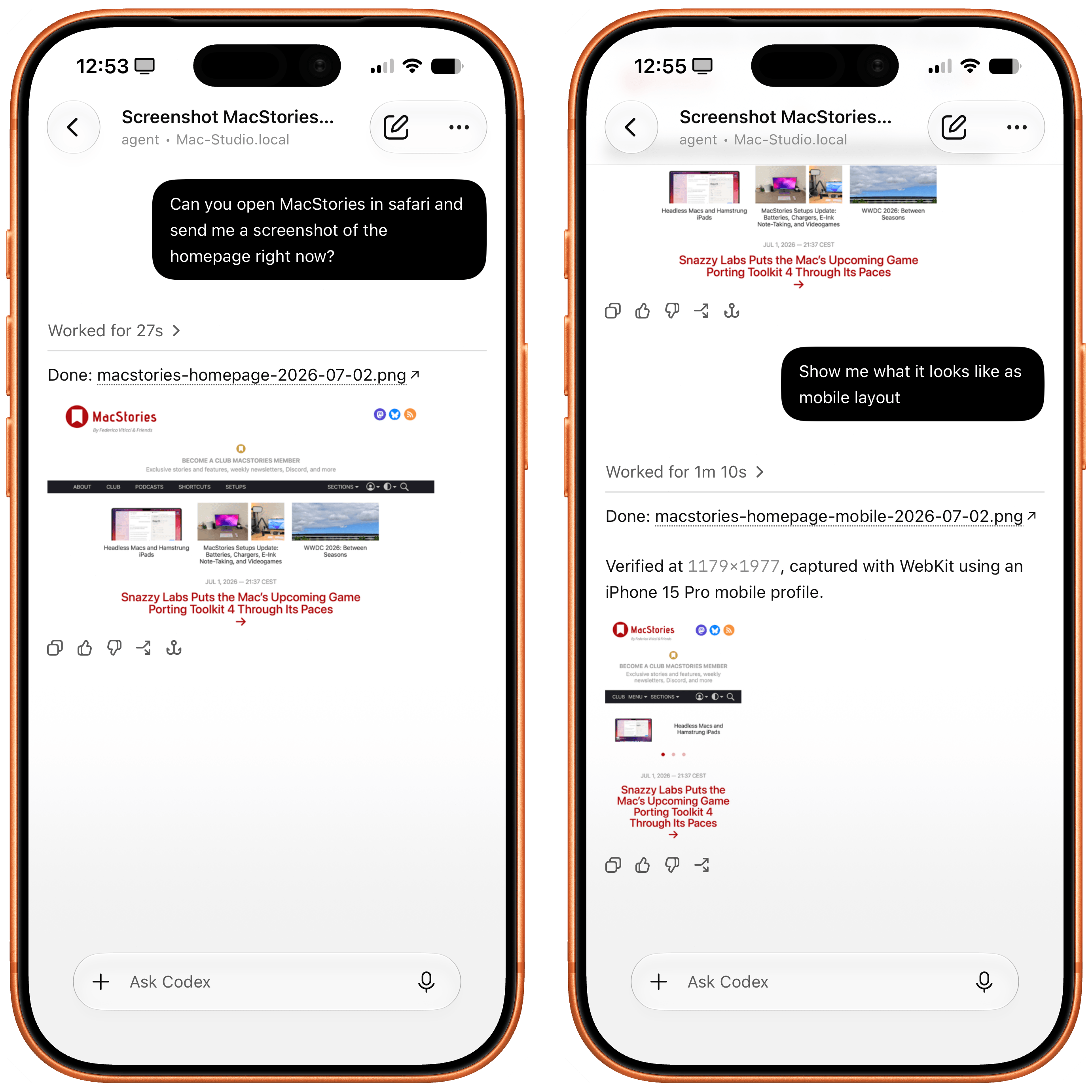
For the past few months, I’ve been using Google Chrome on my MacBook Pro and Mac Studio not because I like the browser (in fact, I really dislike Chrome’s text rendering and UI), but simply because it was the best option for agents. In Codex specifically, between Playwright, Chrome Dev Tools, and OpenAI’s own Chrome extension, I could kick off research tasks (such as vacation planning and booking a hotel) that involved a browser directly from my iPhone, letting Codex drive the research on my remote Mac.

Safari in Codex.

Safari in Codex.

Now, thanks to Safari’s new MCP server, I no longer have to use Chrome on desktop and can return to a unified browser setup across all my devices. Even better: it actually looks like Apple shipped the most ergonomic browser MCP for agents to date. The MCP server has dedicated tools for page extraction (including getting webpages as Markdown, based on WebKit’s own conversion pipeline), evaluating JavaScript, DOM interactions (clicking, scrolling, resizing the viewport for mobile screens, etc.), taking screenshots, and more. I set this up immediately in Codex, and I also asked Codex about comparing Safari’s MCP to its own Chrome extension and the older Playwright. The verdict: although Chrome has a richer API with Chrome Dev Tools when it comes to network requests, Codex actually preferred Apple’s leaner, more direct approach for letting an agent drive and debug a browser.

I’m really happy to see folks at Apple embrace agentic tools: between the new MCP capabilities of Xcode and now this, it looks like Apple’s software (on the Mac, of course) is becoming more and more approachable by people who are working in new ways thanks to agents. Whether you’re a web developer or tinkerer, I highly recommend checking out what Apple has released in Safari Technology Preview. More of this, please.

Permalink