Posts tagged with "safari"

Safari 5.1.1: iCloud Ready, Performance Heavy

For persistent fans, it’s the features you likely already know about that make Safari a keeper. While I could blabber on about how Safari’s design far outpaces Google Chrome or Firefox in terms of both good looks and usability, Safari’s main assets are simply iCloud related.

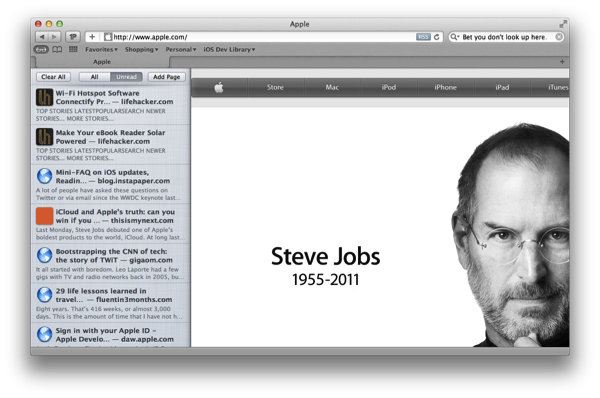
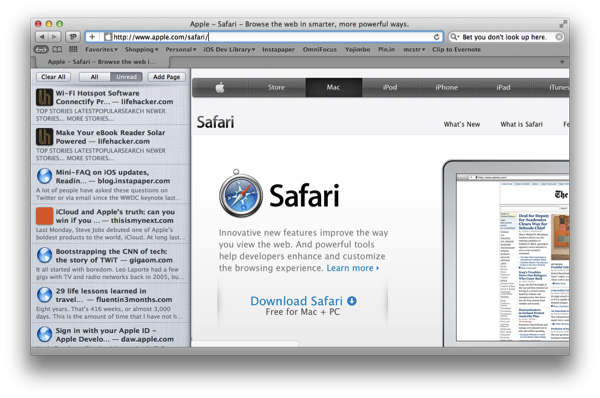
The Reading List, revealed as a hidden side pane coated with a fresh paint of white linen, syncs saved websites to your iOS devices almost instantly over iCloud. Added to Safari earlier this year, Reading List is a sort of quasi-replacement for bookmarks. Bookmarks are useful for certain things: recipes, websites with code snippets, or perhaps a photography tutorial you came across online. References. But for things like articles and news you intend to read later, saving those pages as bookmarks often means they’ll be forgotten about and get lost in the clutter. Reading List attempts to alleviate this problem. If you’re reading an article in Safari on the iPad on the train and need to jump off at the next stop, you can save the page to the Reading List and it’ll be available on your iMac once you reach the office. I’ve always said it wasn’t an Instapaper killer — it’s a temporary container for items I want to read now, but am expecting some sort interruption during. Instapaper items are of course read in the evening, either on the iPad or Kindle. Talking about bookmarks, those get synced over too.

One feature I do want to see in the future is the ability to sync open tabs across OS X and your iOS devices. This seems like a no brainer to me, especially if Apple can work their magic in remembering what tab you had open and your page position.

Outside of iCloud, it’s the same ol’ Safari you’re used to. Safari 5.1.1 includes a slew of stability fixes and improved javascript performance, alleviating a lot of the bugs introduced with Lion and 5.1. Still, there’s room for improvement. More importantly, Apple needs to kill automatic tab refreshing. There’s just no need for it on a desktop OS.

Safari has a warm place in our hearts as Mac users, but the recent iOS-ificiation of the browser is turning away once loyal fans. The animations are fluid, page sliding is unique and thoughtful, and iCloud integrations carry over bookmarks and ‘read later’ items for consumption on any device of your choice, but it’s the automatic tab reloading and poor performance that overshadows great features for fear of lost productivity. I was hoping that Safari, improved in 5.1.1 with several bug fixes, performance enhancements, and iCloud integration, would be worth returning to to take advantage of everything Apple has to offer between iOS and the desktop. Unfortunately, the basic problems (or perhaps principle) of Safari’s mirroring with iOS features remain.

iOS 5: Improvements In Safari, Camera, Photos, Mail, Calendar, Music & Video

Today’s release of iOS 5 sees the inclusion of new apps such as Reminders, significant upgrades to existing apps such as the integration of iMessage in Messages and the introduction of iCloud, which is set to change the way we use our iOS devices. Yet amidst all these significant changes to the iOS platform, Apple hasn’t forgotten about the apps that have existed since day 1 of the first iPhone.

The Safari, Mail, Camera, Calendar, Music and Video apps have all received updates in iOS 5 and the updates range from addressing common complaints, tweaking the user interfaces, adding iCloud support to adding features that improve productivity and usability. Be sure to jump through the break to view the entire overview of changes to these apps.

Read more


Extending Evernote: AppleScripts for Chrome, Safari, Instapaper and Alfred

Evernote is a cross-platform note taking solution that is adored by many for its ability to not just store snippets of information but also serve as an external brain. Among the many reasons users are drawn to this product is its extensibility. You may not realize this but Evernote has a very in-depth AppleScript dictionary that you can use to extend the feature set and make it do some pretty neat things you can’t do with it out of the box. I am going to show you how simple AppleScripting can add a few cool features to your Evernote workflow.

Note: These scripts work best when called with a global keyboard shortcut using an app like Keyboard Maestro, FastScripts, or Alfred.

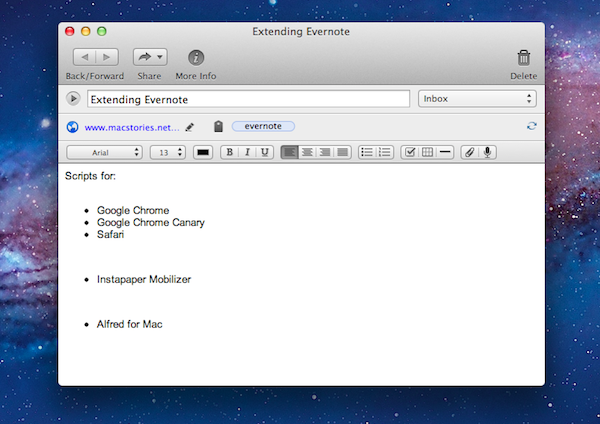
This first AppleScript is used for storing a URL to whatever webpage you are currently viewing and it works with Safari, Chrome, and Chrome Canary. By default Evernote stores the entire webpage including images, navigational menus, and even advertising links. Having a snapshot of a page is great for some situations, but most of the time you just want to grab a link to the site and safely store it in Evernote so it can be easily retrieved. This script will check to see which browsers are running and it will grab the frontmost tab from the browser that is currently active; it’ll then neatly format the information into a note with the proper title and source url, and automatically sync Evernote.

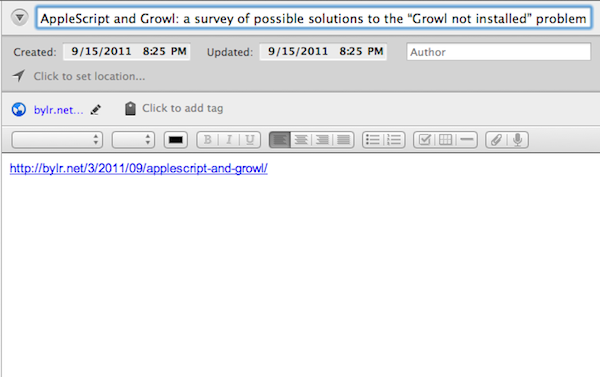
Here is an example of a page I enjoyed and wanted to be able to find again at a later time. Everything is neatly formatted with no extra fluff.

URL to Evernote

URL to Evernote

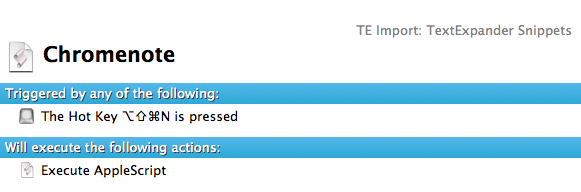
Here is an example macro to launch it from Keyboard Maestro:

Download the script: Webpage Link to Evernote AppleScript Read more


Footnotify Safari & Chrome Extension Turns Footnotes into Popovers

As an avid reader of John Gruber’s Daring Fireball, Ben Brooks and Shawn Blanc, I often find myself scrolling entire articles to reach the end and read the footnotes the authors decided to include. Anchor-linked footnotes are often used online as an alternative to the more classic parenthesis to elaborate on thoughts or data that won’t fit the main article’s body, but are still relevant to its context. Because I want to know immediately what these guys are referring to with a footnote, and because the only way to read footnotes is by interrupting the flow of an article and manually “jumping” to them, I’m forced to click on an anchor-linked note, read it, and scroll back to where I left off.

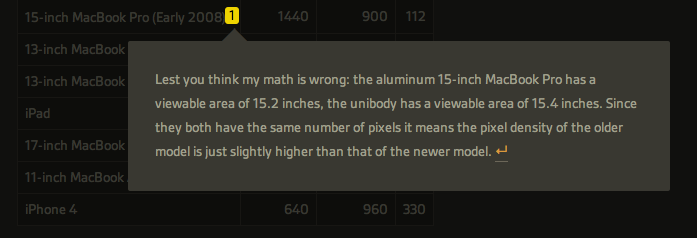
Footnotify, an extension for Safari and Google Chrome, makes the entire process of quickly reading footnotes faster, more intuitive and good-looking by displaying a footnote inside a popover that will overlay the page you’re reading without automatically scrolling to the end of the article, thus “disrupting” your reading flow. Once installed, Footnotify will fade in footnotes keeping the original style of the website, allowing you to click outside the popover to dismiss a footnote.

Footnotify can be downloaded over at Ideon Open Ideas, and it worked very well with every website from my RSS subscription list that used footnotes in blog posts. You can try it now here, or here.


FlashtoHTML5 Turns YouTube In To A Flash-Free Zone On Safari

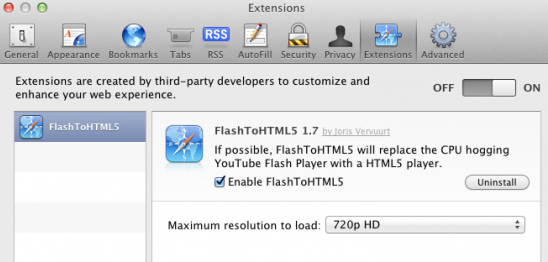
No-one really likes when their Mac’s fan decides to emulate a jet engine after you’ve been watching YouTube for a while because Flash has been running. It is particularly frustrating when you know that YouTube has been rolling out an experimental HTML5 video player that could work perfectly in Safari. Thankfully a new Safari plug-in, FlashtoHTML5, forces Safari to use that HTML5 YouTube whenever available (which is most of the time).

The plug-in from Juris Vervuurt will automatically choose the maximum video resolution available, up to 4K, although this can be manually changed. There are three minor caveats with FlashtoHTML5: this plug-in only works for Safari,  not all YouTube videos yet support the HTML5 version and subtitles and captions do not work in the HTML5 version. You can download FlashtoHTML5 for free.

[Via 9to5 Mac]


Fullscreen Safari Trick

Fullscreen Safari Trick

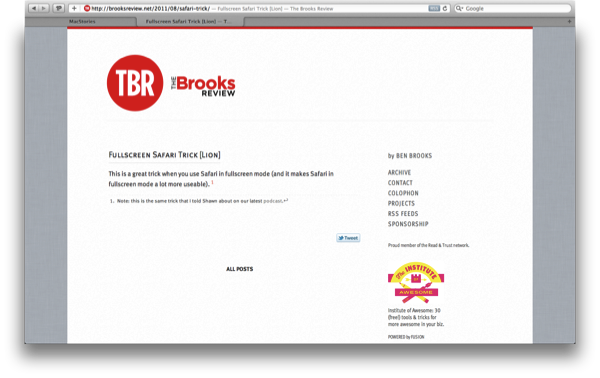
When using Safari in Lion’s Full-Screen mode, you can grab the edges of the browser and drag inward to reduce the width, making fluid websites easier to read on wide monitors, while keeping a nice clutter free view.

For as much as I’ve used Safari in Full-Screen mode on the Mac, I’ve never noticed that the cursor changes at the left and right edges of the display to signify that you can resize the webpage. It’s a neat effect, and it almost looks a little 37signals-ish when you have a webpage resized to show the light linen in the background. What’s nice is that the width will remain as you navigate the web — there’s no need to resize per webpage, although the new width isn’t shared between tabs. Hat tip to The Brooks Review for pointing out this clever trick from Finer Things in Mac.

Permalink

Safari’s Growth Outshines Dulled Chrome in July

Browser Wars - it’s not surprising that competition for the best browser is always fueled by which is the fastest, most reliable and doesn’t suck up all your resources on your desktop and mobile machines.

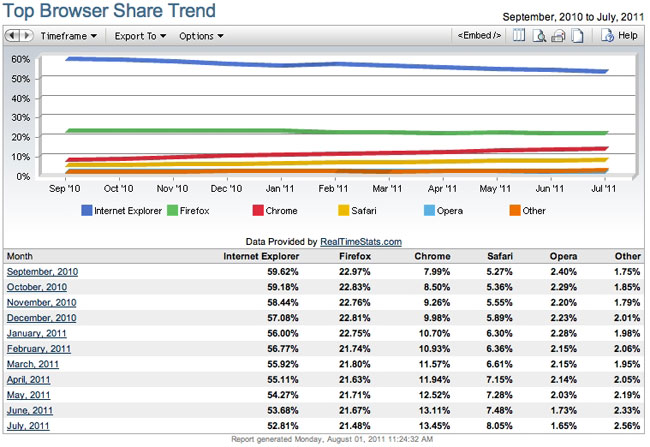
According to Net Applications newest report, July was a great month for Apple’s Safari browser. July boasted the largest increase ever, with Safari being used by 8.1 percent of all web users.

Apple’s iOS devices (iPad, iPhone and iPod Touch) make up for more that a third of the usage for Safari. The growth rate surpassed (and doubled) Chrome as well, jumping .6 percent for July while Google’s Chrome only grew .3 percent.

Statistics say that Safari has had continual growth for 17 months now while Microsoft’s own Internet Explorer has been declining. IE still has 52.8% of the market but solid declines month to month help Apple and others cut in to Microsoft’s dominance in the browser market. IE 9 is being used more with Windows 7 adopters but the overall browser share for IE is still declining.

If Apple and Chrome are growing and IE is shrinking, where is Firefox and Opera in all of this? Numbers show that Opera is down to a minimal 1.7% of the web market - this is where it was back in 2007. Firefox is mostly steady but had a slight decline from 23% a year ago to 21.5% now.

Safari isn’t King of the Jungle yet but is making great strides. Apple’s strength in mobile devices and increases in Mac sales will help Safari continue to grow and grow. Safari had a major update 2 weeks ago with version 5.1 that supports full screen mode and gestures (Mac), Reading List and more. The upcoming iOS 5 adds some great new features for Apple’s mobile version like tabbed browsing, Reader and Reading List as well as an improved performance on all iOS devices.

[via TUAW]


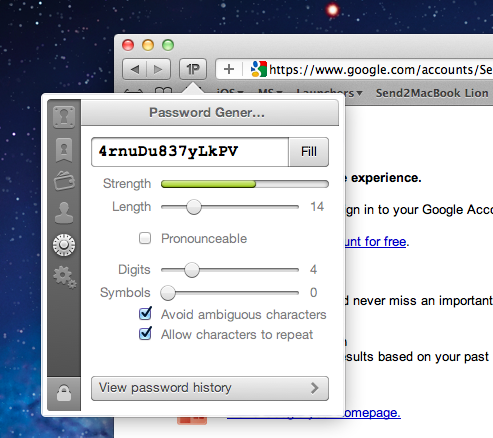
1Password Safari Extension Gets Complete Redesign with New Features

Ever since the release of OS X Lion and Safari 5.1, the Agile Bits team has been busy updating its 1Password Safari extension to work with the new OS and the updated version of the browser, which brings major changes both on Snow Leopard and Lion. Whilst initial Lion support (alongside Firefox 5 and Fluid 1.0 compatibility) was rolled out on June 20, Agile Bits spent the last month releasing new public and beta versions of 1Password for Mac, tweaking its extension engine and re-implementing features requested by their customers in an attempt to bring old functionalities back to Lion and Safari 5.1. First came support for Safari 5.1 on Snow Leopard (which has less features than its Lion counterpart, but still is a major upgrade from Safari 5.0), then Agile Bits released 1Password 3.7 for Mac through the public beta channel, adding features like copy to clipboard from the extension, universal unlock (if 1Password is already unlocked, so is the Safari extension), improved Auto Submit and a bunch of other changes and optimizations throughout the app and extension. You can read more about 3.7 beta here.

In the meantime though, Agile Bits was working on a complete redesign for the Safari extension, teased on the developer’s blog exactly a week ago. The new extension is now live, and as usual it needs to be installed from 1Password’s desktop Preferences panel (more information here). Read more


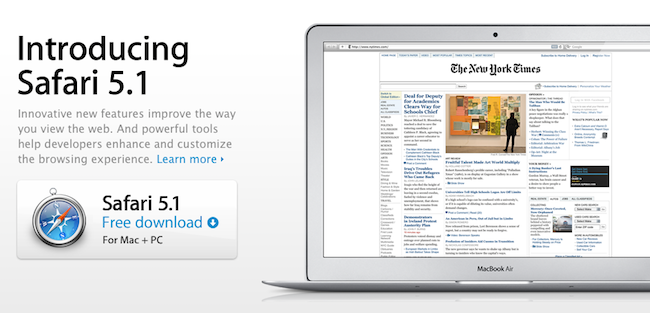
Apple Releases Safari 5.1: Full-Screen, Gestures, Reading List, And More

Alongside OS X Lion, new MacBook Airs, new Mac Minis and Thunderbolt Display, Apple just released a major update to Safari, reaching version 5.1. Available to developers for quite some time, the new Safari brings extensive support for gestures, the Reading List, new privacy and security features, full-screen browsing and more.

Safari isn’t just the world’s most innovative web browser. It changes the way you interact with the web. With great new features that take advantage of OS X Lion, you’ll become completely immersed in everything you see, touch, read, and watch. Oh, and browse.

The Reading List allows users to save webpages for later, and read them at any time by accessing them from a new sidebar. Reading List will gain iOS sync capabilities with iCloud this Fall, but in the meantime it works perfectly in conjunction with Safari Reader, which can strip out the clutter off webpages saved in the Reading List easily.

New multi-touch gestures and full-screen are exclusive to Lion, as they take advantage of the new APIs introduced by Apple in the new OS. You can double-tap to zoom, swipe to navigate as detailed in our Lion review, or pinch to zoom to better focus on content. Read more