Posts tagged with "music"

djay for iPhone Now Available, iPad Version Updated

djay by Algoriddim is an excellent music-mixing application for the iPad we reviewed in December that, with a beautiful user interface design and powerful features, managed to become the top solution for all those looking for a serious, yet accessible DJ solution on the tablet. Today Algoriddim is releasing an updated version of djay for iPad, as well as a brand new iPhone counterpart that brings the djay experience to smaller screens without compromising the usability and design of the app.

First off, djay for iPad got a major update (version 1.1) that adds auto, manual and bounce looping, 3 additional cue points and an improved library search to find songs that you’d like to mix. The update also adds compatibility with Bluetooth audio devices, extended support for AIFF and WAV files thanks to iOS 4.3 and a series of bug fixes meant to address the memory issues of the app. We wonder how well will this thing run on an iPad 2. djay for iPad is a $19.99 download in the App Store.

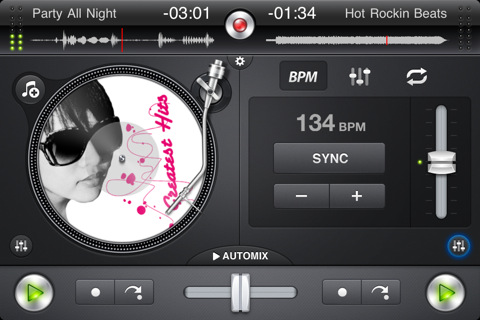
djay for iPhone, on the other hand, takes the basic principles of the iPad version and brings them to a smaller screen that should still enable you to mix your songs on the go. The turntable interface is still the same, as well as many of the commands and menus on screen. Only one turntable is displayed on the iPhone in portrait mode, to keep the experience as streamlined and elegant as possible. Two buttons at the bottom allow you to switch between songs, check how much time is left and regulate the volume output. Many of the other features of djay for iPad such as BPM auto-sync, equalizers and pre-cueing have been successfully ported to the iPhone, too.

djay for iPhone is available in the App Store at $9.99. Check out the promo video below. Read more

On Stage: iPod Companion App with Wikipedia Integration

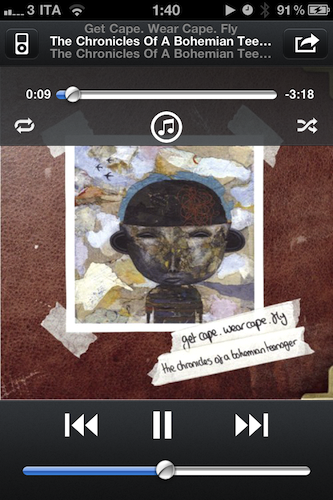
On Stage, a new app by German developer Fabian Kreiser, is a lightweight companion to the iPhone’s iPod application that, together with a custom UI design, comes with neat Wikipedia integration that also supports Sophiestication’s Articles out of the box.

If you’re looking for a more powerful iPod replacement that does a bunch of things like Wikipedia lookup and recommended artists, make sure to check out My Artists, which we reviewed a couple of times on MacStories. On Stage is a smaller alternative with a feature set focused on letting you pick music from the iPod library and display Wikipedia information for the playing album, song, or artist. The app also displays lyrics like in iPod.app but has a function to retrieve lyrics online if missing. Read more


Bon Jovi Hates Steve Jobs For Killing Music with iTunes

Everybody loves iTunes, right? The user-friendly experience of clicking the buy button, the huge catalogue of artists and albums available on it (with The Beatles, too), the integrated environment with iOS devices and Macs. Everybody loves iTunes.

Actually, no. Bon Jovi hates it and he thinks Steve Jobs is “personally responsible” for killing the music business. Seriously, according to Bon Jovi the man just took away the magic of buying physical records and firing up your walkman. In an interview with The Sunday Times Magazine, Bon Jovi went ahead with the following statements:

Kids today have missed the whole experience of putting the headphones on, turning it up to 10, holding the jacket, closing their eyes and getting lost in an album; and the beauty of taking your allowance money and making a decision based on the jacket, not knowing what the record sounded like, and looking at a couple of still pictures and imagining it. God, it was a magical, magical time. I hate to sound like an old man now, but I am, and you mark my words, in a generation from now people are going to say: ‘What happened?’. Steve Jobs is personally responsible for killing the music business.

On a related note, Gutenberg is personally responsible for killing handwritten books. Oh, the magic of manually writing thousands of copies of the same book. And that Simjian guy? Man, he totally took the beauty of manually withdrawing cash away from me. Not to mention the insane operation by Johann Wolfgang Döbereiner: with the invention of lighters, he killed the pleasure of manually lighting my cigars.

Let me tell you something, Bon Jovi. This little thing you hate is called “progress”. Yes, the same progress that allows your guitars to be amplified on stage. So perhaps next time, instead of blaming Steve Jobs for a digital market revolution that came after years of research at Apple, you’d like to think about it and consider that if some artists still manage to produce their records, it’s because of the ease of use of digital downloads. [via Cult of Mac]


Apple Rolls Out “Like” & “Post” to Ping for iOS 4.3 iPod App

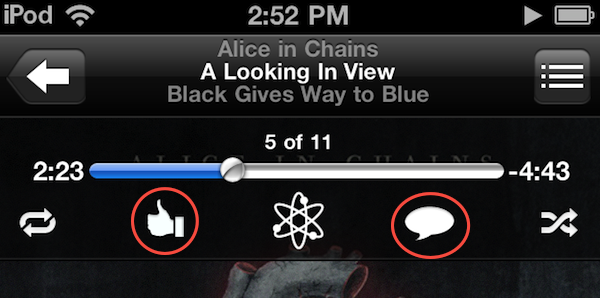
Announced yesterday but not enabled until a few hours ago, the iPod app on iOS 4.3 got two new features: you can now “like” songs and “post” them to Ping directly from the iPod app on iOS 4.3. We’re not sure right now whether this feature only works with tracks and albums purchased from the iTunes Store or music that matches the exact information stored in iTunes servers (try it with your Amazon MP3s, and let us know if it works), but as it stands now Apple has definitely updated the iPod app remotely to integrate the Ping functionality. It wasn’t there yesterday, and there it is now (see screenshots).

To like or post a song, Make sure to be signed into Ping from the iOS iTunes app. Open the iPod app, tap the artwork to bring up the top toolbar and check out the Ping icons. One is to like a song, one is to post it. Both will show up in your Ping activity stream, also accessible from the iOS iTunes app.

Update: it looks like the Ping buttons only appear in tracks purchased from the iTunes Store.


GarageBand for iPad Now Available

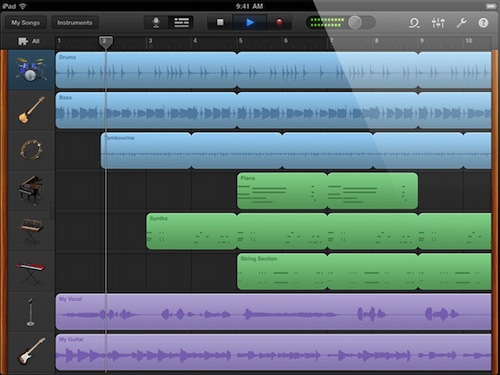
Following the release of iMovie for iPad, Apple also pulled the trigger on the second app unveiled at the March 2 event, GarageBand for iPad. The app is available now in the App Store at $4.99.

GarageBand for iPad features an intuitive interface depicting real music instruments you can play with your fingers and multitouch; with Smart Instruments, users who are not musicians but still want to play music can use the tools provided by the app to easily switch between chords and notes without actually having to precisely know music. For medium to advanced users, GarageBand offers a semi-professional music making and mixing environment with multi-track audio recording, exporting features, touch instruments with a realistic interface for drums, guitars, synthesizers, pianos and many more. GarageBand for iPad really is a full-functional port of the Mac version with the addition of multitouch that allows you, for example, to play instruments at different sensitivity levels thanks to the built-in support for pressure recognition through the accelerometer.

GarageBand looks like a must-have for iPad owners and an app that we’ll thoroughly test next week once we get our hands on the iPad 2. You can find it here at $4.99. Full changelog below. Read more


Roxio Toast 11, Record & Convert Anything

Given all of the digital media you work with, shouldn’t there be a suite of tools that enable you to covert those old DVDs to your iPad, to record anything currently playing on your Mac, or to grab the latest shows from your TiVo? I don’t know… maybe something like Roxio’s Toast 11 Titanium and Titanium Pro? Fans of Roxio rely on Toast as their primary video conversion tool, or may have found it to be their lifesaving application that was able to rip proprietary disks from old camcorders into something iMovie can work with. In Toast 11, a brand new user interface is accompanied by a slew of new features making it the most friendly iteration yet for users of all kinds looking to convert family video and share projects with friends online.

Read more


An Artist’s Tool: Learn Music & Train Your Ear With Capo

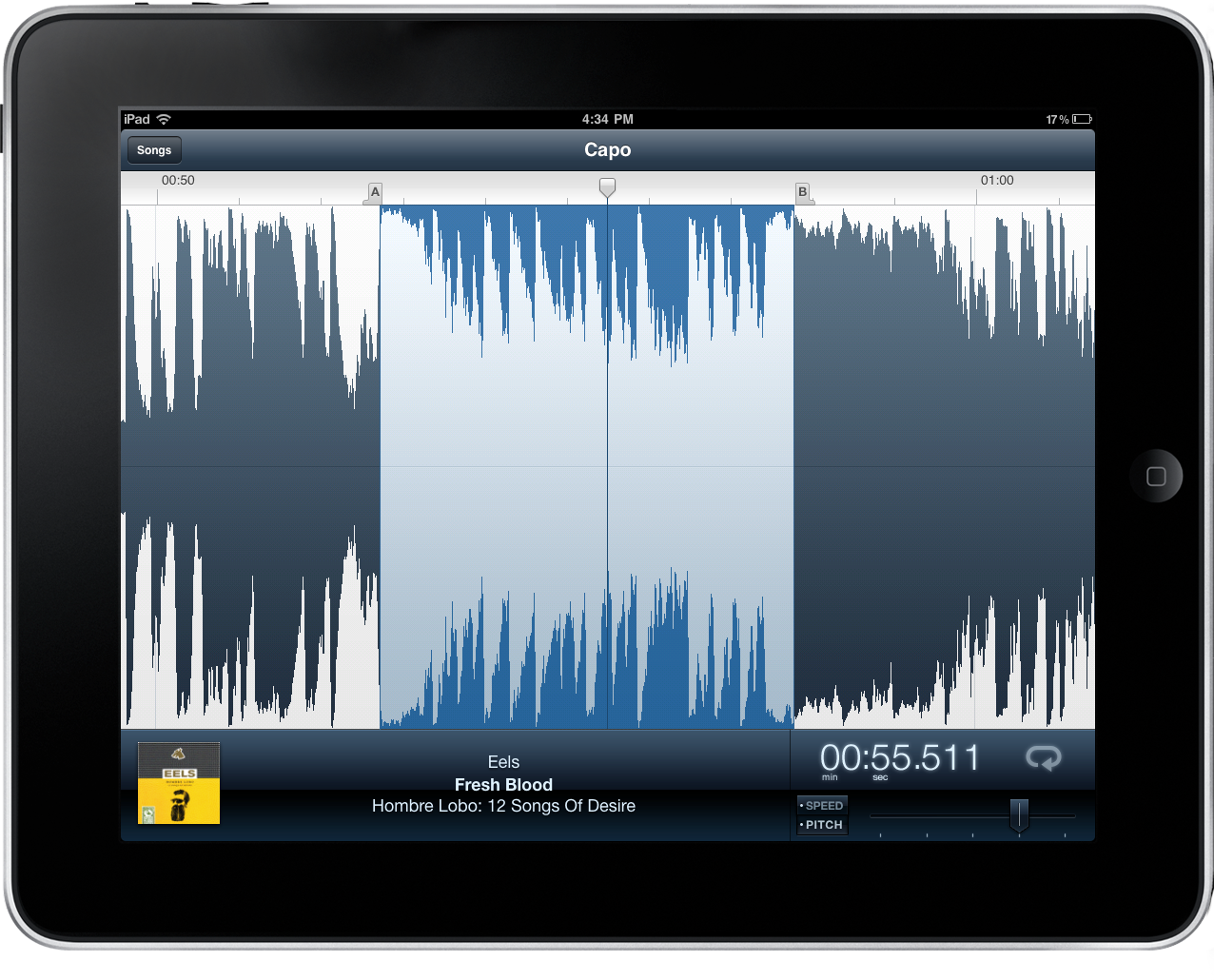
Capo is one of the brilliant Mac apps that often gets overlooked because of its niche value for musicians that have the will to not just follow tabs on a reading sheet, but to actually tear apart songs and learn them by ear. Capo intrinsically is an odd product in this respect – if you’re learning music by ear, why do you need an aid? I’ll tell ya: there’s nothing like being able to scribble all over a song, create your own tabs, and actually study what’s in front of you. You might want to fondle iTunes as you replay parts and study tracks, but you can ditch the pen and paper as you mark an important bridge, analyze the song’s chord progression, and figure out new riffs.

Read more


Create an iTunes Music Queue with “Next”

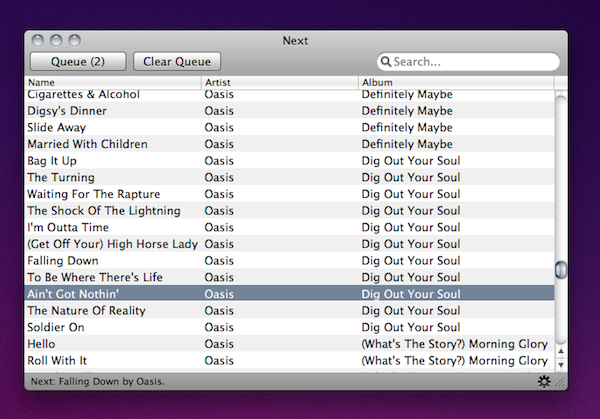
If you’re anything like me, you’re browsing through iTunes or Spotify all day searching for some music in your collection to send to your room’s speakers. Sometimes you spend so much time browsing albums and singles you own you even forget about the songs you wanted to play. Next, a $2.99 utility available in the Mac App Store, aims at solving this issue by providing a way to create a queue for your iTunes library so you’ll never forget about songs you want to listen to again. At the same time, it offers a neat solution to build a queue for artists and songs you’d like to check out in a specific orders.

The app plugs into your iTunes library with no setup required. It also looks very simple (perhaps a little too much) with only a list view being provided and that’s it. You can pick a song from iTunes and hit the Queue button to play it “next”. Another button lets you clear the queue entirely and Next can run in the menubar as well. The menubar icon has a shortcut to the song you’ve selected to play next, and if no song was picked the menu will display a “Random” button.

Next is a very easy way to manage songs in your iTunes queue, but I wish there was more attention to detail and UI design to make the app look better next to beautiful software like Ecoute or Spotify. Anyway, it does exactly what it’s supposed to, so you should give it a try.


Rdio Gets A Native Mac App

Rdio for Mac

Rdio for Mac

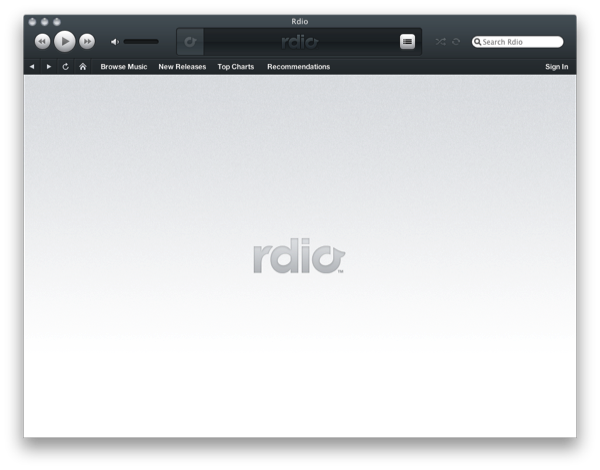
If you wanted to use Rdio without the Adobe Air component (which I thought was pretty good), there is now an official Rdio player built for the OS X desktop. The custom Rdio interface takes on a life of its own by disobeying Aqua’s color scheme for the dark blue seen in Rdio’s online playback controls, and we’d be dipped if it didn’t look a little like iTunes. Similar to something like Songbird, Rdio enables users to browse the site through the music interface, and can scan your music collection just like the Air app did. If you can purchase individual songs, they’ll be added to your iTunes library.

Rdio isn’t available in the Mac App Store - the download is only available to Rdio subscribers through www.rdio.com. You can sign up for a free trial, then navigate to the Rdio for Mac page for a free download.

[via The Next Web, Read Write Web]