Posts tagged with "mac app store"

Mac App Store Results Polluted with Questionable Results

Justin Pot, writing for How-To Geek, walks through some damning examples of apps on the Mac App Store that seem designed to create the false impression that they’re apps like Microsoft Excel:

Seemingly official applications of dubious value are way to easy to accidentally find by searching. It’s understandable that Apple wants the App Store to appear full, but leaving things seemingly designed to deceive people is hardly an answer.

This is an issue I raised in June in the context of the problem of app discovery where I cited similar tests run by Ben Lovejoy of 9to5Mac on the iOS App Store. My point was that developers suffer from ineffective search results polluted with irrelevant and questionable results. But as Pot demonstrates from the reviews of the apps he uses as examples, Apple’s customers also suffer when they purchase an app thinking it’s something that it’s not.

Apple has made some progress in cleaning up search results in the iOS App Store. However, in an all too familiar trend, Pot shows that the Mac App Store lags behind its sibling store and needs attention.

Permalink

Apple Shortening App Review Times

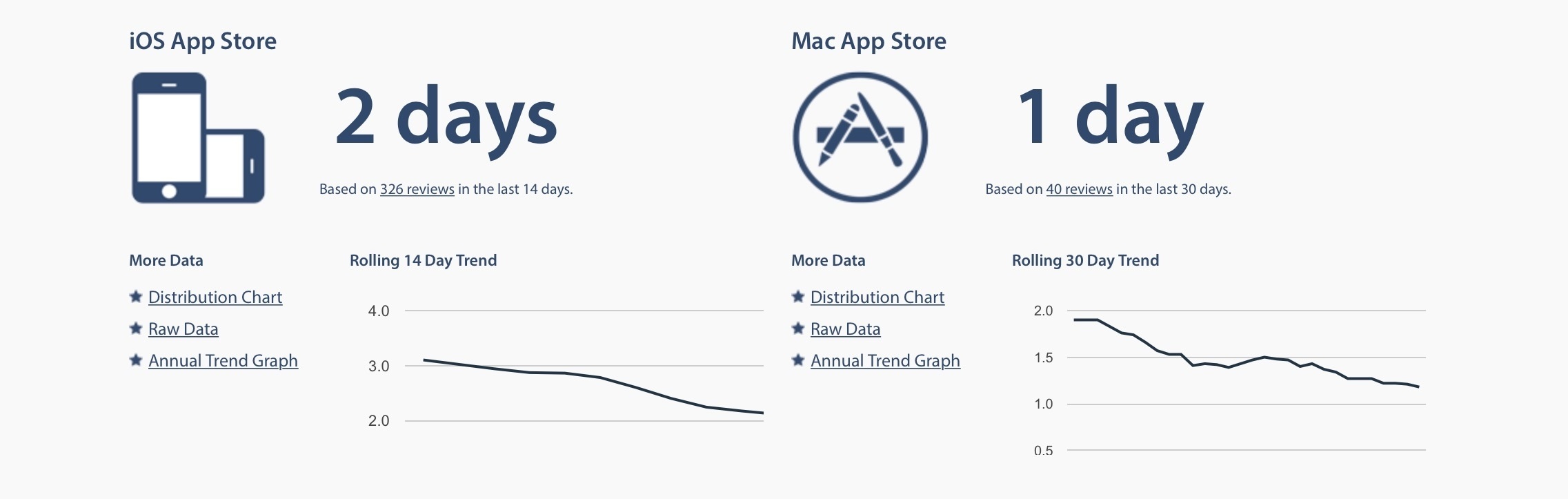
Apple appears to be shortening review times for new app and update submissions to the App Store. According to data collected by independent app review tracking website AppReviewTimes and as reported by Bloomberg today, review times have approached 2 days as opposed to the 7-10 days it took Apple to review apps in the past.

Read more

Access Extra Content and Perks

Founded in 2015, Club MacStories has delivered exclusive content every week for nearly a decade.

What started with weekly and monthly email newsletters has blossomed into a family of memberships designed for every MacStories fan.

Learn more here and from our Club FAQs.

Club MacStories: Weekly and monthly newsletters via email and the web that are brimming with apps, tips, automation workflows, longform writing, early access to the MacStories Unwind podcast, periodic giveaways, and more;

Club MacStories+: Everything that Club MacStories offers, plus an active Discord community, advanced search and custom RSS features for exploring the Club’s entire back catalog, bonus columns, and dozens of app discounts;

Club Premier: All of the above and AppStories+, an extended version of our flagship podcast that’s delivered early, ad-free, and in high-bitrate audio.

Learn more here and from our Club FAQs.


Five Years of Mac App Store

Today marks the fifth anniversary of the Mac App Store, which launched on January 6, 2011. The iOS App Store, which launched in 2008, was already huge success in 2011 – a success that continues today. The Mac App Store, announced at Apple’s ‘Back to the Mac’ event in late 2010, offered the alluring promise of revitalising the Mac app market with easier access to customers, and, it was hoped, greater financial success for developers.

Read more

Access Extra Content and Perks

Founded in 2015, Club MacStories has delivered exclusive content every week for nearly a decade.

What started with weekly and monthly email newsletters has blossomed into a family of memberships designed for every MacStories fan.

Learn more here and from our Club FAQs.

Club MacStories: Weekly and monthly newsletters via email and the web that are brimming with apps, tips, automation workflows, longform writing, early access to the MacStories Unwind podcast, periodic giveaways, and more;

Club MacStories+: Everything that Club MacStories offers, plus an active Discord community, advanced search and custom RSS features for exploring the Club’s entire back catalog, bonus columns, and dozens of app discounts;

Club Premier: All of the above and AppStories+, an extended version of our flagship podcast that’s delivered early, ad-free, and in high-bitrate audio.

Learn more here and from our Club FAQs.


Sketch Is Leaving the Mac App Store

Sketch, the popular image creation and design tool for OS X and winner of an Apple Design Award in 2012, is leaving the Mac App Store. Developer Bohemian Coding has announced the move in a blog post today:

Today, we’re announcing an important change in how you receive updates to Sketch. After much thought, and with a heavy heart, we’re moving Sketch away from the Mac App Store. If you’re a Mac App Store customer, all you need to do is download Sketch from our website, launch it and enter your email address to receive your license.

As for the reasons behind this decision, Bohemian Coding mentioned a few usual suspects:

There are a number of reasons for Sketch leaving the Mac App Store—many of which in isolation wouldn’t cause us huge concern. However as with all gripes, when compounded they make it hard to justify staying: App Review continues to take at least a week, there are technical limitations imposed by the Mac App Store guidelines (sandboxing and so on) that limit some of the features we want to bring to Sketch, and upgrade pricing remains unavailable.

Sketch is, quite possibly, one of the most popular image editing apps for professionals who use Macs nowadays, and it’s yet another high-profile departure from the Mac App Store. Bohemian Coding doesn’t rule out returning to the Mac App Store if things change, but, for now, they are going to be selling the app directly on their website.

At this stage, we are far beyond the point of acknowledging there is a problem on the Mac App Store. We are not talking a bunch of isolated cases anymore – leaving the Mac App Store has become an accepted trend among developers, which is compounded by the sad state of abandon in which Apple has left it and other issues developers illustrated in the past.

The simple reality is that, gradually, developers of the best apps for OS X are finding it increasingly hard to justify doing business on the Mac App Store. I hope Apple also sees this as a problem and starts doing something about it.

Permalink

Elegant Image Watermarking and Resizing with Watermarker 2

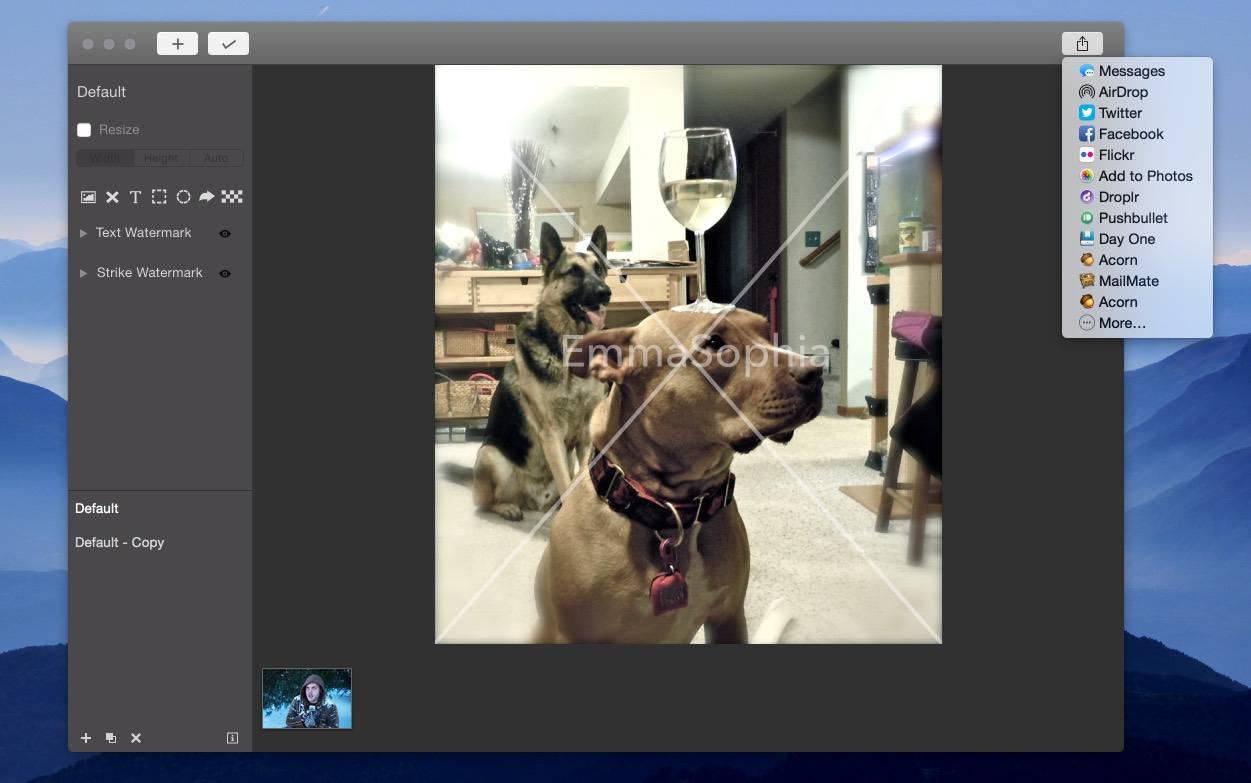
I’m a bit behind in mentioning it, but Watermarker 2 is out. This Mac app from developer (and former MacStories writer) Don Southard lets you quickly resize and add professional watermarks to batches of photos. It’s a great-looking app that elegantly accomplishes its goal.

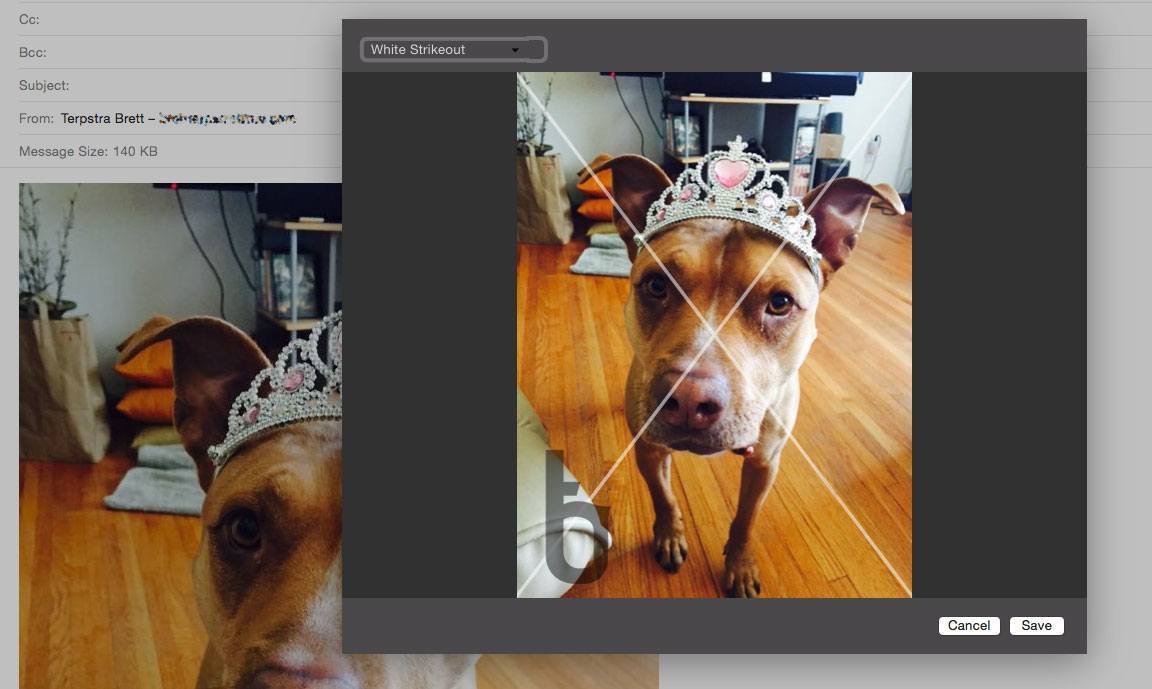
You can use custom text, import your own logo or image, and apply a customizable strike-through “X” over an image (all with adjustable transparency). You can also add pixelation to an image to obscure parts of it, and annotate images with additional shapes.

Watermarker 2 offers powerful batch photo manipulation features such as renaming groups of files based on patterns and resizing using pixel or percentage constraints.

You can save your watermark settings as presets, and apply them to batches in the future with a couple of clicks. There’s even an Action Extension for sending images from other apps to Watermarker, and a Share Sheet for sending watermarked images to others.

Watermarker 2 Action Extension

Watermarker 2 Action Extension

Watermarker 2 is available for $14.99, both on the Mac App Store and through direct purchase (with a free trial available).

Access Extra Content and Perks

Founded in 2015, Club MacStories has delivered exclusive content every week for nearly a decade.

What started with weekly and monthly email newsletters has blossomed into a family of memberships designed for every MacStories fan.

Learn more here and from our Club FAQs.

Club MacStories: Weekly and monthly newsletters via email and the web that are brimming with apps, tips, automation workflows, longform writing, early access to the MacStories Unwind podcast, periodic giveaways, and more;

Club MacStories+: Everything that Club MacStories offers, plus an active Discord community, advanced search and custom RSS features for exploring the Club’s entire back catalog, bonus columns, and dozens of app discounts;

Club Premier: All of the above and AppStories+, an extended version of our flagship podcast that’s delivered early, ad-free, and in high-bitrate audio.

Learn more here and from our Club FAQs.


Instant Hosted Web Pages From Markdown With Loose Leaves

Loose Leaves is a handy (free) utility for OS X that takes selected Markdown text from almost any app and instantly creates a web page on the secure Loose Leaves server that you can link to and share.

Loose Leaves is available anywhere, and just a hotkey away in any app. If you’ve ever needed to share more than 140 characters, link long text in Trello or Slack, or just effortlessly share an idea from your notes, this is a handy tool to have.

Permalink

Acorn 5: Shape Generators, PDF Import, and More

I’ve been an Acorn user for years now. I first started using it as my primary photo editing tool because I could open, edit, and export a perfectly-optimized web image before Photoshop had finished bouncing in the Dock. Photoshop has improved its launch time in recent versions, but Acorn has stepped up its game, too.

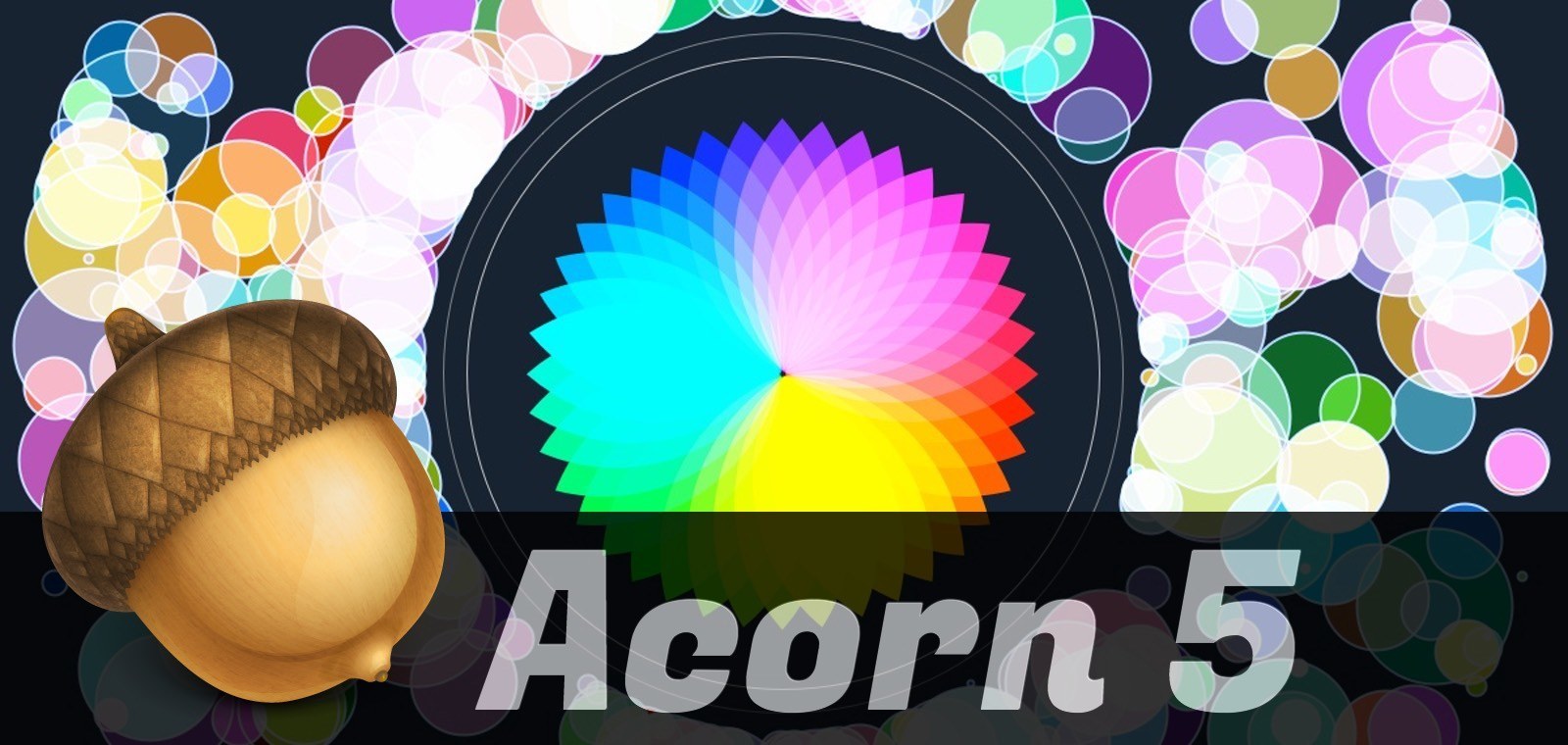
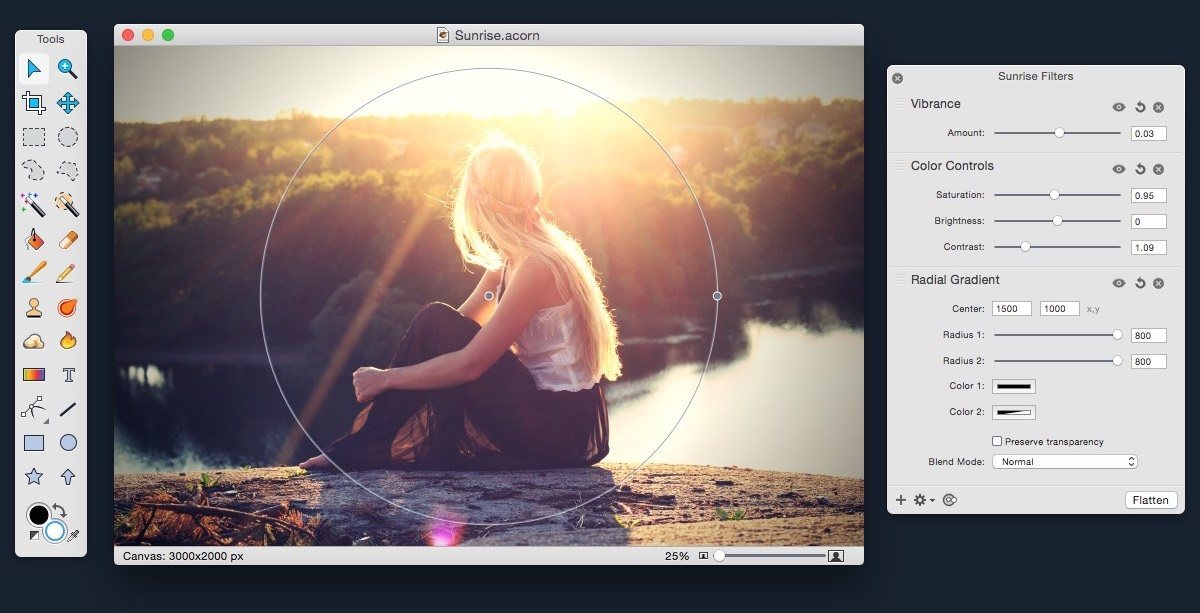
Acorn 5 came out this week, and it adds some powerful new features. Notably, it adds tools for vector manipulation and generation, as well as additional bezier and vector tools, PDF Import, snapping to grids, guides, other shapes, and more.

If you’re a Photoshop user looking for an alternative, Acorn has the tools you’re used to: dodge and burn, hue and curve adjustments, custom selection editing, and everything you need to do advanced photo editing. Acorn 5 can even import Photoshop brushes. Given the wide diversity of custom brushes available on the net, this opens up a lot of possibilities.

Version 5 also adds additional non-destructive filters and adjustments for both raster and vector layers, and the new Shape generators and processors are stackable and non-destructive as well. The layer adjustments are stored in the native Acorn file format, so you can always access and update them.

Acorn still has all of the great tools from version 4, including professional photo editing tools, Smart Layer Export for automatic 1x and 2x images, and the best compression on exported PNGs you’re likely to find.

Acorn 5 is $24.99 US on the Mac App Store (also available for direct purchase, with a few small differences). Check out the website for more info, and read the release notes for a mind-boggling list of all of the new features.

Access Extra Content and Perks

Founded in 2015, Club MacStories has delivered exclusive content every week for nearly a decade.

What started with weekly and monthly email newsletters has blossomed into a family of memberships designed for every MacStories fan.

Learn more here and from our Club FAQs.

Club MacStories: Weekly and monthly newsletters via email and the web that are brimming with apps, tips, automation workflows, longform writing, early access to the MacStories Unwind podcast, periodic giveaways, and more;

Club MacStories+: Everything that Club MacStories offers, plus an active Discord community, advanced search and custom RSS features for exploring the Club’s entire back catalog, bonus columns, and dozens of app discounts;

Club Premier: All of the above and AppStories+, an extended version of our flagship podcast that’s delivered early, ad-free, and in high-bitrate audio.

Learn more here and from our Club FAQs.


Typed for Mac Hits the Mac App Store

Typed for Mac

Typed for Mac

Realmac released Typed, their new Markdown editor, as a direct sale product a little while ago. Today it hit the Mac App Store.

Read more

Access Extra Content and Perks

Founded in 2015, Club MacStories has delivered exclusive content every week for nearly a decade.

What started with weekly and monthly email newsletters has blossomed into a family of memberships designed for every MacStories fan.

Learn more here and from our Club FAQs.

Club MacStories: Weekly and monthly newsletters via email and the web that are brimming with apps, tips, automation workflows, longform writing, early access to the MacStories Unwind podcast, periodic giveaways, and more;

Club MacStories+: Everything that Club MacStories offers, plus an active Discord community, advanced search and custom RSS features for exploring the Club’s entire back catalog, bonus columns, and dozens of app discounts;

Club Premier: All of the above and AppStories+, an extended version of our flagship podcast that’s delivered early, ad-free, and in high-bitrate audio.

Learn more here and from our Club FAQs.


Revisions for Dropbox: Take Control of Your Dropbox History

Revisions for Dropbox

Revisions for Dropbox

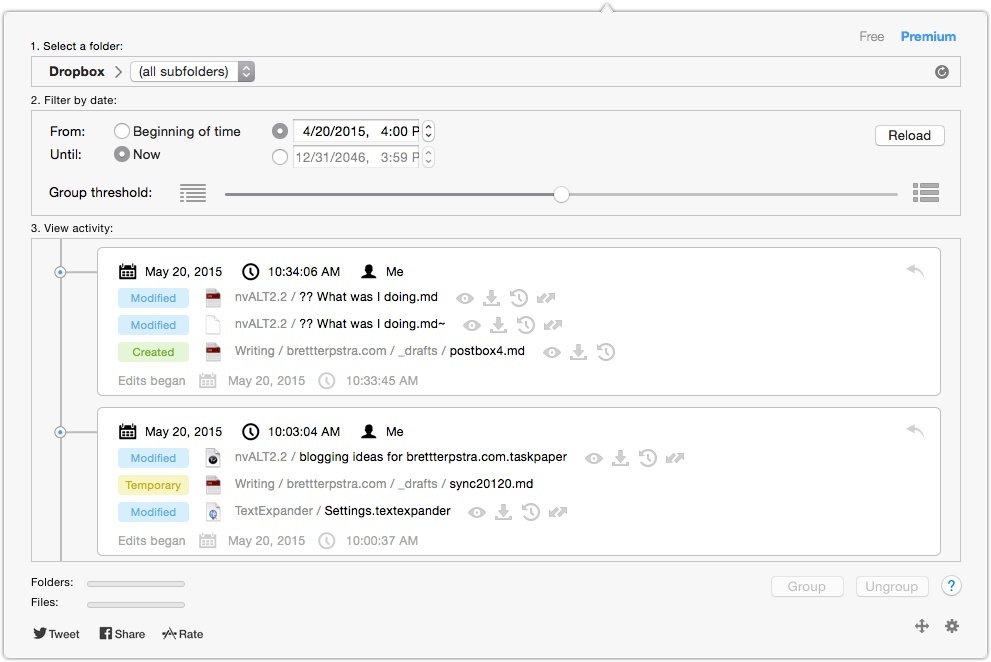
I was excited to discover Revisions For Dropbox, a Mac app for viewing a history of changes for any file or folder in your Dropbox account. I’d been looking for precisely this solution, and it didn’t disappoint.

Read more

Access Extra Content and Perks

Founded in 2015, Club MacStories has delivered exclusive content every week for nearly a decade.

What started with weekly and monthly email newsletters has blossomed into a family of memberships designed for every MacStories fan.

Learn more here and from our Club FAQs.

Club MacStories: Weekly and monthly newsletters via email and the web that are brimming with apps, tips, automation workflows, longform writing, early access to the MacStories Unwind podcast, periodic giveaways, and more;

Club MacStories+: Everything that Club MacStories offers, plus an active Discord community, advanced search and custom RSS features for exploring the Club’s entire back catalog, bonus columns, and dozens of app discounts;

Club Premier: All of the above and AppStories+, an extended version of our flagship podcast that’s delivered early, ad-free, and in high-bitrate audio.

Learn more here and from our Club FAQs.