This Week's Sponsor:

GoodLinks

Save articles for later and enjoy them when you have time


Posts tagged with "iOS"

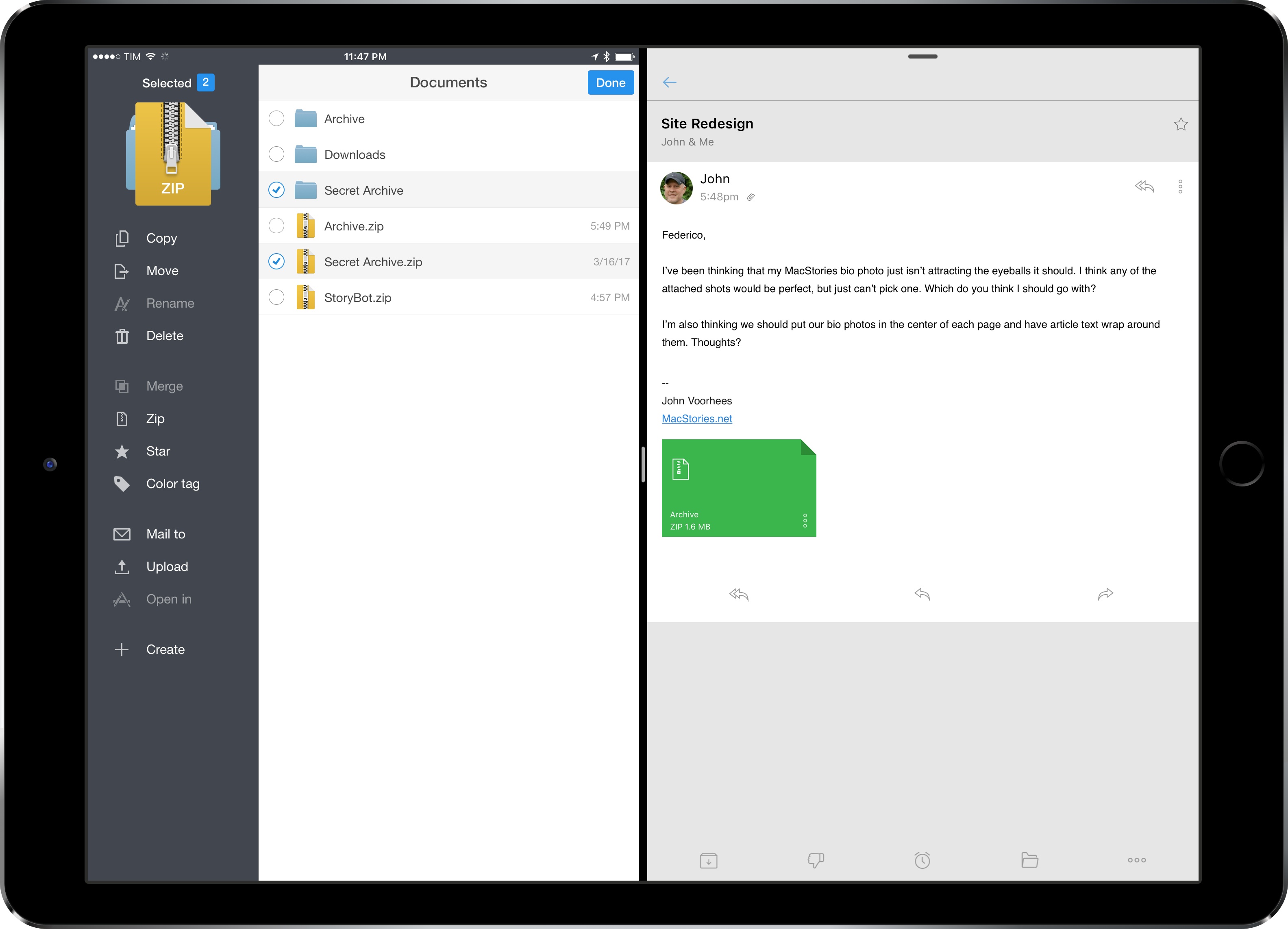
iPad Diaries: Working with Zip Archives

iPad Diaries is a regular series about using the iPad as a primary computer. You can find more installments here and subscribe to the dedicated RSS feed.


Compressing files into archives and extracting them into a specific location is one of the most common desktop tasks that is still surprisingly tricky to adapt to the iPad.

Unlike macOS, the iPad doesn’t come with a built-in Archive Utility app that takes care of decompressing archives, nor does iOS include a native ‘Compress Files’ system action to create and share archives. I’d wager that anyone who works from an iPad deals with file archives on a regular basis, whether they come from email clients, Dropbox links shared by colleagues, or uploads in a Slack channel.

Archives – and the popular .zip format – are a staple of document-based workflows and file management, but the iPad isn’t well-equipped to handle them. Working with .zip files on iOS is among the most frequent questions I receive from iPad-first users every week; effectively, Apple only offers basic integration with iOS’ Quick Look when it comes to file archives. Fortunately, just like advanced file management, we have some solid third-party options and automation to help us.

Read more


iTunes Adds Rent Once, Watch Anywhere Feature

In the aftermath of Apple’s announcements earlier today, it released an update to iTunes with a new feature described as rent once, watch anywhere. The release notes for iTunes 12.6, which is available as a free upgrade on the Mac App Store, say:

Now you can enjoy your iTunes movie rentals across your devices with iOS 10.3 or tvOS 10.2.

With this new feature, you should be able to start a movie rental on an iOS device and finish it at home on an Apple TV for example, which is a welcome change to what was an overly inflexible system.

iOS 10.3 and tvOS 10.2 are currently in beta but are expected to be released soon, at which time this new feature will be available to everyone who upgrades to those versions of the OSes.


Workflow’s New File and Ulysses Actions

In a seemingly minor 1.7.2 update released over the weekend, the Workflow team brought a few notable file-based changes to the app.

Workflow’s existing support for cloud storage services has been expanded and all file actions have been unified under a single ‘Files’ category. You can now choose files from iCloud Drive, Dropbox, or Box within the same action UI, and there are also updated actions to create folders, delete files, and get links to files. Now you don’t have to switch between different actions for iCloud Drive and Dropbox – there’s only one type of File action, and you simply pick a service.

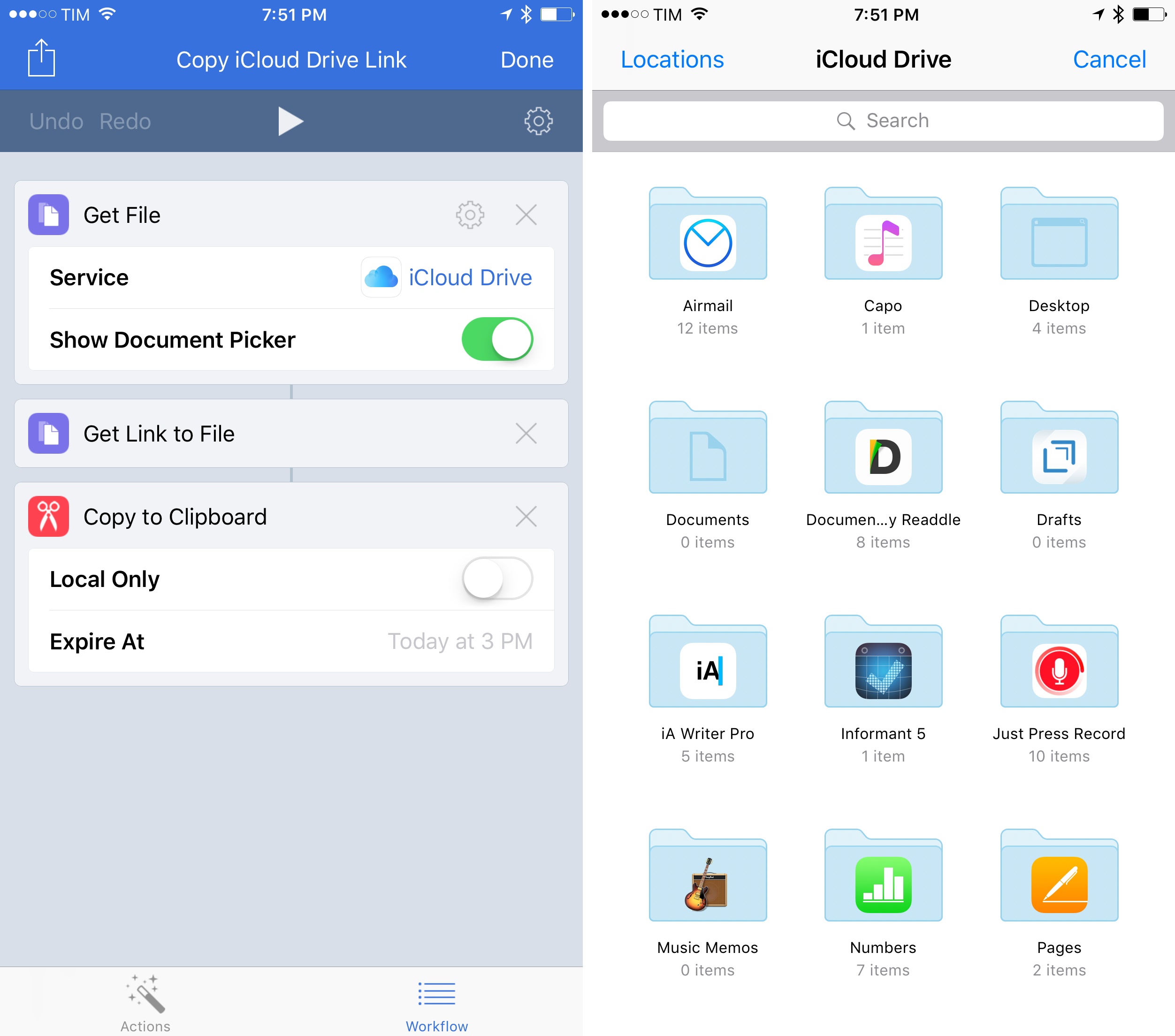
Interestingly, this means that Workflow can now generate shareable links for iCloud Drive files too; here’s an example of a workflow to choose a file from the iCloud Drive document provider and copy its public link to the clipboard. (Under the hood, Workflow appears to be using the Mail Drop APIs for uploads. These links aren’t pretty, but they work.)

There’s also a noteworthy change for Ulysses users. Workflow now allows you to easily extract details from Ulysses sheets using their ID. After giving Workflow permission to access your Ulysses library (which, unfortunately, still has to be done using a glorified x-callback-url method), you’ll be able to chain Workflow and Ulysses to, say, get the Markdown contents of a document, extract its notes, or copy its title to the clipboard. The new ‘Get Ulysses Sheet-Get Details of Ulysses Sheet’ combo makes Ulysses automation much easier and faster.

If you work with files in Workflow on a daily basis, and especially if you’re an iCloud Drive user, you’ll want to check out the new actions and rethink some of your existing workflows. You can get the latest version of Workflow here.


Dropbox, Twitter iOS Apps Gain Option to Clear Cache→

In the last two days, updates to the official Twitter and Dropbox apps for iOS have added an option to clear the contents of their caches.

Cache management has always been an issue on iOS: some apps can accumulate several hundred MBs of cached data and there isn’t an easy way to purge all these separate app caches, which is why companies are implementing their own custom solutions. Currently, Facebook has a cache of 534 MB on my iPhone; Twitter and Instagram have 365 MB; Super Mario Run, GIPHY, and Google Maps have 340 MB stored in cache.

These numbers add up, particularly if you don’t buy Apple’s highest-capacity iPhone models. I appreciate that developers are fixing this problem themselves, but Apple should add a native option in the iOS Settings app to clear app caches more easily.

Permalink


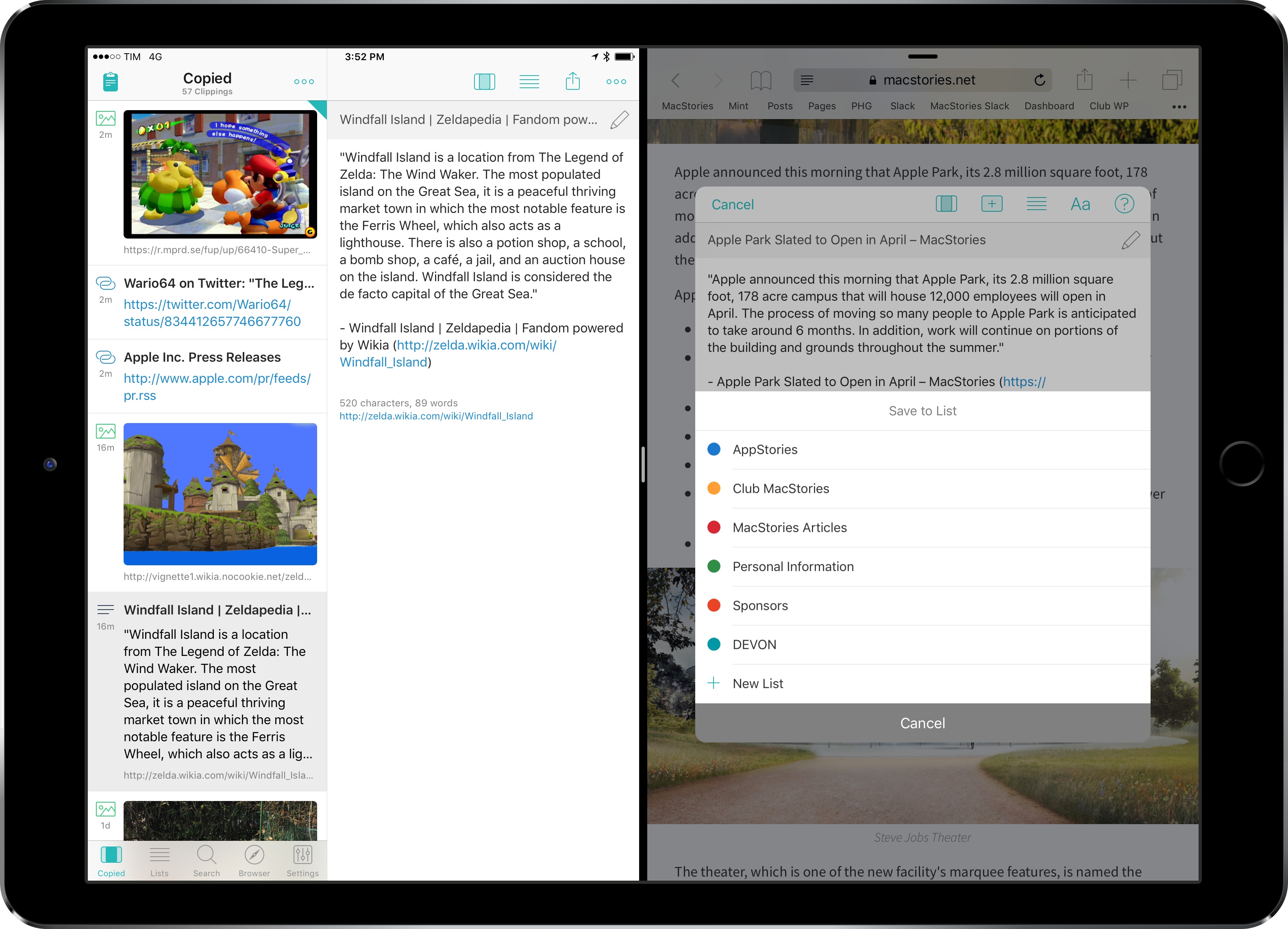
iPad Diaries: Clipboard Management with Copied and Workflow

One of the common challenges involving a switch from macOS to an iPad is the lack of desktop-like clipboard managers on iOS.

By nature of the platform1 and technical restrictions imposed by Apple, apps like Pastebot or Alfred wouldn’t be able to adapt their Mac capabilities to the iPad. Third-party iOS apps can’t constantly monitor changes to the system clipboard in the background; similarly, it isn’t possible for an iPad app to register as the handler of a keyboard shortcut at a system-wide level. An app would have to at least be currently in use via Split View to listen for clipboard changes, but, even in that case, it would have to be active to receive external keyboard commands.

With these limitations, it’s no surprise that clipboard managers aren’t a flourishing category on the iPad App Store. However, once we accept the intrinsic differences between the Mac and iPad and if we look at the problem from a different perspective, there’s plenty we can do – either with apps or automation – to go beyond Apple’s modest clipboard offerings on iOS.

After years of testing iPad clipboard managers and automation/scripting strategies, this is what I’ve come up with.

Read more


Omni Group Automation→

New website dedicated to The Omni Group’s upcoming automation features in their apps, created by Sal Soghoian:

By default, all of the macOS versions of the Omni applications offer robust integrated AppleScript and JavaScript (JXA) support for Apple Events scripting on the Mac. These excellent automation tools will continued to be integrated into every macOS version of Omni software.

And in addition, the Omni Group now offers integrated cross-platform JavaScript support for both the iOS and macOS versions of their popular productivity applications. Finally, the power of automation is available regardless of whether you use Omni tools on mobile devices, laptops, or desktops.

As for the technology itself:

OmniJS, the name for Omni’s new version of the JavaScript language, is based on JavaScript Core, the foundation of the JavaScript implementation in WebKit. Using OmniJS, the Omni Group suite of applications will be able to be queried and controlled on both iOS and macOS in ways similar to how they are automated today using the traditional macOS Apple Event-based scripts.

What’s most impressive is that The Omni Group is bringing all of these automation features to iOS as well – it’s not limited to the Mac. Watch the OmniGraffle videos recorded by Sal to get an idea of the functionality automation will unlock. I’m genuinely excited about all this.

Permalink

Workflow 1.7 Introduces Magic Variables for Easier, More Powerful Visual Automation

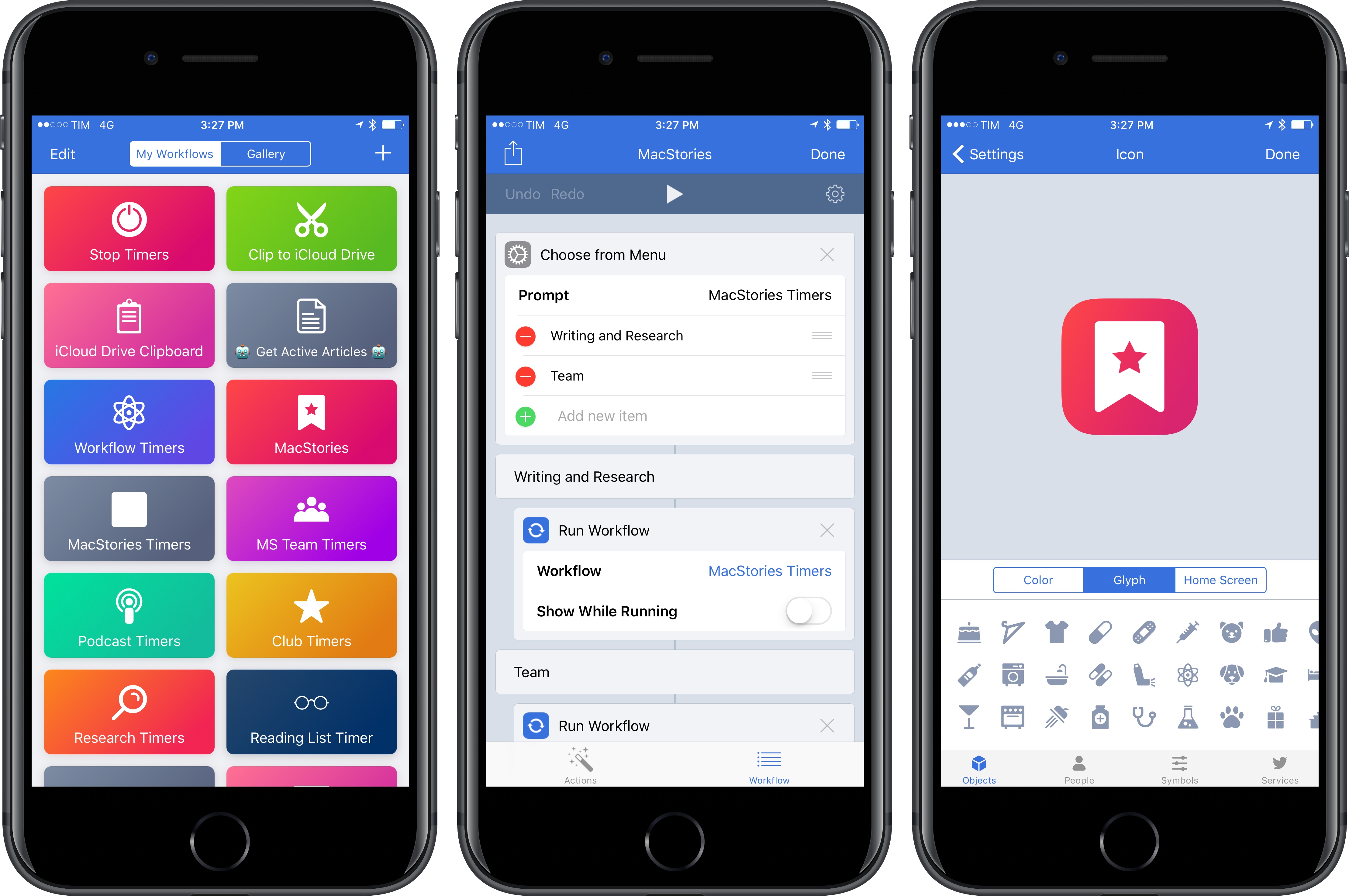
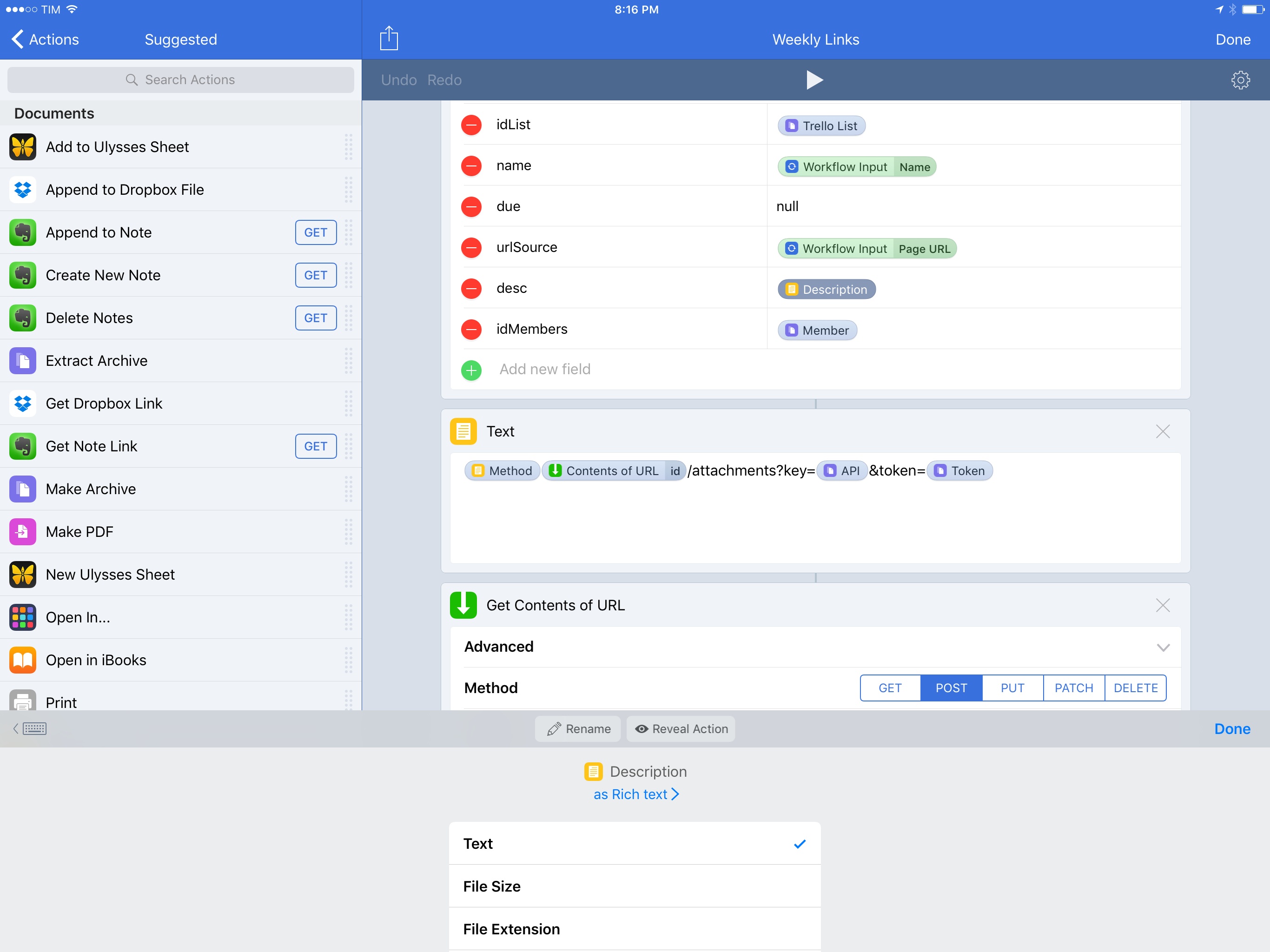
Magic Variables in Workflow 1.7.

Magic Variables in Workflow 1.7.

At its core, Workflow is a visual programming app that deals with variables. Data flows through actions and is altered by the user until it has to be stored in a variable – a local reference that can be recalled in subsequent steps.

Since the app’s original release, the Workflow team has done a commendable job at abstracting the complexity behind variable creation and management, but the feature itself is a vestige of traditional programming languages. The manually-saved variable is fundamentally ill-suited for Workflow’s visual approach predicated on direct manipulation of actions. Workflow revolutionized several automation concepts, yet it was always anchored in the common practice of declaring variables between actions.

For the past year, I’ve been lamenting the sluggishness involved with setting variables and extracting additional details from them. Anyone who’s ever created complex workflows has likely come across the same problem:

  • There’s a “master variable” that contains rich metadata (such as an iTunes song or an App Store app);
  • You want to extract details from the master variable – e.g. an app’s name, icon, or price;
  • Each of the variable’s sub-items has to be extracted by repeating a combination of ‘Get Variable-Get Details of Variable-Set Variable’ over and over.

Not only did this limitation make workflows slower to create – it also made variables difficult to explain and workflows harder to read for people who aren’t proficient in iOS automation.

As someone who writes about iOS workflows on a weekly basis, I’ve been thinking about this issue for a while. Every time I had to explain the inner workings and shortcomings of variables, I kept going back to the same idea: Workflow needed to get rid of its clunky variable management altogether.

Here’s what I proposed when Workflow 1.5 launched in May 2016:

“Instant Variables” to get details of a macro variable without doing the Get Variable-Get Details-Set Variable dance every time. You could save a lot of time if instead of fetching details of a variable multiple times you could use a single master variable and only specify where necessary which sub-details to use;

With today’s 1.7 update, the Workflow team isn’t introducing Instant Variables. Instead, they’ve rebuilt the engine behind variables on a new system called Magic Variables, which completely reimagines how you can create workflows and connect actions for even more powerful automations.

More than a mere tweak for power users, Magic Variables are the next step in Workflow’s goal to enable everyone to automate their iOS devices. By making workflows easier to create and read, Magic Variables are the app’s most important transformation to date, and the result far exceeds my expectations.

Read more