Posts tagged with "game"

Game Day: Perchang

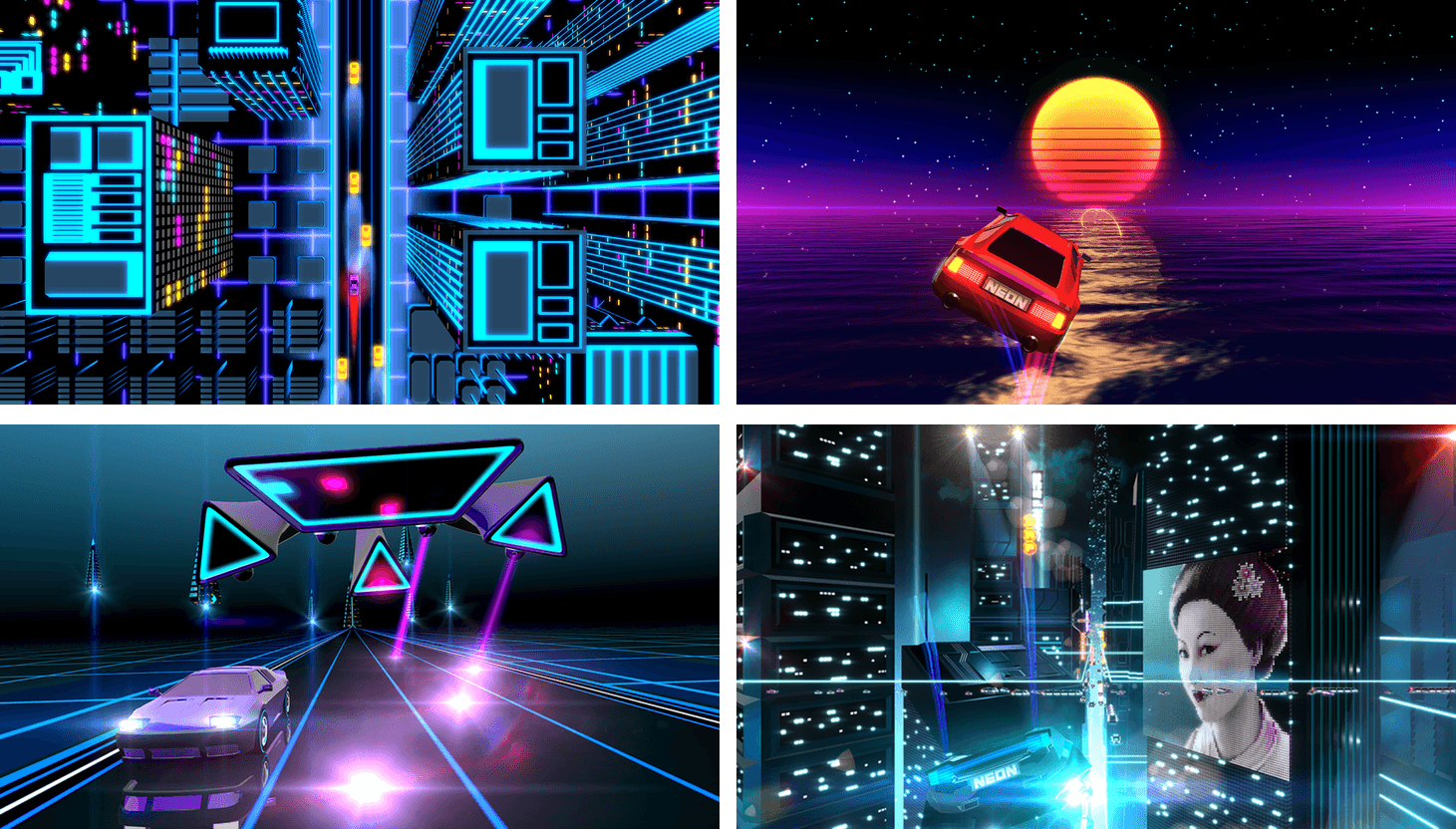
Perchang is a physics-based puzzle game from a new indie development shop that goes by the same name. Perchang describes its game as Lemmings mixed with Marble Madness, which is apt if you’re old enough to remember those games, but that description doesn’t do Perchang justice.

The challenge of Perchang lies in its puzzles, not its controls, which makes it easy to get started, but hard to master. Each of the 60 levels require you to guide tiny balls into a goal using fans, magnets, flippers, portals, and other contraptions. To further complicate things, you’re racing against the clock to get enough of the relentless stream of balls into the goal before time runs out.

The gizmos you use to guide the balls in Perchang are controlled by two on-screen touch points – one red, the other blue. The colors correspond to the items you are controlling on the screen. Touching the colored contraptions on the screen toggles their color, which changes the touch point that controls them. It’s an interesting touch that adds extra depth and strategy to each level by giving you an additional way to approach the puzzles.

The visuals in Perchang are stunning. Each level features beautifully-rendered 3D contraptions. Only the interactive items are colored to correspond to the colors of the controls. The spare use of color is striking and adds atmosphere and personality to Perchang, while also helping players focus on each level’s goal. There are so many variables that affect each puzzle, it’s easy to get lost in the harder ones for long periods of time testing different strategies, which is precisely why Perchang is so much fun.

Perchang is Universal and available on the App Store for $1.99.


Game Day: SEQ

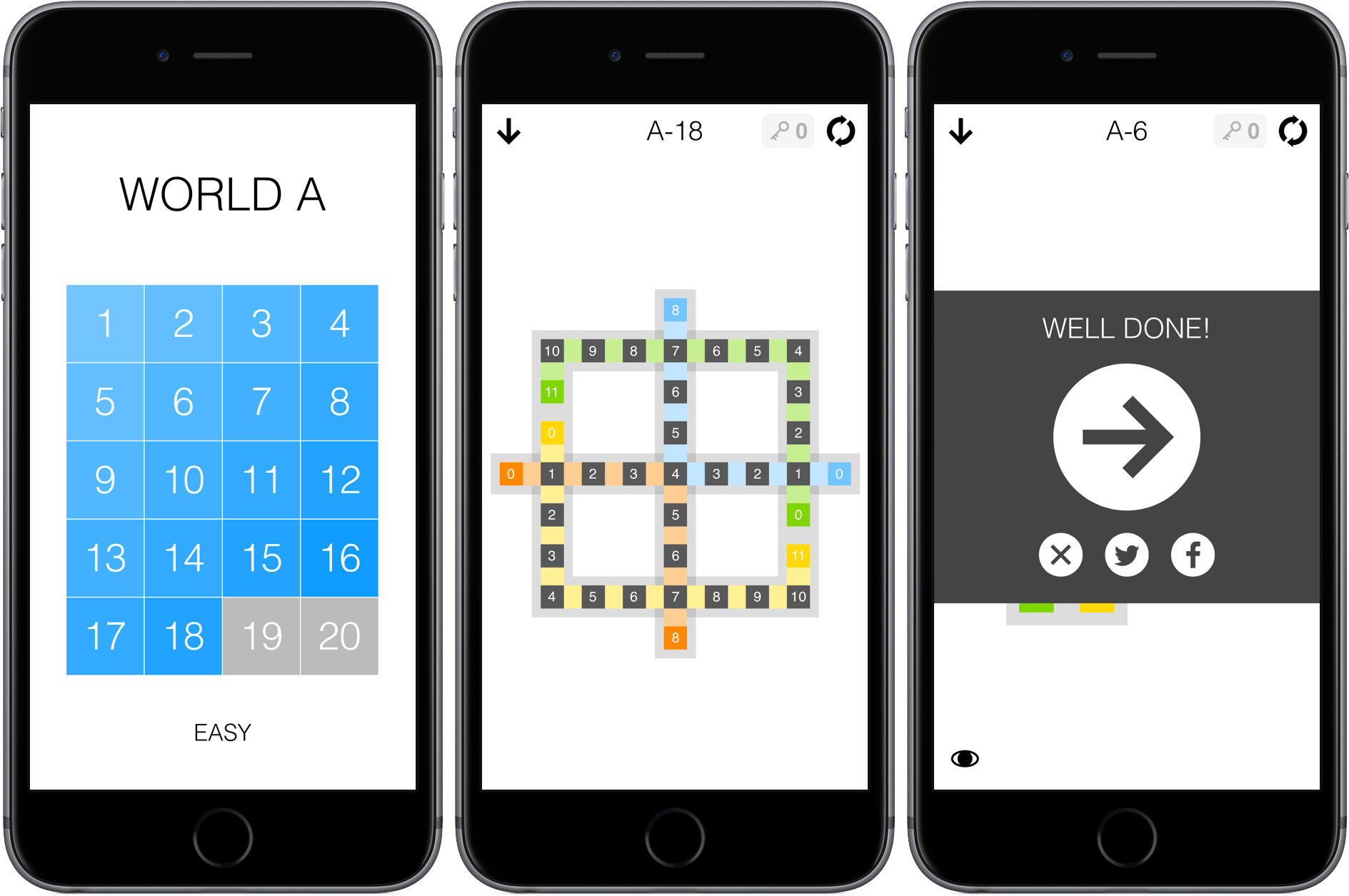
SEQ is a number sequencing puzzle game from 1Button with 280 levels. The premise is simple – each level is a series of squares laid out in a pattern. There are colored squares with numbers in them and grey squares with zeros in them. Your job is to trace a path from the colored squares to the grey squares. Each square along your path is given a number that is one less than the square before it. For example, if you start with a colored square with a ‘5’ in it, you need to fill squares with 4 - 3 - 2 - 1 before landing on a grey zero square. If you have multiple number sequences to complete in a single puzzle, things get trickier. One sequence cannot cross the path of another unless the number in the earlier sequence where the two cross matches what you need to advance the current sequence. It’s easiest to understand by watching 1Button’s video:

SEQ starts with very simple puzzles that gradually get more complex. You cannot skip around, except among the puzzles you have completed or ahead if you have purchased keys to bypass puzzles you cannot solve. SEQ works well on iOS with its simple path tracing and the ability to play for short periods of time. SEQ is also the sort of game that I like to play while I’m listening to a podcast or music, and fortunately the sound effects, which can be disruptive when you are simultaneously listening to something else, can be turned off by swiping to the view to the left of the puzzles.

SEQ is $1.99 on the App Store with a $0.99 in-app purchase to buy five keys that allow you to bypass puzzles you cannot complete.


Game Day: Human Resource Machine

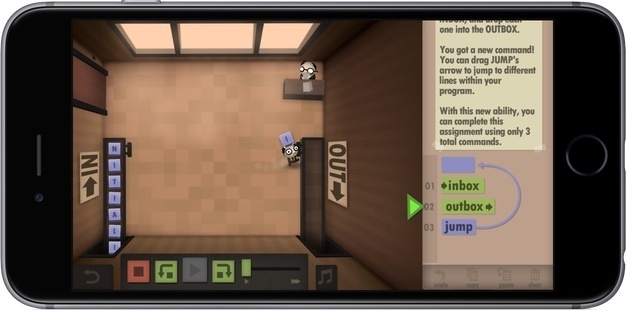
With WWDC just finished, I figured what better game to try than Human Resource Machine, a puzzle game with a development angle that has been available on the Mac and Windows since last Fall, but just debuted on iOS earlier this month. Human Resource starts out simply. You play Human Resource as a nameless worker tasked with moving boxes from an inbox conveyor belt to an outbox conveyor belt. The 41 levels become challenging quickly, but are a lot of fun and cleverly introduce programming concepts in a way that requires no prior knowledge of programming.

Read more


Game Day: Shadowmatic

[Editor’s Note: Game Day is a new weekly series on MacStories highlighting iOS games. Each Saturday, we will feature one classic or up-and-coming game just in time for a little weekend fun.]

Many of the best iOS games don’t fight against iOS device hardware. Instead, they embrace the constraints of the touch interface, focusing on fun games based on simple touch interaction models. Touch lends itself particularly well to puzzle games and one of my favorites is Shadowmatic by Triada Studio Games.

Read more


Alto’s Adventure Adds Zen Mode and Sharable Gameplay Photos

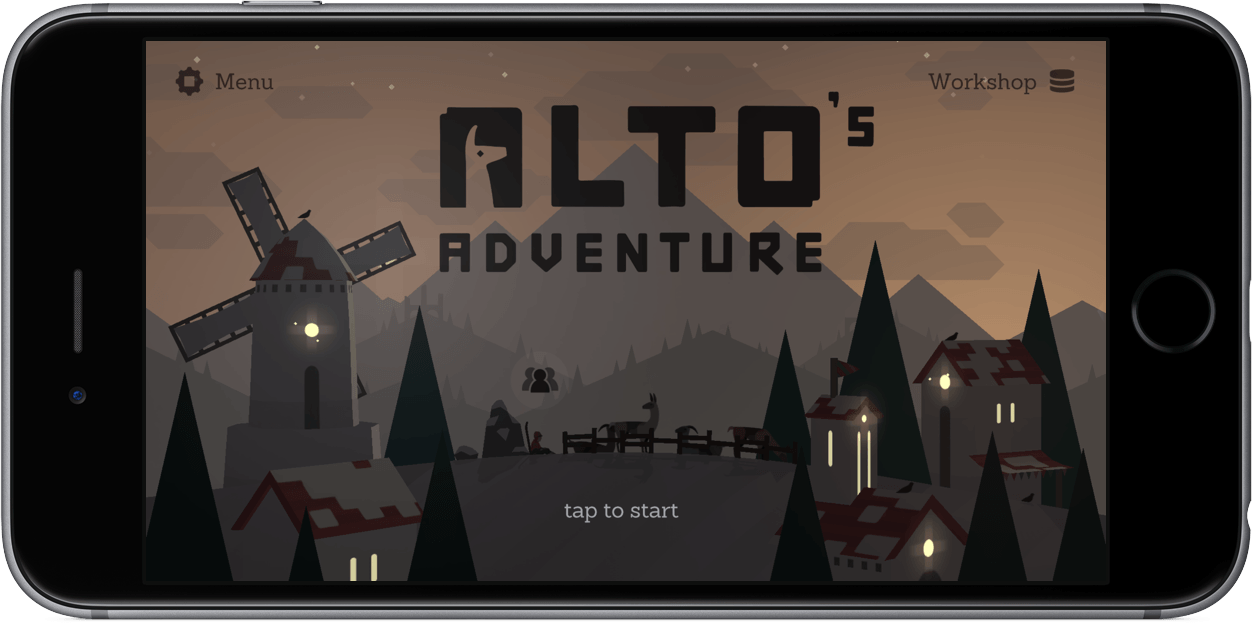
Alto’s Adventure, one of my all-time favorite iOS games, is getting a couple fantastic features today. The first is a zen mode that lets you play as long as you want without having to restart when you crash. If you fall, you can simply pick yourself up and resume from right where you are. There also aren’t any collectables, removing all of the potentially stress-inducing aspects of the game. It’s just you snowboarding down the mountain and doing tricks. The new mode is accompanied by a soothing new soundtrack that fits well with the more relaxed feel of zen mode.

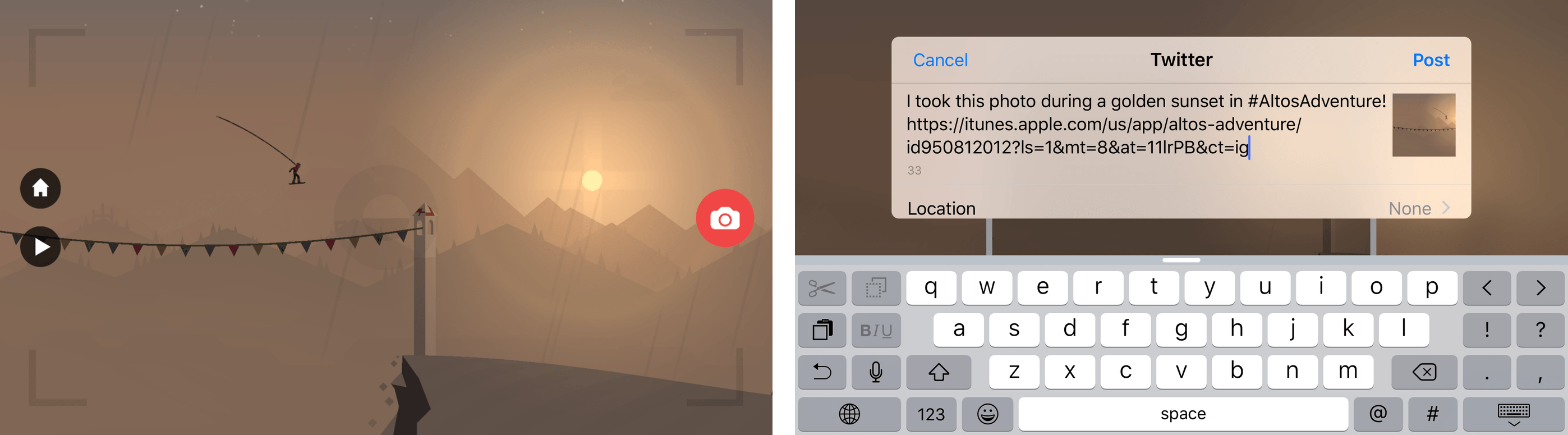
Alto’s Adventure also adds the ability to take snapshots of gameplay. Pausing the game by tapping the pause button in the lower left hand corner of the screen lets you enter photo mode.1 Once paused, you can pinch, zoom, and pan the scene to frame the shot and then take a snapshot that can be shared using the system share sheet.

Zen mode and the new photo feature enhance Alto’s Adventure by making it even easier to soak in the stunning visuals and soundtrack of the game. As much as I like the new features, though, I like that both are neatly tucked away in the interface so neither interferes with the way the original game works.

Version 1.3 of Alto’s Adventure is a free upgrade to existing customers. New customers can purchase Alto’s Adventure for $3.99 on the App Store.


  1. If you don’t see a pause button, don’t worry, it’s there. The button just fades from view over time. 

Monument Valley’s Second Year

Fascinating look at the second year of Monument Valley – particularly after a cameo on House of Cards and a promotion on the App Store:

Underwood turned out to be a great pitch man, one of several reasons why Monument Valley was actually more successful in its second year of existence, compared to the first. According to developer Ustwo, the game has been downloaded more than 26 million times to date, and more than 23 million of those downloads came in the second year after it released. “We’ve actually had to spend a lot of time maintaining the game,” says Dan Gray, head of studio at Ustwo Games, “and finding new opportunities for people to find out about it.”

For the second year in a row, Ustwo has released a detailed infographic that showcases how well the game performed on various platforms. While year one showed that it was still possible for a premium game to make money on mobile, year two shows just how huge of an audience you can reach by offering your game for free — the biggest reason behind _Monument Valley_’s enduring success wasn’t a fictional US president, it was the lack of a price tag.

The difference in downloads between the first and second year on iOS is remarkable, but even more impressive is the performance in China.

Permalink

SketchParty TV 4.0 with New Look, Improved Gameplay

When my family gets together, we like to play games. One game has been a mainstay of our gatherings for the last four years: SketchParty TV.

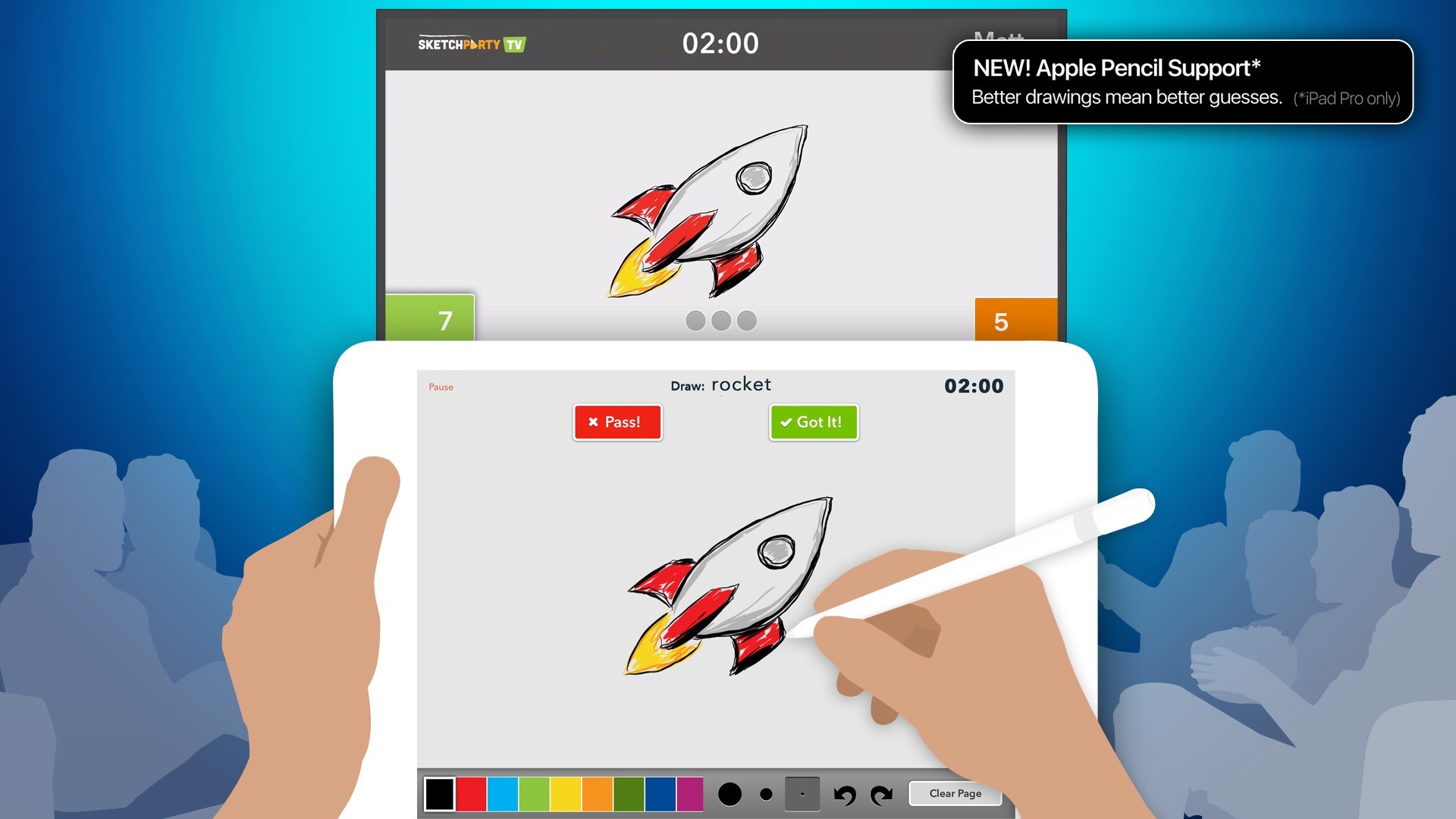
SketchParty TV is a multiplayer game similar to Pictionary which uses an iOS device as the marker and your Apple TV-connected television as the drawing board. If you have a 2nd or 3rd-gen Apple TV, you can use the iOS version with AirPlay Mirroring. For 4th-gen Apple TV owners, there’s a native Apple TV app that connects to the iOS version.

The 4.0 update to SketchParty TV is a big one, with a visual overhaul for iOS 9+, a redesigned canvas, updated scoring system with speed-based rewards, and full support for the Apple Pencil on iPad Pro devices.

The Team Setup interface was always usable, but it got a lot of special attention in this update. In addition to improved word list settings, entry of team members is easier and now you can drag to reorder and even switch between teams.

If you own a compatible iOS device and a 2nd-gen or higher Apple TV, SketchParty is an excellent game for friends and family gatherings. Right now it’s on sale, too, for $5.99 (normally $9.99). Check it out in the iTunes App Store.


Disney Crossy Road

One of my favorite iOS games in recent years, Crossy Road, has received a Disney tie-in aptly named Disney Crossy Road. It’s out on the App Store today for free, and it features over 100 Disney and Pixar figurines hopping their way through worlds from The Lion King, Toy Story, Inside Out, and more.

It looks like Hipster Whale (creators of the original game) and Disney did a good job in keeping the essence of Crossy Road alive while also enhancing the formula with new gameplay mechanics and world-specific challenges. I’m going to play the game over the weekend – in the meantime, The Verge has a nice behind-the-scenes piece on how the game was created:

Disney Crossy Road goes in a different direction. While the first area is exactly the same as the world from the original game, the rest are all based on different Disney properties and feature new gameplay characteristics to suit them. Some of the changes are just visual — in the Lion King world you’re avoiding charging animals instead of cars — while others are twists on the Crossy Road formula. In the Tangled world you have to avoid barrels falling down a hill, while Inside Out tasks you with collecting colorful memory orbs.

Permalink

Improving MFi Controller Support on iOS

Craig Grannell, writing on how Apple could make MFi controller-enabled games more user friendly on iOS:

That’s assuming anyone could find a compatible game in the first place, because Apple oddly broadly ignored controllers in the iTunes Store. You’d think the company would at least flag controller support on game pages (something it does on Apple TV), and also automate an App Store page listing compatible games. Instead, it’s left to third-party sites like Afterpad to pick up the slack, which is baffling.

Today, the MFi ecosystem is fairly mature, with a reasonable range of controllers. (My personal recommendation is the Nimbus, unless you’re desperate for a form-hugging option, in which case grab a Gamevice, in the knowledge it may not fit the next device you buy.) But Apple needs to do more to help.

It is baffling that the iOS App Store still doesn’t display controller support or offer a filter to show games with MFi controller integration. It seems like they’re not taking them too seriously.

Permalink