Posts tagged with "game"

Game Day: Splitter Critters

When Splitter Critters by Canadian game studio RAC7 caught my eye, I initially wrote it off as a game for young kids. I think it was the paper cut-out art style that made me jump to that conclusion. Digging a little deeper, I realized I was wrong. Splitter Critters is a game that anyone who likes puzzle games will enjoy. What’s more, its gameplay is truly innovative. I should have known better; this is the same team behind Dark Echo, a pioneering game from 2015 based on exploring a strange world through sound.

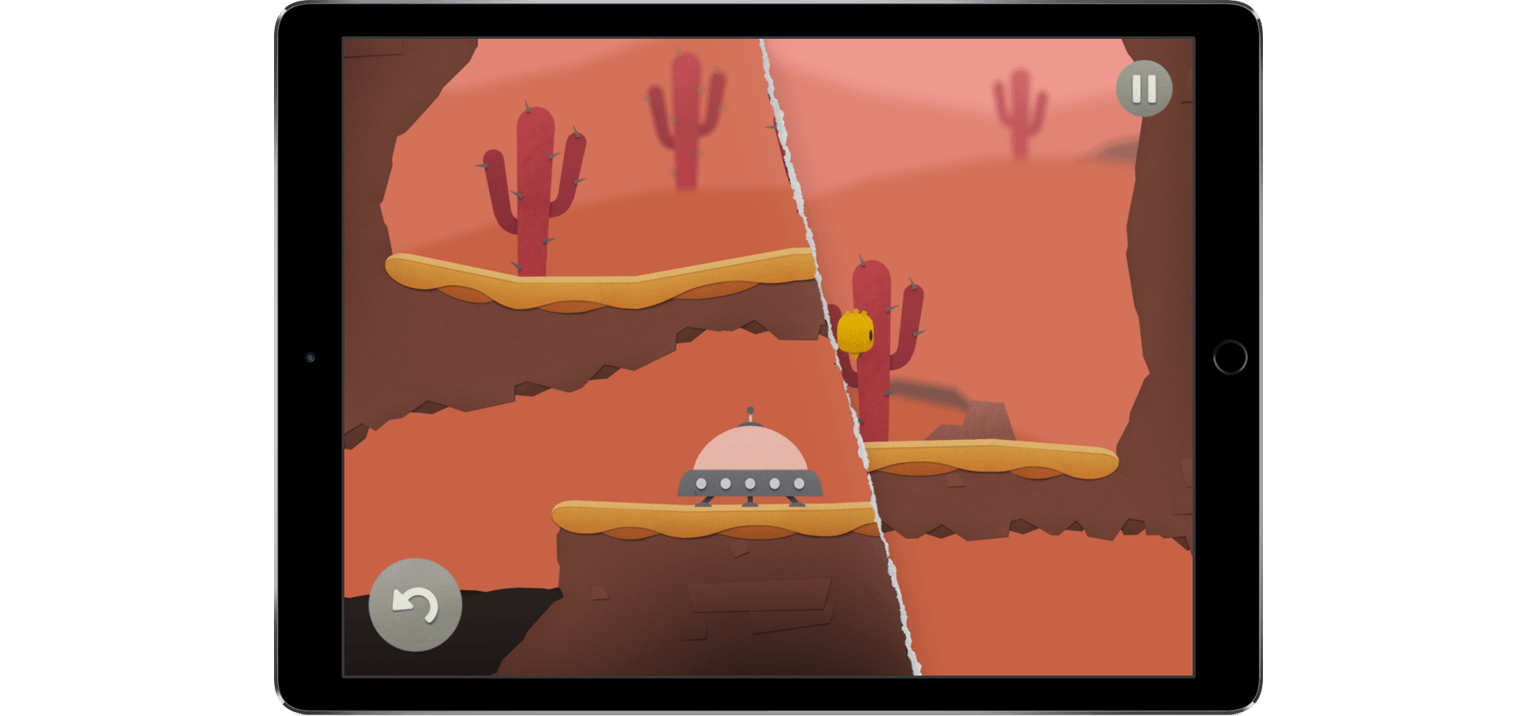
Shifting the environment to save the aliens.

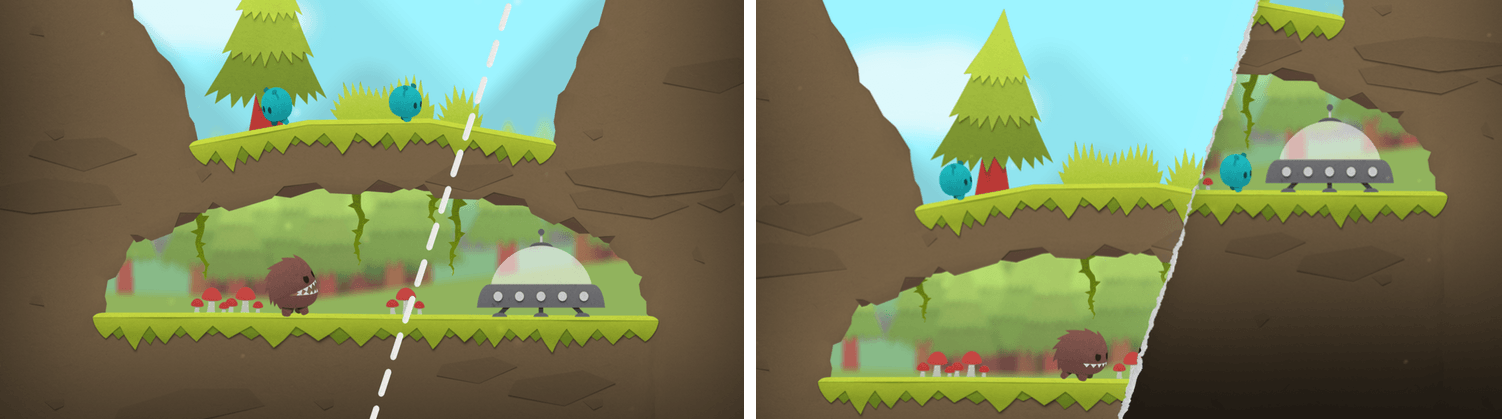
Shifting the environment to save the aliens.

The object of Splitter Critters is to guide a group of aliens back to their spaceship. The aliens wander back and forth, trapped by the terrain. You need to create a path back to their ship, which is where the clever gameplay mechanics come in. Swiping your finger across the screen tears the environment in two. The world can be split at any angle, which opens up nearly endless possibilities. You can then shift the two pieces to alter the world around the aliens doing things like lowering a cliff on which they are trapped to a lower level where their spaceship sits. There is an element of the classic game Lemmings in Splitter Critters and the way you guide the aliens to a goal, but how you do that is so unique that the utility of the comparison is limited.

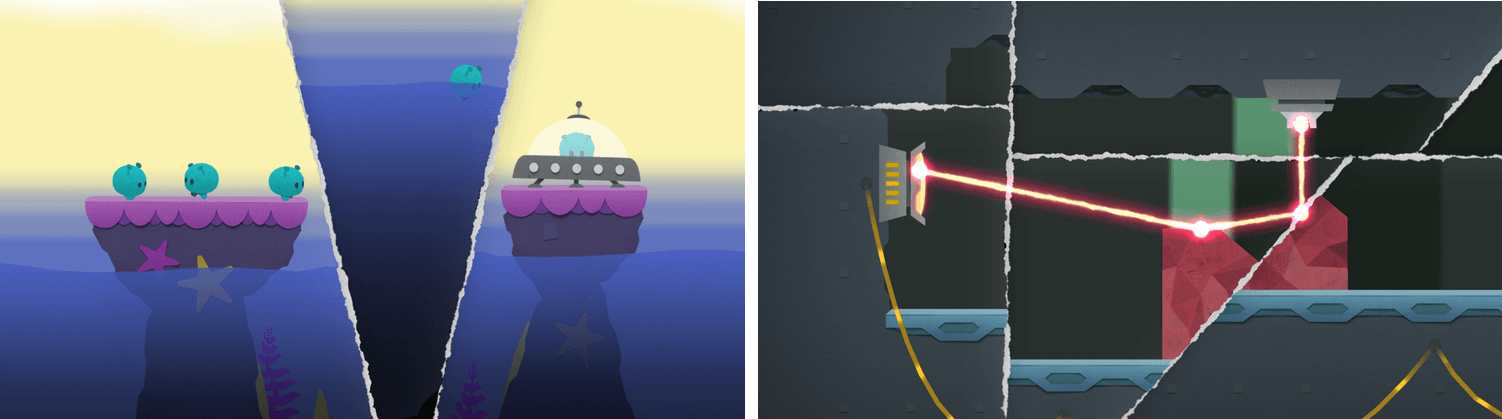
As you progress through the levels, new challenges arise. Pits of water, creatures that want to eat your aliens, lasers, and other obstacles need to be avoided. Levels are made even harder by the fact that the number of times you can adjust the background is limited, so you need to be thoughtful about your approach.

Splitter Critters’ artwork makes the creatures and their planets feel like paper cutouts, which fits perfectly with the game mechanics. I also like how the little aliens bleat as they wander around, and enjoyed the atmospheric soundtrack.

What I’ve found the most fun about Splitter Critters, though, is its deceptive simplicity. The puzzles are challenging, and the mechanics add a fresh, new approach. With millions of games on the App Store, many of which are casual puzzle games, that originality is rare, which makes Splitter Critters a must-try for anyone who enjoys this kind of game.

Splitter Critters is available on the App Store for $2.99.


Game Day: Red’s Kingdom

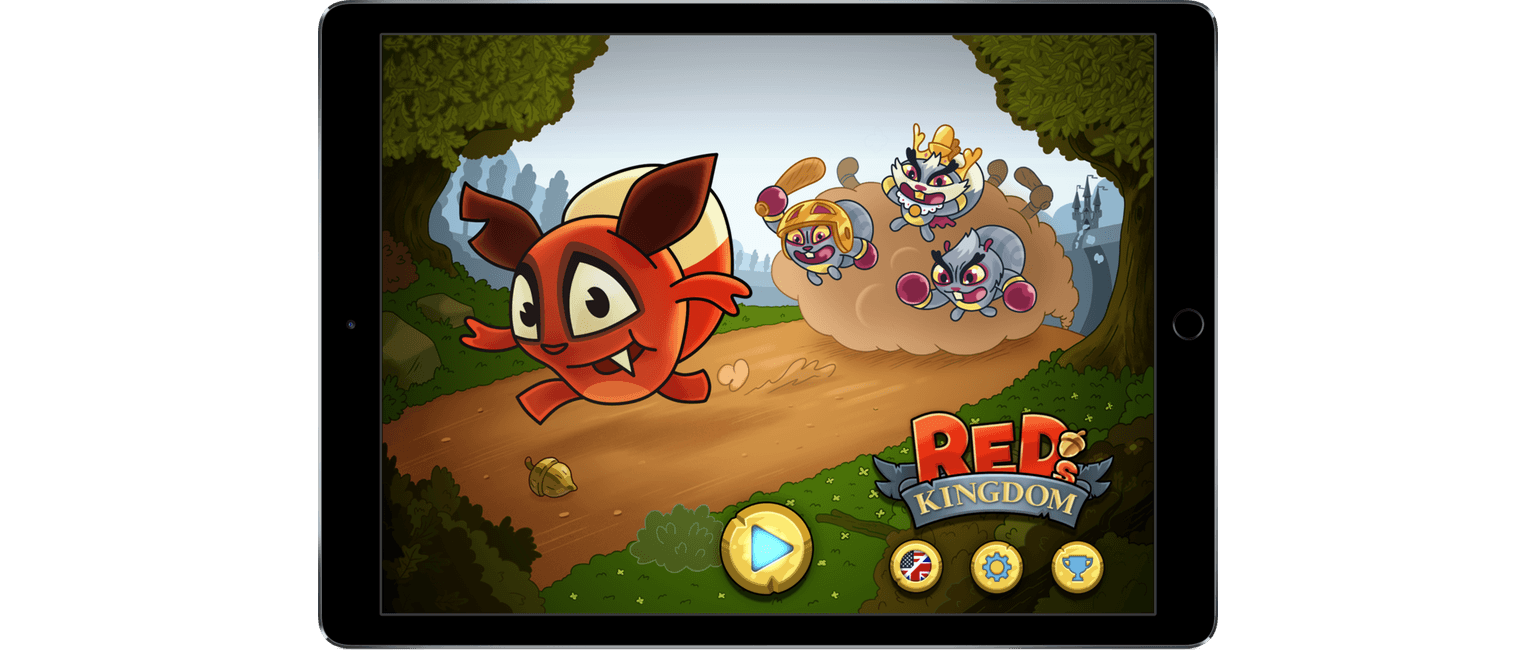
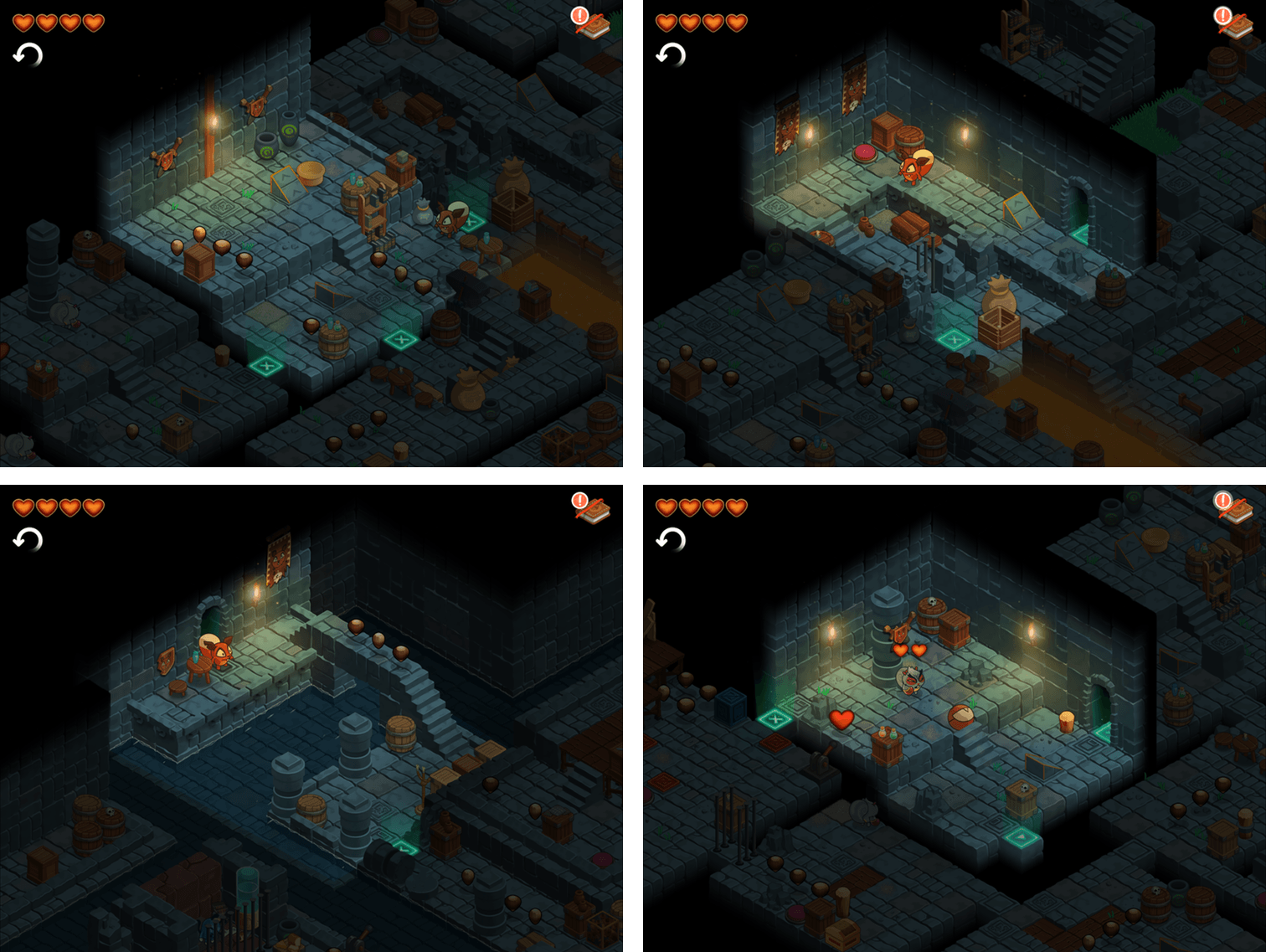
Red’s Kingdom is the complete package. The action-puzzle game is fun, looks fantastic, and is brimming with style and personality. Red’s isn’t breaking new gameplay ground, but it integrates tried and true elements in a way that makes it feel fresh throughout and scales seamlessly from the iPhone to the Apple TV.

Red is a squirrel. One night, the evil king and his henchmen break into Red’s house, steal his supply of nuts, and kidnap his father. Your goal as Red is to collect your nuts and save your father.

The game mechanics are straightforward. Red’s world has a grid-based layout that you view from an isometric perspective. To navigate around each area, you swipe in the direction you want Red to go. Red rolls somersault-style in the direction you swipe until he runs into an object like a rock or tree. It’s a mechanic that turns Red’s environment into the puzzle. You need to find ways to leverage the obstacles in Red’s world to help you collect nuts and other items.

Red’s Kingdom is linear and level-based, but not in the traditional sense. Instead of moving from one self-contained level to the next, you navigate a far-flung map. You only advance to the next section of the map by reaching an exit. It’s an environment that creates the feeling that you are simultaneously completing discrete levels and exploring an open world.

The difficulty of the puzzles advances at a good pace, introducing new challenges as you go. Eventually, you have to contend with obstacles that can lead to your demise like lava pits, and with enemies you must defeat. Along the way, there are also items to collect that add an extra dimension to the game that keeps it interesting and gives you a reason to explore areas again.

Red’s Kingdom scales exceptionally well. I played the game on my iPhone 7 Plus, iPad Pro, and Apple TV and enjoyed it on every platform. That’s rare. Some games that work well on an iPad or TV feel cramped on an iPhone, and some great iPhone games, feel stretched and blown up on an iPad or TV. Red’s Kingdom’s simple controls and bright, cartoony graphics work well on all three platforms. I especially liked playing Red’s on the Apple TV where it has joined a small but growing number of games that succeed on that platform, despite the Apple TV’s constraints as a game system.

Red’s is not without a couple of rough spots. The soundtrack is pleasant, but unremarkable, and feels a little too much like generic background music you might hear when walking around a mall. I also wish Red’s synced game progress among devices, especially given how well it plays on each. The game does have three save slots, which is great if you have a shared device, but I’d like to be able to advance the same game whether I’m at home in front of my TV or on my iPhone.

Notwithstanding those limitations, however, Red’s Kingdom is a clear standout among recent games. The game’s artwork ties the entire package together with a style that imbues Red and the other characters with personalities that take the game beyond the puzzles and makes it feel more like a story. It’s that personality that I expect will appeal to a broad audience and could make Red’s a franchise we see more of in the future.

Red’s Kingdom is available on the App Store for $1.99, which is a limited time 50% discount.


Flappy Bird Creator Releases New Ninja-Themed Game

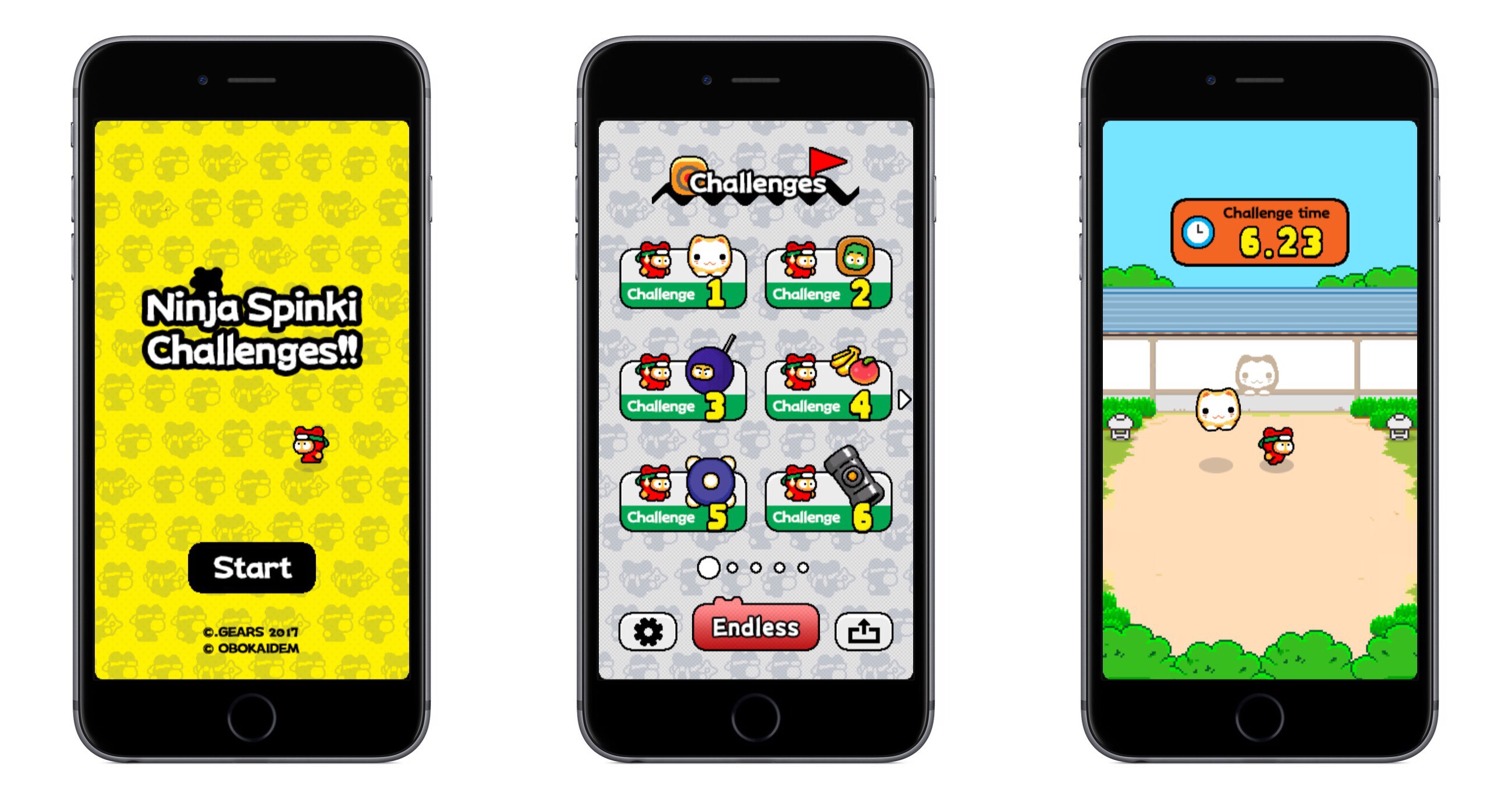
Ninja Spinki Challenges!! is the new game from Flappy Bird’s famed creator, Dong Nguyen. The game puts players in the role of a ninja who must face a variety of mini-game-like challenges.

There are six types of challenges in total, ranging from avoiding a bouncing cat to throwing shuriken at creatures. Though six challenges don’t seem like many, beating one unlocks a more difficult version of that mini-game. In total there are five levels to each mini-game, so there are several opportunities to replay challenges.

The aspect of Ninja Spinki that aids replayability the most is Endless mode. Every time you beat each of the six main challenges, it unlocks the Endless mode for that mini-game. Endless mode is where the addictive, competitive element that made Flappy Bird famous comes in; it’s all about surviving as long as you can to obtain the highest score possible.

The game seems well-polished, and each of the mini-games is plenty of fun, particularly as you reach more challenging levels of each one.

Ninja Spinki Challenges!! is available on the App Store as a free download for iPhone and iPad.


Gamevice Launches New iPhone and iPad Game Controllers with Lightning Charging

Nice announcements from Gamevice today: the company is rolling out updated MFi controllers across the entire line-up that are lighter, add Lightning charging, and have better analog sticks. Jordan Kahn, writing for 9to5Mac:

Today the company is introducing a new version of the controller specifically designed for iPhone 7 and 7 Plus with a built-in headphone jack and a Lightning port for charging. It also has second-generation controllers launching today and later this month for iPads.

While the new headphone jack and Lightning port for charging are the standout features of the new iPhone 7 and 7 Plus controller, the company notes that it also upgraded the thumb sticks and made the controller lighter by removing the battery and using the iPhone to draw power.

I’ve been using my original Gamevice for the iPhone 6s Plus (which also works with the 7 Plus) to play the majority of console-type games I have on my iPhone (I’m about to start a new playthrough of Final Fantasy VII and I’ve played a few Super Nintendo games with Provenance). I like the device a lot and Lightning charging seems like a convenient addition. I’m going to consider the second-generation version for the 12.9-inch iPad Pro whenever it becomes available in Italy, too.

Permalink

Pokémon Duel Release Expanded to the US and Other Countries

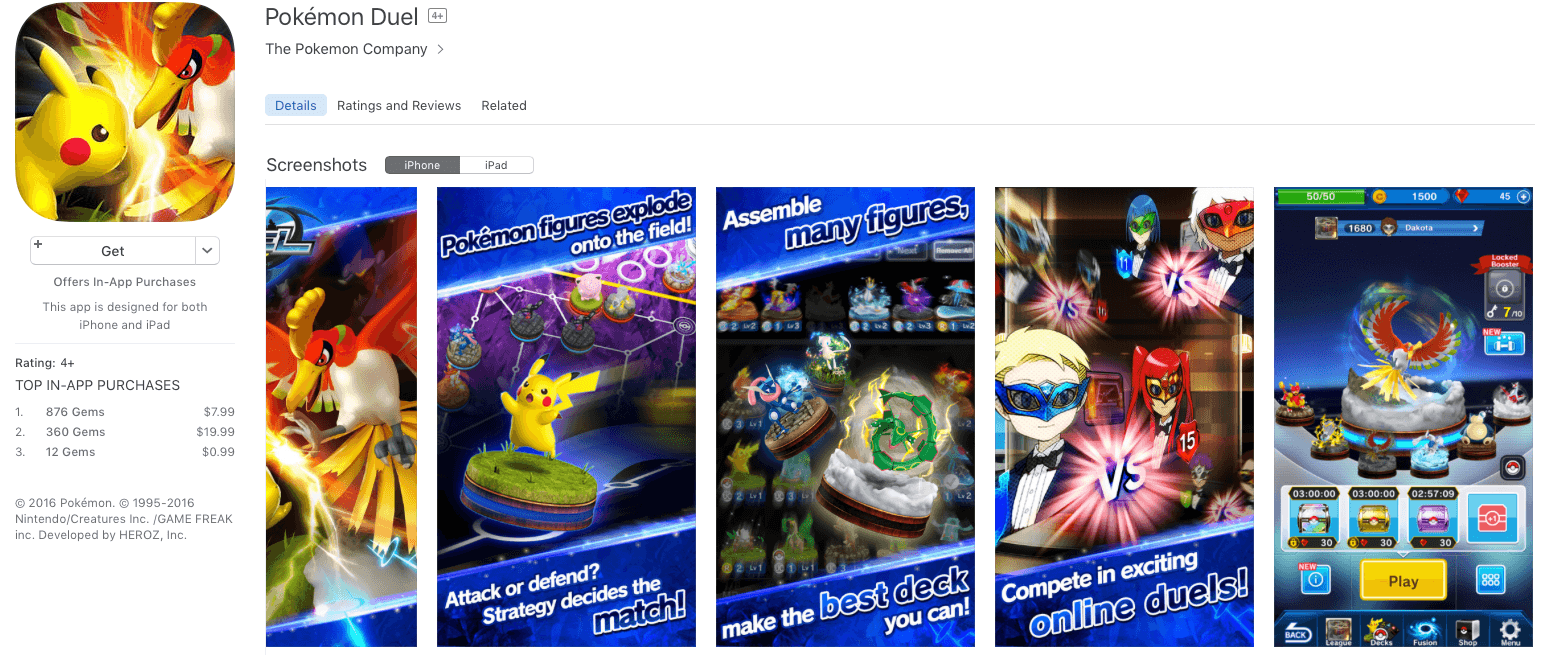
The Pokémon Company has released another Pokémon game for the iPhone and iPad: Pokémon Duel. First released in Japan, Duel is now available in the US App Store and many other countries. Duel is a strategic board game the object of which is to maneuver your Pokémon to a goal in your opponent’s territory. According to The Pokémon Company:

Selecting the six Pokémon for your team is an important part of Pokémon Duel. Each Pokémon figure has different strengths and a set number of steps it can take, so you’ll have to plan your moves strategically. Send your Pokémon along different routes in a rush to the goal, or block your opponent’s Pokémon from advancing.

When you get next to one of your foe’s Pokémon along your route, you’ll need to engage in battle to advance. Battles are determined by Attacks on each Pokémon’s Data Disk—spin the disk to see which Attack each Pokémon will use.

Pokémon Duel is available on the App Store as a free download. The game includes an in-game shop to purchase items with gems, which are collected by playing the game, but which can also be bought with In-App Purchases.

Permalink

Game Day: Yuri

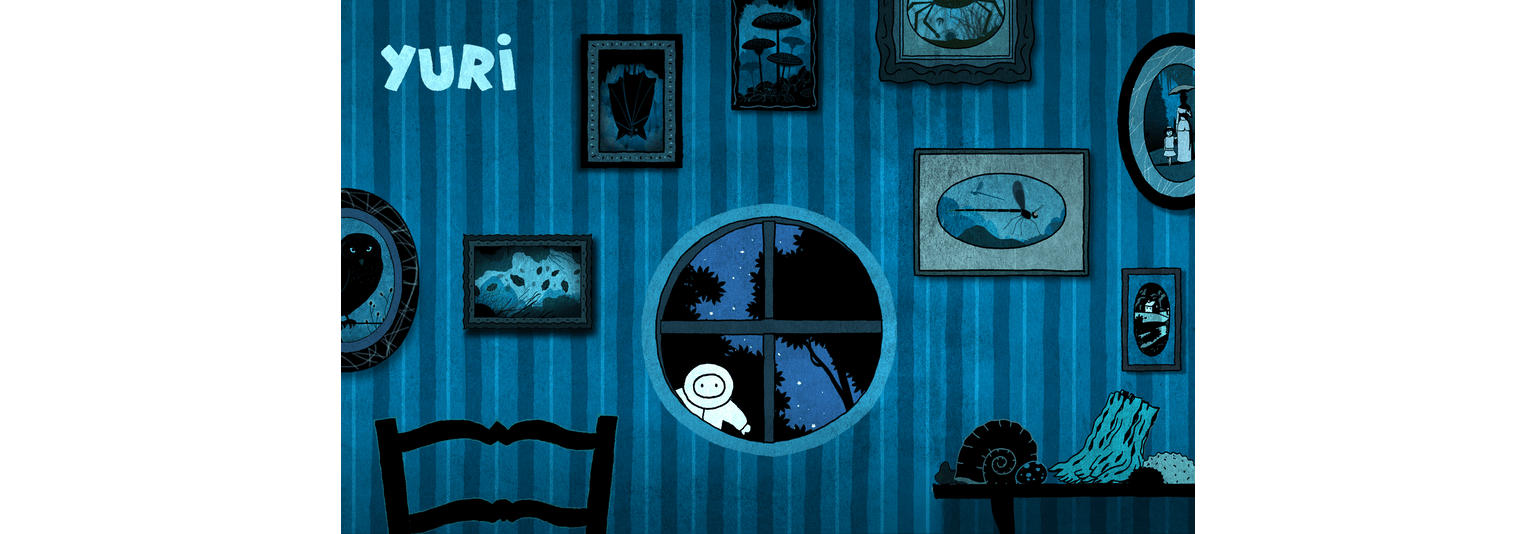
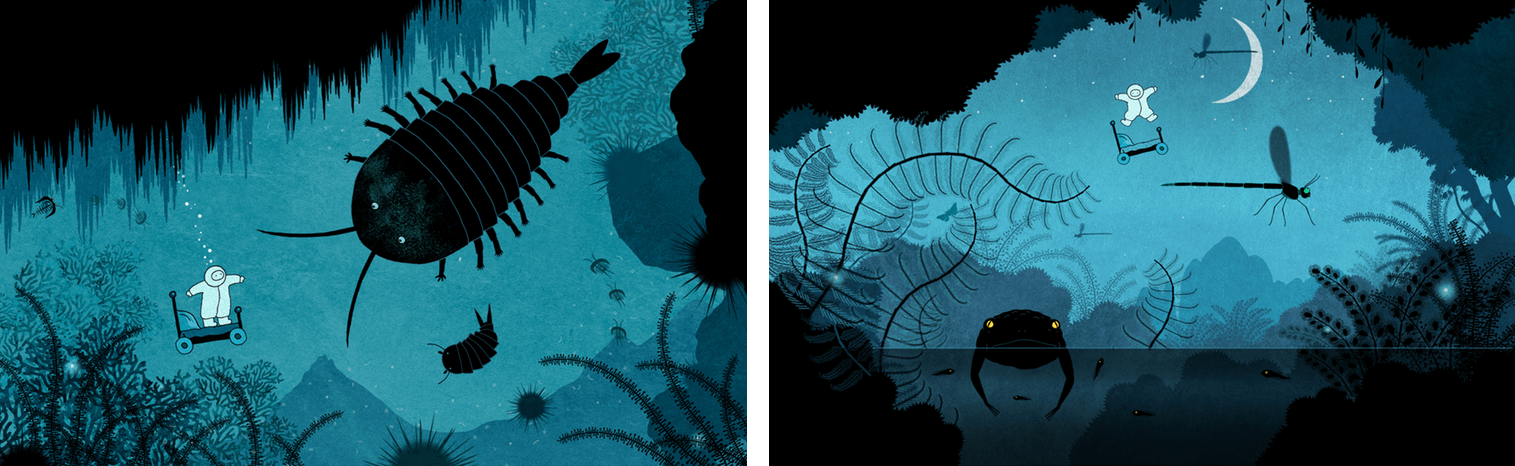
Yuri is a delightful hand-drawn platformer for iOS and macOS by Fingerlab that follows the adventures of Yuri, a small child who wakes up in a dreamlike world. You may recognize the Fingerlab name from one of its previous iOS releases, DM1 - The Drum Machine, an excellent music app for the iPad that won an Apple Design Award in 2012.

Yuri was conceived of by French brothers Ange and Aurélien Potier. Ange drew Yuri for over ten years as a comic strip and made short films featuring the character before he and three others built a game around Yuri. As a game, Yuri immediately reminded me of Limbo because of its monochromatic, dream-like art. According to Fingerlab, the game is also a tribute to comic adventures like Tintin by Hergé and Little Nemo by Winsor McCay, the influences of which shine through in the plot and artwork.

The whole package is tied together with incredible sound design. Right from the opening screen of the game, the sound of rain against Yuri’s window adds to the atmospherics. That, combined with an exceptional soundtrack that is available separately on iTunes, bring Yuri’s dream world to life.

The game itself is easy to play. Yuri wakes up lying in his bed surrounded by vegetation. On iOS, there are buttons with left and right facing arrows in the bottom left corner of the screen for moving forward and backward. In the lower righthand corner of the screen is a button with an upward-facing arrow for jumping. On the Mac, the left and right arrow keys are used to move forward and backward, and the spacebar makes Yuri jump.

When Yuri first gets up, his bed turns into a sort of scooter, which is how he navigates the strange world that surrounds him. The world is dark like Limbo but rendered in shades of blue that create a less foreboding atmosphere than Limbo. As you explore, there are birds and bugs everywhere, some of which are obstacles that will cause you to die if you run into them too many times. The consequences of dying in Yuri are minimal, though; you just restart close to where you left off, and try again. That makes the game less challenging than some but fits well with the theme of the game. Yuri is more about exploration than defeating enemies.

In all, there are ten levels to play in Yuri, and the developers say more are on the way. That isn’t very many levels, but each is detailed and longer than many games, so the level count is a bit deceiving. Moreover, the length of the game strikes me as reasonable in relationship to its price. The iOS version of Yuri is also available on the Apple TV, where its simple controls make it a delight to play.

Yuri drew me into its mysterious world immediately. It’s the kind of game I love to relax with because it’s as much about experiencing the story as it is a game. If you want to get lost in another world this weekend, Yuri is an excellent choice.

Yuri is available on the iOS App Store for $2.99 and the Mac App Store for $2.99.


Nintendo Announces Fire Emblem Heroes for Mobile Devices

Update: After publication of this story, Nintendo of America tweeted that Fire Emblem Heroes will launch on February 2nd on both iOS and Android.

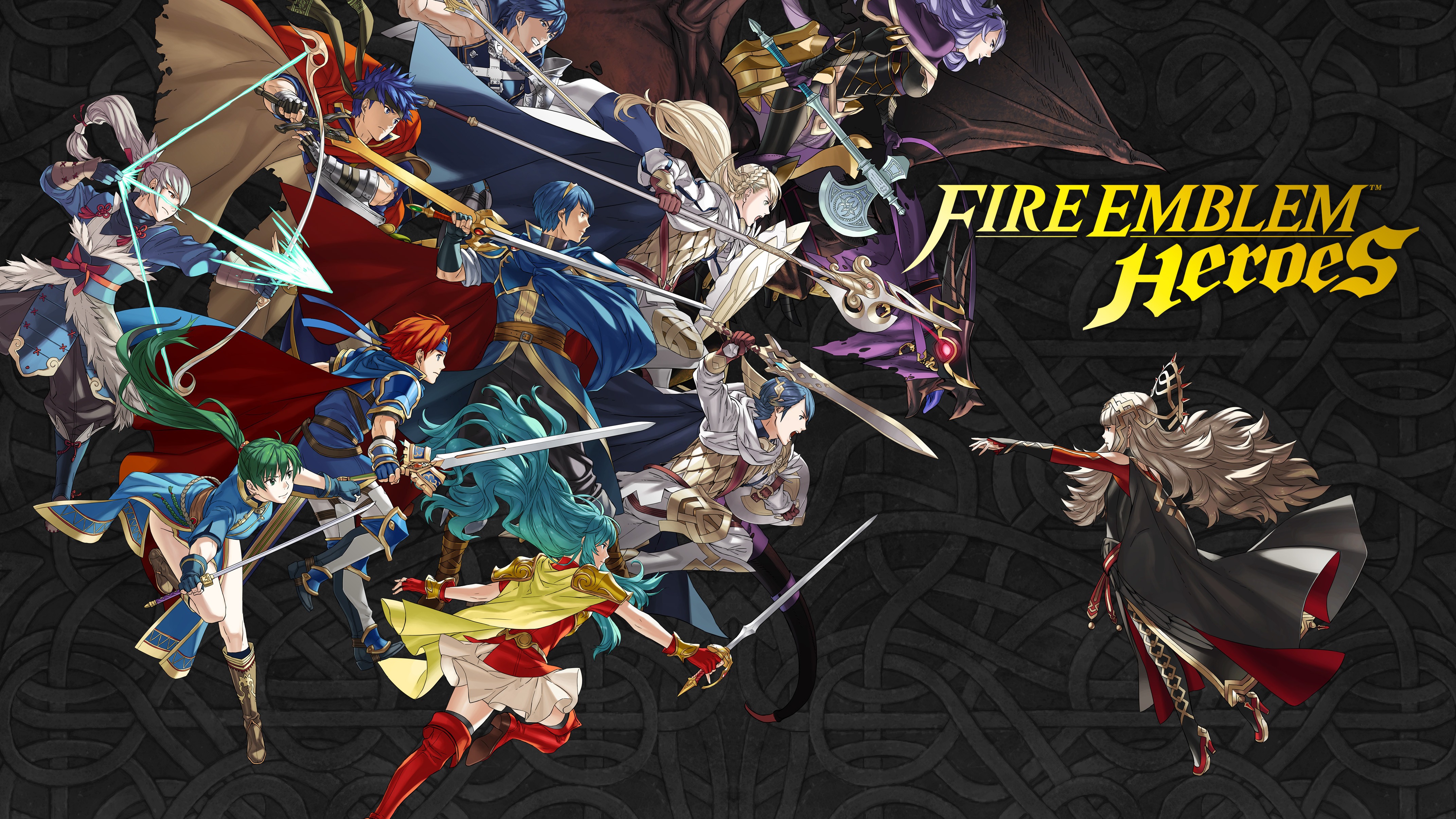
During a Nintendo Direct event today, Nintendo demonstrated its next iOS title, Fire Emblem Heroes, featuring characters from throughout the classic game series. In a somewhat surprising move, however, Nintendo said the game will launch first on Android, February 2nd. No release date was given for the game’s iOS launch; only that it will be ‘available soon.’

According to a Nintendo press release:

Fire Emblem Heroes is an original strategy RPG about two warring kingdoms in a bitter clash. As a summoner, players build their army by calling upon popular Fire Emblem heroes from worlds that span the breadth of the series. Players will wage tactical battles streamlined for on-the-go play and level up a mix of new combatants and legendary heroes. Some familiar hero characters will become allies, while others will become enemy generals. Players can enjoy the full majesty of tactical role playing on bite-sized maps designed to fit nicely on a smartphone screen, even when playing in short bursts. Players lead their armies with easy touch-and-drag controls, including the ability to attack by simply swiping an ally hero over an enemy.

Fire Emblem Heroes will be available as a free download with In-App Purchases. At the same event, Nintendo announced additional Fire Emblem titles that will be released in the future for its 3DS family of devices and the soon-to-be-released Nintendo Switch.


Game Day: Open Bar

The App Store is running a feature called ‘The best games you’ve never played,’ which is a nice way to promote games that may have slipped under your radar. One game in particular caught my eye: Open Bar by Gingear Studios, which was originally released in early 2016 and went on to win a PAX East Indie Showcase Award.

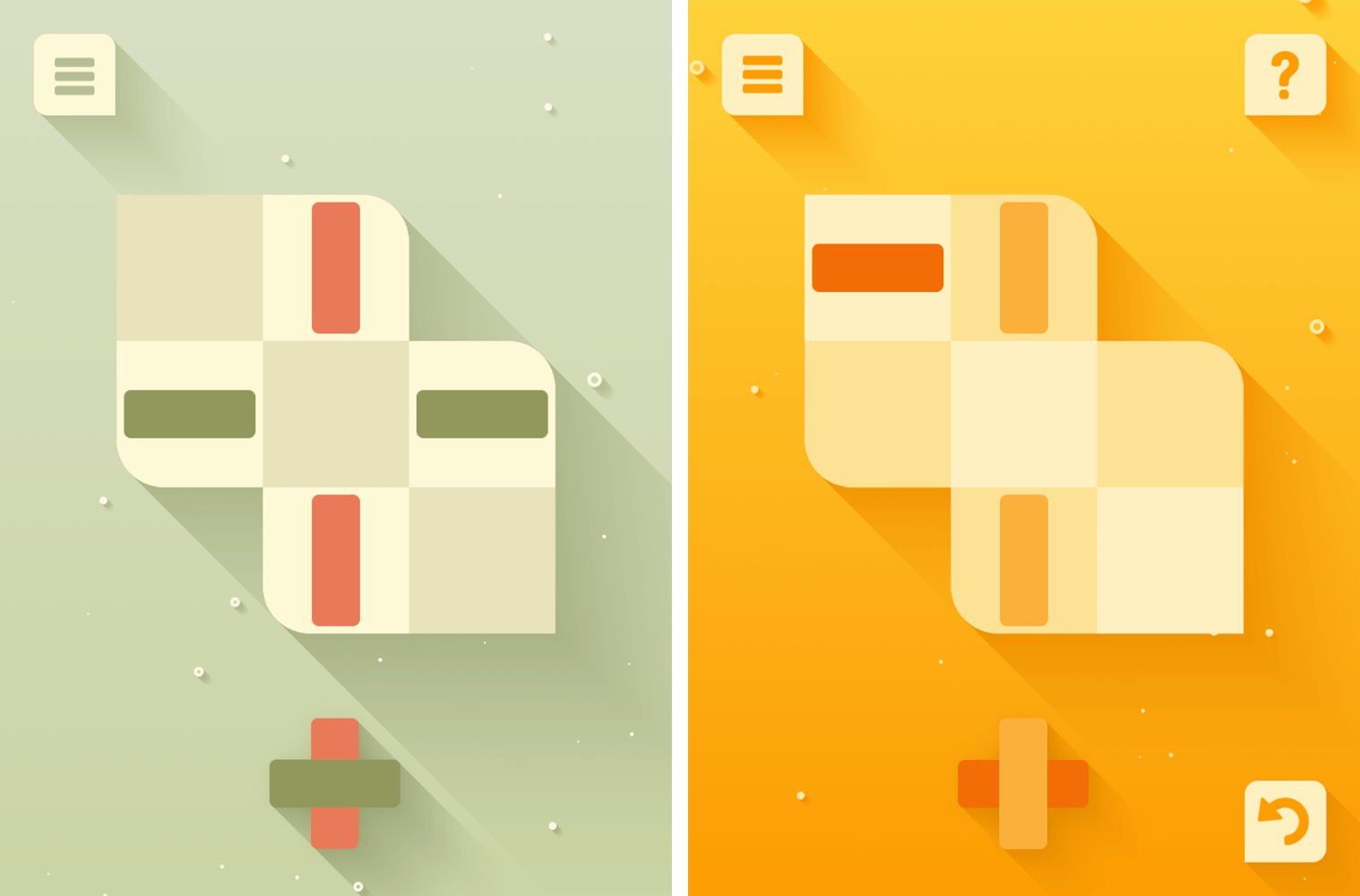
Open Bar is a classic iOS puzzle game involving color and shape matching on an irregularly-shaped grid. The goal is to form bars of matching colors that reach across the entire board. Bars cannot be finished with just the pieces on the board, however. You have to place pieces from the bottom of the screen onto the board too. What’s tricky is that when you move a piece that is already on the board to another spot, the next available piece on the bottom of the screen automatically takes the original position of the piece you moved.

That may sound a little complex, but it isn’t. Open Bar does an exceptional job of introducing each of the rules of the game gradually through a series of simple levels. If you get stuck, there’s a hint system built in that requires you to spend in-app currency. It isn’t currency bought with an In-App Purchase, though. Coins are earned by completing puzzles and can be used to buy hints or new color themes. Because the coins you earn are limited, it pays to keep some in reserve for when the levels get harder.

Open Bar’s design is excellent. The color schemes are loosely based on classic cocktails. Bubbles rise in the background of each level behind the board that seems to pop off the screen thanks to drop-shadows that create a layered effect among the game’s elements. The visuals are complemented by entertaining animations and sound effects that remind me a little of similar touches used in Letterpress.

Gingear Studios keeps Open Bar fun and low-stress by not telling you how many levels there are in the game. You can go back and retry levels, which is one way to earn coins for hints if you run out, but you can’t skip forward. Each level can be completed in just a few moves, so it’s also the kind of game that can be played in short sessions when you’re bored, which I also appreciate.

There are a lot of puzzle games on the App Store, but Open Bar strikes a unique balance between smart gameplay and a fresh design that makes it stand out from its peers. Open Bar is available on the App Store for $1.99.


The Binding of Isaac: Rebirth Released on iOS

The long-anticipated iOS version of The Binding of Isaac: Rebirth is now available on the App Store roughly one year after it was rejected by Apple. Isaac is a rogue-like, dungeon crawler game that was originally released in 2014 by indie game studio Nicalis. Apple rejected the iOS version of Isaac in early 2016 for depicting violence against children. Late yesterday, the game appeared on the App Store with a 17+ rating.

Apple isn’t the first platform owner to reject Isaac. In 2012, Nintendo initially blocked Isaac from its 3DS eShop, but ultimately relented, publishing the game for the 3DS and Wii U.

The Binding of Isaac: Rebirth is available on the App Store for $14.99.