Posts tagged with "featured"

A Video Version of NPC: Next Portable Console Debuts Today on YouTube

Today, we’re expanding NPC: Next Portable Console to include video on YouTube. The reception to the show has been fantastic. NPC debuted in the top five on the Apple Podcasts Video Game chart and has been attracting more listeners every week as an audio-only podcast on YouTube. However, with videogames being such a popular category on YouTube, we knew we could do more for listeners by adding a proper video version of the show.

So beginning today, you can watch NPC on the MacStories YouTube channel:

Today’s episode was the perfect place to start with video. I don’t want to give away Federico’s surprises here, but he plotted a big reveal for months that he springs on Brendon and me in today’s episode. It’s a deep dive into the console modding community and a classic Federico reveal. As always, we highlight the latest portable gaming news, too.

If you haven’t tried NPC or checked out the MacStories YouTube channel yet, you can subscribe to NPC on YouTube or subscribe to the MacStories channel for access to all six of our podcasts and more. Of course, all of our shows are available as audio-only podcasts too.

Thanks to everyone who has listened to NPC and our other new shows these past few months. It means a lot to us. Our ongoing experiments with YouTube are a direct result of the enthusiasm for the shows and something we plan to do more of in the coming months.


Shareshot 1.0: Pixel Perfect Screenshots, Beautifully Presented

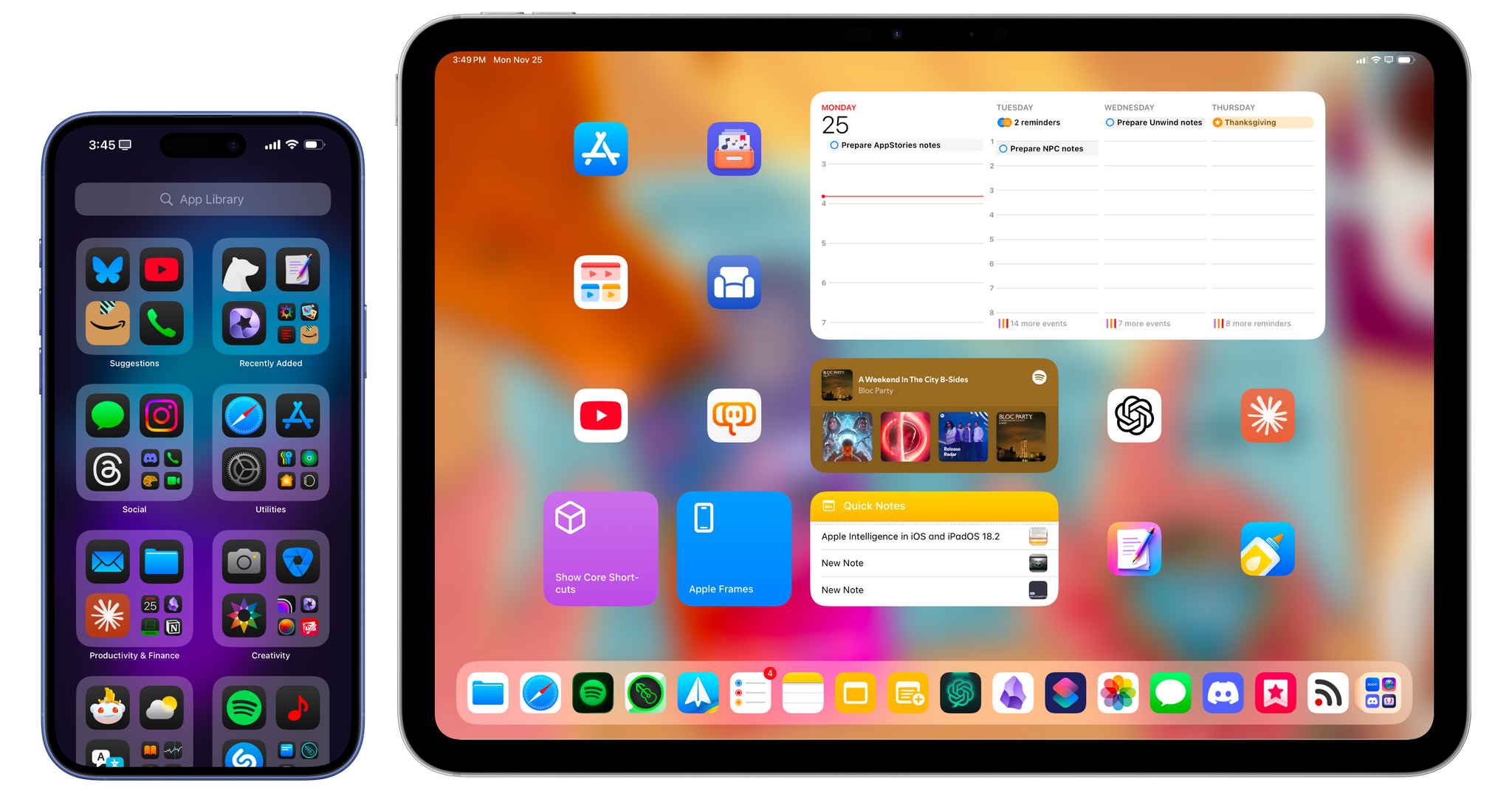
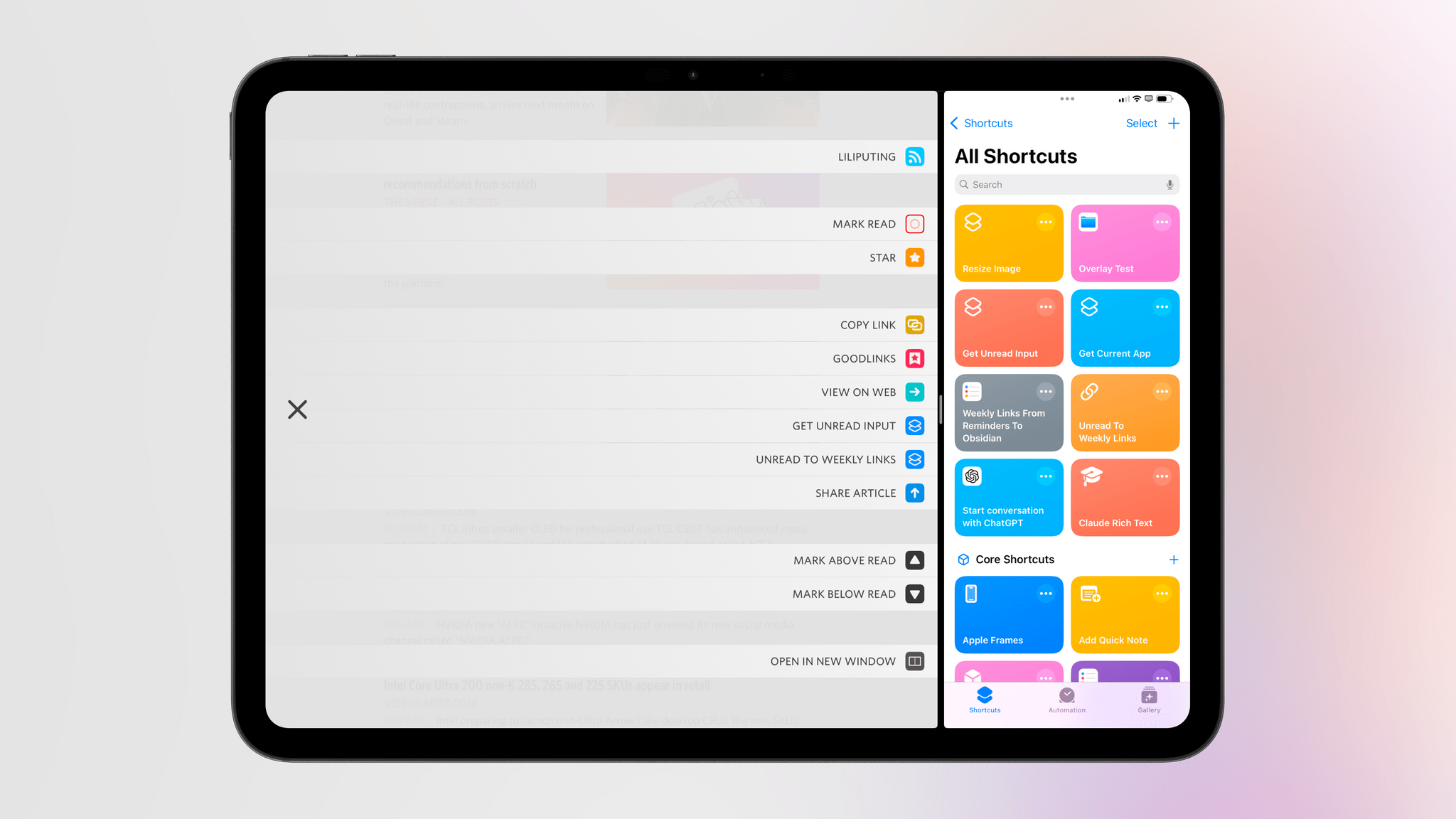
I’ve used Federico’s Apple Frames shortcut to add device frames to screenshots for years. It’s a great way to quickly process multiple screenshots and upload them to the MacStories CDN with minimal effort. But as great as Shortcuts is for simplifying this sort of task, there are advantages to using a native app instead.

Editing screenshots on the iPad.

Editing screenshots on the iPad.

Shareshot is an app for iPhone, iPad, and Vision Pro that occupies a lot of the same feature space as Apple Frames, using Apple hardware to frame screenshots. However, the app simultaneously does more and a little less than Federico’s shortcut. That one missing feature means that I won’t be abandoning Apple Frames, but because of the things the app can do that Apple Frames can’t, Shareshot will be joining the shortcut as a utility I expect to use a lot.

Let’s dig into what makes Shareshot shine.

Read more


iOS 18 After One Month: Without AI, It’s Mostly About Apps and Customization

iOS 18 launches in public beta today.

iOS 18 launches in public beta today.

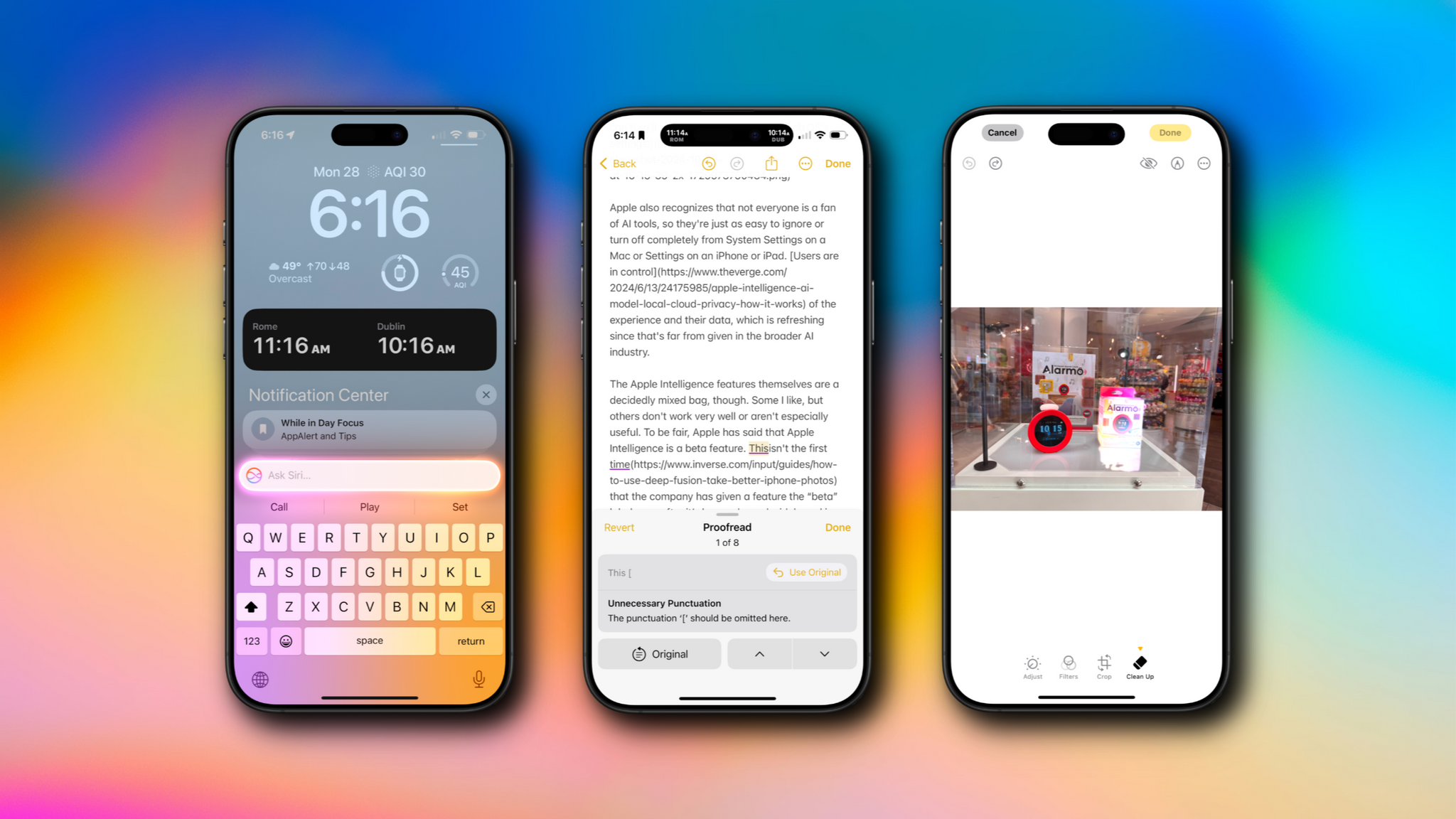
My experience with iOS 18 and iPadOS 18, launching today in public beta for everyone to try, has been characterized by smaller, yet welcome enhancements to Apple’s productivity apps, a redesign I was originally wrong about, and an emphasis on customization.

There’s a big omission looming over the rollout of these public betas, and that’s the absence of any Apple Intelligence functionalities that were showcased at WWDC. There’s no reworked Siri, no writing tools in text fields, no image generation via the dedicated Image Playground app, no redesigned Mail app. And that’s not to mention the AI features that we knew were slotted for 2025 and beyond, such as Siri eventually becoming more cognizant of app content and gaining the ability to operate more specifically inside apps.

As a result, these first public betas of iOS and iPadOS 18 may be – and rightfully so – boring for most people, unless you really happen to care about customization options or apps.

Fortunately, I do, which is why I’ve had a pleasant time with iOS and iPadOS 18 over the past month, noting improvements in my favorite system apps and customizing Control Center with new controls and pages. At the same time, however, I have to recognize that Apple’s focus this year was largely on AI; without it, it feels like the biggest part of the iOS 18 narrative is missing.

As you can imagine, I’m going to save a deeper, more detailed look at all the visual customization features and app-related changes in iOS and iPadOS 18 for my annual review later this year, where I also plan to talk about Apple’s approach to AI and what it’ll mean for our usage of iPhones and iPads.

For now, let’s take a look at the features and app updates I’ve enjoyed over the past month.

Read more


macOS Sequoia: The MacStories Public Beta Preview

Sequoia is not your typical macOS release. In recent years, new features of all Apple OSes have been increasingly meted out over time instead of dropping all at once in the fall. That’s been true of macOS, too, but this year, the magnitude of the staged release will be more pronounced, which has trickled through to the public beta released today.

macOS Sequoia will be a phased release. That means you won’t find everything announced at WWDC in the public beta. Some features, notably large parts of Apple Intelligence, won’t be available until 2025. That’s something worth keeping in mind if you’re thinking about installing the Sequoia public beta today. The beta is generally stable, but you’re likely to run into bugs, and with many features still to come in the months ahead, the upside of running it is more limited than in past years.

Apple Intelligence promises to round out Sequoia over time, but neither I nor anyone else outside of Apple has had a chance to try those features yet. So, for now, let’s focus on what you can expect if you install the macOS Sequoia public beta today.

Read more


watchOS 11: The MacStories Public Beta Preview

Last year, Apple declared watchOS 10 the biggest update to the Apple Watch’s software since its introduction. I don’t think that was actually the case, but there were undoubtedly some notable changes to how we interact with our watches every day, with the introduction of the Smart Stack being key among them.

While Apple hasn’t forgotten about UI enhancements like the Smart Stack, this year sees the company turning its focus back to health and fitness tracking with some significant new features in those areas. I’ll be saving a deeper dive into the software update – including all the tiny changes and fun additions – until the fall, but with the watchOS 11 public beta going live today via the Apple Beta Software Program, now is the perfect time to go over the key features Apple has in store for Apple Watch users.

Read more


LGBT and Marginalized Voices Are Not Welcome on Threads

As Twitter was crumbling under Elon Musk’s new leadership in 2023, various online circles found themselves flocking to alternative platforms. While some may have kept using Twitter (now known as… X), a non-negligible number of communities migrated over to Mastodon and other smaller platforms. Meanwhile, Meta shipped its own textual social media platform, Threads. The service initially launched in most parts of the world except for the European Union, but it’s been available in Europe for over six months now and has seen its usage soar.

For many, Threads understandably felt like a breath of fresh air following the chaos that engulfed Twitter. Unlike the latter, Threads is not run by someone that I and many others find to be an exceptionally despicable human. Its algorithmic timeline contrasts with Mastodon’s exclusively chronological feeds, and its integration with Instagram has attracted a number of big names and stars.

I’m an activist. In my daily life, I work and advocate for the advancement of trans people’s rights in France. As a result, my expanded online social circle mostly consists of LGBT people, and most of them are activists, too. However, in the span of a few months, almost everyone in that circle who was excited about Threads launching in Europe has now stopped using it and migrated back to Twitter, Mastodon, or elsewhere. When I ask around about why those people left Threads behind, their responses vary, but a trend persists: most felt like they were being shadow-banned by the platform.

Without hard data, it is difficult to investigate this feeling, to understand if it is truly widespread or specific to some online bubbles. But one thing is certain: Threads hasn’t felt like a breath of fresh air for all who tried to use it. In my experience as a trans woman, at its best, it has felt like Jack Dorsey’s old Twitter: a social platform overrun by an opaque moderation system, free-roaming hate speech, and a frustrating algorithm that too often promotes harmful content.

As months go by, incidents where Threads consistently failed to uphold its understood promise of a better-moderated Twitter-like platform have added up. Today, for many non-white, non-straight, non-male users, it is a repulsive social media experience, where their voices are silenced and where hate speech offenders who target them go unpunished.

Let’s talk about this.

Read more


Now on YouTube: All MacStories Podcasts

All of MacStories’ podcasts are now available on our YouTube channel. Currently, Comfort Zone is the only show that includes video, but now you can also listen to our audio-only shows via YouTube. Here are links to each show:

Each podcast is available in YouTube’s app, YouTube Music, and the YouTube website. Audio-only shows include episode art in place of a video and access to show notes just like in a dedicated podcast app. Plus, you can add your favorite shows to the ‘Your Podcasts’ section of your YouTube Library so you never miss an episode.

Listen on the web, the YouTube app, or YouTube Music.

Listen on the web, the YouTube app, or YouTube Music.

You may have heard Federico or me talk about our plans to expand MacStories’ presence on YouTube before. Adding the audio-only podcasts to MacStories’ YouTube channel is another step in that direction, but there’s still more to come. The channel has grown quickly since we launched it alongside Comfort Zone, and with the addition of our five other podcasts, it has become a one-stop destination for our entire lineup of shows and their back catalogs. Subscribe today to enjoy your favorite shows and to keep on top of everything to come.


AI Companies Need to Be Regulated: An Open Letter to the U.S. Congress and European Parliament

Federico: Historically, technology has usually advanced in lockstep with opening up new creative opportunities for people. From word processors allowing writers to craft their next novel to digital cameras letting photographers express themselves in new ways or capture more moments, technological progress over the past few decades has sustained creators and, perhaps more importantly, spawned industries that couldn’t exist before.

Technology has enabled millions of people like myself to realize their life’s dreams and make a living out of “creating content” in a digital age.

This is all changing with the advent of Artificial Intelligence products based on large language models. If left unchecked without regulation, we believe the change may be for the worse.

Over the past two years, we’ve witnessed the arrival of AI tools and services that often use human input without consent with the goal of faster and cheaper results. The fascination with maximization of profits above anything else isn’t a surprise in a capitalist industry, but it’s highly concerning nonetheless – especially since, this time around, the majority of these AI tools have been built on a foundation of non-consensual appropriation, also known as – quite simply – digital theft.

As we’ve documented on MacStories and as other (and larger) publications also investigated, it’s become clear that foundation models of different LLMs have been trained on content sourced from the open web without requesting publishers’ permission upfront. These models can then power AI interfaces that can regurgitate similar content or provide answers with hidden citations that seldom prioritize driving traffic to publishers. As far as MacStories is concerned, this is limited to text scraped from our website, but we’re seeing this play out in other industries too, from design assets to photos, music, and more. And top it all off, publishers and creators whose content was appropriated for training or crawled for generative responses (or both) can’t even ask AI companies to be transparent about which parts of their content was used. It’s a black box where original content goes in and derivative slop comes out.

We think this is all wrong.

The practices followed by the majority of AI companies are ethically unfair to publishers and brazenly walk a perilous line of copyright infringement that must be regulated. Most worryingly, if ignored, we fear that these tools may lead to a gradual erosion of the open web as we know it, diminishing individuals’ creativity and consolidating “knowledge” in the hands of a few tech companies that built their AI services on the back of web publishers and creators without their explicit consent.

In other words, we’re concerned that, this time, technology won’t open up new opportunities for creative people on the web. We fear that it’ll destroy them.

We want to do something about this. And we’re starting with an open letter, embedded below, that we’re sending on behalf of MacStories, Inc. to U.S. Senators who have sponsored AI legislation as well as Italian members of the E.U. Special Committee on Artificial Intelligence in a Digital Age.

In the letter, which we encourage other publishers to copy if they so choose, we outline our stance on AI companies taking advantage of the open web for training purposes, not compensating publishers for the content they appropriated and used, and not being transparent regarding the composition of their models’ data sets. We’re sending this letter in English today, with an Italian translation to follow in the near future.

I know that MacStories is merely a drop in the bucket of the open web. We can’t afford to sue anybody. But I’d rather hold my opinion strongly and defend my intellectual property than sit silently and accept something that I believe is fundamentally unfair for creators and dangerous for the open web. And I’m grateful to have a business partner who shares these ideals and principles with me.

With that being said, here’s a copy of the letter we’re sending to U.S. and E.U. representatives.

Read more


Managing Your Mac Menu Bar: A Roundup of My Favorite Bartender Alternatives

For years, Bartender has remained one of the best ways to manage the Mac’s menu bar, especially on newer MacBook models with a notch where menu bar real estate is even more valuable. I reviewed the great Bartender 5 last year and came away impressed. Unfortunately, though, my relationship with Bartender is not in a great place today.

Three months ago, the app was silently acquired by a company called Applause. Obviously, acquisitions happen, and often without any hiccups. In this case, however, users were caught off guard as the new owners had to renew all of Bartender’s certificates. This caused a permission reset for everyone who had the app installed on their Mac, prompting some understandable concern on Reddit, where the new owners finally started explaining what was happening. Up to that point, no one was even aware that the app had been acquired.

Apps like Bartender tend to require numerous sensitive system permissions to work. It makes sense: there are no native APIs provided by Apple to manage the menu bar, which is why Bartender has no choice but to rely on accessibility APIs and screen recording access to power its features. But this is exactly why a silent acquisition can be worrying. Even if both the original developer and the new owners have since clarified the situation, it’s hard to trust an unfamiliar company with all of these system permissions when they’ve already failed a necessary trust exercise on day one.

If your trust in Bartender has wavered as a result of this series of events, you may be looking for alternatives. I have been, too. So, I’ve rounded up some of my favorite menu bar management utilities available right now and even a couple of macOS tips to help manage the menu bar without having to install any third-party apps at all.

Let’s check them out.

Read more