Posts tagged with "Codex"

Remodex Is the Best Codex Remote Client for iOS (Until OpenAI Releases an Official Codex Mobile App)

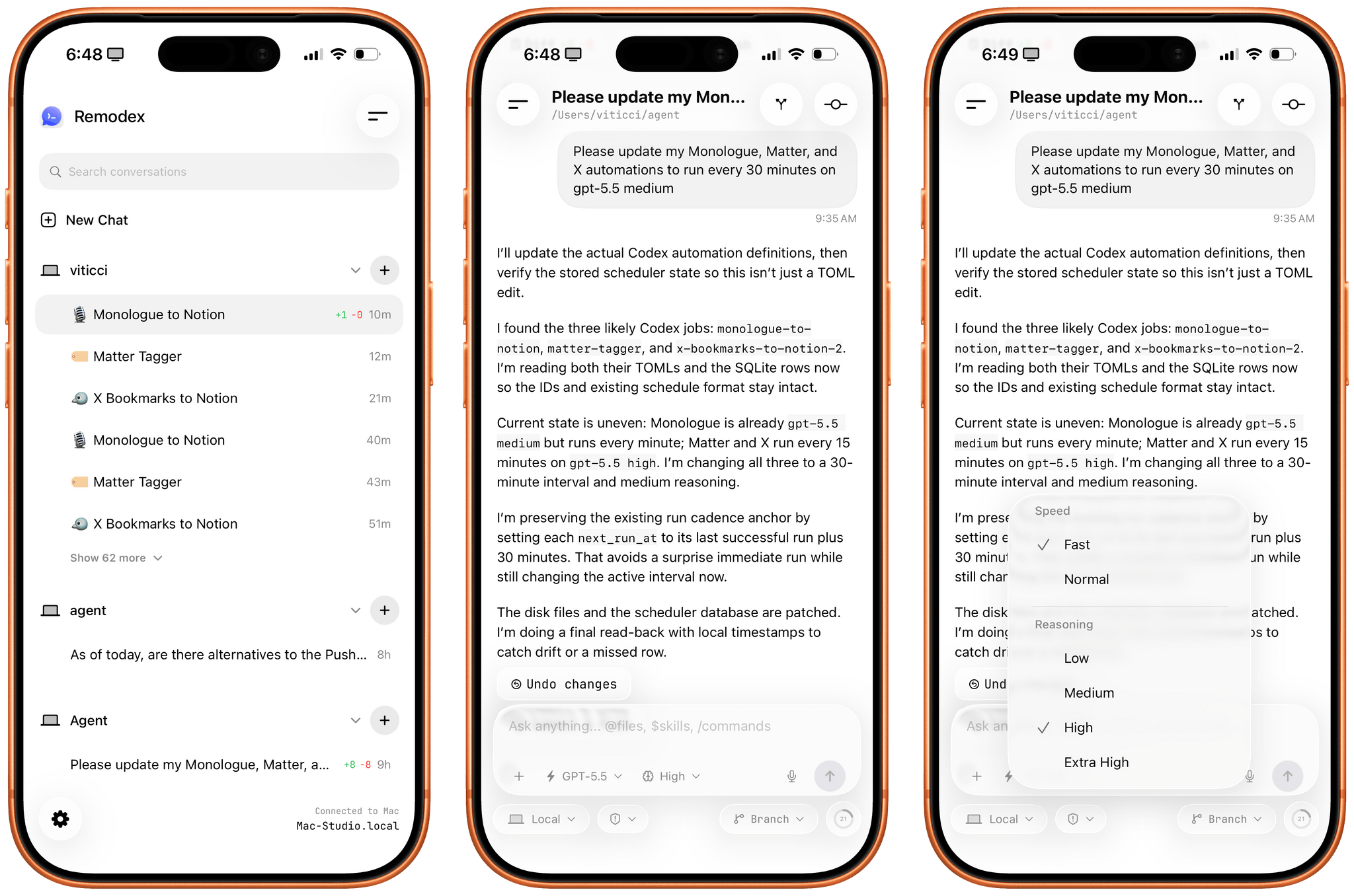
Remodex for iOS.

Remodex for iOS.

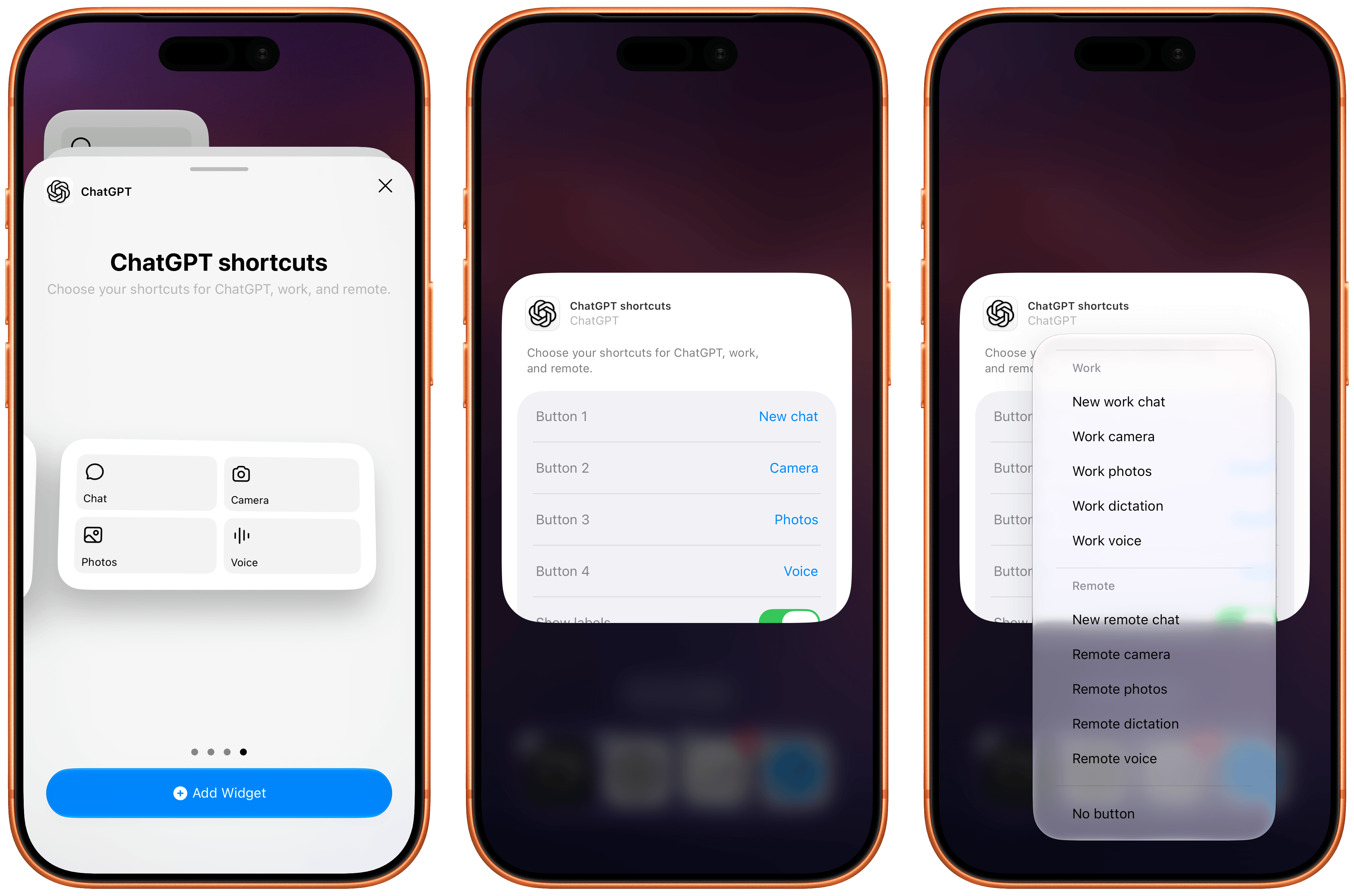
Various OpenAI employees and members of the Codex team have been hinting at a native Codex app for iOS lately. While I very much hope that’s in the cards – especially if the project involves connecting to a remote Mac running the full Codex app – I wanted to highlight an indie utility I’ve been using a lot lately to access my Codex setup on my Mac Studio server from my iPhone.

The app is called Remodex, and it was created by Italian indie developer Emanuele Di Pietro. Remodex, as the name suggests, acts as a remote for the Codex CLI installed on a macOS computer, and it lets you operate your existing projects and chats with a UI that is reminiscent of the official Codex app for Mac. Even better, Remodex is not based on some hack-y workaround: it’s entirely powered by OpenAI’s official (and open-source) Codex App Server.

Read more


OpenAI Targets Coding and Knowledge Work with Its New GPT-5.5 Model

OpenAI announced GPT-5.5 and GPT-5.5 Pro today, which it says are faster and able to work more autonomously than the company’s previous models. It’s a message that is sure to interest business users whether their goal is accelerating software development or increasing productivity more generally. Some of the areas that OpenAI says GPT-5.5 and GPT-5.5 Pro excel at include:

  • writing and debugging code;
  • analyzing data;
  • conducting web research;
  • creating business documents such as spreadsheets and presentations;
  • using apps; and
  • juggling multiple tools.

In its press release, OpenAI claims that:

The gains are especially strong in agentic coding, computer use, knowledge work, and early scientific research—areas where progress depends on reasoning across context and taking action over time. GPT‑5.5 delivers this step up in intelligence without compromising on speed: larger, more capable models are often slower to serve, but GPT‑5.5 matches GPT‑5.4 per-token latency in real-world serving, while performing at a much higher level of intelligence. It also uses significantly fewer tokens to complete the same Codex tasks, making it more efficient as well as more capable.

I haven’t tried either model yet, but early reactions seem to support OpenAI’s claims that GPT-5.5 understands user intent better, requiring less precise instructions. The company says it is better at using the tools at its disposal, and checking its own work, too. OpenAI says the Pro model takes that up a notch, working faster on more complex tasks, such as programming, research, and document-intensive workflows. Whether the early hype translates into real-world gains that are noticeable in everday work, remains to be seen, but we shouldn’t have long to wait though, since GPT-5.5 is rolling out to users now.

GPT-5.5 is available in ChatGPT and Codex to Plus, Pro, Business, and Enterprise subscribers, and GPT-5.5 Pro is limited to Pro, Business, and Enterprise subscribers in ChatGPT. Neither model is available through OpenAI’s API, but the company says they will be soon.


OpenAI’s New Codex App Has the Best ‘Computer Use’ Feature I’ve Ever Tested

Computer use in Codex.

Computer use in Codex.

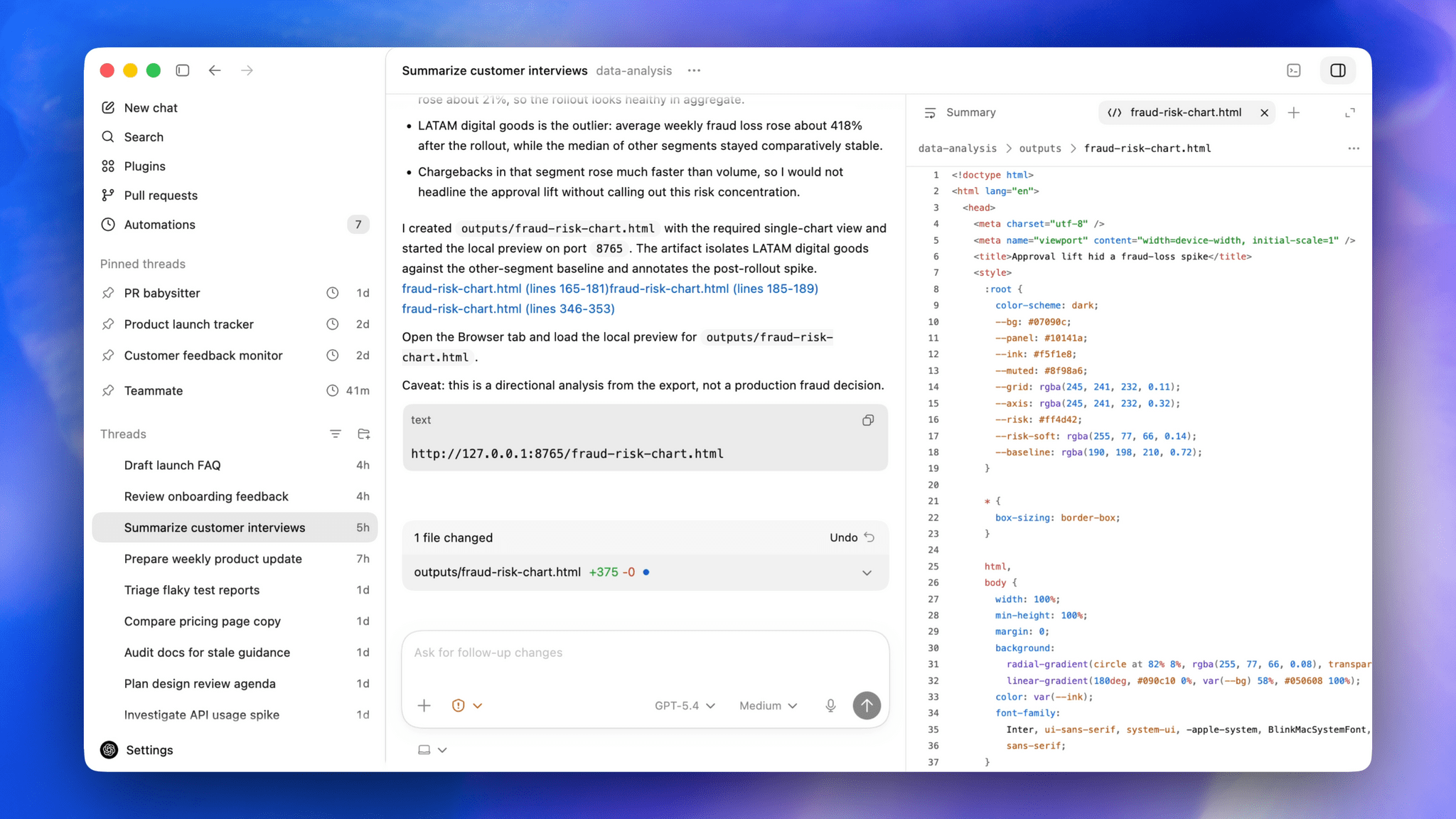
OpenAI rolled out their updated Codex app for Mac yesterday and, among other things, they shipped a native computer use tool for macOS that lets Codex interact with multiple Mac apps in the background using parallel cursors that do not bring apps to the foreground when agents are interacting with them. The feature that OpenAI rolled out in Codex is literally based on the Sky app that I exclusively previewed last year, and which was later acquired by OpenAI along with the team that built it.1

I feel like I’m in a pretty unique position to comment on all this since, as MacStories readers will recall, I was able to test Sky for several months last year before the team went radio-silent and joined OpenAI. Here’s the thing: I’m not exaggerating when I say that Codex now features the best computer use feature I have ever tested in any LLM or desktop agent. In fact, it’s even better than the computer use feature I used in Sky last year: Sky’s computer use was great, but it was considerably slower than Codex’s current one because it was running on Anthropic’s Claude models. With Codex for Mac today, even the (kind of slow) GPT 5.4 is faster than Sky ever was. But, using Codex with fast mode or – for simpler tasks – the Cerebras-hosted GPT-5.3-Codex-Spark model yields dramatically faster performance than Sky for Mac delivered in 2025.

But why is that? Allow me to explain. Most computer use models (such as the one in the Claude app, or even the just-released Personal Computer by Perplexity) rely on a combination of screen-recording capabilities and some AppleScript to either simulate virtual clicks on-screen and perform basic actions inside apps by calling osascript in a virtual shell. Sky was different, and Codex is different, and I can share more details today that I did not elaborate on when I wrote about Sky last year.

We all have Apple’s Accessibility team to thank for the technology that allows Codex’s computer use tool to exist. To build it, the Codex team took advantage of an advanced accessibility feature that allows third-party apps to read the “accessibility hierarchy” (also known as “AX Tree”) of any app open on macOS. My understanding is that this technology was primarily created to allow screen-readers and other assistive tools to work with Mac apps regardless of their automation/scripting features. In this case, it’s been repurposed as a way for Codex to ingest the full contents and hierarchy of any window and, essentially, load it as context for the LLM.

When I was told last year that this was how Sky worked behind the scenes, I instantly knew it reminded me of something, and I was right. We’ve seen the same technology being used before in UI Browser, the excellent (and sadly discontinued) app to inspect the visual hierarchy of any app that’s also powered by screen-reader APIs on macOS. All of this still applies to Codex’s computer use plugin today: pay attention to any chat where you’re using the plugin, and you’ll see 5.4 reason about the “accessibility tree” it wants to parse from any given application.

As someone who’s played around with GUI scripting and UI Browser many times over the years, let me tell you: this is not easy, and these frameworks were not meant for automation. For starters, they return a lot of text about any possible UI element, text field, or button inside a window. That text can be formatted in a variety of ways; it can be so deeply nested inside the XML-like structure returned by the AX framework, you often need to navigate 20 levels deep into a structure to find what you want. But this is what makes Codex’s computer use model different, why the Sky acquisition was a very clever move from OpenAI, and also why the reactions online seem overwhelmingly positive: Codex can “see” more inside apps and can control them more precisely than other models based solely on capturing screenshots, simulating clicks on certain coordinates, and running the occasional AppleScript. Codex can also do those things as fallback measures, but they’re not the primary drivers of its computer use plugin.

It also helps that computer use in Codex is exquisitely designed – not a surprise given OpenAI’s design team and the pedigree of the team behind this feature. The flow for granting permissions to the plugin is the best I’ve ever seen in a third-party Mac app – and it comes directly from Sky, which had the same onboarding experience. What Sky didn’t have is the new virtual cursor: the Codex team designed an entire system for it where the cursor can wiggle to show when the model is thinking, takes playful paths, and derives its color from the system’s wallpaper. I can only think of another company that sweats these kinds of UI details as much as the Codex team did here…and I’ll let you guess where several of Codex’s engineers and designers are, in fact, coming from.

I’ve been working with computer use in Codex all day, and while it is not as fast as a skilled human who knows a particular macOS interface well, it is very good at understanding and controlling any Mac app in the background a bit more slowly, with greater precision than competing features from Anthropic and Perplexity. That makes it ideal to automate busywork in Mac apps that do not offer an API or CLI, or which can’t be fully controlled with AppleScript. Let me give you some practical examples.

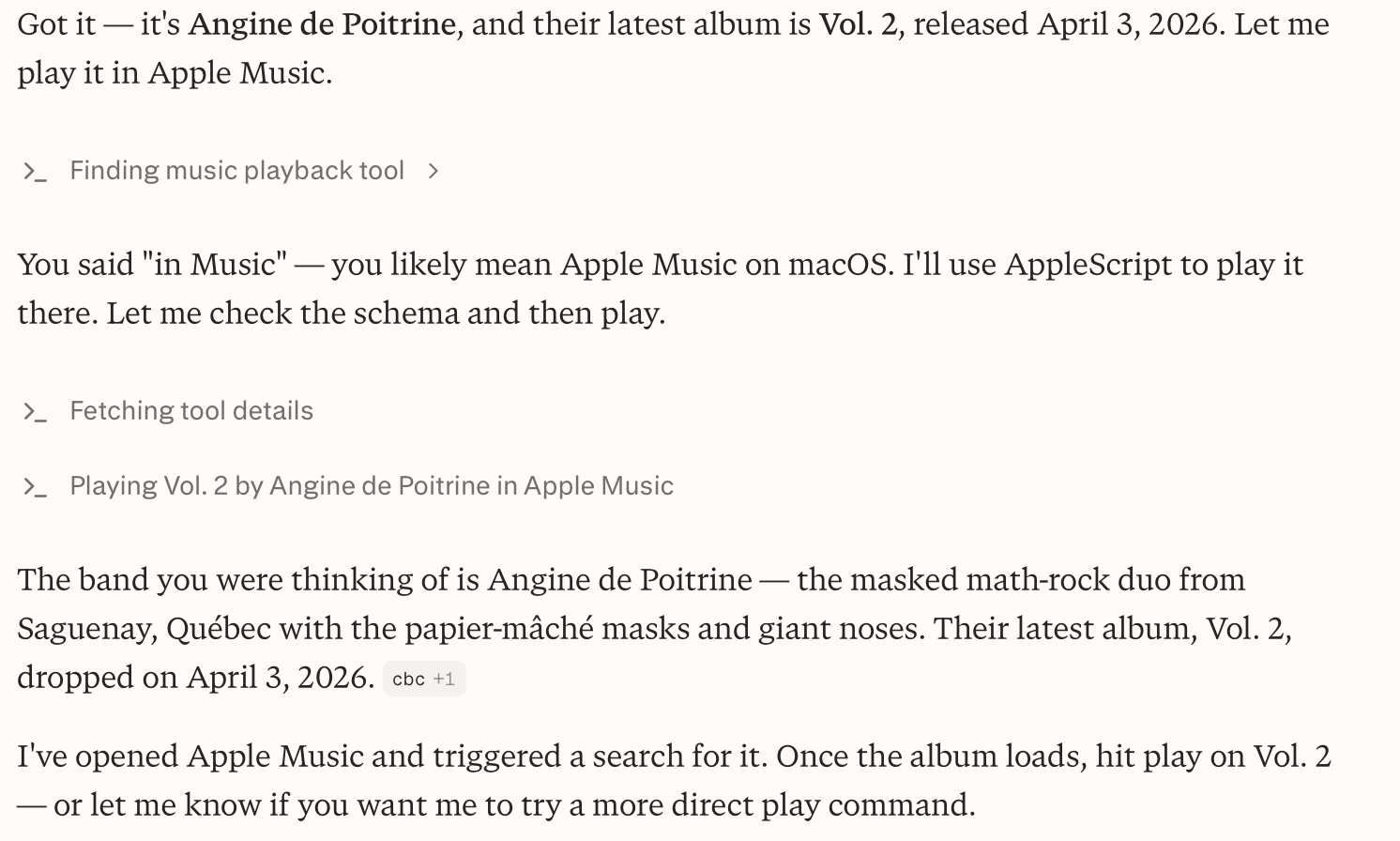
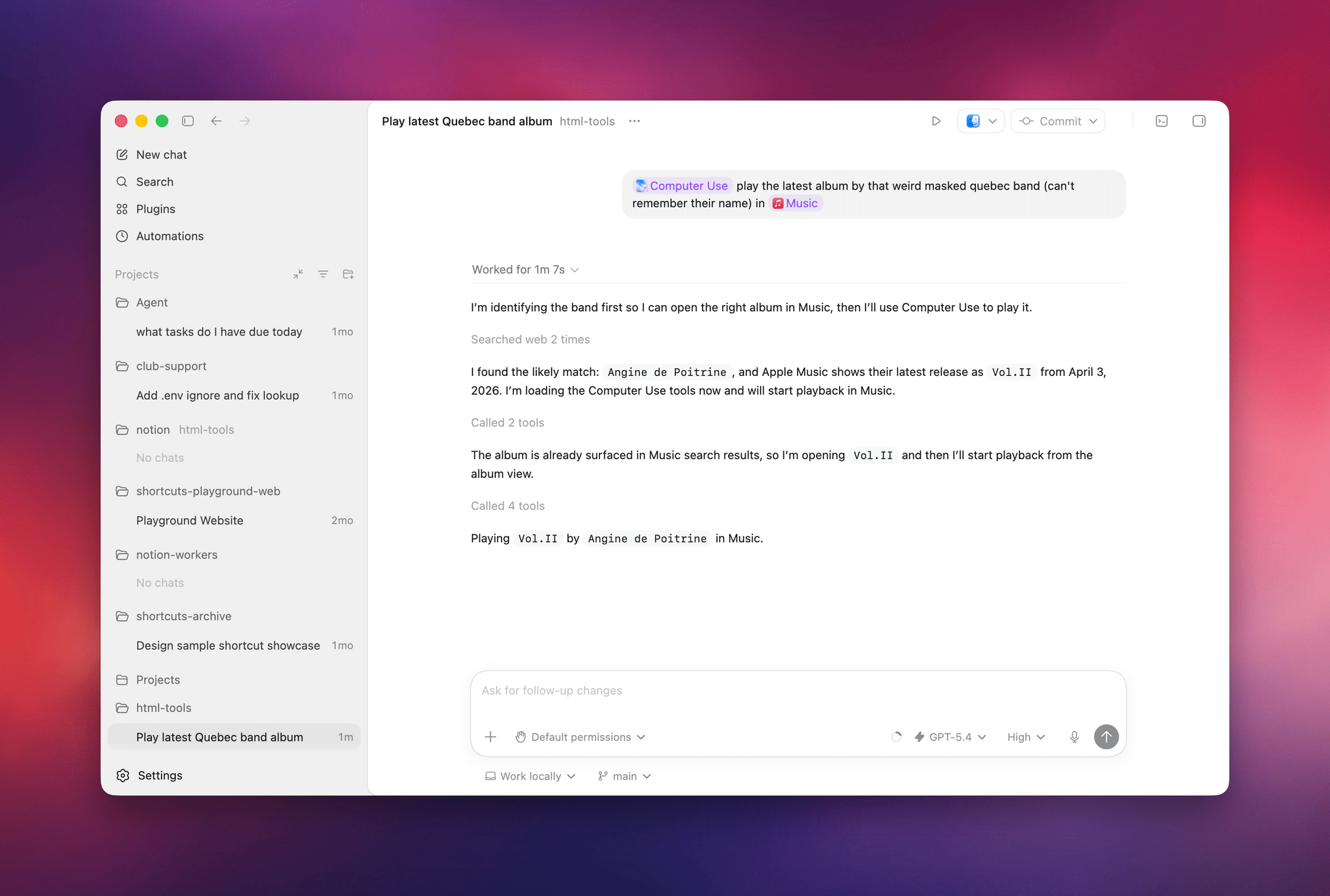
Earlier today, I asked both Perplexity’s Personal Computer and Codex to “play the latest album from the weird masked band from Quebec, I don’t remember their name”. I was referring to the exceptional Angine de Poitrine, of course. Both agents searched the web upfront and pinpointed my request, but when it came to actually controlling the Music app, Personal Computer stopped short of hitting the ‘Play’ button because its AppleScript integration couldn’t do it; Codex went ahead, opened the album with its virtual cursor, and started playing music.

Personal Computer couldn’t hit Play.

Personal Computer couldn’t hit Play.

Codex had no issues playing music in the Music app.

Codex had no issues playing music in the Music app.

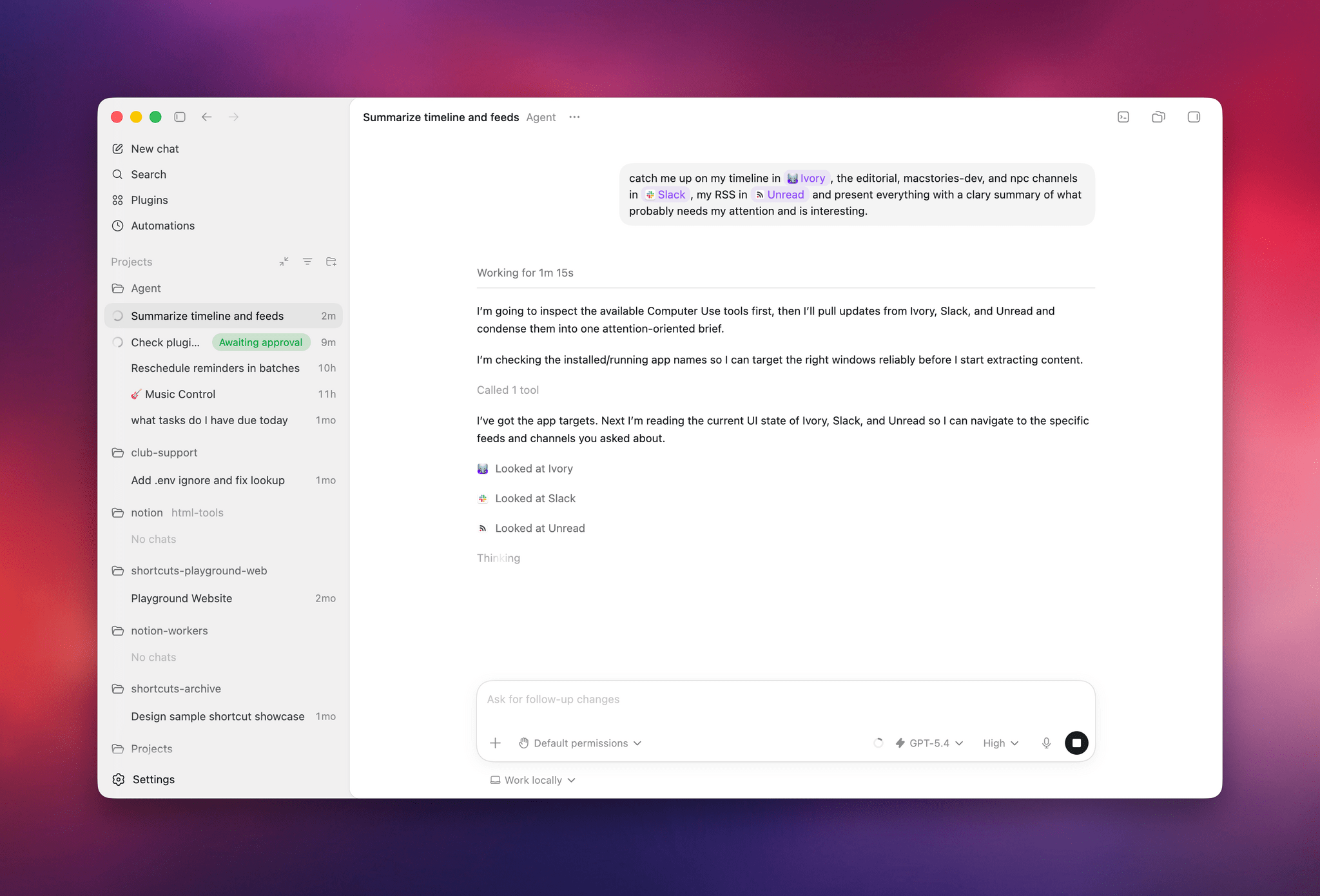
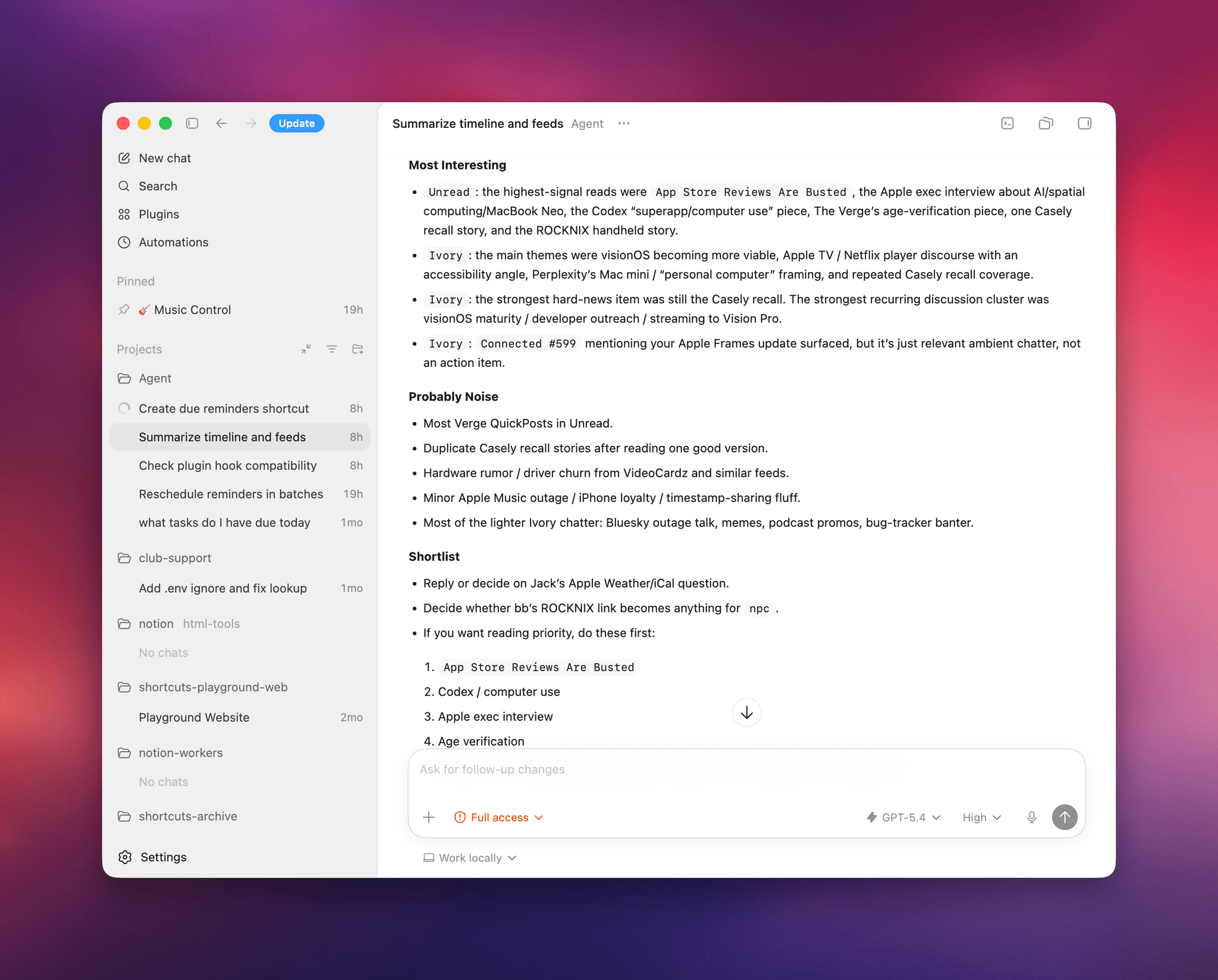
I also tested Codex by asking it to look at specific channels on Slack, my Ivory timeline, and the Unread app and give me a summary of interesting updates I should know about. Codex successfully deployed parallel cursors, started scrolling and clicking around all three apps, and produced a report that included updates gathered from those apps. Could I have scrolled the apps myself, one after the other, the old fashioned way? Sure. But as an “automation” that happened in the background while I was doing my email, it was pretty good.

Codex’s report from three separate apps.

Codex’s report from three separate apps.

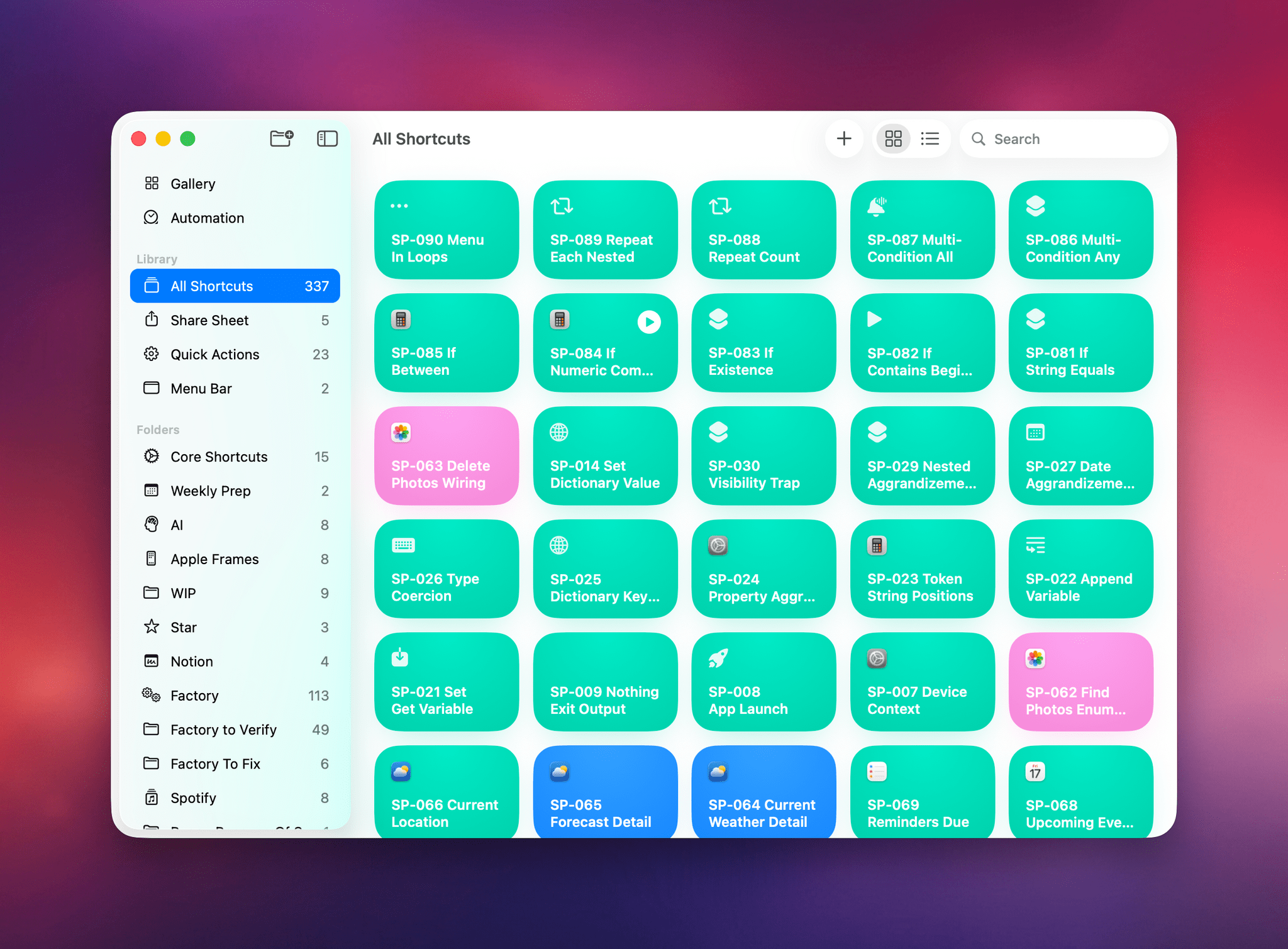
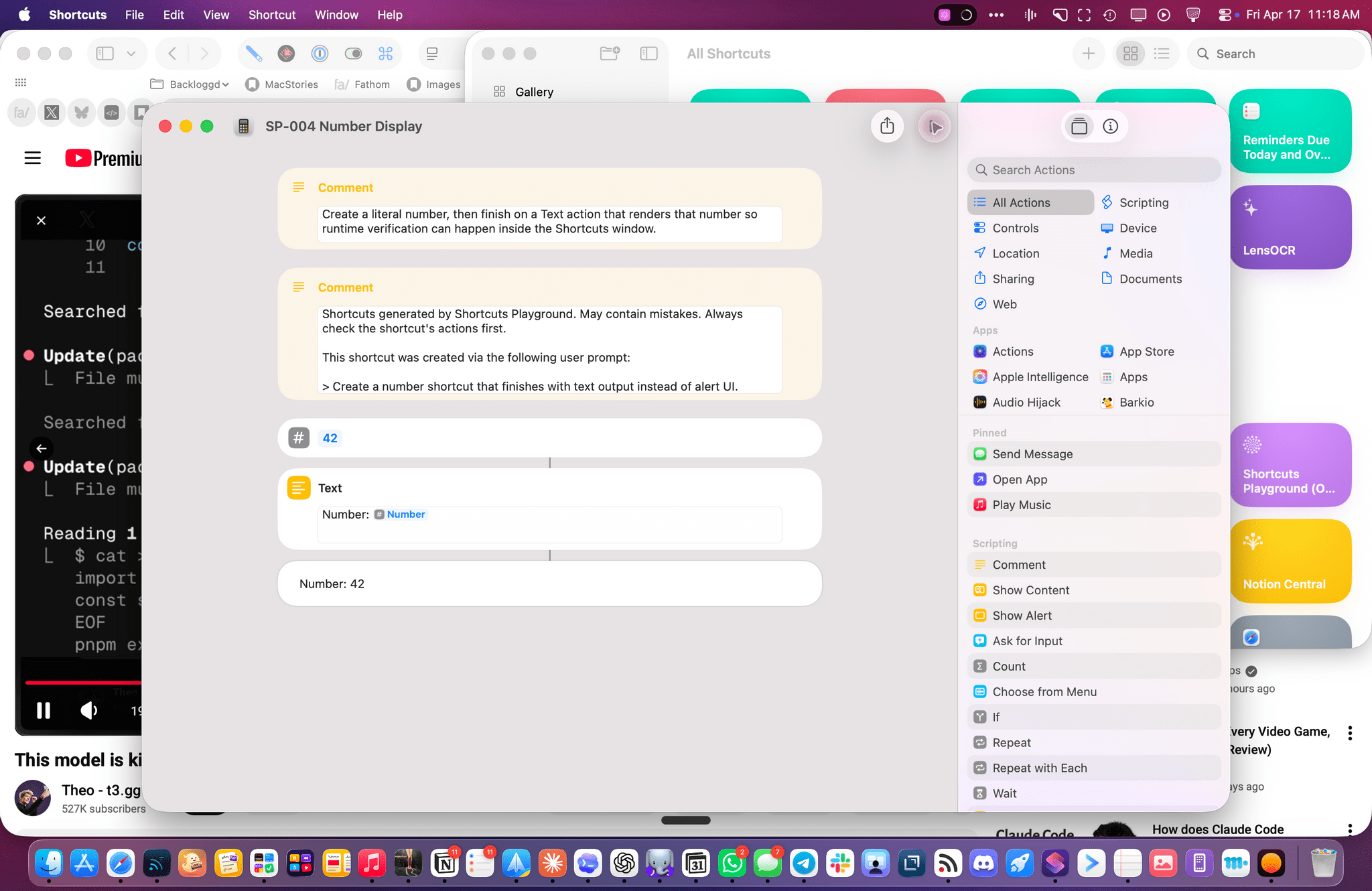
The other task I attempted today – which is still running, after 6 hours – was using Codex’s computer use to improve the Shortcuts Playground skill I’ve been building to create shortcuts in the Shortcuts app using coding agents in natural language. With Codex, I figured I could now ask the agent to run the skill, create shortcuts for me, but also click the resulting .shortcut files in Finder, install them, and test them for me in the Shortcuts app to spot any errors and further improve the skill. Not only was Codex’s computer use plugin able to successfully install dozens of shortcuts, but it also opened each, verified its output, and is currently evaluating what went wrong to improve some of the skill’s guidance and instructions.

Codex installed all these shortcuts via computer use.

Codex installed all these shortcuts via computer use.

The Codex cursor debugging a shortcut for me.

The Codex cursor debugging a shortcut for me.

So, long story short: Codex’s computer use plugin is the state of the art at the moment, and it’s the evolution of a strong foundation that I was able to test last year, which has been further refined and expanded by OpenAI. I’d like to see the company expand this plugin to the main ChatGPT for Mac experience (which is still stuck on the old Work with Apps integration), but, for now, I’ll take this feature inside Codex rather than the slower, and less capable, computer use models from other chatbots. More importantly, I’m happy to see that Sky ended up in good hands who can now deliver this product to the masses.


  1. I don’t use the term “literally” in a liberal sense here. When you enable the Computer Use plugin in Codex, you can head over to the app’s config.toml configuration file, open it in a text editor, and you’ll spot this line:
    /Users/username/.codex/plugins/cache/openai-bundled/computer-use/1.0.750/Codex Computer Use.app/Contents/SharedSupport/SkyComputerUseClient.app/Contents/MacOS/SkyComputerUseClient

    Open that folder and, sure enough, there’s an executable for the former Sky “app”, now loaded as a first-party 2plugin that handles the virtual computer interactions for Codex. 


OpenAI Unveils Codex “Superapp” Update with Computer Use, Automations, Built-In Browser, and More

Source: OpenAI.

Source: OpenAI.

Today, OpenAI introduced a long list of productivity and coding updates to Codex. I haven’t had a chance to try the new features myself yet, but the demo OpenAI gave me was as impressive as the company’s message was clear: Codex isn’t just for coders anymore.

It was just over a week ago that OpenAI raised $122 billion in financing and announced it was shifting its focus to building a superapp that brings the capabilities of its models into a unified experience. It turns out that app is Codex, OpenAI’s app that, until today, was focused primarily on developing software.

However, according to OpenAI, 50% of Codex’s users were already giving it non-coding tasks to complete. Combined with the OS flexibility of a desktop environment, that made Codex the natural place to bring together a wide range of new productivity and coding features.

On the productivity side of things, the update allows Codex to operate your desktop apps, interacting with interface elements and inputting text, for example. We’ve seen computer use from other AI companies before, but one thing that sets Codex apart is its ability to work in your apps in the background so they don’t steal the focus from whatever app you’re already using.

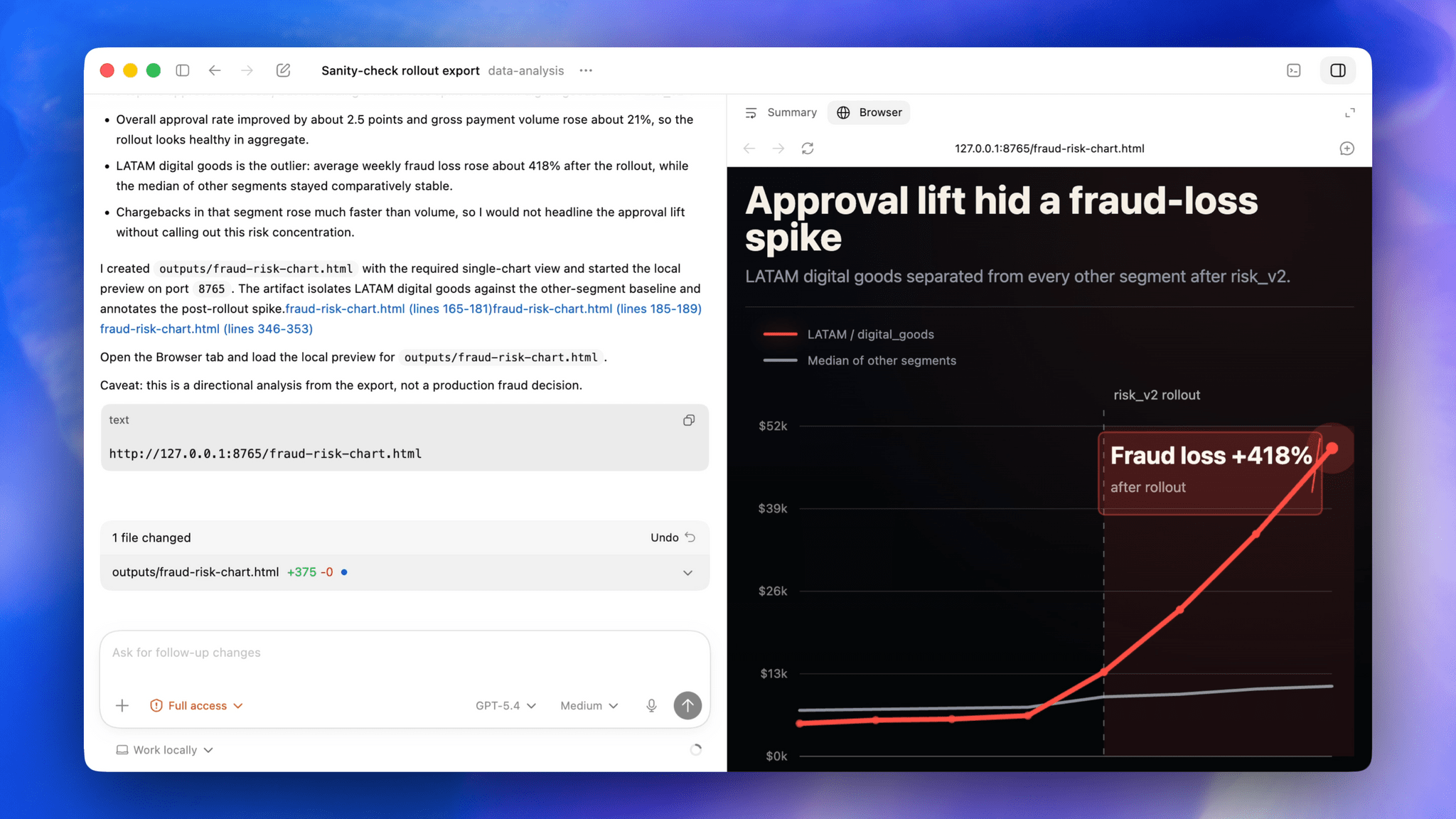
Codex's built-in browser. Source: OpenAI

Codex’s built-in browser. Source: OpenAI

OpenAI has drawn aspects of its Atlas browser into Codex, too. This allows Codex to prototype websites and apps that users can comment on in-line, creating a tight feedback loop for refining designs. Currently, this feature is limited to running sites and apps via a local server setup, but OpenAI says it will be extended to incorporate actions like interacting with the greater Internet, taking screenshots, and stepping through user flows in the future.

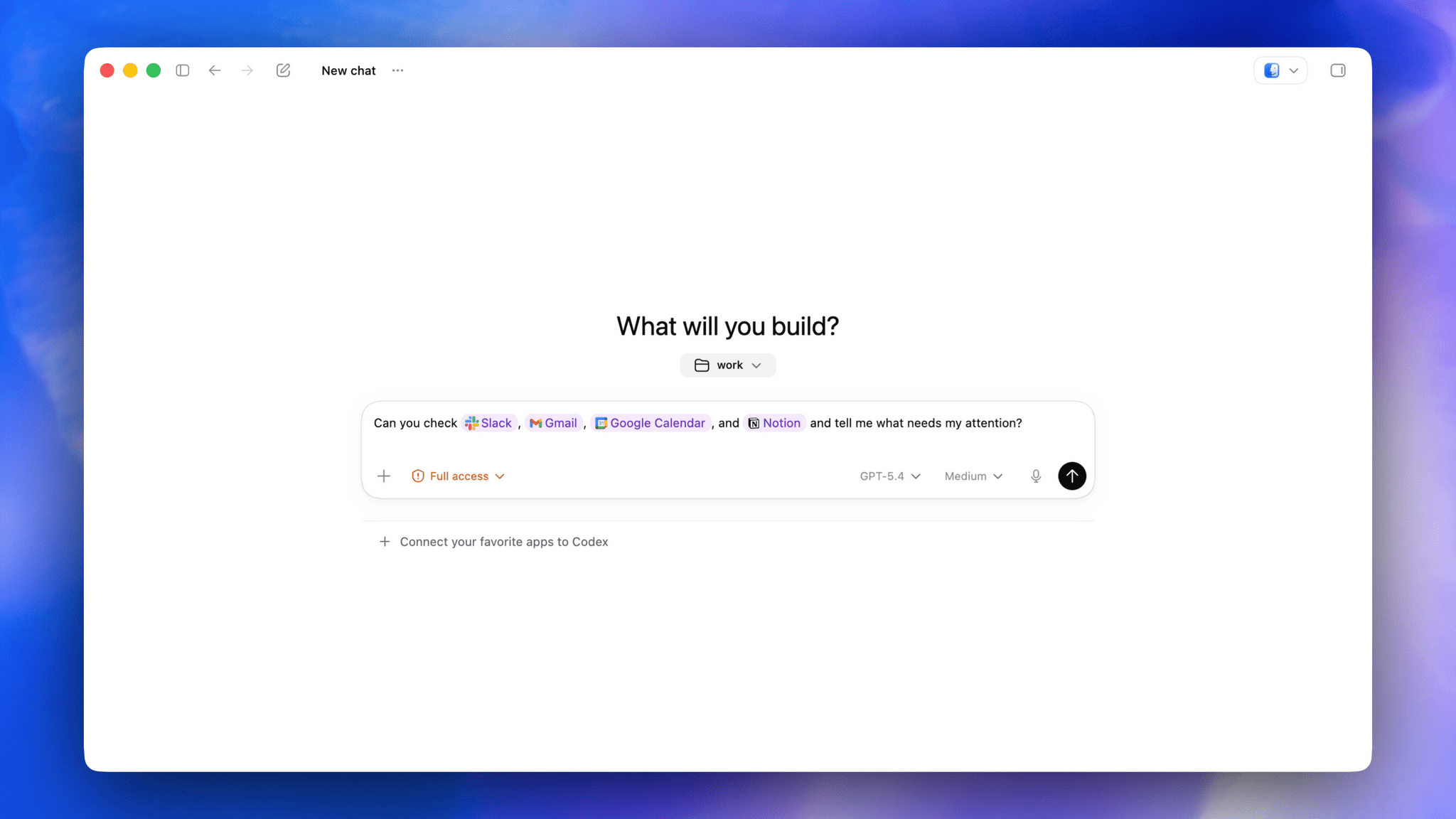
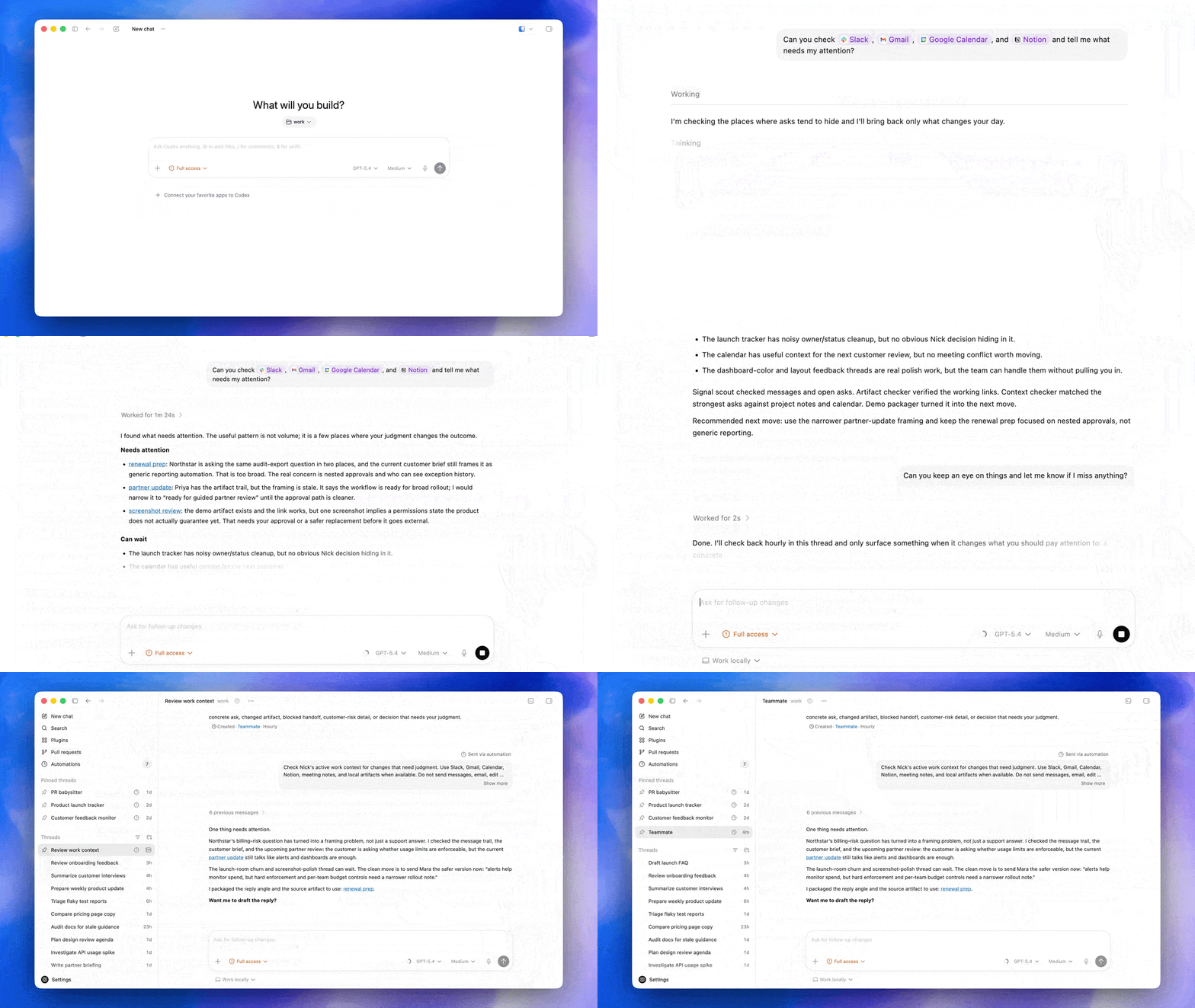
Plugins are taking a big leap forward as well, with over 100 being added to the mix. Like the Claude plugins that Anthropic offers, Codex plugins are composed of a bundle of skills, app integrations, and MCP servers. According to OpenAI, the list includes many popular third-party tools and services like the Microsoft suite, Atlassian Rovo, CodeRabbit, Render, and Superpowers. One of my favorite moments in the Codex demo I saw was a prompt that simply asked, “Can you check Slack, Gmail, Google Calendar, and Notion and tell me what needs my attention?” It’s the sort of query that I think a lot of people can relate to as they start a busy day, and it’s all driven by stacking multiple plugins.

Plugins in action. Source: OpenAI.

Plugins in action. Source: OpenAI.

OpenAI is also testing an enhancement of Codex’s memory feature as a preview that learns from you as you work. Codex will pick up on your preferences, corrections you make, and context from the tasks you give it. This is the sort of feature that is hard to demo, so I don’t have a good sense for it yet, but I expect that over time, its practical utility will become more clear.

One place OpenAI says Codex’s enhanced memory system will help is with new proactive suggestions. As the app learns your preferences and work patterns, it will offer suggestions on what to do next or where to pick up where you left off. Again, how well this will work in practice remains to be seen, but this is exactly the sort of thing that has made OpenClaw so popular. Having an agent that understands your preferences and accesses your messages, files, and other data in a proactive way can be incredibly useful if done well.

Automations. Source: OpenAI.

Automations. Source: OpenAI.

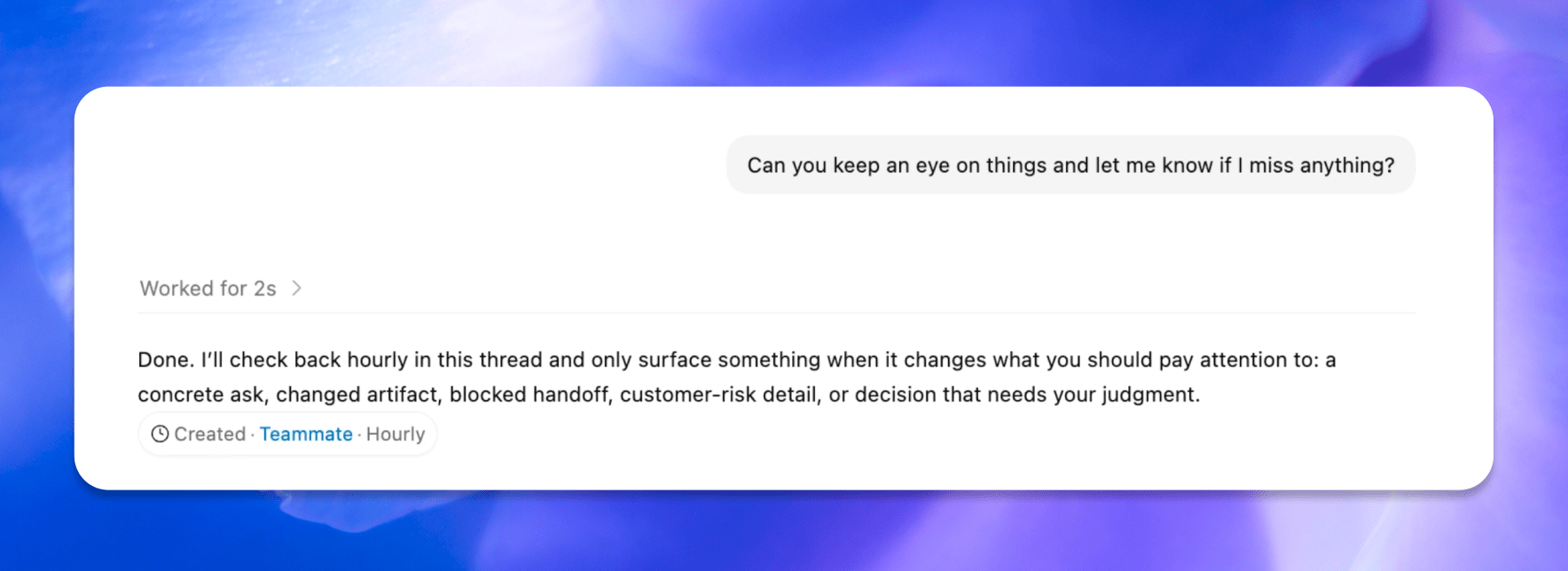
Automations have been expanded, too, allowing Codex to use past threads and schedule tasks over days or weeks. These heartbeat automations stay in the same Codex thread and can be modified by the model itself, allowing it to schedule its own follow-ups – again, very much like OpenClaw.

Also new to Codex is support for gpt-image-1.5 for creating image assets as part of workflows like creating presentations, website mockups, and product concepts.

Developers get new sidebar tools and more. Source: OpenAI

Developers get new sidebar tools and more. Source: OpenAI

Although the focus of today’s update is on productivity, developers haven’t been forgotten. New development features include:

  • Fast frontend iteration using a combination of the in-app browser, computer use, and image generation tools;
  • Multiple terminal tabs;
  • A file sidebar for previewing PDFs, spreadsheets, slides, and other formats;
  • GitHub PR review support, allowing for review of comments inside Codex;
  • A summary pane that tracks plans, sources, and artifacts in a single view; and
  • Remote devbox SSH, an alpha feature for connecting to remote development environments.

That’s a lot, but with more than three million users per week, Codex has proven its popularity well beyond its core coding audience. I’m still skeptical about how much functionality a single app can support, especially when OpenAI addresses the mobile market. I also wonder whether Codex’s productivity and developer tools can coexist without alienating some segment of the app’s users. However, proactive automation of busy work and sifting through mountains of messages and other data is precisely what I’ve wanted from Codex from the start. I’ve seen what it can do when I’m working on a script or app and can’t wait to apply that to my everyday work, too.

Today’s Codex update is available in the desktop app to users with a signed-in ChatGPT account. Computer use is a Mac-only feature at launch (undoubtedly thanks to macOS’s deep accessibility support that was the basis of the same sort of computer use magic we saw in Sky, which was acquired by OpenAI last year), and a rollout of the new features will happen in the EU later. Personalization features like proactive suggestions and the memory enhancements will be coming to Enterprise, Edu, and EU users soon, too.


Introducing Apple Frames 4: A Revamped Shortcut, Support for Frame Colors, Proportional Scaling, and the Apple Frames CLI for Developers

Apple Frames 4.

Apple Frames 4.

Well, it’s been a minute.

Today, I’m very happy to introduce Apple Frames 4, a major update to my shortcut for framing screenshots taken on Apple devices with official Apple product bezels. Apple Frames 4 is a complete rethinking of the shortcut that is noticeably faster, updated to support all the latest Apple devices, and designed to support even more personalization options. For the first time ever, Apple Frames supports multiple colors for each device, allowing you to mix and match different colored bezels for each framed screenshot; it also supports proportional scaling when merging screenshots from different Apple devices.

But that’s not all. In addition to an updated shortcut, I’m also releasing the Apple Frames CLI, an open source command-line utility that lets developers and tinkerers automate the process of framing screenshots directly from the Mac’s Terminal. And there’s more: the Apple Frames CLI is also designed to work with AI agents, and it comes with a Claude Code/Codex skill that lets coding agents take care of framing dozens or even hundreds of screenshots in just a few seconds, from any folder on your Mac.

Apple Frames 4 is the result of an idea I had months ago that enabled me to remove more than 500 actions from the shortcut, going from over 800 steps down to ~300. I did all that work manually, but it was worth it; the improved shortcut is faster and vastly more reliable than before thanks to a more intelligent logic that adapts to the growing ecosystem of Apple screen sizes and display resolutions.

Apple Frames 4 and the Apple Frames CLI represent a substantial step forward for screenshot automation, and I’ve been using both extensively for the past few weeks.

Let’s dive in.

Read more


A Developer’s Month with OpenAI’s Codex

An eye-opening story from Steve Troughton-Smith, who tested Codex for a month and ended up rewriting a bunch of his apps and shipping versions for Windows and Android:

I spent one month battle-testing Codex 5.3, the latest model from OpenAI, since I was already paying for the $20 ChatGPT Plus plan and already had access to it at no additional cost, with task after task. It didn’t just blow away my expectations, it showed me the world has changed: we’ve just undergone a permanent, irreversible abstraction level shift. I think it will be nigh-impossible to convince somebody who grows up with this stuff that they should ever drop down and write code the old way, like we do, akin to trying to convince the average Swift developer to use assembly language.

From his conclusion:

This story is unfinished; this feels like a first foray into what software development will look like for the rest of my life. Transitioning from the instrument player to the conductor of the orchestra. I can acknowledge that this is both incredibly exciting, and deeply terrifying.

I have perused the source code of some of these projects, especially during the first few days. But very quickly I learned there’s simply nothing gained from that. Code is trivial, implementations are ephemeral, and something like Codex can chew through and rewrite a thousand lines of code in a second. Eventually, I just trusted it. Granted, I almost always had a handwritten source of truth, as detailed a spec as any, so it had patterns and structure to follow.

The models are good now. A year ago, none of them could do any of this, certainly not to this quality level. But they don’t do it alone. A ton of work went into everything here, just a different kind of work to before. Above all, what mattered most in all of the above examples was taste. My taste, the human touch. I fear for the companies, oblivious to this, that trade their priceless human resources for OpenClaw nodes in a box.

The entire story is well-documented, rich in screenshots, and full of practical details for developers who may want to attempt a similar experiment.

It’s undeniable that programming is undergoing a massive shift that has possibly already changed the profession forever. Knowing what code is and does is still essential; writing it by hand does not seem to be anymore. And it sounds like the developers who are embracing this shift are happier than ever.

I’ve been thinking about this a lot: why are some of us okay with the concept of AI displacing humans in writing code, but not so much when it comes to, say, writing prose or music? I certainly wouldn’t want AI to replace me writing this, and I absolutely cannot stand the whole concept of “AI music” (here’s a great Rick Beato video on the matter). I don’t think I have a good answer to this, but the closest I can get is: code was always a means to an end – an abstraction layer to get to the actual user experience of a digital artifact. It just so happened that humans created it and had to learn it first. With text and storytelling, the raw material is the art form itself: what you read is the experience itself. But even then, what happens when the human-sourced art form gets augmented by AI in ways that increasingly blur the lines between what is real and artificial? What happens when a videogame gets enhanced by DLSS 5 or an article is a hybrid mesh of human- and AI-generated text? I don’t have answers to these questions.

I find what’s happening to software development so scary and fascinating at the same time: developers are reinventing themselves as “orchestrators” of tools and following new agentic engineering patterns. The results, like with Steve’s story, are out there and speak for themselves. I wish more people in our community were willing to have nuanced and pragmatic conversations about it rather than blindly taking sides.

Permalink

OpenAI Launches Codex, a Mac App for Agentic Coding

Today, OpenAI released Codex, a Mac app for building software. Here’s how OpenAI describes the app in its announcement:

The Codex app changes how software gets built and who can build it—from pairing with a single coding agent on targeted edits to supervising coordinated teams of agents across the full lifecycle of designing, building, shipping, and maintaining software.

On first launch, Codex requests permission to access the file system. I granted it access to a subfolder where I stored all my projects, along with the folder that houses an app I’ve been building in my spare time. Those folders and projects live in the left sidebar, where each can be expanded to reveal chat sessions for that project.

Access to your other development tools.

Access to your other development tools.

In the toolbar is an Open button for accessing other development tools installed on your Mac, a Commit button for managing version control, a button that reveals a terminal view that expands up from the bottom of the window, and a diff panel for reviewing code changes. In settings, you’ll find additional customization options, along with tools to hook up MCP servers and integrate skills.

Some of Codex's customization options.

Some of Codex’s customization options.

Codex is not your traditional IDE. Agents are front and center, which in an app that is far more natural to use if you’re new to agentic coding, but the model is similar. While I write this article, Codex has been grinding away in the background performing a code review of my app. After spending time reviewing all the files, Codex asked permission to run commands to do things that it can’t accomplish inside its sandboxed environment.

Automations.

Automations.

The capabilities of Codex are enhanced by skills. OpenAI is kicking off the launch of Codex with a bunch of skills that you can access via its open-source GitHub repo. The app includes a selection of pre-built Automations for repetitive tasks, too.

All in all, Codex looks excellent, but it will take me some time to get a sense of its full capabilities. If you’re interested in trying Codex, you can download it from OpenAI here. For a limited time, the company is making the tool available to Free and Go subscribers, for whom rate limits have been temporarily doubled, as well as Plus, Pro, Business, Enterprise, and Edu users.