This Week's Sponsor:

Inoreader

Build your own newsfeed and cut through the noise


Posts tagged with "Apple Intelligence"

Notes on the Apple Intelligence Delay

Simon Willison, one of the more authoritative independent voices in the LLM space right now, published a good theory on what may have happened with Apple’s delay of Apple Intelligence’s Siri personalization features:

I have a hunch that this delay might relate to security.

These new Apple Intelligence features involve Siri responding to requests to access information in applications and then perform actions on the user’s behalf.

This is the worst possible combination for prompt injection attacks! Any time an LLM-based system has access to private data, tools it can call and potentially malicious instructions (like emails and text messages from untrusted strangers) there’s a risk that an attacker might subvert those tools and use them to damage or exfiltration a user’s data.

Willison has been writing about prompt injection attacks since 2023. We know that Mail’s AI summaries were (at least initially?) sort of susceptible to prompt injections (using hidden HTML elements), as were Writing Tools during the beta period. It’s scary to imagine what would happen with a well-crafted prompt injection when the attack’s surface area becomes the entire assistant directly plugged into your favorite apps with your data. But then again, one has to wonder why these features were demoed at all at Apple’s biggest software event last year and if those previews – absent a real, in-person event – were actually animated prototypes.

On this note, I disagree with Jason Snell’s idea that previewing Apple Intelligence last year was a good move no matter what. Are we sure that “nobody is looking” at Apple’s position in the AI space right now and that Siri isn’t continuing down its path of damaging Apple’s software reputation, like MobileMe did? As a reminder, the iPhone 16 lineup was advertised as “built for Apple Intelligence” in commercials, interviews, and Apple’s website.

If the company’s executives are so certain that the 2024 marketing blitz worked, why are they pulling Apple Intelligence ads from YouTube when “nobody is looking”?

On another security note: knowing Apple’s penchant for user permission prompts (Shortcuts and macOS are the worst offenders), I wouldn’t be surprised if the company tried to mitigate Siri’s potential hallucinations and/or the risk of prompt injections with permission dialogs everywhere, and later realized the experience was terrible. Remember: Apple announced an App Intents-driven system with assistant schemas that included actions for your web browser, file manager, camera, and more. Getting any of those actions wrong (think: worse than not picking your mom up at the airport, but actually deleting some of your documents) could have pretty disastrous consequences.

Regardless of what happened, here’s the kicker: according to Mark Gurman, “some within Apple’s AI division” believe that the delayed Apple Intelligence features may be scrapped altogether and replaced by a new system rebuilt from scratch. From his story, pay close attention to this paragraph:

There are also concerns internally that fixing Siri will require having more powerful AI models run on Apple’s devices. That could strain the hardware, meaning Apple either has to reduce its set of features or make the models run more slowly on current or older devices. It would also require upping the hardware capabilities of future products to make the features run at full strength.

Inference costs may have gone down over the past 12 months and context windows may have gotten bigger, but I’m guessing there’s only so much you can do locally with 8 GB of RAM when you have to draw on the user’s personal context across (potentially) dozens of different apps, and then have conversations with the user about those results. It’ll be interesting to watch what Apple does here within the next 1-2 years: more RAM for the same price on iPhones, even more tasks handed off to Private Cloud Compute, or a combination of both?

We’ll see how this will play out at WWDC 2025 and beyond. I continue to think that Apple and Google have the most exciting takes on AI in terms of applying the technology to user’s phones and apps they use everyday. The only difference is that one company’s announcements were theoretical, and the other’s are shipping today. It seems clear now that Apple got caught off guard by LLMs while they were going down the Vision Pro path, and I’ll be curious to see how their marketing strategy will play out in the coming months.


Apple Delays Siri Personalization

Apple released a statement to John Gruber of Daring Fireball today announcing that it is delaying a “more personalized Siri.” According to Apple’s Jacqueline Roy:

Siri helps our users find what they need and get things done quickly, and in just the past six months, we’ve made Siri more conversational, introduced new features like type to Siri and product knowledge, and added an integration with ChatGPT. We’ve also been working on a more personalized Siri, giving it more awareness of your personal context, as well as the ability to take action for you within and across your apps. It’s going to take us longer than we thought to deliver on these features and we anticipate rolling them out in the coming year.

This isn’t surprising given where things stand with Siri and Apple Intelligence more generally, but it is still disappointing. Of all the features shown off at WWDC last year, the ability to have Siri take actions in multiple apps on your behalf through natural language requests was one of the most eagerly anticipated. But, I’d prefer to get a feature that works than one that is half-baked.

Still, you have to wonder where the rest of the AI market will be by the time a “more personalized Siri” is released and whether it will look as much like yesterday’s tech as some of today’s Apple Intelligence features do.

Permalink

“Everyone Is Caught Up, Except for Apple”

Good post by Parker Ortolani (who’s blogging more frequently now; I recommend subscribing to his blog) on the new (and surprisingly good looking?) Alexa+ and where Apple stands with Siri:

So here we are. Everyone is caught up, except for Apple. Siri may have a pretty glowing animation but it is not even remotely the same kind of personal assistant that these others are. Even the version of Siri shown at WWDC last year doesn’t appear to be quite as powerful as Alexa+. Who knows how good the app intents powered Siri will even be at the end of the day when it ships, after all according to reports it has been pushed back and looks like an increasingly difficult endeavor. I obviously want Siri to be great. It desperately needs improvement, not just to compete but to make using an iPhone an even better experience.

I continue to think that Apple has immense potential for Apple Intelligence and Siri if they get both to work right with their ecosystem. But at this point, I have to wonder if we’ll see GTA 6 before Siri gets any good.

Permalink

Vision Pro to Gain Apple Intelligence, Spatial Gallery App, and Companion iPhone App

Source: Apple.

Source: Apple.

Apple announced today that visionOS 2.4 will add some big features to the Vision Pro.

For starters, Apple Intelligence is coming to the Vision Pro. When I was at WWDC, I was surprised when there was no mention that Apple Intelligence would be added to visionOS. Since then, visionOS 2.0 and three subsequent releases have debuted without any sign of Apple Intelligence. However, that will change with the release of visionOS 2.4 in April.

Apple says visionOS 2.4 will include:

  • Writing Tools;
  • ChatGPT integration;
  • Genmoji;
  • Image Playground; and
  • Other unspecified features
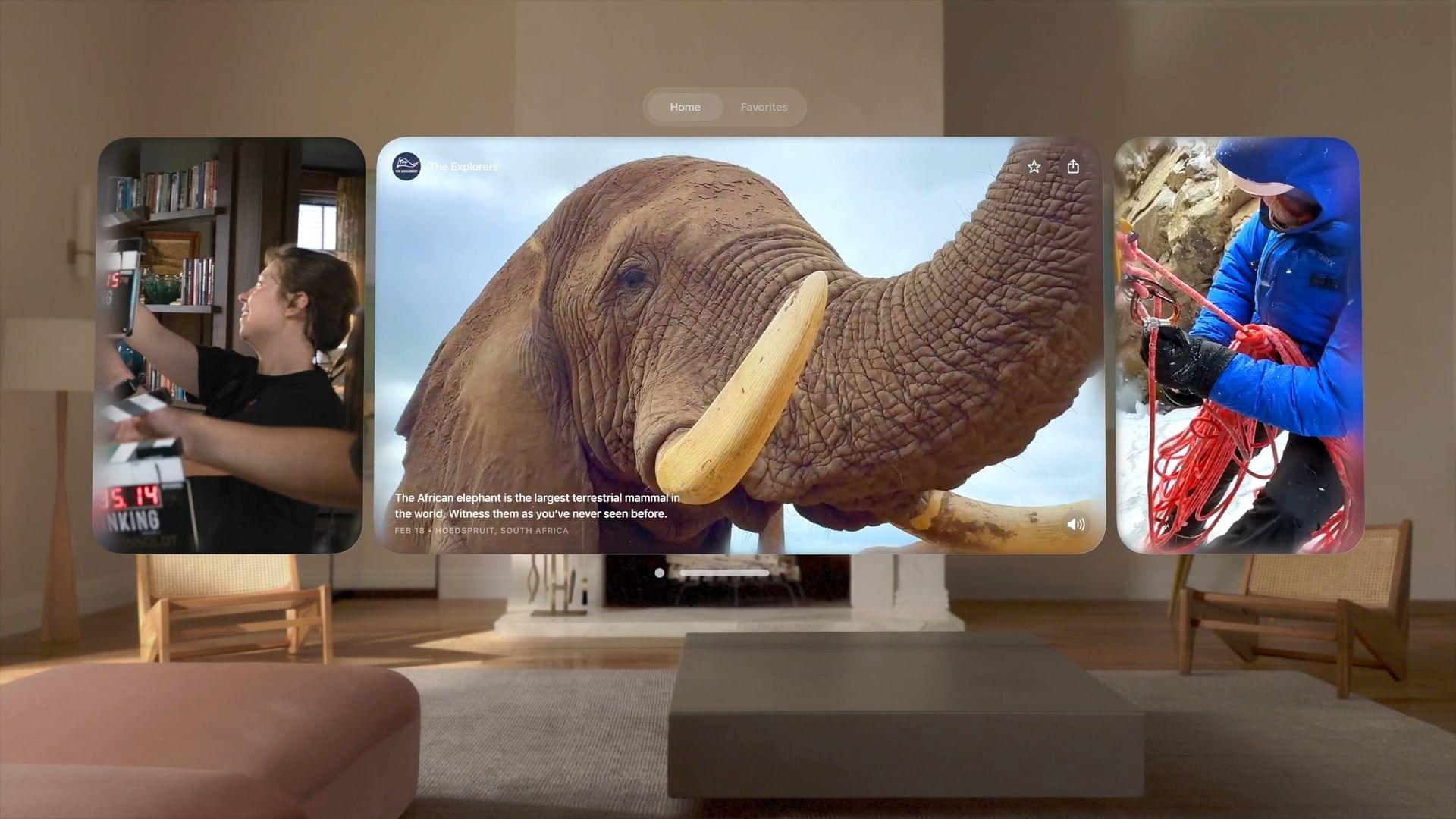
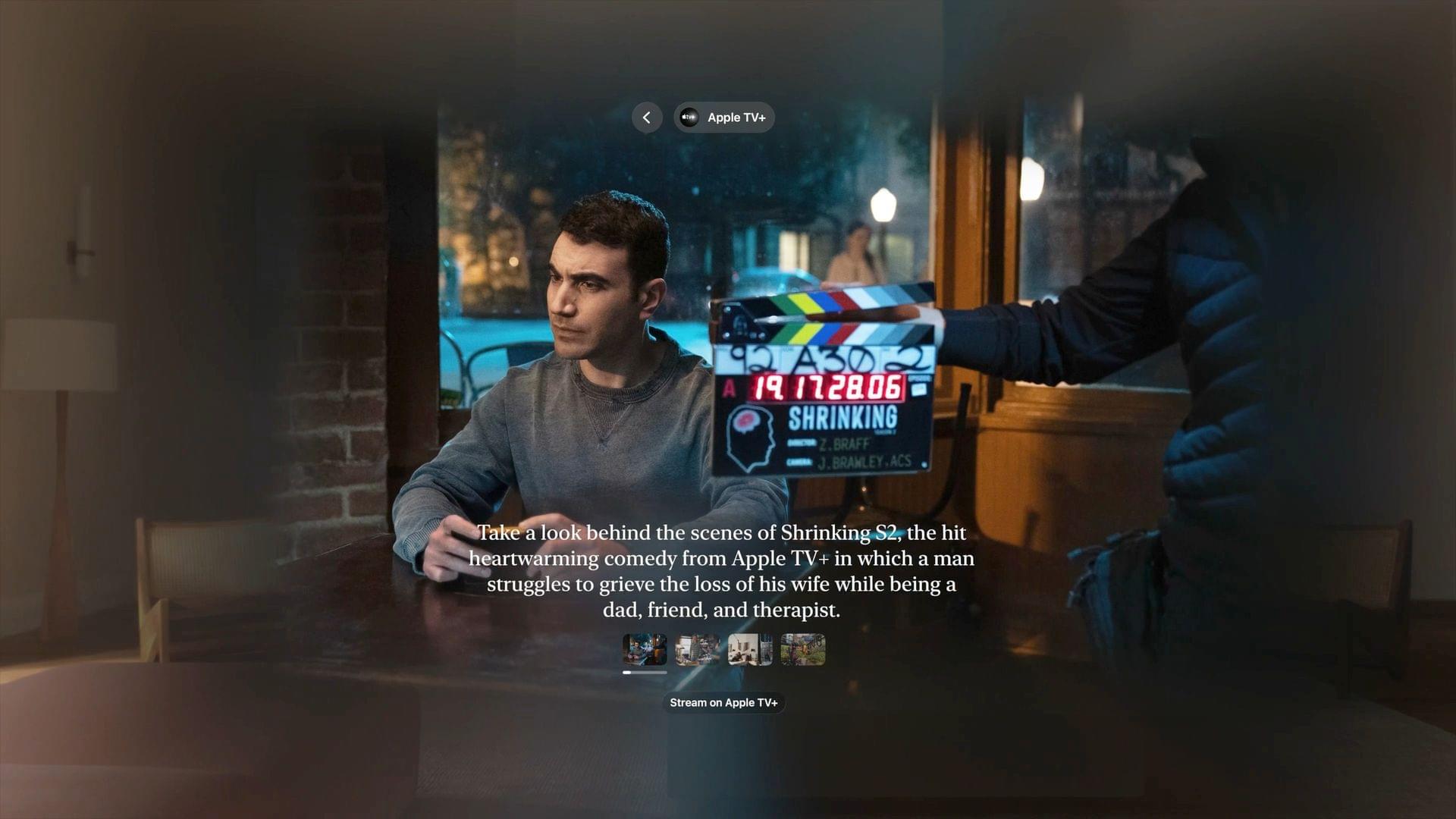
Spatial Gallery. Source: Apple

Spatial Gallery. Source: Apple

In addition, visionOS will debut Spatial Gallery, a new Vision Pro app that Apple says will feature “a curated collection of spatial photos, spatial videos, and panoramas from artists, filmmakers, photographers, and more,” including new Immersive video titles.

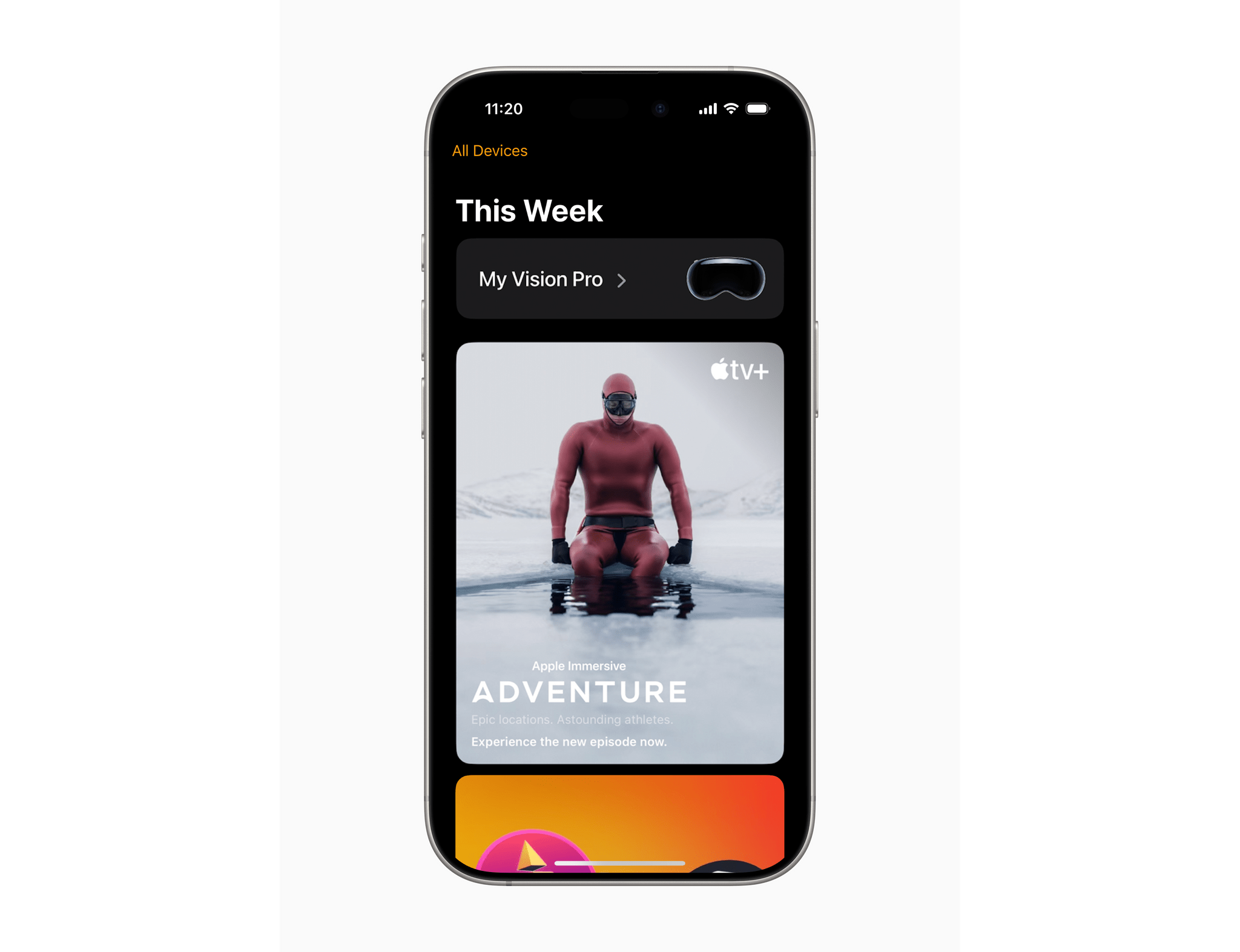
Apple is also releasing a Vision Pro app for the iPhone that adds:

a new way to download apps and games from the App Store; discover experiences from Apple TV, Spatial Gallery, and more; easily find helpful tips; and quickly access information for their Vision Pro. Enhancements to Guest User make it easier than ever for users to share apps and experiences with family, friends, and colleagues using a nearby iPhone or iPad.

The Apple Vision Pro app. Source: Apple.

The Apple Vision Pro app. Source: Apple.

Apple says you’ll be able to queue a download from your iPhone for your Apple Vision Pro. I gave up trying to share my Vision Pro with my family almost immediately because it was such a cumbersome process, so better sharing will be welcome. If it works as promised, this sounds like a much better approach:

With new enhancements to Guest User in visionOS 2.4, users can start a Guest User session with their nearby iPhone or iPad. When their device is unlocked, they can choose which apps are accessible to their guest and start View Mirroring with AirPlay, making it easy to guide a guest through their Vision Pro experience.

It’s great to see Apple continue to push the Vision Pro forward with better user experiences, new content, and additional ways to enjoy its unique features.


New ‘Apple Invites’ App Debuts on the App Store

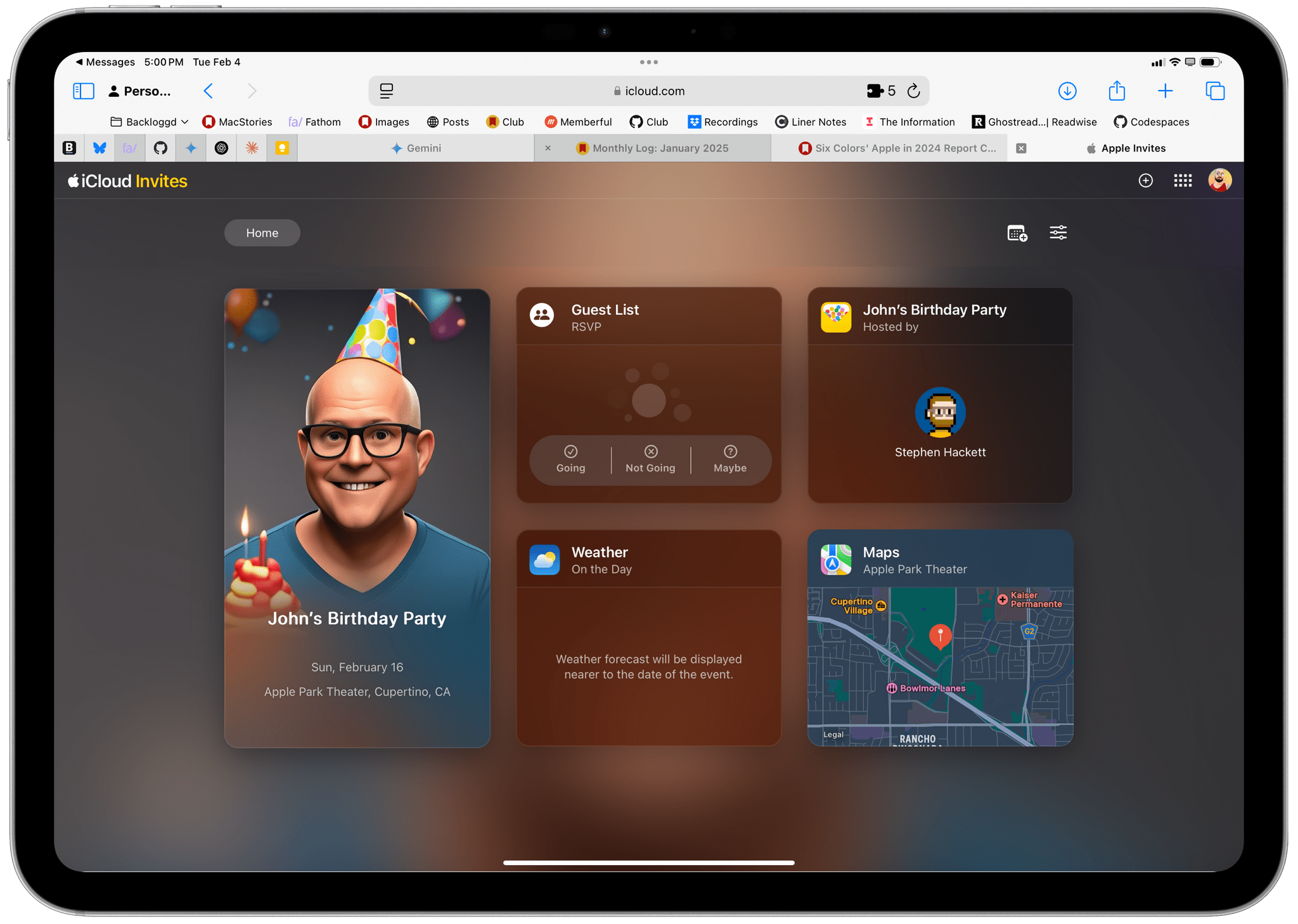
Apple Invites is now available on the App Store as a free download. The app, which Apple just announced, is iPhone-only and allows users to send and receive invitations to events – yes, invitations, invites is not a noun.

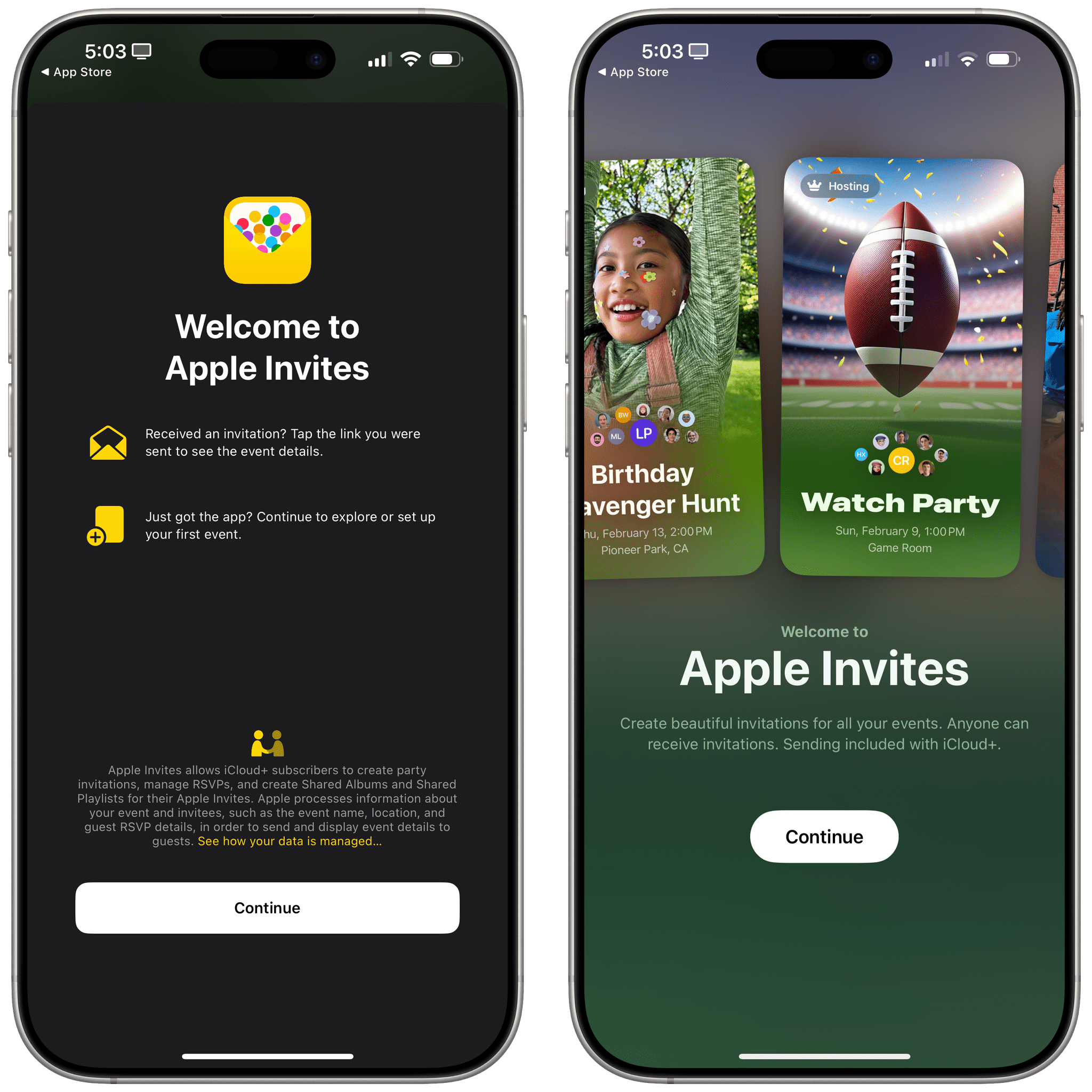
Here’s what the onboarding looks like:

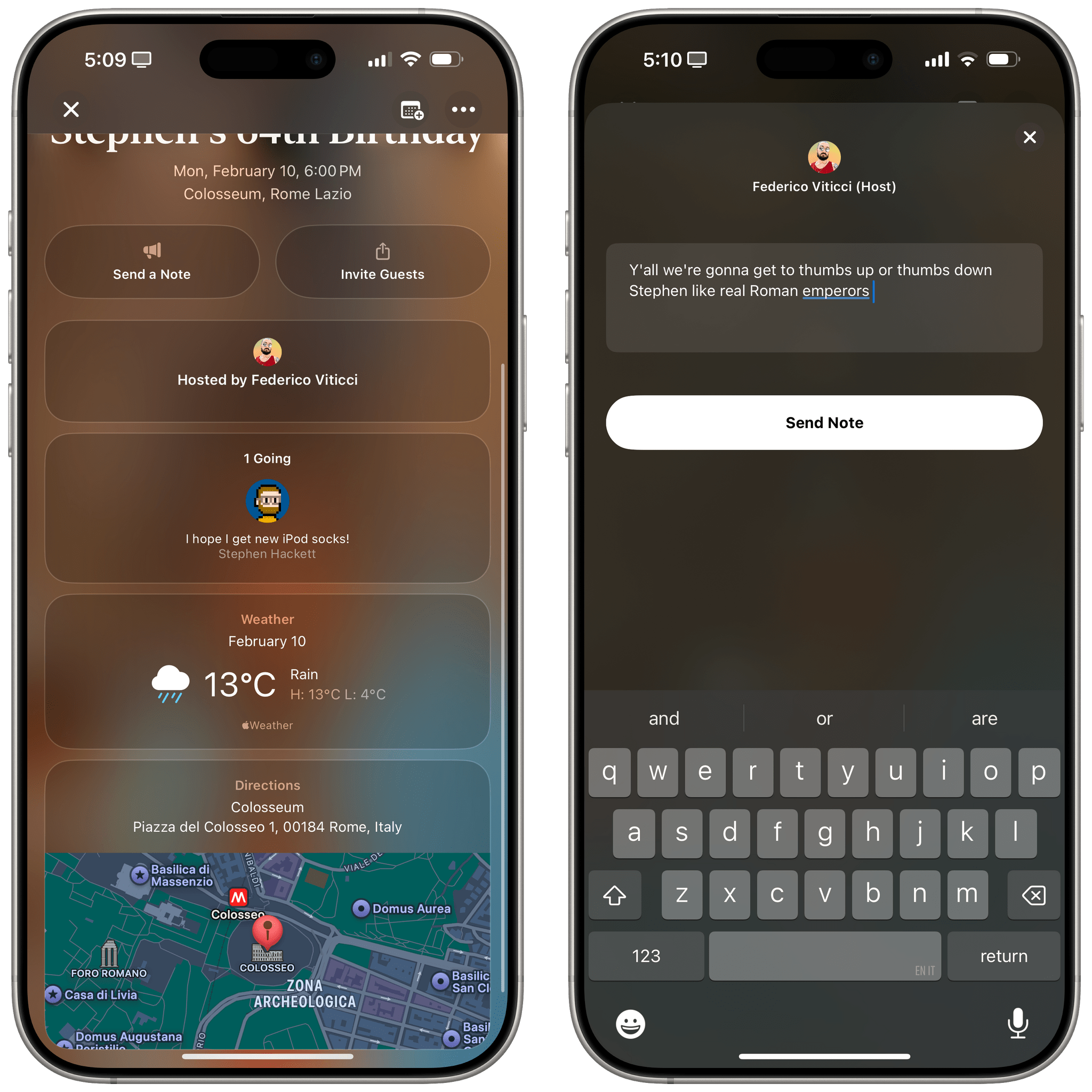
The app can generate full-screen graphics for invitations to any sort of event. The invitations allow you to mix a combination of photos and AI-generated images that are combined with details about the event and the Memojis of the people you invite. There are multiple font choices, the option to add a playlist from Apple Music, and sections for draft invitations, upcoming events, events you’re hosting, those you’re attending, plus past and upcoming events. Invitees can send notes back to the sender too.

Here’s one Federico made for my imaginary birthday party:

I won’t be using the Image Playground integration.

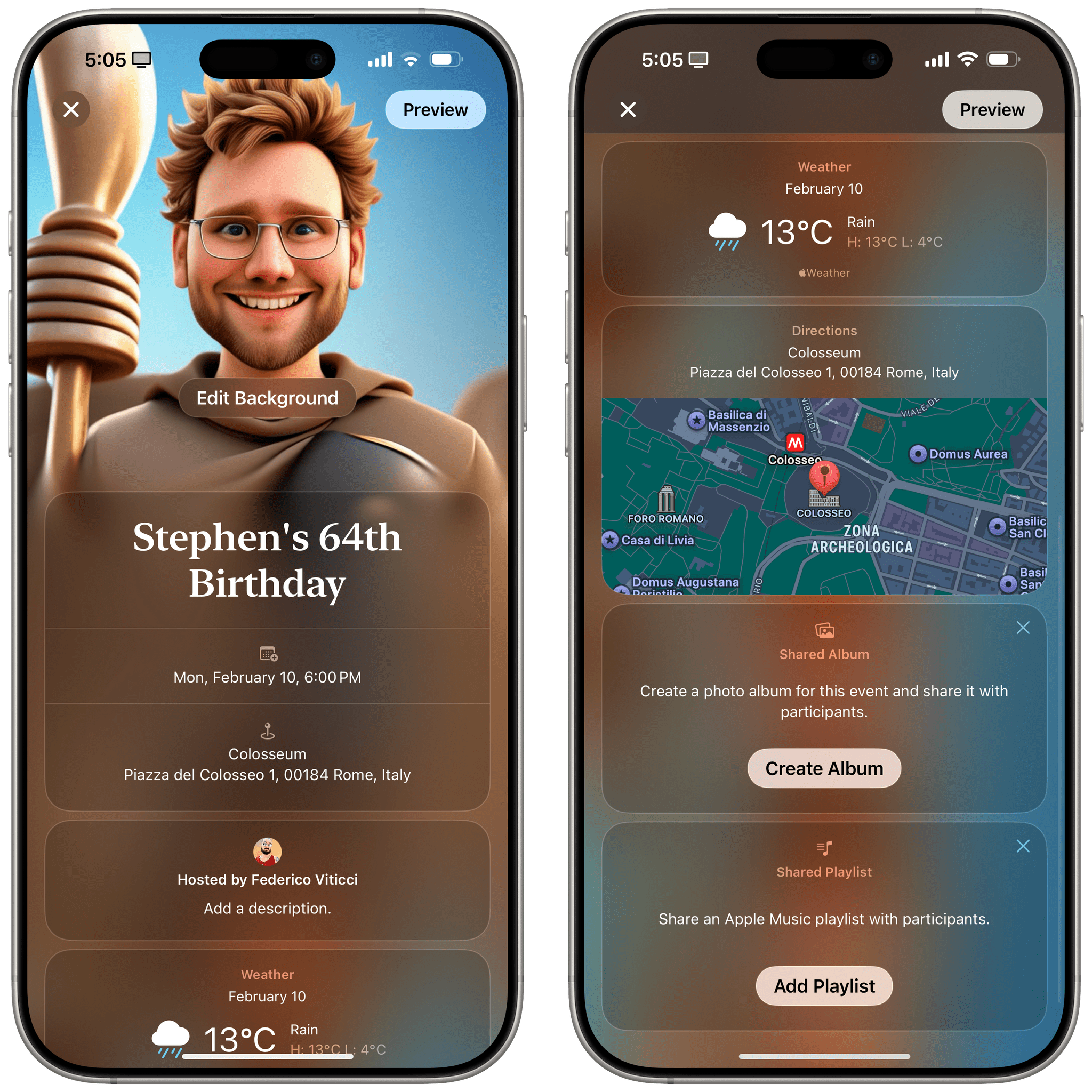
Fortunately, you aren’t required to use Apple Intelligence to make your invitations, although it is notable that this is one of the first Apple apps we know of that is calling the Image Playground API directly. The app also has a wide variety of backgrounds and supports multiple frameworks and apps system-wide, like Photos, Contacts, Maps, Weather, Calendar, Music, and more.

Here are some more screenshots of the app and what it offers:

Anyone can receive and respond an invitation using the app, but only iCloud+ subscribers can send invitations. I won’t be using Apple Intelligence to generate images for invitations, but putting the Image Playground integration aside, the app looks nice and is a fun way to approach what is usually a chore of back and forth emails or text messages. You can download Invites from the App Store using this link.


The Strange Case of Apple Intelligence’s iPhone-only Mail Sorting Feature

Tim Hardwick, writing for MacRumors, on a strange limitation of the Apple Intelligence rollout earlier this week:

Apple’s new Mail sorting features in iOS 18.2 are notably absent from both iPadOS 18.2 and macOS Sequoia 15.2, raising questions about the company’s rollout strategy for the email management system.

The new feature automatically sorts emails into four distinct categories: Primary, Transactions, Updates, and Promotions, with the aim of helping iPhone users better organize their inboxes. Devices that support Apple Intelligence also surface priority messages as part of the new system.

Users on iPhone who updated to iOS 18.2 have the features. However, iPad and Mac users who updated their devices with the software that Apple released concurrently with iOS 18.2 will have noticed their absence. iPhone users can easily switch between categorized and traditional list views, but iPad and Mac users are limited to the standard chronological inbox layout.

This was so odd during the beta cycle, and it continues to be the single decision I find the most perplexing in Apple’s launch strategy for Apple Intelligence.

I didn’t cover Mail’s new smart categorization feature in my story about Apple Intelligence for one simple reason: it’s not available on the device where I do most of my work, my iPad Pro. I’ve been able to test the functionality on my iPhone, and it’s good enough: iOS occasionally gets a category wrong, but (surprisingly) you can manually categorize a sender and train the system yourself.

(As an aside: can we talk about the fact that a bunch of options, including sender categorization, can only be accessed via Mail’s…Reply button? How did we end up in this situation?)

I would very much prefer to use Apple Mail instead of Spark, which offers smart inbox categorization across platforms but is nowhere as nice-looking as Mail and comes with its own set of quirks. However, as long as smart categories are exclusive to the iPhone version of Mail, Apple’s decision prevents me from incorporating the updated Mail app into my daily workflow.

Permalink

Apple Intelligence in iOS 18.2: A Deep Dive into Working with Siri and ChatGPT, Together

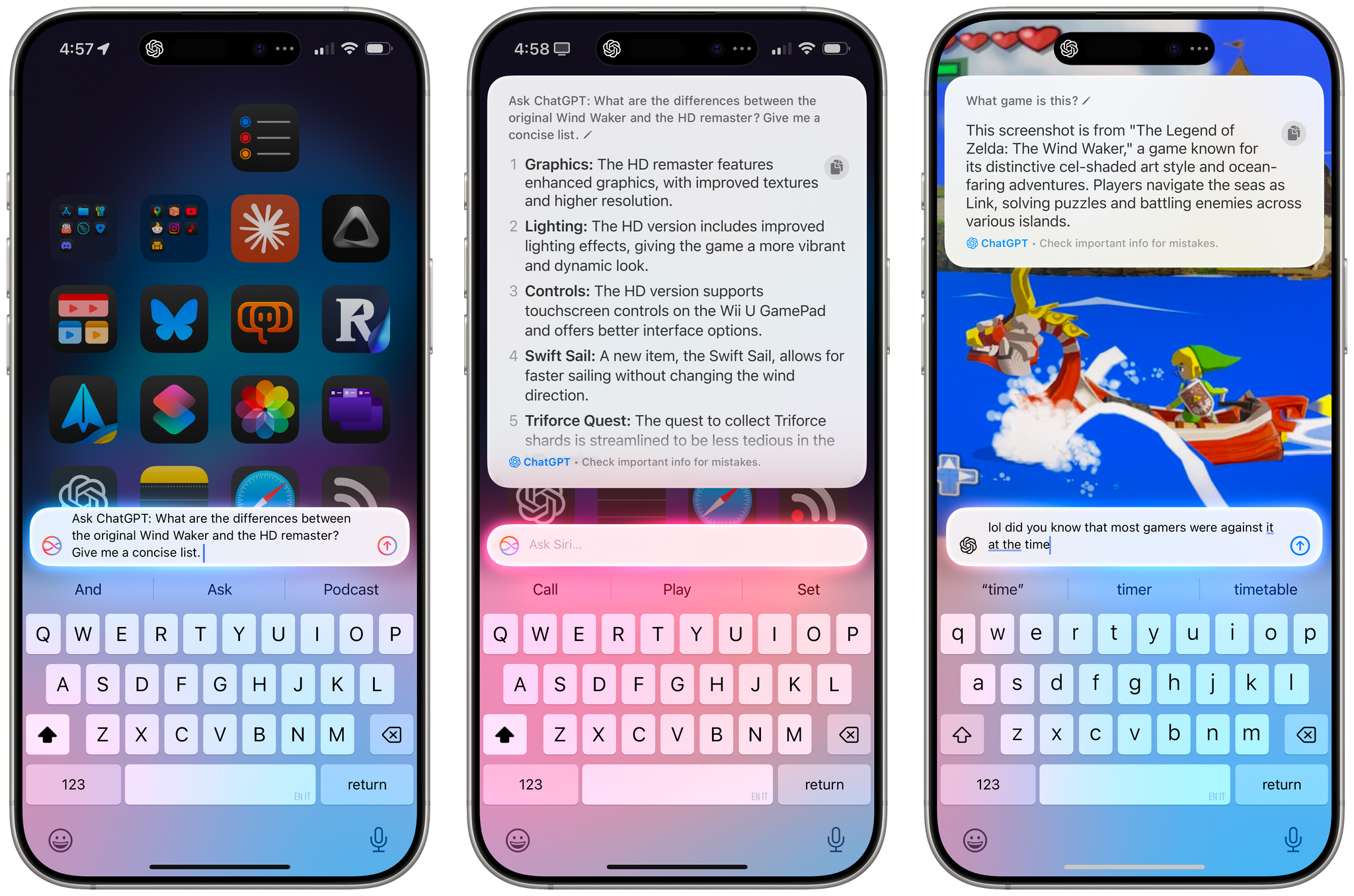
The ChatGPT integration in iOS 18.2.

The ChatGPT integration in iOS 18.2.

Apple is releasing iOS and iPadOS 18.2 today, and with those software updates, the company is rolling out the second wave of Apple Intelligence features as part of their previously announced roadmap that will culminate with the arrival of deeper integration between Siri and third-party apps next year.

In today’s release, users will find native integration between Siri and ChatGPT, more options in Writing Tools, a smarter Mail app with automatic message categorization, generative image creation in Image Playground, Genmoji, Visual Intelligence, and more. It’s certainly a more ambitious rollout than the somewhat disjointed debut of Apple Intelligence with iOS 18.1, and one that will garner more attention if only by virtue of Siri’s native access to OpenAI’s ChatGPT.

And yet, despite the long list of AI features in these software updates, I find myself mostly underwhelmed – if not downright annoyed – by the majority of the Apple Intelligence changes, but not for the reasons you may expect coming from me.

Some context is necessary here. As I explained in a recent episode of AppStories, I’ve embarked on a bit of a journey lately in terms of understanding the role of AI products and features in modern software. I’ve been doing a lot of research, testing, and reading about the different flavors of AI tools that we see pop up on almost a daily basis now in a rapidly changing landscape. As I discussed on the show, I’ve landed on two takeaways, at least for now:

  • I’m completely uninterested in generative products that aim to produce images, video, or text to replace human creativity and input. I find products that create fake “art” sloppy, distasteful, and objectively harmful for humankind because they aim to replace the creative process with a thoughtless approximation of what it means to be creative and express one’s feelings, culture, and craft through genuine, meaningful creative work.
  • I’m deeply interested in the idea of assistive and agentic AI as a means to remove busywork from people’s lives and, well, assist people in the creative process. In my opinion, this is where the more intriguing parts of the modern AI industry lie:
    • agents that can perform boring tasks for humans with a higher degree of precision and faster output;
    • coding assistants to put software in the hands of more people and allow programmers to tackle higher-level tasks;
    • RAG-infused assistive tools that can help academics and researchers; and
    • protocols that can map an LLM to external data sources such as Claude’s Model Context Protocol.

I see these tools as a natural evolution of automation and, as you can guess, that has inevitably caught my interest. The implications for the Accessibility community in this field are also something we should keep in mind.

To put it more simply, I think empowering LLMs to be “creative” with the goal of displacing artists is a mistake, and also a distraction – a glossy facade largely amounting to a party trick that gets boring fast and misses the bigger picture of how these AI tools may practically help us in the workplace, healthcare, biology, and other industries.

This is how I approached my tests with Apple Intelligence in iOS and iPadOS 18.2. For the past month, I’ve extensively used Claude to assist me with the making of advanced shortcuts, used ChatGPT’s search feature as a Google replacement, indexed the archive of my iOS reviews with NotebookLM, relied on Zapier’s Copilot to more quickly spin up web automations, and used both Sonnet 3.5 and GPT-4o to rethink my Obsidian templating system and note-taking workflow. I’ve used AI tools for real, meaningful work that revolved around me – the creative person – doing the actual work and letting software assist me. And at the same time, I tried to add Apple’s new AI features to the mix.

Perhaps it’s not “fair” to compare Apple’s newfangled efforts to products by companies that have been iterating on their LLMs and related services for the past five years, but when the biggest tech company in the world makes bold claims about their entrance into the AI space, we have to take them at face value.

It’s been an interesting exercise to see how far behind Apple is compared to OpenAI and Anthropic in terms of the sheer capabilities of their respective assistants; at the same time, I believe Apple has some serious advantages in the long term as the platform owner, with untapped potential for integrating AI more deeply within the OS and apps in a way that other AI companies won’t be able to. There are parts of Apple Intelligence in 18.2 that hint at much bigger things to come in the future that I find exciting, as well as features available today that I’ve found useful and, occasionally, even surprising.

With this context in mind, in this story you won’t see any coverage of Image Playground and Image Wand, which I believe are ridiculously primitive and perfect examples of why Apple may think they’re two years behind their competitors. Image Playground in particular produces “illustrations” that you’d be kind to call abominations; they remind me of the worst Midjourney creations from 2022. Instead, I will focus on the more assistive aspects of AI and share my experience with trying to get work done using Apple Intelligence on my iPhone and iPad alongside its integration with ChatGPT, which is the marquee addition of this release.

Let’s dive in.

Read more


Apple Reveals A Partial Timeline for the Rollout of More Apple Intelligence Features

Last week, Apple released the first developer betas of iOS 18.2, iPadOS 18.2, and macOS 15.2, which the press speculated would be out by the end of the year. It turns out that was a good call because today, Apple confirmed that timing. In its press release about the Apple Intelligence features released today, Apple revealed that the next round is coming in December and will include the following:

  • Users will be able to describe changes they want made to text using Writing Tools. For example, you can have text rewritten with a certain tone or in the form of a poem.
  • ChatGPT will be available in Writing Tools and when using Siri.
  • Image Playground will allow users to create images with Apple’s generative AI model.
  • Users will be able to use prompts to create Genmoji, custom emoji-style images that can be sent to friends in iMessage and used as stickers.
  • Visual intelligence will be available via the Camera Control on the iPhone 16 and iPhone 16 Pro. The feature will allow users to point the iPhone’s camera at something and learn about it from Google or ChatGPT. Apple also mentions that visual intelligence will work with other unspecified “third-party tools.”
  • Apple Intelligence will be available in localized English in Australia, Canada, Ireland, New Zealand, South Africa, and the U.K.

Apple’s press release also explains when other languages are coming:

…in April, a software update will deliver expanded language support, with more coming throughout the year. Chinese, English (India), English (Singapore), French, German, Italian, Japanese, Korean, Portuguese, Spanish, Vietnamese, and other languages will be supported.

And Apple’s Newsroom in Ireland offers information on the Apple Intelligence rollout in the EU:

Mac users in the EU can access Apple Intelligence in U.S. English with macOS Sequoia 15.1. This April, Apple Intelligence features will start to roll out to iPhone and iPad users in the EU. This will include many of the core features of Apple Intelligence, including Writing Tools, Genmoji, a redesigned Siri with richer language understanding, ChatGPT integration, and more.

It’s a shame it’s going to be another six months before EU customers can take advantage of Apple Intelligence features on their iPhones and iPads, but it’s nonetheless good to hear when it will happen.

It’s also worth noting that the timing of other pieces of Apple Intelligence is unclear. There is still no word on precisely when Siri will gain knowledge of your personal context or perform actions in apps on your behalf, for instance. Even so, today’s reveal is more than Apple usually shares, which is both nice and a sign of the importance the company places on these features.


You Can Use Clean Up with a Clear Conscience

I enjoyed this take on Apple Intelligence’s Clean Up feature by Joe Rosensteel, writing for Six Colors last week:

The photographs you take are not courtroom evidence. They’re not historical documents. Well, they could be, but mostly they’re images to remember a moment or share that moment with other people. If someone rear-ended your car and you’re taking photos for the insurance company, then that is not the time to use Clean Up to get rid of people in the background, of course. Use common sense.

Clean Up is a fairly conservative photo editing tool in comparison to what other companies offer. Sometimes, people like to apply a uniform narrative that Silicon Valley companies are all destroying reality equally in the quest for AI dominance, but that just doesn’t suit this tool that lets you remove some distractions from your image.

It’s easy to get swept up in the “But what is a photo” philosophical debate (which I think raises a lot of interesting points), but I agree with Joe: we should also keep in mind that, sometimes, we’re just removing that random tourist from the background and our edit isn’t going to change the course of humankind’s history.

Also worth remembering:

For some reason, even the most literal of literal people is fine with composing a shot to not include things. To even (gasp!) crop things out of photos. You can absolutely change meaning and context just as much through framing and cropping as you can with a tool like Clean Up. No one is suggesting that the crop tool be removed or that we should only be allowed to take the widest wide-angle photographs possible to include all context at all times, like security camera footage.

Permalink